storybloq
Health Pass
- License — License: NOASSERTION
- Description — Repository has a description
- Active repo — Last push 0 days ago
- Community trust — 47 GitHub stars
Code Fail
- fs.rmSync — Destructive file system operation in src/autonomous/liveness.ts
- process.env — Environment variable access in src/autonomous/liveness.ts
- fs module — File system access in src/autonomous/liveness.ts
Permissions Pass
- Permissions — No dangerous permissions requested
This MCP server and CLI provides cross-session context persistence for AI coding assistants. It creates a `.story/` directory in your projects to track tickets, issues, handovers, and roadmaps, allowing tools like Claude Code to pick up exactly where the last session left off.
Security Assessment
The overall risk is Medium. The automated scan flagged a few notable behaviors. First, there is a destructive file system operation (`fs.rmSync`) located in `src/autonomous/liveness.ts`. This means the tool has the capability to permanently delete files or directories on your machine. Additionally, the tool accesses the file system and reads environment variables (`process.env`) within the same liveness module, which could potentially expose local system configurations. There are no hardcoded secrets detected and no overly broad dangerous permissions are requested. However, given the presence of arbitrary file deletion capabilities, developers should inspect the liveness script to understand exactly what is being removed and under what conditions before deploying.
Quality Assessment
The project appears to be actively developed, with its most recent push occurring today. It enjoys a moderate level of community trust with 47 GitHub stars, indicating a small but growing user base. While the automated scan flagged the license as "NOASSERTION", the project's README explicitly states it uses the "PolyForm-NC 1.0" license. Developers should be aware that this is a non-commercial license, meaning it may not be suitable for commercial work environments.
Verdict
Use with caution—review the file deletion logic in the liveness module and verify the non-commercial license fits your intended use case.
Cross-session context for Claude Code. CLI + MCP server + /story skill that tracks tickets, issues, handovers, and roadmap in a .story/ directory.

storybloq
Cross-session context persistence for AI coding.
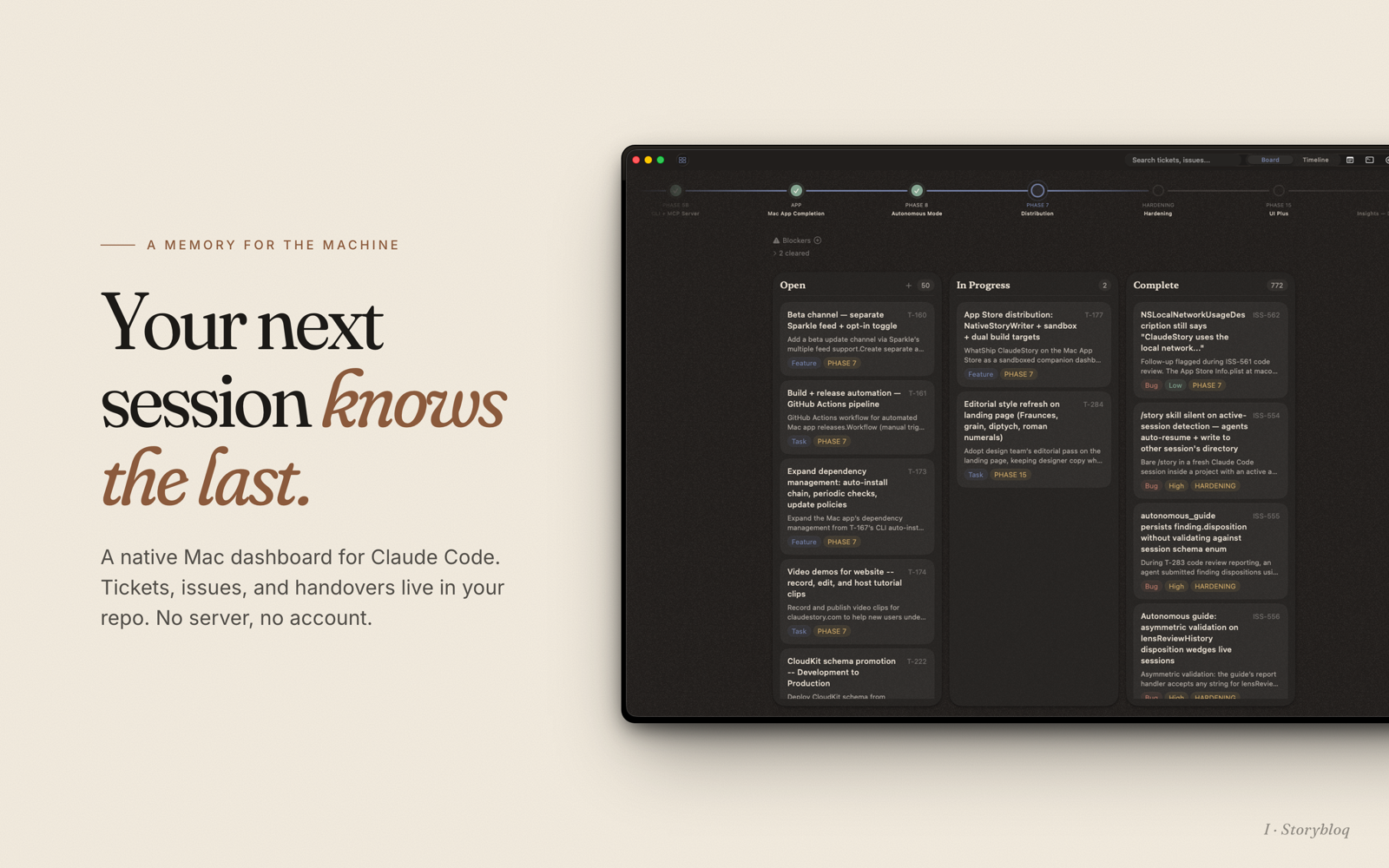
A file convention, a CLI, an MCP server, and a Claude Code skill that together turn every coding session into a building block instead of a reset.




storybloq.com · Mac app · Review lenses · Privacy
The problem
AI coding assistants are stateless. Every new session starts from zero. The model doesn't know what was built yesterday, what's broken, what decisions were made, or what to work on next. Developers compensate with CLAUDE.md files and scattered notes, but there's no standard structure, no session continuity, and no tooling.
The real cost isn't wasted setup time. It's repeated mistakes, relitigated design decisions, hallucinated context, and linear instead of compounding work.
The idea
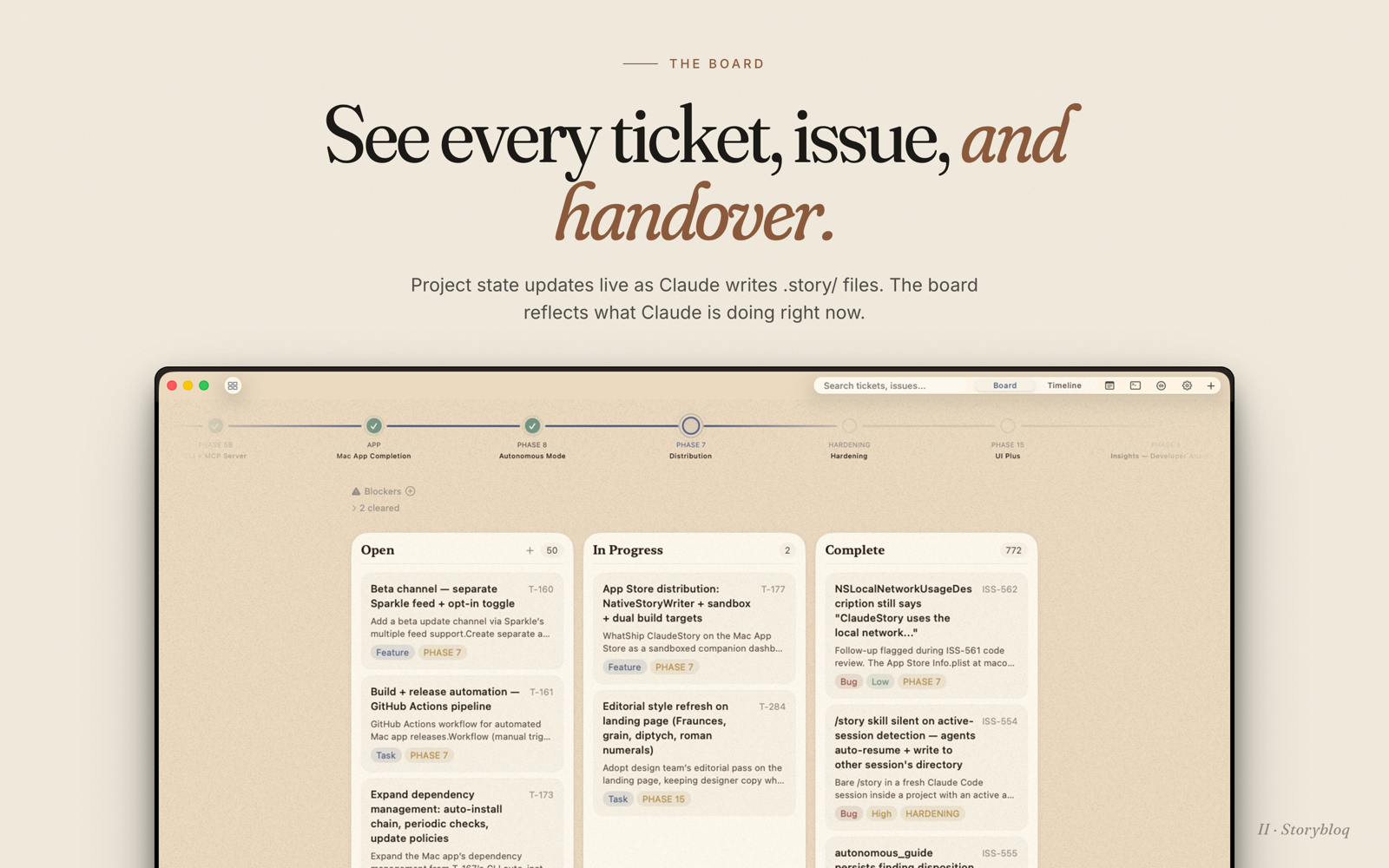
Every project gets a .story/ directory of JSON and markdown files. Tickets, issues, roadmap phases, session handovers, and lessons learned all live there, tracked by git, readable by any AI.
- CLI:
storybloq- inspect and mutate.story/from the terminal. - MCP server: 43 tools Claude Code calls directly, no subprocess spawning.
- Skill:
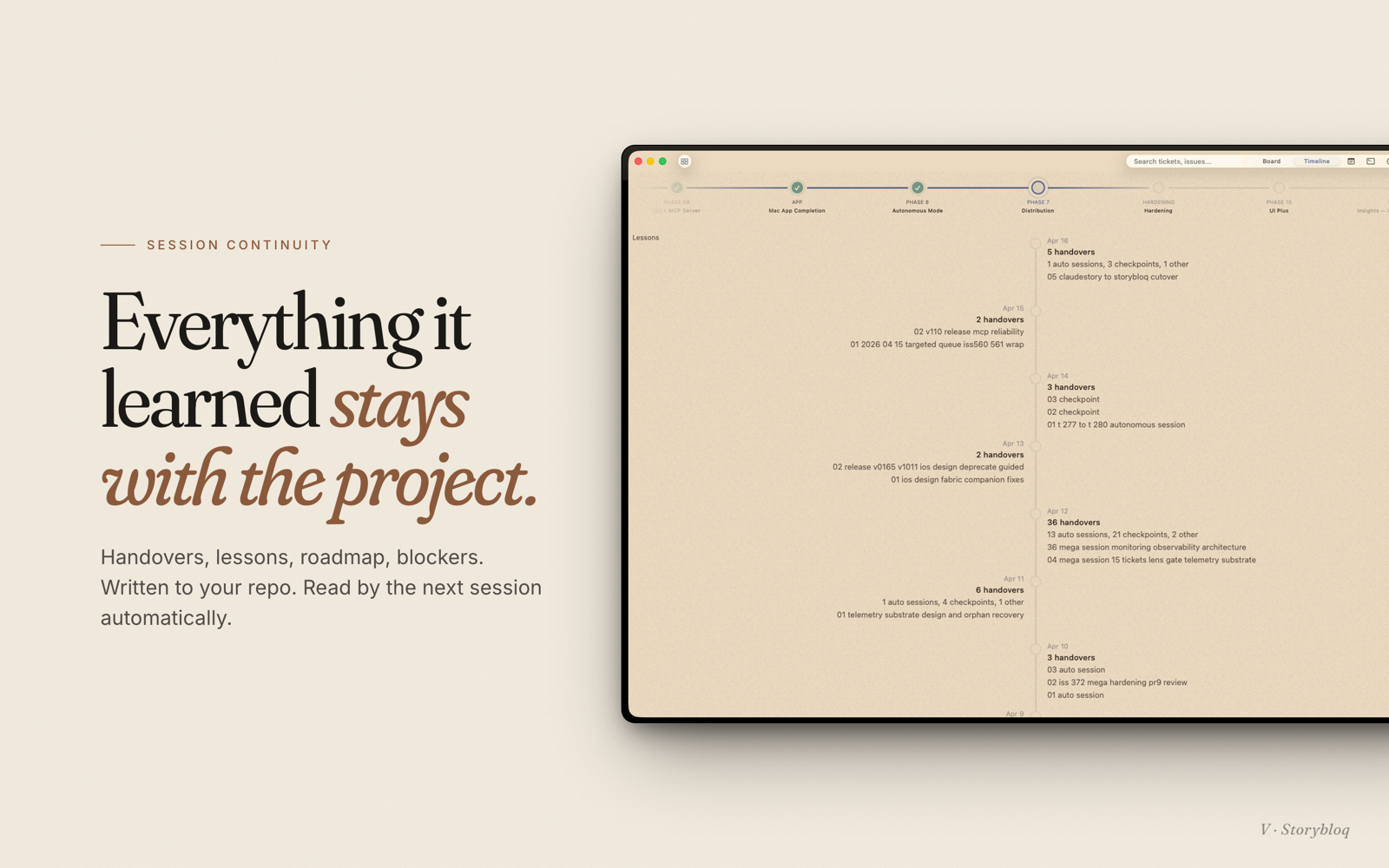
/storyloads project state at the start of every session so Claude Code picks up exactly where the last session left off. - Mac app: native sidebar that watches
.story/and updates live while Claude works (separate product, free on the App Store).
Install
npm install -g @storybloq/storybloq@latest
storybloq setup-skill
Requires Node.js 20+ and Claude Code. Package lives on npm at @storybloq/storybloq; releases are tagged on this repo at github.com/Storybloq/storybloq/releases.
setup-skill installs the /story skill globally to ~/.claude/skills/story/, registers this package as an MCP server, and configures a PreCompact hook that auto-snapshots state before context compaction. Re-running it is safe.
Upgrading
npm install -g @storybloq/storybloq@latest
storybloq setup-skill
Same two commands as a fresh install — @latest pulls the newest version, and re-running setup-skill refreshes the /story skill files, re-registers the MCP server, and sweeps any stale hook entries from prior installs.
You'll usually see a one-line banner on the next storybloq invocation whenever a newer version is on npm:
storybloq v1.2.0 is available (you have v1.1.6).
Update: npm install -g @storybloq/storybloq@latest
The CLI also silently refreshes the skill dir and migrates any legacy hook entries (for example, from the pre-rename @anthropologies/claudestory package) on the first run after an upgrade — no manual cleanup needed.
Alternative install via the Claude Code plugin system: see Storybloq/plugin-archive (legacy path; setup-skill is the recommended install).
Bootstrap a project
cd your-project
storybloq init --name "your-project"
That scaffolds:
.story/
├── config.json         project config + recipe overrides
├── roadmap.json        phase ordering + metadata
├── tickets/            T-001.json, T-002.json, ...
├── issues/             ISS-001.json, ISS-002.json, ...
├── notes/              N-001.json, N-002.json, ...
├── lessons/            L-001.json, ...
├── handovers/          YYYY-MM-DD-<slug>.md
└── snapshots/          state snapshots (gitignored)
Commit everything except .story/snapshots/.
Daily use
Inside Claude Code:
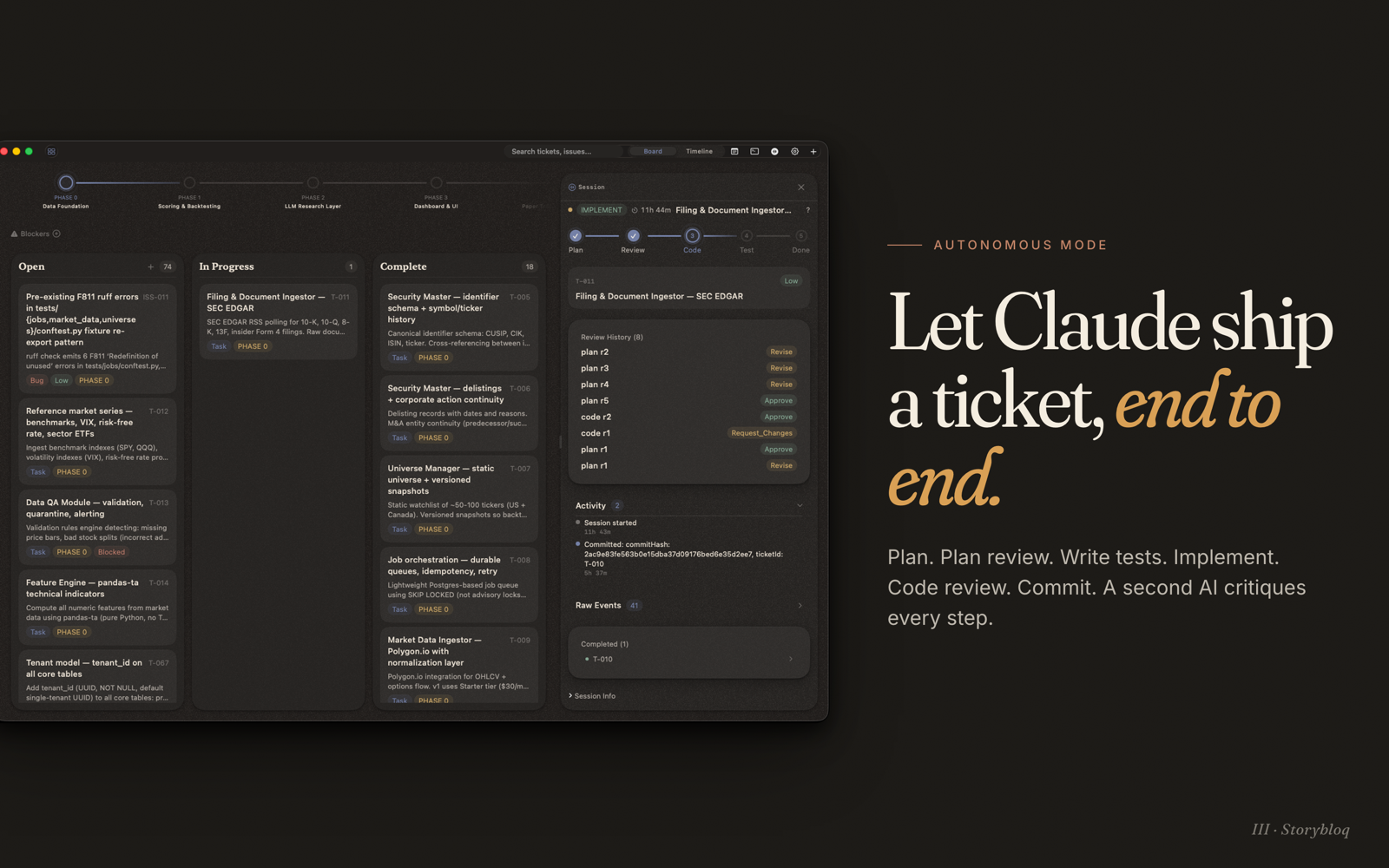
/story- loads project status, reads the latest handover, surfaces open tickets and issues, lists blocked work, summarizes recent changes./story auto T-001 T-002 ISS-013- autonomous mode scoped to those items. Drives a ticket through plan -> plan review -> implement -> tests -> code review -> commit with handovers at each checkpoint./story review T-001- runs the multi-lens review (see Storybloq/lenses) against a ticket's diff./story handover- writes a session handover capturing decisions, blockers, and next steps.
Outside Claude Code, the same state is one storybloq invocation away.
CLI reference
All commands accept --format json|md (default md). Pipe JSON through jq for scripting, read the markdown variant directly.
Project
| Command | Description |
|---|---|
storybloq init [--name] [--force] |
Scaffold .story/ in the current directory |
storybloq status |
Project summary with phase statuses, counts, and risks |
storybloq validate |
Reference integrity + schema checks |
storybloq setup-skill [--skip-hooks] |
Install /story skill + register MCP + PreCompact hook |
storybloq recommend --count N |
Context-aware work suggestions |
Phases
| Command | Description |
|---|---|
storybloq phase list |
All phases with derived status (status is computed from tickets, never stored) |
storybloq phase current |
First non-complete phase |
storybloq phase tickets --phase <id> |
Leaf tickets for a phase |
storybloq phase create --id --name --label --description [--summary] --after/--at-start |
Create a phase |
storybloq phase rename <id> [--name] [--label] [--description] [--summary] |
Update phase metadata |
storybloq phase move <id> --after/--at-start |
Reorder |
storybloq phase delete <id> [--reassign <target>] |
Delete (reassign contained tickets) |
Tickets
| Command | Description |
|---|---|
storybloq ticket list [--status] [--phase] [--type] |
List leaf tickets (umbrellas excluded) |
storybloq ticket get <id> |
Full ticket detail |
storybloq ticket next |
Highest-priority unblocked ticket |
storybloq ticket blocked |
All currently blocked tickets |
storybloq ticket create --title --type --phase [--description] [--blocked-by] [--parent-ticket] |
Create |
storybloq ticket update <id> [--status] [--title] [--phase] [--order] ... |
Update |
storybloq ticket delete <id> [--force] |
Delete |
Issues
| Command | Description |
|---|---|
storybloq issue list [--status] [--severity] |
List issues |
storybloq issue get <id> |
Issue detail |
storybloq issue create --title --severity --impact [--components] [--related-tickets] [--location] |
Create |
storybloq issue update <id> [--status] [--title] [--severity] ... |
Update |
storybloq issue delete <id> |
Delete |
Notes and lessons
| Command | Description |
|---|---|
storybloq note list · note get · note create · note update |
Brainstorming and idea capture |
storybloq lesson list · lesson get · lesson create · lesson update · lesson reinforce |
Reusable patterns and anti-patterns |
storybloq lesson digest |
Compact summary of all active lessons for skill injection |
Handovers, blockers, snapshots
| Command | Description |
|---|---|
storybloq handover list · handover latest · handover get <file> |
Session continuity documents |
storybloq handover create --title --tldr ... |
Write a new handover |
storybloq blocker list · blocker add · blocker clear |
External dependencies blocking progress |
storybloq snapshot · storybloq recap |
Capture state and diff against the last snapshot |
storybloq export [--phase <id>] [--all] [--format json|md] |
Self-contained project document |
MCP server reference
Register with Claude Code (done automatically by setup-skill):
claude mcp add storybloq -s user -- storybloq --mcp
The server imports the same TypeScript modules as the CLI directly, so there's no subprocess overhead. It auto-discovers the project root by walking up from the working directory to the nearest .story/ parent.
43 tools grouped by responsibility:
Read (no side effects)
storybloq_status · storybloq_phase_list · storybloq_phase_current · storybloq_phase_tickets · storybloq_ticket_list · storybloq_ticket_get · storybloq_ticket_next · storybloq_ticket_blocked · storybloq_issue_list · storybloq_issue_get · storybloq_note_list · storybloq_note_get · storybloq_lesson_list · storybloq_lesson_get · storybloq_lesson_digest · storybloq_handover_list · storybloq_handover_latest · storybloq_handover_get · storybloq_blocker_list · storybloq_validate · storybloq_recap · storybloq_recommend · storybloq_export · storybloq_selftest
Write (mutate .story/)
storybloq_snapshot · storybloq_handover_create · storybloq_ticket_create · storybloq_ticket_update · storybloq_issue_create · storybloq_issue_update · storybloq_note_create · storybloq_note_update · storybloq_lesson_create · storybloq_lesson_update · storybloq_lesson_reinforce · storybloq_phase_create
Autonomous mode + review + observability
storybloq_autonomous_guide drives the autonomous state machine (PICK_TICKET -> PLAN -> PLAN_REVIEW -> WRITE_TESTS -> IMPLEMENT -> TEST -> CODE_REVIEW -> FINALIZE -> COMPLETE).
storybloq_review_lenses_prepare · storybloq_review_lenses_judge · storybloq_review_lenses_synthesize orchestrate the multi-lens review loop (requires @storybloq/lenses).
storybloq_session_report · storybloq_register_subprocess · storybloq_unregister_subprocess surface session health to the Mac app.
Hooks
PreCompact (auto-snapshot, set up by setup-skill)
Runs storybloq snapshot --quiet before context compaction so recap always reflects the latest state. Manually:
{
  "hooks": {
    "PreCompact": [{
      "matcher": "",
      "hooks": [{ "type": "command", "command": "storybloq snapshot --quiet" }]
    }]
  }
}
Skip with storybloq setup-skill --skip-hooks.
SessionStart (optional recap injection)
Auto-inject what changed since last snapshot:
{
  "hooks": {
    "SessionStart": [{
      "matcher": "",
      "hooks": [{ "type": "command", "command": "storybloq recap --format md" }]
    }]
  }
}
Library usage
import { loadProject } from "@storybloq/storybloq";

const { state, warnings } = await loadProject("/path/to/project");
console.log(state.tickets.length);           // all tickets
console.log(state.phaseTickets("p1"));       // leaf tickets in phase p1
console.log(state.umbrellaChildren("T-014")); // children of an umbrella
Full type definitions ship with the package (exports.types).
File format examples
Ticket (.story/tickets/T-001.json):
{
  "id": "T-001",
  "title": "Add search to sidebar",
  "type": "task",
  "status": "inprogress",
  "phase": "p2",
  "order": 10,
  "description": "Fuzzy match over ticket title + description.",
  "createdDate": "2026-04-12",
  "completedDate": null,
  "blockedBy": [],
  "parentTicket": null
}
Issue (.story/issues/ISS-001.json):
{
  "id": "ISS-001",
  "title": "Drag handle hit target too small on trackpad",
  "status": "open",
  "severity": "medium",
  "components": ["mac-app"],
  "impact": "Dragging tickets on trackpad requires multiple tries.",
  "location": ["macos/Views/KanbanCard.swift:42"],
  "discoveredDate": "2026-04-15",
  "resolvedDate": null,
  "relatedTickets": []
}
Each record is its own file. IDs are sequential within type (T-001, T-002, ...). Relationships are single-canonical-owner: a ticket's blockedBy field points at blocker tickets, and the reverse (who-blocks-me) is derived by scanning.
Example workflow
# Initialize
storybloq init --name "my-app"

# Add the first phase
storybloq phase create --id bootstrap --name "Bootstrap" --label "PHASE 1" \
  --description "Get the app running end-to-end"

# Add a ticket
storybloq ticket create --title "Scaffold Next.js" --type task --phase bootstrap

# Start Claude Code, type /story, then work on it
# (or go autonomous: /story auto T-001)

# At the end of a session, commit your changes including .story/
git add .
git commit -m "T-001: scaffold Next.js"

# Session ends. Next session starts with /story and picks up with full context.
Related projects
- @storybloq/lenses - multi-lens code review MCP server. 8 specialized reviewers run in parallel and return structured verdicts.
- Storybloq for Mac - native macOS app that watches
.story/and updates live while Claude works. Free on the Mac App Store.
Contributing
Issues and PRs welcome. For non-trivial changes, open an issue first so we can align on direction.
Development setup:
git clone https://github.com/Storybloq/storybloq.git
cd storybloq
npm install
npm test
npm run build
License
PolyForm Noncommercial 1.0.0. Free for personal and noncommercial use. For commercial licensing, contact [email protected].
See LICENSE for the full text and NOTICE for the required copyright notice you must propagate if you redistribute.
Reviews (0)
Sign in to leave a review.
Leave a reviewNo results found