purplemux
Health Warn
- License — License: MIT
- Description — Repository has a description
- Active repo — Last push 0 days ago
- Low visibility — Only 5 GitHub stars
Code Fail
- process.env — Environment variable access in bin/cli.js
- network request — Outbound network request in bin/cli.js
- process.env — Environment variable access in bin/purplemux.js
- os.homedir — User home directory access in electron/main.ts
- process.env — Environment variable access in electron/main.ts
Permissions Pass
- Permissions — No dangerous permissions requested
No AI report is available for this listing yet.
A web-native terminal multiplexer for Claude Code — monitor and manage multiple sessions from any browser
purplemux
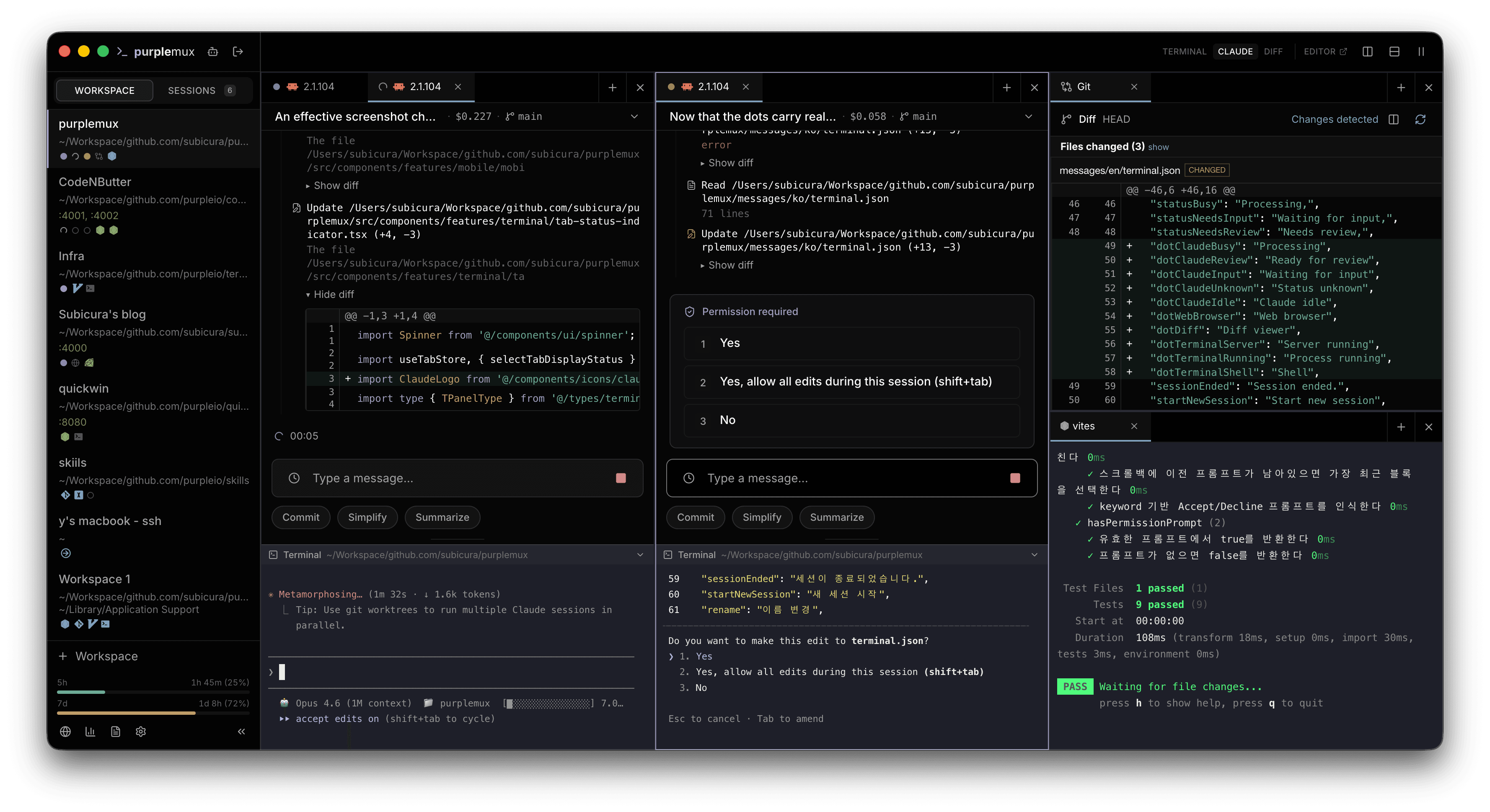
Claude Code, many tasks at once. Faster.
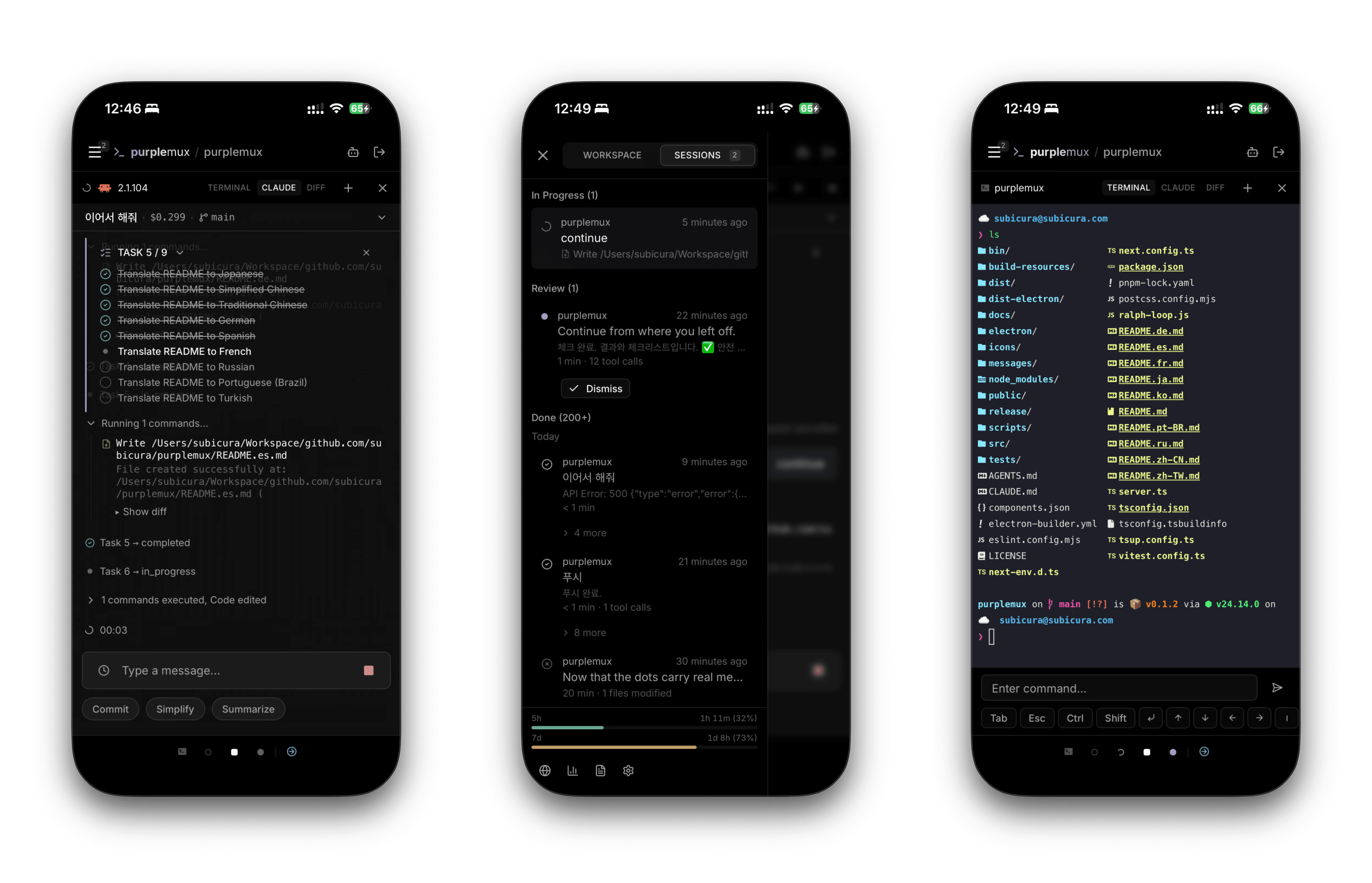
Every session on a single screen. Uninterrupted, even on your phone.
English | 日本語 | 简体中文 | 繁體中文 | 한국어 | Deutsch | Español | Français | Русский | Português (Brasil) | Türkçe
Install
npx purplemux
Open http://localhost:8022 in your browser. Done.
Requires Node.js 20+ and tmux. macOS or Linux.
Prefer a native app? Grab the macOS Electron build from the latest release (.dmg for Apple Silicon & Intel).
Why purplemux
- Multi-session dashboard — See working/needs-input status for every Claude Code session at a glance
- Rate limit monitoring — 5-hour / 7-day remaining usage with reset countdown
- Push notifications — Desktop and mobile alerts when a task finishes or needs input
- Mobile & multi-device — Reach the same session from a phone, tablet, or another desktop
- Live session view — No more scrolling CLI output. Progress is organized as a timeline
Plus
- Uninterrupted sessions — Built on tmux. Close the browser and everything stays put. Reconnect and your tabs, panels, and directories are exactly where you left them
- Self-hosted & open source — Code and session data never leave your machine. No external servers
- Encrypted remote access — HTTPS from anywhere via Tailscale
How it differs from the official Remote Control
The official Remote Control focuses on single-session remote control. Use purplemux when you need multi-session management, push notifications, and persistent sessions.
Features
Terminal
- Split panels — Horizontal / vertical splits, drag to resize
- Tab management — Multiple tabs, drag to reorder, auto titles from process names
- Keyboard shortcuts — Splits, tab switching, focus movement
- Terminal themes — Dark / light mode, multiple color themes
- Workspaces — Save and restore panel layouts, tabs, and working directories as workspaces
- Git diff viewer — Inspect git diffs right inside a terminal panel. Toggle side-by-side / line-by-line, with syntax highlighting
- Web browser panel — An embedded browser next to the terminal for checking dev output (Electron)
Claude Code integration
- Real-time status — Working / needs-input indicators with session switching
- Live session view — Messages, tool calls, tasks, permission prompts, thinking blocks
- One-click resume — Restart a paused session directly from the browser
- Auto resume — Recover previous Claude sessions on server start
- Quick prompts — Register frequently used prompts and send with one click
- Message history — Reuse previous messages
- Usage analytics — Tokens (input / output / cache read / cache write), cost, per-project breakdowns, daily AI reports
- Rate limits — 5-hour / 7-day remaining usage with reset countdown
Mobile & accessibility
- Responsive UI — Terminal and timeline on phones and tablets
- PWA — Add to home screen for a native-app feel
- Web Push — Receive notifications even after closing the tab
- Multi-device sync — Workspace changes reflected in real time
- Tailscale — HTTPS access from outside via a WireGuard-encrypted tunnel
- Password authentication — scrypt hashing, safe even when exposed externally
- Multilingual — 11 languages including 한국어, English, 日本語, 中文
AI Agents (Beta)
Create independent AI agents, assign them roles and personalities (souls), and run tasks in parallel across multiple tabs. Each agent has its own chat, memory, and workspace.
Supported platforms
| Platform | Status | Notes |
|---|---|---|
| macOS (Apple Silicon / Intel) | ✅ | Electron app included |
| Linux | ✅ | No Electron |
| Windows | ❌ | Not supported |
Install details
Requirements
npx (fastest)
npx purplemux
Global install
npm install -g purplemux
purplemux
Run from source
git clone https://github.com/subicura/purplemux.git
cd purplemux
pnpm install
pnpm start
Development mode:
pnpm dev
Log level
Set the overall level with LOG_LEVEL (default info).
LOG_LEVEL=debug pnpm dev
To enable specific modules only, list module=level pairs in LOG_LEVELS, separated by commas. Available levels: trace / debug / info / warn / error / fatal.
# Trace only Claude Code hook behavior at debug
LOG_LEVELS=hooks=debug pnpm dev

# Multiple modules at once
LOG_LEVELS=hooks=debug,status=warn pnpm dev
Modules not listed in LOG_LEVELS fall back to LOG_LEVEL.
Remote access (Tailscale Serve)
tailscale serve --bg 8022
Access at https://<machine>.<tailnet>.ts.net. To disable:
tailscale serve --bg off 8022
Security
Password
Set a password on first access. It is hashed with scrypt and stored in ~/.purplemux/config.json.
To reset, delete ~/.purplemux/config.json and restart — the onboarding screen will appear again.
HTTPS
The default is HTTP. Always use HTTPS when exposing the app externally:
- Tailscale Serve — WireGuard encryption with automatic certificates
- Nginx / Caddy — Must forward WebSocket upgrade headers (
Upgrade,Connection)
Data directory (~/.purplemux/)
| File | Description |
|---|---|
config.json |
Authentication (hashed) and app settings |
workspaces.json |
Workspace layouts, tabs, directories |
vapid-keys.json |
Web Push VAPID keys (auto-generated) |
push-subscriptions.json |
Push subscription data |
hooks/ |
User-defined hooks |
Architecture
┌─────────────────────────────────────────────────────────────┐
│  Browser                                                    │
│  ┌───────────┐ ┌───────────┐ ┌──────────┐ ┌─────────────┐   │
│  │  xterm.js │ │ Timeline  │ │ Status   │ │ Multi-device│   │
│  │  Terminal │ │           │ │          │ │ Sync        │   │
│  └─────┬─────┘ └─────┬─────┘ └────┬─────┘ └──────┬──────┘   │
└────────┼─────────────┼────────────┼──────────────┼──────────┘
         │ws           │ws          │ws            │ws
         │/terminal    │/timeline   │/status       │/sync
         ▼             ▼            ▼              ▼
┌─────────────────────────────────────────────────────────────┐
│  Node.js Server (:8022)                                     │
│  ┌──────────┐  ┌───────────────┐  ┌─────────────────────┐   │
│  │ node-pty │  │ JSONL Watcher │  │ Status Manager      │   │
│  │ PTY↔WS   │  │ File watch →  │  │ Process tree +      │   │
│  │ Binary   │  │ Parse → Send  │  │ JSONL tail analysis │   │
│  └────┬─────┘  └───────┬───────┘  └──────────┬──────────┘   │
└───────┼────────────────┼─────────────────────┼──────────────┘
        ▼                ▼                     ▼
┌─────────────────────────────────────────────────────────────┐
│  System                                                     │
│  tmux (purple socket)         Claude Code                   │
│  ┌────────┐ ┌────────┐       ┌────────────────────────────┐ │
│  │Session1│ │Session2│  ...  │ ~/.claude/sessions/        │ │
│  │ (shell)│ │ (shell)│       │ ~/.claude/projects/        │ │
│  └────────┘ └────────┘       │   └─ {project}/{sid}.jsonl │ │
│                              └────────────────────────────┘ │
└─────────────────────────────────────────────────────────────┘
Terminal I/O — xterm.js connects to node-pty via WebSocket; node-pty attaches to tmux sessions. A binary protocol handles stdin/stdout/resize with backpressure control.
Status detection — Claude Code event hooks (SessionStart, Stop, Notification) deliver instant updates via HTTP POST. Polling every 5–15s inspects process trees and analyzes the last 8KB of JSONL files.
Timeline — Watches JSONL session logs under ~/.claude/projects/, parses new lines on change, and streams structured entries to the browser.
tmux isolation — Uses a dedicated purple socket, completely separate from your existing tmux. No prefix key, no status bar.
Auto recovery — On server start, restores previous Claude sessions via claude --resume {sessionId}.
License
Reviews (0)
Sign in to leave a review.
Leave a reviewNo results found