sessions-chronicle
Health Uyari
- License — License: MIT
- Description — Repository has a description
- Active repo — Last push 0 days ago
- Low visibility — Only 5 GitHub stars
Code Basarisiz
- rm -rf — Recursive force deletion command in .github/workflows/deploy-website.yml
- rm -rf — Recursive force deletion command in .github/workflows/flatpak-repository.yml
Permissions Gecti
- Permissions — No dangerous permissions requested
Bu listing icin henuz AI raporu yok.
A Gtk/Adwaita app to browse and search your AI coding sessions

Sessions Chronicle


Browse, search, and resume your AI assistant sessions
Sessions Chronicle indexes all your local AI assistant sessions into a searchable database,
so you can find any conversation, inspect tool calls, diagnose source indexing issues,
and pick up where you left off.
→ Read the User Guide to get started.
Features
- Full-text search across all conversations (SQLite FTS5)
- Sidebar filters by project and assistant with keyword search
- Filter the session list by date (Today, Yesterday, or a custom range)
- Markdown rendering (code blocks, tables, task lists, blockquotes)
- Expand inline tool calls and drill down into subagents; consecutive calls are grouped and collapsible
- Pin favorite sessions
- Per-session token breakdowns in detail view
- Assistant status dots, issue banner, empty-state diagnostics, and detailed indexing status dialog
- Launch sessions directly from the app in your terminal
- Supports 4 AI assistants — Claude Code, OpenCode, Codex, Mistral Vibe
- View most-used assistants, most-active days, and more
Installation
- Install the self-hosted Flatpak remote:
flatpak install --user https://sessions-chronicle.maciz.dev/flatpak/dev.maciz.sessionschronicle.flatpakref
- Launch Sessions Chronicle from your app menu, or run:
flatpak run dev.maciz.sessionschronicle
The Flatpak remote is the recommended install path: it is signed and updates automatically with flatpak update.
Build from source (native)
Contributors and advanced users can build a native Linux binary with Meson instead of Flatpak. This produces a regular GTK / Libadwaita application that links against your system libraries, so you need the development packages for them.
Build dependencies
- Rust toolchain (
cargo) — Rust 2024 edition - Meson
>= 0.59and Ninja - GLib / GIO
>= 2.84 - GTK 4
>= 4.18 - GtkSourceView 5
>= 5.0 - Libadwaita
>= 1.8
These minimums are set by the Rust bindings (the gnome_48 GTK feature requires GTK 4.18 / GLib 2.84, and Libadwaita 1.8 APIs are used), and match the GNOME 49 runtime the Flatpak build targets — not the lower floors declared in meson.build.
On Fedora, the system packages are roughly:
sudo dnf install cargo meson ninja-build \
  glib2-devel gtk4-devel gtksourceview5-devel libadwaita-devel
On Debian/Ubuntu, the equivalents are cargo meson ninja-build libglib2.0-dev libgtk-4-dev libgtksourceview-5-dev libadwaita-1-dev.
Configure, compile, and install
meson setup builddir --prefix="$HOME/.local"
meson compile -C builddir
meson install -C builddir
Then run the installed build:
"$HOME/.local/bin/sessions-chronicle"
For the faster day-to-day development loop (development profile, incremental rebuilds) see docs/DEVELOPMENT_WORKFLOW.md.
Screenshot
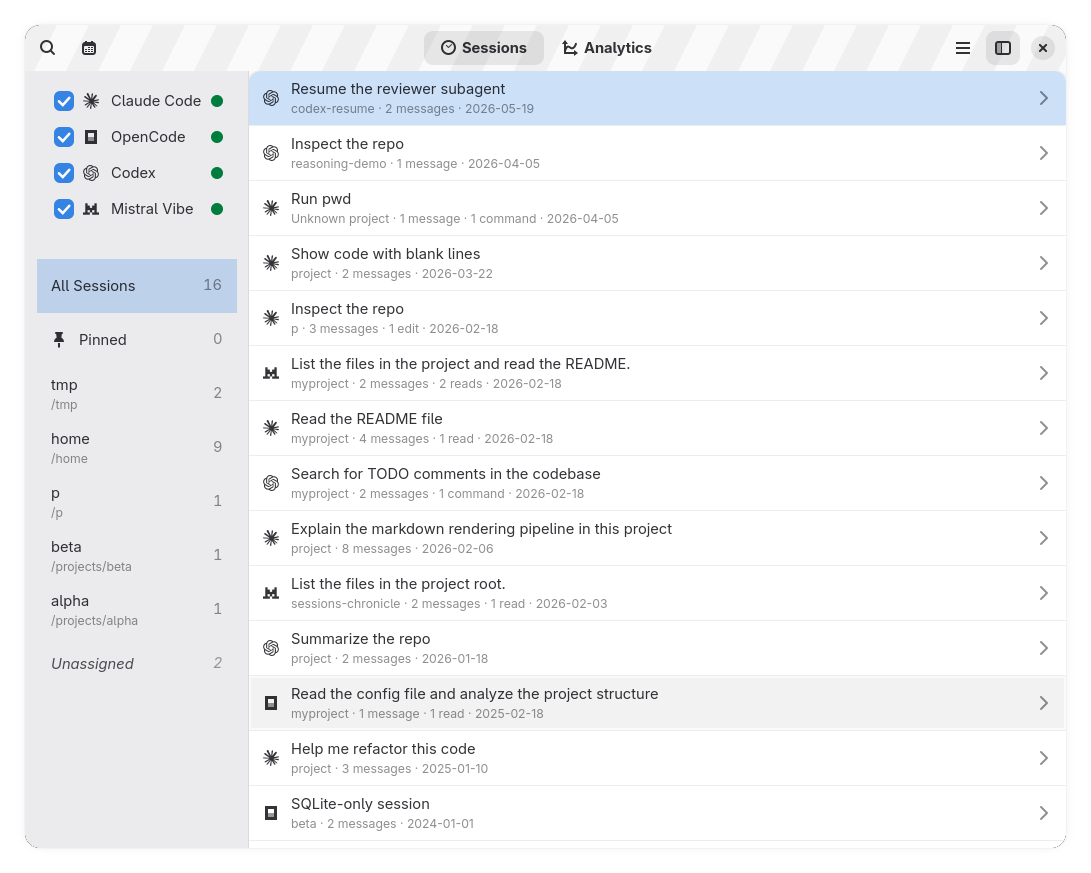
See the website for more screenshots and project details: https://sessions-chronicle.maciz.dev/
Inspiration
Inspired by agent-sessions.
License
Licensed under MIT. See LICENSE.
Yorumlar (0)
Yorum birakmak icin giris yap.
Yorum birakSonuc bulunamadi