stealth-code
Health Warn
- License — License: MIT
- Description — Repository has a description
- Active repo — Last push 0 days ago
- Low visibility — Only 6 GitHub stars
Code Pass
- Code scan — Scanned 7 files during light audit, no dangerous patterns found
Permissions Pass
- Permissions — No dangerous permissions requested
No AI report is available for this listing yet.
AI interview assistant for Windows. Runs Claude Code, Codex, or Gemini CLI in a terminal invisible to screen sharing, transcribes the interviewer live, and answers from screenshots
Stealth Code
AI assistant for live technical interviews, in a window only you can see.
Hears the question, sees the screen, answers in your terminal. Invisible to screen sharing.



Stealth Code runs Claude Code, Codex, or Gemini CLI in a floating terminal that Zoom, Teams, Meet, OBS, and screenshots cannot capture. During an interview it transcribes the interviewer's voice locally with Whisper and sends each question to the CLI as they finish speaking. One hotkey sends a screenshot of the coding problem. Everything runs on your machine.
Features
- Invisible to capture. Excluded from screen sharing, recording, and screenshots by Windows itself.
- Live listening. System audio transcribed locally, each question sent to the CLI after a short pause.
- Screenshot to answer. Full screen, region, or window, sent with a prompt asking for the solution.
- Multi-capture. Screenshot while scrolling, send as one page.
- No-focus mode. Click the answer without taking focus from your editor.
- Always on top, adjustable opacity.
- Claude Code, Codex, Gemini CLI, or a custom command.
- Editable prompts and hotkeys. Portable single executable with built-in updates.
- Personal context. Import a resume and add experience stories to ground background answers.
Screenshots
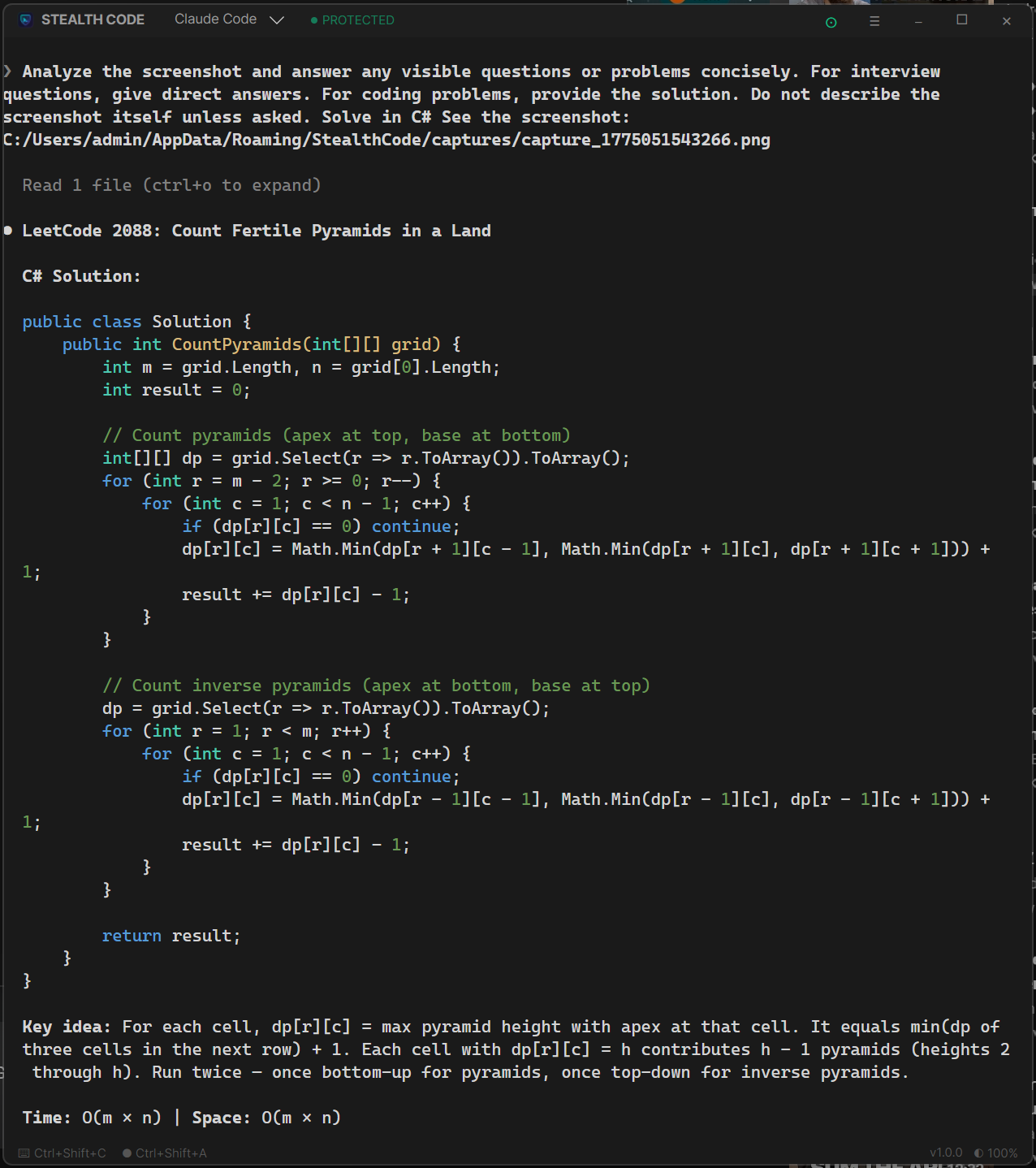 |
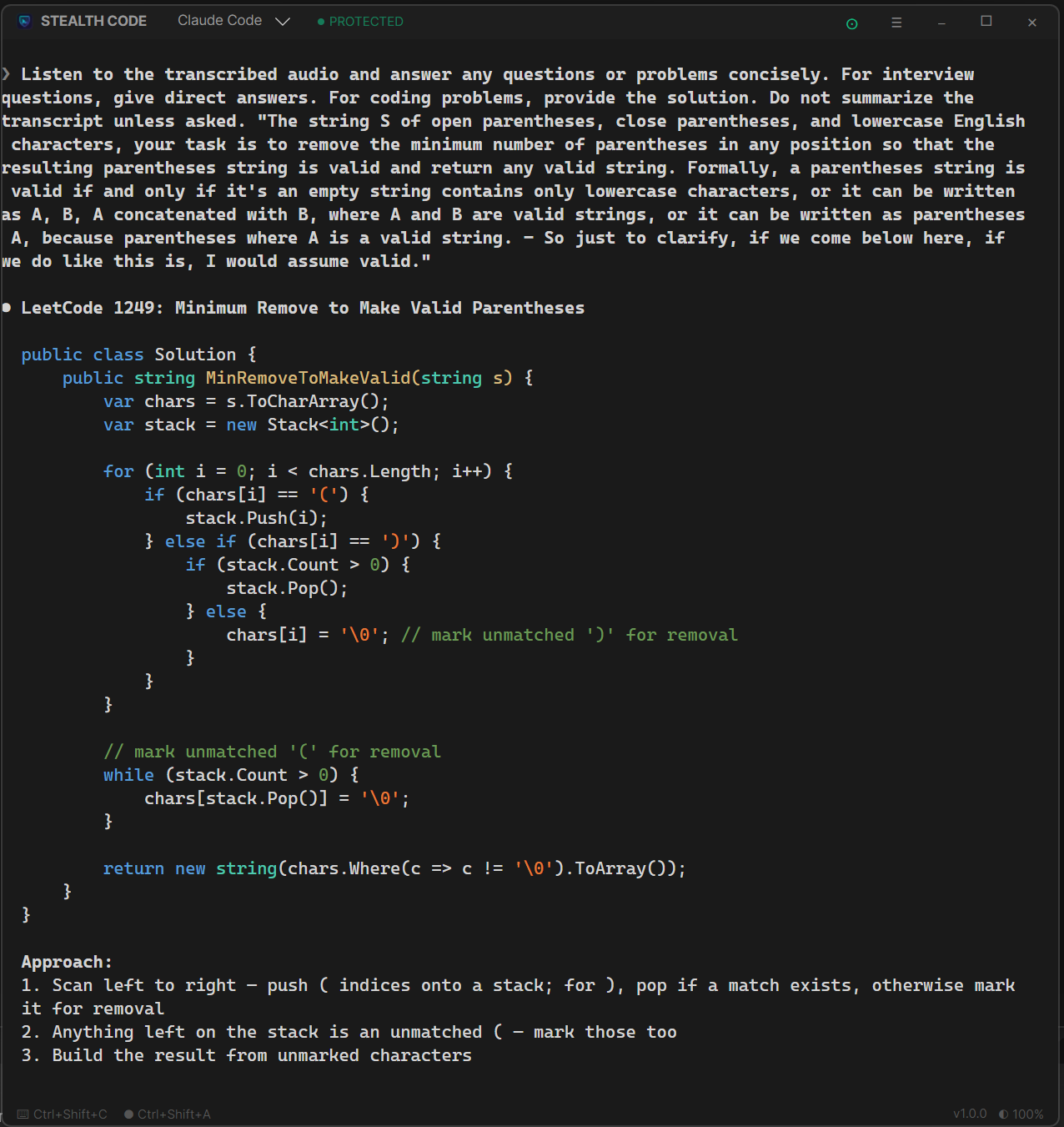 |
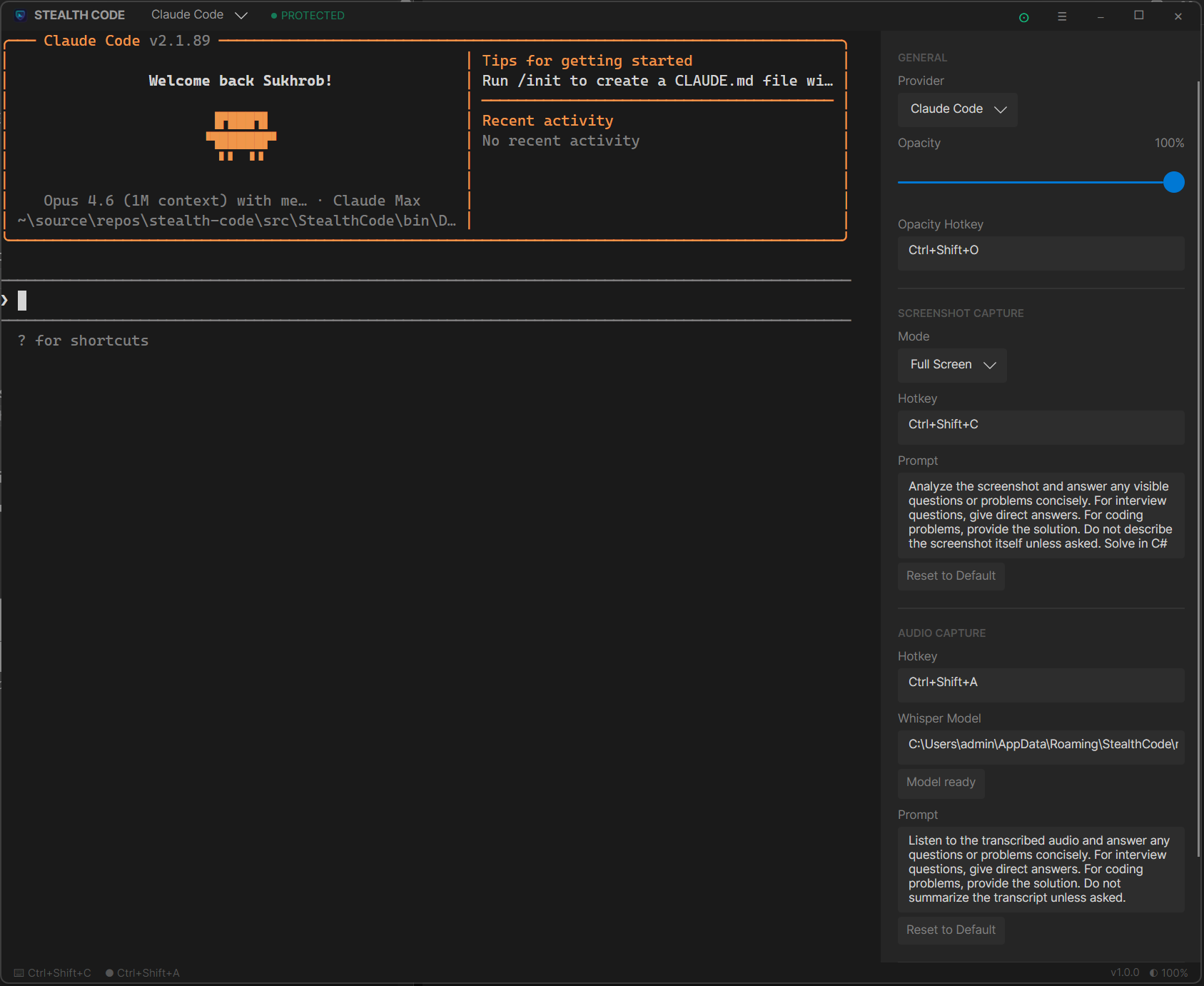
Ctrl+Shift+C sends the problem on screen to the CLI. |
Ctrl+Shift+A starts listening. Questions are transcribed and answered live. |
 |
Getting started
- Install and sign in to Claude Code, Codex, or Gemini CLI.
- Download
stealthcode.exefrom Releases and run it. - Pick your CLI in the title bar. Press
Ctrl+Shift+Aonce to download the Whisper model.
Before a real call, share your screen in a test meeting and check the terminal is not in the preview. If the PROTECTED badge is missing, do not share.
In an interview
- Start listening (
Ctrl+Shift+A) and turn on no-focus mode (Ctrl+Shift+F). - Spoken questions arrive in the CLI when the interviewer pauses.
- For a pasted problem, press
Ctrl+Shift+C. For a long one,Ctrl+Shift+Xper screen, thenCtrl+Shift+C.
Use headphones so only the interviewer is transcribed. Tune the pause length, language, and prompts in Settings.
Personal context
- In Settings > Context, paste your background or import a PDF, DOCX, or TXT resume (up to 10 MiB).
- Review the import and choose Replace background. Add experience stories and the target job under Opportunity.
- Click Save, then enable Use saved context. The combined limit is 32,000 characters.
Import runs locally; only saved text is sent with audio and screenshot requests. Closing settings discards unsaved edits. Reset changes restores saved text.
Disabling context affects future requests. Earlier text remains in the CLI conversation. Review answers for accuracy.
Shortcuts
| Action | Default |
|---|---|
| Capture and send screenshot | Ctrl+Shift+C |
| Add to multi-capture | Ctrl+Shift+X |
| Start or stop listening | Ctrl+Shift+A |
| Cycle opacity | Ctrl+Shift+O |
| Toggle no-focus mode | Ctrl+Shift+F |
Requirements
- Windows 10 2004 or newer. Older versions show a black box instead of hiding the window.
- WebView2 Runtime.
- A supported CLI on your
PATH.
Data lives in %APPDATA%\StealthCode. Protection is off in debug builds.
Docs
License
MIT. Sukhrob Ilyosbekov.
Reviews (0)
Sign in to leave a review.
Leave a reviewNo results found