free-search-mcp
Health Warn
- License — License: MIT
- Description — Repository has a description
- Active repo — Last push 0 days ago
- Low visibility — Only 9 GitHub stars
Code Warn
- network request — Outbound network request in src/search_mcp/admin.py
Permissions Pass
- Permissions — No dangerous permissions requested
No AI report is available for this listing yet.
Local-first, no-API-key MCP server for web search, fetch, and document reading. Multi-engine (DuckDuckGo, Mojeek, Startpage), smart Playwright fallback, FTS5 cache, LLM-tuned output.
free-search-mcp


A local-first, no-API-key Model Context Protocol server that gives any
LLM (Claude, GPT, local Ollama, …) the ability to search the web, fetch and
clean up pages, and read documents — without you signing up for a single
search API.
It bundles together the best ideas from a handful of open-source MCPs into
one Python package, and adds the LLM-ergonomics and reliability work they
were each missing.
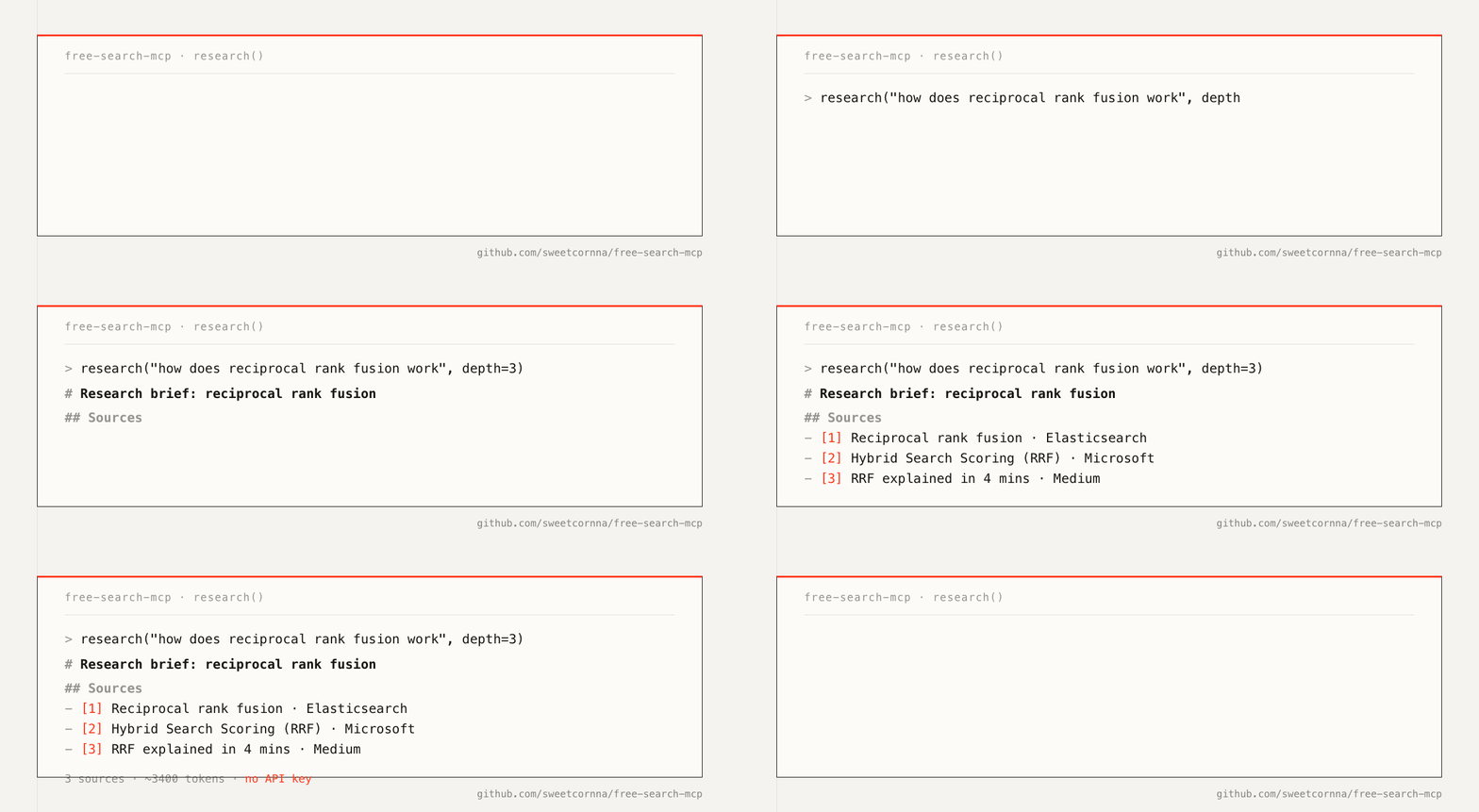
research("how does reciprocal rank fusion work", depth=3)
   ↓
# Research brief: how does reciprocal rank fusion work
_engines: duckduckgo, mojeek, googlenews · sources: 3 · ~3,400 tokens_

## Sources
- [1] Reciprocal rank fusion | Elasticsearch Reference — <https://…>
- [2] Hybrid Search Scoring (RRF) | Microsoft Learn — <https://…>
- [3] RRF explained in 4 mins — Medium — <https://…>

## Documents
…full Markdown bodies of each page, ready for the LLM to read…
One tool call. Three sources. No API key. No OPENAI_API_KEY-but-for-search
shakedown.
🚀 One-click deploy
One command — the keyless engines work immediately, no signup, no key, no
checkout (needs uv):
claude mcp add search -- uvx search-mcp      # Claude Code
codex mcp add search -- uvx search-mcp       # Codex
Any other MCP client: point it at the command uvx search-mcp (stdio). The
first run downloads the package from PyPI; every HTTP engine works with no
further setup.
Optional — browser-rendered engines (startpage, zhihu, …) and JS-heavy
page fetches need Chromium once:
uvx --from search-mcp playwright install chromium
Without it, HTTP search/fetch keep working, and any call that needs the
browser returns that exact install command instead of a cryptic failure.
Configuration (all optional) lives in ~/.config/search-mcp/.env — see
Configuration.
Full install (source checkout + client registration)
curl -LsSf https://raw.githubusercontent.com/sweetcornna/free-search-mcp/main/scripts/install.sh | bash -s -- --client claude-code
It clones or updates the project under ~/.local/share/free-search-mcp,
installs uv, syncs dependencies, installs Chromium for rendered engines
(with OS deps on Linux), smoke-tests the server, and registers the search
MCP server in Claude Code user scope.
Other client targets:
curl -LsSf https://raw.githubusercontent.com/sweetcornna/free-search-mcp/main/scripts/install.sh | bash -s -- --client claude-desktop
curl -LsSf https://raw.githubusercontent.com/sweetcornna/free-search-mcp/main/scripts/install.sh | bash -s -- --client codex
curl -LsSf https://raw.githubusercontent.com/sweetcornna/free-search-mcp/main/scripts/install.sh | bash -s -- --client generic
curl -LsSf https://raw.githubusercontent.com/sweetcornna/free-search-mcp/main/scripts/install.sh | bash -s -- --client add-mcp
curl -LsSf https://raw.githubusercontent.com/sweetcornna/free-search-mcp/main/scripts/install.sh | bash -s -- --client all
Codex, Cursor, Cline, Continue, Zed, and generic agent guidance:
docs/AGENT_USAGE.md.
Optional extras, any time (the defaults already work without them):
uv run search-mcp-admin        # bilingual browser UI / 中英双语配置页: http://127.0.0.1:8765
uv run search-mcp-login zhihu  # one-time Zhihu login (persists cookies)
Prefer containers? docker compose run --rm search-mcp. Claude Desktop and
other clients: see Install below.
Why this exists
Existing search MCPs each do one thing well, but you usually want all of it:
| Multi-engine | No API key | Smart fallback | PDF/DOCX | FTS5 cache | Filters | Trafilatura | LLM-tuned | |
|---|---|---|---|---|---|---|---|---|
nickclyde/duckduckgo-mcp-server |
✗ | ✓ | ✗ | ✗ | ✗ | ✗ | ✗ | ~ |
mrkrsl/web-search-mcp |
✓ | ✓ | ✓ | ✗ | ✗ | ✗ | ✗ | ~ |
Aas-ee/open-webSearch |
✓ | ✓ | ~ | ✗ | ✗ | ✗ | ✗ | ~ |
VincentKaufmann/noapi-google-search-mcp |
✗ | ✓ | ✓ | ✓ | ✓ | ✗ | ✗ | ~ |
| free-search-mcp | ✓ | ✓ | ✓ | ✓ | ✓ | ✓ | ✓ | ✓ |
"LLM-tuned" here means: Markdown-first output, token estimates, smart
truncation at paragraph boundaries, "Best for / Not for / Returns / Common
mistakes" docstrings the model uses to pick the right tool, actionable
error hints, MCP prompts and resource templates, and a one-shotresearch() that collapses search→fetch→fetch→fetch into a single turn.
"Trafilatura" means we extract main content using
trafilatura — winner of the
Bevendorff 2023 ROUGE benchmark (~0.85 vs ~0.55 for naive boilerplate
stripping). Each fetched page also returns author, published_date, andsitename for free.
"Filters" means search/research accept freshness, include_domains,exclude_domains, category (news/pdf/github/paper/forum/blog),include_text, exclude_text.
Anti-detection & resilience
- HTTP fast path uses
curl_cffi
with a real Chrome 131 JA3/JA4 + HTTP/2 fingerprint, fixing the DDG
"anomaly 202" rate-limit response that vanilla httpx triggered. - Playwright fallback uses
launch_persistent_context(cookies survive
restarts on disk), prefers a real installed Chrome (channel="chrome"),
drops the--no-sandboxfingerprint marker on macOS, and randomizes the
viewport per session. - Result dedup is title-fuzzy + host-canonical (rapidfuzz
token_set_ratio >= 92, host normalized forwww./m./amp.and
country-TLD collapse), catchingbbc.co.ukvsbbc.comduplicates that
URL-only dedup misses. searchincludes an honest extractivelead_snippet— picks the top-3
result whose snippet contains ≥2 query terms and is ≥80 chars; rendered
as> **Lead:** According to {host}: …. No LLM call. Returns nothing
if no snippet qualifies (no fake answer).
⚠️ We deliberately do not attempt to defeat proof-of-work captchas
on Bing or Brave — that crosses the ToS line. When those engines
challenge us, we fall back to other engines instead.
Tools (9)
| Tool | Description |
|---|---|
search(query, ...filters) |
Parallel multi-engine search, RRF-merged, title-fuzzy + host-canonical deduped, with optional extractive lead_snippet |
research(question, depth?, ...filters) |
One-shot: search + fetch top N + return Markdown brief |
compare(question, urls=[2..5]) |
Concurrent fetch of 2-5 URLs, side-by-side excerpts keyed by question |
fetch(url, render?, ...) |
Fetch a page, return reader-mode Markdown (trafilatura, with author/date/sitename) |
fetch_batch(urls, ...) |
Concurrent multi-URL fetch |
read_doc(source, start?, length?, ...) |
Parse PDF / DOCX / HTML / TXT / MD with pagination |
extract_structured(url, ...) |
Pull JSON-LD / OpenGraph / Twitter cards / microdata via extruct |
cache_search(query, limit?, ...) |
FTS5 search across previously fetched pages |
engines() |
List engine names available to search |
Plus 4 MCP prompts (Research thoroughly, Fact-check claim,Compare sources, News brief) and 2 resource templates
(cache://page/{url}, cache://search/{query_hash}).
Filters (search / research)
| Param | Values | Effect |
|---|---|---|
freshness |
day / week / month / year |
Only results from the last N |
include_domains |
["python.org", "djangoproject.com"] |
Restrict to these domains |
exclude_domains |
["pinterest.com"] |
Remove these |
category |
news / pdf / github / paper / forum / blog |
Content-type shortcut (paper = arxiv/acm/ieee/…, forum = reddit/HN/SE, etc.) |
include_text |
"async" |
Substring required in title/snippet |
exclude_text |
"beginner" |
Substring forbidden |
max_age_hours |
24 |
Override the 7-day default cache TTL on this call |
All tools default to format="markdown" — readable, ~40% fewer tokens than
JSON, with provenance and a token-budget header. Pass format="json" for
structured access.
Tool annotations
Every tool ships correct readOnlyHint, idempotentHint, andopenWorldHint annotations so MCP clients can label them and gate
elevated actions.
Engines
Default set (all-HTTP, no browser):duckduckgo, mojeek, googlenews, bing.
When a search comes back empty (or nearly empty with gated/erroring
engines), the aggregator automatically runs one bounded rescue pass
via searx → bing and reports it as rescued_via — so a CAPTCHA wall
on the defaults degrades to slower results instead of no results.
Opt-in:
startpage— browser-rendered (~5-10s/query); good for hard-to-reach
results that the HTTP defaults miss.brave,baidu— intermittent challenges to headless clients.searx— meta-search proxy via public SearXNG instances; included for
completeness but most public instances are slow/unreliable in 2026.google— keyless Google web SERP scrape (HTTP first, Playwright
fallback when Google serves a JS/consent shell).serpsearchis a pure
alias ofgoogle(all dedicated "SERP APIs" require a key, so the only
keyless SERP is a direct scrape).anysearch— AnySearch
unified-search REST API, anonymous (keyless) tier; one HTTP call returns
fused, re-ranked results. IP rate-limited; 429/5xx degrade to empty.bilibili— keyless Bilibili (哔哩哔哩) video search via the publicweb-interface/search/all/v2JSON API (syntheticbuvid3cookie, no
login). Returns video results only.zhihu— best-effort keyless Zhihu (知乎) search. Zhihu'sapi/v4/search_v3needs login cookies +x-zse-96signing, so the only
no-key path is browser-rendering the public search page. Zhihu hard-gates
headless clients, so a login wall / empty result is common and honest —
treat it likebaidu/brave.
All five added engines are keyless (no API key, no account) and stay
opt-in — they're not in the fast default pool, so the ~2x latency win
of the all-HTTP defaults is preserved. Enable per call withengines=["google","bilibili", ...], or globally viaSEARCH_MCP_DEFAULT_ENGINES.
API-key engines & the admin backend
Keyless is the default, but you can also plug in keyed providers for higher
reliability/quality. These engines stay dormant (and return a clear "not
configured" hint) until you add a key:
| Engine | Provider | Free tier |
|---|---|---|
brave_api |
Brave Search API | 2,000 queries/mo |
serper |
Serper (Google) | 2,500 queries |
tavily |
Tavily (AI search) | 1,000 credits/mo |
google_cse |
Google Custom Search | 100 queries/day |
anysearch |
AnySearch (key optional) | keyless works; key lifts limits |
Simplest setup — the admin UI:
uv run search-mcp-admin # opens a local config page on 127.0.0.1:8765
It serves one bilingual page (English + 中文, bound to localhost only) with,
per provider: a how-to-get-a-key / 如何获取密钥 guide + signup/docs links,
masked key fields, Save / 保存 (applies live — no server restart),
Test / 测试, and Clear / 清除. The same page also includes
Network / Proxy / 网络 / 代理 settings. Keys are written to~/.config/search-mcp/config.json (0600); they're never echoed back to the
page. Prefer env vars? Set SEARCH_MCP_<PROVIDER>_API_KEY instead (these
override the saved file). Full walkthrough for each provider:
docs/API_KEYS.md.
search("…", engines=["brave_api"])        # once a key is saved
search("…", engines=["tavily", "serper"]) # mix keyed + keyless freely
When an engine is gated (proxy · fallback · login)
Some engines get blocked by the provider — Google/Bing serve a CAPTCHA to
datacenter IPs, Zhihu needs a login. We don't defeat CAPTCHAs (ToS); instead:
- Proxy (the real fix for IP gating): set a proxy in the admin UI
"Network / Proxy" card orSEARCH_MCP_PROXY(http/https/socks5, optionaluser:pass@). It routes the HTTP engines, the browser, andfetchthrough a
non-blocked IP. Scope it withSEARCH_MCP_PROXY_ENGINES="google bing zhihu". - SearXNG auto-fallback: when
google/serpsearch/bingare CAPTCHA-gated,
they transparently retry via the workingsearxmeta-search — you still get
results, honestly attributed tosearx. - Gate diagnostics: the response includes
gated_engines+gated_hint
telling you which engine was gated (captcha/consent/login) and how it was
handled. - Zhihu login: run
uv run search-mcp-login zhihu(or the admin "Login"
button) once — a browser opens, you log in, cookies persist, andzhihusearch
then works. Requires a desktop session.
Full guide: docs/PROXY_AND_GATES.md.
Brave/Bing/Baidu all gate headless browsers after a handful of calls (PoW
CAPTCHAs, "something went wrong" pages, redirect wrappers). Passengines=["brave"]etc. only when the defaults can't find what you need.
Sparse-result diagnostics
When filters drop results so aggressively that ≤3 are returned, the
response includes filter_diagnostics so the LLM knows which knob to
relax. Example for category="forum" + exclude_text="beginner":
⚠️ **Filter diagnostics** (results were sparse)
Raw results: 20 across 3 engines → 0 after filters.
Top drops: category_forum (20).
Hint: Filters dropped 20 of 20 raw results. Most were excluded by
category=forum. Try widening or removing one filter.
Install
Zero-checkout (uvx, recommended)
claude mcp add search -- uvx search-mcp      # Claude Code
codex mcp add search -- uvx search-mcp       # Codex
uvx search-mcp                               # or run the stdio server directly
Optional extras, any time:
uvx --from search-mcp playwright install chromium   # browser-rendered engines
uvx --from search-mcp search-mcp-admin               # bilingual config UI (opens browser)
One-click setup (source checkout)
curl -LsSf https://raw.githubusercontent.com/sweetcornna/free-search-mcp/main/scripts/install.sh | bash -s -- --client claude-code
The remote installer clones or updates~/.local/share/free-search-mcp, installs uv if needed, syncs dependencies,
installs Chromium, smoke-tests the MCP server, then registers it with the
requested client:
--client claude-code      # Claude Code user-scope config
--client claude-desktop   # claude_desktop_config.json
--client codex            # Codex config
--client generic          # print portable MCP JSON for other agents
--client add-mcp          # delegate to npx add-mcp
--client both             # Claude Code + Claude Desktop
--client all              # Claude Code + Claude Desktop + Codex
--client none             # install only, no client config changes
Prefer a local checkout?
git clone https://github.com/sweetcornna/free-search-mcp.git
cd free-search-mcp
./scripts/install.sh --client none
Prefer to do it by hand?
uv sync
uv run playwright install chromium
cp .env.example .env        # optional: customize engines/limits
Run as a stand-alone server (stdio transport):
uv run search-mcp
Docker (one-click, containerized)
docker compose build
docker compose run --rm search-mcp     # attaches stdio for MCP
Config & env vars
All settings are env vars prefixed with SEARCH_MCP_. Copy .env.example →.env and edit — it documents every knob, including how to enable the new
engines via SEARCH_MCP_DEFAULT_ENGINES. See the full table under
Configuration and the usage guide.
Tests
uv run pytest -q                              # offline (default, no network)
SEARCH_MCP_TEST_NETWORK=1 uv run pytest -v    # live tests, hit the real web
Wire into Claude Code
claude mcp add search -s user -- uvx search-mcp
From a source checkout instead: this repo ships a project-scoped .mcp.json,
so running claude inside the project auto-detects the search server; or
register the checkout globally:
claude mcp add search -s user -- uv --directory /absolute/path/to/free-search-mcp run search-mcp
Wire into Codex
codex mcp add search -- uvx search-mcp
codex mcp list
(Source checkout: swap the command foruv --directory /absolute/path/to/free-search-mcp run search-mcp.)
Wire into Claude Desktop
Add this to ~/Library/Application Support/Claude/claude_desktop_config.json
(macOS) or the equivalent on your platform:
{
  "mcpServers": {
    "search": {
      "command": "uvx",
      "args": ["search-mcp"]
    }
  }
}
(Source checkout: "command": "uv", "args": ["--directory", "/absolute/path/to/free-search-mcp", "run", "search-mcp"].)
Restart Claude Desktop. The nine tools above will appear in the tool
drawer.
Wire into other clients
The server speaks plain MCP over stdio. Anything that supports MCP works:
- Codex (
codex mcp add search -- uvx search-mcp) - Claude Code (
claude mcp add search -s user -- uvx search-mcp) - Cursor / Continue / Cline (use the JSON snippet above)
- Custom Python / TypeScript clients via the official MCP SDK
For agent-specific operating rules, tool-selection guidance, and a reusable
system-prompt snippet, see docs/AGENT_USAGE.md.
Installer choice
uvx search-mcp (PyPI) is the fastest path and needs no checkout — HTTP
engines work immediately and Chromium is a single optional follow-up command.scripts/install.sh remains the full bootstrap for people who want a source
checkout, Chromium with OS deps, a smoke test, and client registration in one
shot. Generic MCP installers still have their place: add-mcp can write
config for many clients at once, Smithery is strongest for registry/remote
MCP connections, and MCPB is the right future format for clickable desktop
bundles.
Configuration
All settings can be overridden by environment variables prefixed withSEARCH_MCP_. They can live in three places (highest precedence first):
real environment variables → ./.env in the launch directory (source
checkouts) → ~/.config/search-mcp/.env (the stable location for uvx/PyPI
installs; directory overridable via SEARCH_MCP_CONFIG_DIR).
API keys and the proxy are easiest to manage in the admin UI
(search-mcp-admin, opens your browser automatically; setSEARCH_MCP_ADMIN_NO_BROWSER=1 to suppress).
Available knobs:
| Var | Default | Meaning |
|---|---|---|
SEARCH_MCP_DEFAULT_ENGINES |
["duckduckgo","mojeek","googlenews","bing"] |
JSON list |
SEARCH_MCP_RESCUE_ENABLED |
true |
auto-rescue empty searches via rescue engines |
SEARCH_MCP_RESCUE_ENGINES |
["searx","bing"] |
rescue order (JSON list) |
SEARCH_MCP_RESCUE_TIMEOUT |
10.0 |
seconds; cap on the whole rescue pass |
SEARCH_MCP_MAX_RESULTS_PER_ENGINE |
10 |
|
SEARCH_MCP_RATE_LIMIT_PER_MINUTE |
30 |
per engine |
SEARCH_MCP_FETCH_RATE_LIMIT_PER_MINUTE |
20 |
shared fetch bucket |
SEARCH_MCP_CACHE_DIR |
~/.cache/search-mcp |
|
SEARCH_MCP_CACHE_TTL_SECONDS |
604800 |
7 days |
SEARCH_MCP_CACHE_MAX_MB |
512 |
size cap on the cache file; 0 disables |
SEARCH_MCP_FETCH_STRATEGY |
auto |
auto / http / browser |
SEARCH_MCP_BROWSER_HEADLESS |
true |
|
SEARCH_MCP_BROWSER_POOL_SIZE |
2 |
concurrent pages |
SEARCH_MCP_MAX_CONTENT_CHARS |
50000 |
per result truncation |
Architecture
   ┌─────────────────────────────────────────────────────┐
   │  FastMCP server (stdio)                             │
   │  tools: search / research / fetch / fetch_batch /   │
   │         read_doc / cache_search / engines           │
   └────────────┬────────────────────────────────────────┘
                │
   ┌────────────▼────────────┐  ┌────────────────────────┐
   │  aggregator             │  │  fetcher               │
   │  - parallel engines     │  │  - httpx fast path     │
   │  - reciprocal rank      │  │  - playwright fallback │
   │    fusion               │  │  - markdownify         │
   │  - search cache (FTS5)  │  │  - page cache (FTS5)   │
   └────┬────────────────────┘  └────────────┬───────────┘
        │                                    │
   ┌────▼─────────────────┐  ┌──────────────▼─────────────┐
   │  engines/            │  │  browser pool              │
   │   duckduckgo.py      │  │   - persistent context     │
   │   mojeek.py          │  │   - stealth init script    │
   │   searx.py           │  │   - shared cookies         │
   │   startpage.py (opt) │  │   - semaphore-bounded pages│
   │   brave.py     (opt) │  └────────────────────────────┘
   │   bing.py      (opt) │
   │   baidu.py     (opt) │
   │   google.py    (opt) │
   │   serpsearch.py(opt) │
   │   anysearch.py (opt) │
   │   bilibili.py  (opt) │
   │   zhihu.py     (opt) │
   └──────────────────────┘

   ┌────────────────────────────┐    ┌──────────────────┐
   │  documents/                │    │  ratelimit       │
   │   pypdf, python-docx,      │    │   token bucket   │
   │   markdownify              │    │   per engine     │
   └────────────────────────────┘    └──────────────────┘

   ┌────────────────────────────┐    ┌──────────────────┐
   │  formatting                │    │  research        │
   │   token estimate           │    │   composed       │
   │   smart truncation         │    │   workflow       │
   │   markdown renderers       │    │                  │
   └────────────────────────────┘    └──────────────────┘
Engine adapter pattern
Each engine in src/search_mcp/engines/ implements:
class Engine:
    name: str
    needs_browser: bool          # Force Playwright?
    wait_selector: str | None    # CSS to wait for in browser mode

    def build_url(self, query: str, max_results: int) -> str: ...
    def parse(self, html: str) -> list[SearchResult]: ...
The base class handles transport (httpx → Playwright fallback), rate
limiting, and the case where HTTP returns a captcha shell instead of
results (auto-retries via the browser).
Credits
This project stands on the shoulders of:
mrkrsl/web-search-mcp—
smart httpx-then-Playwright fetch strategy, multi-engine fallback chainAas-ee/open-webSearch—
multi-engine breadth (Bing/DDG/Baidu/Brave/Startpage)VincentKaufmann/noapi-google-search-mcp—
anti-detection patterns (navigator.webdriver, UA, cookies), SQLite
FTS5 cache idea, multi-formatread_documentnickclyde/duckduckgo-mcp-server—
per-engine rate limiting, LLM-friendly content cleanup- Mojeek — independent search index that
doesn't gate on User-Agent - Model Context Protocol and the
official Python SDK
License
MIT — see LICENSE.
Reviews (0)
Sign in to leave a review.
Leave a reviewNo results found