mobaide
Health Uyari
- License — License: Apache-2.0
- Description — Repository has a description
- Active repo — Last push 0 days ago
- Low visibility — Only 5 GitHub stars
Code Gecti
- Code scan — Scanned 12 files during light audit, no dangerous patterns found
Permissions Gecti
- Permissions — No dangerous permissions requested
Bu listing icin henuz AI raporu yok.
Chat with Claude Code, Codex CLI, Antigravity CLI, OpenCode, GitHub Copilot CLI, Cursor CLI, Junie CLI and Pi on your computer, from your phone or browser. Markdown answers, Git diffs and voice input. Terminal mode for any other CLI agent. Free. No port forwarding, VPN or SSH.
Mobaide
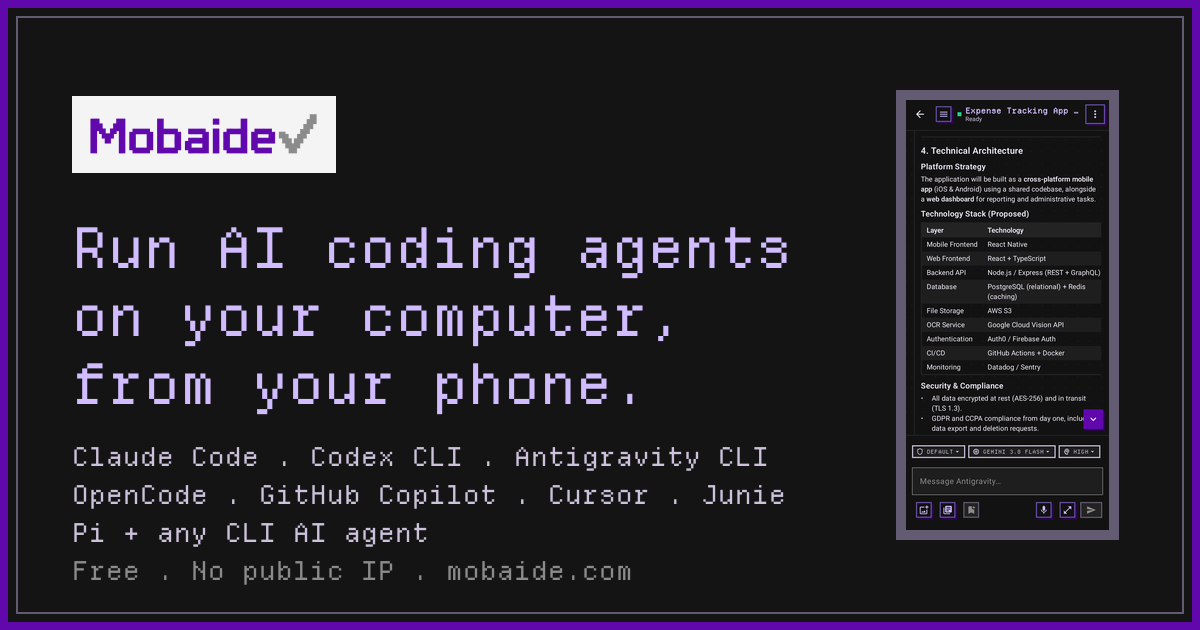
Start, watch and steer Claude Code, Codex CLI, Antigravity CLI, OpenCode, GitHub Copilot CLI, Cursor CLI, Junie CLI, Pi or your own agents
on your Windows, macOS or Linux computer, from your phone or browser.
Free. No public IP, port forwarding, VPN or SSH.


Website · Open the web app · Voice input · FAQ · Community
See it run on the web, Android and iPhone: Claude Code · Codex CLI · Antigravity CLI · OpenCode · GitHub Copilot CLI · Cursor CLI · Junie CLI · Pi
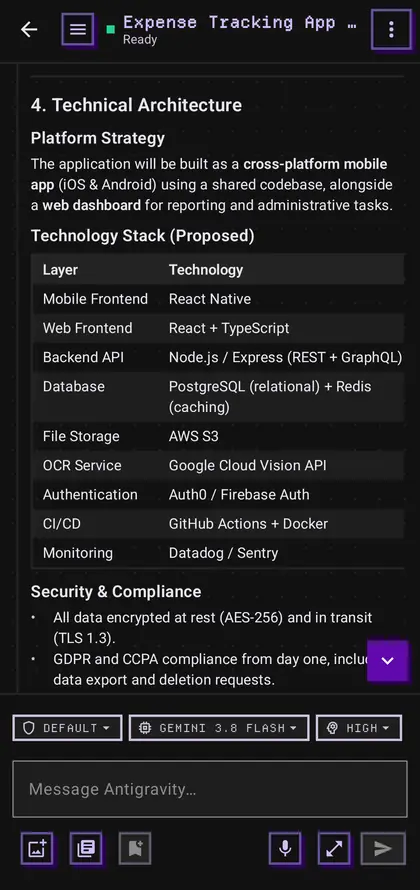 |
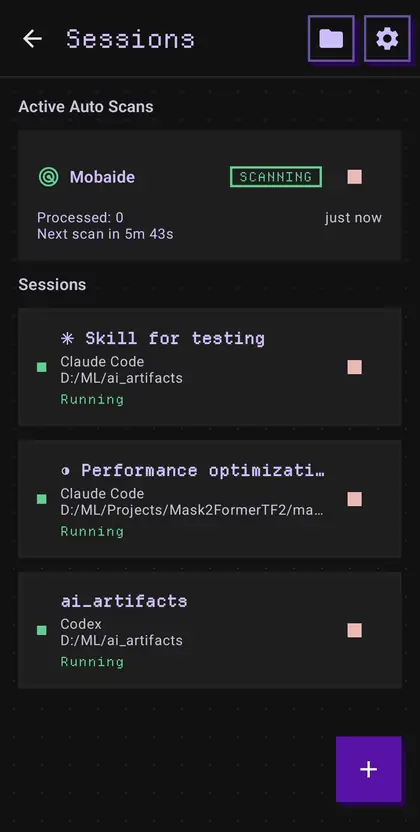 |
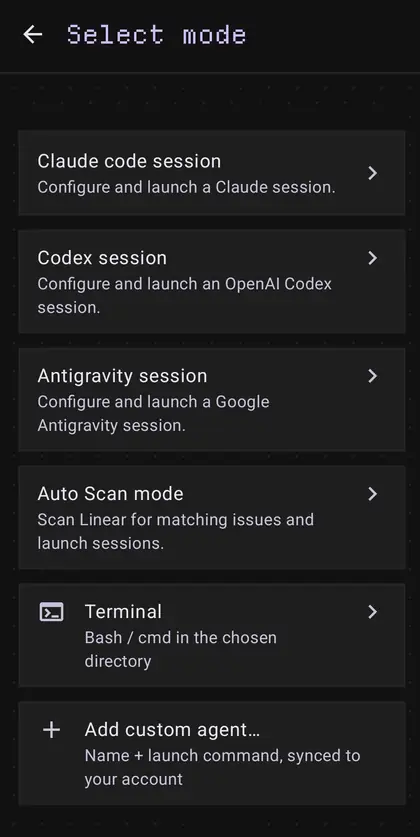 |
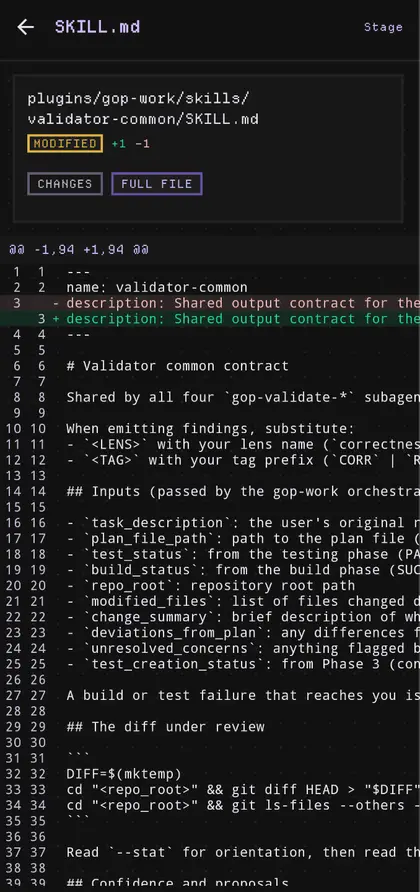 |
| A live session, driven from the phone | Several sessions at once | Built-in agents, or your own | Read every diff before you commit |
Features
- A chat view built for the phone. Claude Code, Codex, Antigravity, OpenCode, GitHub Copilot, Cursor, Junie and Pi sessions open as a native chat: Markdown answers, one card per tool call with its diff, approval buttons, questions, plan progress, mode and model chips. It runs over the Agent Client Protocol, and it can continue a Claude Code, Codex, Antigravity, OpenCode, GitHub Copilot, Junie or Pi session you started in a terminal on your computer, or an earlier Cursor chat session. Codex chats stay in sync with a session open in a terminal.
- A real terminal, not a log tail. Full two-way PTY, so TUIs behave: arrow keys, Ctrl-C, plan mode, approval prompts. A rolling buffer of recent output replays after a dropped connection. Claude Code, Codex, Antigravity, OpenCode, GitHub Copilot, Cursor, Junie and Pi sessions offer it as Terminal under Open sessions in; raw shells and custom agents always use it.
- Your agents, your options. Launch Claude Code, Codex CLI or Antigravity CLI with their own model, effort, sandbox and approval settings, OpenCode or Pi with the model you pick inside the session, GitHub Copilot CLI with its allow-all choice, Cursor CLI with its run-everything choice, or Junie CLI in Plan or Brave mode. Open a raw shell, or define an agent from any command your shell can run.
- Several sessions at once. Keep a Claude Code run, a Codex review and a shell side by side, each with its own state.
- Voice input. Dictate prompts instead of thumb-typing them. Mobaide Cloud transcribes at once in 28 languages, or your own computer does it privately in 25. Opt-in, and the audio is never stored.
- Git from your phone. Read diffs, stage, commit, fetch, pull, push, rebase, resolve conflicts and manage branches. Git runs on your machine, with the credentials it already has.
- Optional Git worktrees. Start any session in its own worktree so parallel runs do not collide. Opt-in per launch, Git workspaces only.
- Auto Scan. Watch GitHub issues or Linear for matching issues and launch the AI agent you pick in a new worktree for each one.
- Notifications. Get an alert when a session needs your approval, finishes a turn or ends. A Cursor session sends the first two from the chat view only.
- Prompt templates and shortcuts. Save prompts and reuse them in any session. Build custom key chords as buttons on the mobile control bar. Both sync across your devices.
- Set up once. The agent installs as an OS service, restarts itself if it dies, and updates itself from signed releases.
See the feature reference for the details.
Voice input
Say your prompt instead of thumb-typing it. Mobaide Cloud or your own computer turns the speech into text, and the text waits in the command field until you send it. Voice input works in the Android and iOS apps and in the browser, for every session kind.
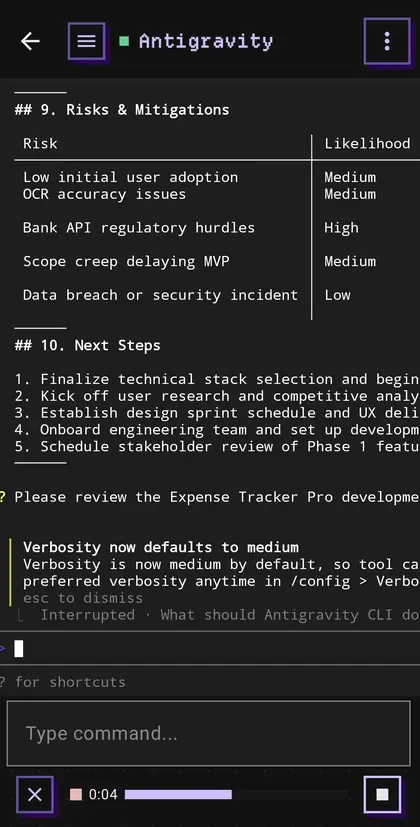 |
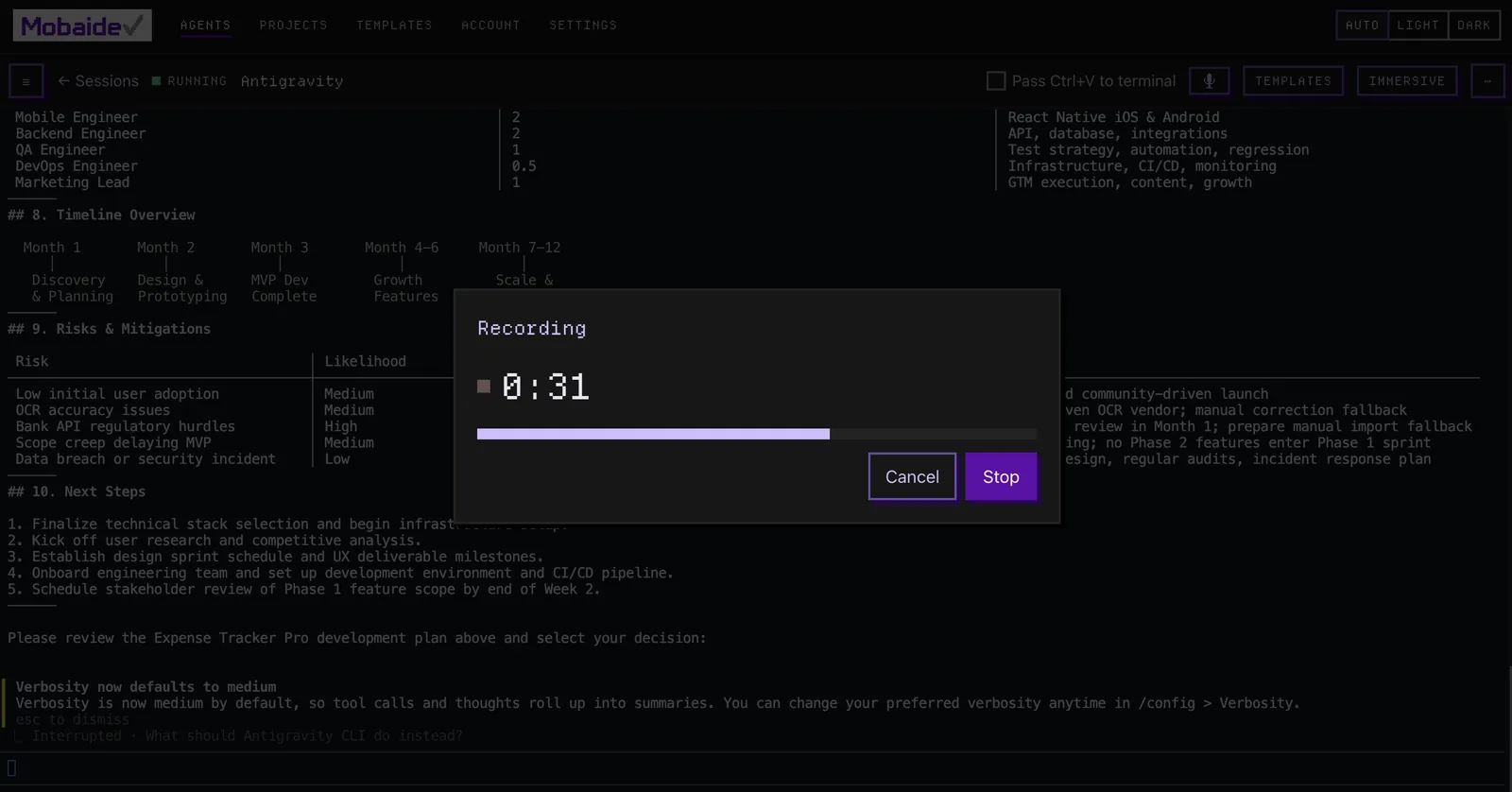 |
| Android | Browser |
- Two ways to transcribe. The first mic tap for a computer asks where your speech becomes text. You can switch at any time in that computer's voice input settings.
- Mobaide Cloud (recommended). Nothing to install. The recording goes over TLS to Mobaide's own speech service, which returns the text. It works in 28 languages and detects the language as you speak. The audio is not kept. The text is kept for up to 14 days to prevent abuse.
- On your own computer. The agent runs NVIDIA's open Parakeet speech model on your CPU. It needs no GPU, and nothing outside your computer hears the audio. The relay routes the audio in memory, and the relay and the agent never store or log the audio or the text. The model detects the language as you speak, in 25 languages. The download is about 0.7 GB, once. Transcription uses about 700 MB of memory, released after three idle minutes. You can remove it at any time.
- Never sent on its own. You read the transcript, edit it and send it yourself, so a misheard word cannot become a command.
- Opt-in per computer. Nothing is recorded or downloaded until you choose.
Read more on the voice input page: how it works, setup, requirements, languages, privacy and FAQ.
Get started
You need a computer with at least one agent CLI installed and signed in. Mobaide launches the CLIs you already have. It does not resell or proxy any model provider. On macOS and Linux, the agent also needs 64-bit Python 3.12+ on an x86-64 or ARM64 computer. On macOS, it needs macOS 11 or newer. The Windows installer gets Python for you.
1. Install the agent on the computer you want to reach.
# macOS / Linux
curl -fsSL https://get.mobaide.com/install.sh | bash
# Windows (PowerShell)
irm https://get.mobaide.com/install.ps1 | iex
2. Get a client and pair. Install the Android (8.0+) or iPhone (iOS 17+) app, then scan the QR code the agent prints. In a browser, open the pairing link the agent prints and sign in at app.mobaide.com.
3. Start a session. Pick a workspace, pick what to run, and drive it from the chat view, or from the terminal view for shells and custom agents.
How it works
The agent on your computer dials out to the relay, so it works behind any router, NAT or firewall, on mobile data or any Wi-Fi.
  Phone or browser              Relay                  Your computer
┌──────────────────┐        ┌───────────┐        ┌──────────────────────┐
│  Android         │  WSS   │           │  WSS   │  Mobaide agent       │
│  iOS             ├───────►│ mobaide   │◄───────┤    │ PTY             │
│  Web             │        │   .com    │ dials  │    ▼                 │
│                  │        │           │  out   │  Claude Code, Codex, │
└──────────────────┘        └───────────┘        │  Antigravity,        │
                                                 │  OpenCode,           │
                                                 │  GitHub Copilot,     │
                                                 │  Cursor, Junie, Pi,  │
                                                 │  shell               │
                                                 └──────────────────────┘
Your data. Going through the relay, every hop is TLS-encrypted (WSS). The relay terminates TLS, so this is transport encryption, not end-to-end encryption. Session traffic passes through its in-memory routing and is never written to its database, logs or backups. The relay does store what must sync across your devices: your account, paired devices, prompt templates, saved shortcuts and custom agent types.
The agent carries no analytics SDK. The mobile apps carry Google's Firebase Analytics for one purpose, telling Google Ads which installs went on to pair an agent, and it never sees your sessions. The privacy policy lists every field.
Repository
| Path | What |
|---|---|
android/ |
Android app (Kotlin, Jetpack Compose) |
ios/ |
iOS app (Swift, SwiftUI) |
web/ |
Web client (React, TypeScript) |
mobaide_agent/ |
Agent for your computer (Python, FastAPI) |
central_server/ |
Relay server and website (Python, FastAPI) |
deploy/ |
Agent install scripts and deploy tooling |
docs/ |
Documentation, indexed in doc-list.md |
Start with architecture, the wire protocol, deployment, and versioning and releases.
Contributing
Bug fixes and improvements are welcome. CONTRIBUTING.md tells you how to set up the code, run the tests and open a pull request.
Support
Ask questions in the community discussions, or email [email protected].
License
Mobaide is licensed under the Apache License 2.0. See NOTICE for the copyright.
Developed by Pavel Timonin. Mobaide is an independent app and is not affiliated with or endorsed by Anthropic, OpenAI, Google, GitHub, Anysphere, JetBrains, Apple, NVIDIA, Linear or the makers of OpenCode or Pi. "Claude" and "Claude Code" are trademarks of Anthropic. "Codex" is a trademark of OpenAI. "Antigravity" is a trademark of Google. "GitHub" and "GitHub Copilot" are trademarks of GitHub, Inc. "Cursor" is a trademark of Anysphere, Inc. "Junie" is a trademark of JetBrains s.r.o. NVIDIA is a trademark of NVIDIA Corporation. Google Play and the Google Play logo are trademarks of Google LLC. Apple and the Apple logo are trademarks of Apple Inc., registered in the U.S. and other countries; App Store is a service mark of Apple Inc. All other trademarks are the property of their respective owners.
Yorumlar (0)
Yorum birakmak icin giris yap.
Yorum birakSonuc bulunamadi