DocuVault
Health Uyari
- License — License: NOASSERTION
- Description — Repository has a description
- Active repo — Last push 0 days ago
- Low visibility — Only 5 GitHub stars
Code Basarisiz
- rm -rf — Recursive force deletion command in deploy.sh
Permissions Gecti
- Permissions — No dangerous permissions requested
Bu listing icin henuz AI raporu yok.
Self-hosted team docs where every save is a Git commit: WYSIWYG editor, built-in MCP server for AI agents, whitelabel branding. Source-available.
DocuVault
Self-hosted team documentation with Git as the source of truth. Edit collaboratively in the browser; every save is a commit to your repo. Comes with a CRUD MCP server for local AI editing and a role-based permission system. AI features are optional.



Website · Install guide · MCP server · Contributing
Why
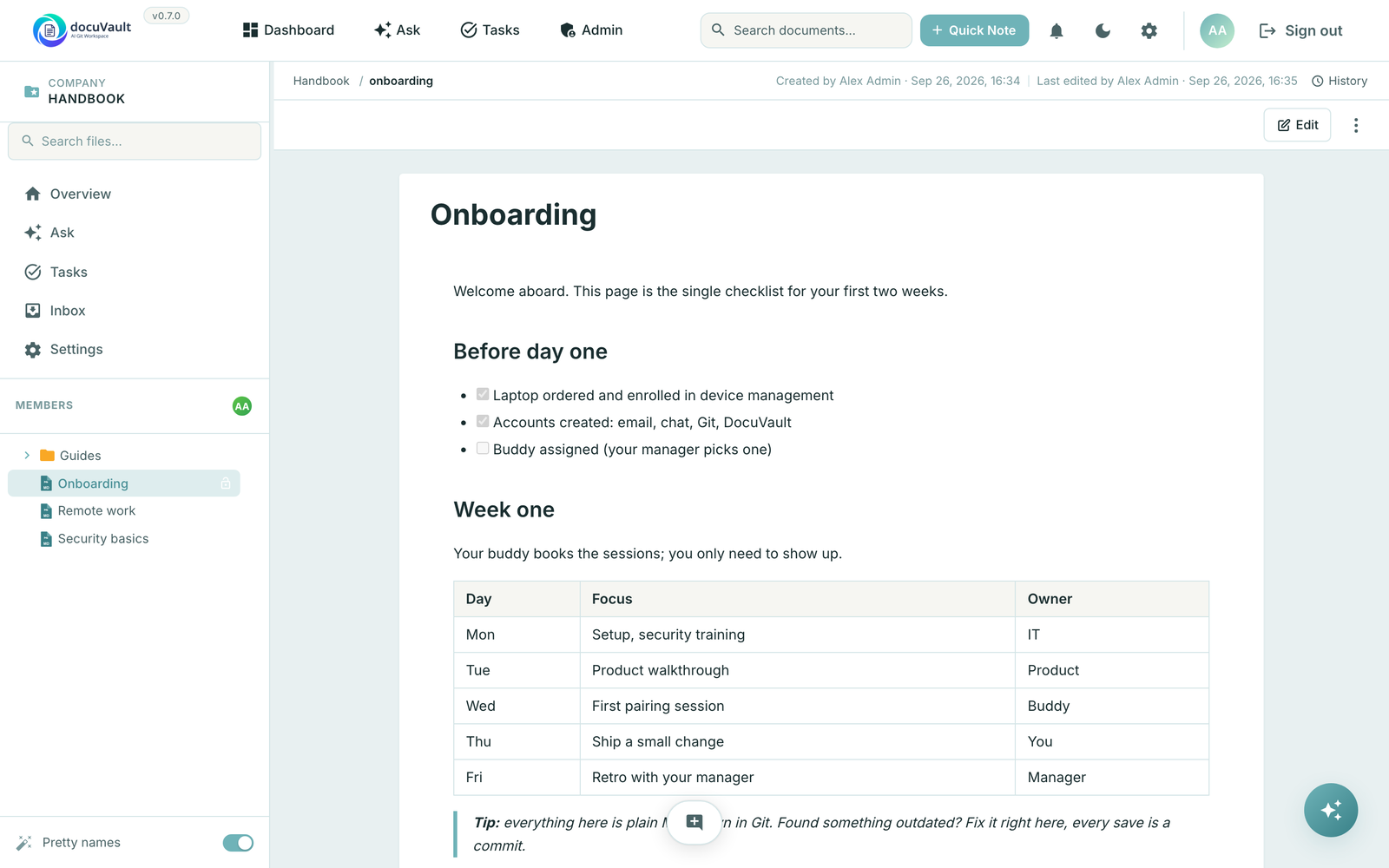
Most documentation tools either lock your content into a proprietary store (Notion, Confluence) or make you choose between web-editing and Git workflow (raw GitLab/GitHub, plain Markdown sites). DocuVault keeps both: your documents live as Markdown files in a Git repository you control, while the team gets a real WYSIWYG editor, search, sharing, and permissions on top.
For developers and AI tools, the same files are available locally — clone the repo, edit with Claude Code / Cursor / your editor of choice, push, and the web UI reflects the change. The included MCP server gives AI agents full CRUD access to documents without leaving the agent's tool loop.
Features
- Git-backed storage. Every save is a commit, with full version history. A space syncs with a GitLab repository (GitHub is planned) or stays a local Git repository on the server.
- Local-first AI editing. Clone the repo and edit with any LLM tool that works on files. No vendor lock-in.
- Built-in MCP server. Point Claude Code, Claude Desktop or Cursor at
/api/mcp, sign in once in the browser, and your agent can search, read, create, edit and share documents with your permissions. - WYSIWYG editor. TipTap-based rich editor that emits clean Markdown.
- Role-based permissions. Super Admin, Org Admin, Editor, Viewer, plus fine-grained per-space permissions.
- Teams. Group users into teams (a user can be in several) and grant space access once per team instead of once per person. Members inherit every grant of every team they're in; the strongest grant — personal or inherited — wins.
- Public share links. Optional password protection, view-only or comment access. Renders rich markdown including embedded HTML and JavaScript (deliberate — see SECURITY.md).
- Optional AI. Ask questions about your documentation and find your conversations again across spaces, with answers that name their sources, create documents and propose edits you apply. Drafts of status reports and meeting protocols from a space's recent notes and tasks. Voice input, semantic search (pgvector + OpenAI embeddings) and writing assistance. The UI hides AI features when no API key is configured. See docs/assistant.md.
- Tasks (alpha). Tasks in spaces with assignee, due date and status, created by hand, from inbox notes, by the assistant, over MCP, or suggested from meeting action items. See docs/tasks.md.
- Meeting transcription bot (alpha). Joins a Teams or Discord meeting, transcribes it and files a meeting note plus the transcript into a space's inbox; action items become suggested tasks. See docs/meeting-bot.md.
- Inbox / quick capture. Write or speak a note first; the assistant suggests the space and the tasks in it, and you confirm. Notes are filed into documents later, with optional AI-assisted routing.
- Email notifications. Per-user instant or digest mode for space changes; password reset; invitations.
- First-boot setup wizard. No
ADMIN_EMAIL/ADMIN_PASSWORDenv vars to fumble — visit the URL, create the admin, done. - Admin settings UI. Configure SMTP, OpenAI, and GitLab from the browser; values stored encrypted in the database.
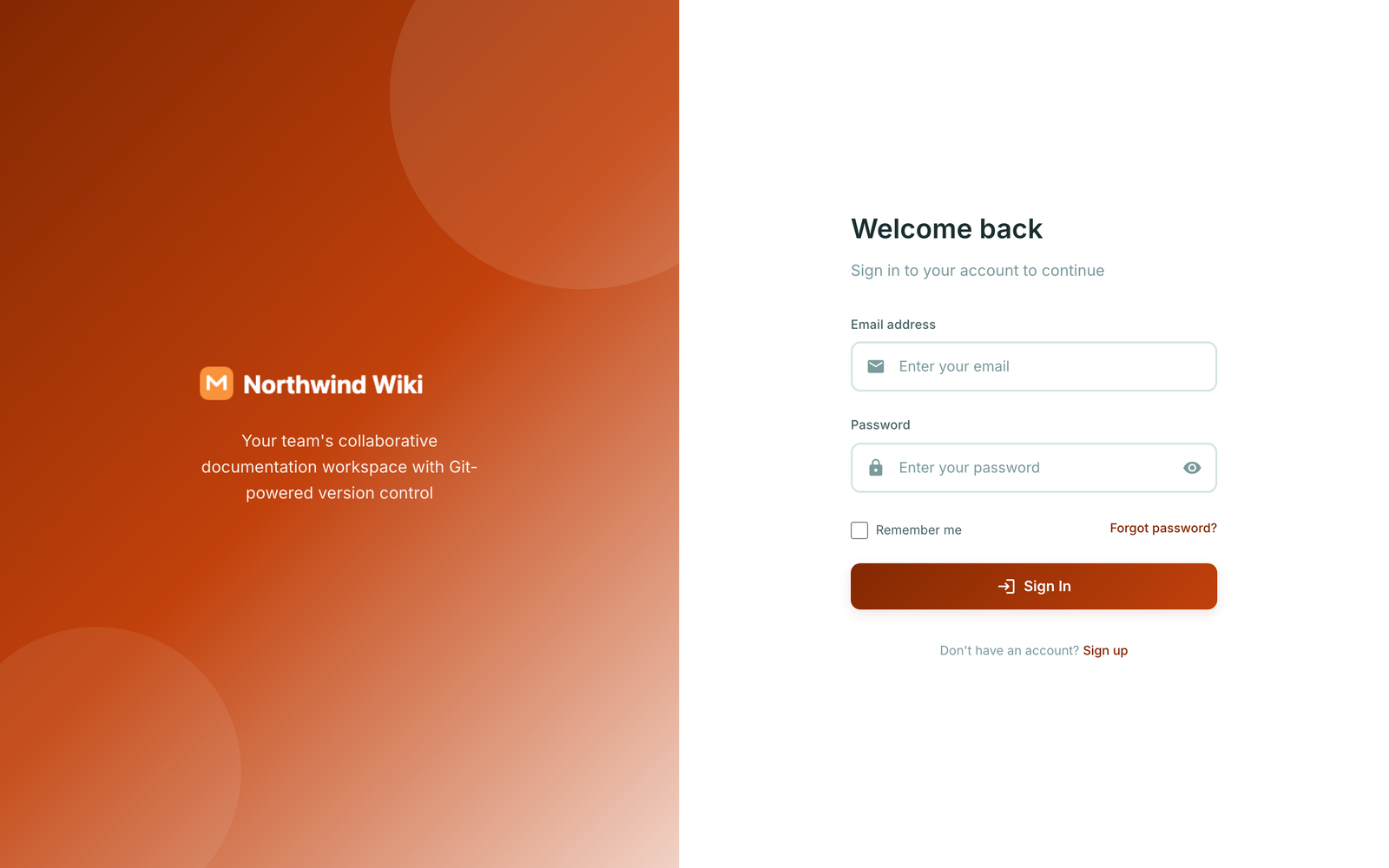
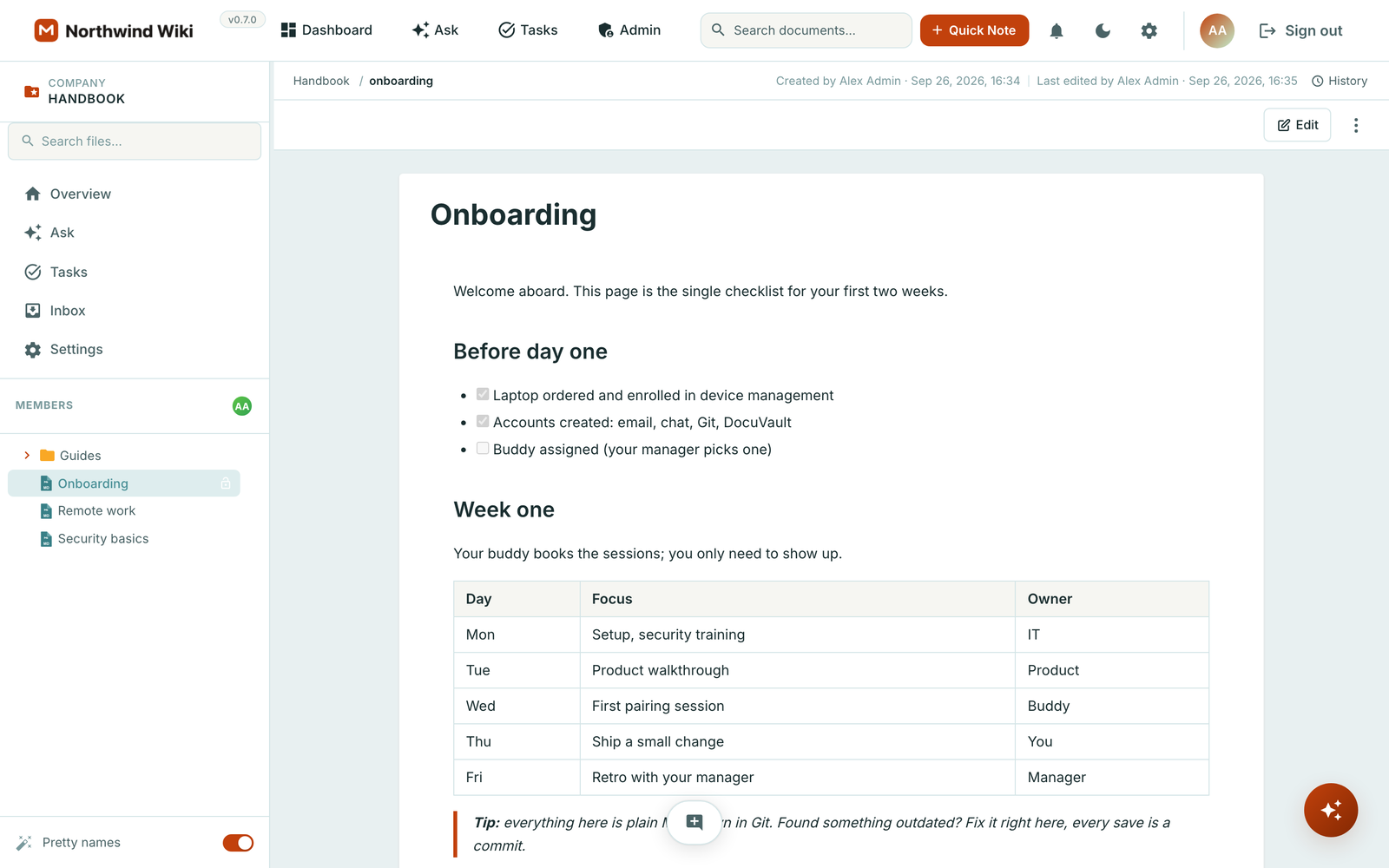
- Your brand. Set the app name, a primary colour, logos for light and dark backgrounds and a favicon in the admin UI. They apply everywhere: sign-in page, app, shared pages, tab titles and emails. See Whitelabeling.
Screenshots
Your spaces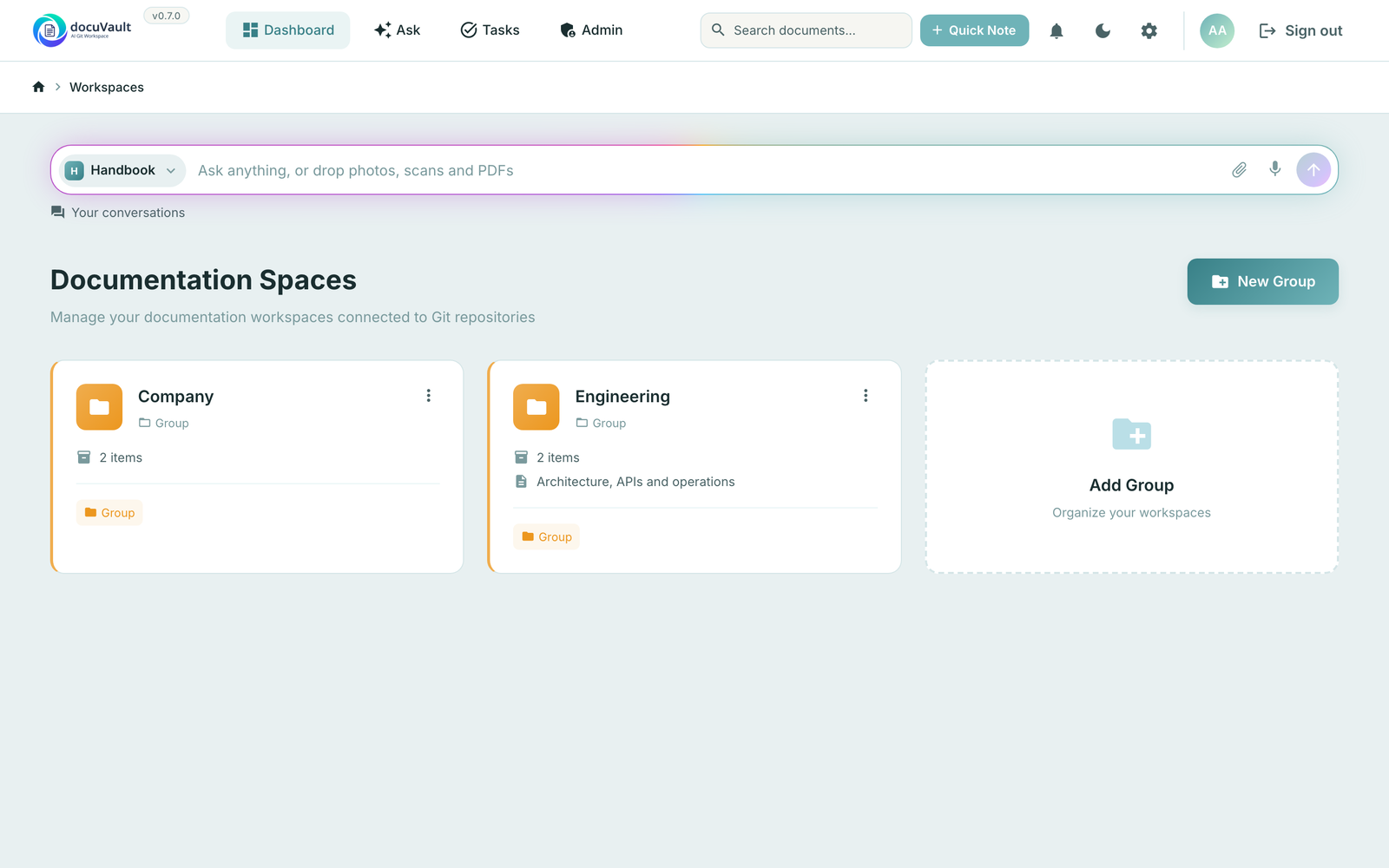 |
Every save is a commit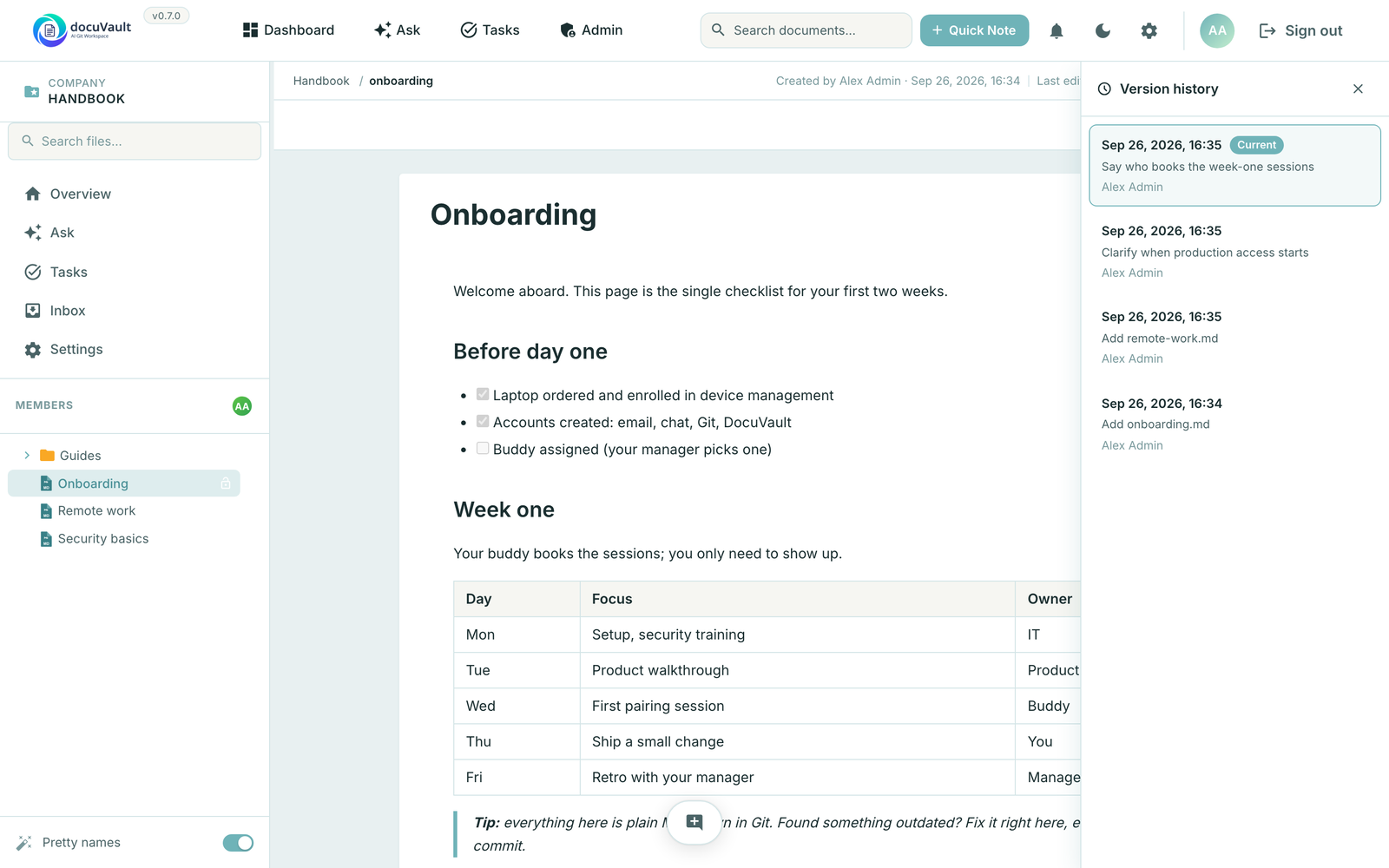 |
How it works
AI agents write through MCP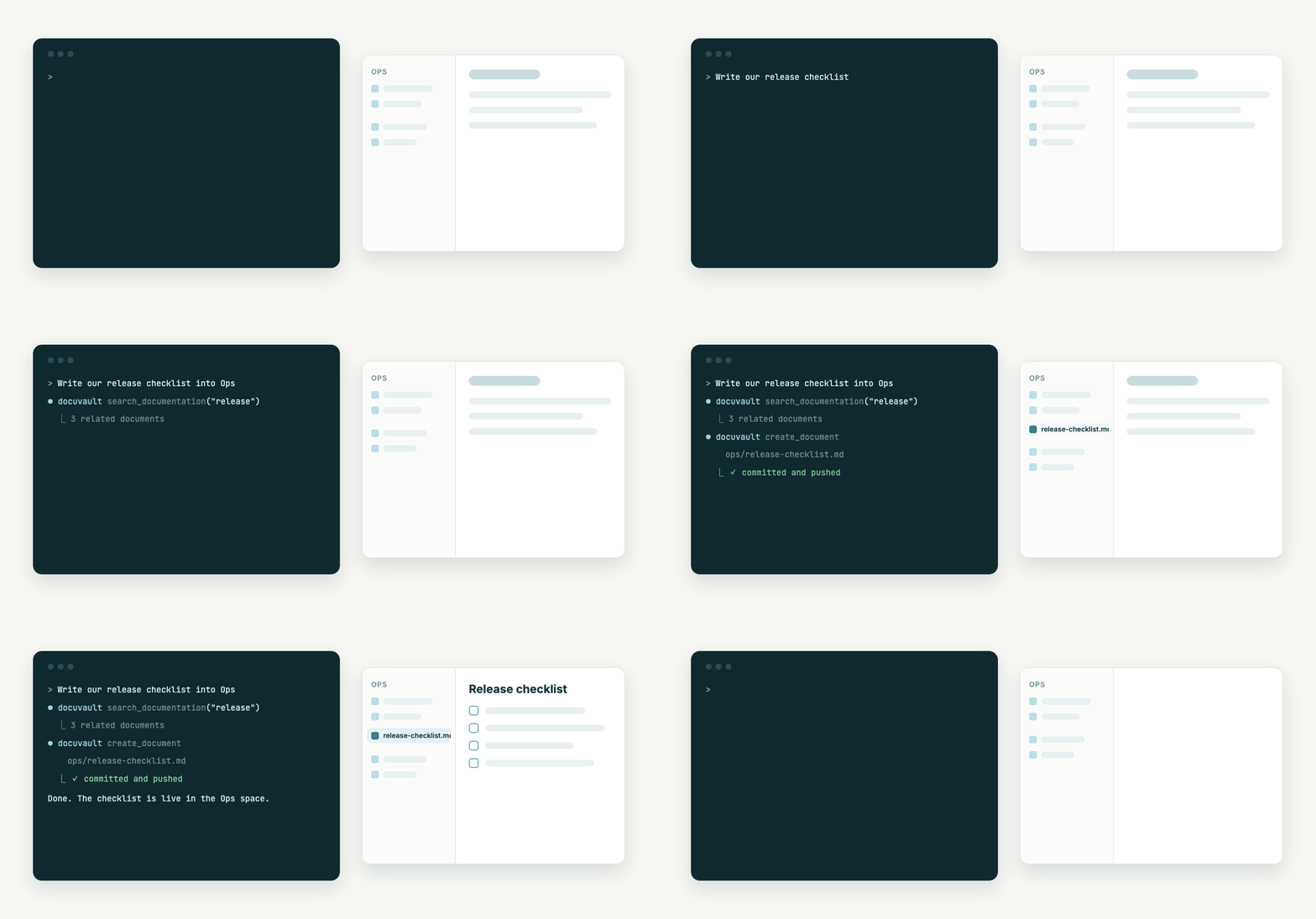 |
Ask your documentation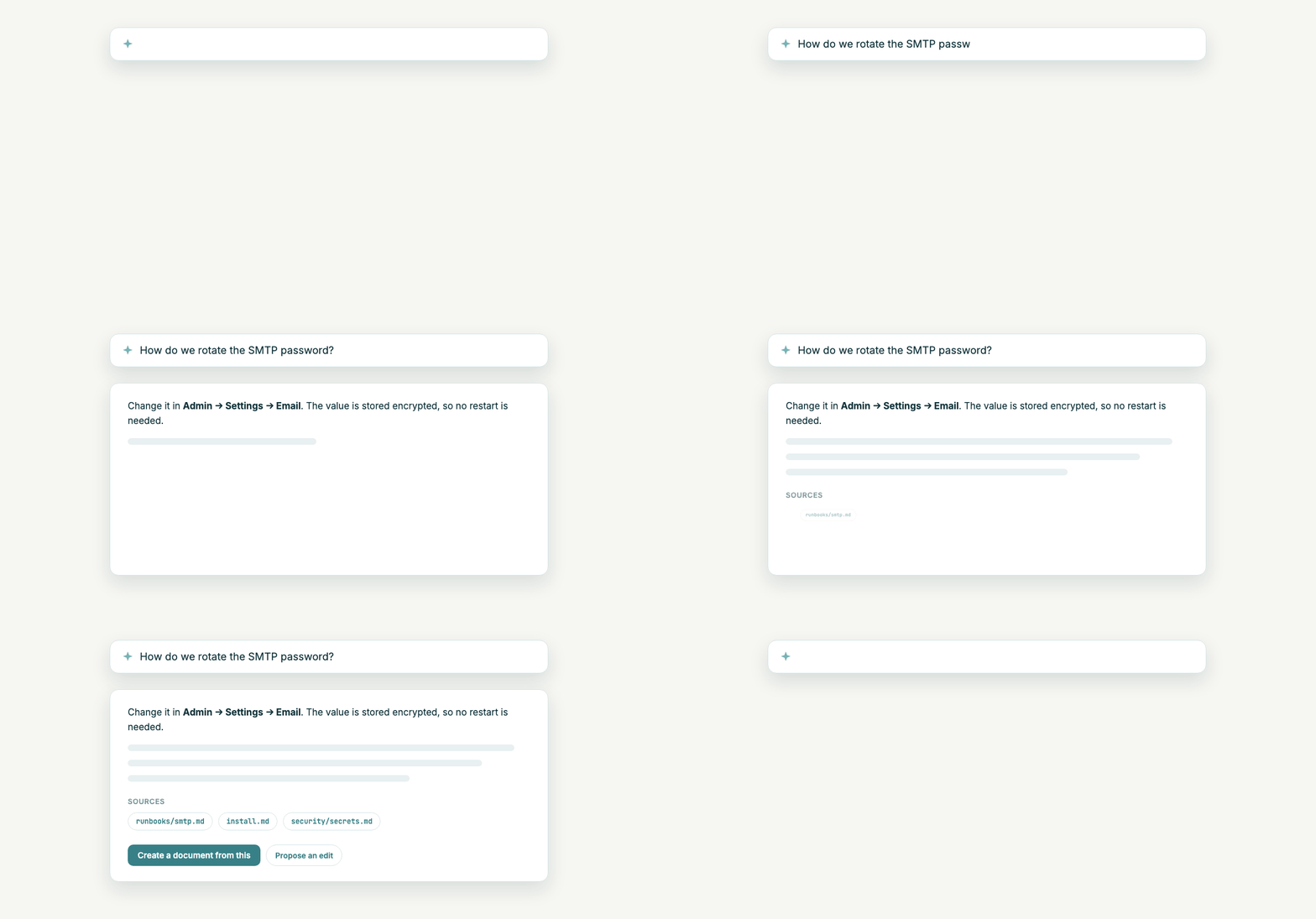 |
Comments that stay on their words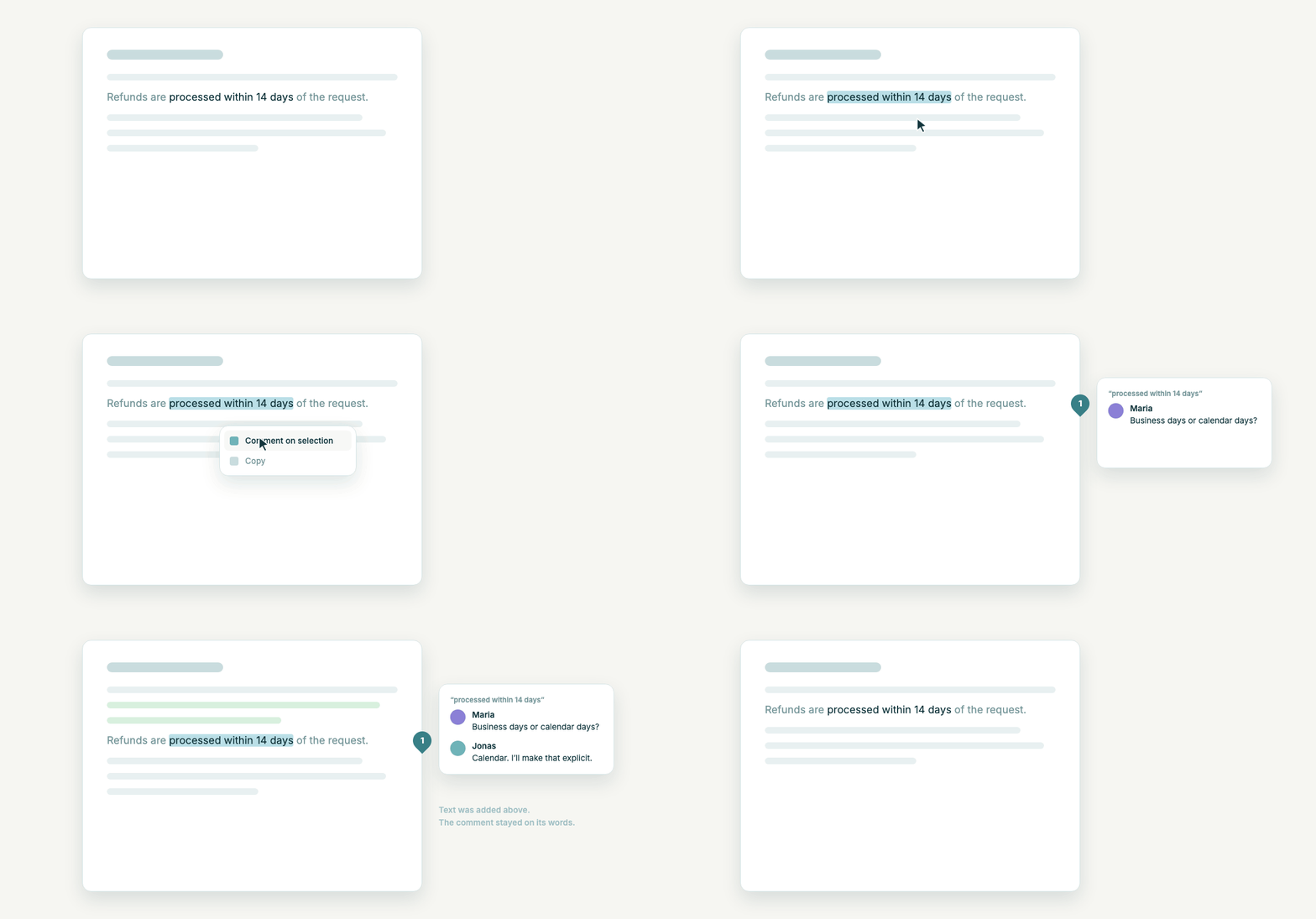 |
Scrub through version history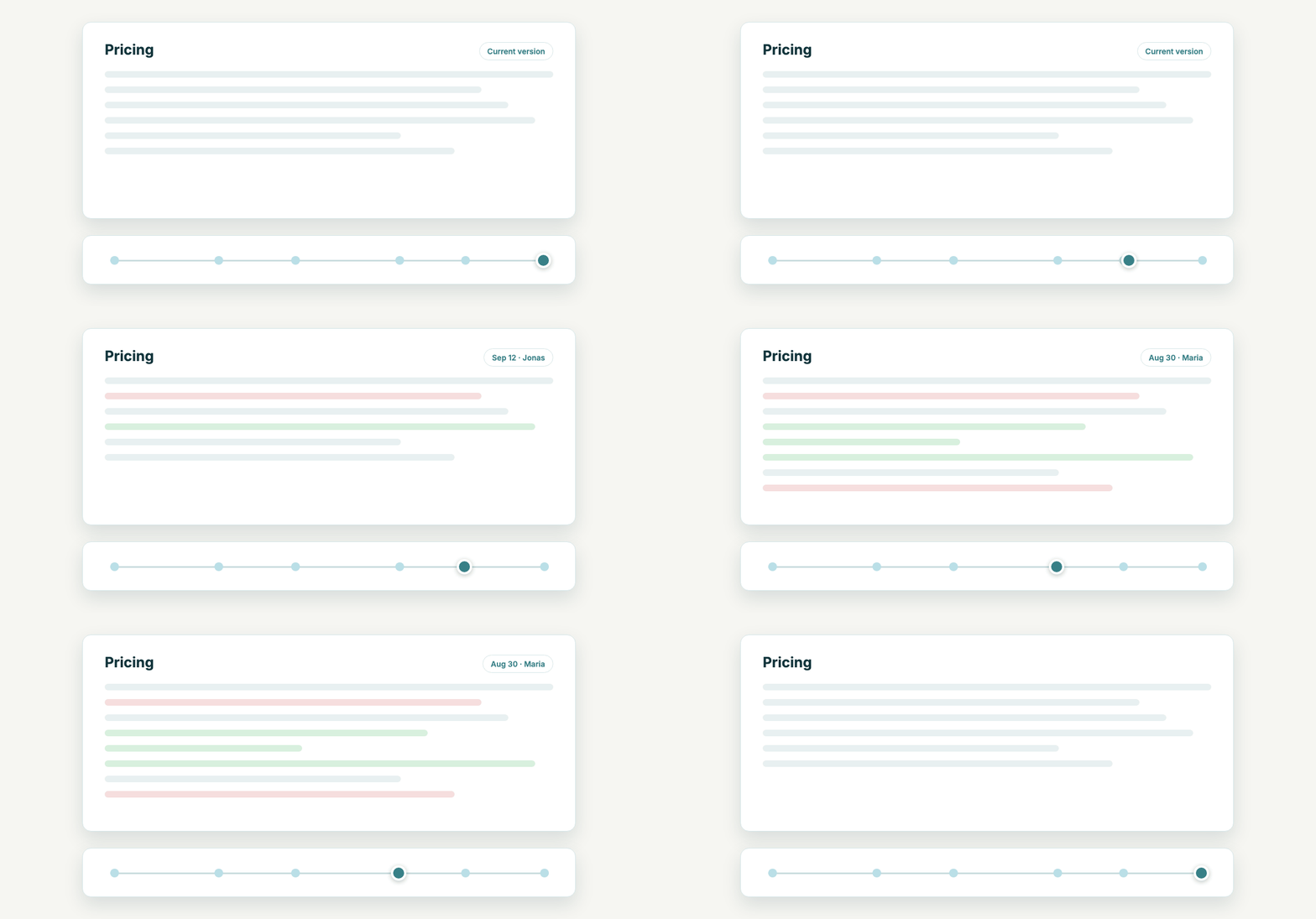 |
Public links with password and comments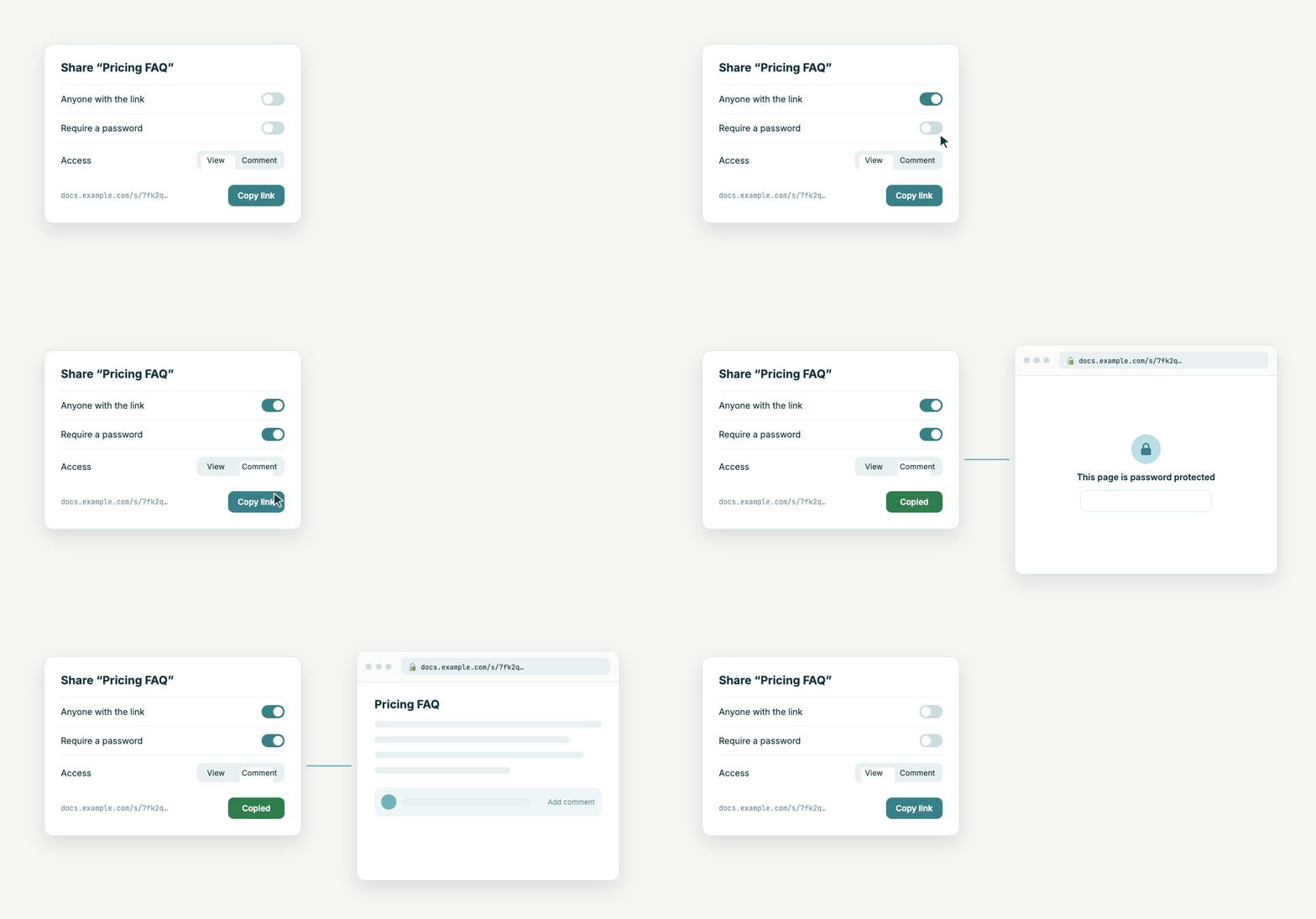 |
Inbox with AI routing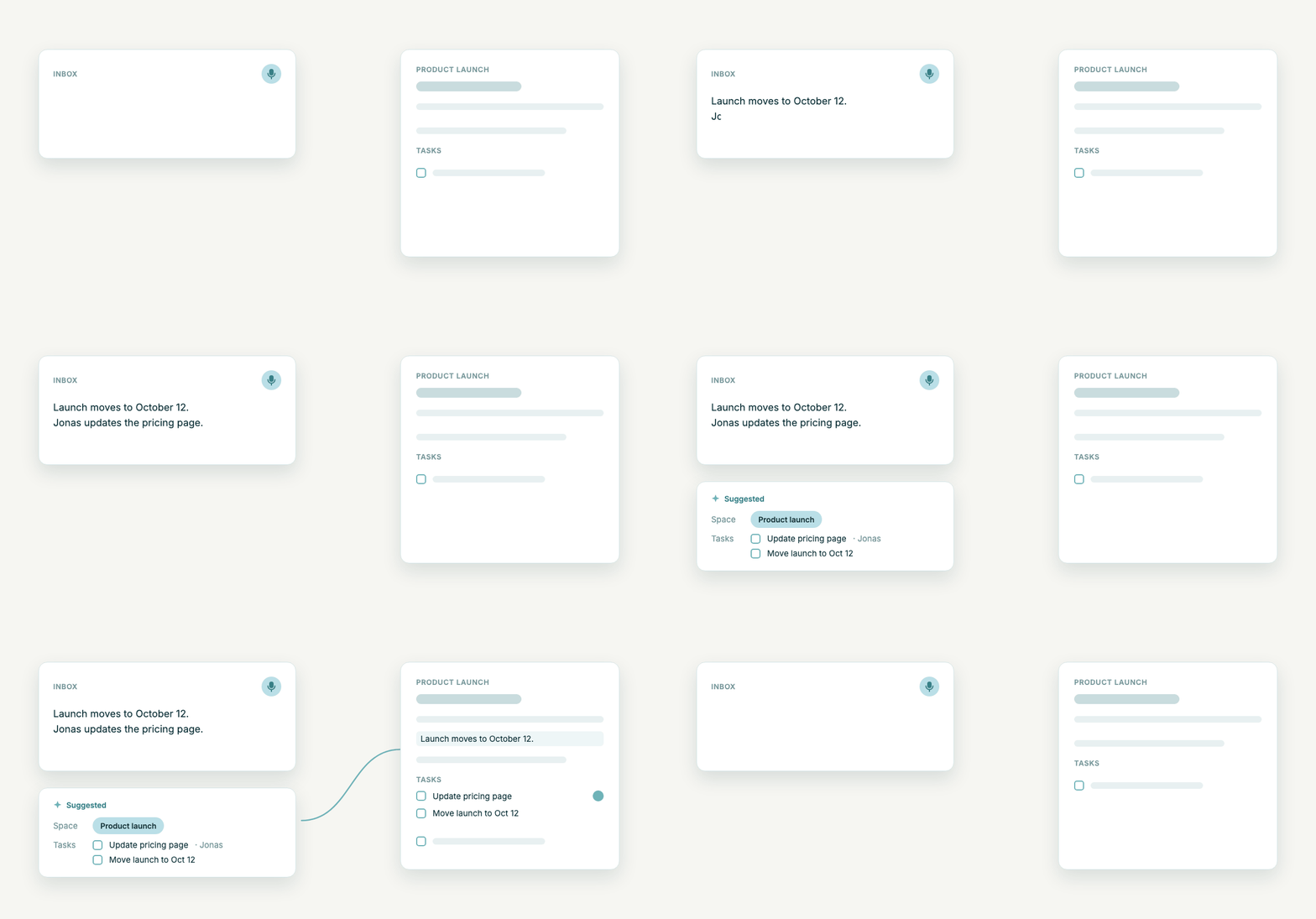 |
Tech stack
- Backend: Spring Boot 3.2, Kotlin, JPA/Hibernate
- Frontend: Angular 18, TipTap
- Database: PostgreSQL 16 + pgvector
- Object storage: MinIO (for logos, attachments)
- Cache / session store: Redis
- Reverse proxy + TLS: nginx-proxy + acme-companion (Let's Encrypt)
- Native apps: Capacitor (iOS/Android) — optional
Quick start
You need a Linux server with Docker, a DNS name pointing at it, and ports 80 + 443 open.
# On the target server
git clone --depth 1 https://github.com/Systaro/DocuVault.git /opt/docuvault
cd /opt/docuvault

cp .env.example.product .env
$EDITOR .env                 # fill in PUBLIC_HOSTNAME, secrets, SMTP credentials

./deploy.sh                  # newest release: pulls the public images, backs up, swaps, health-checks
The images are public on ghcr.io/systaro/docuvault for amd64 and arm64, signed with cosign, and need no registry login. Run ./deploy.sh again later to update: it does nothing when the newest release already runs, so it is fine in a cron job. ./deploy.sh v0.8.3 pins a version. If an update fails its health check, deploy.sh restarts the images that ran before.
Then visit https://<your-hostname> in a browser. The first-time setup wizard walks you through creating the admin account.
Full install and upgrade documentation: docs/install.md.
Whitelabeling
Run DocuVault under your own name. As super admin, open Admin → Branding and set:
- the app name, used in the header, tab titles, shared pages and every email
- a primary colour; both themes derive their shades from it, and very light colours are darkened for readable buttons
- a logo for light backgrounds, an optional one for dark backgrounds, and a favicon (PNG, JPEG, WebP or SVG, up to 1 MB)
Changes apply immediately for everyone, including the sign-in page. Branding is one per installation.
 |
 |
Development
cp .env.example .env         # set DB_PASSWORD and JWT_SECRET
docker compose up --build    # app on http://localhost:7031
Details for working on the backend, frontend and meeting bot are in CONTRIBUTING.md.
MCP server (for AI agents)
DocuVault runs its own MCP server at /api/mcp (Streamable HTTP). Connecting
works like connecting GitLab: one URL in the client, a consent page in the
browser, done. No token to copy, nothing to install.
claude mcp add --transport http docuvault https://your-docuvault.example.com/api/mcp
# then, in a session: /mcp → docuvault → Authenticate
Claude Desktop, Cursor and other clients with HTTP transport and OAuth support
take the same URL:
{
  "mcpServers": {
    "docuvault": { "type": "http", "url": "https://your-docuvault.example.com/api/mcp" }
  }
}
The server exposes 19 tools covering search/list/read/create/edit/share for
documents, spaces and space state, tasks (list_tasks, create_task,update_task), plus upload_file / download_file for
binaries and large files: they hand out a one-time URL and the agent moves the
bytes with curl (or Invoke-WebRequest on Windows), so nothing binary
passes through the model. Every call runs as the signed-in user with that
user's space permissions. For scripts and CI, where no browser is
available, the same endpoint accepts a personal API token from your account
page as Authorization: Bearer dv_... header.
The OAuth side is a small built-in authorization server (dynamic client
registration, PKCE, refresh rotation); clients discover it through/.well-known/oauth-protected-resource and /.well-known/oauth-authorization-server,
which the frontend nginx forwards to the backend. PUBLIC_URL is the OAuth
issuer, so it has to be exactly the URL clients use.
The legacy stdio package @systaro/docuvault-mcp (npx, API token in the env)
still works for clients without HTTP/OAuth support.
Status
DocuVault is in early access. The data model and APIs are stable for self-hosting; expect occasional breaking changes in minor versions until 1.0. Tasks and the meeting bot are alpha. Release notes are on GitHub Releases and in the app (click the version next to the logo).
Issues and pull requests are welcome, see CONTRIBUTING.md.
License
DocuVault is source-available, not open source in the OSI sense: Business Source License 1.1. Free to use and modify for self-hosting, including inside your company; offering it as a competing hosted service requires a separate agreement. The license auto-converts to Apache 2.0 after four years per version. For commercial licensing, contact [email protected].
Security
See SECURITY.md. TL;DR: disclose privately to [email protected], and be aware that public share links intentionally render embedded HTML and JavaScript.
Yorumlar (0)
Yorum birakmak icin giris yap.
Yorum birakSonuc bulunamadi