claude-code-park
Health Gecti
- License — License: MIT
- Description — Repository has a description
- Active repo — Last push 0 days ago
- Community trust — 17 GitHub stars
Code Gecti
- Code scan — Scanned 12 files during light audit, no dangerous patterns found
Permissions Gecti
- Permissions — No dangerous permissions requested
Bu listing icin henuz AI raporu yok.
Visualize Claude Code as a top-down office — agents as employees, sessions as orchestrators, all in real time.
Claude Code Park
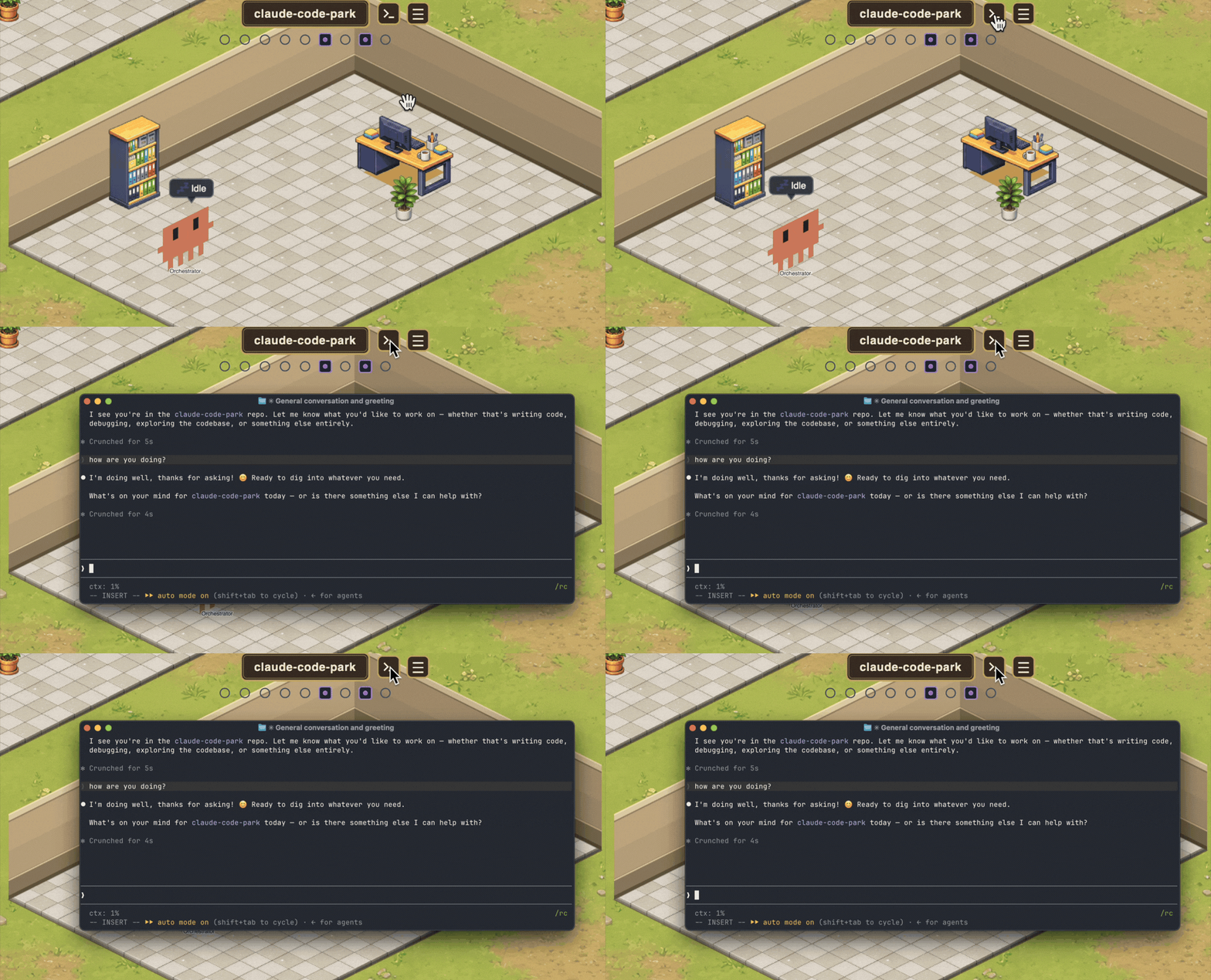
A desktop app that visualizes Claude Code as a top-down office.
It treats your local ~/.claude/ as the single source of truth, drawing agents as "employees" and each running session as the "orchestrator" — all animated in real time.
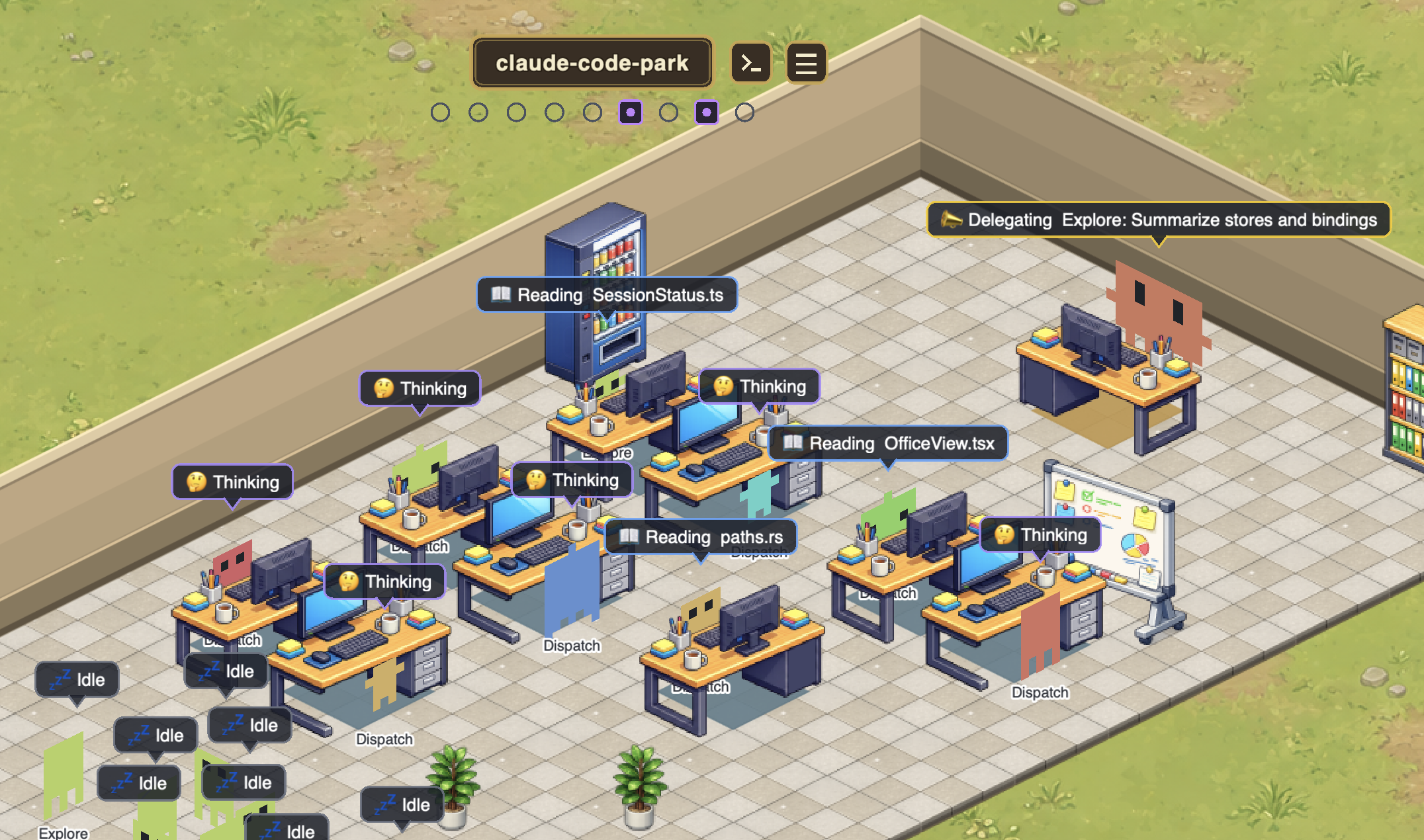
Why Claude Code Park
Claude Code's Hooks, Skills, and Agents are spread across many config locations, making it hard to answer "what is this session actually composed of right now?" Claude Code Park lets you see and understand it at a glance.
A concrete case: keeping Claude aligned with your team's conventions is hard with prompts alone — a single session tends to drift mid-task. Hooks that check and block violations are more reliable, but wiring them up in plain config and trusting they actually fire is tedious. Claude Code Park makes that setup visible: which hooks are active per session, and whether they really fire.
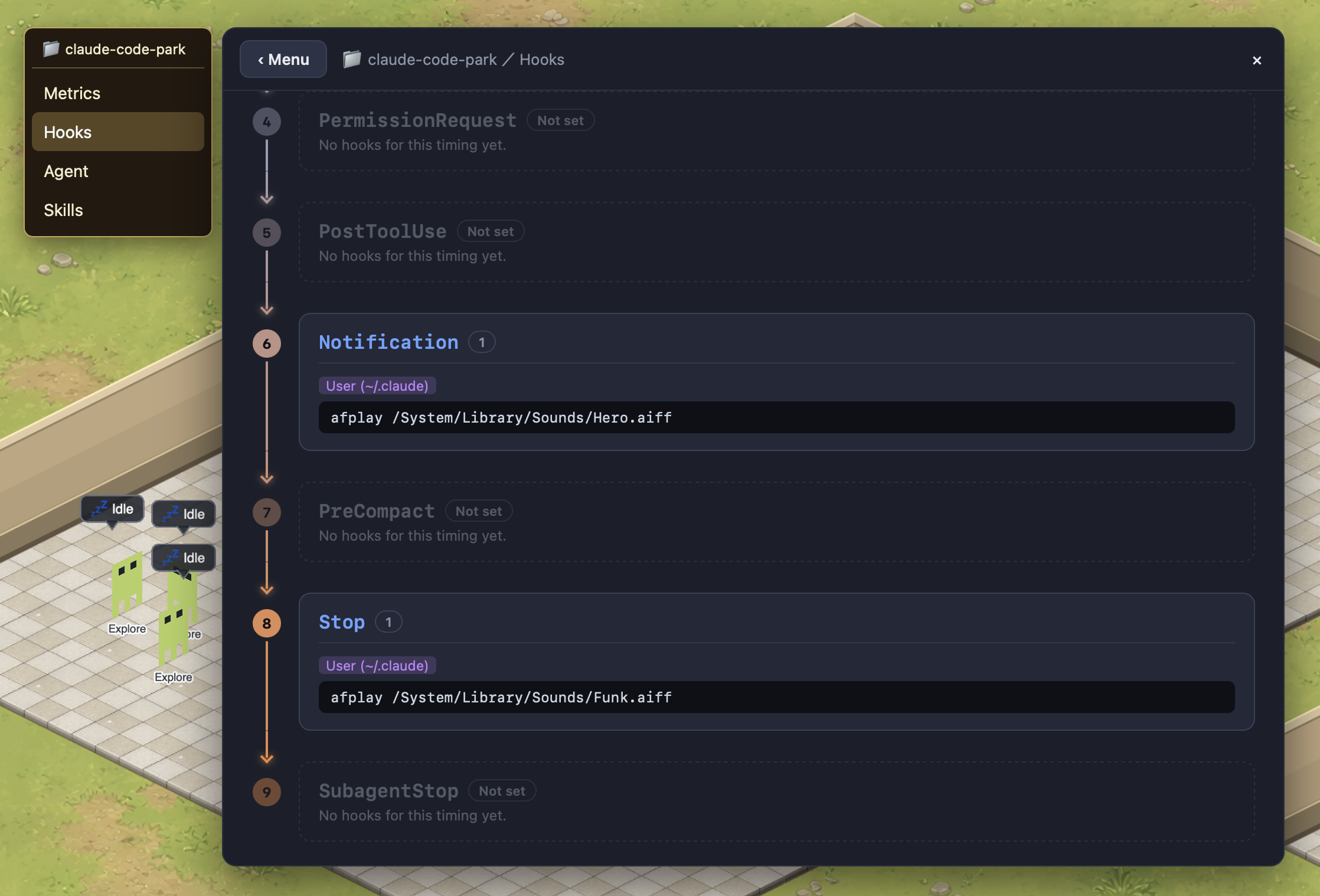
- Visualize hooks per session — see the hook setup that actually applies to a session (including plugin-provided hooks) in one place.
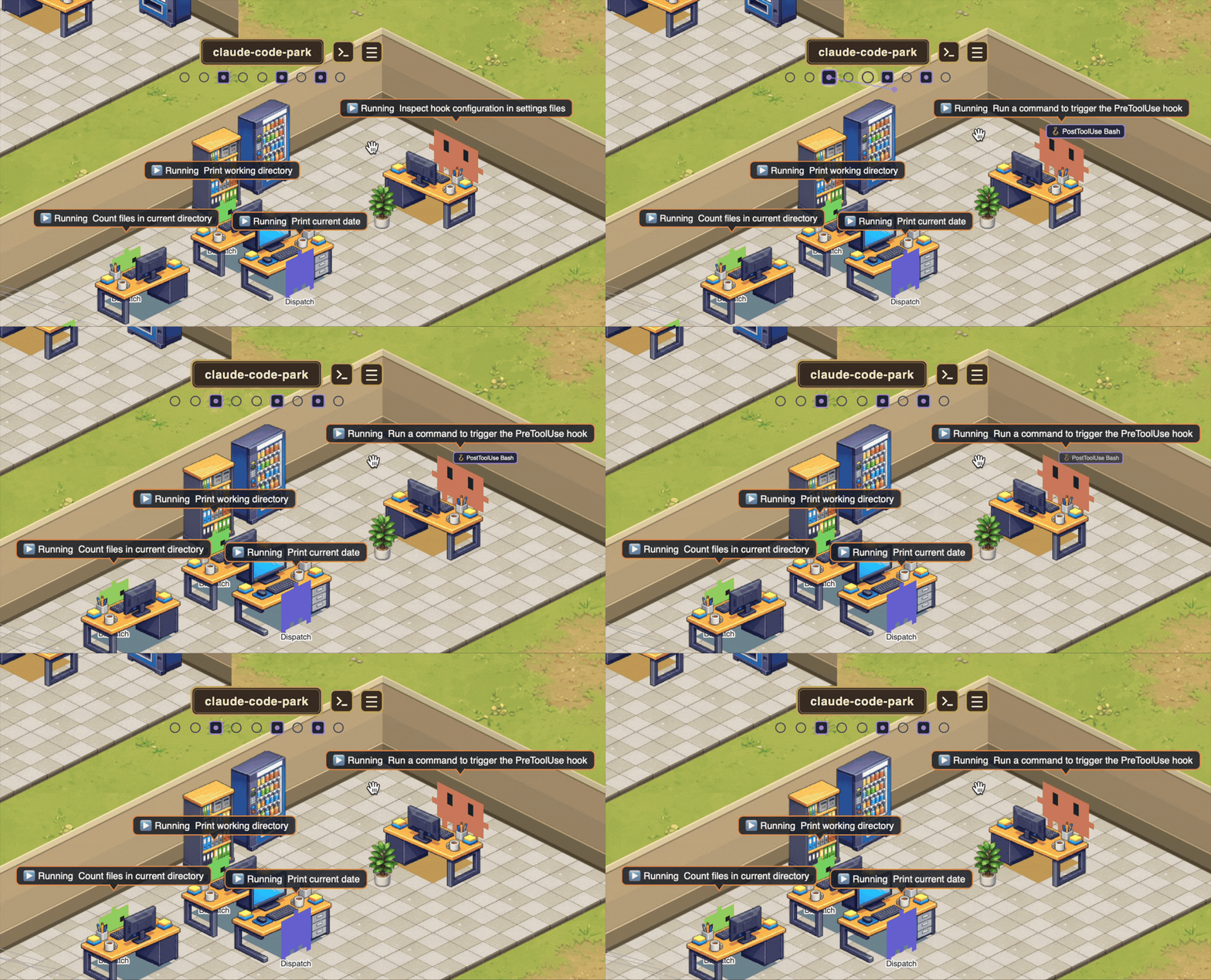
- Learn when hooks fire — an animation shows when and which hook ran, so you can grasp the hook lifecycle just by watching real behavior.
- Visualize Skills & Agents — see which agents and skills are defined, and which ones are currently "at work."
- Manage multiple sessions on one screen — run several Claude Code sessions at once and track all of their progress from a single view.
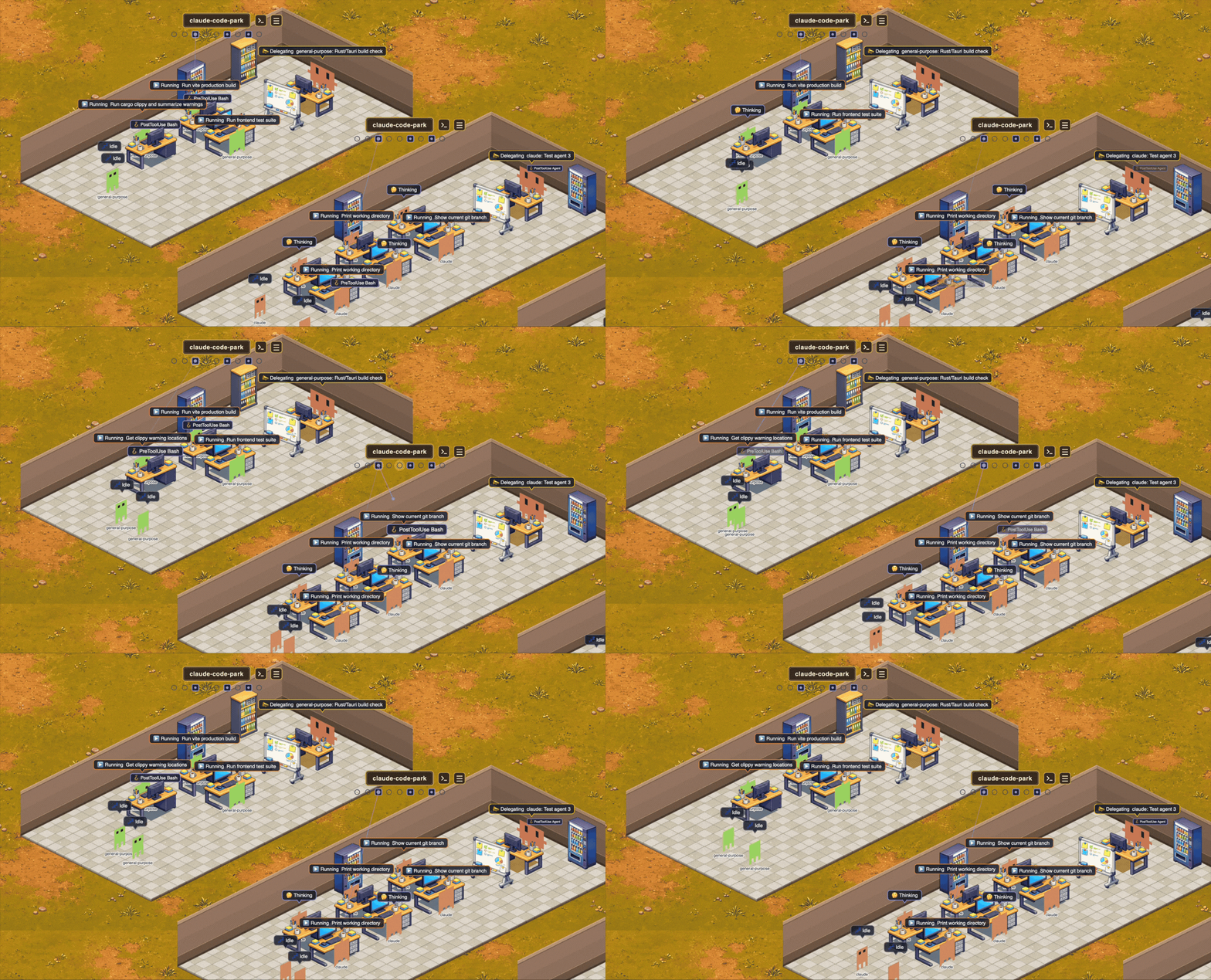
- Jump back to the terminal in one click — click an employee/session to bring the terminal that launched it (Terminal.app / iTerm2 / VS Code / Ghostty) to the front.
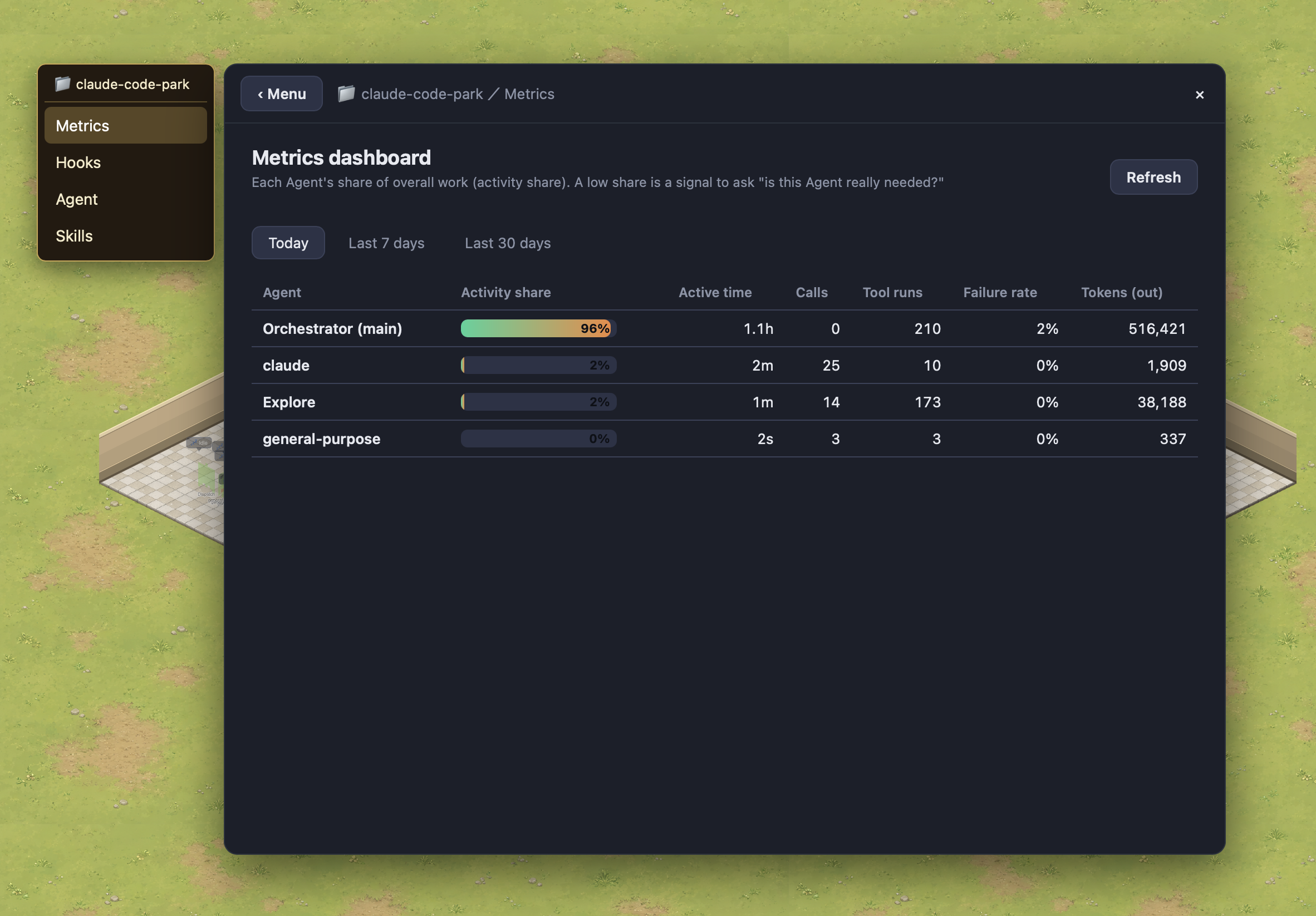
- Management dashboard — utilization, call count, failure rate, and tokens per agent, aggregated over today / 7d / 30d.
Safe by design
- No external communication — reads only your local
~/.claude/; nothing ever leaves your machine. No telemetry, no accounts, no network calls. - Your files stay the source of truth — Claude Code Park keeps no separate database; it just reflects
~/.claude/live, so there's no hidden state to trust. - Reversible, safe writes — every config write is backed up first, then written via a temp file + atomic rename, so an edit can't half-write or corrupt your settings.
- Touches only what it manages — when editing
settings.jsonit replaces only thehookskey and leaves everything else (permissions, env, …) untouched. - Open source (MIT) — all of the above is auditable.
Requirements
- macOS only (terminal focusing uses AppleScript /
ps) - Claude Code installed, with an existing
~/.claude/
Install (for users)
- Download the latest
.dmgfrom Releases, open it, and drag Claude Code Park into Applications. - The app is unsigned, so on first launch macOS Gatekeeper will warn you. Open it one of these ways:
- macOS 14 or earlier: right-click the app → "Open".
- macOS 15 (Sequoia) or later: System Settings → "Privacy & Security" → "Open Anyway" near the bottom.
- Or from a terminal:
xattr -dr com.apple.quarantine "/Applications/Claude Code Park.app"
Build from source / Development
Requirements: Node.js 18+ / npm, and Rust (stable). Install Rust via rustup.
See the Tauri prerequisites for full setup (Rust, Xcode Command Line Tools, etc.).
npm install
npm run app      # = tauri dev (launches the desktop window)
Other commands:
npm run build                                   # type-check + build the frontend
npm run tauri build                             # produce a distributable .dmg
cargo test --manifest-path src-tauri/Cargo.toml # Rust tests + regenerate ts-rs bindings
The Rust→TS bindings in src/bindings/*.ts are regenerated by cargo test; do not edit them by hand.
Tech stack
- Backend: Tauri v2 (Rust) — file watching / JSONL parsing / config read-write / metrics aggregation
- Frontend: React + Vite + Zustand; the top-down office is rendered with Pixi.js
How it works
It watches the append-only ~/.claude/projects/{proj}/{sessionId}.jsonl files, parses the deltas, classifies them into work kinds (Reading / Editing / Running / Delegating …), and reflects them in the office. Config writes are done safely via backup → temp file → atomic rename.
License
Yorumlar (0)
Yorum birakmak icin giris yap.
Yorum birakSonuc bulunamadi