tablex
Health Warn
- License — License: AGPL-3.0
- Description — Repository has a description
- Active repo — Last push 0 days ago
- Low visibility — Only 9 GitHub stars
Code Fail
- rm -rf — Recursive force deletion command in .github/workflows/release-app.yml
- fs module — File system access in .github/workflows/release-drivers.yml
Permissions Pass
- Permissions — No dangerous permissions requested
No AI report is available for this listing yet.
A fast, native, cross-platform database client built in Rust: PostgreSQL, MySQL, SQLite, MongoDB, Redis and more.
tablex
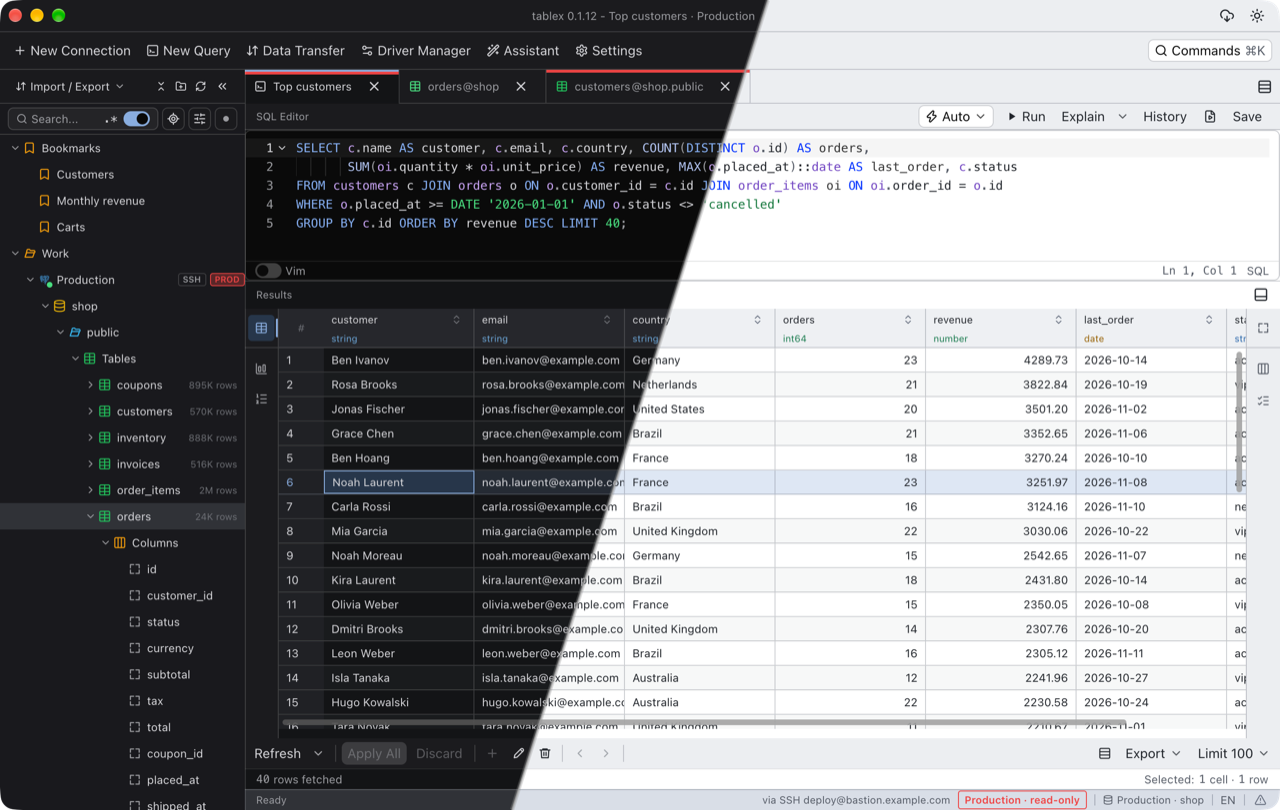
A fast, native, cross-platform database client written in Rust with GPUI.
- One native app for macOS, Linux and Windows. It is developed on macOS; the Linux and Windows builds are previews.
- Database support comes from driver plugins that the app downloads, verifies and loads at run time.
- Results travel as Apache Arrow from the driver to a virtualized grid.
Databases
PostgreSQL, MySQL, MariaDB, SQL Server, SQLite, DuckDB, MongoDB, Redis and ClickHouse. Each is a separate driver, installed from Driver Manager inside the app.
Features
- Connection tree with folders, search, SSH tunnels and import from other clients.
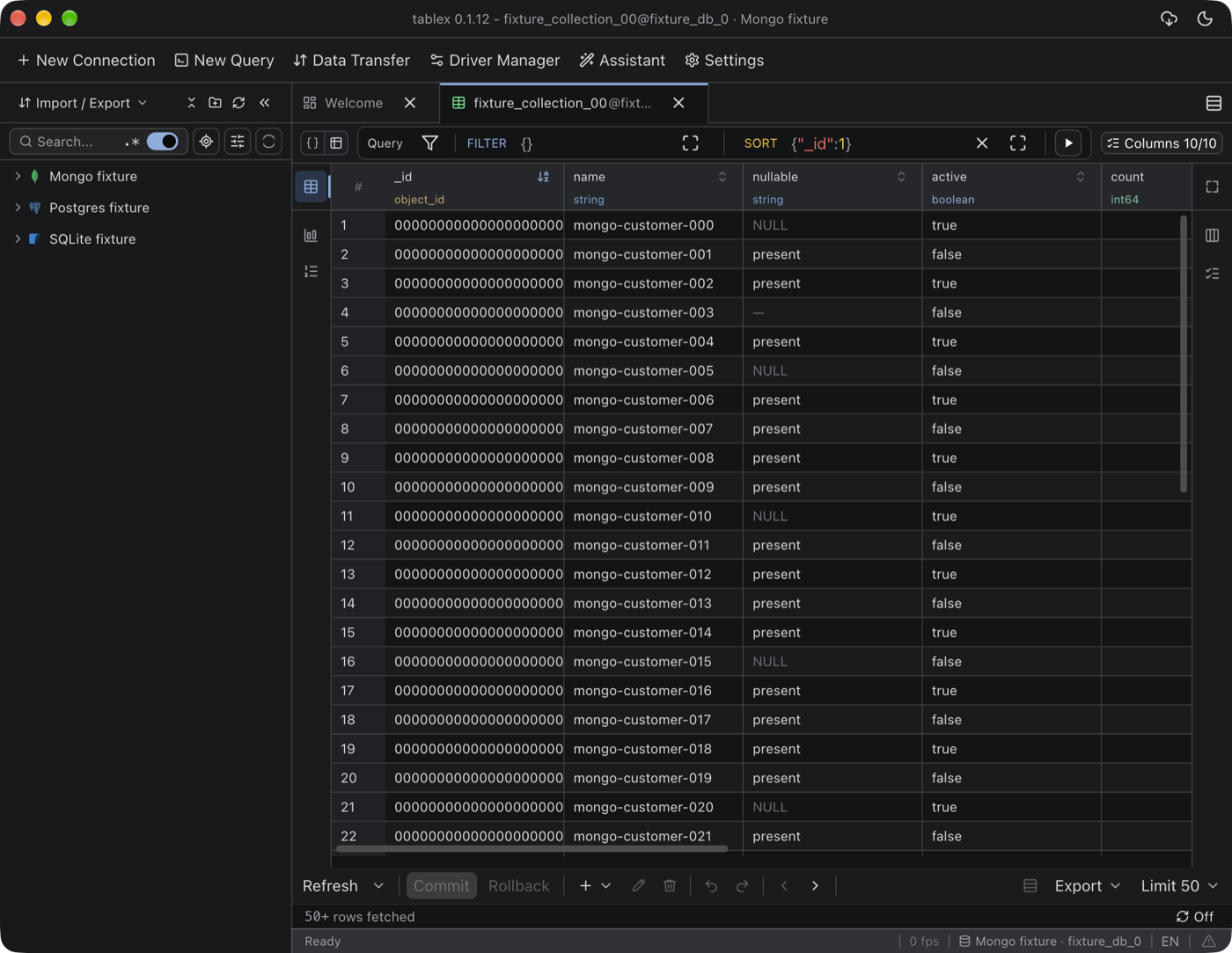
- Data grid with in-place editing, staged changes, filters, cell and row detail panes, copy and export.
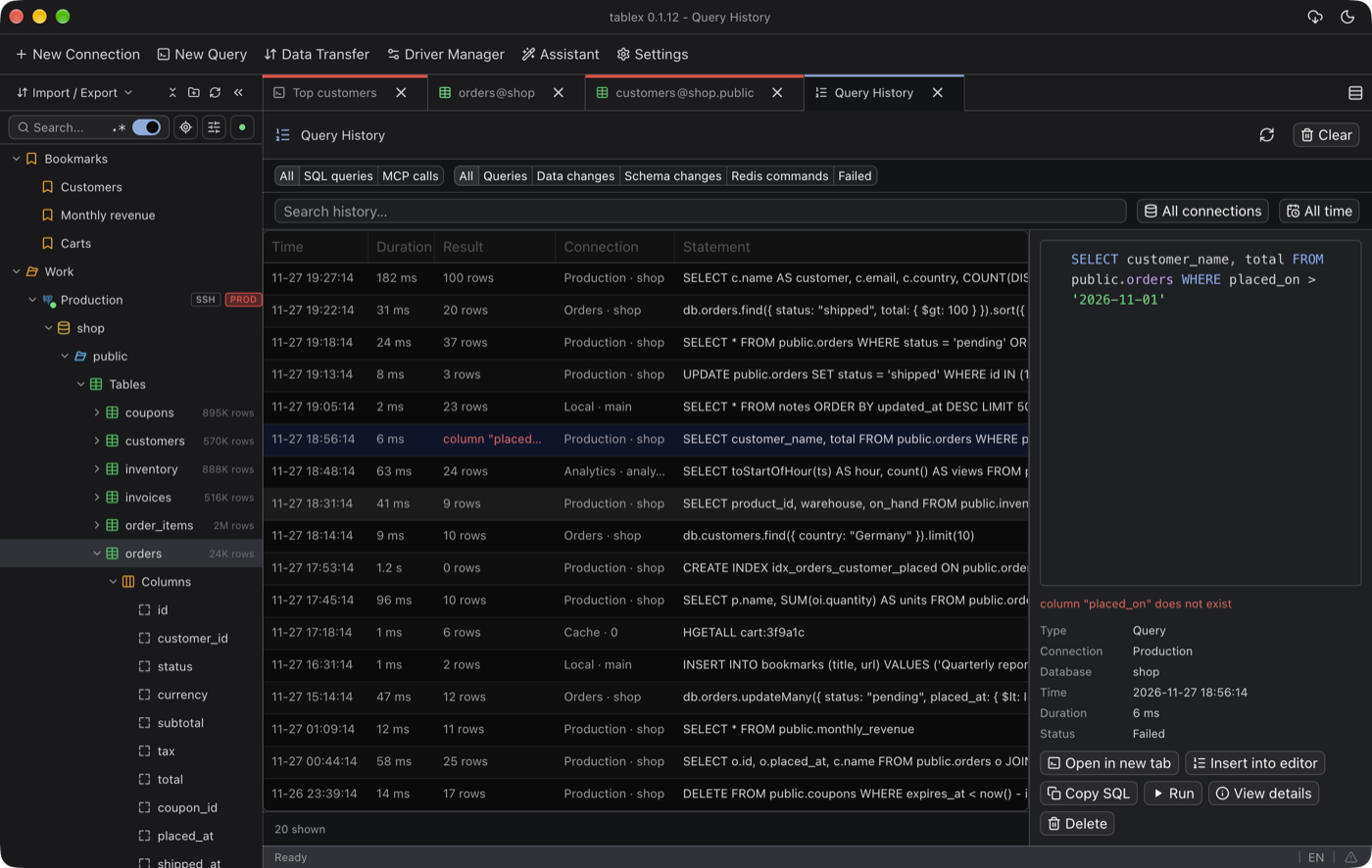
- SQL and MongoDB editors with completion, query history and saved scripts.
- Tabs, split panes with drag and drop, a command palette, table and database diagrams.
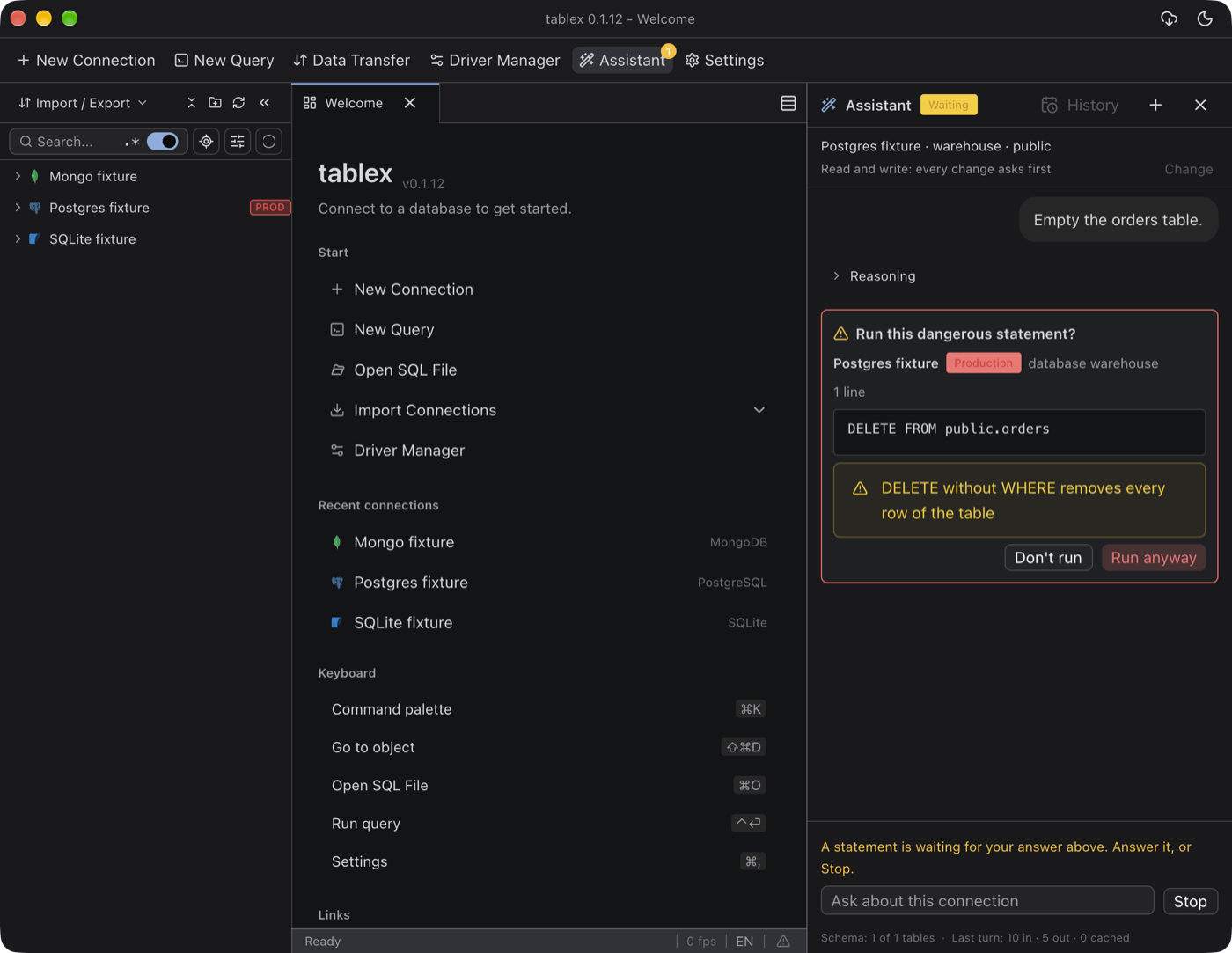
- An AI assistant (Anthropic, OpenAI, OpenAI-compatible servers, Ollama) that reads the schema and runs queries with the access you give each connection; every statement that changes data asks first.
tablex-mcp, a standalone MCP server over your saved connections, installed from Driver Manager → Tools. On macOS, runtablex-mcp --authorize-keychainonce (or use Allow Keychain access there) so it can read saved passwords without prompting; run it once after installing, and again only if macOS asks after an update (releases are signed with a stable certificate, so an Always Allow normally survives updates). It speaks stdio, or Streamable HTTP with--http; seeapps/tablex-mcp/README.md.
Security notes
- On macOS, saved passwords and the master key live in the Keychain. On Linux (Secret Service) and Windows (Credential Manager), any program running as your user can read the stored master key without a prompt.
- An SSH tunnel listens on a local port while it is open, and other users of the same machine can connect to that port, as with
ssh -L.
Screenshots
 |
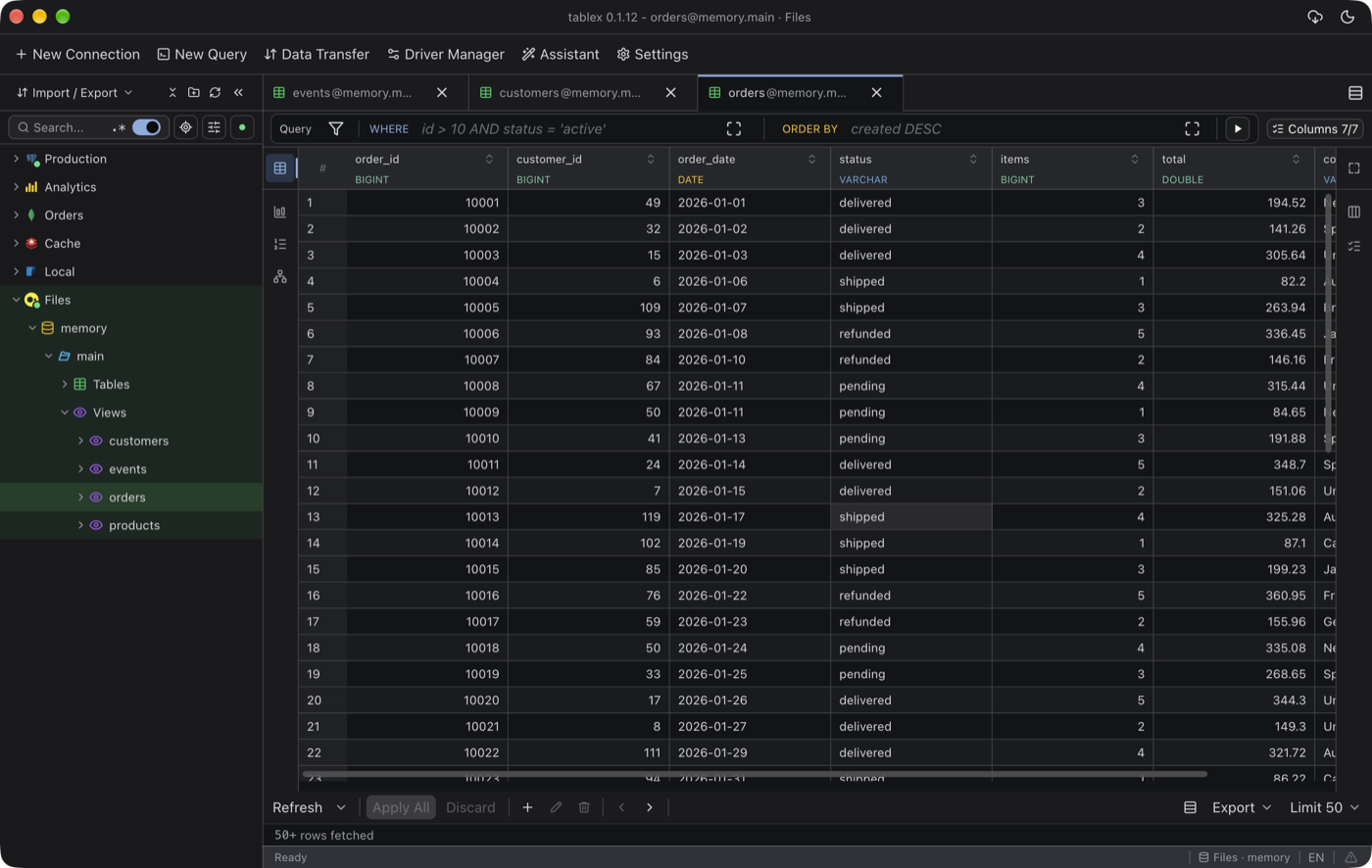 |
| The assistant asks before any change, and says what is dangerous | CSV, JSON and Parquet files as tables |
 |
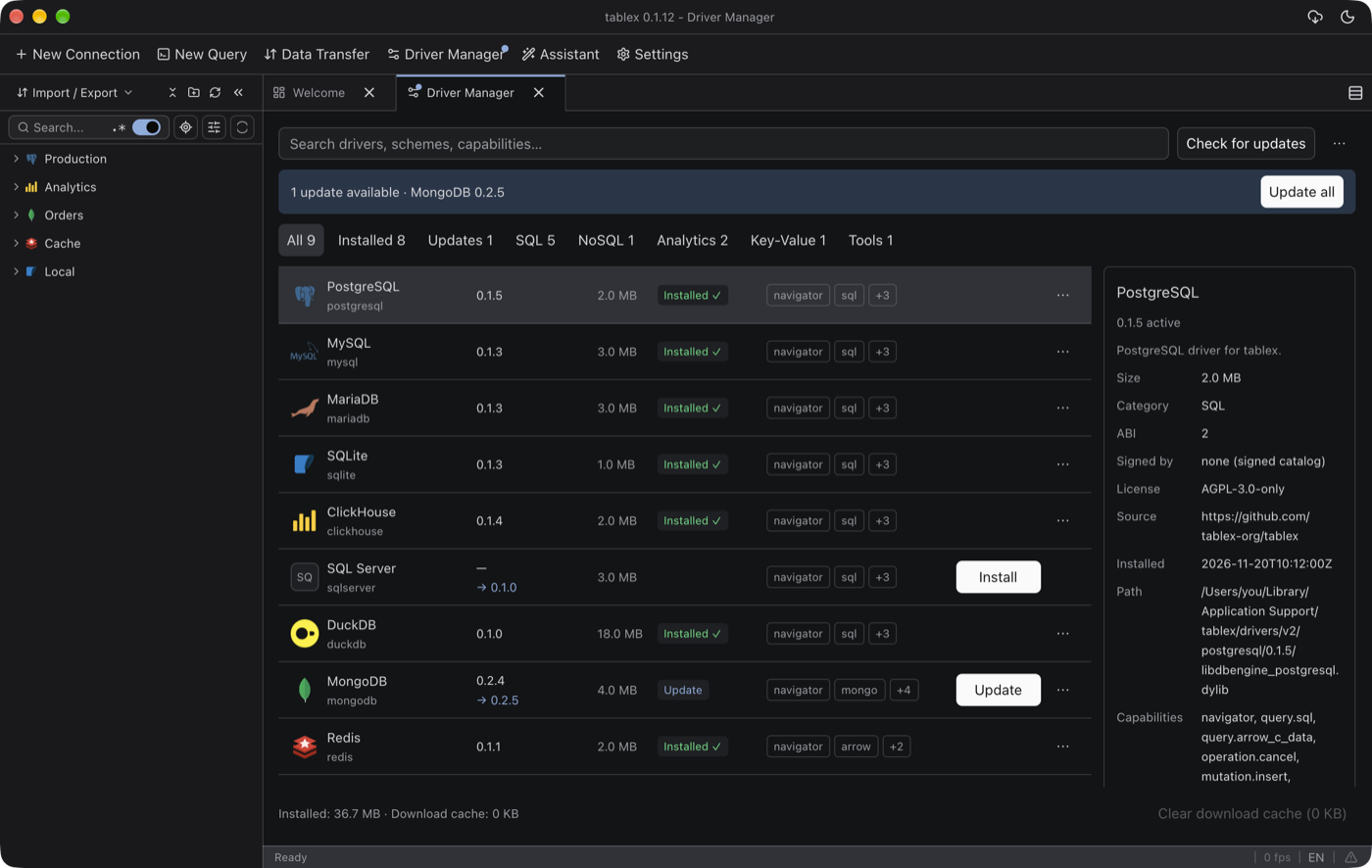 |
| Query History across every connection | Drivers installed and updated from Driver Manager |
 |
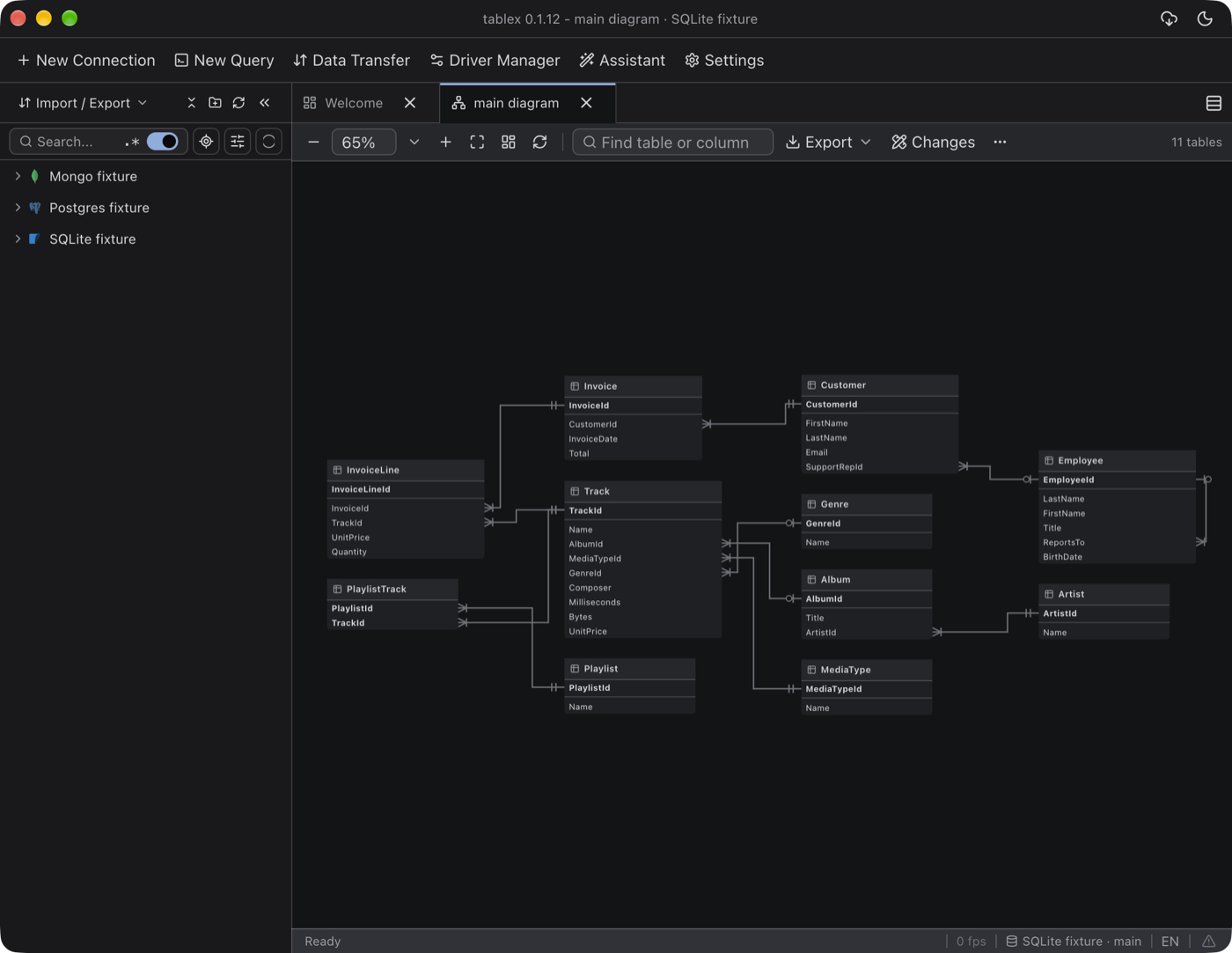 |
| MongoDB documents in the same grid | Database diagram |
The screenshots use the app's built-in sample data.
Download
macOS 12 or later: the .dmg for your Mac (Apple silicon or Intel) from the latest release. Drag tablex to Applications. The app is not notarized yet, so confirm the first launch with right-click > Open. Databases are added from Driver Manager inside the app.
Linux (preview): tablex-<version>-linux-x86_64 or -linux-aarch64, as a .tar.gz or an .AppImage, from the latest release. It needs glibc 2.31 or newer (Debian 11, Ubuntu 20.04, RHEL 9 and later), a Wayland or X11 session, and a Vulkan or OpenGL driver. For the AppImage run chmod +x on it and start it; the tarball runs from where you unpack it.
Windows (preview): for Windows 10 or 11 on x86_64, or Windows 11 on Arm (aarch64), from the same release. Run tablex-<version>-windows-x86_64-setup.exe (-windows-aarch64-setup.exe on Arm): it installs tablex for your user (no administrator rights, nothing else to install), adds it to the Start menu and Apps > Installed apps, and a newer installer upgrades it in place; uninstalling keeps your connections and settings. Or take the portable tablex-<version>-windows-x86_64.zip, unzip it and run tablex.exe. Neither is code signed yet, so SmartScreen asks for a confirmation the first time: More info > Run anyway.
The Windows installer build updates itself from the app (Install & Restart). The portable zip and the Linux builds do not: the app tells you about a new release and opens its page.
Building from source
Requirements: a recent stable Rust toolchain; on Linux the usual GPUI system packages (Wayland / X11, fontconfig, Vulkan).
# the app
cargo run -p tablex-gpui

# the drivers, built and packaged for local use (the debug app reads dist/drivers/)
rust-engine/scripts/dev-drivers.sh
Release-profile build and the macOS bundle:
cargo build --profile dist -p tablex-gpui
scripts/bundle-macos.sh
Tests
cargo test -p tablex-gpui -p tablex-mcp
cargo test --manifest-path rust-engine/Cargo.toml
python3 -m unittest discover scripts/tests
Tests that need a live database are ignored by default; they read TABLEX_TEST_* connection strings. rust-engine/scripts/README.md lists the scripts that start the throwaway SSH and TLS servers some of them use.
Layout
| Path | What |
|---|---|
apps/tablex-gpui |
The desktop app |
apps/tablex-mcp |
The MCP server |
rust-engine/crates/dbengine-* |
Driver plugins |
rust-engine/crates/engine-* |
Driver host, driver kit, connections, AI and agent layers |
rust-engine/scripts, scripts |
Driver packaging, release and development tooling |
Licence
AGPL-3.0, see LICENSE. The libraries tablex is built with keep their own licences; see licenses/.
Feedback
Use GitHub issues for bug reports, feature requests and development discussion.
Reviews (0)
Sign in to leave a review.
Leave a reviewNo results found