astah-pro-mcp
Health Warn
- No license — Repository has no license file
- Description — Repository has a description
- Active repo — Last push 0 days ago
- Community trust — 11 GitHub stars
Code Warn
- Code scan incomplete — No supported source files were scanned during light audit
Permissions Pass
- Permissions — No dangerous permissions requested
No AI report is available for this listing yet.
A local MCP server that runs as a plugin for Astah Professional, a UML modeling tool.
UML Modeling Powered by AI Agents — Astah Pro MCP
A local MCP server that runs as a plugin for Astah Professional, a UML modeling tool. This MCP server enables you to do the following and more:
- Use AI to design systems and represent them as UML models and diagrams in Astah.
- Ask AI to explain UML models and diagrams in your Astah project.
- Generate source code from UML models and diagrams in your Astah project, and vice versa.
- Create UML diagrams in Astah from hand-drawn sketch images.
The videos below show Claude Code designing a simple library management system and drawing a class diagram, a sequence diagram, and an activity diagram. These videos are sped up 10×.
Prompt: Design a simple library management system and draw a class diagram in Astah to illustrate its structure.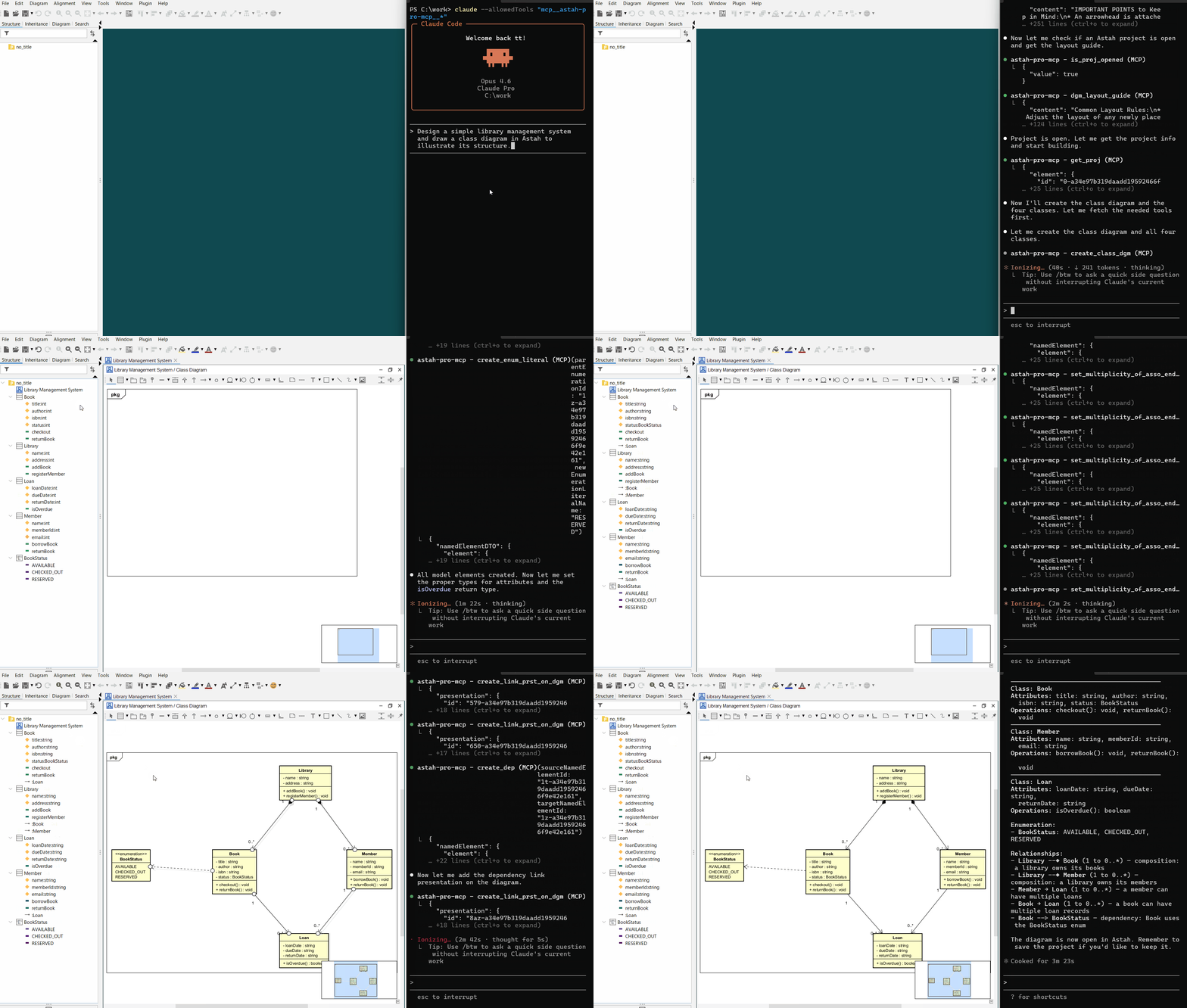
Prompt: Based on the contents of the Astah model, draw a sequence diagram to illustrate the behavior of borrowing a book.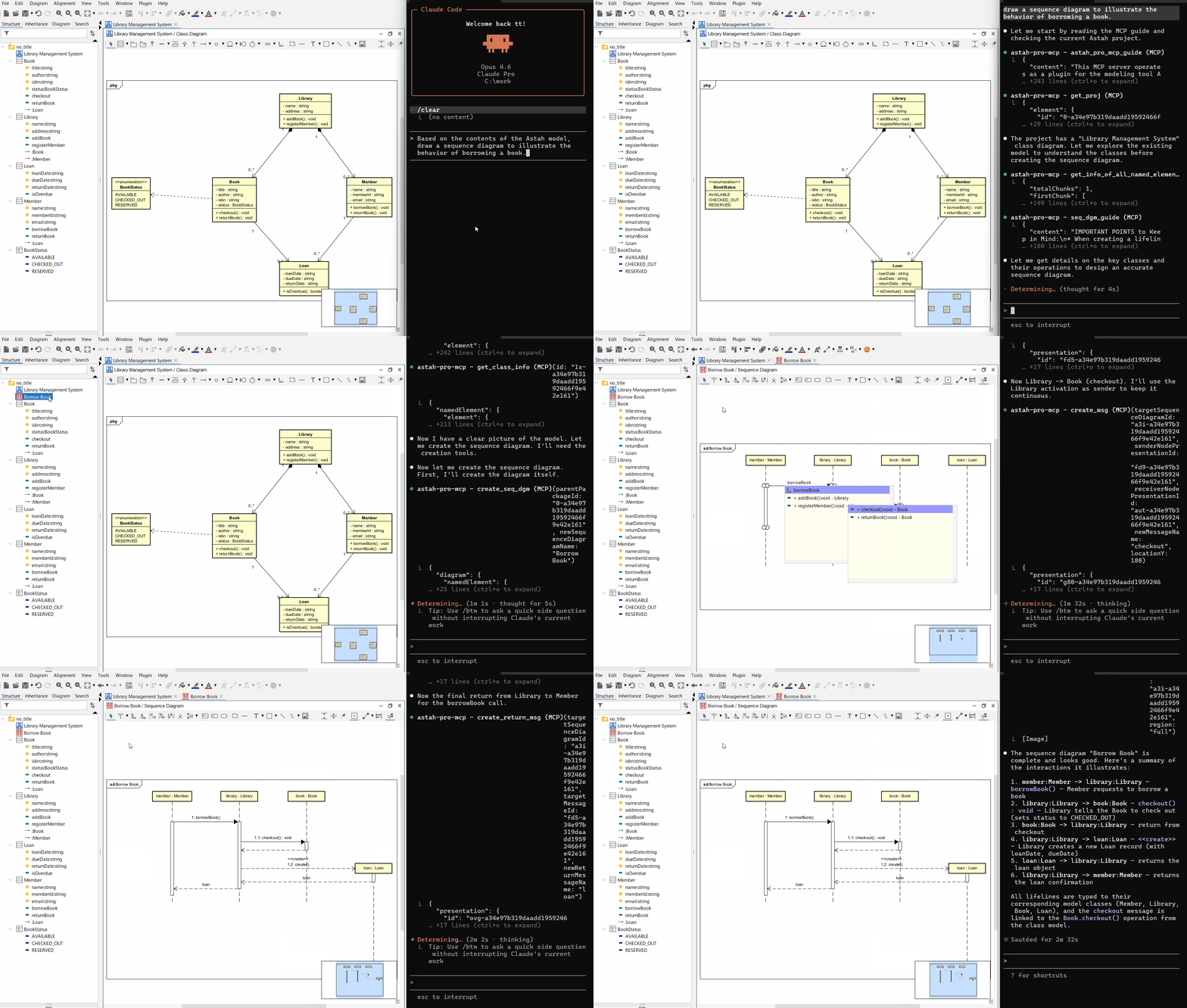
Prompt: Based on the contents of the Astah model, draw an activity diagram to illustrate the behavior of returning a book.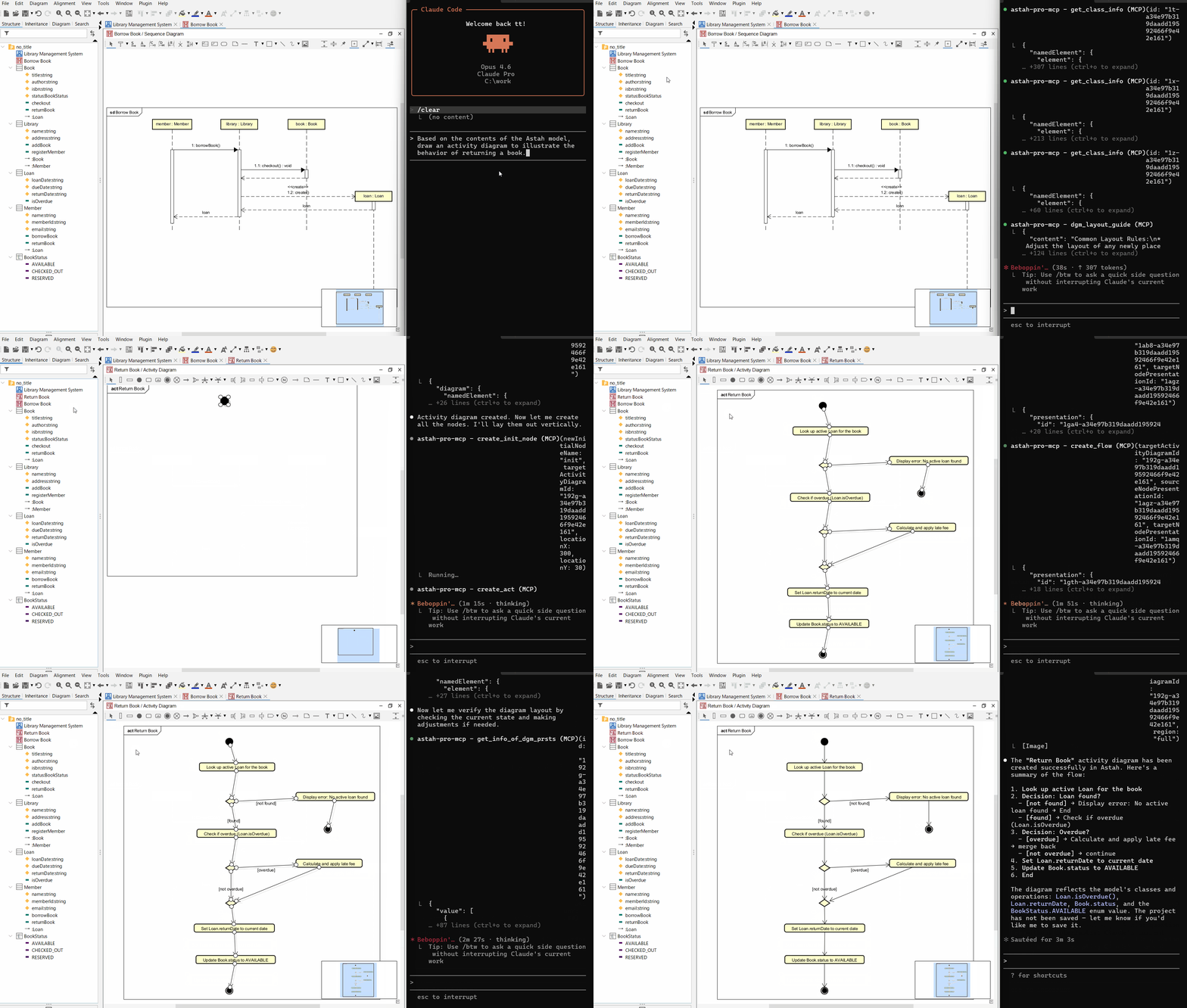
Diagrams created in the above videos with Claude Code (Opus 4.6).
 |
 |
 |
System Requirements
Astah Professional v11.0 or later is required. This does not work with Astah UML.
Recommended AI assistants/agents
For using the Full (Query + Edit) tool version:
With around 300 tools exposed in this version, use the AI assistants/agents listed below. Other AI assistants/agents may fail to connect due to the large number of tools, or may connect but only recognize a subset.- Claude Code
- Codex CLI
- Gemini CLI
If you want the AI assistant/agent to edit models or diagrams, use this version.
For using the Query-Only tool version:
This version has exposed around 100 tools, so many AI assistants/agents will likely be able to use this plugin.In this version, the AI assistant/agent can only reference information about models and diagrams.
Note: This MCP server only connects to AI assistants/agents running on the same machine as Astah Professional.
According to Astah's terms of use, using Astah via an AI assistant/agent is permitted only if you hold a valid license and access it exclusively for your own use with your licensed Astah. Allowing a non-licensed third party to operate Astah via such an assistant/agent is strictly prohibited.
For details, please refer to the FAQ (English / Japanese) or contact Change Vision (the developer of Astah) directly.
Supported Diagram Types
This MCP server can view and edit the following diagrams:
- Class Diagram
- Sequence Diagram
- Activity Diagram
- State Machine Diagram
- Usecase Diagram
- Communication Diagram (for query only; editing is not possible)
- Composite Structure Diagram (for query only; editing is not possible)
- ER Diagram (for query only; editing is not possible)
- Mind Map
Installation
Install Astah Professional
Download from here and install.
Install the astah-pro-mcp Plugin
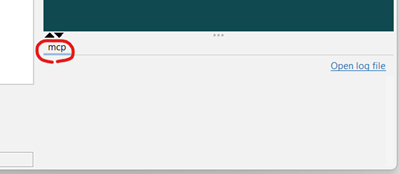
Download the plugin JAR file (astah-pro-mcp-x.x.x.jar), drop it into Astah, then restart Astah (see here). After restarting, if you see an 'mcp' tab in Astah's extensions view, the installation was successful.
AI Assistant/Agent Settings
To use the Full tool version, specify port 8888; to use the Query-Only tool version, specify port 8889. And, use 127.0.0.1 instead of localhost. Connections to localhost will fail.
Claude Desktop
claude_desktop_config.json
{
  "mcpServers": {
    "astah-pro-mcp": {
      "command": "npx",
      "args": [
        "-y",
        "mcp-remote@latest",
        "http://127.0.0.1:8888/mcp",
        "--allow-http"
      ]
    }
  }
}
Note: As of October 10, 2025, Streamable HTTP connections to a local MCP server don't seem to work well in Claude Desktop. Use a bridge such as mcp-remote, which requires Node.js v20 or later.
Claude Code
.mcp.json
{
  "mcpServers": {
    "astah-pro-mcp": {
      "type": "http",
      "url": "http://127.0.0.1:8888/mcp"
    }
  }
}
Or run this command:
claude mcp add --transport http --scope project astah-pro-mcp http://127.0.0.1:8888/mcp
See here for information on the --scope flag.
Note: If you are using Claude Code on WSL2 in Windows, you need to allow WSL to access Windows' 127.0.0.1. So, see here and consider enabling Mirrored mode.
Codex CLI
config.toml
[mcp_servers.astah-pro-mcp]
command = "npx"
args = ["mcp-remote@latest", "http://127.0.0.1:8888/mcp", "--allow-http"]
Note: As of October 10, 2025, Streamable HTTP connections to a local MCP server don't seem to work well in Codex CLI. Use a bridge such as mcp-remote, which requires Node.js v20 or later.
Note: If you are using Codex CLI on WSL2 in Windows, you need to allow WSL to access Windows' 127.0.0.1. So, see here and consider enabling Mirrored mode.
Gemini CLI
settings.json
{
  "mcpServers": {
    "httpServer": {
      "httpUrl": "http://127.0.0.1:8888/mcp",
      "timeout": 5000
    }
  }
}
Cursor
mcp.json
{
  "mcpServers": {
    "astah-pro-mcp": {
      "type": "http",
      "url": "http://127.0.0.1:8889/mcp"
    }
  }
}
VSCode (Copilot)
mcp.json
{
  "servers": {
    "astah-pro-mcp": {
      "type": "http",
      "url": "http://127.0.0.1:8889/mcp"
    }
  }
}
Antigravity
mcp_config.json
{
  "mcpServers": {
    "astah-pro-mcp": {
      "command": "npx",
      "args": [
        "-y",
        "mcp-remote@latest",
        "http://127.0.0.1:8889/mcp",
        "--allow-http"
      ],
      "env": {}
    }
  }
}
Note: As of December 5, 2025, Streamable HTTP connections to a local MCP server don't seem to work well in Antigravity. Use a bridge such as mcp-remote, which requires Node.js v20 or later.
How to Use
Start Astah (starting Astah also starts the MCP server).
Some AI assistants/agents try to connect to the MCP server on startup, so start Astah first.Start the AI assistant/agent.
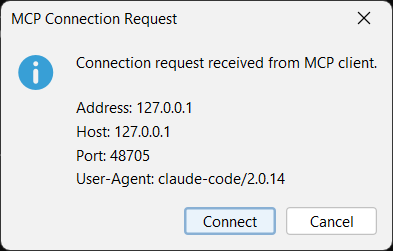
On the first connection to the MCP server, you will be asked to confirm. Review the details and click 'Connect'.
Send prompts to the AI assistant/agent.
If you want to disable this plugin in Astah, click [Plugin] > [Installed Plugin], select the Astah Pro MCP entry in the plugin list dialog, click Disable, and then restart Astah.
Build & Test
If you want to build and test locally:
Set up your Astah plugin development environment (see here).
Build:
astah-buildRun tests (update
astahPathto match your Astah Professional installation path):Run all tests on Windows 11:
astah-mvn test -DastahPath="C:\Program Files\astah-professional"Run specific tests on Windows 11:
astah-mvn test -DastahPath="C:\Program Files\astah-professional" -Dtest="**/editor/*Test"
Considerations
Experimental Status
This project is currently experimental. The design and implementation may undergo breaking changes.
Confidential Risk
Astah project data and logs will be shared with the AI assistant/agent. For Astah projects that contain confidential information, either refrain from using this MCP server or use it only with appropriate safeguards (e.g., enabling opt-out settings for AI assistants/agents).
Backups Recommended
Because this MCP server edits models and diagrams, we recommend committing your Astah project to a Git repository or making copies before and during use so you can revert if necessary.
Feature Limitations
Some model or diagram information (e.g., certain properties) cannot be viewed or edited via the provided tool functions. Use the Astah GUI directly for those.
Costs
This MCP server prioritizes providing the information AI assistants/agents need and does not implement token-saving measures. We recommend using AI assistants/agents on a flat-rate plan rather than pay-as-you-go.
AI Limitations
As with source code, AI assistants/agents can make mistakes or misinterpret UML models and diagrams.
License
Some tool functions provided by this MCP server return excerpts from the OMG UML 2.5.1, OMG SysML 1.7 specifications, and FIPS PUB 184 IDEF1X. The OMG UML/SysML specifications are licensed as stated at the beginning of each document. FIPS PUB 184 IDEF1X is a U.S. Government work (NIST) and is not subject to copyright protection in the United States (17 U.S.C. §105), but may be subject to foreign copyright. When content from these specifications/documents is returned by tool functions, it is explicitly indicated as an excerpt. "Mind Map" is a registered trademark of The Buzan Organisation Limited (1990).
All other source code is copyrighted by Takaaki Teshima and released under the MIT-0 license.
Got a feature request or found a bug?
Please open an issue. Because this project is experimental phase and may introduce breaking changes, we aren't accepting pull requests until the design and implementation stabilize. Thank you for your understanding.
Need support?
If you need private support, contact takaaki.teshima.dev [at] gmail.com (replace [at] with @). It could become a paid project; I may still be able to support you/it.
Reviews (0)
Sign in to leave a review.
Leave a reviewNo results found