TalyxTerminal
Health Gecti
- License — License: Apache-2.0
- Description — Repository has a description
- Active repo — Last push 0 days ago
- Community trust — 14 GitHub stars
Code Gecti
- Code scan — Scanned 12 files during light audit, no dangerous patterns found
Permissions Gecti
- Permissions — No dangerous permissions requested
Bu listing icin henuz AI raporu yok.
A local, open financial terminal: charts, quant research and an AI agent, built from modules. Build limitless. Join our Discord: https://discord.gg/7GZ87RJ8CU

TalyxTerminal
Build limitless.





English · 简体中文 · 繁體中文 · 日本語 · 한국어 · Español · Русский
A financial terminal that runs on your own computer, and is open all the way down.
Charts, research, and an AI that keeps watch for you, all in one workspace. Your data stays on your machine, your keys stay in your hands. Free and open source.
Open by design
TalyxTerminal is not one big application. It is a thin platform and a set of modules.
- Official modules get no special treatment. Modules work together only through what each one publishes, and the official modules use the same contracts as third-party ones. Anything we build, you can build too.
- Extend it anywhere. Add a data source and Chart, Quant and Agent can all use it at once. Write an indicator and charts, alerts and screens all understand it.
- People and AI use the same actions. Whatever you can do in the interface, the AI can do too, and external AI tools can connect over MCP to work in the same workspace.
- Community is where modules live: what exists, what is installed, and where to open it.
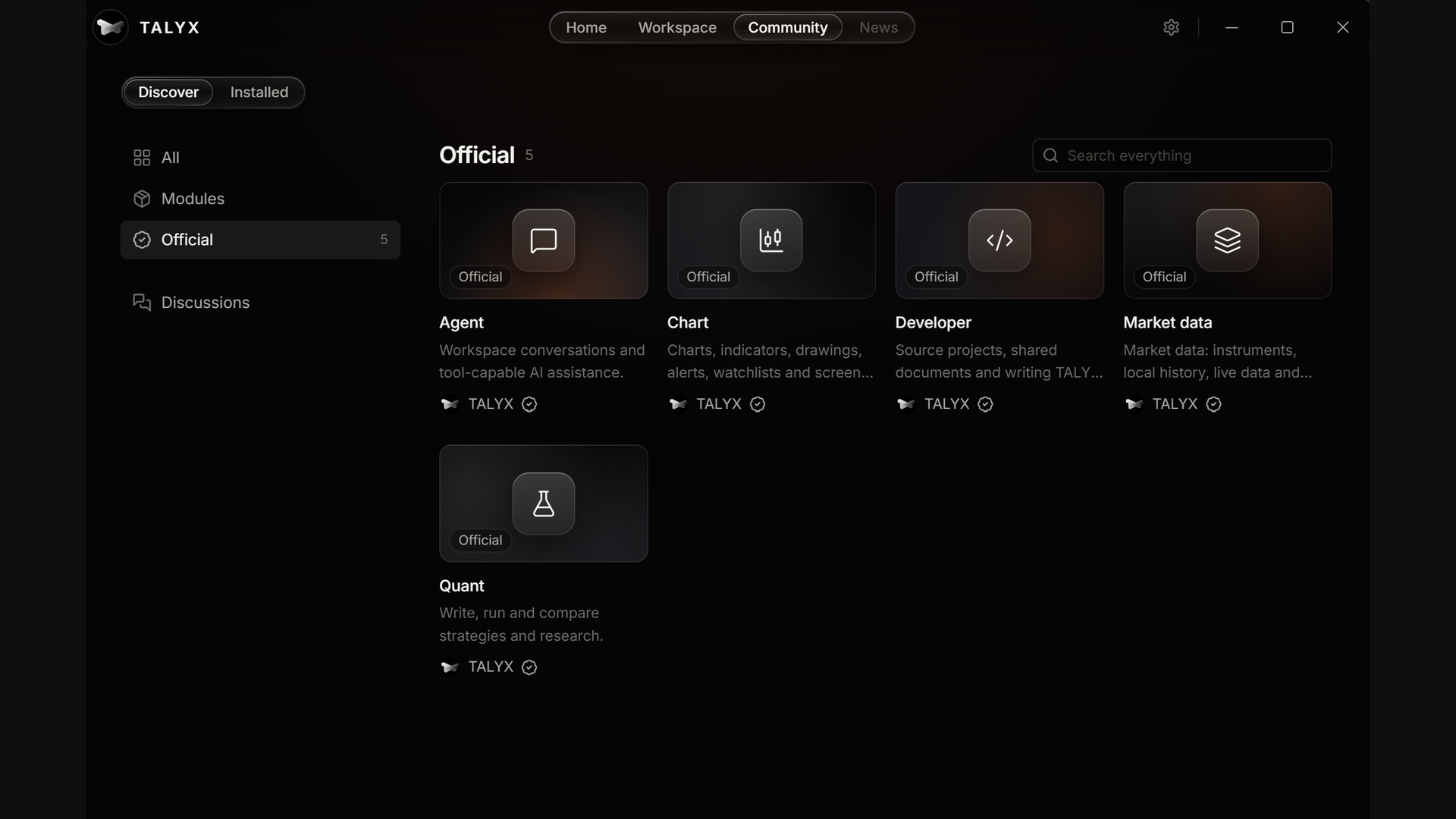
The design is described in docs/architecture.md.
Official modules
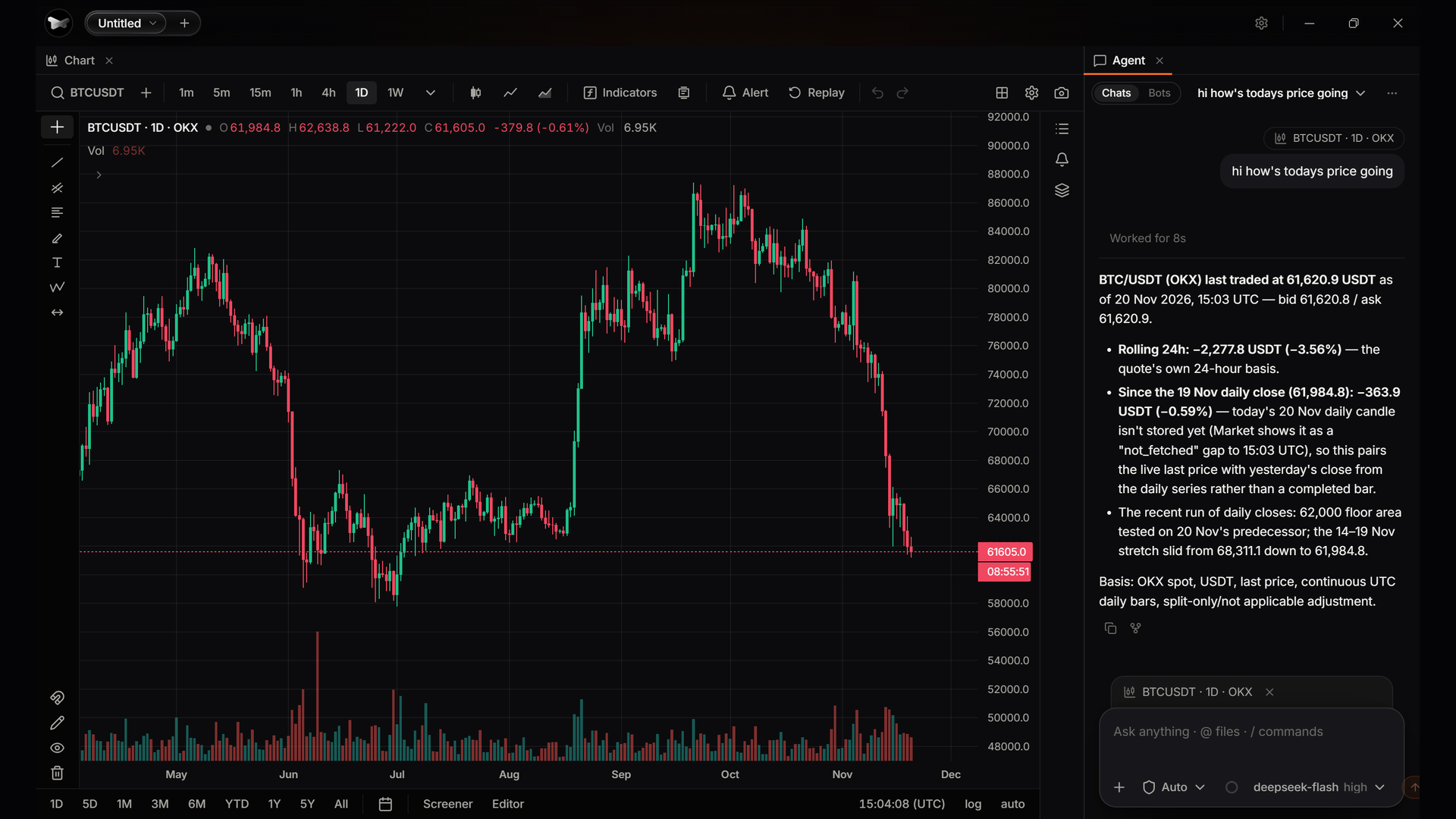
Chart: charting and watching the market. A TradingView-style chart whose indicators are written in Python.
- Dozens of built-in indicators, more than a dozen chart types including Heikin Ashi, Renko, Kagi and point & figure, up to eight linked charts in a workspace
- Indicators are Python: anything Pine can express, plus libraries such as scikit-learn or PyTorch, so a machine-learning model can be drawn straight onto the chart
- Alerts on price, indicators and drawings; bar replay; screens that filter a list of instruments by indicator conditions
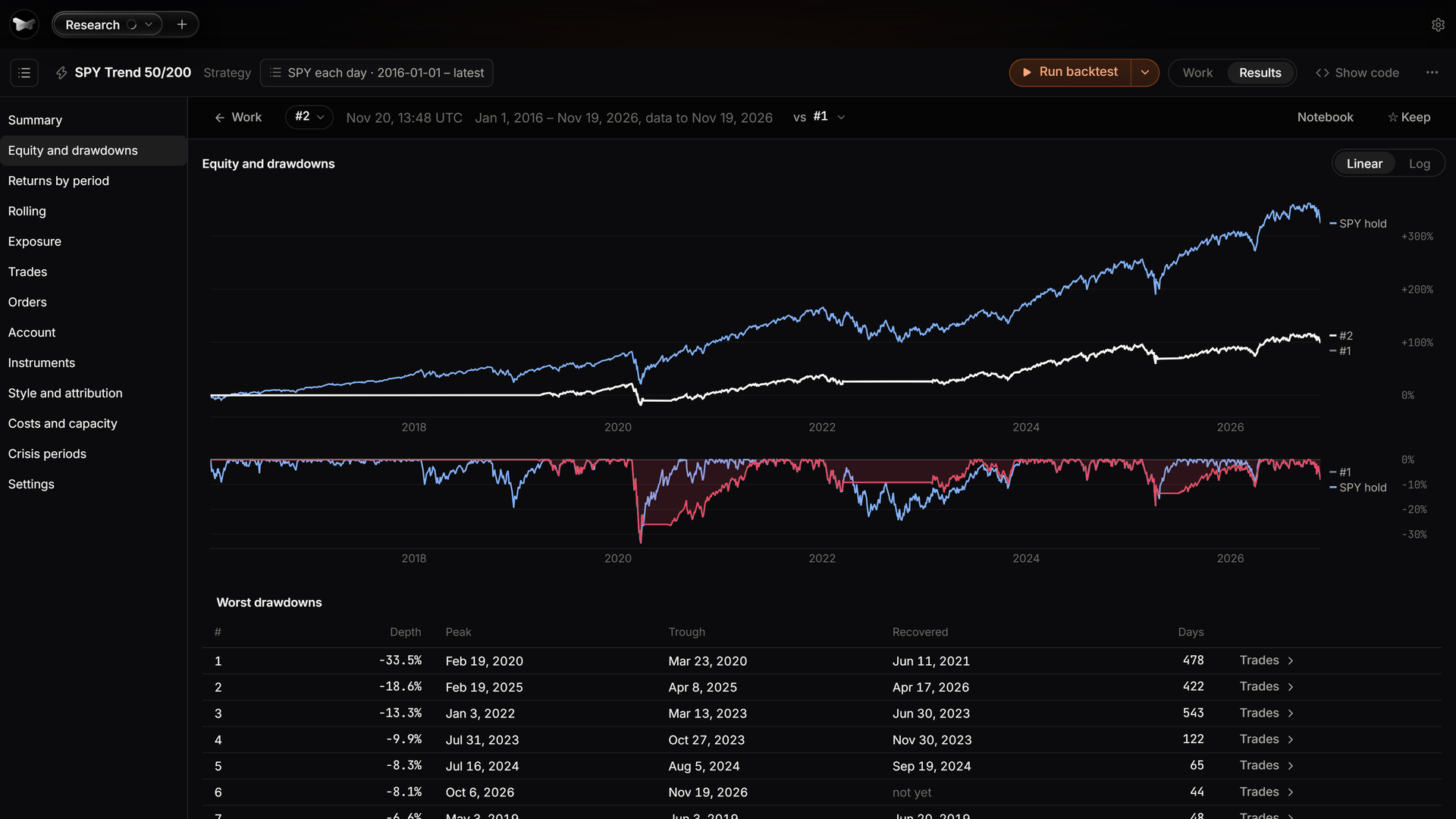
Quant: quantitative research and backtesting. The whole path from an idea to a strategy you can trust.
- Factors: write a one-line formula and see IC, quantile returns and turnover within seconds
- Models: combine factors into a signal with machine learning, trained and tested walk-forward
- Backtests on the Nautilus engine, with fees, spread, impact, borrow and funding costs; the result is a full report with equity and drawdowns, crisis periods, style attribution, costs and capacity
- Portfolio allocation, notebooks, and a library that publishes research results and keeps them updated for strategies to use
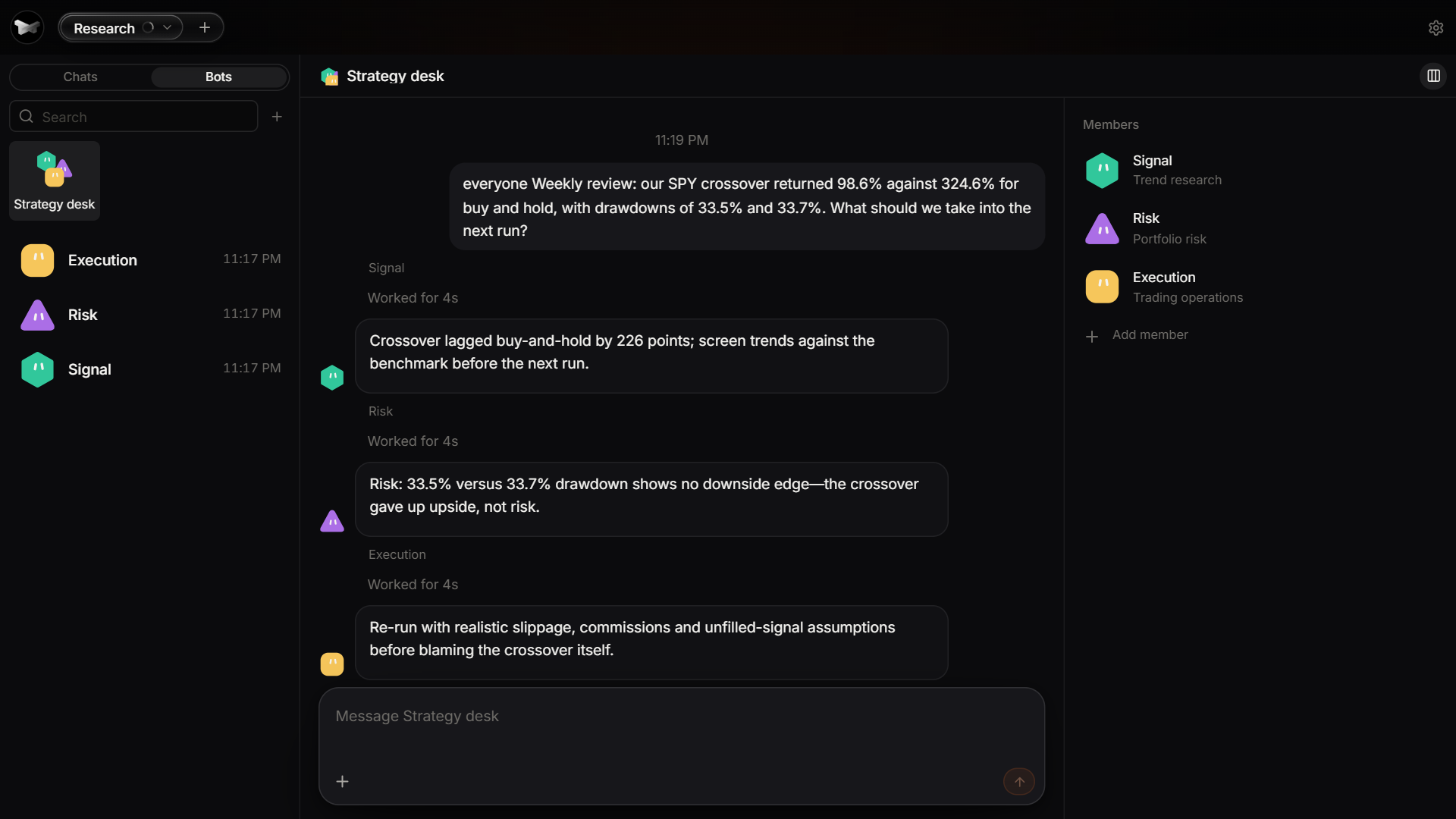
Agent: an AI that understands your workspace. Connect the model you choose; it works with the same tools you do.
- Ask it to fetch data, build charts, write indicators or run backtests, and undo its changes turn by turn
- Bots have their own duties, budgets and schedules: write the brief before the open, wake up when an alert fires, or work together as a group
- Before it acts, it asks according to the permissions you set, and it records what every model and run has cost
Market: the foundation for all market data. Other modules ask Market for data; where it comes from and how it is stored is Market's job.
- US, China A-share and Hong Kong stocks, crypto and indices, with free sources that work out of the box
- Reads come from your machine first, so stored data stays available offline
- Add a key for a paid data source and Market switches to the better source; nothing else needs to change
Developer: where modules and indicators are written. Code, documentation and examples in one place, with breakpoint debugging in VS Code.
User guide
New to TALYX? The user guide walks through installing, workspaces, Market, Chart, Quant, Agent and Developer, and where your data lives. 中文版:使用指南。
Quick start
Download the installer from Releases and run it. Or run from source:
uv sync --python 3.13 --locked
npm --prefix web ci
.\.venv\Scripts\python.exe -m host.desktop
Windows x64 is supported today. Full setup, including the Quant runtime files, is in docs/development.md.
Where the data comes from
TalyxTerminal fetches data from the sources directly, on your computer; nothing passes through our servers. Data fetched once is stored locally and read from there afterwards.
Crypto comes from the exchanges' official APIs and history files. Minute bars, funding rates, open interest, long/short ratios and taker volume come with full history, and indicators can read them directly. How far back each exchange goes differs, and a few exchanges are not reachable from some regions.
Stock data for backtests
- US stocks. Nasdaq’s free list shows stocks listed today. If you build a backtest from that list, it leaves out companies that have since delisted. A paid Sharadar key adds delisted US stocks for which Sharadar has prices.
- China A shares. Baostock’s free data includes delisted stocks and weekly lists of CSI 300, CSI 500 and SSE 50 members. Backtests use the industry recorded for each stock at the time. TALYX checks the classification quarterly, so a change can show up to a quarter late.
- Industry and short selling. For US and Hong Kong stocks, backtests use today’s industry even for past dates. Free stock data does not tell you which shares you could borrow on a given day, so backtests assume you can borrow any stock you short.
Each source has its own terms of use. See docs/limits.md.
Roadmap
Trade (trading and live execution) · Intel (news and events) · a Community module marketplace
Support the project
If TalyxTerminal is useful to you, you are welcome to buy the author a coffee.
 Alipay |
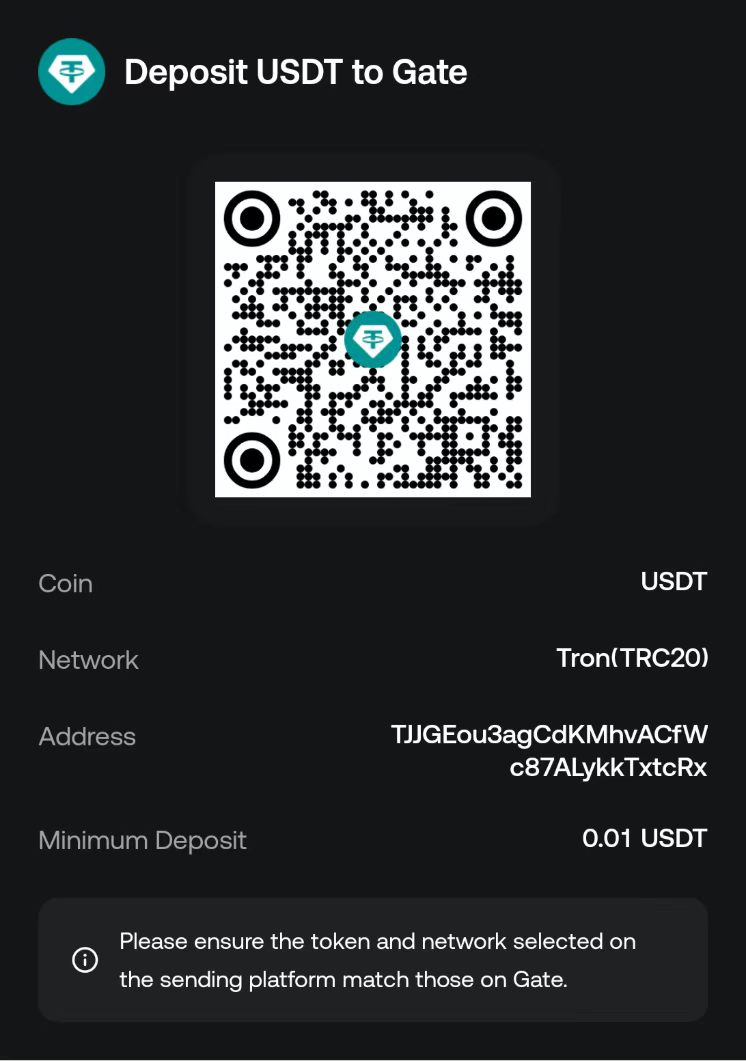 USDT · TRC20 only TJJGEou3agCdKMhvACfWc87ALykkTxtcRx |
Send USDT on the TRC20 (Tron) network only. Transfers on any other network cannot be recovered.
License and acknowledgements
TalyxTerminal is licensed under Apache-2.0. It builds on many open-source projects, including TradingView Lightweight Charts, NautilusTrader, Qlib and PyneCore; see NOTICE.
TalyxTerminal is not investment advice.
Yorumlar (0)
Yorum birakmak icin giris yap.
Yorum birakSonuc bulunamadi