LingCast
Health Warn
- No license — Repository has no license file
- Description — Repository has a description
- Active repo — Last push 0 days ago
- Community trust — 16 GitHub stars
Code Warn
- network request — Outbound network request in docs/pnpm-lock.yaml
Permissions Pass
- Permissions — No dangerous permissions requested
No AI report is available for this listing yet.
End-to-end AI digital-human live-streaming platform: create avatars (image / Edge-TTS voice / persona) → LivePortrait base video → Edge-TTS + Wav2Lip lip-sync → DeepSeek LLM live replies → SRS streaming + Next.js viewer. Built with Go (Gin), MariaDB, Redis, RustFS, Docker, and a Python (uv) AI worker (macOS MPS / Linux CUDA / AMD ROCm).
LingCast

End-to-end AI digital-human live-streaming platform: create a digital human (appearance +
voice + persona) → LivePortrait generates a base video → Edge-TTS speech + Wav2Lip
lip-sync → DeepSeek LLM real-time replies → SRS live streaming.
Admin console :8080 · Viewer app :3000 · Architecture doc ·
Roadmap / TODO · Development handoff ·
Documentation site
Contents
- Why
- Features
- Screenshots
- Architecture
- Quick Start
- Usage
- Configuration
- API Docs
- Directory Layout
- FAQ
- Production Notes
- Contributing
Why
Traditional talking-head / live-streaming solutions either depend on expensive closed-source
APIs or require high-end GPUs and complex voice-cloning pipelines. LingCast aims for:
- Videos are added per-scene (upload or generated on demand); the LivePortrait preprocessing
runs once per generated scene video, then broadcasts and live streams are lightweight
inference (Edge-TTS + Wav2Lip ONNX) that work even without a GPU. - Viewer app out of the box: guest/account identities, persisted chat, and DeepSeek LLM
real-time replies that actually speak. - Deployment friendly: Docker Compose boots the infrastructure with one command; the real AI
Worker runs natively on the host (macOS MPS / Linux CUDA / AMD ROCm).
Features
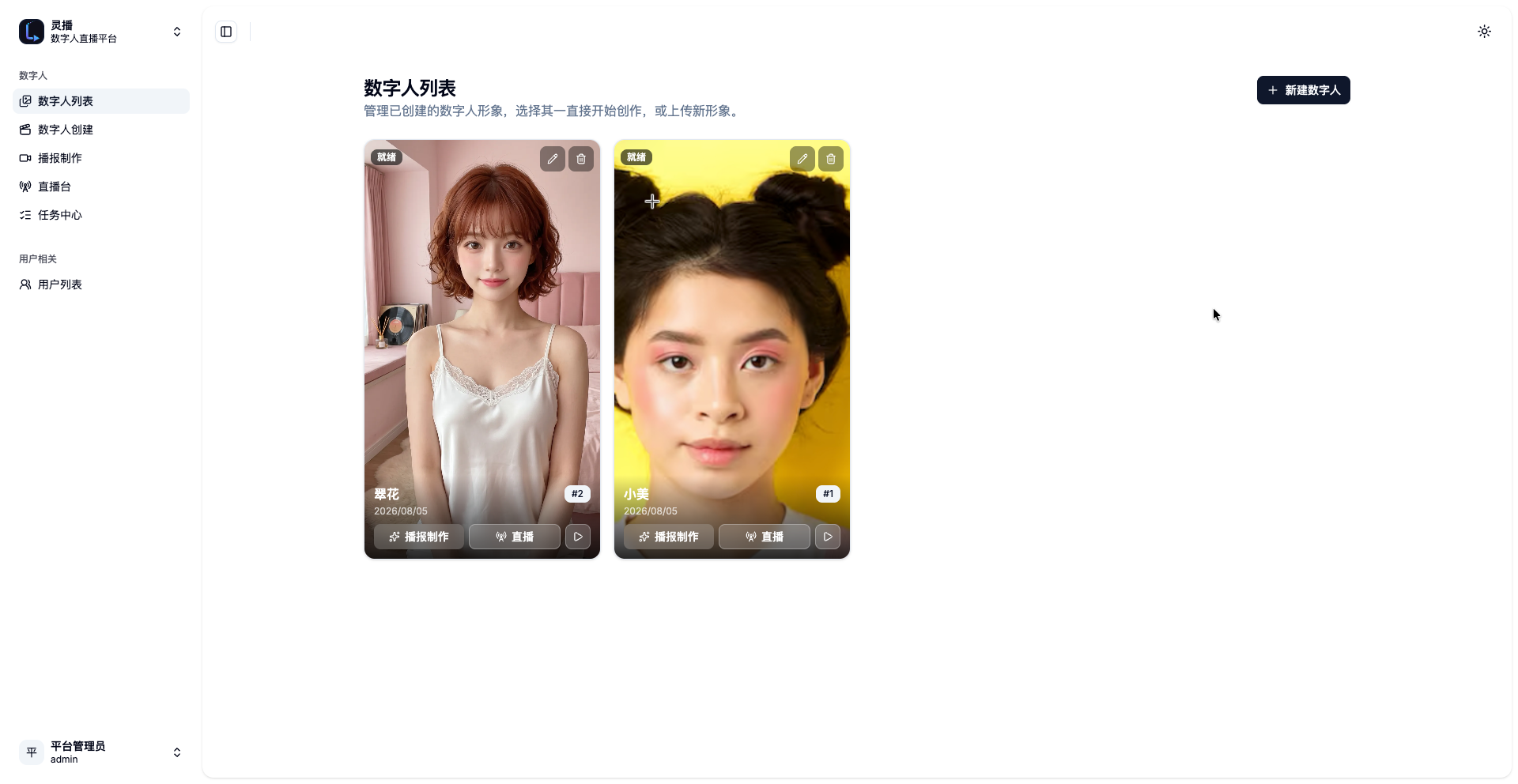
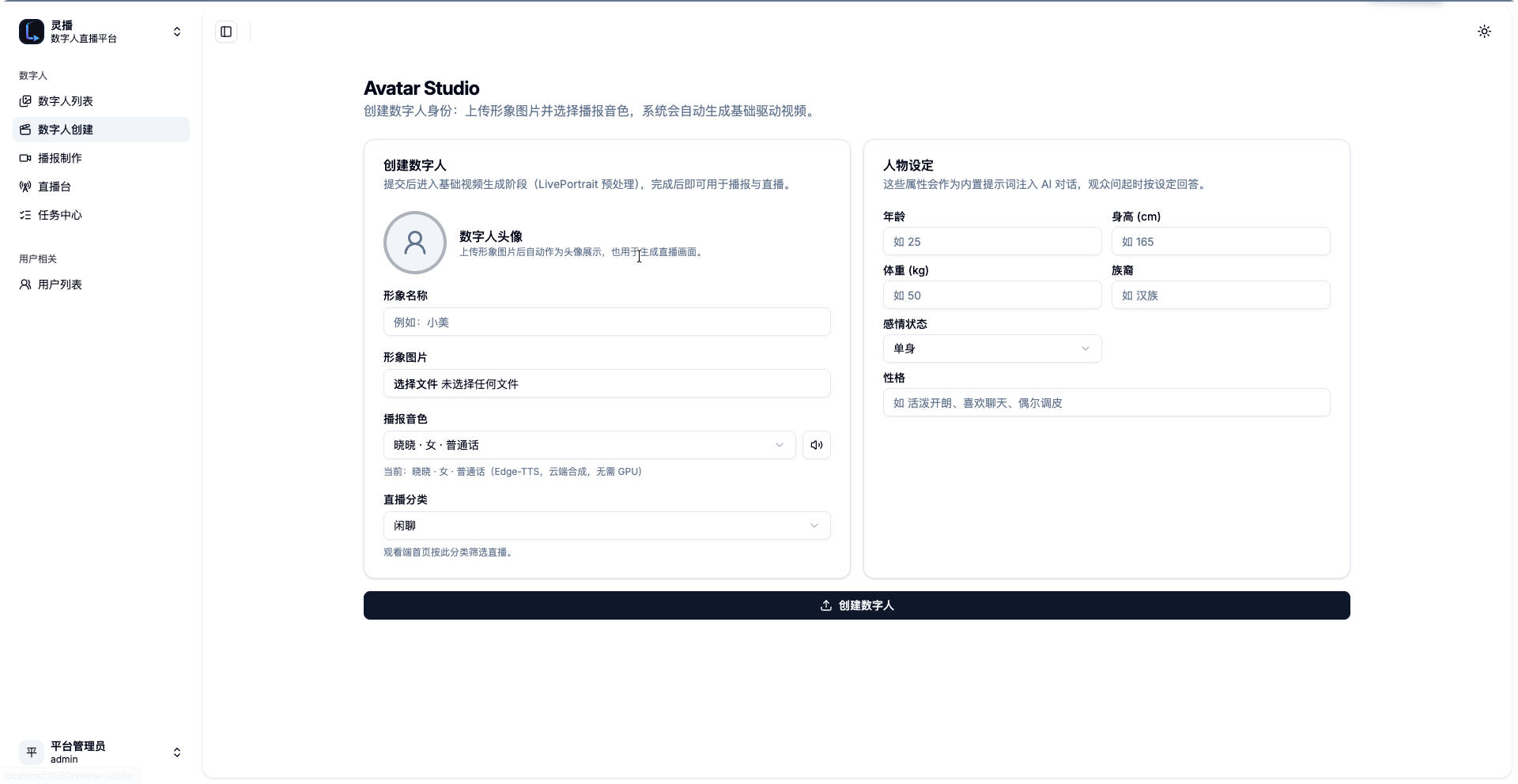
- Avatar Studio (create): persona name + preview + image upload + Edge-TTS voice picker
(list cached inlocalStorage, default Chinese female voice Xiaoxiao), optional persona
profile (age/height/weight/ethnicity/relationship status/personality). Avatar creation
no longer generates a video: the avatar isreadyonce at least one scene video exists. - Digital human editing: the "Edit" button on a card jumps to Avatar Studio
(?edit=<id>) pre-filled; saving performs a PUT update (the appearance image is kept);
deletion is confirmed via the system AlertDialog. - Scene-based video library: every digital human owns 1-N scenes
(scenes, with cover/title/description) and each scene 1-N driving videos
(scene_videos, each with a required description). The Scene management page
(/scenes) adds/edits scenes; the "Add video" dialog has three tabs — Local upload
(file + description), LivePortrait (description + source image + full parameter set,
submitted as an async job through thevideo-genmicroservice) and Other (reserved
for future providers such as ComfyUI). Broadcast (offline) and Live Studio pick a scene +
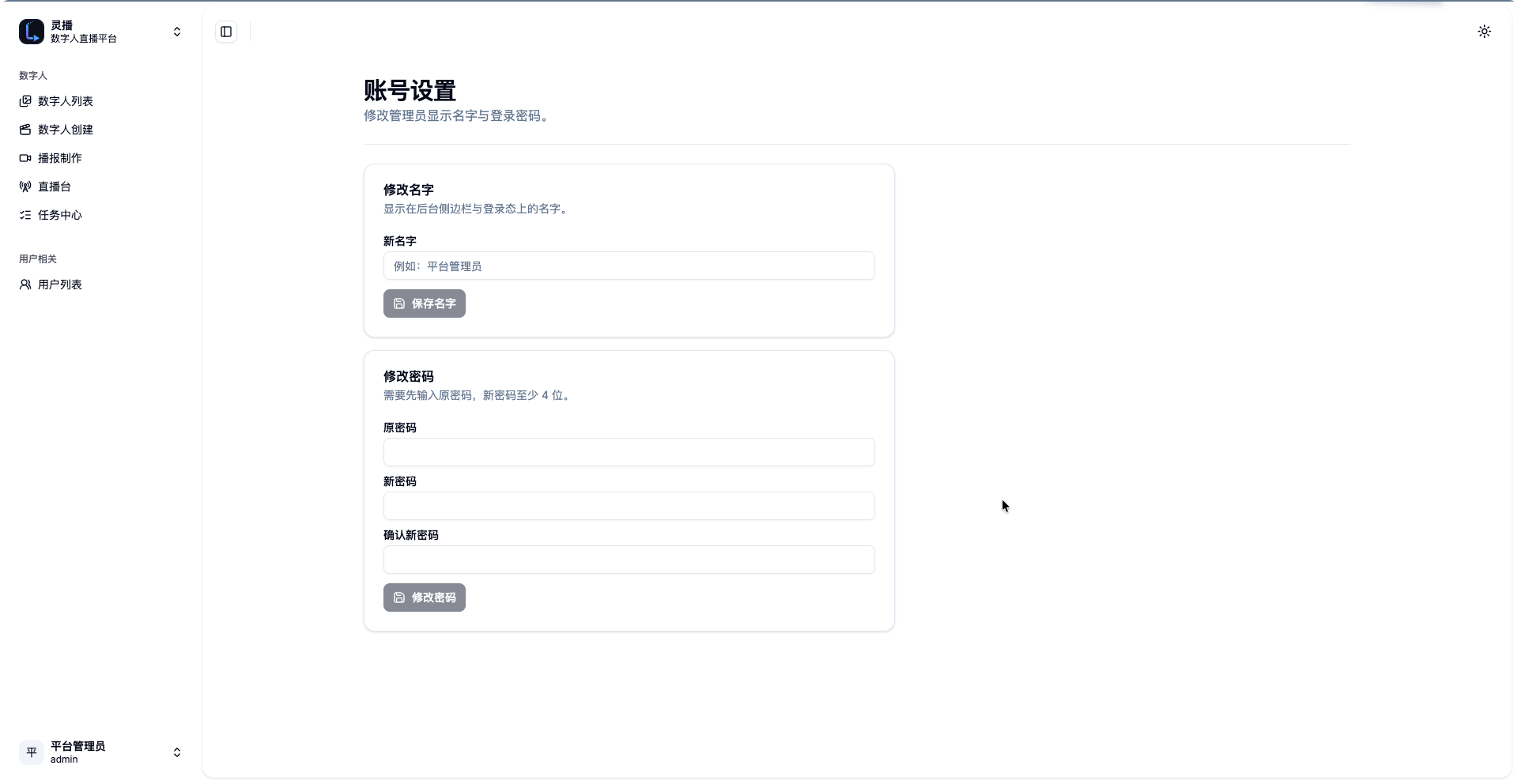
video from this library. - Admin accounts: after login you can change the display name and password in "Account
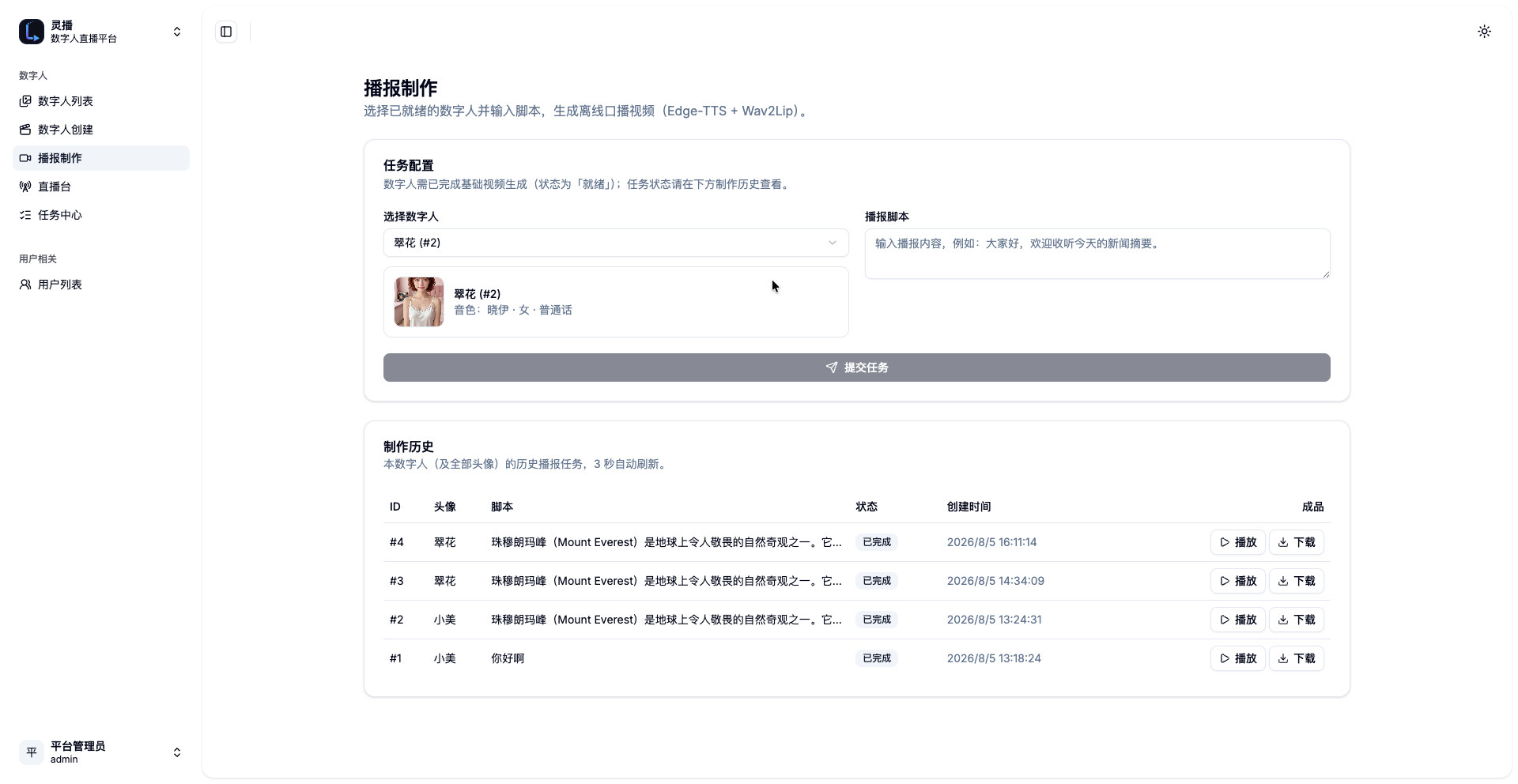
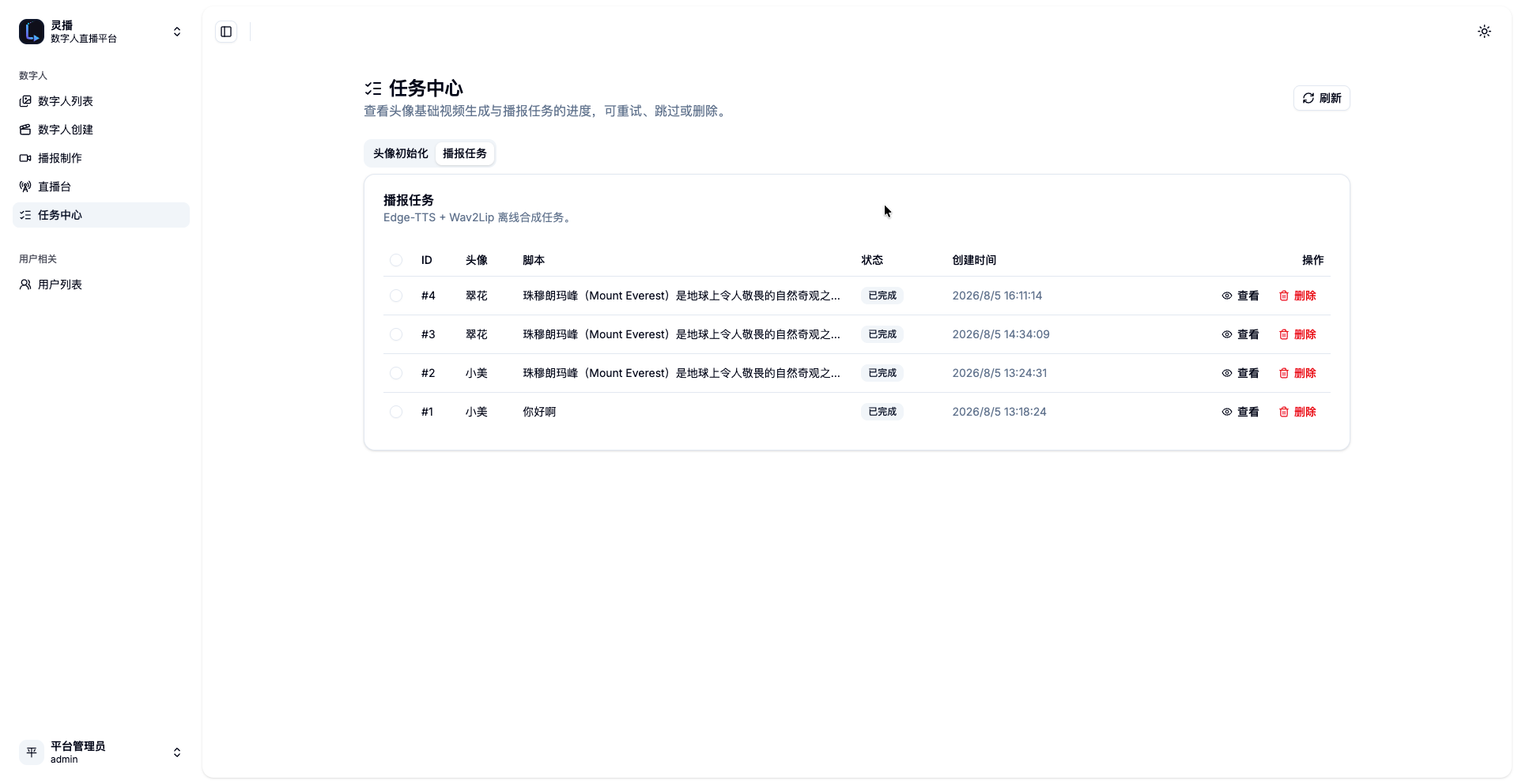
settings" (persisted in theadmin_userstable, survives restarts). - Broadcast (offline announcement): pick a ready digital human + a scene/video
(defaults to the default scene's default video) + enter a script → submit a task →
poll with stage/progress → the result is embedded in the status card and played with
xgplayer (9:16 portrait, up to 720×1080, modal playback); history keeps the scene
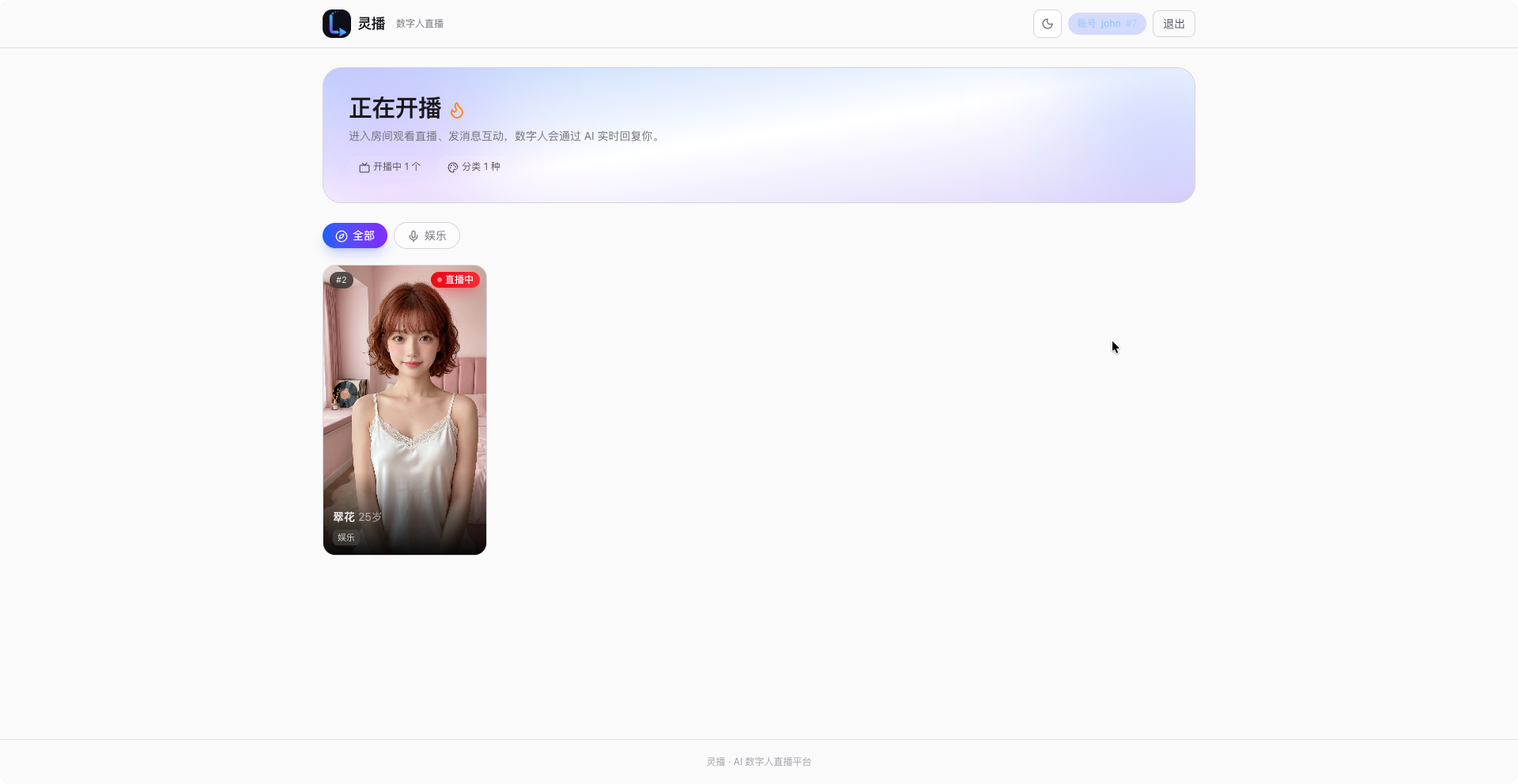
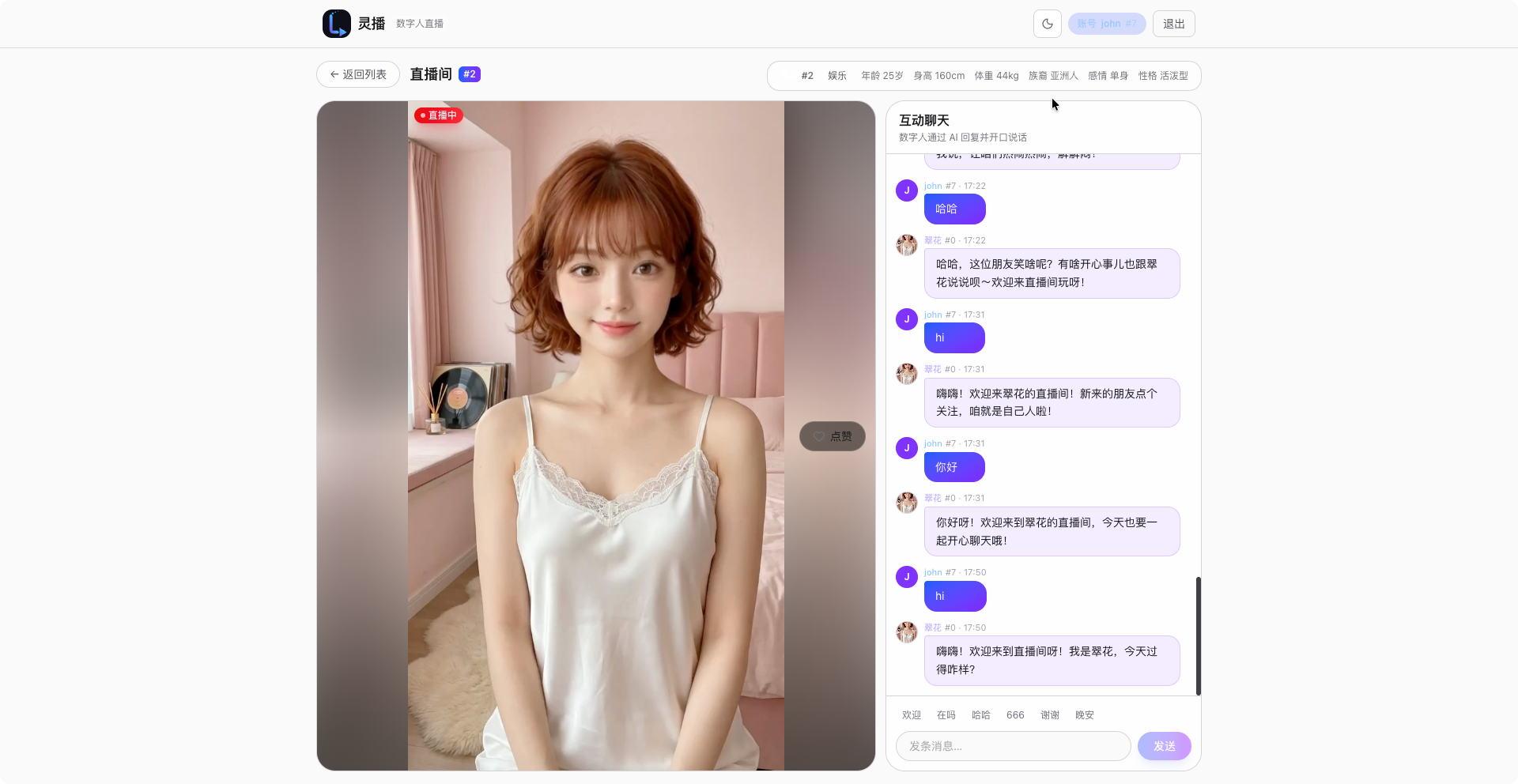
and video used so a retry never mixes parameters. - Client live room (viewer app): a standalone Next.js + TailwindCSS project
(frontend/live/, port 3000, separate from the admin console): the home page has a nav bar
(guest/account identity, register/login/logout) and category filtering, listing all
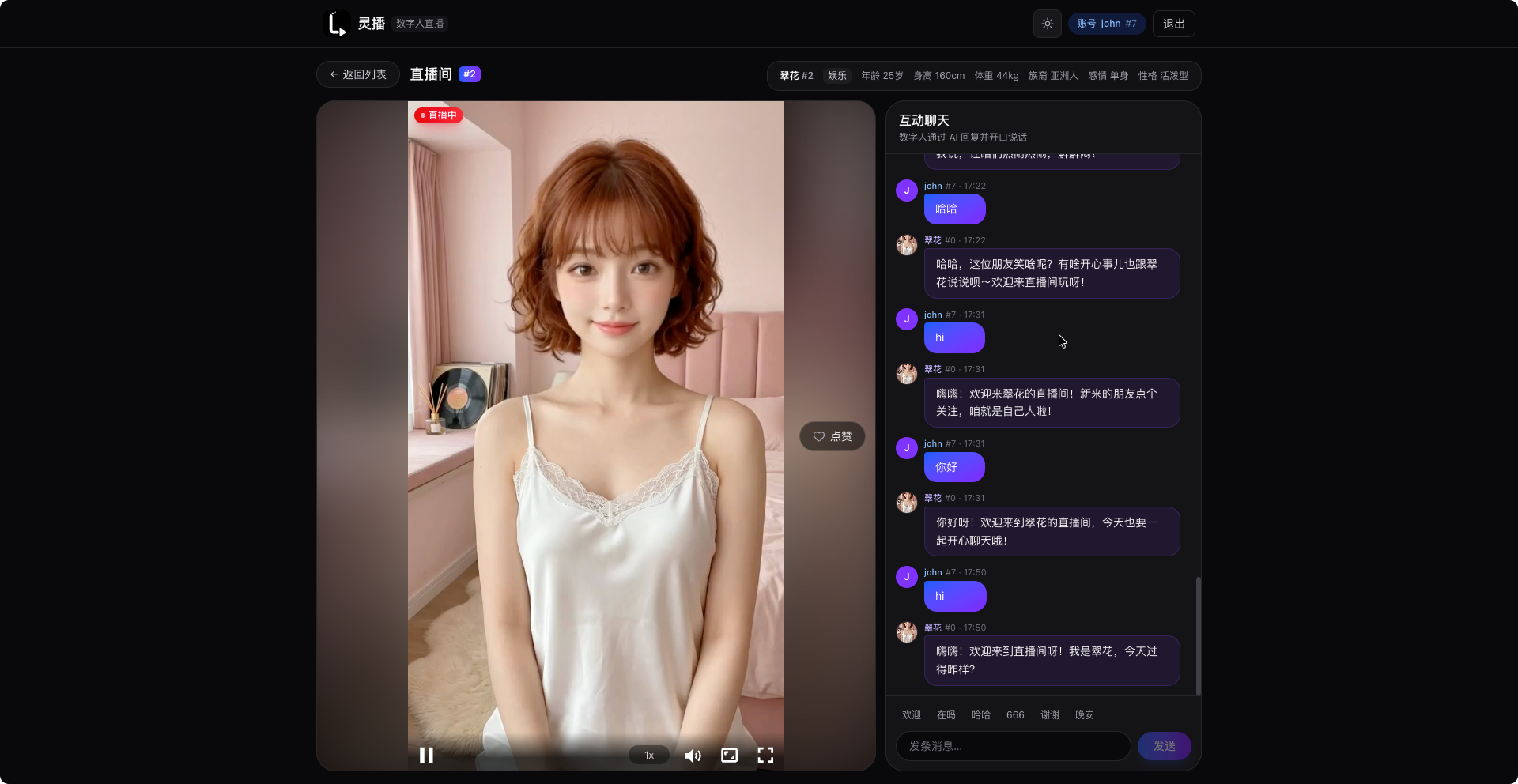
live bots (GET /api/live);/rooms/:avatarIdplays HTTP-FLV via xgplayer, the chat panel
showsusername #ID, and messages can be sent directly to the digital human
(POST /api/live/:id/message)./apiand/liveare proxied server-side by Next route
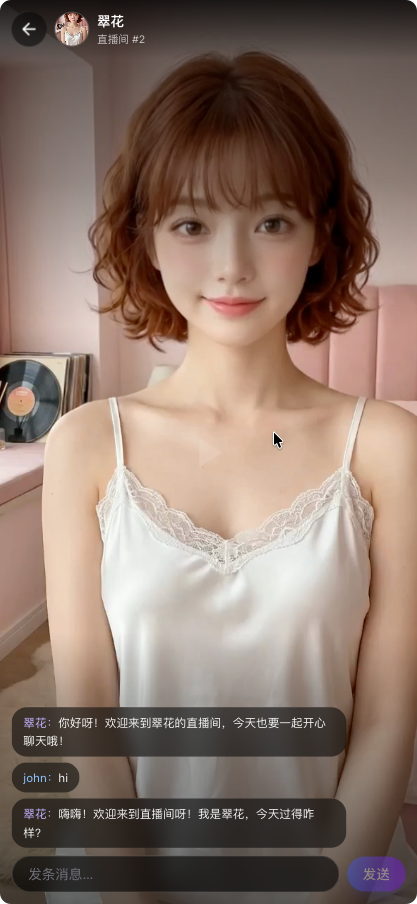
handlers — no CORS burden in the browser. - Douyin-style live room: on desktop the left side is full-bleed video with a blurred
background, a centered 9:16 video, and a fixed 400px chat panel on the right; on mobile the
page goes fullscreen (nav hidden) with the back button and host avatar overlaid on the
video, capsule messages + overlay input, and heart like animations; smart chat scrolling
(scrolling up doesn't hijack auto-scroll; a "new messages" button appears). - Chat identity & history persistence: guests are auto-assigned a temp ID + username
(POST /api/chat/guest); registering upgrades the current guest identity in place (chat
history is preserved); logging in merges guest messages into the account; logging out
issues a fresh guest identity. User messages and bot replies are all stored
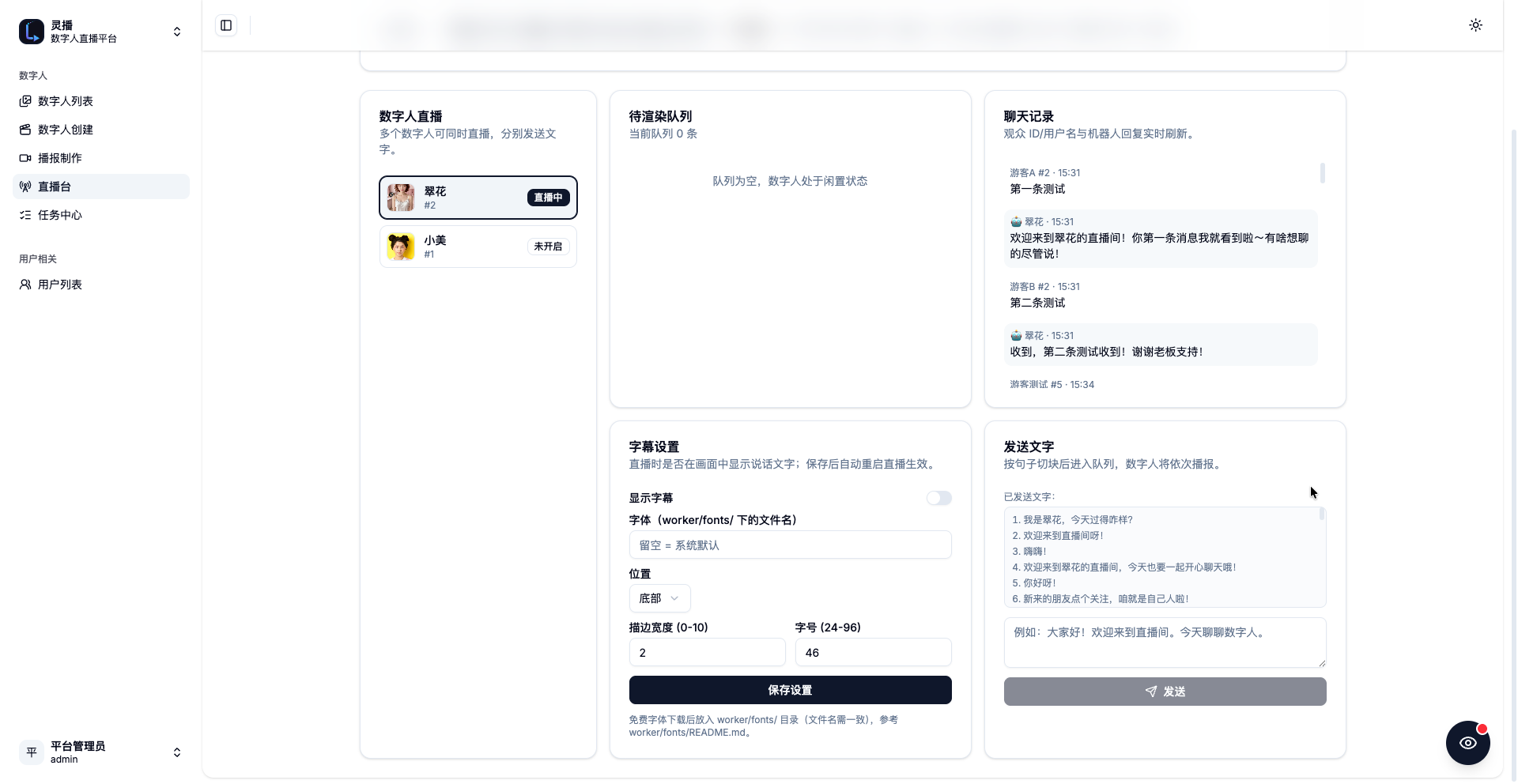
(live_users/telegram_users/live_messages);GET /api/chat/historyserves history to both apps. - Live subtitle settings: each digital human can configure in Live Studio "Subtitle
settings" whether subtitles are shown, the font (file name underworker/fonts/), position
(top/bottom), stroke width, and font size; persisted as the Avatar's JSON fieldlive_settings; the stream restarts automatically after saving. - Idle default stream videos: Live Studio "Default stream video" picks which
scene's videos play while the avatar is idle and how they switch — fixed every N
seconds in order, or random (5-30s interval + random next video); persisted inlive_settings(idleSceneId/idleSwitchMode/idleSwitchSeconds). While talking,
Wav2Lip animates the currently displayed clip, so the mouth moves on the same
video the viewer sees, and idle resumes from that clip when speech ends. - Agentic scene & action videos (1v1 chat): the LLM system prompt lists the
current scene's videos (S3 key + description); the bot can pick an action video
per sentence by prefixing it with<action:S3_KEY>(stripped from text, subtitles
and history). Viewers switch the active scene from a floatingSceneSwitcherchip
bar (PUT /api/live/session/:id/scene), and the worker hot-swaps its idle video
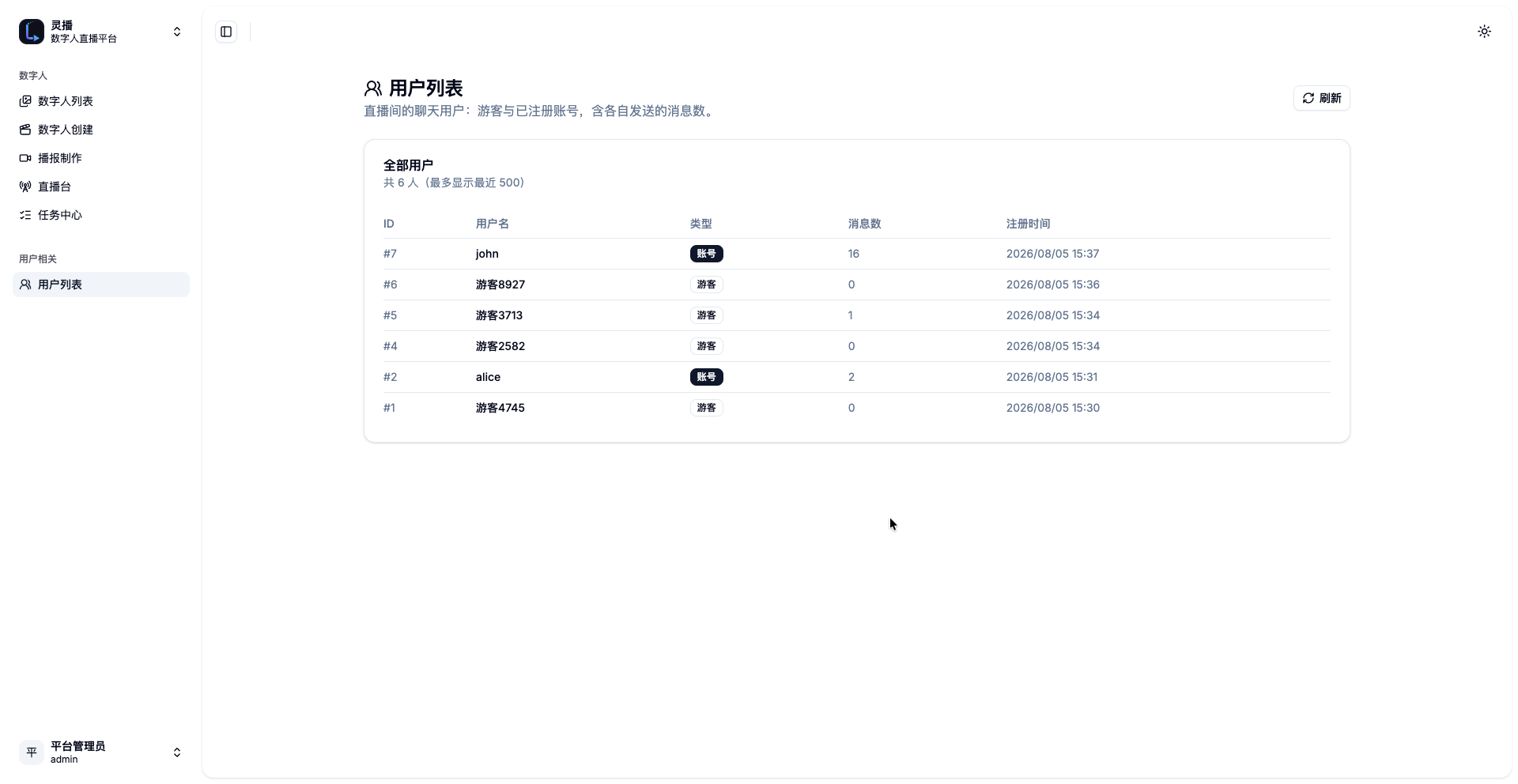
pool thread-safely without interrupting the 24fps watchdog. - Admin user list: sidebar "Users → User list" shows all chat users (guests/accounts
- message counts), backed by
GET /api/users.
- message counts), backed by
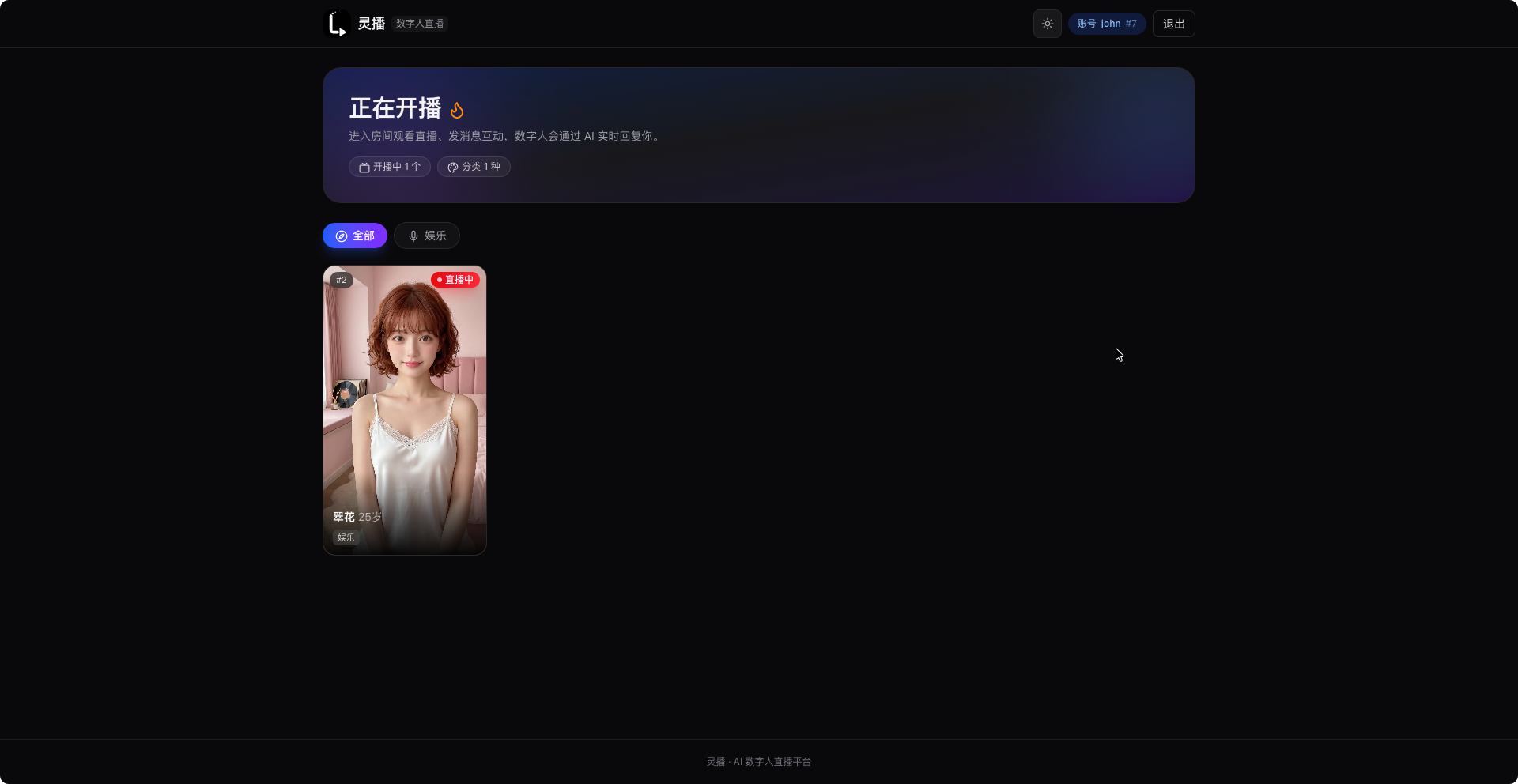
- Light/dark themes: the admin console defaults to dark (with a white logo variant);
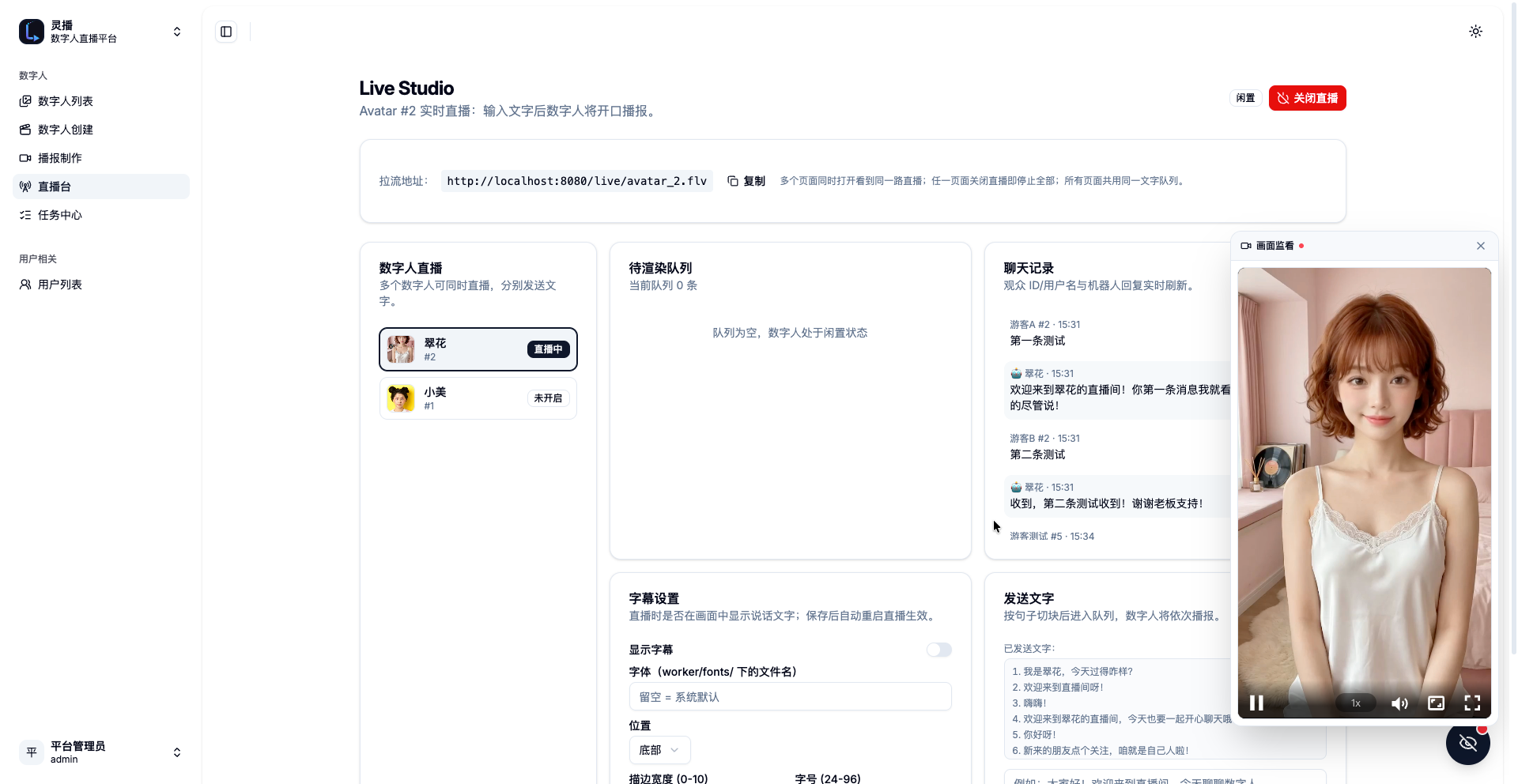
the viewer app nav bar can toggle light/dark and remembers the choice. - Floating monitor: a circular FAB at the bottom-right of Live Studio opens a draggable
9:16 video overlay; the player is not rendered by default and is enabled on demand. - LLM replies: viewer messages → OpenAI Go SDK calls the DeepSeek Responses API
(base_url=https://api.deepseek.com, modeldeepseek-v4-flash) → the reply is split into
sentence chunks pushed to the live queue → TTS → lip-sync → stream. WithoutOPENAI_API_KEYthe input is echoed back (test mode). The persona profile created at
build time is injected as a system prompt, so questions about age/height/relationship
status etc. are answered per the persona. - Edge-TTS speech synthesis: GPU-free cloud neural voices, selected by the avatar's
voice_id; a sentence takes roughly 1-2s. - Video generation microservice:
services/video-genowns the provider registry and
Redis job queue; the host AI worker renders with the provider (LivePortrait now, ComfyUI
later), uploads to S3 and completes the scene video via the Go webhook. - Wav2Lip (ONNX) lip-sync: mouth frames matched to speech on top of the pre-generated
base video; ONNX + CoreML executors, CPU threads capped (default 4); short base videos
loop automatically to cover scripts of any length. - Per-scene-video LivePortrait tuning: all inference/crop/output parameters are
configured in the scene "Add video → LivePortrait" tab, stored onscene_videos.generation_settingsand shipped with the video-gen job payload (no worker
env knobs); the default template follows the worker's reported hardware. - No-blinking base video: with
drivingSpeed < 1the eye expression channels of the
driving template are frozen (no blinking), keeping shoulder shrugs / subtle body motion. - Digital human categories: a category (chat/knowledge/entertainment/game/sales/other)
can be picked when creating; the viewer home filters live streams by category. - i18n (Chinese/English): the admin console and viewer app both ship Chinese and
English UI with a language switcher (choice is persisted and the browser language is
auto-detected); API error messages follow the requestAccept-Languageheader; the
live-room AI replies in the UI language. - Face restoration (fixes Wav2Lip lip deformation): dual-track enhancer
(worker/ai/enhancer.py) — GFPGANv1.4 ONNX restores only the face ROI with a feathered
mask in the live pipeline, CodeFormer ONNX (fidelityw=0.6) restores full-face detail
offline. ONNX-only inference (CoreML/CUDA/ROCm); offline is on by default, live
never applies restoration (the watchdog writer must sustain 24fps; GFPGAN is
~1s/frame on Apple Silicon CoreML). Offline quality validated with before/after
comparison videos (see below). - Watchdog live pipeline (no more buffering): a dedicated writer thread
pushes exactly 24fps to ffmpeg, consuming a ready-frames queue; when Wav2Lip is
still producing, it instantly falls back to the base animation + silent audio,
so the player never drops or buffers ("转圈"). Inference runs async in small
Wav2Lip batches, splicing consecutive sentences seamlessly. - Private knowledge base + long-term memory (local RAG, zero model):
collections are global and shared; avatars bind to them via an N:N relation
table (one collection can serve multiple avatars). A dedicatedservice-rag
microservice (FastAPI + uv + zvec in-process full-text
search) segments Chinese with its bundled Jieba tokenizer — no
sentence-transformers / torch / model downloads, and no RediSearch. Documents
(paste text or upload .txt/.pdf) are chunked (~300 chars / 50 overlap) and
indexed per collection; the live chat endpoint injects the last 10 room
messages plus Top-3 chunks from the avatar's bound collections into the LLM
prompt. - Knowledge management UI:
/knowledgelists global collections (create /
rename / delete) and/knowledge/$idmanages the documents inside a
collection (add text / upload .txt/.pdf / delete) with a Top-3 retrieval test
scoped to that collection; the Avatar editor has a "Knowledge base" panel to
bind one or more collections to each digital human. - Edge-TTS microservice (
services/tts/, internal :8002): asyncedge_tts.Communicate→ ffmpeg → 16 kHz / 16-bit / mono PCM WAV (the exact
format Wav2Lip requires) → upload to S3 (RustFS) → returns only the S3 object
key + metadata; temp files are removed infinally, S3 config comes from env. - Chat log page:
/chat-logsfilters by avatar, user ID, date and
keyword with pagination; bot replies are tagged "knowledge hit" and the exact
retrieved chunks can be expanded. - Audience account center:
/accountshows the viewer identity
(guest/account), register / login / logout, and "my messages" across rooms;
the home page got a hero CTA, card hover overlays and a footer account link. - Telegram Mini App login:
frontend/telegram(React + Vite + Tailwind +@twa-dev/sdk, :3002) sendsWebApp.initDatatoPOST /api/auth/telegram
(api-telegram); the backend validates the HMAC-SHA-256 signature againstTG_BOT_TOKEN(24h freshness) and upserts a chat identity (HttpOnly cookie).
At startup api-telegram auto-registers with Telegram:setWebhook+setChatMenuButton(Mini App entry), resolved environment-first fromTG_WEBHOOK_URL/TG_MINIAPP_URL(production fixed domains) and falling
back to ngrok tunnel discovery (api-gateway/tg-app); when both env
URLs are set, ngrok is never polled. Local testing:ngrok.ymlexposes the
TMA and API gateway,docker compose up ngrok. - Mock pipeline (
AI_MODE=mock): lightweight placeholder for Docker Worker image demos.
Screenshots
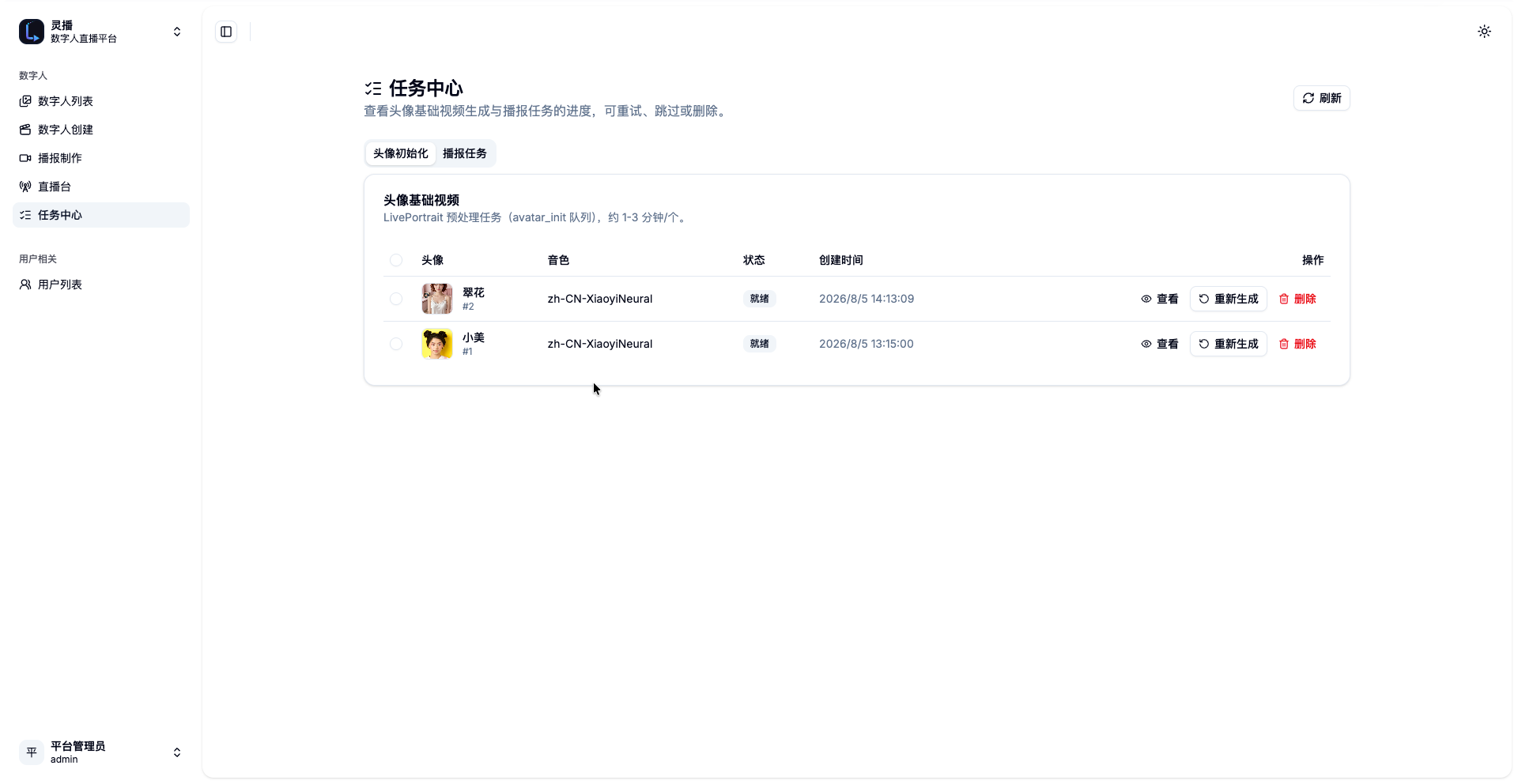
Admin console (LingCast)
 |
 |
 |
 |
 |
 |
 |
 |
 |
Viewer app (LingCast)
 |
 |
 |
 |
 |
Face Restoration Comparison
Offline broadcast results with and without the CodeFormer face-restoration stage
(same script, same avatar — compare the chin / mouth region; enabled by default,
disable with FACE_ENHANCER=off):
| Without CodeFormer | With CodeFormer |
|---|---|
 |
 |
| ▶ Download MP4 | ▶ Download MP4 |
Architecture
Admin console :8080 ──> Nginx (frontend)
  ├── /api    ──> api-admin (Gin) ──> MariaDB 11 / Redis 8.2 / RustFS / service-rag
  └── webhooks ──> api-scheduler (worker task/base-video callbacks)
  └── /media  ──> RustFS (S3-compatible)

Viewer app :3000 ──> Next.js (server-side proxy for /api, /live) ──> api-live / SRS

Python AI Worker ──> Redis queue / boto3 downloads assets
                 ──> Create: LivePortrait generates base video (one-time preprocessing)
                 ──> Use: Edge-TTS → Wav2Lip (ONNX) offline broadcast / live stream
                 ──> Uploads results to S3, writes task status back via Webhook

service-rag ──> zvec in-process full-text index (Jieba Chinese, zero model)
            ──> Go API calls /v1/knowledge/{ingest,search,delete,chunks} directly

service-tts ──> async edge-tts → 16kHz PCM WAV → S3 (RustFS)
            ──> POST /v1/tts/synthesize returns the S3 key only (no media over HTTP)
- Admin frontend: React + TypeScript + Vite + Tailwind + shadcn/ui (brand "LingCast", dark
theme by default, switchable to light; requires admin login). - Viewer frontend: standalone Next.js 16 + TailwindCSS 4 (
frontend/live/, light/dark themes,
no login required). - Backend: Go + Gin + GORM split into three microservices sharing one module —
api-admin(management console, :8081),api-live(audience/live chat,
:8082) andapi-scheduler(worker webhooks, :8083); standard AWS S3 SDK v2. - AI Worker: Python 3.11, uv-managed dependencies, boto3 + Redis.
- Knowledge microservice:
service-rag(FastAPI + uv + zvec FTS, Jieba tokenizer,
zero model dependencies, internal :8001, data persisted in therag-zvec-datavolume). - Storage: S3-compatible object storage (RustFS in dev).
- Deployment: Docker Compose orchestrates the infrastructure and frontends; the real AI
Worker runs natively on the host (MPS/CoreML on macOS Apple Silicon, NVIDIA CUDA or AMD
ROCm on Linux). Host-published ports are limited to what the host worker and
the web apps need: 3000 (viewer), 8080 (admin/API), 1935 (RTMP ingest),
6379 (Redis) and 9000 (RustFS).api-admin,api-live,api-scheduler,service-ragandservice-ttsstay on the internal network.
Quick Start
0. Prerequisites
- Git, Docker Desktop (or Docker Engine + Compose)
- Python 3.11 + uv
- FFmpeg on a macOS host:
brew install ffmpeg - pnpm 10 for frontend development:
npm i -g pnpm@10 - Go 1.22+ for backend development
1. Clone & start the Docker services
git clone https://github.com/taochangle/LingCast.git && cd LingCast
cp .env.example .env
docker compose up --build
Open http://localhost:8080 and enter Avatar Studio from the left menu.
Note: the admin console requires login (default
admin/admin123; changeADMIN_USERNAME/ADMIN_PASSWORDin.envand restart the API container). The viewer
app (:3000) is unaffected and can enter live rooms directly.
2. Set up the Worker environment (uv)
cd worker
uv venv                    # uses CPython 3.11 per .python-version
uv sync --all-groups       # installs all deps (PyTorch MPS, LivePortrait, Wav2Lip)
cp .env.local.example .env.local
Convention: every Python command goes through
uv run python ...(run fromworker/).
Don't call the systempython/python3directly and don't userequirements.txt—
dependencies are managed bypyproject.toml+uv.lock; add new deps withuv add.
3. Prepare the models (pick one)
Option A: download on a new machine (~4GB, requires network)
cd worker
uv run python download_models.py --models all
The script clones LivePortrait / Wav2Lip into worker/external/, downloads weights intoworker/models/ (both are gitignored), and automatically exports wav2lip_gan.pth to ONNX
locally (~145MB) and downloads the SCRFD face-detection ONNX (~3MB).
- Faster downloads in China:
HF_ENDPOINT=https://hf-mirror.com uv run python download_models.py - If GitHub is slow, use a proxy:
git config --global http.proxy http://127.0.0.1:7897
Option B: copy from an old machine (fastest)
Copy worker/models/ and worker/external/ from the old machine to the corresponding
locations on the new one; download_models.py skips files that already exist.
4. Start the Worker (real pipeline)
cd worker
uv run python -u worker.py           # offline broadcast / create preprocessing
uv run python -u stream_worker.py    # live streaming (runs alongside worker.py)
worker.py loads worker/.env.local automatically (exported environment variables take
precedence). AI_MODE=real runs the real model pipeline; missing models produce a clear
error message.
5. Local frontend development
# Admin console (Vite, port 5173)
cd frontend/admin
cp .env.example .env.local   # VITE_API_BASE_URL=http://localhost:8080
pnpm install
pnpm dev

# Viewer app (Next.js, port 3000)
cd frontend/live
pnpm install
pnpm dev
Linux + AMD Radeon deployment (ROCm, e.g. RX 6800 XT)
The 6800 XT is RDNA2 (gfx1030), supported by ROCm 6.x / 7.x. Either way works:
Option A: official ROCm PyTorch container (recommended, torch preinstalled)
docker run -it --rm --network=host --ipc=host \
  --device=/dev/kfd --device=/dev/dri --group-add video \
  -v /path/to/LingCast:/workspace -w /workspace/worker \
  rocm/pytorch:rocm7.14_ubuntu24.04_py3.13_pytorch_release_2.12.0 bash
Inside the container (Python 3.13, torch 2.12 ROCm ready):
pip install uv ffmpeg        # containers usually lack uv and ffmpeg
uv sync --all-groups --no-group cuda --python python3 --inexact
cp .env.local.example .env.local
uv run python -u worker.py
Warning:
--inexactmatters — the preinstalled torch is not in the lock file; without
ituv syncremoves torch.--network=hostlets the container reach Redis/RustFS on the
host directly.
Option B: bare-metal Ubuntu + ROCm
cd worker
uv sync --all-groups --no-group cuda
uv pip install torch torchvision torchaudio \
  --index-url https://download.pytorch.org/whl/rocm6.3
# add --inexact to every future uv sync, otherwise the manually installed torch is removed
Verify: uv run python -c "import torch; print(torch.cuda.is_available(), torch.version.hip)"
Worker environment variables (worker/.env.local)
AI_MODE=real
LIVEPORTRAIT_DEVICE=cuda
WAV2LIP_PROVIDER=rocm    # falls back to CPU per operator when ROCm EP lacks LSTM; correct output
If the ROCm EP has issues on your card,
WAV2LIP_PROVIDER=cpuworks too (CPU inference
alone reaches 35fps+).
Usage
Create a digital human
Admin console → Avatar Studio: upload an appearance image, pick a voice and category,
fill in the persona profile → creation automatically starts base-video generation
(LivePortrait preprocessing, ~1-2 minutes); once ready, the digital human can be used for
broadcasts and live streaming.
Offline broadcast
Broadcast: pick a digital human + a scene/video (defaults to the default scene's
default video) + enter a script → submit a task → track stage/progress in the history and
play/download the result (9:16 MP4, Edge-TTS + Wav2Lip). Task retries reuse the cached TTS
audio.
Live streaming
Live Studio: after starting a live stream the digital human pushes a persistent stream
(idle state plays the chosen scene videos, switching every N seconds or randomly); viewer
messages go through the DeepSeek LLM and are spoken aloud. "Default stream video" picks
which scene drives the idle picture and how it switches; "Subtitle settings" configure
on/off, font, position, border and size per digital human (fonts live in worker/fonts/).
# command-line examples
curl -X POST http://localhost:8080/api/live/9/start
curl -X POST http://localhost:8080/api/live/9/message \
  -H 'Content-Type: application/json' \
  -d '{"text": "Hello, are you there?"}'
curl http://localhost:8080/api/live/9/status
Playback URL: http://localhost:8080/live/avatar_9.flv (the frontend pulls it with
xgplayer + the FLV plugin).
Viewer app
Open http://localhost:3000: filter live digital humans by category on the home page →
enter a live room (desktop left/right layout / mobile fullscreen Douyin style) → guests can
send messages directly; after registering/logging in, chat history follows the account.
Configuration
| Parameter | Location | Description |
|---|---|---|
AI_MODE |
.env / .env.local |
mock (Docker default) or real (host) |
S3_* |
.env / .env.local |
Object-storage endpoint, credentials, bucket, public prefix |
REDIS_* |
.env / .env.local |
Redis address, password, queue keys |
REDIS_IMAGE |
.env |
Redis image (default redis:8.2.2-alpine) |
EMBED_SERVER_URL |
.env |
Knowledge retrieval service (default http://service-rag:8001, Docker internal network) |
LIVEPORTRAIT_DEVICE |
worker/.env.local |
mps (macOS default) / cuda (Linux) / cpu |
LIVEPORTRAIT_DRIVING* |
worker/.env.local |
Template, speed, amplitude |
LIVEPORTRAIT_OUTPUT_FPS |
worker/.env.local |
Base video framerate (default 24) |
WAV2LIP_PROVIDER |
worker/.env.local |
coreml (macOS default) / rocm (AMD) / cuda / cpu |
WAV2LIP_THREADS |
worker/.env.local |
ONNX thread cap (default 4) |
WAV2LIP_BACKEND |
worker/.env.local |
onnx (default) / torch (slow, for comparison) |
OPENAI_BASE_URL |
.env |
LLM endpoint (default https://api.deepseek.com) |
OPENAI_API_KEY |
.env |
DeepSeek API key; unset means the input is echoed back |
OPENAI_MODEL |
.env |
Responses model (default deepseek-v4-flash) |
ADMIN_USERNAME / ADMIN_PASSWORD |
.env |
Admin console credentials (default admin/admin123) |
TG_BOT_TOKEN |
.env |
Telegram bot token (initData HMAC + webhook registration) |
TG_WEBHOOK_URL / TG_MINIAPP_URL |
.env |
Production fixed URLs (optional); empty = ngrok discovery |
NGROK_AUTHTOKEN / NGROK_API_URL |
.env |
ngrok auth + agent API (default http://ngrok:4040) |
STREAM_SUBTITLE_FONT |
worker/.env.local |
Fallback subtitle font (used when unset/missing) |
See worker/.env.local.example for the full list. Animation tempo (driving template /
speed / amplitude) is documented in the LIVEPORTRAIT_DRIVING* comments andworker/.env.local.example.
API Docs
All HTTP microservices expose interactive OpenAPI/Swagger docs through a
dedicated docs gateway (nginx entry http://localhost:8080/doc/):
/doc/api-admin/— admin console API (gin-swagger)/doc/api-live/— viewer / live-chat API (gin-swagger)/doc/api-scheduler/— worker webhooks (gin-swagger)/doc/service-rag/— knowledge-base service (FastAPI /docs)/doc/service-tts/— TTS service (FastAPI /docs)
Directory Layout
LingCast/
├── backend/        Go module — three microservices: cmd/api-admin, cmd/api-live, cmd/api-telegram, cmd/api-web,
│                   cmd/api-scheduler (shared internal/ packages)
├── services/       Python microservices
│   ├── rag/        Local RAG microservice (FastAPI + uv + zvec FTS/Jieba, :8001)
│   └── tts/        Edge-TTS microservice (FastAPI + uv + edge-tts + ffmpeg, :8002)
├── frontend/       BFF client matrix (all frontends)
│   ├── admin/      LingCast admin console (React + shadcn/ui, :8080)
│   ├── live/       Next.js viewer app (standalone project, :3000)
│   ├── web/        NEW 1v1 website (Next.js + PayPal + zustand, :3001)
│   └── telegram/   NEW TG Mini App (React + Vite + @twa-dev/sdk, :3002)
├── worker/         Python 3.11 AI Worker (uv, Redis, boto3)
│   ├── ai/         base/mock/real pipelines, TTS, rendering, ONNX lip-sync
│   ├── fonts/      subtitle font directory (gitignored, see fonts/README.md)
│   ├── external/   gitignored: LivePortrait / Wav2Lip cloned code
│   ├── models/     gitignored: all weights (LivePortrait / Wav2Lip ONNX)
│   └── streaming/  ffmpeg pipe + Pillow subtitle rendering
├── docs/           architecture doc + Roadmap (TODO.md) + screenshots (images/)
├── docker-compose.yml / .env.example
└── AGENTS.md       development handoff (quick onboarding on a new machine)
FAQ
- Task stuck on processing: check the tail of the
workerlogs. A stuck lip-sync phase
usually means missing models — runcd worker && uv run python download_models.py --models wav2lipto fill the gap. - Slow GitHub/HF downloads: use a proxy for GitHub, and
HF_ENDPOINT=https://hf-mirror.comfor HuggingFace. - Lip-sync pegs the CPU / is extremely slow: make sure
WAV2LIP_BACKENDisonnx(the
torch backend is for comparison only). - Video has no audio: the final video muxes Edge-TTS audio during the Wav2Lip stage; with
the mock pipeline the offline TTS provides the audio track instead. - Live stream shows no picture: first confirm
srsis healthy indocker compose upand
that/live/<id>.flvcan be pulled; the ffmpeg log is atstream-<id>/ffmpeg.log.
Production Notes
- The dev environment runs RustFS with the bucket publicly readable (so the
browser can play videos). In production, switch to real RustFS + a private bucket +
presigned URLs, and adjustS3_PUBLIC_BASE_URLand the nginx/mediaproxy. - Harden the Worker callback Webhook authentication in production.
- Linux/CUDA production deployments need the CUDA build of PyTorch (see the comments in
worker/pyproject.toml); Wav2Lip ONNX can use a GPU provider on NVIDIA viaWAV2LIP_PROVIDER.
Contributing
- Architecture and evolution plans: docs/TODO.md and the
architecture doc. - Development conventions: AGENTS.md (quick onboarding, directory overview,
known pitfalls). - Commit messages follow the repo style:
feat:/fix:/docs:/refactor:prefixes
with Chinese or English descriptions.
Reviews (0)
Sign in to leave a review.
Leave a reviewNo results found