mcp-whichtool
Health Gecti
- License — License: Apache-2.0
- Description — Repository has a description
- Active repo — Last push 0 days ago
- Community trust — 13 GitHub stars
Code Gecti
- Code scan — Scanned 12 files during light audit, no dangerous patterns found
Permissions Gecti
- Permissions — No dangerous permissions requested
Bu listing icin henuz AI raporu yok.
Does the model pick the right tool? Tool-routing tests for your MCP server: run them on Claude and OpenAI models, see where each request lands, and fix the descriptions that lose.
mcp-whichtool




Does the model pick the right tool? Tool-routing tests for your MCP server: check that
models pick the right tool, and fix the descriptions that make them pick the wrong one.
A model reads your tool descriptions, and nothing else, to decide which tool answers a
user's request. mcp-whichtool runs your prompts against Claude and OpenAI models with
your server's tools, shows where each one lands, proposes a better description for the
ones that miss, and measures the edit before you ship it.
Status: early. It works end to end, the interface may still change.

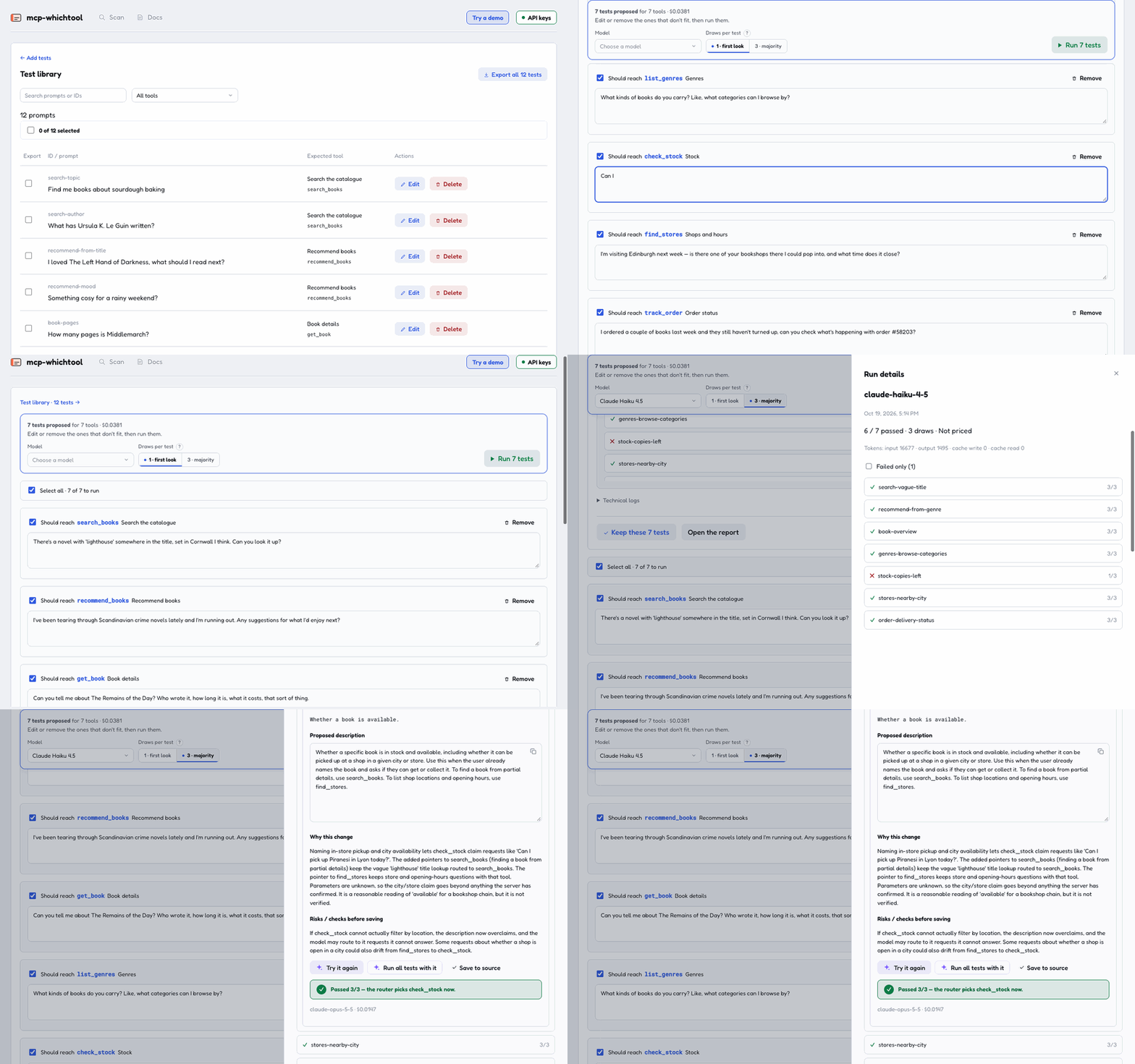
On the bookshop demo: AI writes a test per tool, they run three draws each on Claude Haiku 4.5, and "Can I
pick up Piranesi in Lyon today?" goes to search_books instead of check_stock. Ask AI explains why and
proposes a description; tried on that test, it passes 3/3. Nothing is written until you save it. (Waits
sped up.)
Try it in your browser
Open in GitHub Codespaces, above, installs whichtool in a cloud environment and opens its console in a
new tab: nothing to install on your machine. Try a demo opens the bookshop server below with its thirteen
tests; to run them, add an Anthropic or OpenAI key in the page (it stays in your browser). A Codespace runs
on your GitHub account's free monthly quota.
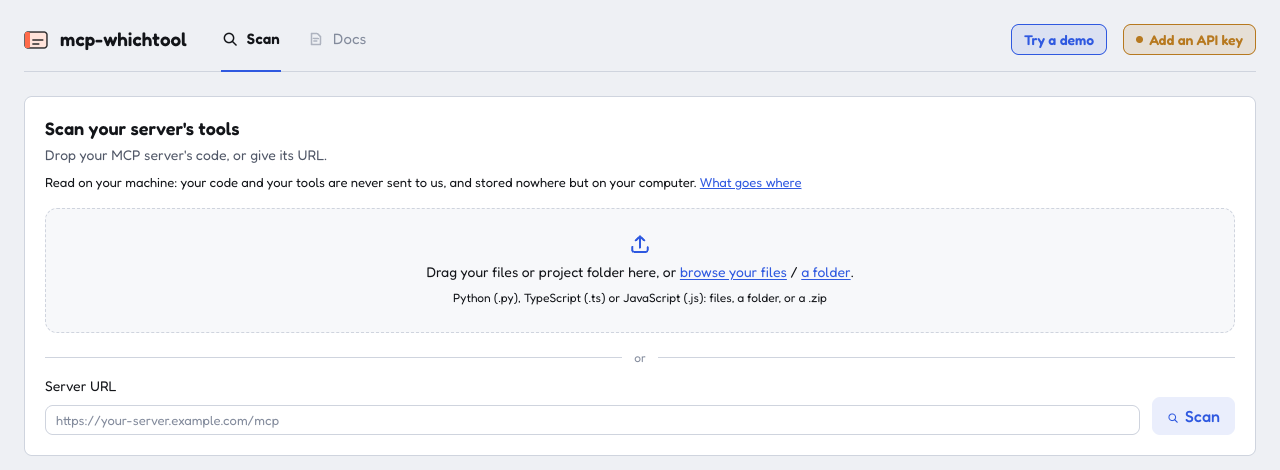
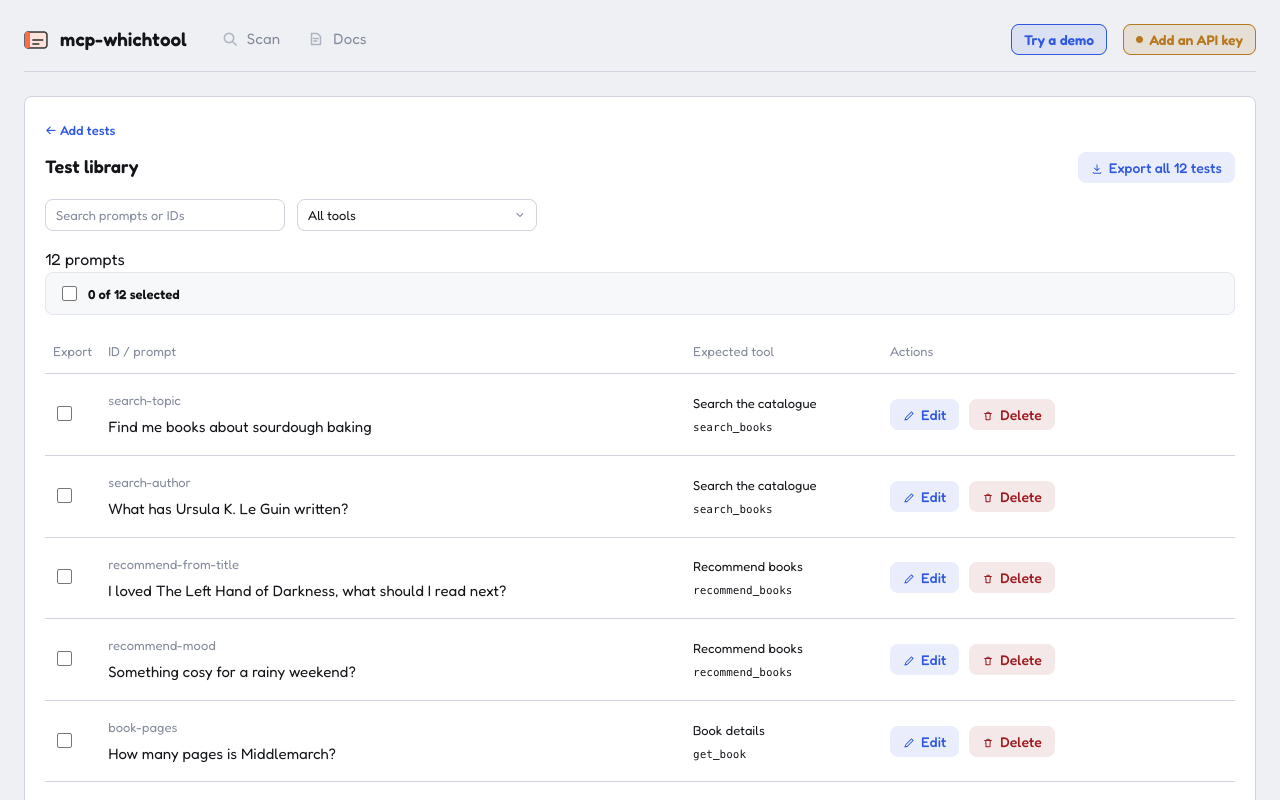
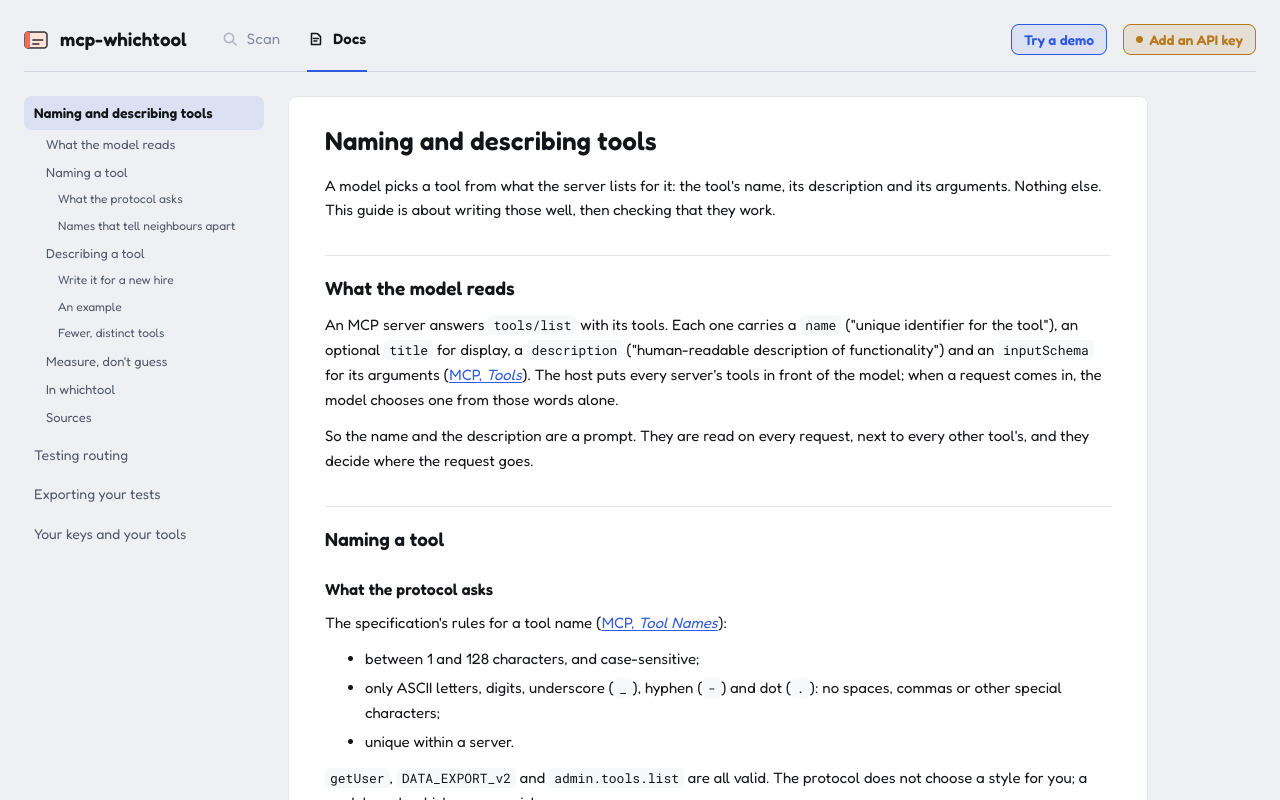
| Scan your server | Its tests | The guides |
|---|---|---|
 |
 |
 |
Try it on the demo
The repository ships a small bookshop server whose descriptions are vague on purpose.
uv sync --all-groups
uv run python demo/server.py &  # http://127.0.0.1:8000/mcp
cd demo
uv run whichtool keys           # your Anthropic and/or OpenAI key, kept in demo/.env
uv run whichtool tools          # the seven tools a model will be offered
uv run whichtool eval           # thirteen cases, three draws each; asks before spending
uv run whichtool serve          # the same, in the browser
On your own server
cd your-project
whichtool scan                                     # the tools your source declares
whichtool scan --server http://127.0.0.1:8000/mcp  # or your running server's, any language
whichtool keys
whichtool generate                                 # test cases drafted by the model
scan lists the tools it found with their descriptions, then writes whichtool.toml
and an empty routing_cases.json once you say yes. It reads Python (@mcp.tool() with a
docstring, or description=), TypeScript and JavaScript (registerTool, tool, and tool
objects with an inputSchema); for a server in another language, give its URL. Without a URL
the models see the descriptions but not the tools' arguments, so a running server gives the
truer result.
In the browser, whichtool serve opens on the same scan, from any folder: drop your
server's files, a folder or a .zip, or give its URL. Try the demo there opens the bookshop
with its tests ready (copied once to ~/.whichtool/demo/). API keys, at the top of the
page, takes your Anthropic or OpenAI key: it stays in your browser, goes with each request, and
the console never stores it. A key in your environment or the project's .env works too. Dropped files are copied to~/.whichtool/uploads/, where their tests are kept; scanning another project switches to it.
In the browser, tests are written by AI (or by hand) and reviewed before they are kept: Try
them runs the proposals as an eval would, with its progress, logs and report, and Open this
run analyses a failed one. The test library then holds what was kept, and its ticks choose what
to export.
Export, in the test library, downloads the tests as a kit for your server's repository: the
cases, a whichtool.toml that reads the repository's own source, a GitHub Actions workflow
that runs them on every pull request, and a short README. Unzip it at the root, add your API key
as a repository secret, push.
A case is a prompt and the tool it should reach:
[
  {"id": "stock-pickup", "prompt": "Can I pick up Piranesi in Lyon today?", "expect": "check_stock"}
]
Write the canonical ask for each tool, then the oblique ones: the words a user types when
they don't know your tool names. generate and the web console draft cases for you: read
them over, since a model writing prompts from your descriptions tends to borrow their words.
Your keys and your tools
whichtool runs on your machine, and there is no whichtool server. Your Anthropic and OpenAI keys
stay in your browser or your project's .env, the tools it scans stay in your files, and none of
them is ever sent to us or stored anywhere else. To run a test, your tools and the test's request
go to the model you chose, Anthropic's or OpenAI's, with your key, and nowhere else. The details are
in Your keys and your tools.
What a run tells you
Each case is drawn N times (-n, default 3) per model. It passes when a strict
majority of draws reach the expected tool, and it is weak when it passes without a
clean sweep. A draw where the model answers in words instead of calling a tool counts as
no pick. A run of the demo looks like this:
claude-haiku-5-5  12/13 passed  ·  3 draws  ·  $0.0020
  ✗ genres-cookbooks  expected list_genres, got search_books ×3
      'Do you sell cookbooks?'
Before it spends anything, eval prints an estimate from the price table and the token
counts of your previous runs (or of a typical call, before the first one).
Fixing a description
In the console (whichtool serve), open a run and unfold a failed case. It shows the
prompt, the tool expected and what each draw picked, then two ways to fix it:
- Ask AI: a model reads the whole catalogue, the prompt and where it went, says why it
failed, and proposes one description to change, or says the prompt itself is ambiguous. The
proposal is editable. - Edit the description: write it yourself, for the tool expected or for the one picked
instead.
Try it on this case replays that case alone, three draws, on the run's model, with the new
description in place of the current one: "Passed 3/3" or "Still failing". Nothing is written: the
description is a draft the run carries. Once it holds, Run all tests with it runs every case
with the same draft, to check it moved nothing else, and Save to source writes it into your
server's source, Python, TypeScript or JavaScript. Committing it is up to you. For dropped files,
it is Save and copy: the copy the tests read takes it, and you paste it into your own source.
A description built at run time (a variable, a template with ${}) is read as none and left as
it is; the console shows the proposal for you to copy.
In CI
whichtool eval --yes -n 3 -m claude-opus-5-5 -m gpt-6-sol
Exit code 0 means every case passed, 1 means at least one misrouted, and 2 means the eval
could not run (server unreachable, no key, no cases). Keys come from the environment
first, then .env.
Export, in the test library, does this setup for you: a kit to unzip in your server's
repository (the tests, a project file and a GitHub Actions workflow), or the tests alone as JSON,
to run in your own code. Exporting your tests compares the
two and shows how to use each.
Commands
| Command | What it does |
|---|---|
whichtool scan [dir or URL] |
Finds the tools in a project's source or on its server, then writes whichtool.toml (--server URL; -y no question) |
whichtool init |
Writes whichtool.toml and an empty case list, without looking |
whichtool generate |
Asks the model for test cases, added to the case list (-t tool, repeatable; -y no question) |
whichtool keys |
Stores API keys in the project's .env (readable by you only) |
whichtool tools |
Lists the tools the models are offered, and which descriptions come from your source |
whichtool eval |
Runs the cases (-m model, repeatable; -n draws; -k filter on case ids; -y no question) |
whichtool results |
Shows each model's newest run again |
whichtool try "prompt" |
Routes prompts that are in no case yet |
whichtool serve |
Opens the console on 127.0.0.1:8790, on the scan; the tests are on /routing |
Development
uv sync --all-groups
uv run pytest -q
uv run ruff check .

cd web && npm install && npm run test && npm run build  # the page, built into whichtool/static/
The tests run against real servers on sockets (Anthropic, OpenAI and MCP fakes intests/fakes/, and the demo server itself), never against mocks of our own code.
License
Apache License 2.0. See NOTICE.
Built and maintained by Tastewise.
Yorumlar (0)
Yorum birakmak icin giris yap.
Yorum birakSonuc bulunamadi