kimix
Health Uyari
- License — License: Apache-2.0
- Description — Repository has a description
- Active repo — Last push 0 days ago
- Low visibility — Only 9 GitHub stars
Code Gecti
- Code scan — Scanned 12 files during light audit, no dangerous patterns found
Permissions Gecti
- Permissions — No dangerous permissions requested
Bu listing icin henuz AI raporu yok.
高性能,低门槛的通用终端 AI 代理工具 / General-purpose terminal AI agent



中文
什么是 Kimix?
Kimix 是一个通用的终端 AI 代理工具,具有非常优秀的长程任务能力,基于 xai-org/grok-build(Apache-2.0)的 hard fork,
支持 Kimi Code 订阅 API 等平台。
它以全屏 TUI 的方式运行,能理解你的工作目录、编辑文件、执行命令、搜索网络,
管理长时运行任务。既可以交互使用,也可以在脚本 / CI 中无头运行,
还支持通过 ACP 协议嵌入编辑器。
kimix 采用 Grok 4.5 与 Kimi K3 构建核心能力,用 GLM 5.2、DeepSeek V4-Flash 做性能优化,
并以 DeepSeek、MiMo、LongCat-2.0 等开源模型在真实环境中做了广泛测试与适配;
kimix 自身已经具备「用 kimix 更新迭代 kimix」的能力。
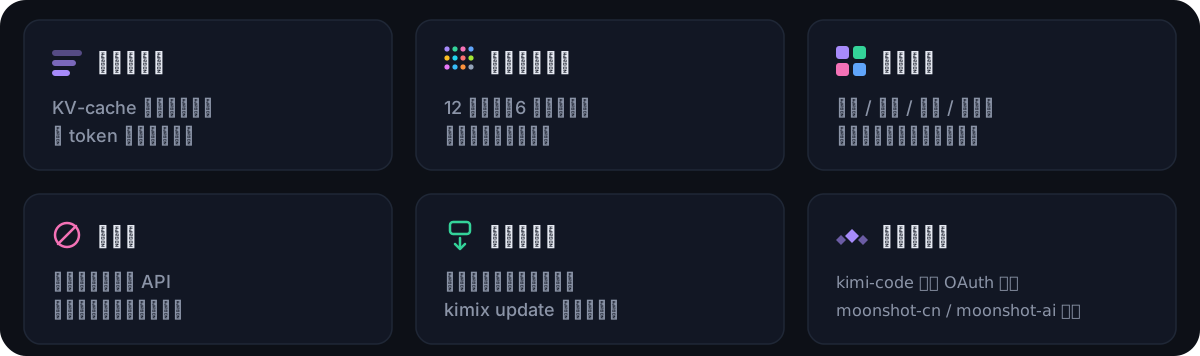
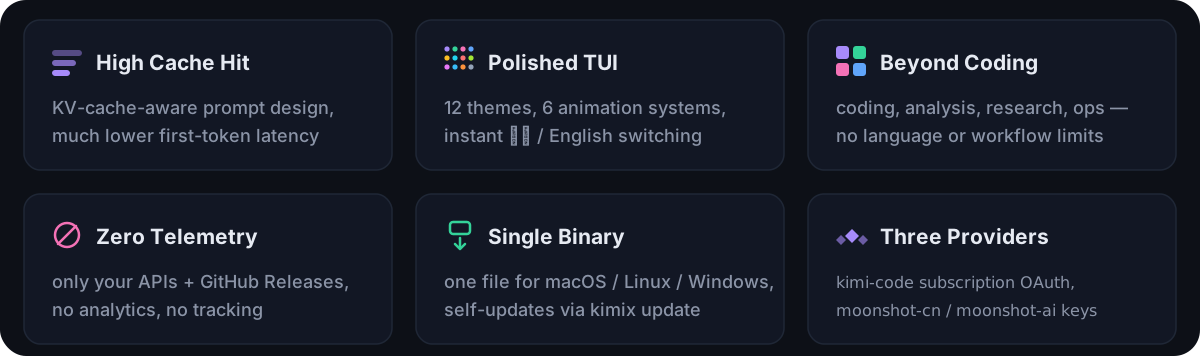
核心特点:高缓存命中率(日常保持 95% 以上,显著降低 Token 消耗)、
优秀的长程任务输出水平、低门槛的全屏 TUI 界面,界面与设置支持中英文双语。
极致的初始上下文水平,可以做到与 Pi 一个水平线,优于 grok-build、Claude Code、Kimi code。
适用场景:
- 💻 编程辅助:理解代码库、重构、修 bug、写测试
- 📊 数据分析:读取文件、运行脚本、生成报告
- 🔍 调研搜索:联网检索、信息收集、趋势分析
- ⚙️ 自动化:多步工作流编排、批量处理、定时任务
为什么选 Kimix?
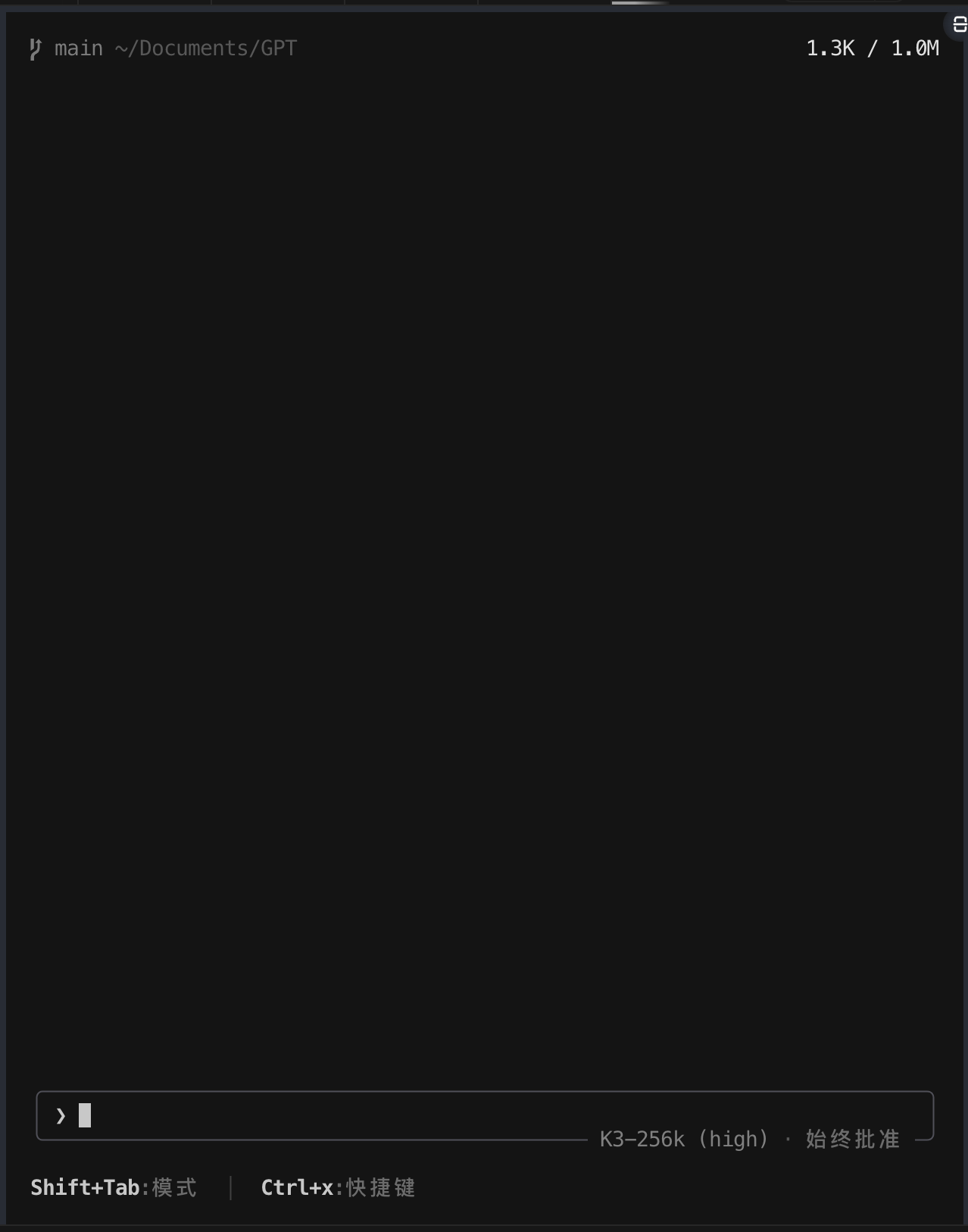
启动即见模型状态与命令面板 |
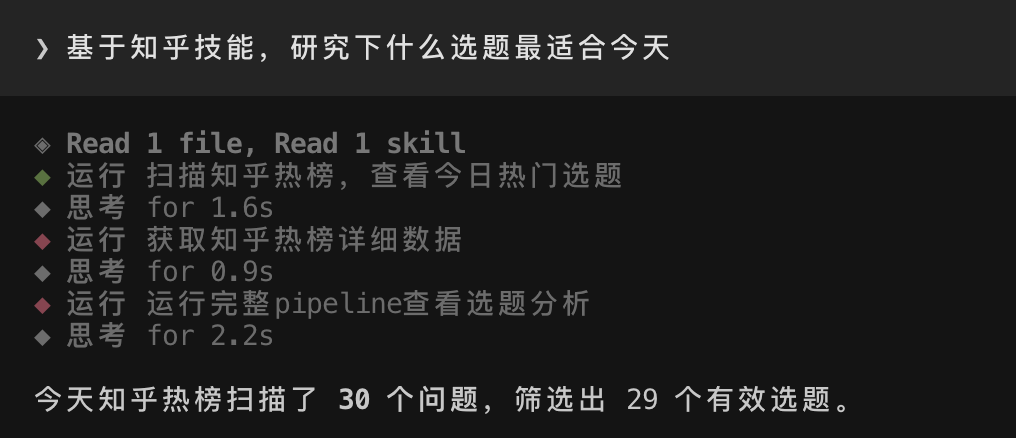
真实任务 trace:工具调用与思考过程全程可见 |
版本历程
v0.1.16(当前)— 缓存省钱、长输出不卡、子代理有秩序
这版把「缓存」从玄学变成可查的数字:每次请求命中多少都记账;上下文压缩完还会自动预热,下一轮不用重付全价。长输出和长会话的内存也收紧了,子代理加了并发控制,还能一次开多路只读探索。
- 缓存命中看得见:每次请求的缓存命中率落到
~/.kimix/metrics/cache_hit-<日期>.jsonl,退出时汇总本次会话的窗口命中率,下次启动还能看到上一进程的成绩。 - 压缩后自动预热:上下文压缩完,先发一个 1 token 的空请求把新前缀写进服务端缓存,下一轮直接命中,不白等。
- 长输出不再卡:bash 长输出先截头尾再排版,10 万行日志不再逐帧全量处理;流式中途也不再反复生成全量文本。
- 会话文件不再膨胀:工具执行的中间过程只存头尾摘要,最终结果完整保留——实测某会话 75MB 里约 99% 是中间过程,现在这部分大幅缩水。
- 子代理有秩序:默认最多 4 个同时跑(
[subagents] max_concurrency可调,0 不限),超出的排队等空位;批量并行探索一次开 N 路只读 worker,查完合并汇总。
v0.1.15 — 重试不刷屏、视频不炸内存、上下文不浪费
三个最烦人的问题一起处理了:「重试中」疯狂刷屏、拖长视频进去内存爆炸、窗口一长模型就开始胡说。外加一轮架构解耦和内存边界收紧。
- 重试不再失控:流式传输断了最多重试 3 次(以前 15 次),失败了也不往屏幕上堆半成品。服务端说「别重试了」(
x-should-retry: false)就直接停;max_retries=0可硬关重试。 - 视频不撑爆:ffmpeg 提取硬性卡在约 12s / 120 帧,长视频不会无界消耗内存。
- 上下文更省:有效上下文默认顶到 200K 就压缩(可配,0 关闭);工具相同内容做 content-hash 去重;用量进入软区间(默认约 55%)时给一条轻量效率提示。
- 结构更清:
outline工具可先看单文件符号大纲再定点阅读;headless 独立 crate,shell / TUI 类型解耦,改 shell 不必整棵 TUI 类型重编。 - 内存与渲染:prompt_texts / 会话加载 / 粘贴图片等路径加边界;大会话 resize 与折叠组 header 做了缓存。
v0.1.14 — 更安全、更流畅、更健壮
一轮系统性的「性能+安全+正确性」深度优化,由 4 路子代理并行审计 + 对抗性交叉验证完成。
- 更安全:
read_file不再因为读超大文件而撑爆内存,也不会因为读到设备文件(如/dev/zero)而卡死。沙箱默认拦截~/.ssh、~/.aws等敏感路径,agent 不能把你的密钥送去给模型。 - 更准确:bash 输出的截断提示从「显示开头/结尾」纠正为「仅显示结尾」——以前模型以为自己看到了开头,其实没看到,可能导致推理出错。
- 更稳当:模糊搜索(
@补全)如果后台线程崩溃,不会再拉整个 agent 一起死。glob 搜索加了超时,不会在巨型目录上永远挂住。 - 更高效:会话存储恢复到最优路径,每条消息的写入从 6 次系统调用降到 3 次。
- 更干净:移除了全文件级的警告抑制,编译器现在能发现死代码和未使用的导入——共清理了 12 处,代码质量可度量。
v0.1.13 — 改体验、改架构、消灭 panic
- 流式体感大幅提升:TUI 轮询从 100ms 加速到 16ms(60fps),画面更跟手。流式渲染做了帧合并,token 来得快时跳掉中间帧、只显示最新内容,不再卡顿。
- 消灭了一批 panic:修复了 9 处
unwrap_or_default()导致的静默崩溃、视频播放的除零 panic、非 UTF-8 文件名导致的崩溃——每一处改动只用了 1 行代码。 - 网络连接优化:OAuth 的 HTTP 客户端改为全局共享(避免每次 TLS 握手 ~95ms 开销),连接池从 2 条扩到 10 条。
- prompt cache 可观测化:每次请求结束后输出缓存命中率,便于调优。
- 显存与 CPU:jemalloc 每 5 分钟清理一次残留页面,长时间运行不会虚高 RSS;LTO 让运行时提速 10-20%。
- 记忆与上下文:BM25 检索 + 三级召回(History / Working / Recency)、12 套 TUI 主题、完整中英双语。
快速开始
方式一:npx / npm(无需脚本,安装时自动匹配平台下载二进制并校验 SHA256SUMS)
npx kimix --version          # 临时使用,即装即跑
npm install -g kimix         # 全局安装
方式二:官方安装脚本(macOS / Linux)
curl -fsSL https://raw.githubusercontent.com/taxueseek/kimix/main/install.sh | bash
方式三:官方安装脚本(Windows PowerShell)
irm https://raw.githubusercontent.com/taxueseek/kimix/main/install.ps1 | iex
方式四:Homebrew(需自建 tap,公式模板见 contrib/homebrew/kimix.rb)
brew tap taxueseek/homebrew-kimix
brew install kimix
方式五:cargo install(需 Rust 工具链 + dotslash)
cargo install --git https://github.com/taxueseek/kimix kimix-bin
安装完成后:
kimix --version   # kimix 0.1.16 … unofficial Kimi Code CLI community build
kimix login       # Kimi Code 订阅登录(设备码 OAuth 流程)
kimix             # 启动全屏 TUI
kimix -p "你好"    # 无头模式,直接提问
脚本安装与 npx 安装都校验发布资产的 SHA256SUMS,将二进制安装到~/.kimix/bin/kimix(Windows: %USERPROFILE%\.kimix\bin\kimix.exe)。
后续版本通过内置自更新器获取(kimix update,由 KIMIX_AUTO_UPDATE 控制)。
供应商与 API 密钥
Kimix 连接固定的三平台注册表:
| 平台标识 | 基础 URL | 认证方式 |
|---|---|---|
kimi-code |
https://api.kimi.com/coding/v1 |
Kimi Code 订阅 OAuth(kimix login) |
moonshot-cn |
https://api.moonshot.cn/v1 |
Moonshot 开放平台 API Key |
moonshot-ai |
https://api.moonshot.ai/v1 |
Moonshot 开放平台 API Key |
Moonshot API Key 通过环境变量或 ~/.kimix/config.toml 配置(环境变量优先,值不记录日志):
export KIMIX_MOONSHOT_API_KEY=sk-...     # 通用环境变量
export KIMIX_MOONSHOT_CN_API_KEY=sk-...  # 平台专属,比通用名优先
export KIMIX_MOONSHOT_AI_API_KEY=sk-...
# ~/.kimix/config.toml
[platforms.moonshot-cn]
api_key = "sk-..."

[platforms.moonshot-ai]
api_key = "sk-..."
登录和启动时,Kimix 从各平台同步模型列表(GET {base}/models),
并在模型选择器中展示合并后的目录(键为 {平台标识}/{模型ID})。
如果同步失败,使用上次缓存的目录;无缓存时回退到内置基础列表。
网络搜索 / 获取功能运行在 Kimi Code 订阅服务上,
仅在 OAuth 会话中可用,与官方客户端一致。
从源码构建
rustup toolchain install 1.97.0
cargo build --profile release-dist -p kimix-bin
./target/release-dist/kimix --version
protoc 通过 vendored dotslash 启动器调用(bin/protoc);
如果 PATH 上无 dotslash,先安装:brew install dotslash 或 cargo install dotslash。
与官方 Kimi CLI 共存
Kimix 与 Moonshot AI 和 xAI 无任何关联。它与官方 kimi CLI 可同时安装:
独立二进制名、独立配置目录(~/.kimix)、独立密钥环凭证(服务名 kimix)、
独立的 KIMIX_* 环境变量命名空间。不会读取或写入官方客户端安装的任何内容。
首次启动时,Kimix 提供一次性、严格只读的 kimix import-kimi 命令,
可导入已有 ~/.kimi 的配置(MCP 服务器、自定义供应商、默认模型),~/.kimi 下的文件内容和修改时间不受影响,有完整测试覆盖。
许可证
Apache-2.0。详见 LICENSE、NOTICE 和
THIRD-PARTY-NOTICES。来自 openai/codex 和 sst/opencode
的移植代码记录在 crates/codegen/kimix-tools/THIRD_PARTY_NOTICES.md。
Kimix 基于 Grok Build 开源代码构建,--version 输出携带相关归属声明。
English
What is Kimix?
Kimix is a general-purpose terminal AI agent — a hard fork of
xai-org/grok-build (Apache-2.0),
re-targeted at the Kimi Code subscription API and the Moonshot open platform.
It runs as a full-screen TUI that understands your working directory,
edits files, executes shell commands, searches the web, and manages
long-running tasks. Use it interactively, headlessly for scripting/CI,
or embedded in editors via the Agent Client Protocol (ACP).
kimix itself is built with Grok 4.5 and Kimi K3, optimized with GLM 5.2
and DeepSeek V4-Flash, and battle-tested against open models such as
DeepSeek, Mimo, and LongCat-2.0 — kimix is already used to iterate on
kimix.
Core traits: a 95%+ prompt-cache hit rate in daily use (keeping token
costs low), strong long-horizon task output, and a low-friction
full-screen TUI with bilingual (中文 / English) interface and settings.
Its lean initial context is on par with Pi and ahead of grok-build,
Claude Code, or Kimi code.
Use cases:
- 💻 Coding assistance: understand codebases, refactor, fix bugs, write tests
- 📊 Data analysis: read files, run scripts, generate reports
- 🔍 Research: web search, information gathering, trend analysis
- ⚙️ Automation: multi-step workflow orchestration, batch processing, scheduled tasks
Why Kimix?
|
Model status and command palette at launch |
Real task trace — every tool call and thinking step is visible |
v0.1.16 (current) — Cache savings you can measure, smoother long output, orderly subagents
This release turns "cache" from folklore into numbers you can check: every request's cache-hit rate is recorded, and after a compaction the new prefix is pre-warmed so the next turn pays full price again. Long output and long sessions get tighter memory bounds, subagents gain concurrency control, and you can fan out multiple read-only explorers at once.
- Cache hits are now observable: every response's hit rate lands in
~/.kimix/metrics/cache_hit-<date>.jsonl, a window summary is printed at exit, and the next launch shows the previous process's numbers. - Post-compaction pre-warm: after a compaction replaces the conversation, a 1-token request pre-caches the new prefix server-side, so the next turn hits instead of missing.
- Long output stops stalling: bash output is truncated to head/tail before word-wrap, so a 100k-line log is no longer processed in full on every tick; streaming frames no longer rebuild the full prompt text mid-stream.
- Session files stop ballooning: in-progress tool frames persist as a bounded head/tail summary while the final result stays complete — one real session's 75MB was ~99% in-progress frames, and that overhead is now largely gone.
- Orderly subagents:
[subagents] max_concurrency(default 4, 0 = unlimited) queues excess spawns instead of flooding; acountparameter fans out N read-only explorer workers and merges their summaries.
v0.1.15 — No more retry spam, no video OOM, smarter context economy
Three persistent annoyances addressed back-to-back: retries flooding the screen, long videos blowing up memory, and context windows growing past the point of diminishing returns — plus architectural decoupling and tighter memory bounds.
- Retry storm tamed: stream transport retries tightened from 15 to 3. Server says don't retry (
x-should-retry: false)? We stop.max_retries=0hard-disables retries. Partial output from a failed attempt is discarded — no more overlapping answers on screen. - Video stays within bounds: ffmpeg extraction hard-capped at ~12s / 120 frames. Long videos no longer consume unbounded memory.
- Context economy, configurable: effective context hard-capped at 200K by default (0 to disable). Tool ingress deduplicates by content hash. A soft efficiency nudge fires in the ~55% utilization band (before auto-compact).
- Structure first: new
outlinetool for single-file symbol outlines without reading the whole file. Headless extracted into its own crate; shell/TUI type decoupling reduces rebuild blast radius. - Memory & render: bounds on prompt_texts / session load / pasted images; large-session resize and folded-group headers use caches.
v0.1.14 — Safer, smoother, more robust
A systematic performance + security + correctness deep-dive, audited by 4 parallel agents with adversarial cross-validation.
- Security:
read_filenow checks file type and size before reading — no more OOM from huge files, no more hangs on FIFOs or/dev/zero. Sandbox profiles gained default deny rules for~/.ssh,~/.aws, etc., so your credentials never leak into the model context. - Correctness: The bash truncation hint now honestly says "showing last N lines" instead of "showing first/last" — the implementation only keeps the tail, and the old wording made the model think it saw the beginning when it didn't.
- Stability: Fuzzy-finder thread panics no longer crash the entire agent. Glob searches now have a timeout so they can't hang forever on huge directory trees.
- Performance: JSONL session storage restored to the optimal code path — each message append dropped from 6 syscalls to 3.
- Code hygiene: Removed the crate-wide
#![allow(...)]suppression that was hiding dead code and unused imports — 12 instances cleaned up, compiler warnings restored.
v0.1.13 — Better UX, cleaner architecture, panic elimination
- Streaming UX: TUI poll interval dropped from 100ms to 16ms (60 fps). Streaming renders coalesce tokens arriving faster than the frame rate — intermediate frames are dropped, only the latest content shown. No more stutter.
- Panic fixes: 9
unwrap_or_default()crash sites → logged fallbacks. Video player zero-division fix. Non-UTF-8 filename crash fix. Each fix was 1 line. - Network optimization: OAuth HTTP client shared globally via
OnceCell(eliminates ~95ms TLS handshake per call). Connection pool: 2 → 10 idle connections. - Prompt cache observability: Cache hit/miss logged after every request.
- Memory & CPU: jemalloc periodic purge every 5 minutes (RSS doesn't bloat over time). thin LTO for 10-20% runtime speedup.
- Memory & context: BM25 retrieval with 3-tier recall (History / Working / Recency), 12 TUI themes, full bilingual support.
Quick Start
Option 1 — npx / npm (no install script; downloads the matching platform
binary from GitHub Releases and verifies SHA256SUMS on install)
npx kimix --version          # one-off: download and run
npm install -g kimix         # global install
Option 2 — official installer (macOS / Linux)
curl -fsSL https://raw.githubusercontent.com/taxueseek/kimix/main/install.sh | bash
Option 3 — official installer (Windows PowerShell)
irm https://raw.githubusercontent.com/taxueseek/kimix/main/install.ps1 | iex
Option 4 — Homebrew (self-hosted tap; formula template lives incontrib/homebrew/kimix.rb)
brew tap taxueseek/homebrew-kimix
brew install kimix
Option 5 — cargo install (requires a Rust toolchain + dotslash)
cargo install --git https://github.com/taxueseek/kimix kimix-bin
Once installed:
kimix --version   # kimix 0.1.16 … unofficial Kimi Code CLI community build
kimix login       # sign in with your Kimi Code subscription (device-code OAuth)
kimix             # start the TUI
kimix -p "Hello"  # headless mode
Both the script installers and the npm package verify every download against
the release's SHA256SUMS, and install into ~/.kimix/bin/kimix
(%USERPROFILE%\.kimix\bin\kimix.exe on Windows). Later releases arrive
through the built-in self-updater (kimix update, gated by KIMIX_AUTO_UPDATE).
Providers and API Keys
Kimix talks to a fixed three-platform registry:
| Platform id | Base URL | Auth |
|---|---|---|
kimi-code |
https://api.kimi.com/coding/v1 |
Kimi Code subscription OAuth (kimix login) |
moonshot-cn |
https://api.moonshot.cn/v1 |
Moonshot open-platform API key |
moonshot-ai |
https://api.moonshot.ai/v1 |
Moonshot open-platform API key |
Moonshot API keys come from the environment or ~/.kimix/config.toml
(environment wins; values are never logged):
export KIMIX_MOONSHOT_API_KEY=sk-...     # applies to both open platforms
export KIMIX_MOONSHOT_CN_API_KEY=sk-...  # platform-scoped, beats the generic name
export KIMIX_MOONSHOT_AI_API_KEY=sk-...
# ~/.kimix/config.toml
[platforms.moonshot-cn]
api_key = "sk-..."

[platforms.moonshot-ai]
api_key = "sk-..."
On login and startup Kimix syncs each configured platform's model list
from GET {base}/models and shows the merged catalog in the model picker
(catalog keys are {platform_id}/{model_id}). If the sync fails, the last
cached catalog is used; with no cache, a small built-in fallback list applies.
The web search/fetch tools ride the Kimi Code subscription services and
are present only on OAuth sessions — API-key-only sessions run without
them, matching the official client.
Building from Source
rustup toolchain install 1.97.0
cargo build --profile release-dist -p kimix-bin
./target/release-dist/kimix --version
protoc is invoked through the vendored dotslash
launcher at bin/protoc; install dotslash (brew install dotslash orcargo install dotslash) if it is not already on your PATH.
Coexistence with the Official Kimi CLI
Kimix is not affiliated with Moonshot AI or xAI, and it coexists with the
official kimi CLI on the same machine: independent binary name,
independent config directory (~/.kimix), independent keyring credentials
(service kimix), and a KIMIX_* environment-variable namespace. Nothing
the official client installs or stores is ever read at runtime or written.
On first launch Kimix offers a one-time, strictly read-only import of
your existing ~/.kimi configuration (MCP servers, custom providers,
default model) via kimix import-kimi — file contents and mtimes under~/.kimi are left untouched, verified by tests.
License
Apache-2.0. See LICENSE, NOTICE, and
THIRD-PARTY-NOTICES. Code ported from
openai/codex and sst/opencode is documented in
crates/codegen/kimix-tools/THIRD_PARTY_NOTICES.md.
Kimix is based on Grok Build Open Source; the --version output carries the
attribution.
Yorumlar (0)
Yorum birakmak icin giris yap.
Yorum birakSonuc bulunamadi