ClaudeBar
Health Uyari
- No license — Repository has no license file
- Description — Repository has a description
- Active repo — Last push 3 days ago
- Community trust — 850 GitHub stars
Code Gecti
- Code scan — Scanned 12 files during light audit, no dangerous patterns found
Permissions Gecti
- Permissions — No dangerous permissions requested
Bu listing icin henuz AI raporu yok.
A macOS menu bar application that monitors AI coding assistant usage quotas. Keep track of your Claude, Codex, Antigravity ,and Gemini usage at a glance.
ClaudeBar





A macOS menu bar application that monitors AI coding assistant usage quotas. Keep track of your Claude, Codex, Gemini, GitHub Copilot, Antigravity, Z.ai, Kimi, Kiro, and Amp usage at a glance.
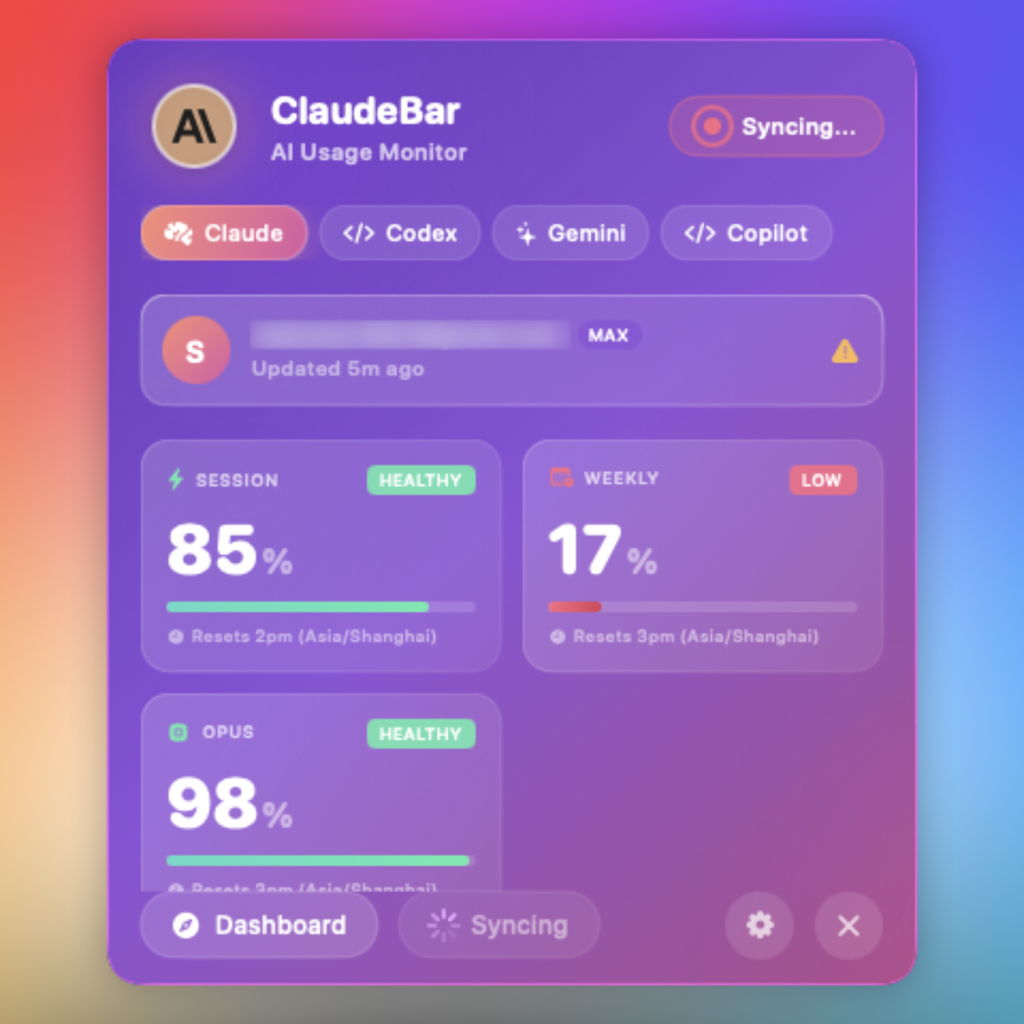 Dark Mode |
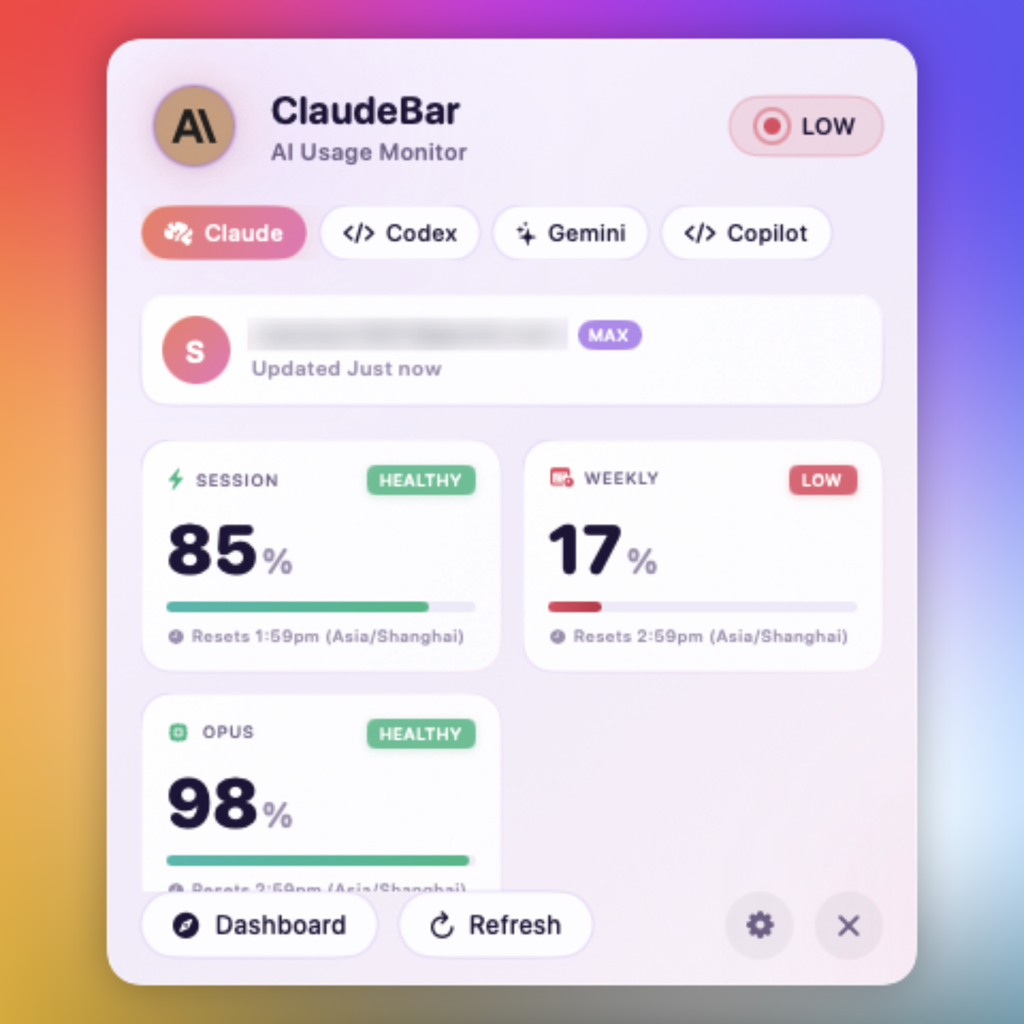 Light Mode |
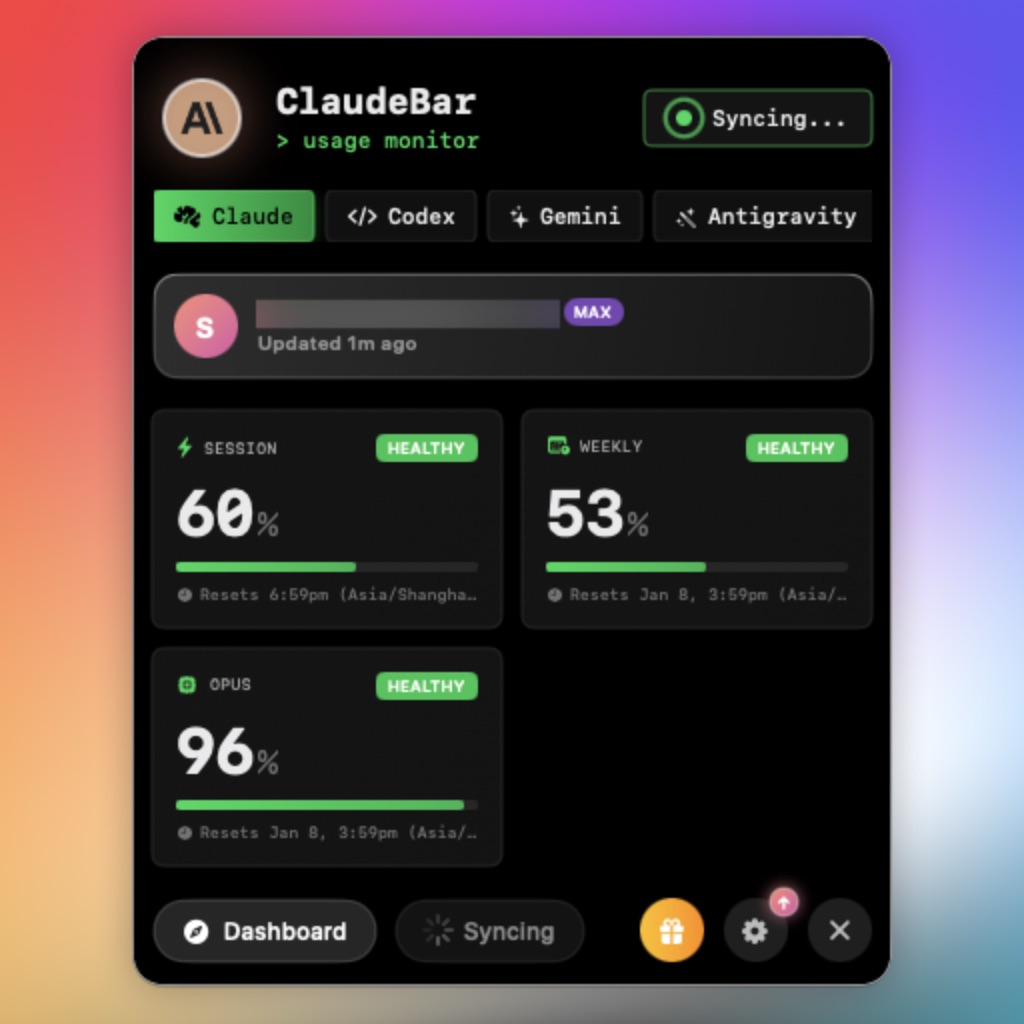 CLI Theme |
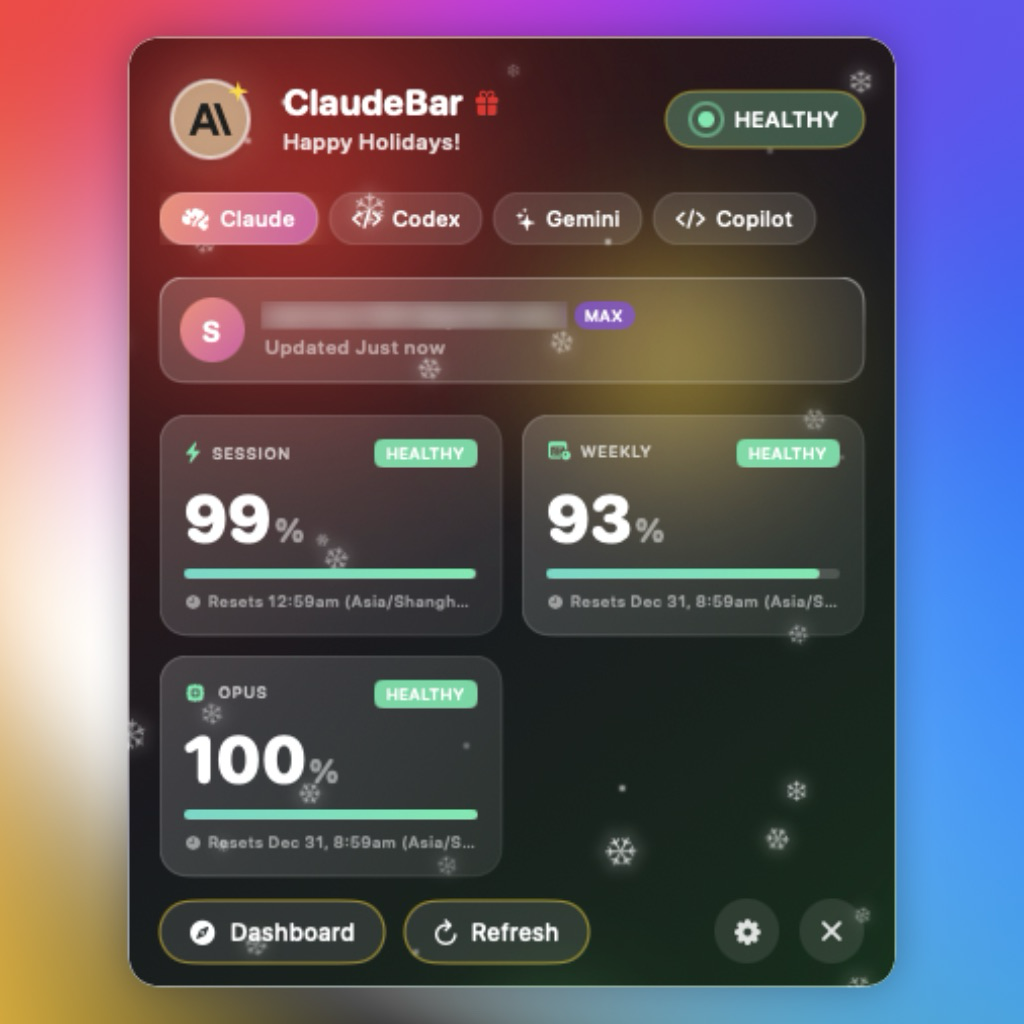 Christmas Theme |
Features
- Multi-Provider Support - Monitor Claude, Codex, Gemini, GitHub Copilot, Antigravity, Z.ai, Kimi, Kiro, and Amp quotas in one place
- Provider Enable/Disable - Toggle individual providers on/off from Settings to customize your monitoring
- Real-Time Quota Tracking - View Session, Weekly, and Model-specific usage percentages
- Multiple Themes - Light, Dark, CLI (terminal-style), and festive Christmas themes
- Automatic Adaptation - System theme follows your macOS appearance; Christmas auto-enables during the holiday season
- Visual Status Indicators - Color-coded progress bars (green/yellow/red) show quota health
- System Notifications - Get alerted when quota status changes to warning or critical
- Auto-Refresh - Automatically updates quotas at configurable intervals
- Keyboard Shortcuts - Quick access with
⌘D(Dashboard) and⌘R(Refresh)
Quota Status Thresholds
| Remaining | Status | Color |
|---|---|---|
| > 50% | Healthy | Green |
| 20-50% | Warning | Yellow |
| < 20% | Critical | Red |
| 0% | Depleted | Gray |
Requirements
- macOS 15+
- Swift 6.2+
- CLI tools installed for providers you want to monitor:
- Claude CLI (
claude) - Codex CLI (
codex) - Gemini CLI (
gemini) - GitHub Copilot - Configure credentials in Settings
- Antigravity - Auto-detected when running locally
- Z.ai - Configure Claude Code with GLM Coding Plan endpoint
- Kimi (
kimi) - CLI mode (recommended) or API mode (see below) - Kiro (
kiro-cli) - Requires kiro-cli installation (see below) - Amp (
amp) - Auto-detected when CLI is installed
- Claude CLI (
Kimi Setup
Kimi supports two probe modes, configurable in Settings > Kimi Configuration:
CLI Mode (Recommended) - Launches the interactive kimi CLI and sends /usage to fetch quota data. Requires kimi CLI installed (uv tool install kimi-cli). No Full Disk Access needed.
API Mode - Calls the Kimi API directly using browser cookie authentication. Requires Full Disk Access for ClaudeBar to read the kimi-auth browser cookie:
- Open System Settings > Privacy & Security > Full Disk Access
- Toggle ClaudeBar on (or click
+and add it) - Restart ClaudeBar
You can also set the KIMI_AUTH_TOKEN environment variable to bypass cookie reading in API mode.
Kiro Setup
Kiro monitors AWS Kiro (formerly CodeWhisperer) usage through the kiro-cli command-line tool.
Installation: uv tool install kiro-cli or pip install kiro-cli
Authentication: Run kiro-cli and follow the login prompts.
Kiro IDE Users: If you use Kiro IDE, simply install kiro-cli. Both share the same authentication, so no additional login is required.
Installation
Homebrew
Install via Homebrew.
brew install --cask claudebar
Download (Recommended)
Download the latest release from GitHub Releases:
- DMG: Open and drag ClaudeBar.app to Applications
- ZIP: Unzip and move ClaudeBar.app to Applications
Both are code-signed and notarized for Gatekeeper.
Build from Source
git clone https://github.com/tddworks/ClaudeBar.git
cd ClaudeBar

# Install Tuist (if not installed)
brew install tuist

# Install dependencies and build
tuist install
tuist build ClaudeBar -C Release
Usage
After building, open the generated Xcode workspace and run the app:
tuist generate
open ClaudeBar.xcworkspace
Then press Cmd+R in Xcode to run. The app will appear in your menu bar. Click to view quota details for each provider.
Development
The project uses Tuist for dependency management and Xcode project generation.
Quick Start
# Install Tuist (if not installed)
brew install tuist

# Install dependencies
tuist install

# Generate Xcode project and open
tuist generate
open ClaudeBar.xcworkspace
Build & Test
# Build the project
tuist build

# Run all tests
tuist test

# Run tests with coverage
tuist test --result-bundle-path TestResults.xcresult -- -enableCodeCoverage YES

# Build release configuration
tuist build ClaudeBar -C Release
SwiftUI Previews
After opening in Xcode, SwiftUI previews will work with Cmd+Option+Return. The project is configured with ENABLE_DEBUG_DYLIB for preview support.
Architecture
Full documentation: docs/ARCHITECTURE.md
ClaudeBar uses a layered architecture with QuotaMonitor as the single source of truth:
| Layer | Purpose |
|---|---|
| App | SwiftUI views consuming domain directly (no ViewModel) |
| Domain | Rich models, QuotaMonitor, repository protocols |
| Infrastructure | Probes, storage implementations, adapters |
Key Design Decisions
- Single Source of Truth -
QuotaMonitorowns all provider state - Repository Pattern - Settings and credentials abstracted behind injectable protocols
- Protocol-Based DI -
@Mockableprotocols enable testability - Chicago School TDD - Tests verify state changes, not method calls
- No ViewModel/AppState - Views consume domain directly
Contributing
Adding a New AI Provider
Use the add-provider skill to guide you through adding new providers with TDD:
Tell Claude Code: "I want to add a new provider for [ProviderName]"
The skill guides you through: Parsing Tests → Probe Tests → Implementation → Registration.
See .claude/skills/add-provider/SKILL.md for details and AntigravityUsageProbe as a reference implementation.
Dependencies
- Sparkle - Auto-update framework
- Mockable - Protocol mocking for tests
- Tuist - Xcode project generation (for SwiftUI previews)
Releasing
Releases are automated via GitHub Actions. Push a version tag to create a new release.
For detailed setup instructions, see docs/release/RELEASE_SETUP.md.
Release Workflow
The workflow uses Tuist to generate the Xcode project:
Tag v1.0.0 → Update Info.plist → tuist generate → xcodebuild → Sign & Notarize → GitHub Release
Version is set in Sources/App/Info.plist and flows through to Sparkle auto-updates.
Quick Start
Configure GitHub Secrets (see full guide):
Secret Description APPLE_CERTIFICATE_P12Developer ID certificate (base64) APPLE_CERTIFICATE_PASSWORDPassword for .p12 APP_STORE_CONNECT_API_KEY_P8API key (base64) APP_STORE_CONNECT_KEY_IDKey ID APP_STORE_CONNECT_ISSUER_IDIssuer ID Verify your certificate:
./scripts/verify-p12.sh /path/to/certificate.p12Create a release:
git tag v1.0.0
git push origin v1.0.0
The workflow will automatically build, sign, notarize, and publish to GitHub Releases.
Contributors
Thanks to everyone who has contributed to ClaudeBar!
 hanrw |
 ramarivera |
 zenibako |
 AlexanderWillner |
 avishj |
 BryanQQYue |
 frankhommers |
 hagiwaratakayuki |
 tomstetson |
 logancox |
 hansonkim |
License
MIT
Yorumlar (0)
Yorum birakmak icin giris yap.
Yorum birakSonuc bulunamadi