WordyMe
Health Gecti
- License — License: AGPL-3.0
- Description — Repository has a description
- Active repo — Last push 0 days ago
- Community trust — 48 GitHub stars
Code Uyari
- network request — Outbound network request in .github/workflows/verify-publishing.yml
- process.env — Environment variable access in apps/backend/drizzle.config.ts
Permissions Gecti
- Permissions — No dangerous permissions requested
Bu listing icin henuz AI raporu yok.
Your own private wiki. Self-hosted notes and documentation, light enough to run on a Raspberry Pi.

WordyMe™





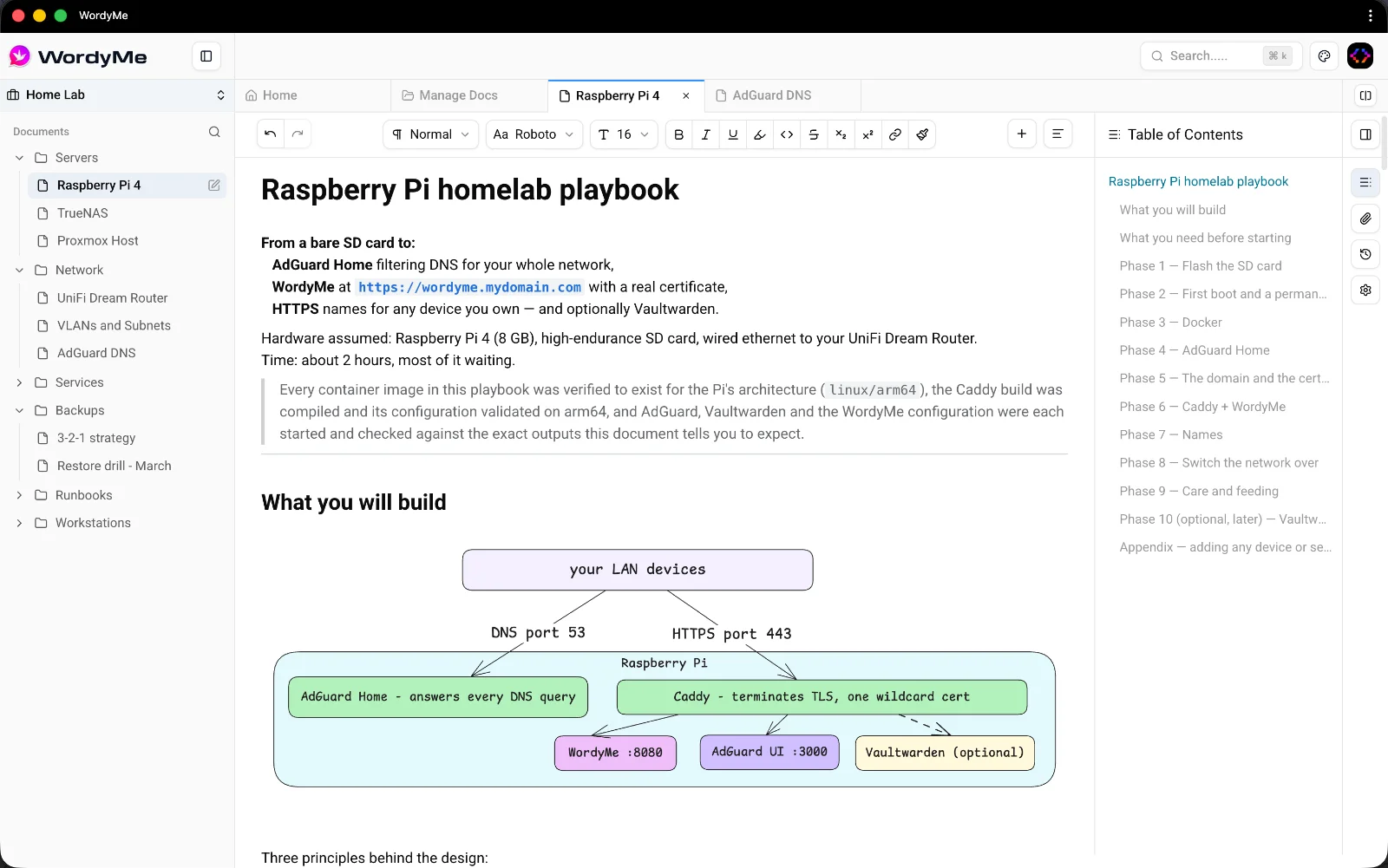
WordyMe™ is a lightweight self-hosted personal wiki and note-taking app. Rich editor, one Docker container, runs anywhere — even a Raspberry Pi. Documents are organized into spaces, with diagram and math support, revision history and real-time updates.
🏛 Open Core & Mission
WordyMe™ is built and maintained by TeamCoderz Ltd with a mission to keep powerful, private tools in the hands of the people who use them.
The Core: This repository contains the open-source core of WordyMe™, licensed under AGPL-3.0.
The Enterprise: We will offer a PRO version for organizations requiring Service Documentation Management, permission control, advanced SSO, audit logs, managed compliance and more. All of this will be available in our next-generation ERP solution: ReactSuite
🚀 Overview
WordyMe™ is a full-stack application built as a monorepo using Turborepo. It consists of a modern React web application and an Express.js backend API, along with shared packages for editor functionality, UI components, and type definitions.
The App
Architecture
Monorepo Structure
This project uses Turborepo for managing a monorepo with the following structure:
Applications
apps/web- Frontend React application built with Viteapps/backend- Backend Express.js API server
Packages
@repo/editor- Rich text editor built with Lexical, supporting diagrams (Mermaid), math (KaTeX), and more@repo/ui- Shared UI component library (shadcn/ui based)@repo/sdk- Client SDK for API communication@repo/types- Shared TypeScript type definitions@repo/lib- Shared utility functions@repo/shared- Shared business logic@repo/eslint-config- Shared ESLint configurations@repo/typescript-config- Shared TypeScript configurations
Technology Stack
Frontend (apps/web)
- React 19 - UI library
- Vite - Build tool and dev server (using Rolldown)
- TanStack Router - Type-safe file-based routing
- TanStack Query - Data fetching and state management
- Zustand - Global state management
- Tailwind CSS - Utility-first CSS framework
- Lexical - Rich text editor framework
- Mermaid - Diagram rendering
- KaTeX - Math rendering
- PWA Support - Progressive Web App capabilities
Backend (apps/backend)
- Express.js - Web framework
- Better Auth - Authentication system
- Drizzle ORM - Type-safe database ORM
- libSQL (SQLite) - Embedded database
- Socket.io - Real-time communication
- Zod - Schema validation
Development Tools
- TypeScript - Type safety across the entire codebase
- ESLint - Code linting
- Prettier - Code formatting
- Turborepo - Monorepo build system
- pnpm - Package manager
Key Features
Document Management
- Create, edit, and organize documents in a hierarchical structure
- Support for different document types (notes, spaces, containers)
- Document versioning with revision history
- Document favorites and recent views
- Search and filtering capabilities
Rich Text Editor
- WYSIWYG editing with Lexical
- Support for markdown
- Math equations with KaTeX
- Diagrams with Mermaid (flowcharts, sequence diagrams, class diagrams, etc.)
- Code blocks with syntax highlighting
- Image support with cropping and optimization
Spaces & Organization
- Organize documents into spaces
- Hierarchical document structure
- Favorite spaces and documents
- Recent activity tracking
User Features
- User authentication and authorization
- User profiles with avatar and cover images
- Editor settings and preferences
- Real-time updates via WebSocket
- MCP server for Claude Code and Claude Desktop — see MCP.md
Performance
- Code splitting and lazy loading
- Optimized bundle sizes
- PWA support for offline capabilities
- Efficient caching strategies
Project Structure
WordyMe/
├── apps/
│   ├── backend/          # Express.js API server
│   │   ├── src/
│   │   │   ├── routes/   # API route handlers
│   │   │   ├── services/ # Business logic
│   │   │   ├── models/   # Database models
│   │   │   ├── schemas/  # Zod validation schemas
│   │   │   └── lib/      # Core libraries (auth, db, socket)
│   │   └── storage/      # File storage and database
│   └── web/             # React frontend application
│       ├── src/
│       │   ├── components/  # React components
│       │   ├── routes/      # TanStack Router routes
│       │   ├── queries/     # TanStack Query hooks
│       │   ├── store/       # Zustand stores
│       │   └── utils/       # Utility functions
│       └── public/          # Static assets
├── packages/
│   ├── editor/          # Lexical-based rich text editor
│   ├── ui/              # Shared UI components
│   ├── sdk/             # API client SDK
│   ├── types/           # TypeScript type definitions
│   ├── lib/             # Shared utilities
│   └── shared/          # Shared business logic
└── turbo.json           # Turborepo configuration
Running with Docker
WordyMe™ can be run using Docker and Docker Compose for easy deployment. See DOCKER.md for complete Docker documentation, including:
- Quick start guide
- Upgrading from an earlier version
- Common commands
- Data persistence and backups
- Troubleshooting
- Production considerations
Quick Start:
cp .env.example .env
echo "BETTER_AUTH_SECRET=$(openssl rand -base64 32)" >> .env
docker compose up -d
BETTER_AUTH_SECRET has no default and Compose refuses to start without it, so
the first two steps are required rather than optional.
The application will be available at http://localhost:8080 — one container
serves the web app and the API from the same origin, so there is no separate
frontend URL. The API reference is at http://localhost:8080/api/docs.
Already running an older version? Ports and origins changed; see
Upgrading.
Connect Claude (MCP)
WordyMe™ ships an MCP server, so Claude Code and Claude Desktop can search your wiki, read
any page and write notes — in Markdown, as your own account, with every content change
saved as a restorable revision. See MCP.md for the three-step setup and what it
can do.
Development Workflow
Prerequisites
- Node.js >= 22
- pnpm 10.33.0 (specified in
packageManagerfield)
Available Scripts
From the root directory:
pnpm dev- Start all apps in development modepnpm build- Build all apps and packagespnpm lint- Lint all packagespnpm lint:md- Lint Markdown documentationpnpm format- Format code with Prettierpnpm check-types- Type-check all packagespnpm start- Start all apps in production mode
Running Specific Packages
You can run commands for specific packages using Turborepo filters:
# Run only the web app
pnpm dev --filter=web

# Run only the backend
pnpm dev --filter=@repo/backend

# Build only the web app
pnpm build --filter=web
Build System
This project uses Turborepo for:
- Parallel execution - Run tasks across packages in parallel
- Caching - Intelligent caching of build outputs
- Task dependencies - Automatic dependency resolution
- Remote caching - Share build caches across team and CI/CD
Remote Caching
Turborepo supports remote caching with Vercel (free for all plans). To enable:
# Authenticate with Vercel
pnpm exec turbo login

# Link your repository
pnpm exec turbo link
Code Quality
TypeScript
All packages use TypeScript with strict type checking. Type definitions are shared through @repo/types.
Linting
ESLint is configured across all packages with shared configurations in @repo/eslint-config.
Formatting
Prettier is used for consistent code formatting. A pre-commit hook (via Lefthook) ensures code is formatted before commits.
Database
The backend uses libSQL (SQLite-compatible) for data storage. The database file is stored in apps/backend/storage/local.db by default.
Migrations
Database migrations are managed with Drizzle Kit. Run migrations with:
cd apps/backend
pnpm drizzle-kit generate
pnpm drizzle-kit migrate
API Documentation
The backend API includes OpenAPI documentation. When running the backend, visit /api/docs for the interactive API reference, or /api/docs/openapi.json for the raw OpenAPI schema.
Contributing
- Ensure all dependencies are installed:
pnpm install - Run type checking:
pnpm check-types - Run linting:
pnpm lint - Format code:
pnpm format - Run tests:
pnpm test(where applicable)
Useful Links
License
Yorumlar (0)
Yorum birakmak icin giris yap.
Yorum birakSonuc bulunamadi