lattice
Health Pass
- License — License: MIT
- Description — Repository has a description
- Active repo — Last push 0 days ago
- Community trust — 135 GitHub stars
Code Pass
- Code scan — Scanned 12 files during light audit, no dangerous patterns found
Permissions Pass
- Permissions — No dangerous permissions requested
No AI report is available for this listing yet.
Install engineering discipline into any AI coding assistant. Composable skills for design, implementation, review, and team standards. Better process, not just better prompts.
Lattice
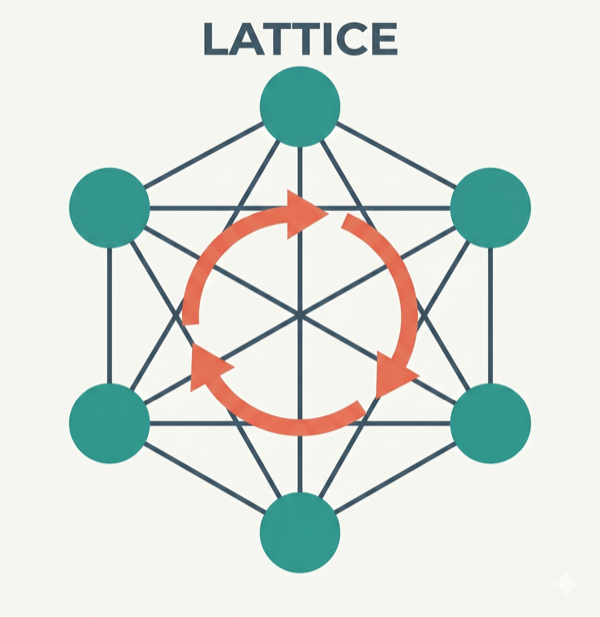
Composable AI skills that teach assistants structured thinking — design-first, context-aware, and architecture-guided.





What is Lattice?
AI coding assistants jump straight to code, silently make design decisions, forget constraints mid-conversation, and produce output nobody reviewed against real standards. Lattice fixes this with composable skills in three tiers — atoms, molecules, refiners — that embed battle-tested engineering disciplines plus a living context layer that accumulates your project's standards, decisions, and review insights across every feature cycle.
Three principles guided Lattice's design:
- Skills over prompts — versioned, team-owned skill files in the repository beat personal prompts on one developer's machine
- Composability over monoliths — small single-purpose skills that combine into workflows beat one instruction document that tries to cover everything
- Living context over static config — the
.lattice/folder grows smarter with every feature cycle rather than being configured once and forgotten
The Three Tiers
| Tier | Purpose |
|---|---|
| Atoms | Single-principle guardrails — clean code, architecture, DDD, secure coding, test quality, design-first, and more |
| Molecules | Multi-step workflows that compose atoms — design, implement, refactor, fix, review |
| Refiners | Guided interviews that produce project-specific standards, customizing how atoms behave for your team |
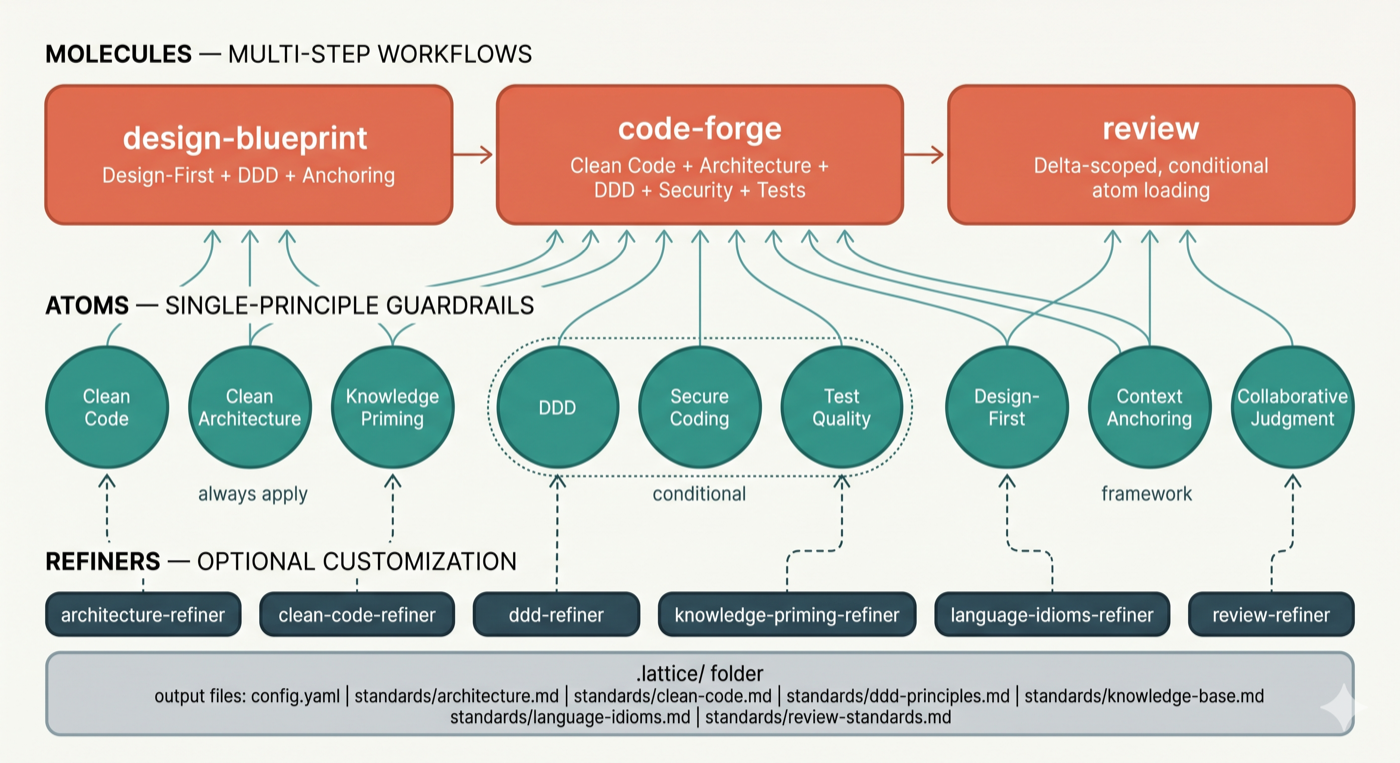
See How It Works for the full skill inventory and mechanics.
The Pipeline
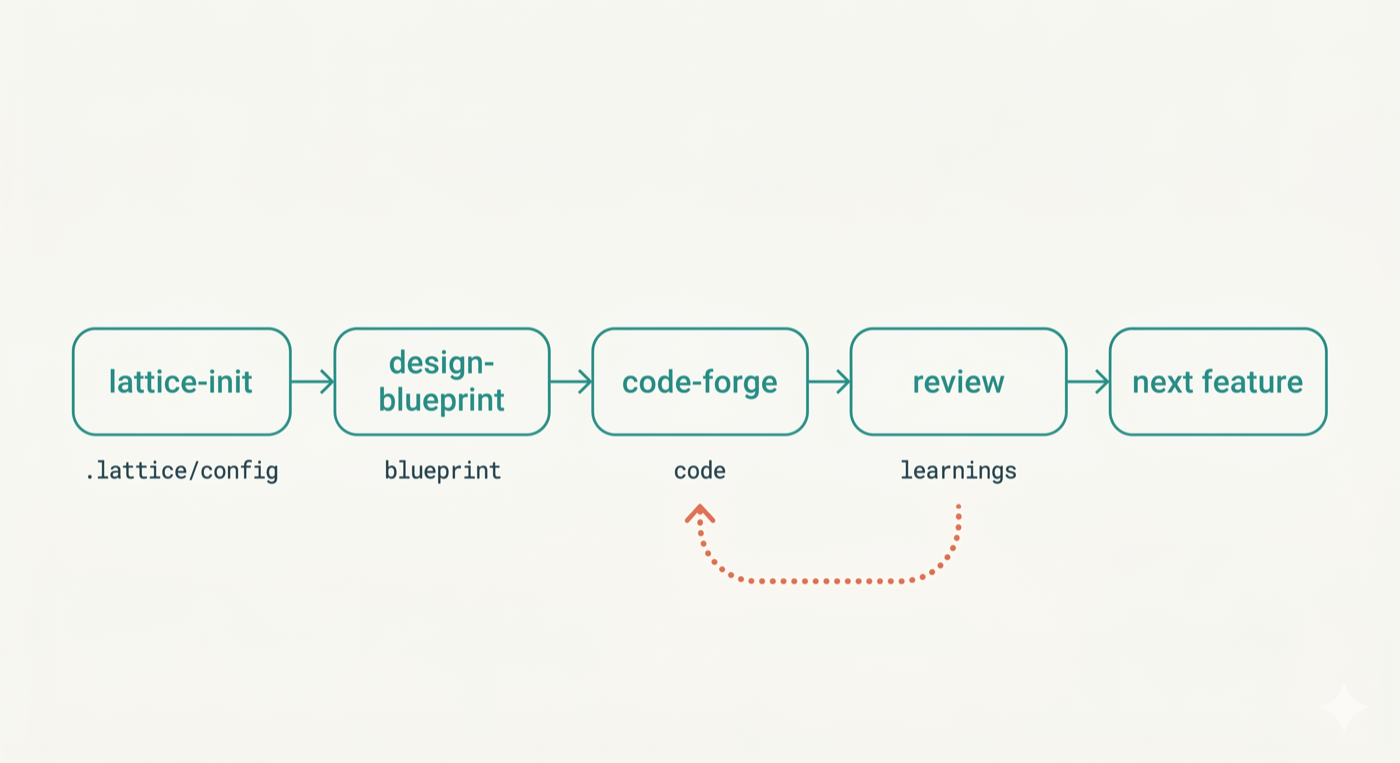
Skills form a delivery lifecycle: requirement-forge → design-blueprint → code-forge → review, with refactor-safely and bug-fix covering structural and defect-driven work. requirement-forge starts the pipeline — it acts as a senior PM + BA pair to produce structured feature specs in .lattice/requirements/ that feed directly into design-blueprint. For teams with existing codebases, architecture-compass sits before the pipeline — it scans the repository, runs a structured interview, and produces an agreed architectural direction that orients the team before any code changes begin. Each stage consumes and produces artifacts in .lattice/, growing the living context layer.
Getting Started
Install Lattice — choose the path that fits your setup:
Option A — Claude Code plugin (also works in Cursor — reads Claude Code skills automatically)
/plugins marketplace add techygarg/lattice
/plugins install lattice
/reload-plugins
Option B — Codex-compatible plugin package
codex plugin marketplace add techygarg/lattice
codex plugin add lattice@lattice
codex plugin list | rg -i lattice
The Codex plugin package lives in
plugins/lattice/and is registered by.agents/plugins/marketplace.json. It contains the same 26 skills flattened for Codex discovery.This duplication currently to support codex. In future, we may find a better approach as tools evolves.
Option C — Clone and install locally (any AI tool)
git clone https://github.com/techygarg/lattice.git
cd lattice
./tools/install.sh /absolute/path/to/your/skills/folder
Pass the skills directory for your tool:
~/.claude/skills/for Claude Code,.cursor/skills/for Cursor, or any tool's skills folder.Try it immediately. The repo includes
sample/— a realistic .NET 8 User Service spec with requirements, domain concepts, and constraints already written. Copy thesample/folder contents into any empty directory and follow the steps below.Run
/lattice-initin your AI tool's chat — scans the project, suggests refiners in priority order, creates.lattice/config.yaml. All skill commands (/lattice-init,/requirement-forge,/design-blueprint,/code-forge, etc.) are typed in the AI chat, not the terminal.Spec (optional but recommended) —
/requirement-forgeacts as a senior PM + BA pair to define epics and feature specs before any design begins. Accepts existing PRDs, feature lists, or a verbal description. Produces.lattice/requirements/as direct input to design-blueprint.Design —
/design-blueprintwalks through five progressive design levels before any code is written.Implement —
/code-forgegenerates implementation from the approved blueprint, applying all quality atoms.Review —
/reviewaudits the change and persists insights into.lattice/for the next cycle.
Learn More
- Origin Story — why Lattice exists, how five collaboration patterns became an installable framework, and the design philosophy behind it
- How It Works — full skill inventory, composability mechanics, atoms/molecules/refiners in depth, the pipeline
- Practical Guide — scenario-driven Q&A: getting started, customization, workflow, transformation, team usage, troubleshooting
- Architecture Compass — the architectural thinking partner: why it exists, what to expect, and how a session works
- Configuration Reference — every
.lattice/config.yamlkey documented - Framework Intelligence — verification passes, feedback loops, AI compliance techniques
- Collaborative Judgment — why AI should ask on genuine judgment calls or missing/conflicting facts and how it works at runtime
- The Article Series — the five collaboration patterns Lattice operationalizes (martinfowler.com)
Dev Skills
Helper skills for creating and maintaining Lattice itself — see dev-skills/.
Star History
StarMapper
License
MIT
Reviews (0)
Sign in to leave a review.
Leave a reviewNo results found