local-transcriber
Health Gecti
- License — License: MIT
- Description — Repository has a description
- Active repo — Last push 0 days ago
- Community trust — 10 GitHub stars
Code Basarisiz
- rm -rf — Recursive force deletion command in app/build-app.sh
- rm -rf — Recursive force deletion command in app/l10n-check.sh
- rm -rf — Recursive force deletion command in app/make-icon.sh
- rm -rf — Recursive force deletion command in installer/install.sh
- rm -rf — Recursive force deletion command in installer/uninstall.sh
- rm -rf — Recursive force deletion command in scripts/check.sh
- rm -rf — Recursive force deletion command in scripts/make-release.sh
Permissions Gecti
- Permissions — No dangerous permissions requested
Bu listing icin henuz AI raporu yok.
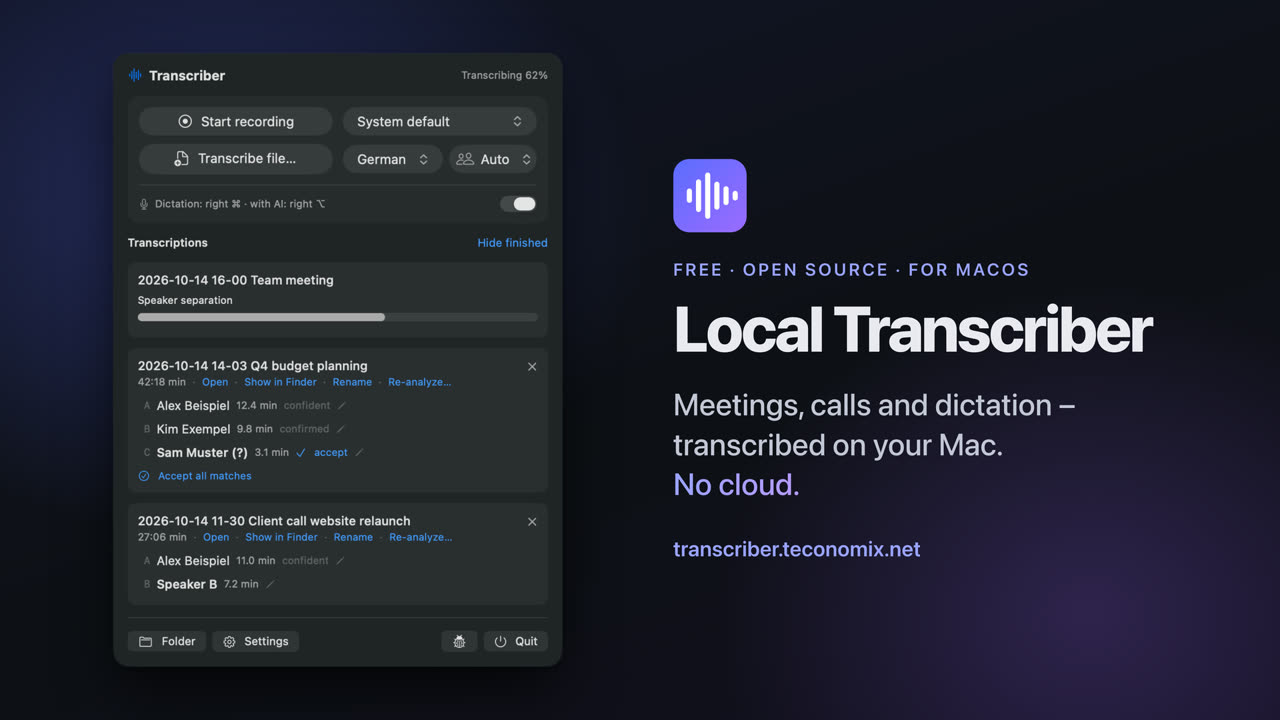
Transcribe meetings, calls and dictation locally on your Mac – with speaker recognition, no cloud. Whisper + pyannote, menu bar app. German and English.
Local Transcriber
Meetings, calls and dictation – transcribed on your Mac. No cloud.
Deutsch: docs/de/README.md
Local Transcriber (“Transcriber” for short in the menu bar) is a small menu bar tool for macOS: it records
conversations, transcribes them, recognizes who spoke, and lets you dictate anywhere at the press of a key. Everything
runs locally on the Mac – no account, no subscription, no license server, no audio leaving the computer.
curl -fsSL https://transcriber.teconomix.net/k/github/install.sh | bash
Or with Homebrew: brew install --cask teconomix/tap/local-transcriber. Questions: Discussions.
What it does
- Record meetings – one click; microphone and system audio (the others in the call) as separate tracks.
- Transcribe – Whisper large-v3-turbo on the Apple Silicon GPU (MLX): one hour of audio including speaker recognition in about three to four minutes.
- Recognize speakers – pyannote with a learning voice database; name someone once, and they are recognized next time.
- Video calls – detects Teams, Zoom, Meet & co., offers to record and stops the recording when the call ends.
- Calendar – event title as file name, attendees as suggestions when naming speakers.
- Dictation everywhere – hold a key, speak, release: the text appears at the cursor in any app.
- Local AI (macOS 26) – dictation cleanup, meaningful file names – with Apple Intelligence on the device.
- For power users – folder watcher, plain text or Markdown, JSON, SRT, glossary, command line, MCP server for AI agents.
In detail: docs/FEATURES.md · Usage: docs/USER_GUIDE.md ·
Installation: docs/INSTALLATION.md · Privacy: docs/PRIVACY.md
Requirements
Mac with Apple Silicon (M1 or newer), macOS 14 Sonoma or newer (AI features: macOS 26 with Apple Intelligence),
about 8 GB of free disk space, 16 GB of memory recommended. Internet only for installation.
Structure
| Part | Location | Technology |
|---|---|---|
| Menu bar app | app/ |
Swift/SwiftUI, AVFoundation, Core Audio process tap, EventKit, Foundation Models, Vision |
| Core | transcriber/ |
Python: mlx-whisper, pyannote.audio, ffmpeg, SQLite (voice database) |
| Command line / MCP | transcriber/cli.py, transcriber/mcp_server.py |
transcriber transcribe …, MCP tools |
| Installer | installer/ |
install.sh, uninstall.sh |
| Release | scripts/make-release.sh |
builds dist/<version>/ |
| Website | website/ |
static |
Building it yourself: see docs/DEVELOPMENT.md.
Legal
Free software under the MIT License – without any warranty. The models and libraries used keep their
own licenses: THIRD_PARTY_NOTICES.md.
Recordings: You are responsible for obtaining the consent of everyone involved. Secretly recording conversations is
illegal in many countries.
Yorumlar (0)
Yorum birakmak icin giris yap.
Yorum birakSonuc bulunamadi