tetriz-harness
Health Uyari
- License — License: MIT
- Description — Repository has a description
- Active repo — Last push 0 days ago
- Low visibility — Only 6 GitHub stars
Code Basarisiz
- fs module — File system access in agent/package.json
- spawnSync — Synchronous process spawning in agent/scripts/build-fs-helper.mjs
- process.env — Environment variable access in agent/scripts/build-fs-helper.mjs
- spawnSync — Synchronous process spawning in agent/scripts/run-tests.mjs
- exec() — Shell command execution in agent/src/cli/main.ts
- process.env — Environment variable access in agent/src/cli/main.ts
- spawnSync — Synchronous process spawning in agent/src/cli/service.ts
- process.env — Environment variable access in agent/src/cli/service.ts
- spawnSync — Synchronous process spawning in agent/src/engine/anchoredFs.ts
Permissions Gecti
- Permissions — No dangerous permissions requested
Bu listing icin henuz AI raporu yok.
Recommend AI coding harness changes from repository context and coding signals, then distribute approved rules, skills, hooks and agents to selected people or teams. Pair with Agent Desk through your ingestion adapter; use audience targeting for manual test/control rollouts.
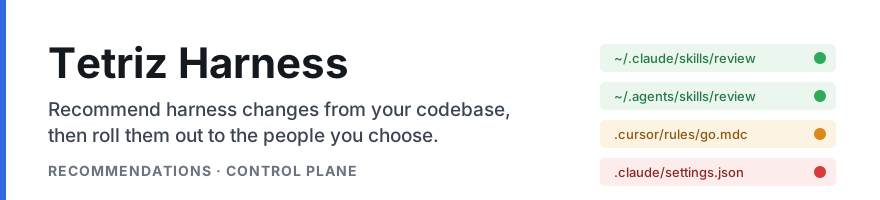
Recommend improvements to the harness that guides your AI coding agents, using the repository it works in and your team's coding signals. Review the recommendations, then use the control plane to distribute selected changes to developers, teams or a test group.
A harness is the set of rules, skills, agents, commands, hooks and MCP config that steers a coding agent such as Claude Code, Codex, Cursor or Kiro.




The recommendations quick start has the commands and a text version of the scan's output.
Recommend changes in the context of your codebase
Harness Recommendations helps you decide what to change in the instructions and tools your coding agents use.
- Find problems in the existing harness. The DETECTED scan checks committed harness files against the repository's file paths and configuration. It reports conflicts, references to missing files, patterns matching no files and over-broad permissions, with evidence and detector coverage.
- Recommend missing artifacts. The DERIVED engine uses your organization's session analyses, code-review themes and security signals to propose new rules, agents and hooks. This path needs populated signal tables and the bundled
tetriz-pyservice with your model key. - Use harness activity as evidence. The full engine also consumes observed personal harness inventory and invocation records for usage-informed checks. These inputs come from your ingestion layer; the on-disk scan cannot infer them from a checkout.
The engine persists findings and recommendations. You choose which to adopt; publishing a recommendation to the control plane is an explicit integration step.
Start with the recommendations guide, runnable examples or the Go entry points ondisk.Read, ondisk.Scan, HarnessImproveEngine and Engine.
Pair it with Agent Desk
Agent Desk provides two complementary inputs through its standalone packages:
- harness-discovery inventories the agent files on a machine and in its repositories, including their tool, scope, source path and content hash.
- local-session-extractor extracts local coding sessions and observed session events. Where the source records them, events identify skill and hook calls; exported conversations can also be analyzed with Session Intelligence to produce richer coding signals.
You can use these inputs to populate the inventory, usage and session-signal data that Harness Recommendations reads. The integration needs an adapter: this repository does not import Agent Desk's JSON or SQLite store directly, and an inventory entry does not prove that an artifact was invoked.
Pairing with Agent Desk describes the input contracts, identity mappings and coverage limits.
Roll out selected changes with the control plane
Harness Control Plane distributes the artifacts you approve and reports what each targeted person has installed. It includes a Go server library, a reference host with an admin UI, and the harness-agent CLI and Node library.
Target an artifact at named people, teams or the whole organization. Place it in a tool's user configuration or the known checkouts of a repository, update the content, and inspect per-person installation status.

The control plane quick start reproduces this task with a temporary home directory and includes its text output.
Run a test/control rollout
Use audience targeting to deliver a change to a test group while leaving a separate control group untargeted. You select the people or teams and measure the outcomes in your own analysis system.
- Establish the baseline harness and choose disjoint test and control groups. For fixed cohorts, target explicit person IDs; team membership is resolved dynamically.
- Publish the selected artifact and target only the test group, using the admin UI or
AdminService.SetTargets. - Check installation status before comparing coding outcomes over the same observation window. The control plane reports delivery state; your session and review analysis supplies the outcome measures.
- Expand the audience if you adopt the change, or remove its targets to withdraw it. Agents need successful syncs to observe withdrawal; a completely empty desired set must be observed twice before removal. An enforcement deadline freezes files rather than uninstalling them.
This supports a manually managed test/control rollout. It does not randomize cohorts, calculate experiment results or restore an earlier harness version automatically. An untargeted person can still have equivalent files from another source, so verify the baseline rather than assuming an empty control.
See the control plane guide, targeting API and Go host example.
Getting started
| To | You need | Start at |
|---|---|---|
| Inspect the harness inventory without a database or model | Go 1.26+ | Read the sample harness |
| Scan a repository's harness for problems | Go 1.26+, Postgres; Docker can provide a throwaway database | Recommendations quick start |
| Recommend new artifacts from your team's signals | Populated signal tables, tetriz-py, uv and a Gemini API key |
DERIVED recommendations |
| Feed local inventory and session evidence into the engine | Agent Desk's packages and your ingestion adapter | Pairing with Agent Desk |
| Try distribution and audience targeting | git, Go toolchain selection, Node 22+, pnpm 10, Docker with Compose, curl, jq | Control plane quick start |
| Mount the control plane in your own Go server | Go 1.26+, Postgres 15+ | Using it as a Go library |
The on-disk recommendations scan makes no model call, but persists its findings to Postgres. The recommendations engine and the control plane are independent components; you can use either on its own.
What is in the repository
| Path | Language | What it is |
|---|---|---|
recommendations/ |
Go | The recommendations engine, on-disk scanner and CLI |
tetriz-py/ |
Python | The HTTP service backing the recommendation passes that call an LLM |
server/, cmd/harnessctl-server/, pkg/ |
Go | The control plane library and reference host |
web/ |
TypeScript (React) | The admin UI, compiled into the reference host |
agent/ |
TypeScript (Node) | The distribution agent, as a CLI and an embeddable library |
proto/, gen/ |
Protobuf | API contracts and generated Go and TypeScript bindings |
examples/ |
Go | A runnable host that mounts the control plane library |
Project
Versioning and releases
Everything ships as source. There are no prebuilt binaries and no published packages. Build each component from a clone with the commands in its guide; Go programs import github.com/tetriz-ai/tetriz-harness.
This is v0.1.0, a pre-1.0 source release. CHANGELOG.md records the changes. Any minor version can change the API, the agent library and the CLI flags. Background-service installation supports macOS and Linux; check the component guides for setup and operating limits.
Validation
Maintainers run the checks in CONTRIBUTING.md locally and create source releases manually. There is no hosted CI workflow in this repository. Database suites, examples and container acceptance are explicit release checks.
The repository is private. Clone and release links require repository access; public module documentation is not indexed. From a clone, use go doc ./recommendations and go doc ./server for the Go APIs.
What it reads, writes and sends
recommendations scanreads the directory you provide and writes findings to your Postgres. It calls no model.tetriz-pysends prompts to Gemini with your API key. It is the only component that calls a model.harnessctl-serverkeeps artifact definitions in Postgres and file bodies in a directory or an S3 bucket. It calls no other service.harness-agentwrites the targeted harness files under~/.claude,~/.codex,~/.agents,~/.cursor,~/.kiroand known repository checkouts. It adds hook entries to tool settings and lists repo-local files in each checkout's Git exclude file. It keeps its state in~/.config/harness-agent.
To discover checkouts, the agent reads working directories recorded in Claude Code and Codex session files; --no-discover turns this off. Each pass sends the server known owner/repo names and the paths and SHA-256 hashes of managed files, without their contents. The agent talks to the server and, when configured, the S3 body store.
Agent Desk does not upload its inventory or sessions to this engine automatically. Your adapter controls what leaves a machine, and session exports can contain personal metadata; review them before ingestion.
Each component guide has a "Before you rely on it" section with its limits.
Contributing, security and license
- We accept issues and pull requests. See CONTRIBUTING.md; CONTRIBUTORS.md lists the people who have contributed.
- Report a security vulnerability privately; see SECURITY.md. Do not report it in a public issue.
- The project uses the MIT License. Copyright 2026 Workloom Solutions Private Limited.
Yorumlar (0)
Yorum birakmak icin giris yap.
Yorum birakSonuc bulunamadi