yolanda-skills
skill
Fail
Health Warn
- No license — Repository has no license file
- Description — Repository has a description
- Active repo — Last push 0 days ago
- Low visibility — Only 5 GitHub stars
Code Fail
- execSync — Synchronous shell command execution in skills/yo-utils-url/scripts/postprocess.ts
- process.env — Environment variable access in skills/yo-utils-url/scripts/postprocess.ts
- execSync — Synchronous shell command execution in skills/yo-utils-url/scripts/preflight.ts
- process.env — Environment variable access in skills/yo-utils-url/scripts/preflight.ts
Permissions Pass
- Permissions — No dangerous permissions requested
No AI report is available for this listing yet.
Yolanda Daily Skill, eg: obsidian llm wiki management, common coding skill.
README.md
Yolanda Skills
个人日常在使用的 Skills 合集,覆盖代码审查、知识库管理、内容采集等场景。支持 Claude Code / Codex / Hermes 等 Agent。组合应用
Obsidian 知识库
使用 skill: yo-utils-url 采集 + yo-learn-wiki 知识库整理
效果展示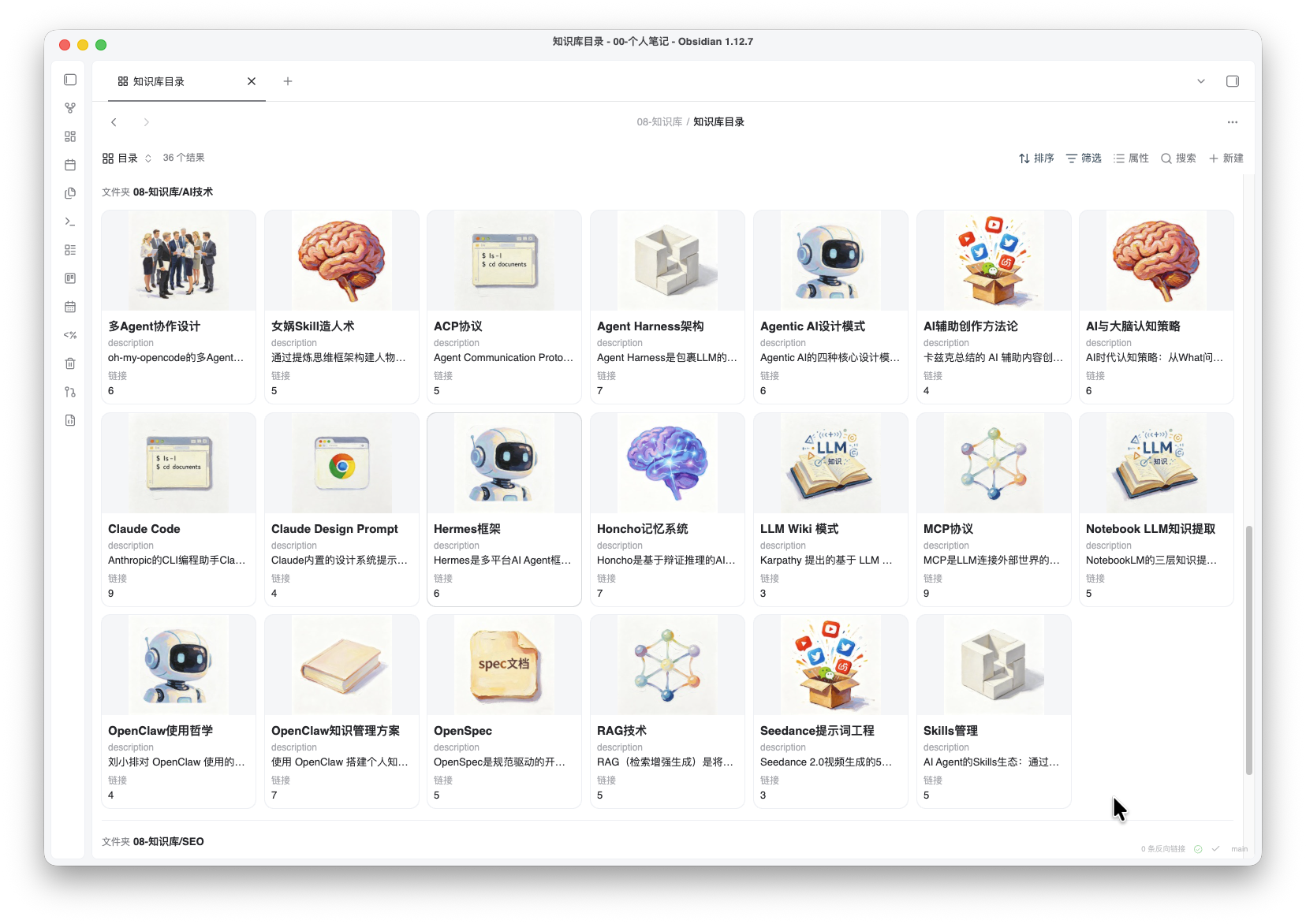
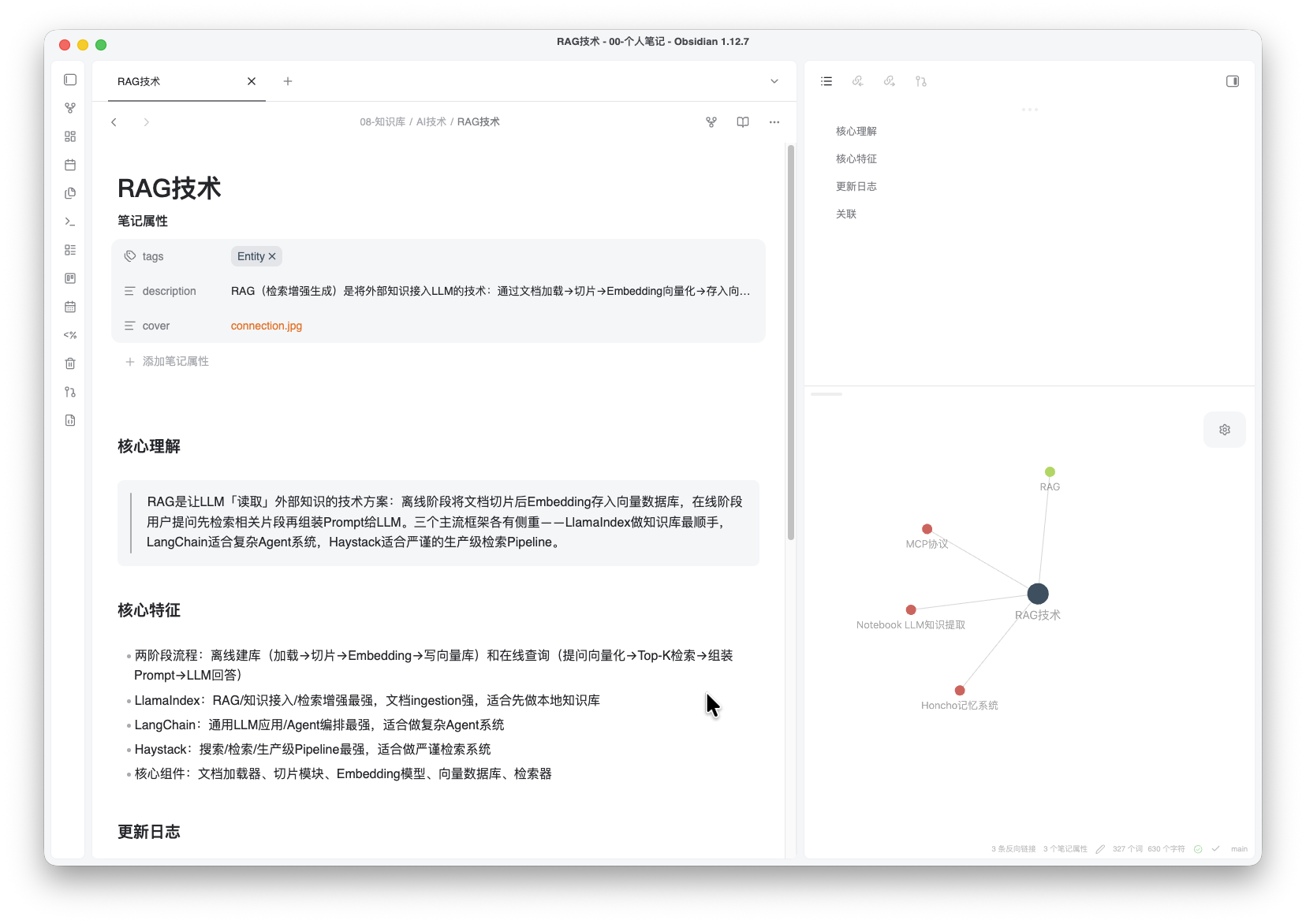
SKILL目录
| Skill | 类型 | 说明 | 依赖环境 |
|---|---|---|---|
| yo-learn-wiki | Learn | 基于 Obsidian 的人类可读的知识库,自动生成基于 Obsidian base数据库的可视化知识库目录 | bun, obsidian cli, chrome |
| yo-utils-url | Utils | 提取 URL 内容保存到 Obsidian 中(微信公众号、Twitter/X、YouTube、任意网页) | node, bun @jackwener/opencli |
| yo-code-readme | Code | 创建或更新项目 README.md | - |
| yo-code-simplify | Code | 代码可读性与复杂度审核 | - |
命名规范:yo-<分类>-<功能>
告诉 AI AGENT 快速安装
告诉你的 AI:
安装这些 skill:https://github.com/that-yolanda/yolanda-skills
或指定单个 skill:
帮我安装 https://github.com/that-yolanda/yolanda-skills 里的 yo-utils-url skill
手动安装
yo-utils-url
提取 URL 内容为 Markdown。支持微信公众号、Twitter/X、YouTube、任意网页。自动下载图片/视频等资源,输出为 Obsidian 兼容的 Markdown 文件。
准备环境
- 安装 bun 环境
# mac / linux
curl -fsSL https://bun.sh/install | bash

# windows
powershell -c "irm bun.sh/install.ps1 | iex"
- 确保 Chrome 存在
- 安装 opencli 并配置安装Chrome 的 Browser Bridge 扩展插件 指导 (这步在后续 skill 初次执行时也会引导安装,可选择复用用户 chrome profile 或 创建隔离环境,避免影响用户个人chrome 账号)
# 检查node版本,要求 Node.js >= 21
node --version
# 安装opencli
npm install -g @jackwener/opencli

# 后续升级
npm install -g @jackwener/opencli@latest
安装
npx skills add github:that-yolanda/yolanda-skills --skill yo-utils-url
使用
初次使用
/yo-utils-url 初始化
后续采集
/yo-utils-url https://mp.weixin.qq.com/s/xxxxx
yo-learn-wiki
基于 Obsidian 的人类可读的知识库,自动生成基于 Obsidian base数据库的可视化知识库目录,构建个人知识图谱。
准备环境
# mac / linux
curl -fsSL https://bun.sh/install | bash

# windows
powershell -c "irm bun.sh/install.ps1 | iex"
安装
npx skills add github:that-yolanda/yolanda-skills --skill yo-learn-wiki
使用
/yo-learn-wiki 初始化
整理这篇笔记到知识库:03-文章/AI/某篇文章.md
检查知识库健康状态
yo-code-readme
扫描项目结构、配置文件和源码,生成或更新 README。无额外依赖。
安装
npx skills add github:that-yolanda/yolanda-skills --skill yo-code-readme
使用
帮我生成 README
更新项目 README,重点补充安装步骤
yo-code-simplify
审查代码中的过度设计、冗余抽象和不必要的复杂度,给出简化建议。无额外依赖。
安装
npx skills add github:that-yolanda/yolanda-skills --skill yo-code-simplify
使用
审查 src/utils 目录的代码复杂度
简化这个 PR 中的过度抽象
协议
MIT License
Reviews (0)
Sign in to leave a review.
Leave a reviewNo results found