limberpix
Health Warn
- License — License: MIT
- Description — Repository has a description
- Active repo — Last push 0 days ago
- Low visibility — Only 5 GitHub stars
Code Pass
- Code scan — Scanned 12 files during light audit, no dangerous patterns found
Permissions Pass
- Permissions — No dangerous permissions requested
No AI report is available for this listing yet.
Claude Code skills for pixel-art sprite animation: animate creatures from one drawing and check the motion before anyone sees it
Agent skills for pixel-art sprite animation, for Claude Code and Codex.
Find what an image model's sprite sheet loses from frame to frame, a mouth gone in frames 2 and 9, and draw it
back. Or animate a creature from one drawing and check every loop before anyone sees it.




Fix a generated sheet · In pictures · Try it · Examples · Limits · Install · Docs
Fix a sheet an image model drew
An image model (ChatGPT, SpriteCook, PixelLab, a video model) draws an idle sheet that does not hold the character
from frame to frame: the mouth is gone in two of ten poses, a hat's speck in another. Limberpix finds those losses
and draws them back from the frames that kept them, locally, with no credits spent, and says what it changed.
# 1. what must stay: the drawing's marks (eyes, mouth, studs), numbered on a picture to confirm
python skills/pixel-anim-check/fix_sheet.py sheet.png --ref drawing.png --features --out out --name idle

# 2. name them, mark what comes and goes on purpose (a staff's sparks) as "transient", then fix and check
python skills/pixel-anim-check/fix_sheet.py sheet.png --ref drawing.png --keep out/idle_features.json --fps 8 --out out --name idle
The second run brings the sheet onto the drawing's pixel grid (prepare_sheet.py), draws each kept mark back in
the frames that dropped it (repair_sheet.py: frames that lost nothing stay pixel for pixel), and checks the result
with a contact sheet and a GIF. Look at out/idle_repair.png and play the GIF before using the strip: the check
names what is missing, and whoever plays the loop judges the motion. What is done and what is next:
docs/ROADMAP.md.
What it does, in pictures
1. pixel-animate: pose parts of a drawing
Cut the approved drawing into parts and pose them over the loop. Draw extra keys when a pose needs a new view of a
part, such as the bird's turning head and folded wings. The wolf animation starts from layers prepared by hand.
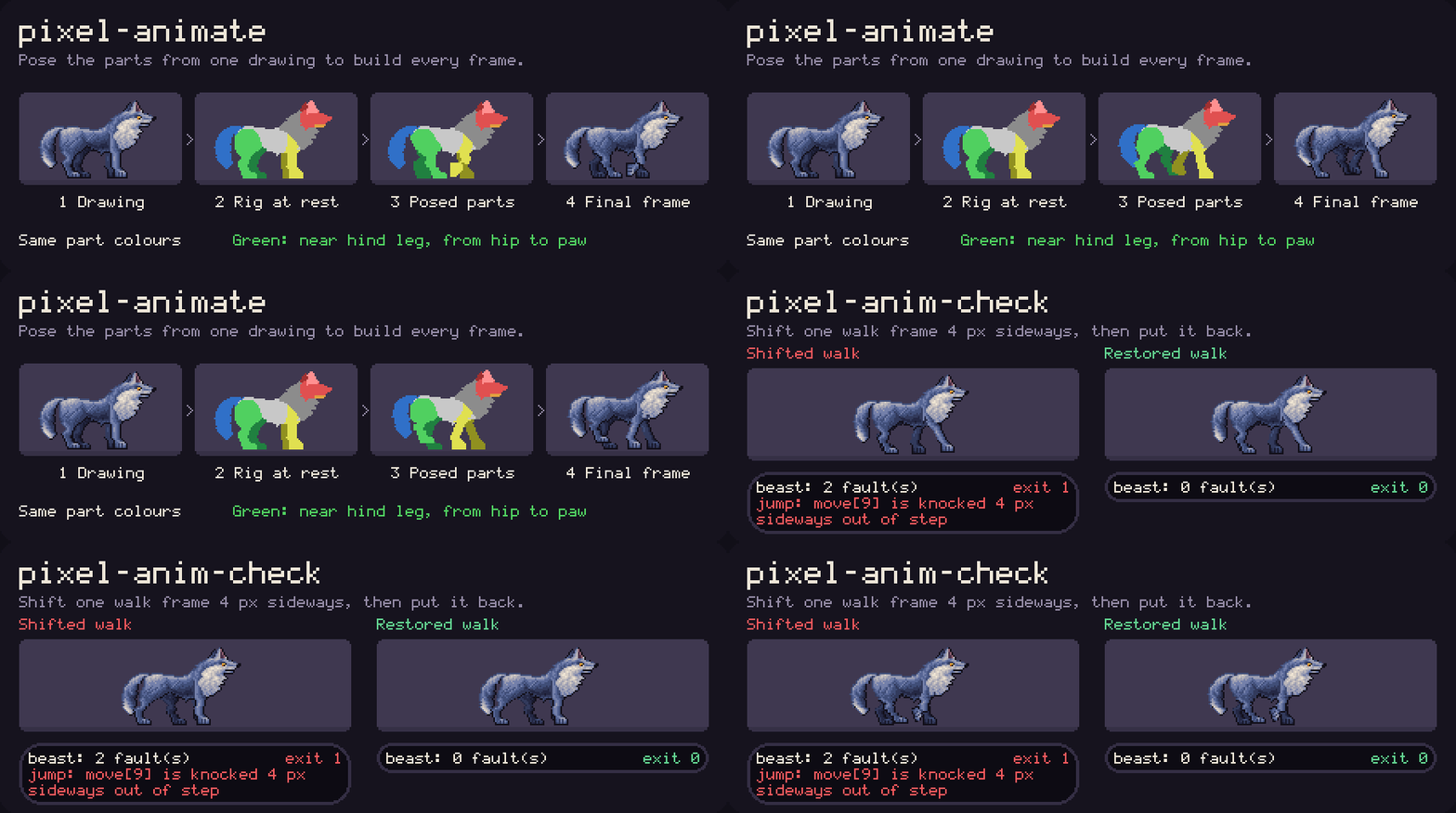
The two middle tiles use the same rig colours. The green shape includes the near hind leg's thigh at the hip.
See the four steps as a still and the
measured cut from body_parts.py. The cut idle example builds a
checked animation from a flat PNG and bone marks using the exported label mask.
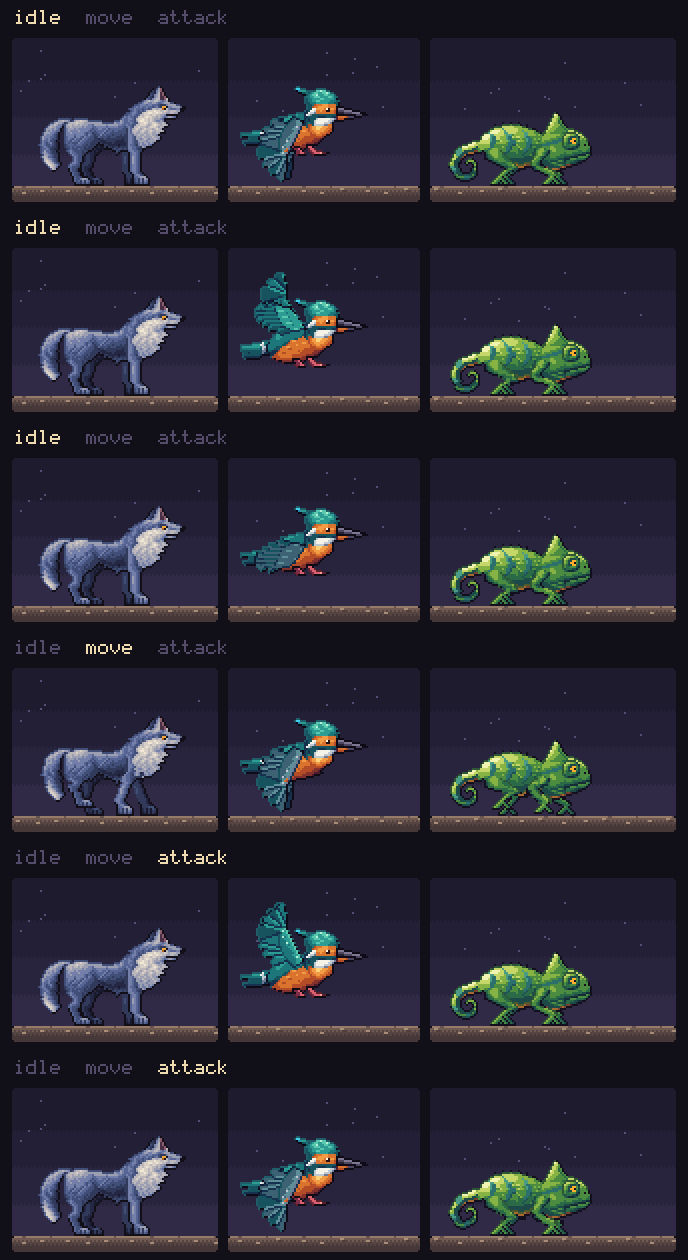
2. Three loops for each creature
Each creature has a layered drawing and an idle, a move and an attack. The bird also uses separately drawn head and
wing poses.
Sources and check options are in examples/showcase/.
| idle | move | attack | |
|---|---|---|---|
| Wolf | 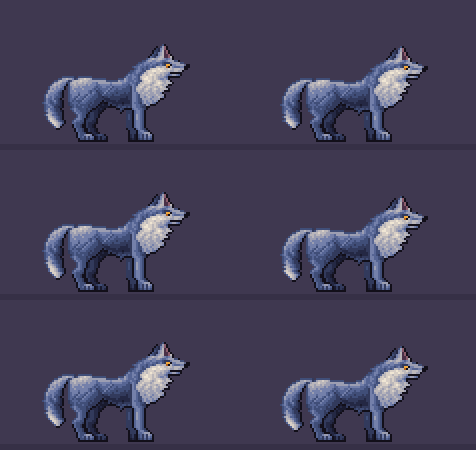 |
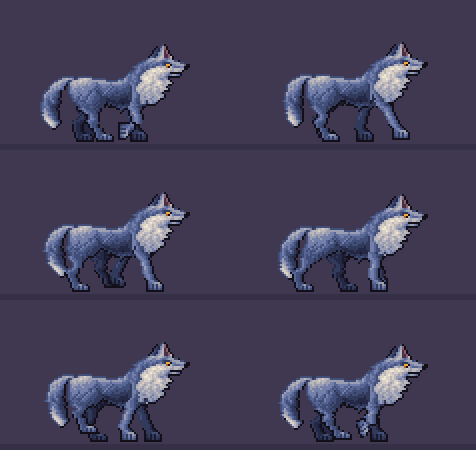 |
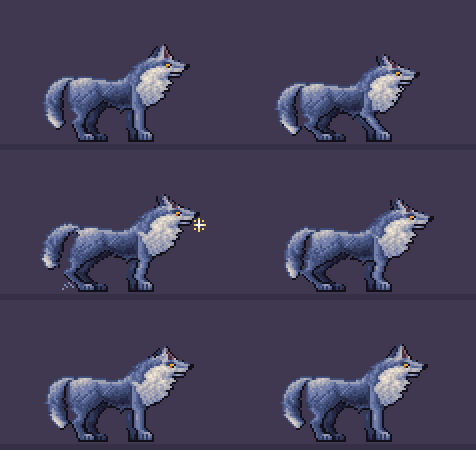 |
| Bird | 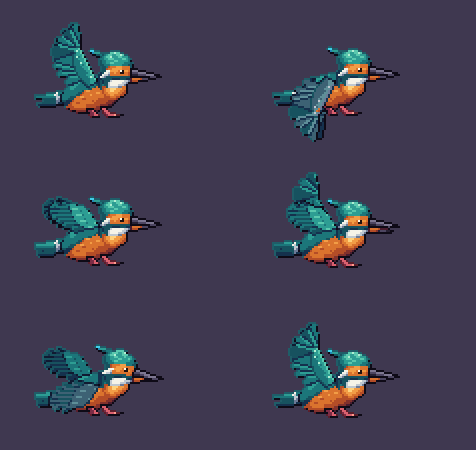 |
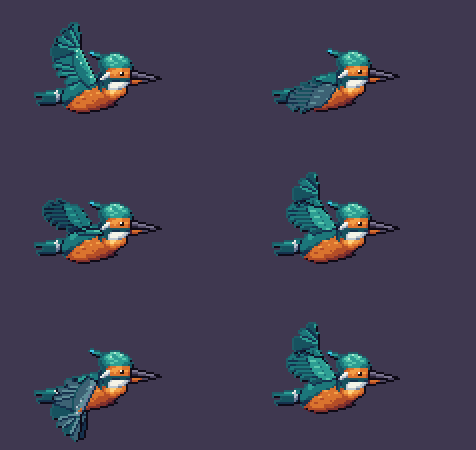 |
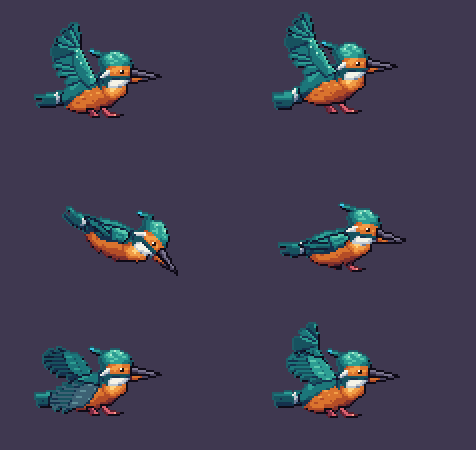 |
| Lizard | 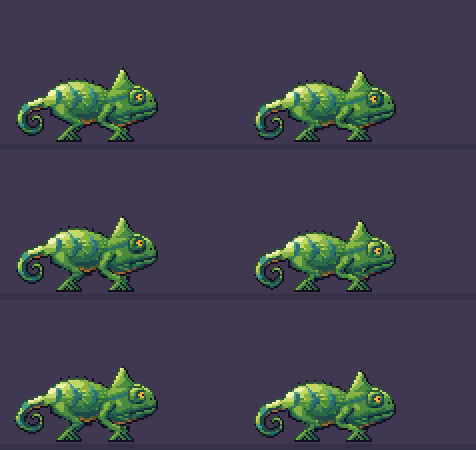 |
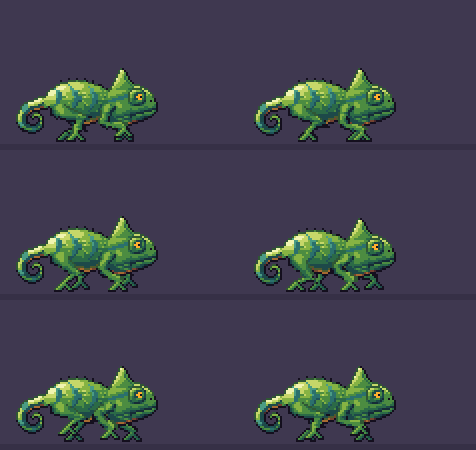 |
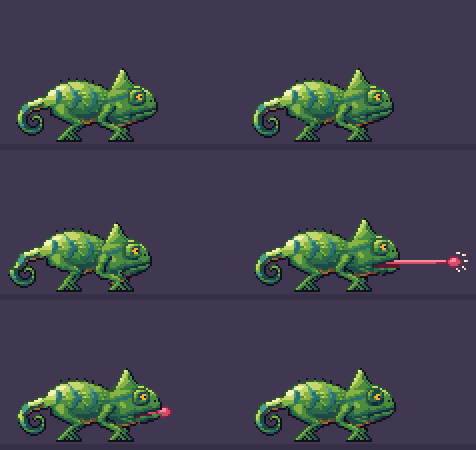 |
3. pixel-anim-check: it names what is broken
Each case below was made by breaking the wolf's own frames, then run through the real check. The line under each pair
is what it printed.
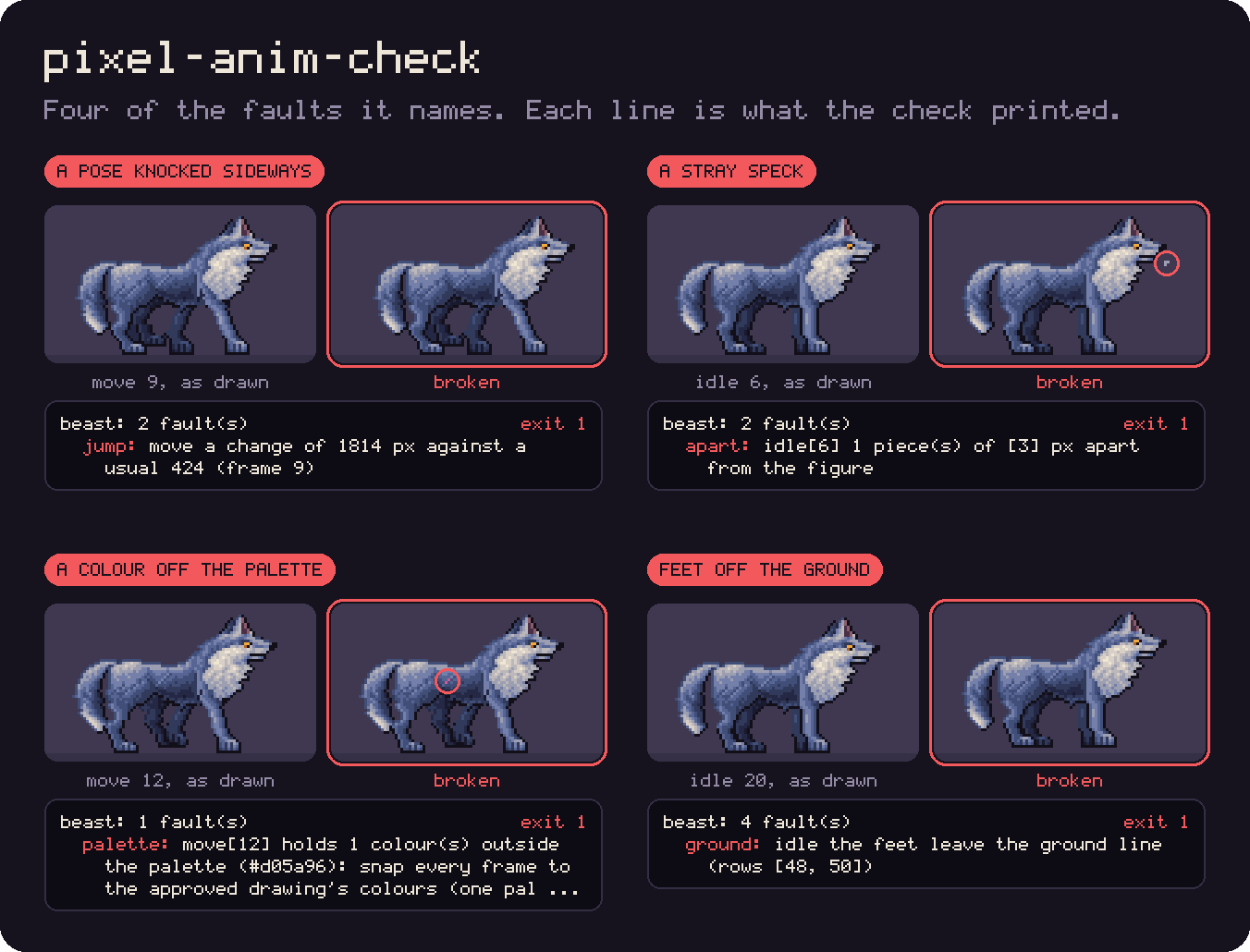
| Group | Faults (the run fails) | Warnings (look at them) |
|---|---|---|
| The drawing | a frame of another size, stray specks, a lost eye, open outlines, colours off the palette, lost marks | orphan pixels, doubled outlines, blends, drift from the approved drawing |
| Standing and moving | feet off the ground, a hop off the contact, a frozen head, a body that never rises in the walk, shallow wing beats | sliding feet, the walk's bob, a head stepping alone, part volume and lag, a torso split in bands |
| Timing | choppy or uneven holds, a dead stop then a burst, 1-px ticks, a pop or a pose knocked sideways, a part that vanishes | a repeated pose at the loop's seam, outline boil |
| Texture and face | shimmer, a redrawn face | |
| Actions | anticipation, strike, recovery, jumps and landings | |
Redrawn frames (--style redrawn) |
a mark gone in some poses, a broken outline, small marks missing | slow and stepped motion, and every other motion check |
Every fault's meaning and its usual fix: skills/pixel-anim-check/SKILL.md.
At a glance
| pixel-animate | pixel-anim-check | |
|---|---|---|
| What it is | A written method, with a part cutter. Not a generator | A measuring script, and how to read what it prints |
| You give it | One approved drawing of a side-view creature | Sprite strips, frame folders or GIFs, and the eye colour |
| You get | An idle, a move and an action posed from the drawing's own pixels | Named faults, a contact sheet and a GIF to look at |
| Scripts | body_parts.py, shrink.py, creature_map.py |
pixel_anim_check.py, prepare_sheet.py, repair_sheet.py |
| Ask the agent | "animate this fox's idle and walk from fox.png" | "check walk.png before I put it in the game" |
Try it
From the repo root, on the files in examples/. Python 3.11+ with NumPy and Pillow
(python -m pip install -r requirements.txt).
# a clean walk: prints "walker: 0 fault(s)", exits 0
python skills/pixel-anim-check/pixel_anim_check.py --loop idle=examples/walker_idle.png --loop move=examples/walker_move.png --frame 34 --eye "#ffcc33" --out out --name walker

# the same walk with one pose knocked sideways: two "jump" faults around frame 8, exits 1
python skills/pixel-anim-check/pixel_anim_check.py --loop idle=examples/walker_idle.png --loop move=examples/broken_move.png --frame 34 --eye "#ffcc33" --out out --name broken

# cut a drawing along its own ink and colour edges; find the files in out/figure_parts_manifest.json
python skills/pixel-animate/body_parts.py examples/figure.png examples/marks.json --out out --name figure
Each check also writes a contact sheet and a GIF to out/.
Examples
| What it is | Where | |
|---|---|---|
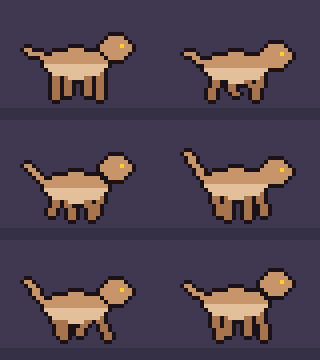 |
Walker and flier. The two small creatures the selftest draws, and one walk broken on purpose. The quick start above runs on them | examples/ |
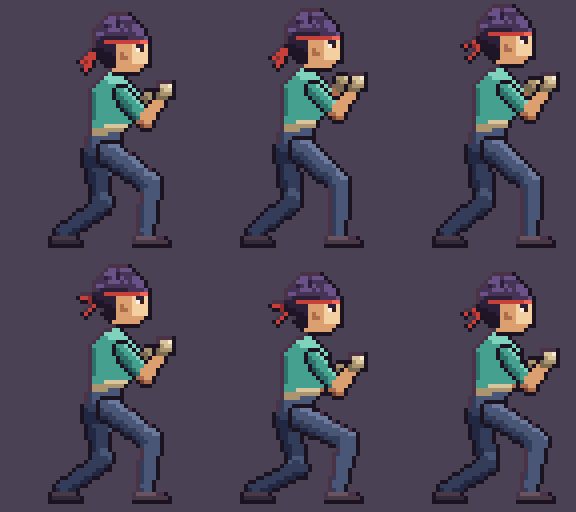 |
Fighter. A two-legged figure drawn at game size and posed there, with its part strip, palette and drawing given to the check | examples/fighter/ |
|
Showcase. The wolf, the bird and the lizard: drawing, bones, rig, three loops each and the full check command | examples/showcase/ |
Every example, with its pictures and the commands that rebuild it: examples/README.md.
What it suits, and what it does not
| It suits | It does not |
|---|---|
| A rigid body with limbs, a tail or wings: the showcase's wolf, bird and lizard | Cloth that changes shape, a body that turns, a pose the drawing does not show |
| Keeping the approved drawing's exact pixels and colours through every frame | Making frames redrawn one by one by hand or by a model look right: it finds and repairs what they lose, not their motion |
| Finding defects a script can find: specks, a lost eye, a part come loose, a colour off the palette | Saying whether the motion is good |
- A cut-out cannot show what the drawing does not show. In a test against a hand-drawn sheet of a cloaked wizard,
16 % of each idle frame's pixels (30 % at the deepest pose) matched no part of the first frame however it was
shifted, and thirteen parts fitted to every frame by pixel difference still left 29-39 % of the pixels wrong at the
deepest poses. Three cut-out versions were judged worse than the hand-drawn loops by the viewer who played them. - 0 faults is not a verdict on the motion. In that test the fault count did not follow the viewer's ranking, and
the hand-drawn idle the viewer accepted gets a fault the rejected cut-out does not. The check finds listed
defects; whoever plays the loop judges it. - The thresholds are fitted, not derived: to a private set of 39 animated creatures judged by one reviewer.
Expect false alarms and misses on styles far from it.
The full list is in docs/usage.md.
Install
Claude Code (plugin):
/plugin marketplace add therwn/limberpix
/plugin install limberpix@limberpix
Codex: ask it to install the two skills from this repo with its skill installer, then start a new turn:
$skill-installer install https://github.com/therwn/limberpix/tree/main/skills/pixel-animate and https://github.com/therwn/limberpix/tree/main/skills/pixel-anim-check
Then call them by name: $pixel-animate, $pixel-anim-check.
Plain skills, any agent: copy skills/* into the agent's skills folder (~/.claude/skills/ for Claude Code,~/.codex/skills/ for Codex, or a project's .claude/skills/). A copy does not update itself: copy again after
every pull, or a session runs the old rules and the old checks.
Command-line tools only: git clone https://github.com/therwn/limberpix, then run the scripts with Python.
Requirements: Python 3.11+ with NumPy and Pillow (python -m pip install -r requirements.txt). The skills run
their scripts with python -I, which does not see a pip install --user: install the two in a virtual environment
or for the whole system (see Troubleshooting).
Docs
| docs/usage.md | Every option, the sample output explained, use from code, limitations, troubleshooting, development |
| examples/README.md | Every example with its pictures and commands |
| pixel-animate/SKILL.md | The method the agent follows, step by step |
| pixel-animate/MOTION.md | The motion rules: steps, cadence, wings, gaits, heads, attacks |
| pixel-anim-check/SKILL.md | Every fault, what it means and its usual fix |
| docs/ROADMAP.md | Where it is going: finding and repairing what generated sheets lose |
| CHANGELOG.md · CONTRIBUTING.md | Changes, and how to change it |
Licence
The software and its documentation are available under the MIT License, copyright (c) 2026 therwn.
The brand usage policy applies to the Limberpix name and the logo artwork.
Reviews (0)
Sign in to leave a review.
Leave a reviewNo results found