crispy
Health Uyari
- License — License: MIT
- Description — Repository has a description
- Active repo — Last push 0 days ago
- Low visibility — Only 6 GitHub stars
Code Basarisiz
- child_process — Shell command execution capability in package.json
- execSync — Synchronous shell command execution in package.json
- rm -rf — Recursive force deletion command in package.json
- fs module — File system access in package.json
- process.env — Environment variable access in scripts/backfill.ts
- spawnSync — Synchronous process spawning in scripts/package-vsix.mjs
Permissions Gecti
- Permissions — No dangerous permissions requested
Bu listing icin henuz AI raporu yok.
A power-user's workbench for multiple Claude Code and Codex instances — VS Code, browser, or Discord on your phone
Crispy
A power-user's workbench for multiple Claude Code and Codex instances at a time — run it in VS Code, in your browser, or from Discord on your phone.





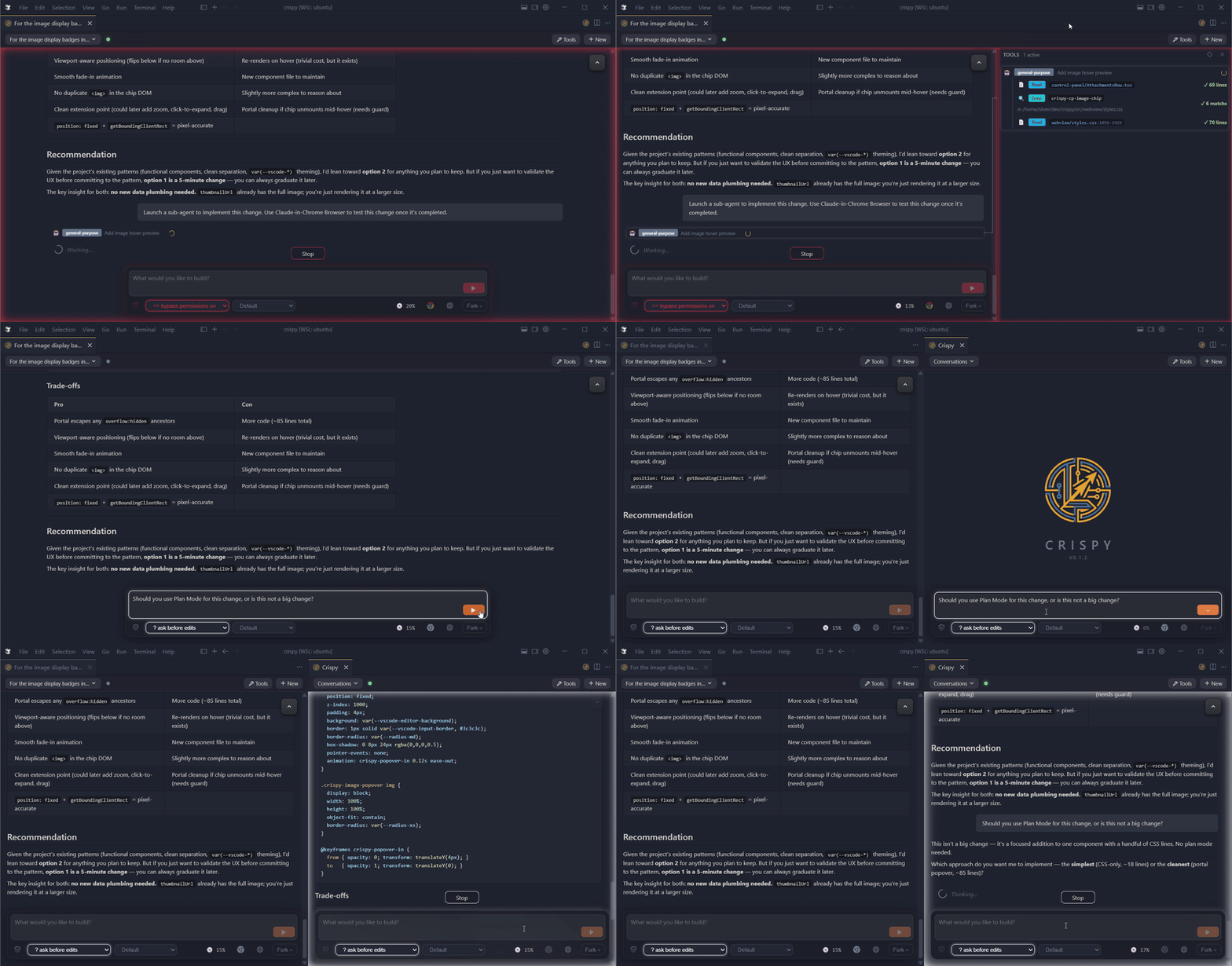
- Discord bot — live session monitor with inline approval buttons, session browser, and forum-based workspace channels. Approve tool use from your phone.
- Agent memory — every transcript indexed locally with full-text search (instant) and semantic search (local model downloaded on first use). Backfills from your existing transcripts across vendors.
- /superthink — pit Claude and Codex against each other on the same question. Catches bugs and blind spots a single model misses.
- Fork or rewind from any message — opens side-by-side with full context
- Tool audit panel — every tool call and sub-agent's work in a collapsible panel with timing and status badges
- Agency modes — plan, auto-accept,
--dangerously-skip-permissions— one click, persisted per session
What's New in v0.2.8
- Skill autocomplete — type
/(Claude) or$(Codex) in the chat input to browse and search skills, filtered per vendor - Single-dollar LaTeX — inline math with
$...$now renders correctly alongside display math$$...$$ - PWA support — standalone mode is now installable as a desktop app from the browser
- Windows path normalization — fixes path mismatches on native Windows with
\\?\prefixes, mixed separators, and drive letter casing
What's New in v0.2.7
Your entire workspace, in Discord
Crispy now runs a Discord bot that mirrors your coding sessions into your own
server — live transcript rendering, inline approval buttons, session
management, all from your phone or any device with Discord.
This isn't a chatbot. Every competitor (Claude Code Channels, OpenClaw, Hermes
Agent) builds a text pipe where Discord is the session and tool calls are
hidden. Crispy is different: Discord is a live session monitor with full
tool-call visibility, structured approvals, and a session browser — the same
information you see in the Crispy UI, rendered into Discord.
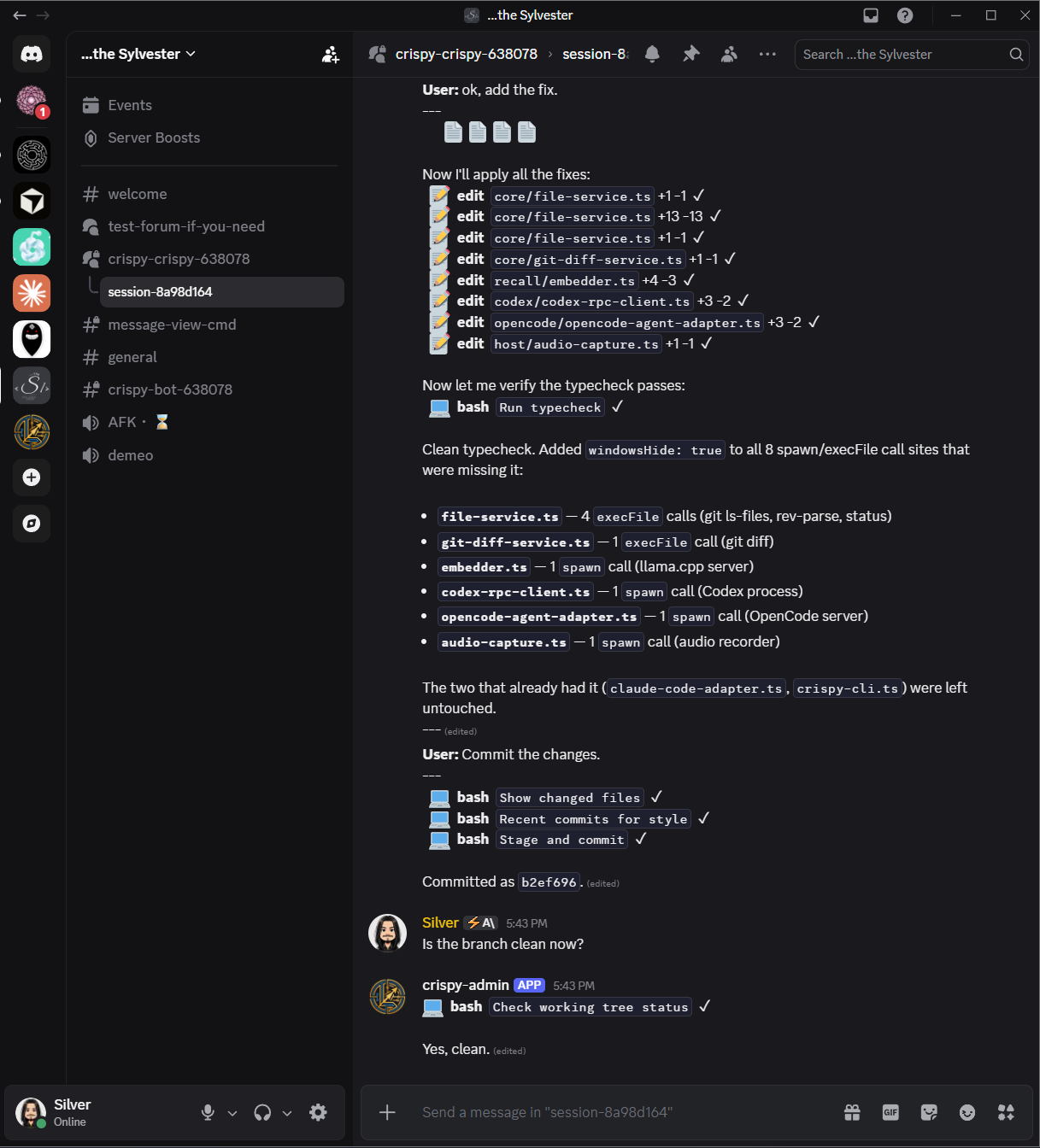
- Forum-based sessions — each workspace gets a forum channel, each session
is a thread. Browse, search, and manage sessions naturally - Inline approvals — approve or deny tool use with Discord buttons, right
from your phone. No copy-pasting confirmation codes - Session management —
!sessionsto browse,!opento resume,!stop
to close. A concierge bot, not a dumb bridge - Multi-instance support — run multiple Crispy instances against the same
server. PID-scoped channels, automatic health probes, dead-bot cleanup - Setup wizard — guided onboarding in Settings with token validation,
auto-generated invite URL, and step-by-step instructions - Secure by default — fail-closed authorization, allowlist-based access,
OAuth owner resolution. Nobody interacts unless explicitly permitted
Capabilities
Agent recall
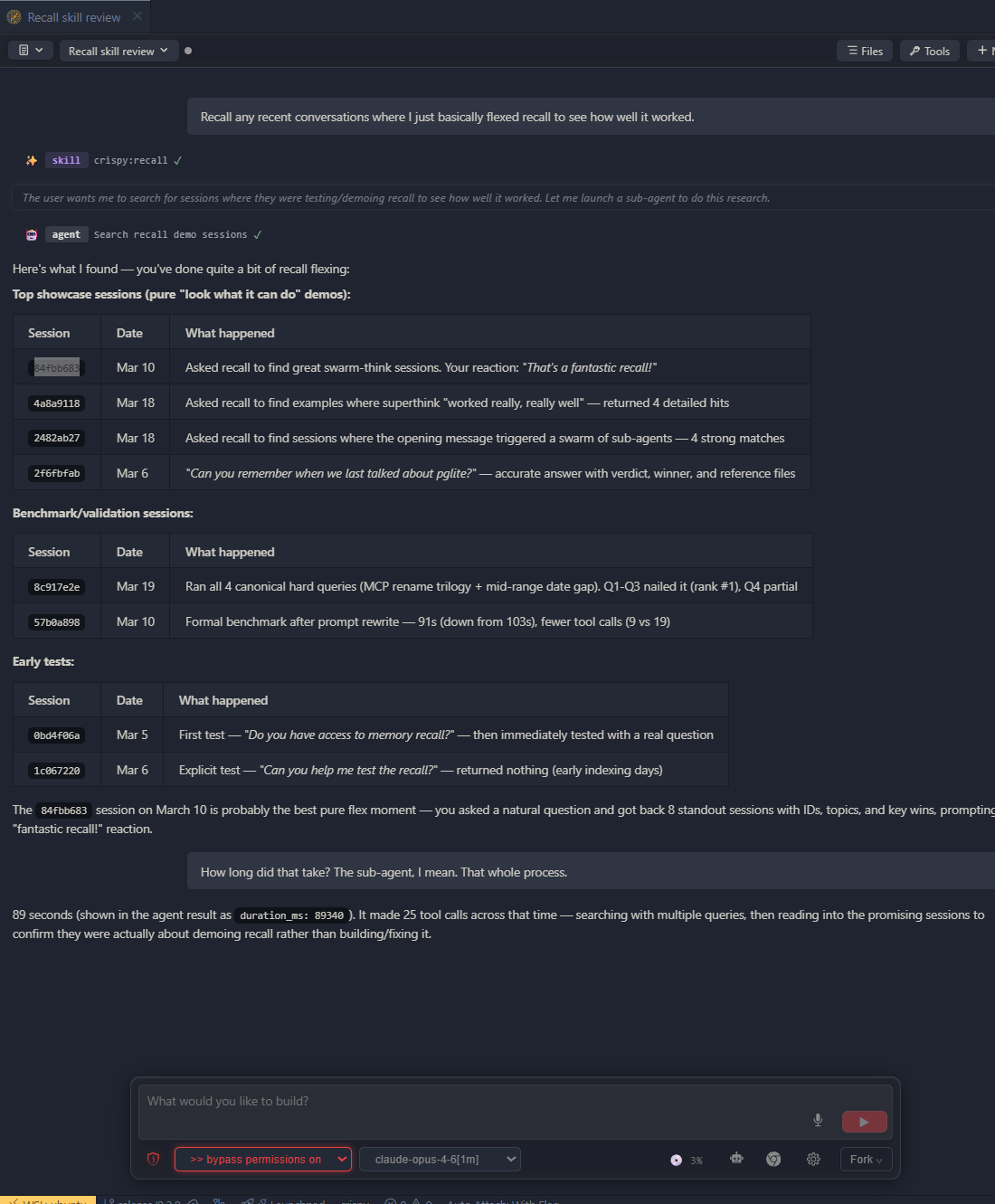
- Every session indexed locally with full-text and semantic search across all vendors
- Find past decisions, debugging threads, and design discussions — full transcripts, not summaries
- Backfills from your existing Claude Code and Codex transcripts automatically
- Claude Code and Codex adapters shipping
Multi-agent coordination
/superthink— pit Claude and Codex against each other on the same question. Catches bugs and blind spots a single model misses/super-implement— turn plans into self-contained execution prompts, auto-decomposed if too large/reflect— verify prompts and plans against the codebase before execution/handoff— distill context and rotate into a fresh session when context gets long/spec-mode— interactive spec-building through conversation
Discord remote
- Live session monitor — browse, open, and manage sessions with full tool-call visibility from Discord
- Inline approval buttons — approve or deny tool use from your phone
- Multi-instance — multiple Crispy instances share one server without conflicts
- Secure by default — fail-closed auth, allowlist access, guided setup wizard
Observability and control

- See everything your sub-agents are doing in the tool audit panel — timing, status badges, and nested sub-agent trees
- Agency modes — plan, auto-accept,
--dangerously-skip-permissions— one click, persisted per session
Conversations
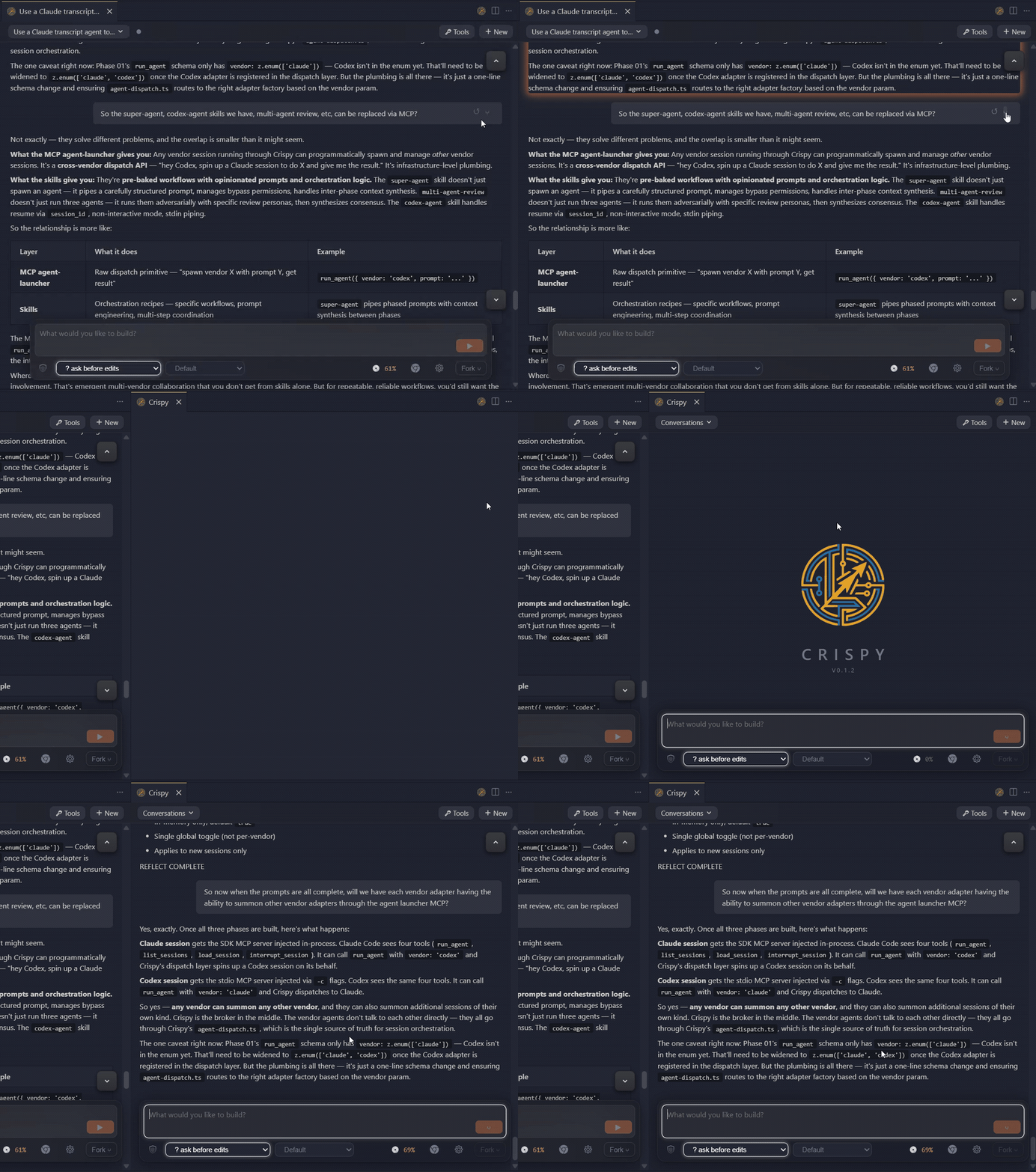
- Fork and rewind at any point — new session opens side-by-side with full context
- Side-by-side agent windows — as many as your editor can tile
- Session rotation — switch between Claude and Codex mid-conversation without losing context
- Execute prompts in Markdown files with one click from the Explorer or file panel
- Session browser with search and vendor filtering
UI
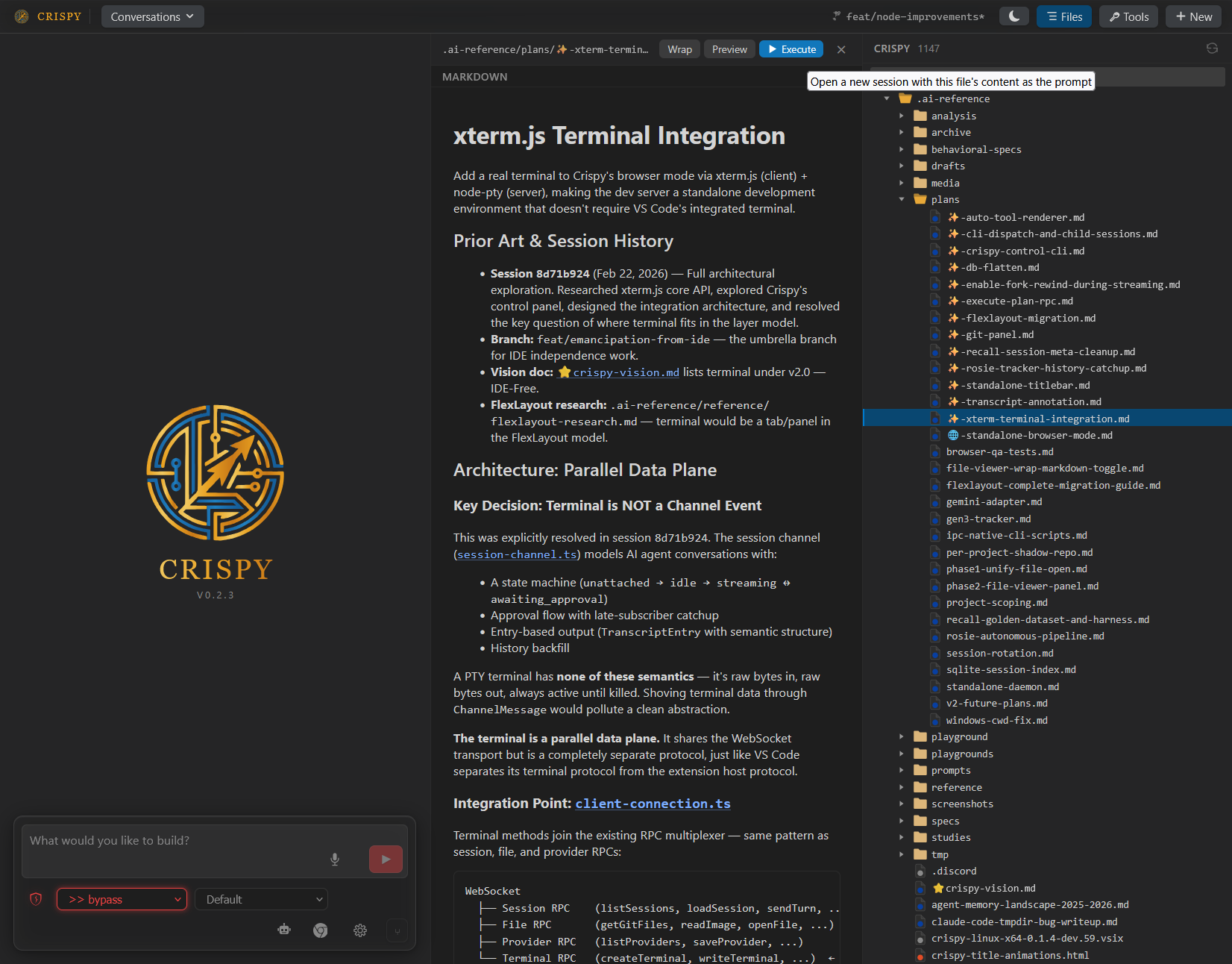
- File viewer side panel with word wrap, markdown preview, and quoting
- Git diff panel — staged, modified, and untracked files with syntax-highlighted diffs
- Four rendering modes — Icons (default), Blocks, Compact, YAML
- Inline quoting and copy-to-markdown
- Voice input with local VAD and speech-to-text
- Image attachments, @mentions, linkified file paths and URLs
- Light, dark, and high-contrast themes
Providers
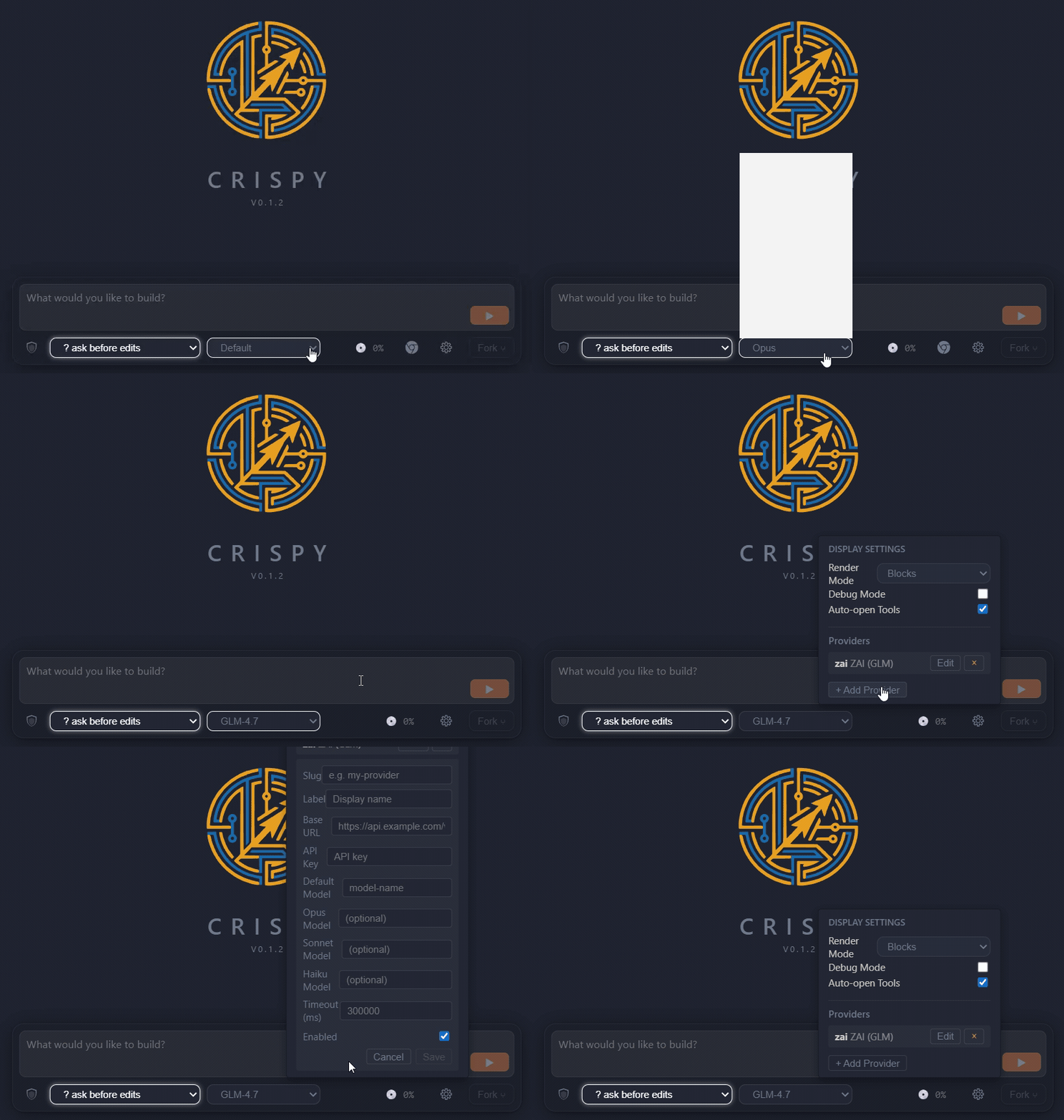
- Custom model providers — add Anthropic-compatible providers with a custom base URL and model names
- Start a conversation with Claude, continue it in Codex — switch vendors mid-session
Standalone mode
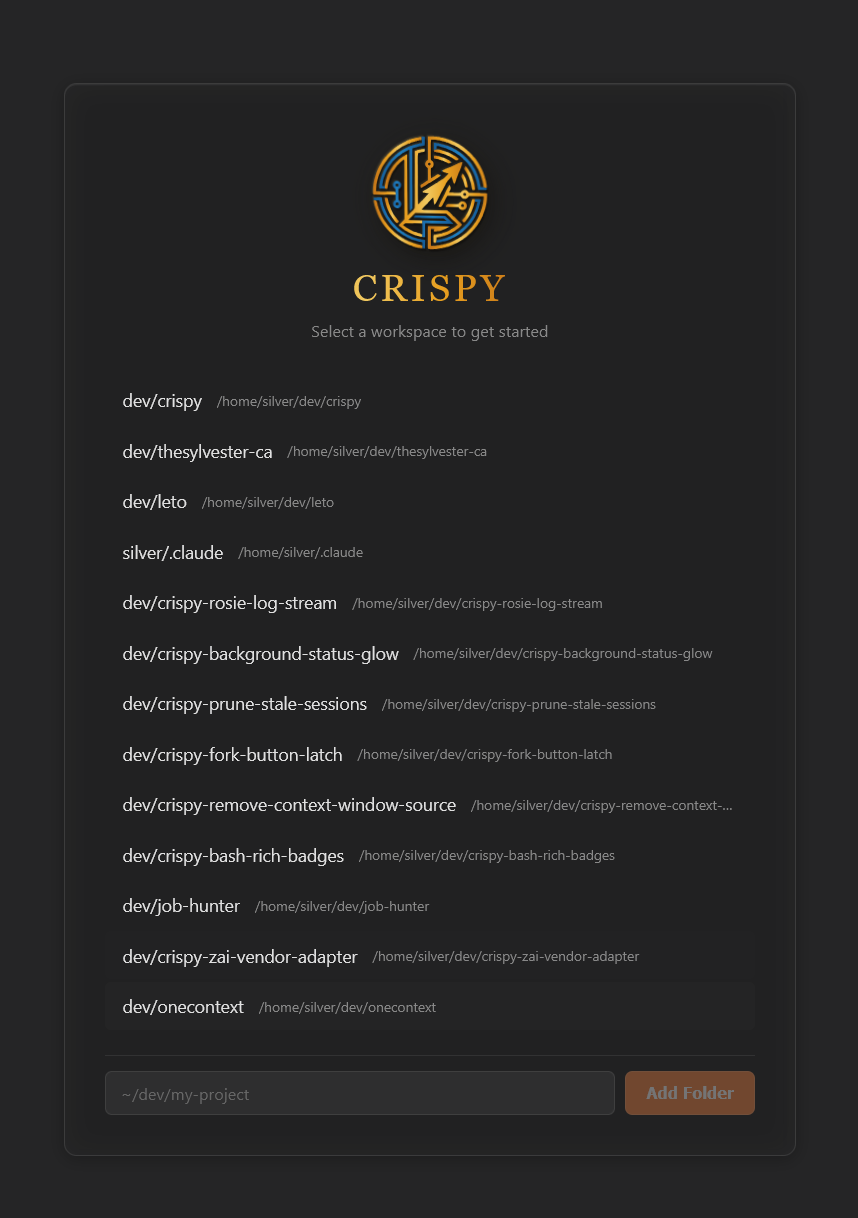
- Run
npm i -g crispy-code && crispy— full UI in your browser, no VS Code required - Background daemon with
crispy start/crispy stop/crispy status - Workspace picker with URL-based routing for multiple projects
- Multiple browser tabs for parallel agent sessions
- Same core features — memory, superthink, fork, rewind
Coming Soon
- Gemini CLI adapter
Installation
Standalone (recommended)
npm i -g crispy-code
crispy
Opens Crispy in your browser. No VS Code, no extension install, no config.
Run crispy start for a background daemon, crispy stop to shut it down.
VS Code / Cursor Extension
Search for "Crispy" in the extensions panel, or:
code --install-extension the-sylvester.crispy
Also available on the
OpenVSX Marketplace.
From Source
git clone https://github.com/TheSylvester/crispy.git
cd crispy
npm install
npm run build
node dist/crispy-cli.js
Usage
Standalone
crispy startruns it as a background daemon- Navigate to
http://localhost:3456, or runcrispyto open it automatically - Start a conversation, or browse existing sessions in the sidebar
VS Code
- Open VS Code in any project
- Run
Crispy: Openfrom the command palette (Ctrl+Shift+Alt+I) - Same UI, embedded in your editor
Requirements
- Node.js 18+ (standalone) or VS Code 1.94+ (extension)
- Claude Code CLI and/or Codex CLI — install whichever vendors you use
- Microphone (optional, for voice input)
Community
- Discord — support, feature requests, and discussion
- GitHub Issues — bug reports and tracking
Third-Party Notices
@anthropic-ai/claude-agent-sdk — The Claude adapter depends on
Anthropic's Agent SDK, which is proprietary ("All rights reserved") and
governed by Anthropic's Terms of Service.
This dependency is required for Claude Code integration. By using Crispy with
Claude Code, you accept Anthropic's terms for that SDK.
Codex protocol types — Files in src/core/adapters/codex/protocol/ are
generated from the OpenAI Codex CLI
project, licensed under Apache-2.0. See THIRD-PARTY-LICENSES for details.
License
MIT — see LICENSE for the full text.
Yorumlar (0)
Yorum birakmak icin giris yap.
Yorum birakSonuc bulunamadi