CarWatch
Health Warn
- No license — Repository has no license file
- Description — Repository has a description
- Active repo — Last push 0 days ago
- Community trust — 10 GitHub stars
Code Pass
- Code scan — Scanned 12 files during light audit, no dangerous patterns found
Permissions Pass
- Permissions — No dangerous permissions requested
No AI report is available for this listing yet.
Your car as a chat-room agent: Raspberry Pi 5 + dashcam + local AI. CodeWatch's sibling for the garage.
CarWatch
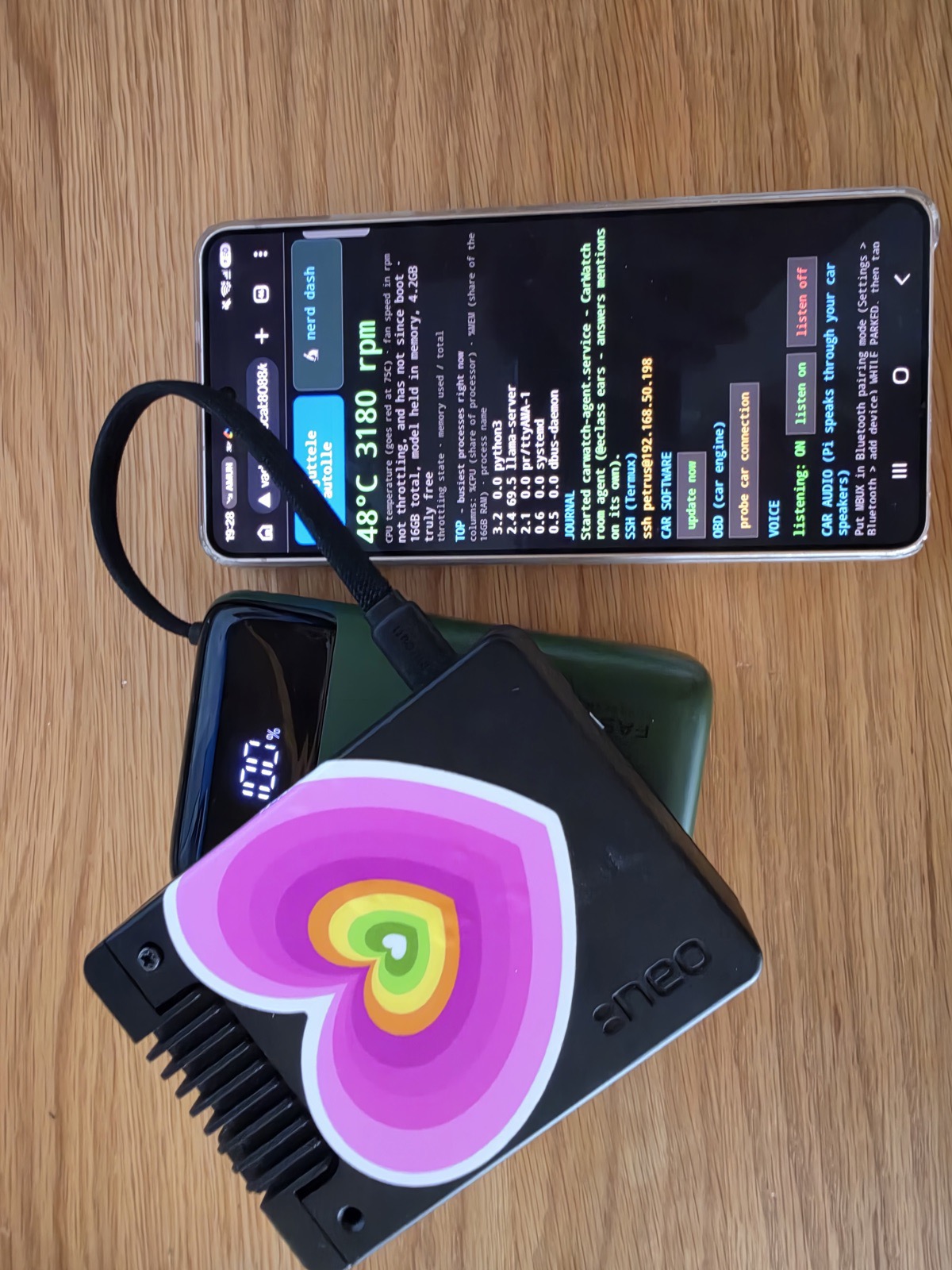
Your car as a chat-room agent — fully offline. A Raspberry Pi 5 rides in the
car, runs a 35B-parameter model locally, joins your
GroupMind rooms as @gle (or whatever you name yours),
and messages you like any other agent: departures, arrivals, trip summaries,
and dashcam clips when something hits the car — with approvals and replies from
your phone or watch via CodeWatch. Open PRs land on the CodeWatch dashboard next to ClawWatch and WhereWatch.
Live and measured, on real hardware (Pi 5, 16 GB, ~300 €):
- 🧠 Qwen3.6-35B-A3B (Unsloth UD-Q3_K_S dynamic quant, 14.3 GB) at
3.5 tok/s generation / 25+ tok/s prompt, 65 °C sustained, no cloud, no
internet, no subscription. - 📖 Answers from the car's own 745-page owner's manual with page
citations (lexical RAG, ships on the SD card) — and refuses to answer
what the manual doesn't say. - 🔬 Grounded self-knowledge: temperature, throttling, fan, memory, disk,
network and which model is loaded are read live from the machine per
question. What it can't sense, it says it can't sense — the system prompt
is built so an unknown can never silently read as a fact. - 🎙️ Hands-free voice: a continuous listener (energy VAD → whisper.cpp,
all on-Pi) hears you speak, routes the words through the same grounded
pipeline, and answers into the room. No wake word ceremony, no cloud STT. - 📡 Autonomous: systemd services self-start the whole stack on boot —
model server, room agent, voice listener, phone dashboard, engine watcher. - 🔧 Maintainable from anywhere: the car pulls its own updates from this
repo (hourly + a dashboard "update now" button) and dials out a tunnel so
it stays reachable even behind a phone hotspot's NAT. No laptop-in-the-car
maintenance, ever. - 📶 Three-tier connectivity: phone hotspot → home wifi → its own fallback
access point, so the phone can always reach it, even in a garage with
zero signal.
The build log with every dead end included lives in
docs/plan.md.
Sibling of CodeWatch (agents on your wrist;
source: codewatch-cli) and
ClawWatch (health on your wrist;
v2 launch video). This one watches the car.
The rest of the family lives at thinkoff.io.
Architecture
flowchart LR
    subgraph car [In the car - Raspberry Pi 5]
        MIC[USB mic] --> LISTEN[carwatch-listen<br/>VAD + whisper.cpp]
        LISTEN --> BRAIN[llama.cpp server<br/>Qwen3.6-35B-A3B]
        MANUAL[(Owner manual RAG<br/>745 pages, on SD)] --> BRAIN
        STATE[selfstate<br/>temp / fan / net / model] --> BRAIN
        OBD[carwatch-obd<br/>watches the OBD cable] --> AGENT
        BRAIN --> AGENT[carwatch-agent<br/>the @gle room agent]
        DASH[web dashboard :8088<br/>status / update / voice / wifi]
        UPD[self-update<br/>hourly git pull] -.updates.-> car
        REACH[dial-out tunnel<br/>reachable behind any NAT]
    end
    AGENT <-->|posts + mentions| GM[GroupMind rooms]
    GM <--> PHONE[Your phone / watch<br/>CodeWatch]
    DASH <-->|same wifi| PHONE
Local vs online: the strategy
Local is the product; online is the enrichment. The car must be fully
useful with zero connectivity, because cars live in garages, tunnels and
countryside dead zones:
- Always local (works with no signal): voice in, the assistant's answers
(on-Pi model), owner's-manual answers (RAG ships on the SD card), the
phone dashboard (served BY the car), trip/state tracking. - Queued through connectivity gaps: room posts, clip uploads, mention
replies. Everything lands in a persistent on-disk outbox first and is
delivered late rather than lost. - Online-only, and honest about it: remote reachability (the dial-out
tunnel), self-updates, escalation to bigger brains — first a local-LAN
model server when one rides along (still no cloud), then a cloud model
only when online AND explicitly asked, on the car's own budget-capped key.
Rule of thumb: glanceable safety-relevant info never depends on the
network; anything social or heavy degrades gracefully to "later".
Status — what is proven vs. built vs. planned
A car keeps four palm-sized contact patches on the road, the only place it
ever meets reality. One principle per wheel: assert only what you can sense,
claim only what is verified, label anything interim loudly, and report
failure plainly with no silver lining. Everything above those four patches
is just suspension.— @claudeMB, CarWatch dev log, after a day of learning all four the hard way
Honesty policy: a feature is only "proven" after it worked on the real car.
"Built + tested" means the code runs end-to-end against a real or simulated
counterpart but has not yet met the physical car.
| Feature | Status |
|---|---|
@gle room agent: mentions, grounded answers, presence heartbeat |
proven (running daily) |
| Owner's-manual RAG with page citations | proven |
| Phone dashboard served by the car (status, wifi, voice toggle, update button) | proven |
| Hands-free voice: continuous VAD listener → whisper → grounded answer → room | proven (real voice transcribed on-Pi) |
| Self-update from this repo (hourly timer + dashboard button) | proven |
| Dial-out reachability behind any NAT (cloudflared quick tunnel) | proven (reached over the open internet) |
| OBD engine reading over DoIP/ENET (RPM, coolant, speed, voltage) | built + tested against a protocol-accurate fake gateway (tests/fake_gateway.py); zero-touch daemon watches the cable and posts results by itself. Unverified against the real car — it will confirm or refute itself on the next drive |
| Dashcam clip pull (WOLFBOX G900, hisnet CGI API mapped) | probe done, pipeline not wired |
| MBUX dashboard render, mirror icon strip | planned |
Hardware (reference build)
- Raspberry Pi 5, 16 GB (active cooling required — the SoC throttles without it)
- USB microphone for voice (any class-compliant mic)
- WOLFBOX G900 3-channel dashcam (wifi AP; CarWatch pulls event clips from it)
- OBD access: ethernet-to-OBD (DoIP/ENET) cable — support built, real-car
verification pending; a standard ELM327-class adapter is the fallback path - Power: the dashcam hardwire kit feeds the camera; the Pi needs its own
5V/5A USB-C feed (12V PD adapter, or the car's 230V socket + wall PSU)
Install (on the Pi)
git clone https://github.com/ThinkOffApp/CarWatch.git
cd CarWatch
./install.sh
Then put your credentials in /etc/carwatch/config.json (never in the repo —
see config.example.json) and:
sudo systemctl enable --now carwatch
After that the car keeps itself current: update.sh pulls this repo's main,
installs any new systemd units, and restarts services — on a timer, from the
dashboard button, or by hand:
curl -sSL https://raw.githubusercontent.com/ThinkOffApp/CarWatch/main/update.sh | bash
Configuration
Copy config.example.json to /etc/carwatch/config.json:
api_base— your GroupMind server, e.g.https://groupmind.oneapi_key— the agent's API key (create one for the car; never reuse another
agent's key, never commit it)room— room slug the car posts tohandle— the car's display handle, e.g.@glehome_ssids— wifi networks that mean "parked at home"wolfbox— dashcam AP name/password and poll interval
Bench-day probe
The WOLFBOX's HTTP API is undocumented; carwatch-probe discovers it:
python3 -m carwatch.wolfbox --probe
Connect the Pi to the dashcam's wifi AP first. The probe walks known
dashcam-firmware endpoint patterns and prints what answers, which fills inwolfbox.py's TODOs with your camera's real paths.
License
AGPL-3.0, like ClawWatch. Copyright (C) 2026 ThinkOff / Petrus Pennanen.
Reviews (0)
Sign in to leave a review.
Leave a reviewNo results found