prompt-os
Health Uyari
- License — License: MIT
- Description — Repository has a description
- Active repo — Last push 0 days ago
- Low visibility — Only 6 GitHub stars
Code Basarisiz
- exec() — Shell command execution in main.py
Permissions Gecti
- Permissions — No dangerous permissions requested
Bu listing icin henuz AI raporu yok.
A desktop AI agent that controls your local machine — runs commands, manages files, executes code, browses the web autonomously etc. Supports Claude, GPT, Gemini, Llama, DeepSeek, and more. .exe available
🖥️ Prompt OS





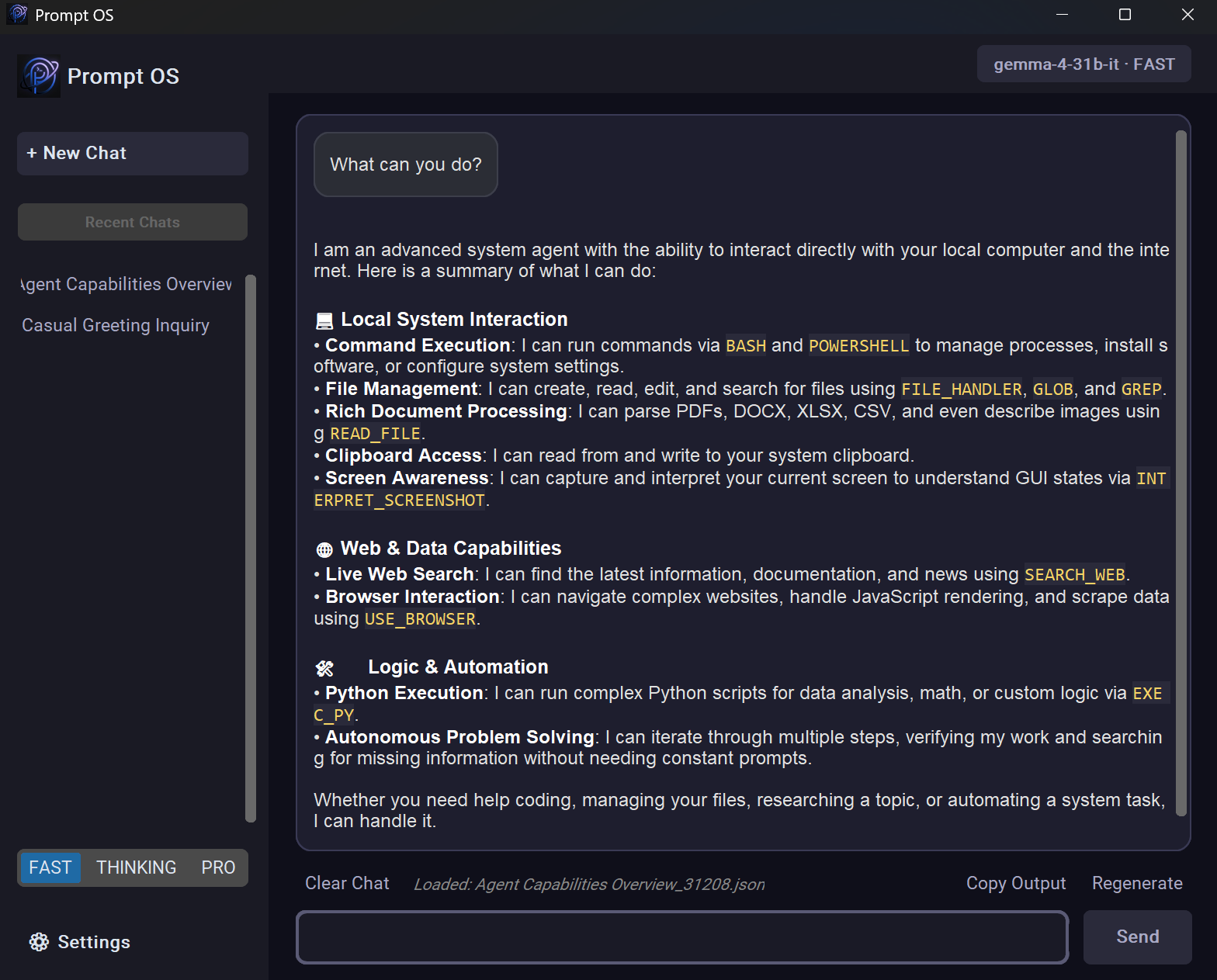
Prompt OS is a powerful, desktop-based AI agent built in Python. Unlike a simple chatbot, it acts as a true system agent — it can execute terminal commands, manage your files, run code, search the web, and more, all from a sleek local GUI.
"What processes are using the most memory?" → it runs the command and tells you.
"Rename all images in my Downloads folder" → it writes and runs the script.
✨ Why Prompt OS?
Most AI assistants just talk. Prompt OS acts. It runs iteratively — thinking, using tools, reading outputs, and refining — until your task is actually done.
🚀 Features
- Autonomous Browser Control — Uses
browser-useto navigate the web, fill forms, and extract information just like a human. - Vision & Screenshot Interpretation — Captures the current screen and uses advanced multimodal models (
INTERPRET_SCREENSHOT) to describe windows, apps, and layouts in extreme detail. - System Clipboard Manager — The agent can read from and write to your system clipboard (
CLIPBOARD_MANAGER) to help you transfer data between applications flawlessly. - Native Document Parser — Supports reading and extracting clean text from PDF, DOCX, XLSX, CSV, and HTML files autonomously (
READ_FILE). - File Pattern Matching (GLOB) — Finds files in directories using glob pattern matching (e.g.,
*.txtorsrc/**/*.py) for efficient bulk processing. - Content Search (GREP) — Searches for specific patterns or text inside files autonomously, making codebase navigation faster.
- Shell & PowerShell Support — Executes shell commands via BASH and native Windows commands via POWERSHELL (opt-in preview).
- Smart Modes — Choose between FAST (efficiency), THINKING (deep reasoning), and PRO (advanced tasks) directly in settings.
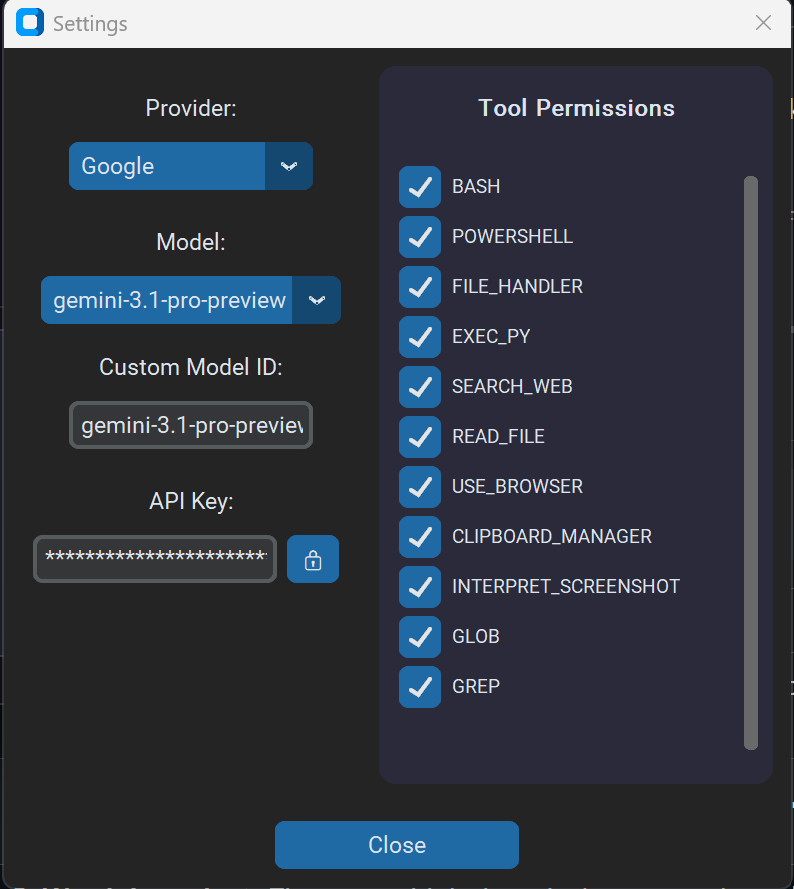
- Multi-Provider LLM Support — Switch between GitHubAI, Groq, OpenRouter, Unclose, Anthropic, OpenAI, Google, Ollama, and LM Studio right from the GUI settings.
- Web Search & Scraping — The agent autonomously queries DuckDuckGo (
SEARCH_WEB) and extracts clean text from webpages. - Improved UI Feedback — The status bar now clearly displays which tool is currently running (e.g., "Running Tool: BASH"), giving you full visibility into the agent's actions.
- Persistent Memory — Stores long-term preferences and context in
config/memory.txt, injected automatically into every session. - Modern Dark UI — Sleek, responsive desktop interface built with
customtkinterfeaturing an in-app Settings menu for models and API keys.
⚙️ Prerequisites
- Python 3.10+
- An active internet connection for cloud API services
- API keys for one or more supported LLM providers
- Optional local runtime: Ollama (
http://localhost:11434/v1) or LM Studio (http://localhost:1234/v1)
🛠️ Installation
1. Clone the repository:
git clone https://github.com/thomastschinkel/prompt-os.git
cd prompt-os
2. Install dependencies:
pip install -r requirements.txt
3. Configure API keys:
Launch the app (python main.py) and click the Settings gear icon (⚙️) at the top left. Select your desired provider, pick a model, and choose your preferred Mode (FAST, THINKING, or PRO).
Type or paste your API key directly into the secure input box. Click Save to update config/keys.json and config/settings.json.
The built-in Unclose and Google (Gemini) providers work for free. Local providers Ollama and LM Studio do not require paid cloud APIs.
💡 Usage
python main.py
| Step | Action |
|---|---|
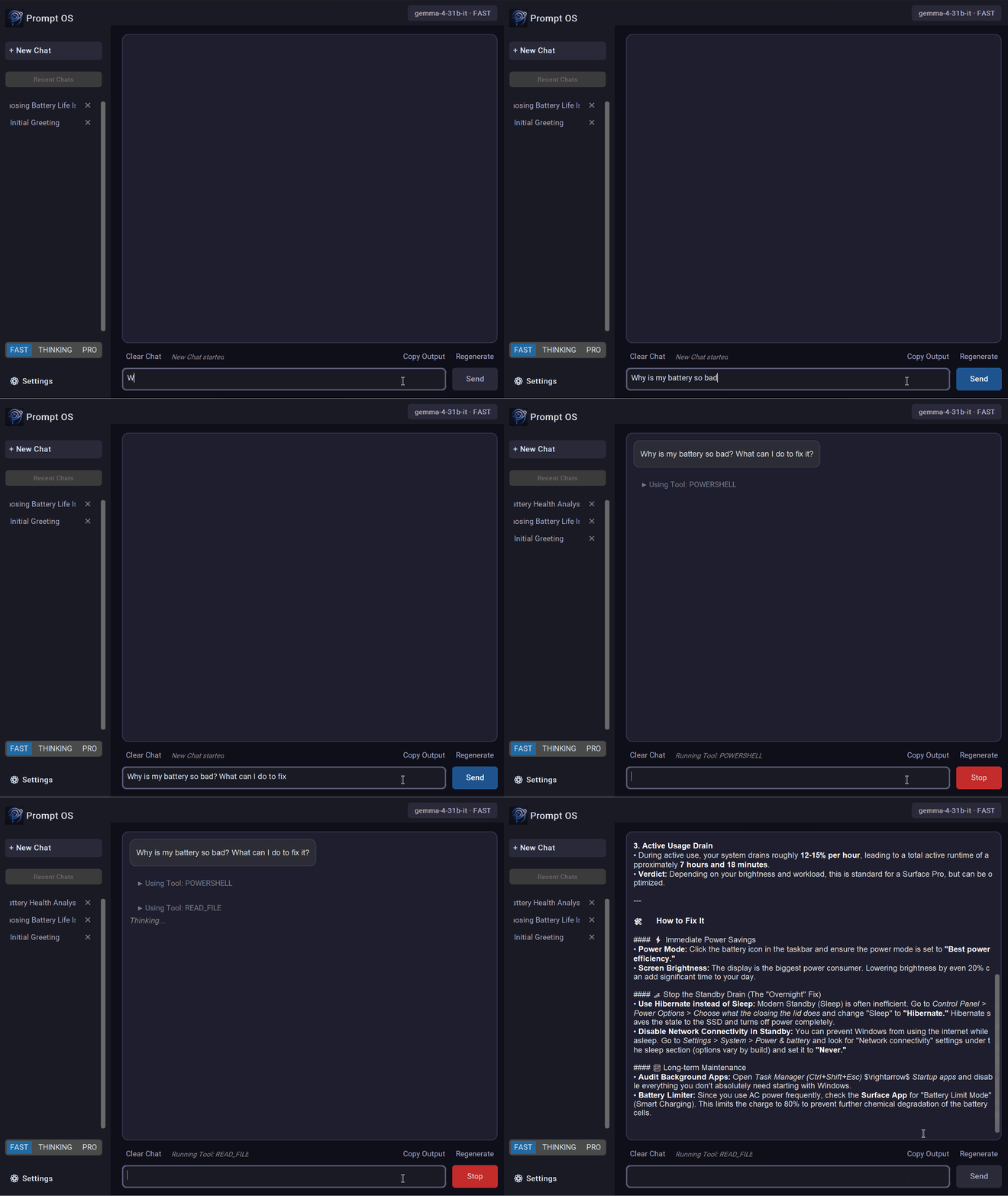
| 1. Pick a model | Click the ⚙️ icon to select your LLM provider and default model, enter the API key, and click Save |
| 2. Type a request | e.g. "What's eating my CPU right now?" or "Create a script to organize my Desktop" |
| 3. Watch it work | The agent thinks iteratively, uses tools, and streams updates in real time |
📁 Project Structure
prompt-os/
├── main.py               # Entry point, UI layer, and tool execution loop
├── src/                  # Core application logic
│   ├── ai.py             # LLM engine, conversation history, API integrations, and Browser-Use setup
│   └── utils.py          # Web search, audio recording, terminal output helpers
├── assets/               # Images, icons, and static UI assets
└── config/               # Configuration and memory files
    ├── keys.json         # API key configuration
    ├── settings.json     # App state (provider, model, mode)
    ├── memory.txt        # Persistent long-term memory
    └── prompt.txt        # System instructions defining agent behavior
🤖 Supported Providers
| Provider | Model | Free? | Requires Key? |
|---|---|---|---|
| Gemini 3.1 Pro/Flash | ✅ (free tier) | Yes | |
| GitHubAI | GPT-4o Mini / Phi-4 / Llama-3.3 | ✅ (with GitHub account) | Yes |
| Groq | LLaMA 3.3 70B / Qwen | ✅ (free tier) | Yes |
| OpenRoute | Qwen 3.6+ / Kimi / Claude | ✅ (free tier) | Yes |
| Unclose | DeepSeek R1 14B / Qwen3-VL | ✅ Completely free | No |
| Anthropic | Claude 4.5/4.6 Family | ❌ Paid API | Yes |
| OpenAI | GPT-4o / GPT-5 | ❌ Paid API | Yes |
| Ollama | llama3.2 / qwen3 / deepseek-r1 | ✅ Local | Optional |
| LM Studio | Any locally served OpenAI-compatible model | ✅ Local | Optional |
📜 License
Distributed under the MIT License.
🙌 Contributing
Contributions, issues, and feature requests are welcome! Feel free to open an issue or submit a pull request.
⭐ Support
If you find this project useful, please consider giving it a Star on GitHub. It helps the project grow and stay motivated!
Yorumlar (0)
Yorum birakmak icin giris yap.
Yorum birakSonuc bulunamadi