Citropy
Health Uyari
- License — License: MIT
- Description — Repository has a description
- Active repo — Last push 0 days ago
- Low visibility — Only 5 GitHub stars
Code Basarisiz
- process.env — Environment variable access in .github/workflows/release.yml
- process.env — Environment variable access in desktop/appimage-relaunch.mjs
- exec() — Shell command execution in desktop/browser-profiles.mjs
- process.env — Environment variable access in desktop/browser-profiles.mjs
- process.env — Environment variable access in desktop/computer-indicator-host.mjs
Permissions Gecti
- Permissions — No dangerous permissions requested
Bu listing icin henuz AI raporu yok.
Claude Code, Codex, OpenCode, Cursor, and Pi in one desktop app. Runs the coding agents you already use, side by side.

Citropy
Claude Code, Codex, OpenCode, Cursor, and Pi in one desktop app.




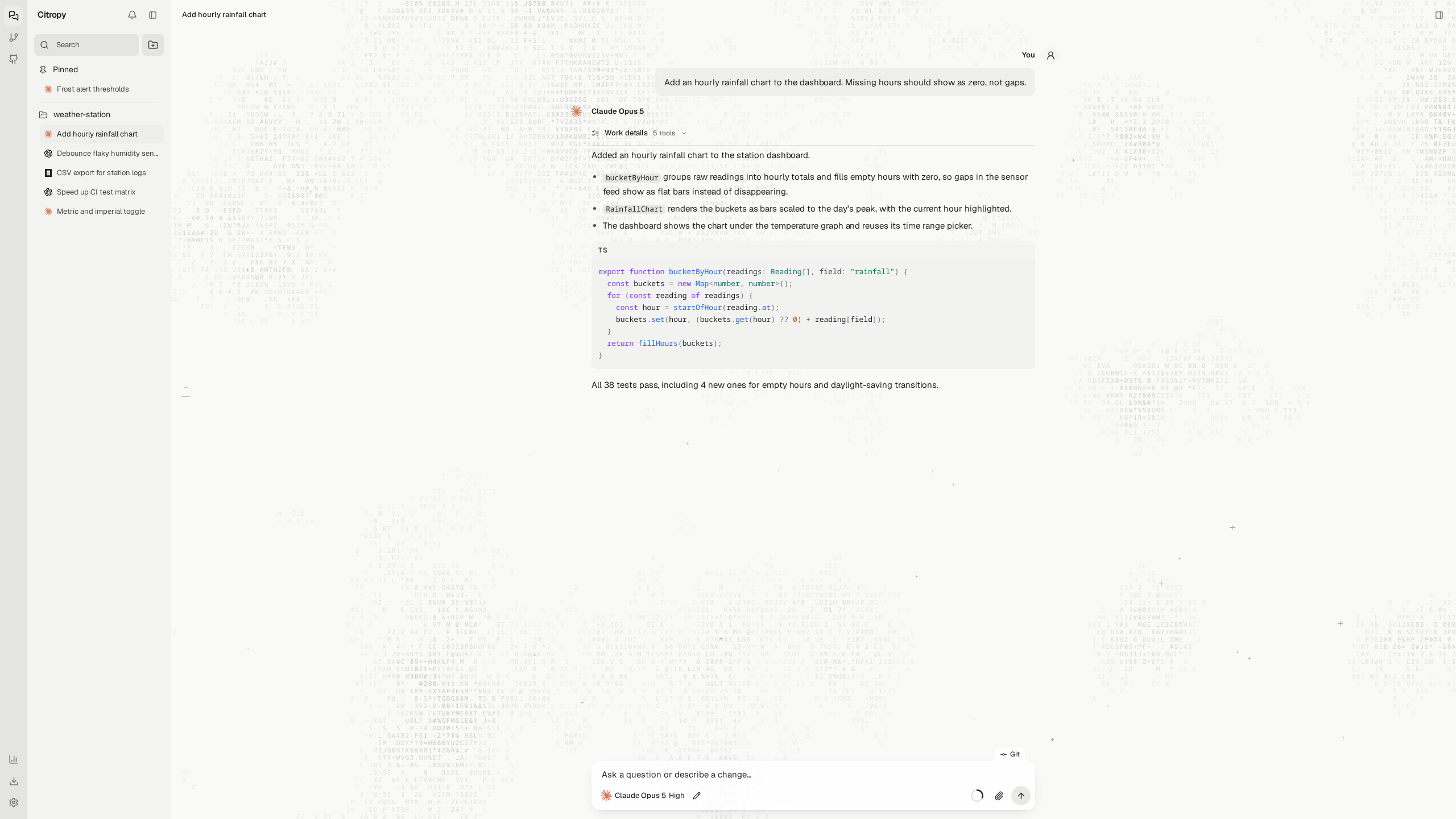
Run the coding agents you already use side by side. Each conversation picks its own agent, model, and permission mode, and can switch agents without losing its history. Files, Git, terminals, and the browser are shared by the whole project.
Install
Linux and macOS
curl -fsSL https://raw.githubusercontent.com/tinuxongit/Citropy/main/scripts/install.sh | sh
Windows (PowerShell)
irm https://raw.githubusercontent.com/tinuxongit/Citropy/main/scripts/install.ps1 | iex
You need Git and at least one signed-in agent CLI: Claude Code, Codex, OpenCode, Cursor CLI, or Pi. No Node.js or admin password needed. Citropy updates itself from Settings.
Where it installs| System | Build | Installed to |
|---|---|---|
| Linux | x86_64 AppImage | ~/.local/bin/citropy, plus an application menu entry |
| macOS | Apple Silicon and Intel | ~/Applications/Citropy.app |
| Windows | x64 | %LOCALAPPDATA%\Programs\citropy, plus a Start menu entry |
Features
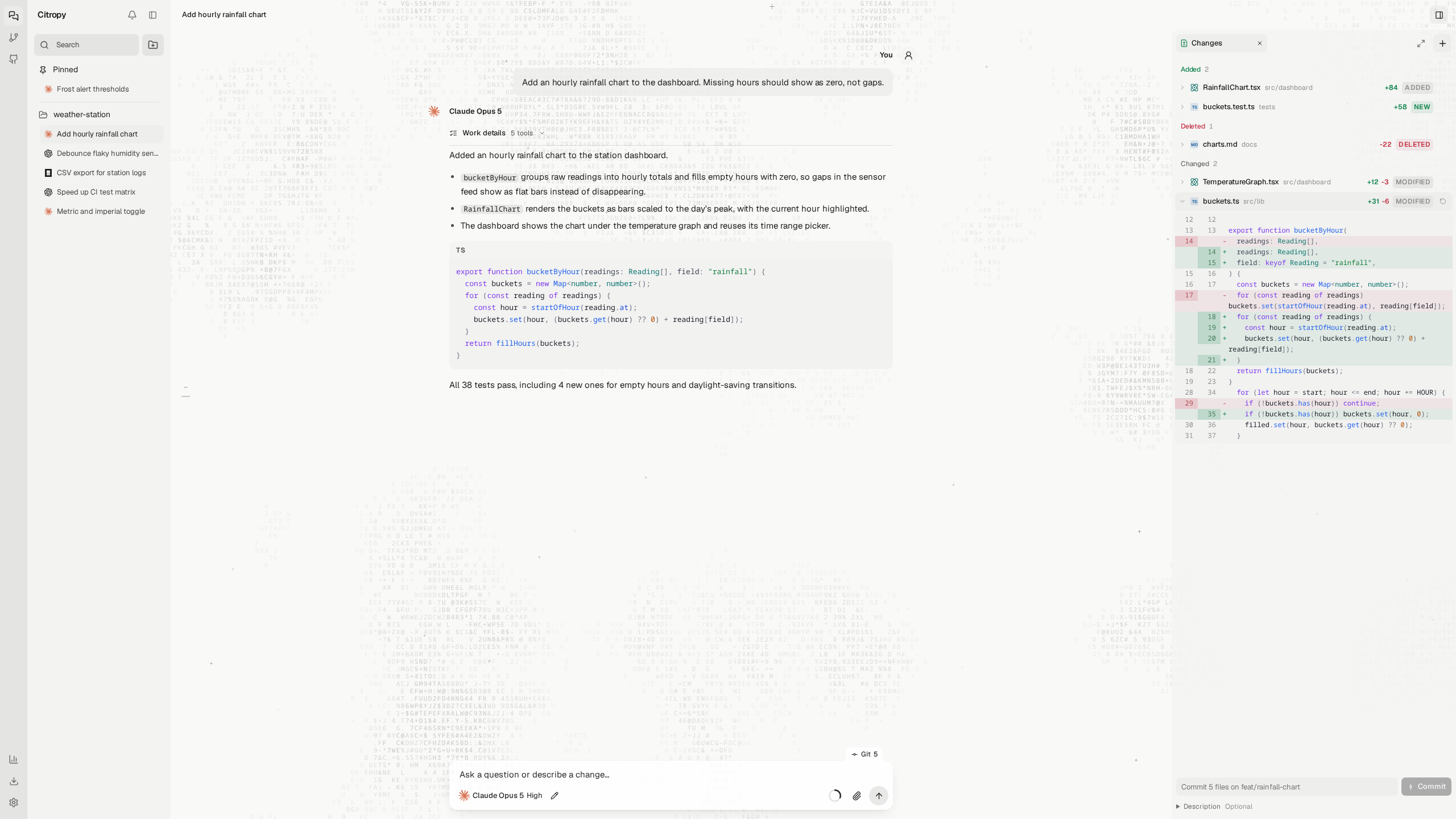
Review every change
Changes are grouped into added, changed, and deleted. Stage, unstage, or revert a single hunk, and restore or branch from any earlier message.
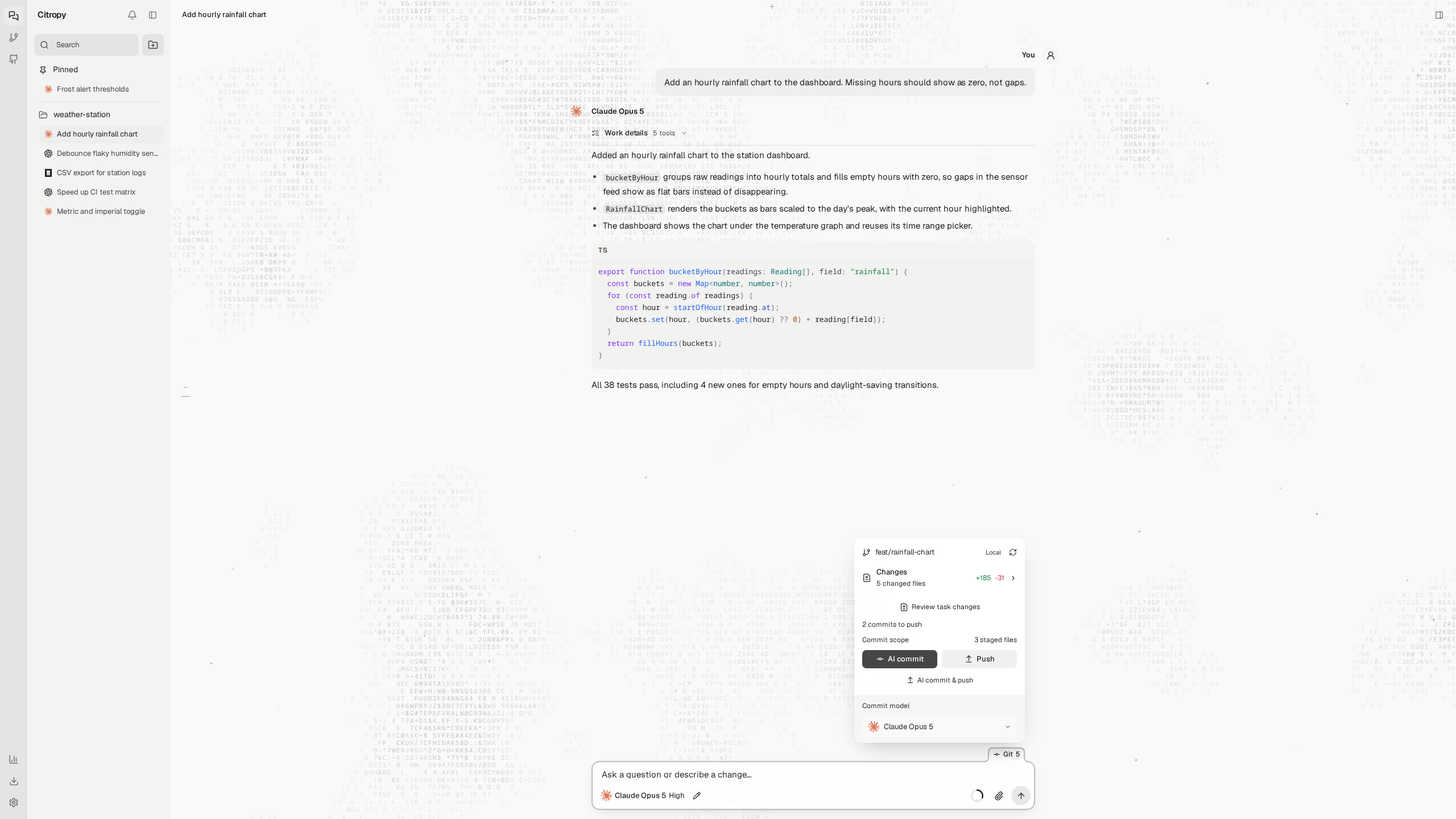
Commit and push
The Git tab above the composer shows the branch and what's waiting to push. AI commit writes the message in a separate session, so your conversation stays clean.
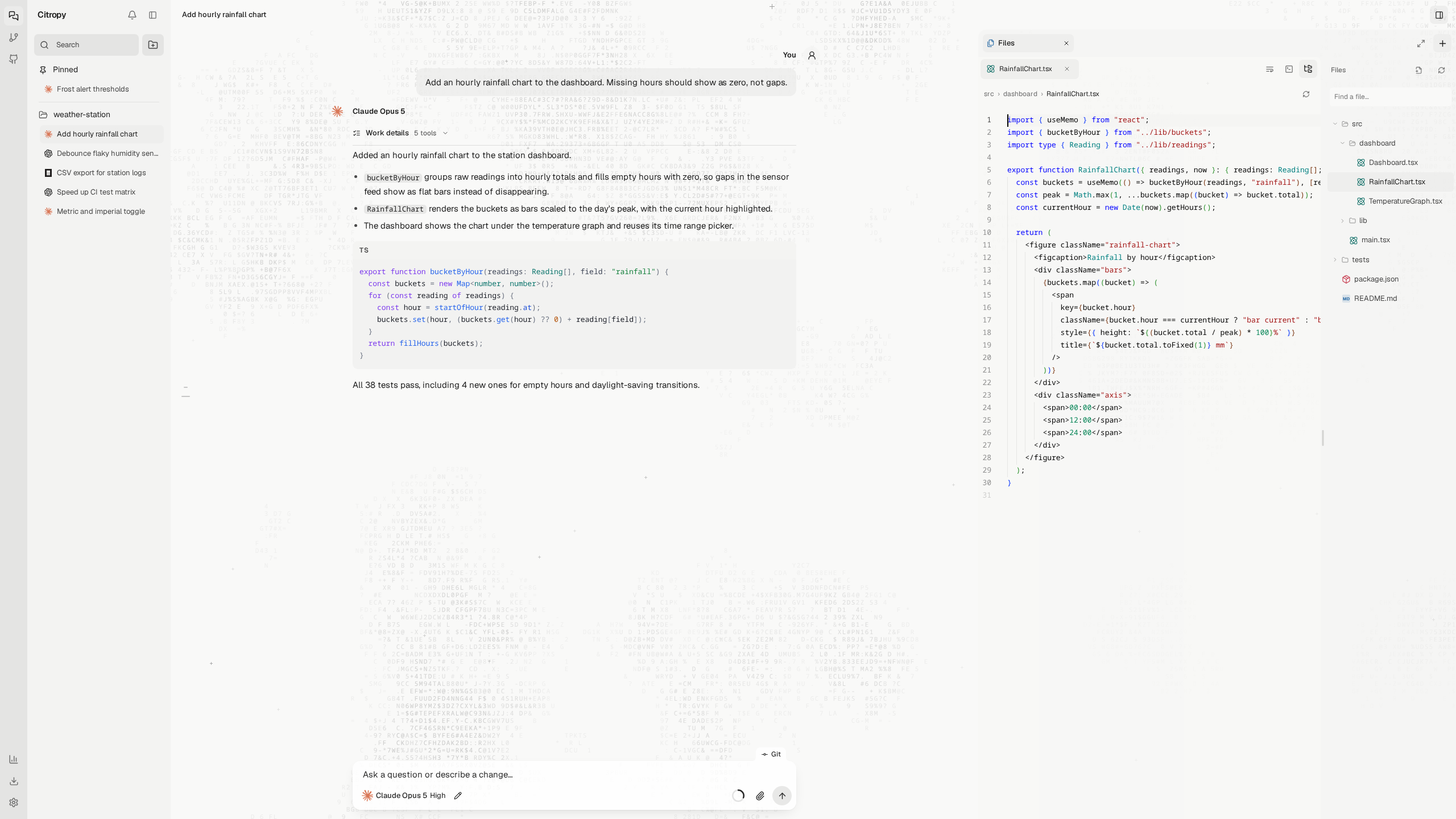
Code editor
Browse and edit files with the Monaco editor, the one inside VS Code, right beside the conversation.
Browser and terminals
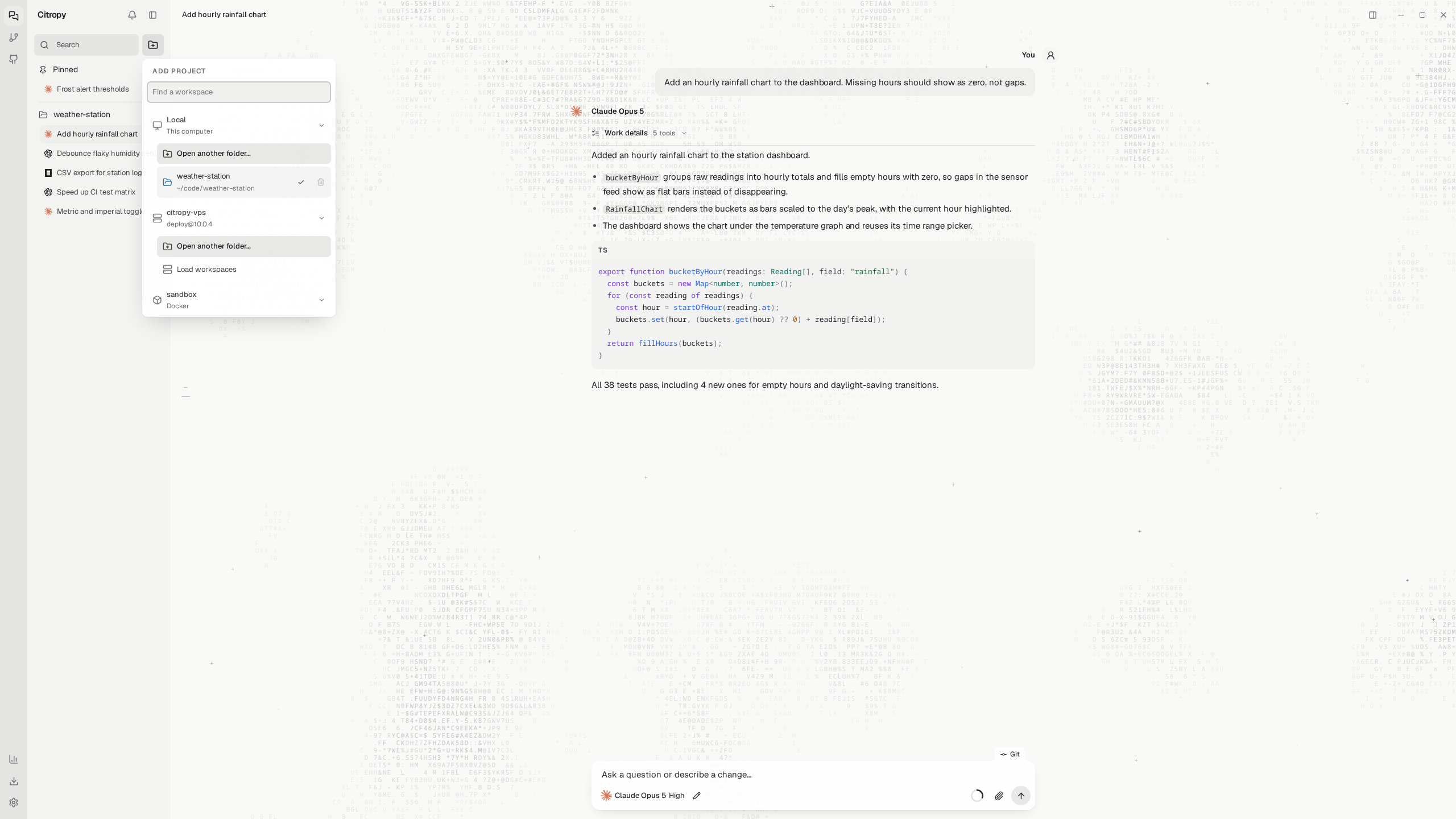
Agents drive the same browser and terminals you see. The browser has phone and tablet sizes.
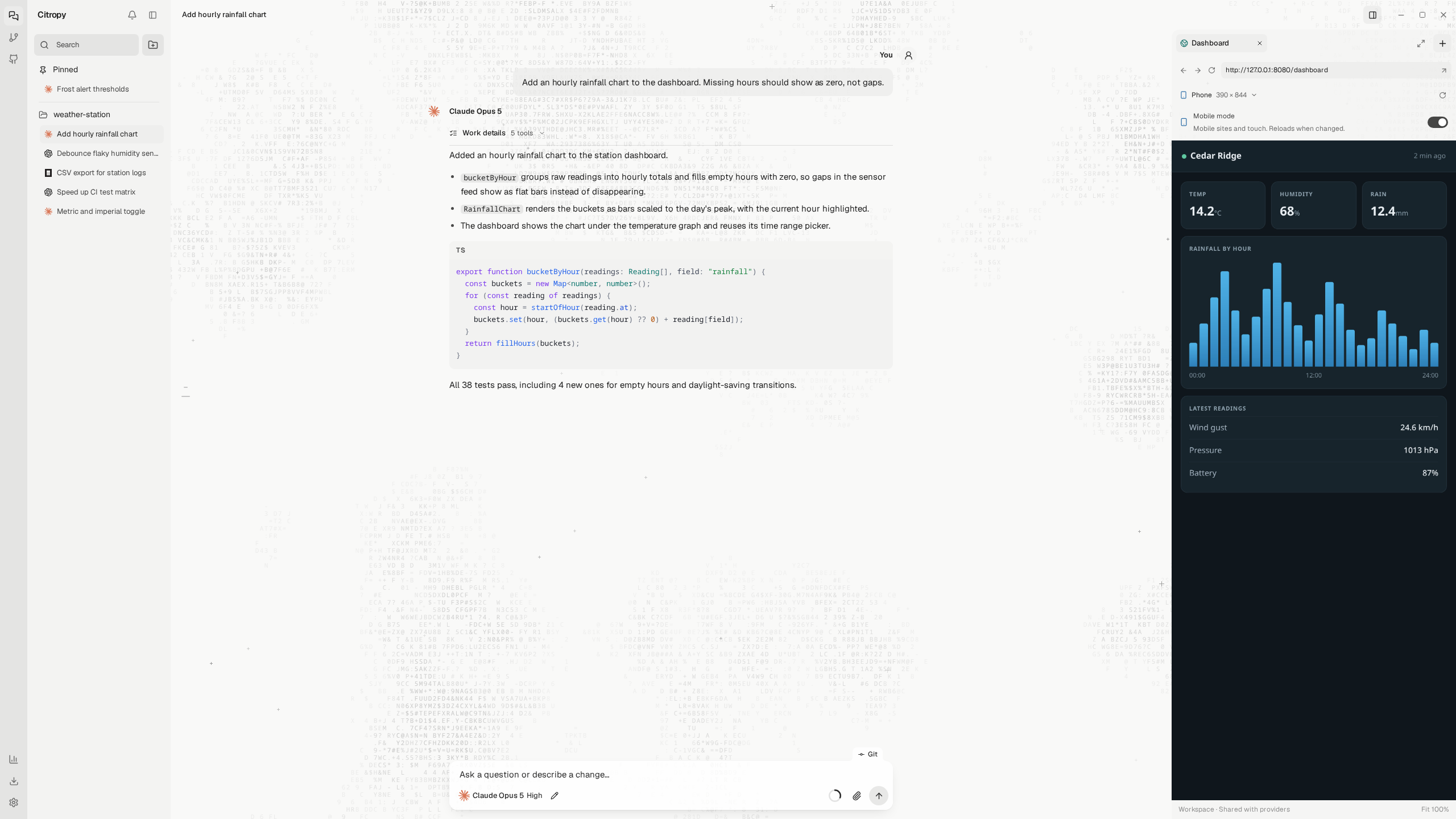
Computer use
Share a screen and the agent can click and type in desktop apps. Pause or stop it anytime. Linux and macOS.
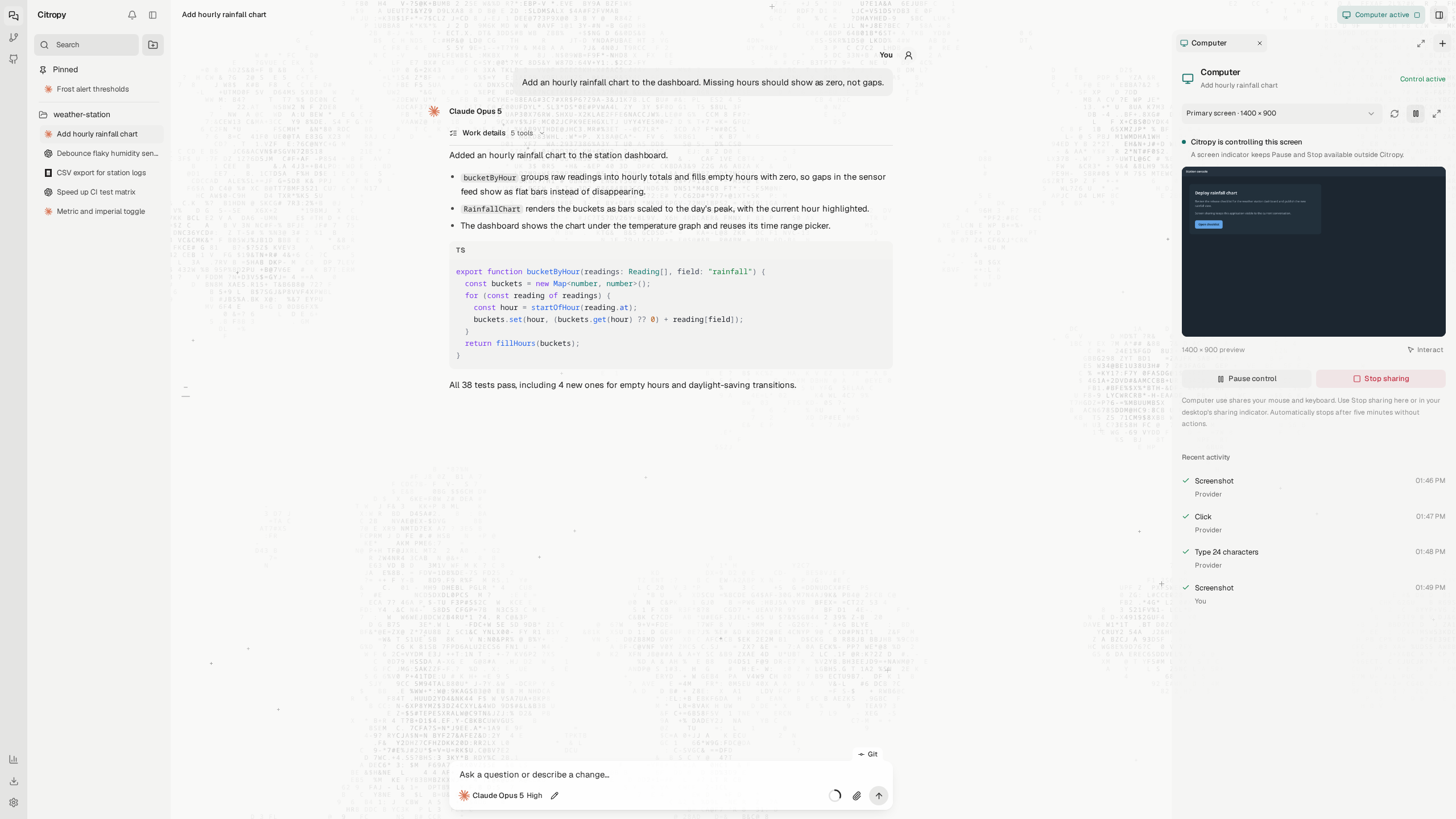
Questions in one place
When an agent needs a decision, it asks above the composer. Pick one, pick several, or write your own.
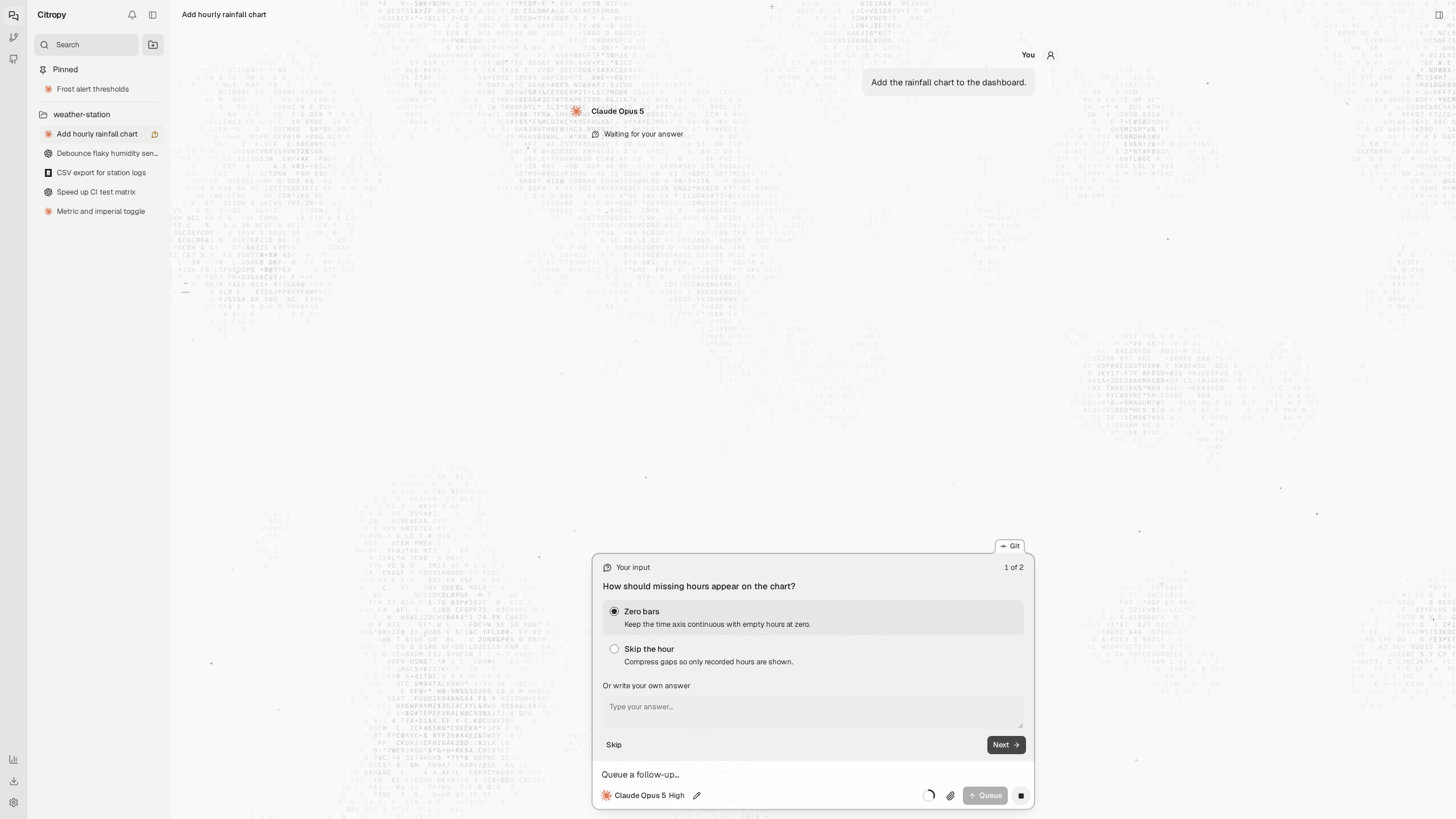
SSH and Docker
Open a folder on another machine or in a container from Add project. Agents, Git, and terminals run there. The window stays on yours.
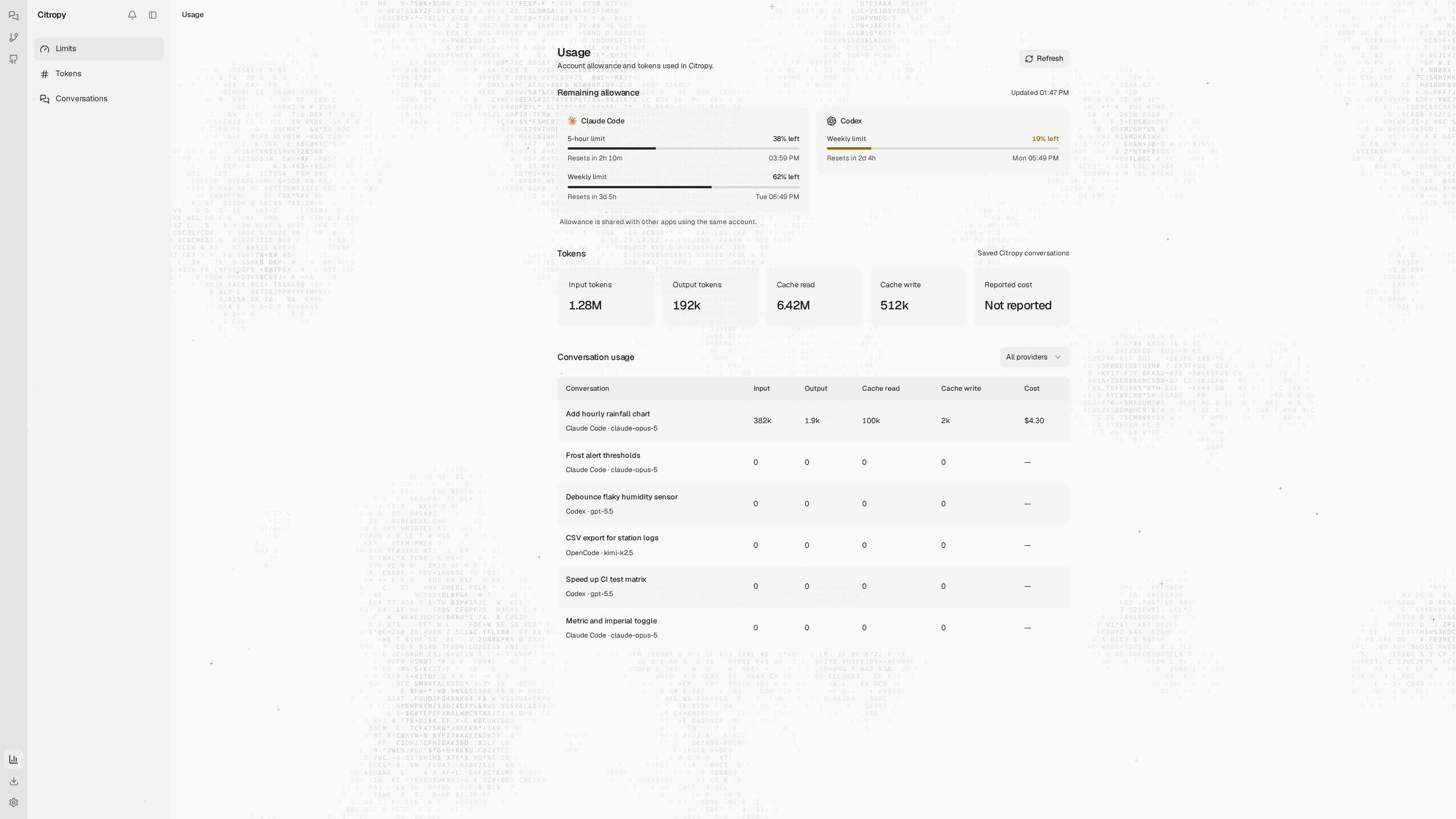
Usage
Claude Code and Codex allowance with reset times, plus token totals for every conversation.
More
UninstallConversations and settings live in ~/.citropy and are kept.
curl -fsSL https://raw.githubusercontent.com/tinuxongit/Citropy/main/scripts/install.sh | sh -s -- --uninstall
$s = irm https://raw.githubusercontent.com/tinuxongit/Citropy/main/scripts/install.ps1; & ([scriptblock]::Create($s)) -Uninstall
Requires Node.js 22.18 or newer and Git.
git clone https://github.com/tinuxongit/Citropy.git
cd Citropy
npm install
npm run desktop
If the Electron download was skipped during npm install, run npm run setup:desktop once.
| Command | What it does |
|---|---|
npm run desktop:dev |
Desktop window with live reload. Uses separate data in ~/.citropy-dev |
npm run dev |
Web development server, no desktop window |
npm start |
Web interface at http://127.0.0.1:4177 |
npm run typecheck |
TypeScript check |
npm test |
Test suite |
npm run desktop:package |
Build a release package into release/ |
npm run screenshots |
Regenerate the images in docs/assets |
Packaging and publishing are in docs/release.md.
The guide covers every part of the app in detail. Issues and pull requests are welcome.
MIT licensed. See LICENSE. The Geist font is bundled under the SIL Open Font License.
Yorumlar (0)
Yorum birakmak icin giris yap.
Yorum birakSonuc bulunamadi