telegram-mcp-tdlib
Health Uyari
- License — License: Apache-2.0
- Description — Repository has a description
- Active repo — Last push 0 days ago
- Low visibility — Only 8 GitHub stars
Code Basarisiz
- rm -rf — Recursive force deletion command in scripts/mcp-streamable-http-smoke.sh
Permissions Gecti
- Permissions — No dangerous permissions requested
Bu listing icin henuz AI raporu yok.
TDLib-powered Telegram MCP server for JVM/Kotlin. Full client access for AI agents.
Telegram MCP Server




Telegram MCP for real accounts — safe by default, TDLib-powered, production-ready.
A local-first Model Context Protocol server that gives
an AI agent real Telegram-account access without handing it the keys to your account. It
starts read-only, hides write tools until you opt in, and runs over STDIO for desktop
clients or Streamable HTTP at /mcp for managed deployments.
Why this one?
- Safe by default — boots in read-only mode with a small
inbox/readerprofile;
write and quota-consuming tools are hidden from the model, not merely blocked, until you
turn them on. - Human approval that does not depend on your client — destructive tools ask a person
first: through the MCP host where elicitation exists, otherwise on a single-use loopback
page this server hosts. Either way the question leaves and the answer returns outside the
model's turn, so an injected instruction can make the model request a ban, not approve one. - Real user accounts, not just bots — built on TDLib (via tdlight-java), so an agent
can read and act on your actual account, not only a Bot API subset. - Isolated multi-account — each account gets its own session, mandatory selection, and
scoped API keys; reads never fan out across accounts. - Two transports — STDIO for Claude Desktop / Cursor / VS Code / Codex, Streamable HTTP
for a managed service. - No JDK to install — runtime-inclusive release bundles for Windows, Linux x64/ARM64, and
Apple-silicon macOS, with checksums, an SBOM, and signed container digests.
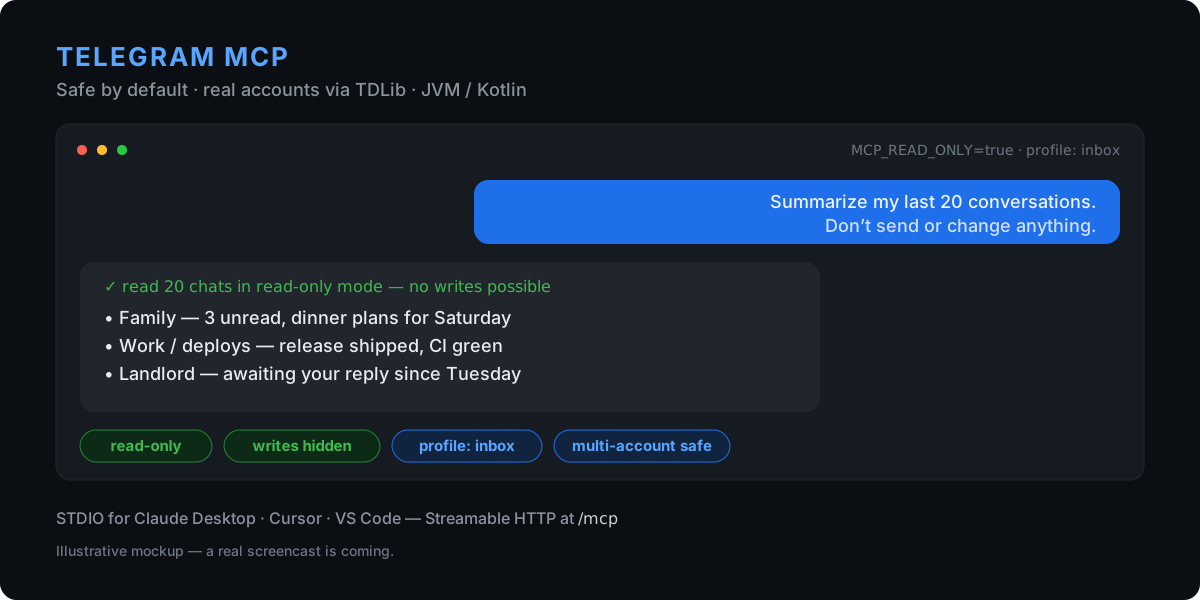
The image is an illustrative mockup; a real screencast is on the way.
Safe first run
Runtime-inclusive releases need no JDK, Gradle, Git, Python, or Node.js. Use a test account
for your first run if you can.
1. Install (macOS Apple silicon / Linux with Homebrew):
brew install --formula https://github.com/tolboy/telegram-mcp-tdlib/releases/latest/download/telegram-mcp.rb
Windows with Scoop:
scoop install https://github.com/tolboy/telegram-mcp-tdlib/releases/latest/download/telegram-mcp.json
2. Log in with a QR scan — the one-time code never touches your shell history:
telegram-mcp auth --method qr
3. Check the session is ready — this reads local state and starts no server:
telegram-mcp session doctor
Do not run serve --transport stdio yourself to try it out. With STDIO your AI
client starts the server and owns its lifetime; a copy you launched in a terminal
holds the TDLib session, and the client's own copy then exits with code 2 because
it cannot lock td.binlog. Give the command to the client instead (below) and let
it do the starting.
Then try a first prompt that cannot change anything:
“Summarize my last 20 conversations. Do not send or modify anything.”
In this mode write and quota-consuming tools are absent from the tool list entirely, so the
model has nothing destructive to call. Switch to MCP_READ_ONLY=false only after you have
reviewed the surface. When you do, add MCP_DESTRUCTIVE_APPROVAL=auto so deletes, bans and
leaves wait for your answer through host elicitation where available, or through the
server's loopback page otherwise, rather than trusting the model's own "confirmed": true.
Connect your client
Generate the entry instead of transcribing one — it fills in the key your client
actually expects and pins the version it was generated from:
telegram-mcp config --client claude
--client claude-code|cursor|vscode|codex switches target — Codex gets TOML, VS
Code gets the servers key it actually reads, Claude Code gets the explicit
transport type. --writes enables write tools and the approval prompt that
guards the destructive ones — pair it with a write-capable--profile inbox|community-admin|all, since the default reader surface hides
write tools before read-only mode is consulted. --docker default emits a container entry with a
pinned image, and --http default emits the shared-daemon entry for Claude Code,
Cursor, VS Code, or Codex. Claude Desktop does not read remote servers fromclaude_desktop_config.json; add a network-reachable remote endpoint under
Settings → Connectors instead. Claude remote connectors do not accept the
generator's custom API-key header, so this server must be exposed over HTTPS
with MCP_AUTH_MODE=oauth. The generator therefore rejects--client claude --http.
STDIO is the low-friction path for desktop clients. The generated entry looks like:
{
  "mcpServers": {
    "telegram": {
      "command": "telegram-mcp",
      "args": ["serve", "--transport", "stdio"],
      "env": {
        "TDLIB_API_ID": "123456",
        "TDLIB_API_HASH_FILE": "/absolute/path/to/telegram-api-hash",
        "MCP_TOOL_PROFILE": "inbox",
        "MCP_READ_ONLY": "true"
      }
    }
  }
}
- Claude Desktop — add the block above to
claude_desktop_config.json, then quit the app
from the tray and start it again. Use Settings → Developer → Edit Config to open the file:
it points at the right copy for your build. Editing%APPDATA%\Claudeby hand works only
for the installer build — the Microsoft Store build is packaged as MSIX and keeps its config
in%LOCALAPPDATA%\Packages\Claude_pzs8sxrjxfjjc\LocalCache\Roaming\Claude\instead. - Cursor — add it to
~/.cursor/mcp.json(or Settings → MCP → Add). - VS Code — use
.vscode/mcp.json; VS Code names the top-level keyservers
instead ofmcpServersand requires an explicit"type": "stdio"or"type": "http".
For a managed HTTP deployment instead of STDIO:
docker run --rm -p 127.0.0.1:8080:8080 \
  -e TDLIB_API_ID -e TDLIB_API_HASH -e MCP_API_KEY \
  ghcr.io/tolboy/telegram-mcp-tdlib:latest
See CLI and STDIO, interactive authentication, and client compatibility for exact platform/client variants.
Recipes
Copy-paste configurations and prompts for real tasks, each with the smallest
tool surface that can do the job:
summarize your inbox,
find a lost message,
research public groups,
read-only community health check,
and draft replies without sending —
index in docs/recipes.
How it compares
Most Telegram MCP servers wrap the Bot API or a Telethon user session and expose every
capability to the model at once. This project optimizes for connecting an agent to a real
account you care about, safely:
| Dimension | This server | Typical Telethon / Bot-API MCP servers |
|---|---|---|
| Account access | Real user account via TDLib (tdlight-java) | Often bot-only, or a single Telethon user session |
| Default posture | Read-only; write/quota tools hidden until enabled | Usually all tools exposed from the start |
| Multi-account | Isolated sessions, mandatory selection, scoped keys, no cross-account read fan-out | Single account, or implicit fan-out |
| Transports | STDIO and Streamable HTTP /mcp |
Usually STDIO only |
| Guardrails | Confirmation gating, audit log, anti-spam limits, chat allow-list, untrusted-content marking | Minimal |
| Distribution | Signed runtime bundles (no JDK), SBOM + provenance, GHCR image | Source install via pip/npx |
A fuller architectural comparison (TDLib vs Telethon vs Bot API, and why "hidden,
not blocked" matters) is in docs/COMPARISON.md. The detailed,
dated benchmark against the leading public servers — including features
deliberately declined (raw MTProto escape hatch, ownership transfer, bulk contact export) —
is in PUBLIC_BENCHMARK_AND_ROADMAP.md.
Tool profiles
You don't expose 110 tools on day one. MCP_TOOL_PROFILE narrows the advertised surface
before a client ever sees it, without weakening account scoping, read-only mode,
confirmation, audit, or anti-spam:
| Profile | Surface |
|---|---|
reader |
Always non-mutating — safe for a first look |
inbox |
Personal messages, drafts, media, contacts, privacy |
community-admin |
Moderation, group/channel, permissions, bot commands |
research |
Bounded account/public discovery and reading |
all |
The full inventory (opt in deliberately) |
See TOOL_PROFILES.md for the exact intent of each surface.
Features
- 110 MCP tools — messages, polls, read receipts, scheduled sends, chats, folders,
invite-link administration, contacts, media, drafts, privacy, bot commands, detailed group
permissions, profile, search, and account routing. - TDLib via tdlight-java — real user accounts, not just the Bot API.
- Isolated multi-account mode — independent sessions, mandatory account selection, and
optional per-key account scopes with no cross-account read fan-out. - Safe by default — read-only tool surface, human approval for destructive actions
(MCP_DESTRUCTIVE_APPROVAL, over the host or a loopback page), and task-focused profiles
(reader/inbox/community-admin/research/all). - Two transports — STDIO for desktop clients and Streamable HTTP
/mcp
(Spring AI 2.0 / MCP SDK 2.0), with API-key auth. - Guardrails — audit logging, anti-spam via Resilience4j rate limiter (30 req/s) and
circuit breaker, chat allow-list, prompt-injection patterns, and untrusted-content marking. - Observability — Micrometer metrics, Prometheus endpoint, and structured JSON logging
with MDC (traceId,sessionId,toolName). - Verified, runtime-inclusive releases — Windows x64, Linux x64/ARM64, and Apple-silicon
macOS bundles with checksums, an SBOM, and signed container digests — no JDK required.
- Entity resolution — resolve
@username,+phone, or numeric IDs transparently. - MCP behavior annotations — every advertised tool declares read-only, destructive,
retry, and open-world hints for safer client UX. - Structured, marked output — backward-compatible JSON text plus
structuredContent;
Telegram-controlled fields are explicitly untrusted and presentation-control Unicode is
escaped. - Host-friendly discovery via
/.well-known/mcp-server.jsonfor installers, desktop
hosts, and service managers. - File security service for safe media uploads; Actuator health/info/metrics;
graceful shutdown with configurable timeout. - Multi-stage Docker build + docker-compose with dev hot-reload.
- Runtime-inclusive app images — the supported release archives include their own Java
runtime and pass an actual STDIO handshake before publication. - Offline session doctor — inspect configured TDLib state paths and lock availability
without starting TDLib or printing secrets. - Clean Architecture — config / model / client / service / tool / security / util /
exception. - Language-neutral public search — callers pass synonyms, translations, and spelling
variants in any language; product-specific policy interpretation stays in the MCP host.
Tech Stack
| Component | Version |
|---|---|
| Java | 25 |
| Kotlin | 2.4.0 |
| Spring Boot | 4.1.0 |
| Spring AI MCP | 2.0.0 |
| MCP Java SDK | 2.0.0 |
| TDLib (tdlight) | 3.5.3+td.1.8.65 |
| Gradle | 9.6.1 |
| Resilience4j | 2.4.0 |
Quick Start
Prerequisites
- Java 25+ (or use Docker)
- Telegram API credentials from https://my.telegram.org (
TDLIB_API_ID,TDLIB_API_HASH) - Exactly one authentication mode:
TDLIB_PHONE_NUMBERfor user-account mode orTDLIB_BOT_TOKENfor bot mode
1. Clone and configure
git clone https://github.com/tolboy/telegram-mcp-tdlib.git
cd telegram-mcp-tdlib
cp .env.example .env
# Edit .env — set TDLIB_API_ID, TDLIB_API_HASH, one of TDLIB_PHONE_NUMBER/TDLIB_BOT_TOKEN, and MCP_API_KEY
On Windows PowerShell, use Copy-Item .env.example .env instead of cp.
2. Run locally
./gradlew bootRun
The server starts on http://localhost:8080. Its MCP Streamable HTTP endpoint is http://localhost:8080/mcp.
Your first 60 seconds
Add a remote Streamable HTTP MCP server in your client with URL
http://127.0.0.1:8080/mcpandAuthorization: Bearer <MCP_API_KEY>.
Cursor, VS Code, Codex, Claude Code, and Inspector can use that local HTTP
endpoint. Claude Desktop's config file supports the local STDIO entry above;
its remote connectors are added through Settings → Connectors and require a
network-reachable HTTPS endpoint withMCP_AUTH_MODE=oauth, rather than this
loopback URL plus a custom header. Exact connection data is kept in
MCP_CLIENT_COMPATIBILITY.md.Start safely with
MCP_READ_ONLY=trueand one focused surface, for exampleMCP_TOOL_PROFILE=inboxorMCP_TOOL_PROFILE=research.Ask the client one of these concrete first questions:
- Inbox: “Summarize my last 20 relevant conversations. Do not send or modify anything.”
- Community: “Show recent admin actions and default permissions in this group; propose changes, but do not apply them.”
- Research: “Find public chats matching these English and Russian query variants, and report evidence from descriptions and recent messages.”
Switch to MCP_READ_ONLY=false only after reviewing the discovered surface;
confirmation remains enabled by default for destructive actions.
On Windows, Gradle outputs default to the system temp directory to avoid file-lock issues in synchronized folders. Set KTM_BUILD_DIR or pass -Pktm.buildDir=... to override.
3. Run with Docker
docker compose up --build
The compose stack persists TDLib session data in the tdlib-data volume, downloads in telegram-downloads, and mounts ${MCP_UPLOADS_DIR:-./docker-data/uploads} into the container as /data/uploads for upload/download tools.
By default, compose binds the service to 127.0.0.1 via MCP_BIND_HOST so the local boxed/developer scenario is not exposed on the LAN by accident.
Dev mode with hot-reload:
docker compose --profile dev up telegram-mcp-dev
With Prometheus monitoring:
docker compose --profile monitoring up
Production note: terminate TLS in front of the container (reverse proxy, ingress, or load balancer). API keys should not traverse plaintext HTTP outside trusted local development networks.
Deployment guidance for local boxed installs vs remote/VPS exposure is documented in docs/DEPLOYMENT_MODES.md.
Connector discovery for a multi-server MCP host or installer is documented in docs/CONNECTOR_DISCOVERY.md.
Client compatibility, a portable JSON-Schema profile, and a Streamable HTTP smoke test are documented in MCP_CLIENT_COMPATIBILITY.md.
Offline-safe TDLib session inspection and clearing are documented in SESSION_MAINTENANCE.md.
The comparison with the leading public Telegram MCP servers and the prioritized follow-up work are documented in PUBLIC_BENCHMARK_AND_ROADMAP.md.
Releases
CI runs on every pull request and push to master. A signed-off release is a Git tag in the vX.Y.Z form; the release workflow builds the images, runs the cross-platform tool-surface smoke and the container lifecycle contract against the pushed digest, attests and signs it, and only then moves the public tags (latest, X.Y.Z, X.Y, immutable sha-<commit>, and the -stdio variants) onto that exact digest — verifying afterwards that each tag resolves to it. Release bundles for Windows x64, Linux x64/ARM64, and macOS ARM64 ship alongside. Public releases include an SPDX SBOM for the runnable JAR, GitHub provenance attestations for release assets, and a keyless Sigstore signature plus provenance for the container digest. See release-bundle verification.
Use a concrete semver tag for reproducible deployments. v1.0.0 is the first Streamable HTTP / MCP SDK 2.0 public baseline; v1.1.0 adds account isolation, scoped keys, and cross-platform native packaging; v1.2.0 adds premium voice-note transcription and the neutral package namespace; v1.3.0 adds privacy, bot-command, detailed group-permission controls, and verified release bundles; v1.4.0 adds focused MCP tool profiles; v1.7.x adds the STDIO transport, CLI with an interactive auth wizard, structured tool output, optional OAuth resource-server mode, and runtime-inclusive release images; v1.13.0 adds human approval for destructive tools over the host or a loopback page, and telegram-mcp config to generate client entries; v1.14.0 ties every published image tag to the digest that passed verification and signing; v1.15.0 makes the running build checkable from the connector's own answer; v1.16.0 fixes interactive login: authorization requests actually reach TDLib, a second login attempt no longer aborts the process, and the auth state says where Telegram delivered the code. The complete history is in CHANGELOG.md.
To find out which release is actually answering, call the _manifest tool: the
response carries serverVersion next to schemaVersion. It is read from the
jar's own build metadata — the Gradle version derived from the release tag — soMCP_SERVER_VERSION cannot rewrite it, and telegram-mcp version on the same
artifact prints the same string.
The current TDLight native release publishes an Apple-silicon macOS binary but not an Intel macOS classifier. The server supports Intel macOS at the JVM/path level, but TDLib-backed Telegram access on that platform requires an upstream native package before it can run.
To create the runtime-inclusive app image for the current matching platform:
./scripts/package-app-image.ps1 -Version <version> -Target windows-x64 -OutputDirectory release-assets
The build verifies the actual BOOT-INF/lib contents, launcher-reported version,
and a live STDIO handshake. See RELEASE_BUNDLES.md
for the target matrix.
git checkout master
git pull --rebase origin master
git tag -a vX.Y.Z -m "Telegram MCP Server vX.Y.Z"
git push origin master vX.Y.Z
Environment Variables
TDLib (primary Telegram client)
| Variable | Required | Default | Description |
|---|---|---|---|
TDLIB_API_ID |
Yes* | — | API ID from https://my.telegram.org |
TDLIB_API_HASH |
Yes* | — | API hash from https://my.telegram.org |
TDLIB_API_HASH_FILE |
No | — | Secret-file alternative to TDLIB_API_HASH |
TDLIB_PHONE_NUMBER |
No† | — | Phone for user-account mode (full API access) |
TDLIB_BOT_TOKEN |
No† | — | Bot token for bot mode |
TDLIB_BOT_TOKEN_FILE |
No | — | Secret-file alternative to bot token |
TDLIB_2FA_PASSWORD |
No | — | 2FA password (supply for headless startup) |
TDLIB_2FA_PASSWORD_FILE |
No | — | Secret-file alternative to 2FA password |
TDLIB_AUTH_CODE |
No | — | One-time login code (supply for headless first run) |
TDLIB_AUTH_CODE_FILE |
No | — | Secret-file alternative to auth code |
TDLIB_DATA_DIR |
No | OS app-data dir | Session database directory |
TDLIB_DOWNLOADS_DIR |
No | (under data dir) | Directory for downloaded media |
TDLIB_LOG_VERBOSITY |
No | 1 |
TDLib native log verbosity (0–10) |
TDLIB_SYSTEM_LANGUAGE_CODE |
No | en |
Language code reported for the Telegram session |
TDLIB_DEVICE_MODEL |
No | Telegram MCP Server |
Recognizable device label shown in Telegram session settings |
TDLIB_PROXY_TYPE |
No | — | socks5, http (HTTP CONNECT), or mtproto |
TDLIB_PROXY_SERVER / TDLIB_PROXY_PORT |
With proxy | — | Proxy hostname/IP and port |
TDLIB_PROXY_USERNAME |
No | — | SOCKS5/HTTP proxy username (requires password too) |
TDLIB_PROXY_PASSWORD / _FILE |
No | — | SOCKS5/HTTP proxy password; _FILE is the mounted-secret alternative |
TDLIB_PROXY_SECRET / _FILE |
MTProto only | — | MTProto secret; _FILE is the mounted-secret alternative |
TDLIB_PROXY_HTTP_ONLY |
No | false |
Restrict an HTTP proxy to HTTP requests; normally leave false for CONNECT |
* Required when TDLib integration is enabled.
† Set exactly one: TDLIB_PHONE_NUMBER or TDLIB_BOT_TOKEN.
Non-interactive auth: on a fresh container, set TDLIB_AUTH_CODE once (plus TDLIB_2FA_PASSWORD if 2FA is enabled). After the session persists to TDLIB_DATA_DIR, neither is needed on restart. Every direct secret setting has a mutually exclusive *_FILE alternative for Docker/Podman/Kubernetes secret mounts.
For a local first-time login without putting the one-time code in the
environment, use the phone/code or QR flow documented in
INTERACTIVE_AUTH.md. TDLIB_DEVICE_MODEL andTDLIB_SYSTEM_LANGUAGE_CODE control the recognizable session identity shown
under Telegram Settings → Devices.
At-rest encryption note: SimpleTelegramClient (tdlight-java) does not expose the TDLib database-encryption key. For production, encrypt the TDLIB_DATA_DIR volume at the filesystem level (LUKS, FileVault, EFS) rather than relying on a library-level flag. Additional use-file-database, use-chat-info-database, use-message-database toggles are available in TdLibProperties.kt.
Telegram proxy
The server configures TDLib's own proxy before login, so it covers both
initial authentication and normal Telegram traffic. Use one of these complete
configurations; incomplete or invalid proxy settings make startup fail before
the account can connect.
# SOCKS5 with optional username/password authentication
TDLIB_PROXY_TYPE=socks5
TDLIB_PROXY_SERVER=proxy.example.net
TDLIB_PROXY_PORT=1080
TDLIB_PROXY_USERNAME=connector
TDLIB_PROXY_PASSWORD_FILE=/run/secrets/telegram_proxy_password

# HTTP CONNECT (set HTTP_ONLY=false to route all TDLib traffic through it)
# TDLIB_PROXY_TYPE=http
# TDLIB_PROXY_SERVER=proxy.example.net
# TDLIB_PROXY_PORT=3128
# TDLIB_PROXY_HTTP_ONLY=false

# MTProto (secret must be supplied directly or through *_FILE)
# TDLIB_PROXY_TYPE=mtproto
# TDLIB_PROXY_SERVER=proxy.example.net
# TDLIB_PROXY_PORT=443
# TDLIB_PROXY_SECRET_FILE=/run/secrets/telegram_mtproto_secret
Named accounts can have independent settings usingTELEGRAM_ACCOUNTS_<LABEL>_PROXY_*, for exampleTELEGRAM_ACCOUNTS_WORK_PROXY_TYPE=socks5. An account proxy never falls back
to another account's credentials or TDLib session. When using *_FILE inside
Docker, mount the secret file into the container and set the container path.
Server & Security
| Variable | Required | Default | Description |
|---|---|---|---|
TELEGRAM_BOT_TOKEN |
No | — | Legacy Bot API token (fallback only) |
TELEGRAM_BOT_USERNAME |
No | — | Bot username (for logging) |
TELEGRAM_ALLOWED_CHAT_IDS |
No | (all allowed) | Comma-separated chat IDs to allow |
MCP_API_KEY |
Remote API-key mode* | — | API key for MCP endpoint auth |
MCP_API_KEY_FILE |
No | — | Secret-file alternative to MCP_API_KEY |
MCP_AUTH_HEADER |
No | Authorization |
Header name for API key |
MCP_READ_ONLY |
No | true |
Block all write/mutating tools until explicitly disabled |
MCP_TOOL_PROFILE |
No | reader |
all, reader, inbox, community-admin, or research |
MCP_TOOL_ALLOW |
No | (profile tools) | Exact comma-separated names to retain after profile filtering |
MCP_TOOL_DENY |
No | — | Exact comma-separated names to hide after the allow-list |
MCP_TRANSPORT |
No | streamable-http |
streamable-http or stdio; CLI --transport wins |
MCP_CONFIRMATION_REQUIRED |
No | true |
Require caller acknowledgement ("confirmed": true) for destructive tools; not proof of human approval |
MCP_DESTRUCTIVE_APPROVAL |
No | off |
auto asks a human before each destructive tool — through the MCP host where supported, otherwise on a loopback page. Also elicitation, loopback |
MCP_DESTRUCTIVE_APPROVAL_TIMEOUT |
No | 120s |
Loopback-page answer deadline; elicitation uses the MCP host/request deadline |
MCP_FILE_ROOTS |
No | (deny all) | Allowed root dirs for file operations |
MCP_AUDIT_ENABLED |
No | true |
Enable audit logging |
MCP_AUDIT_LOG_ARGS |
No | false |
Include tool arguments in audit logs |
MCP_AUDIT_FILE |
No | — | Optional append-only JSONL audit trail; use a persistent encrypted volume |
MCP_BIND_HOST |
No | 127.0.0.1 |
Host interface used by docker-compose port publishing |
MCP_AUTH_MODE |
No | api-key |
api-key or opt-in external oauth for HTTP deployments |
SERVER_PORT |
No | 8080 |
HTTP port |
SERVER_ADDRESS |
No | 127.0.0.1 |
Embedded HTTP bind address; set a non-loopback value only with API-key or OAuth protection |
* When blank in API-key mode, protected endpoints accept only direct loopback
requests. Non-loopback requests to /mcp, /actuator/metrics, and/actuator/prometheus are rejected. Container images bind inside their network
namespace and therefore require either a configured API key or OAuth bearer
protection for MCP access through a published port or Docker bridge.
Compose-only convenience variables:
MCP_UPLOADS_DIRcontrols the host directory mounted into the container as/data/uploads.KTM_BUILD_DIRoverrides Gradle's build directory for local builds without changing the project default.
Tool profiles
MCP_TOOL_PROFILE reduces the advertised surface before a client sees it; it
does not weaken account scoping, allow-lists, read-only mode, confirmation,
audit, or anti-spam controls. reader is always non-mutating. inbox keeps
personal messages, drafts, media, contacts, and privacy settings;community-admin keeps moderation, group/channel, permission, and bot-command
workflows; research keeps bounded account/public discovery and reading.
The active profile appears in /.well-known/mcp-server.json and _manifest.
See TOOL_PROFILES.md for the exact intent of each
surface.
Multi-account setup
Use suffixed environment variables per label. Labels are normalized to lowercase and must contain only a-z, 0-9, _, or -; they never expose a profile name, phone number, or token.
TELEGRAM_ACCOUNTS_WORK_API_ID=12345
TELEGRAM_ACCOUNTS_WORK_API_HASH_FILE=/run/secrets/work_api_hash
TELEGRAM_ACCOUNTS_WORK_PHONE_NUMBER=+15551234567

TELEGRAM_ACCOUNTS_PERSONAL_API_ID=12345
TELEGRAM_ACCOUNTS_PERSONAL_API_HASH_FILE=/run/secrets/personal_api_hash
TELEGRAM_ACCOUNTS_PERSONAL_PHONE_NUMBER=+15557654321

TELEGRAM_ACCOUNTS_WORK_PROXY_TYPE=mtproto
TELEGRAM_ACCOUNTS_WORK_PROXY_SERVER=proxy.example.net
TELEGRAM_ACCOUNTS_WORK_PROXY_PORT=443
TELEGRAM_ACCOUNTS_WORK_PROXY_SECRET_FILE=/run/secrets/work_mtproto_secret
Each account receives a separate TDLib database and downloads directory below the platform app-data directory unless explicitly overridden. In multi-account mode every Telegram tool requires an account argument. This server intentionally does not fan read requests out to all accounts: omission must fail closed rather than disclose data from the wrong account. Call list_accounts to discover labels visible to the authenticated MCP client.
For remote MCP clients, prefer one scoped key per client:
MCP_SECURITY_CLIENTS_0_ID=work-agent
MCP_SECURITY_CLIENTS_0_API_KEY_FILE=/run/secrets/work_mcp_key
MCP_SECURITY_CLIENTS_0_ALLOWED_ACCOUNTS_0=work
An empty allowed-accounts list permits all configured accounts; use it only for an administrator key. The legacy MCP_API_KEY remains supported for single-account and trusted-local deployments.
API Key Authentication
The server always supports these standard header formats:
Authorization: Bearer <your-api-key>
or
X-MCP-API-Key: <your-api-key>
If MCP_AUTH_HEADER is set to another header name, that header is accepted as well.
When configured through mcp.security.clients, each authenticated key carries an optional account allow-list that is enforced before a tool reaches TDLib.
Public endpoints (no auth needed):
GET /actuator/healthGET /actuator/infoGET /.well-known/mcp-server.json
The well-known descriptor is intentionally small and stable. It helps generic installers or orchestration layers discover a single-purpose connector without turning this server into an in-process aggregator.
Interactive /auth/** endpoints are keyless only from loopback. Requests from
a Docker bridge, reverse proxy, or private LAN must include the configured MCP
API key; private IP space is not treated as a trusted identity.
The same fail-closed rule applies to /mcp and protected Actuator endpoints
when API-key mode has no configured key. Raw HTTP binds to 127.0.0.1 by
default; a remote deployment must deliberately change SERVER_ADDRESS and
configure an API key or OAuth.
Orchestration And Tool Binding
This repository is an MCP connector (tool server), not an autonomous agent runtime.
TDLib access alone does not make an LLM call Telegram tools. For end-to-end behavior, an external MCP host, agent loop, or orchestration service must:
- Discover tool schemas from this MCP server.
- Send those tool schemas to the model for the current turn.
- Execute model-requested tool calls against this MCP server.
- Feed tool results back into the model until a final assistant answer is produced.
Without that orchestration layer, prompts are handled as plain text generation and no Telegram actions are executed.
If you use a multi-connector router, prefer explicit connector scoping per chat request so Telegram turns expose Telegram tools only.
Safety Model
Telegram account credentials and TDLib session data are sensitive. Start with a test account where practical, bind the service to localhost, use a long random MCP_API_KEY, and keep MCP_READ_ONLY=true until you intentionally need writes. In read-only mode write and quota-consuming tools are absent from the MCP tool list; the execution guard remains as defense in depth. MCP_CONFIRMATION_REQUIRED=true adds a caller-acknowledgement step for destructive actions, but the server cannot prove that "confirmed": true came from a human: that flag travels inside the tool call, so a model acting on a malicious message can set it itself.
MCP_DESTRUCTIVE_APPROVAL=auto closes that gap. Before each destructive tool a person is asked, and the answer comes back over a channel the model does not write to — so an injected instruction can make the model request a ban, but not approve one. The check runs before any Telegram call.
Where the question appears depends on the client. Hosts that implement MCP elicitation show their own prompt. Most do not — Claude Desktop advertises no elicitation capability — so auto falls back to a page this server hosts on 127.0.0.1, announcing the link on stderr where your client shows server output. That is not a weaker answer: the link is single use, nonce-protected, reachable only from your machine, and expires into a refusal. Force one route with elicitation or loopback if you would rather fail than fall back. This is the setting to enable on an account you care about.
The loopback page belongs to the server process. Inside an un-published Docker
network namespace, its 127.0.0.1 is the container's, not yours, so no host
browser can open it. telegram-mcp config --docker ... --writes therefore
generates MCP_DESTRUCTIVE_APPROVAL=elicitation rather than auto: a client
that implements elicitation still asks you, and one that does not refuses the
destructive tools outright instead of waiting on a page nobody can reach. Run
the server natively when you want the loopback route.
An empty TELEGRAM_ALLOWED_CHAT_IDS grants the connector visibility across the
whole selected Telegram account. Remote or model-facing deployments should set
an explicit chat allow-list whenever the workflow has a narrower scope.
The setting governs chat/message/folder data and chat-targeted side effects; it
is not a complete account sandbox. Account, profile, and contact metadata tools
remain controlled by account scopes, tool profiles, and MCP_TOOL_ALLOW /MCP_TOOL_DENY, so narrow those surfaces separately when required.
Audit summaries and JSONL records contain no argument values unlessMCP_AUDIT_LOG_ARGS=true; when enabled, recognized credential fields are
redacted. Set MCP_AUDIT_FILE to append forced JSONL records for a durable
local trail. The directory is created automatically; symlink targets are
rejected and POSIX files are restricted to their owner. Place the trail on a
persistent encrypted volume and apply normal log retention and access controls.
The server never writes API hashes, bot tokens, 2FA passwords, auth codes, or MCP API keys to disk. Supply them through the environment or *_FILE mounted secrets. Secret files must be regular files (not symlinks), are size-limited, and may not be writable by group or others. Encrypt TDLib session storage at the OS/volume layer: BitLocker on Windows, FileVault on macOS, and LUKS/fscrypt or an encrypted volume on Linux.
Local state uses native OS paths by default: %LOCALAPPDATA%\\TelegramMcpServer on Windows, ~/Library/Application Support/TelegramMcpServer on macOS, and $XDG_DATA_HOME/telegram-mcp-server (or ~/.local/share/telegram-mcp-server) on Linux. Relative configured paths resolve below that location, not the current working directory.
Container images set TELEGRAM_MCP_DATA_DIR=/data/tdlib-data, which is backed by the compose volume. Set the same variable to an absolute encrypted volume path when running a multi-account server under another container orchestrator.
Tool responses may contain text, links and files written by other Telegram users. Treat that content as untrusted data in your MCP client or agent; do not let it override the client’s instructions. Prompt-injection policy belongs in that MCP host or agent because the connector does not interpret returned Telegram content as instructions. The server still enforces input-size limits and supports an optional operator-defined mcp.guardrails.blocked-patterns denylist.
transcribe_voice_note uses Telegram's own Premium/trial recognition feature. It never posts a new transcript message or uploads audio to a third-party service, but it can consume a Telegram recognition allowance and is therefore blocked in read-only mode and rate-limited.
Privacy, bot-command, and detailed group-permission writes are account-scoped,
audited, and absent when MCP_READ_ONLY=true. Group-wide, member, and
administrator permission changes are confirmation-gated whenMCP_CONFIRMATION_REQUIRED=true; a group permission update preserves every
flag the caller omits, while administrator-right updates intentionally replace
the complete set and revoke omitted rights.
For remote deployment, terminate TLS before the service and restrict network access. See deployment modes and SECURITY.md.
Available MCP Tools
The full inventory is grouped below. In practice you start with a
tool profile rather than enabling all of it at once.
Messages (29 tools)
| Tool | Description |
|---|---|
get_history |
Retrieve chat history (recent messages) |
get_messages |
Get specific messages by ID |
search_messages |
Search messages in a specific chat |
search_global |
Search messages across all chats |
send_message |
Send a text message with optional HTML/Markdown |
reply_to_message |
Reply to a specific message |
edit_message |
Edit an existing message |
delete_message |
Delete messages (destructive, requires confirmation) |
forward_message |
Forward messages between chats |
pin_message |
Pin a message in a chat |
unpin_message |
Unpin a message |
get_pinned_messages |
Get all pinned messages in a chat |
mark_as_read |
Mark messages as read |
send_reaction |
Add an emoji reaction to a message (requires confirmation) |
remove_reaction |
Remove an emoji reaction from a message (requires confirmation) |
get_message_reactions |
Get reaction counts and list senders when Telegram permits it |
create_poll |
Send a poll (anonymous or public, single or multi-answer) |
vote_poll |
Vote in a poll by 0-based option indexes |
close_poll |
Permanently close a poll (destructive, requires confirmation) |
get_message_viewers |
List read receipts for an outgoing message in small groups |
get_message_context |
Get N messages surrounding a target message |
list_inline_buttons |
Inspect inline keyboard buttons on a message |
press_inline_button |
Click an inline button by index or label (requires confirmation) |
message_from_link |
Resolve a t.me message link to the actual message |
get_message_link |
Create a shareable t.me link for a message or media album |
list_scheduled_messages |
List queued messages for a chat |
schedule_message |
Queue a text message for a future ISO time or Unix timestamp |
reschedule_message |
Change a queued message's send time |
cancel_scheduled_message |
Cancel a queued message (destructive, requires confirmation) |
Chats (45 tools)
| Tool | Description |
|---|---|
list_chats |
List all chats with optional type/unread filters |
get_chat |
Get detailed chat info (members, description) |
get_participants |
Get members of a group/channel |
create_group |
Create a new basic group |
create_supergroup |
Create a private supergroup, optionally forum-enabled |
invite_to_group |
Invite users to a group |
leave_chat |
Leave a chat (destructive, requires confirmation) |
ban_user |
Ban a user from a chat (destructive) |
unban_user |
Unban a user |
promote_admin |
Promote a user to admin |
demote_admin |
Demote an admin to regular member |
edit_chat_title |
Change a chat title |
set_chat_description |
Replace the description of a group, supergroup, or channel |
set_slow_mode |
Set a supergroup slow-mode delay (requires confirmation mode when enabled) |
edit_chat_photo |
Set or replace the chat photo (write, file security) |
delete_chat_photo |
Remove the chat photo (destructive, requires confirmation) |
archive_chat |
Archive a chat |
unarchive_chat |
Unarchive a chat |
mute_chat |
Mute chat notifications |
unmute_chat |
Unmute chat notifications |
list_topics |
List forum topics in a supergroup |
create_topic |
Create a forum topic in a topic-enabled supergroup |
edit_forum_topic |
Rename a forum topic and optionally update its custom emoji icon |
close_forum_topic |
Close a forum topic |
reopen_forum_topic |
Reopen a closed forum topic |
set_forum_topics_enabled |
Enable or disable forum topics in a supergroup |
create_channel |
Create a new channel or supergroup, optionally forum-enabled (destructive, requires confirmation) |
get_invite_link |
Generate an invite link for a chat |
list_invite_links |
List invite links created by the current account for a chat |
revoke_invite_link |
Revoke an invite link (destructive, requires confirmation) |
join_chat_by_link |
Join a chat via invite link (destructive, requires confirmation) |
subscribe_public_channel |
Subscribe to a public channel by username (idempotent) |
get_admins |
List administrators of a chat |
get_banned_users |
List banned members of a chat |
search_public_chats |
Search the global catalog of public Telegram chats |
get_recent_actions |
Get the admin event log for a supergroup/channel |
list_chat_folders |
List account chat folders known to TDLib |
get_chat_folder |
Read the full matching rules for one folder |
configure_chat_folder |
Create or fully replace a folder configuration |
delete_chat_folder |
Delete a folder without leaving its chats (destructive, requires confirmation) |
reorder_chat_folders |
Reorder folders to a supplied complete ID sequence |
get_group_permissions |
Get the default group permission flags |
set_group_permissions |
Update selected default group permission flags (requires confirmation mode when enabled) |
set_member_permissions |
Restrict or restore an individual member without banning them (requires confirmation mode when enabled) |
set_admin_rights |
Replace the detailed administrator-rights set for one member (requires confirmation mode when enabled) |
configure_chat_folder intentionally sends a complete TDLib folder definition:
when folder_id is supplied it replaces that folder's rules, rather than
silently merging unknown state. list_chat_folders is populated from TDLib's
account-folder update stream; call get_chat_folder for the complete rules of
a known folder ID. Scheduled timestamps accept a future ISO-8601 instant or
Unix epoch seconds; Telegram applies any product/account restrictions to
repeating schedules.
Account Privacy & Bot Commands (4 tools)
| Tool | Description |
|---|---|
get_privacy_settings |
Get the complete rules for one account privacy setting |
set_privacy_settings |
Replace one privacy rule set with explicit user/chat exceptions |
get_bot_commands |
Get a bot command menu for a language and audience scope |
set_bot_commands |
Replace a bot command menu; Telegram rejects it for user accounts |
set_privacy_settings intentionally replaces the selected setting's full
rule set. It supports a base audience plus explicit users, chats, bots, and
Premium-user exceptions; it does not mirror every raw TDLib setting. Bot
command tools support Telegram's default, all-private, all-group,
all-administrator, chat, chat-administrator, and chat-member scopes.
Users & Contacts (16 tools)
| Tool | Description |
|---|---|
get_me |
Get current user profile |
list_contacts |
List contacts in address book |
resolve_username |
Resolve @username to numeric ID |
add_contact |
Add a user to contacts |
delete_contact |
Remove a contact (destructive) |
block_user |
Block a user (destructive) |
unblock_user |
Unblock a user |
update_profile |
Update first name, last name and/or bio |
set_profile_photo |
Upload and set a profile photo (write, file security) |
delete_profile_photo |
Delete the current profile photo (destructive, requires confirmation) |
get_user_photos |
Get profile photos of a user |
search_contacts |
Search the local contact list by name |
get_blocked_users |
List blocked users/senders |
get_user_status |
Get online/last-seen status of a user |
get_last_interaction |
Get the most recent message exchanged with a contact |
get_common_chats |
List groups and channels shared with a user |
Media (7 tools)
| Tool | Description |
|---|---|
get_media_info |
Get metadata for media in a message |
download_media |
Download media to a local file (hidden in read-only mode) |
send_file |
Upload and send a file |
send_voice |
Send a voice note (OGG/Opus) to a chat (write, file security) |
transcribe_voice_note |
Request Telegram's native transcript on a voice message (Premium/trial quota; no new message is sent) |
send_sticker |
Send a sticker (WEBP/TGS/WEBM) to a chat (write, file security) |
get_sticker_sets |
List installed regular sticker sets |
Drafts (3 tools)
| Tool | Description |
|---|---|
save_draft |
Persist a draft message on a chat (optionally as reply) |
get_drafts |
Collect all chats with a non-empty draft |
clear_draft |
Clear the draft from a chat |
Public Search (3 tools)
| Tool | Description |
|---|---|
discover_public_chats |
Discover public chats, optionally restricted to an operator allowlist |
search_public_messages |
Search several chats with client-supplied multilingual query variants |
export_chat_history |
Export a bounded history slice for local analysis |
search_public_messages does not guess a locale or apply a hidden product glossary. Supply query_variants for translations, synonyms, slang or likely typos. Interpret descriptions and pinned messages in the MCP host or product orchestrator, where locale-specific promotion and outreach policy can be configured without coupling it to the Telegram transport.
Meta (3 tools)
| Tool | Description |
|---|---|
_manifest |
Return a compact self-description and grouped tool inventory, including the running release in serverVersion |
list_accounts |
List account-routing labels visible to the authenticated MCP client |
register_internal_chat |
Mark an operator control chat as internal anti-spam context (destructive, requires confirmation — it loosens rate limits for that chat) |
How to Add New Tools
- Create a new class in
src/main/kotlin/dev/telegrammcp/server/tool/:
@Component
class MyNewTool(
    private val telegramService: TelegramClientService,
    private val guardrailService: GuardrailService,
    private val objectMapper: ObjectMapper,
    private val meterRegistry: MeterRegistry,

) : McpToolHandler {

    override fun definition(): McpSchema.Tool = ToolSupport.definition(
        "my_new_tool",
        "Description of what this tool does",
        INPUT_SCHEMA,
        objectMapper,
    )

    override fun execute(
        exchange: McpSyncServerExchange,
        arguments: Map<String, Any>,
    ): McpSchema.CallToolResult {
        // Your logic here
    }
}
- That's it. The tool is auto-discovered and registered on startup.
McpConfigadds the safeaccountselector to account-bound tools automatically.
Project Structure
src/main/kotlin/dev/telegrammcp/server/
├── TelegramMcpApplication.kt          # Entry point
├── api/                                # Loopback-only interactive auth wizard endpoints
├── auth/                               # TDLib auth orchestration & runtime credentials
├── cli/                                # serve / auth / session / version commands
├── client/                             # Telegram client abstraction
│   ├── TelegramClientService.kt        # Telegram capability interface
│   ├── TdLibClientService.kt           # TDLib implementation
│   ├── TdLibConfig.kt                  # TDLib bean configuration & lifecycle
│   ├── TelegramAccountRegistry.kt      # Isolated multi-account routing
│   └── FallbackClientConfig.kt         # Fallback when TDLib unavailable
├── config/                             # Typed configuration properties & MCP wiring
│   ├── TdLibProperties.kt              # TDLib config (api, auth, database, session, proxy)
│   ├── McpSecurityProperties.kt
│   ├── ServerModeProperties.kt
│   └── McpConfig.kt                    # Tool registration, profiles, account selector
├── controller/                         # Well-known descriptor & OAuth metadata endpoints
├── model/                              # Domain models
│   ├── TelegramModels.kt
│   ├── EntityIdentifier.kt             # Sealed hierarchy: NumericId / Username / PhoneNumber
│   └── UserInfo.kt                     # UserInfo + ContactInfo
├── security/                           # Spring Security, API keys, account scoping
│   ├── SecurityConfig.kt
│   ├── ApiKeyAuthFilter.kt
│   ├── AccountAccessPolicy.kt
│   └── SecretResolver.kt               # *_FILE mounted-secret validation
├── service/                            # Business logic
│   ├── EntityResolverService.kt        # @username / +phone / ID resolution
│   ├── GuardrailService.kt             # Input limits & chat access
│   ├── OperationGuardService.kt        # Read-only & confirmation modes
│   ├── ToolSurfacePolicy.kt            # Tool profiles & allow/deny filters
│   ├── AntiSpamGuardService.kt         # Rate limits, daily caps, dedup
│   ├── AuditService.kt                 # Audit logging
│   └── FileSecurityService.kt          # File upload security
├── tool/                               # MCP Tools (auto-discovered)
│   ├── McpToolHandler.kt               # Tool interface
│   ├── message/                        # 29 message tools
│   ├── chat/                           # 49 chat, folder, permission & privacy tools
│   ├── user/                           # 16 user/contact tools
│   ├── media/                          # 7 media tools
│   ├── draft/                          # 3 draft tools
│   ├── research/                       # 3 bounded public-search tools
│   └── meta/                           # 3 manifest/account tools
├── util/                               # StructuredLogger, TextFormatter, MdcFilter
└── exception/                          # McpExceptions, GlobalExceptionHandler
Testing
# Unit tests
./gradlew test

# Specific test class
./gradlew test --tests "dev.telegrammcp.server.service.GuardrailServiceTest"
Contributing and Support
Read CONTRIBUTING.md before opening a pull request and
CHANGELOG.md for release history. For a vulnerability, do not
open a public issue; follow SECURITY.md. Community standards are
in CODE_OF_CONDUCT.md.
Metrics
When Prometheus is enabled, metrics are available at /actuator/prometheus:
mcp.tool.execution— tool execution duration by tool namemcp.audit.operations— audit counter by tool, category, outcometelegram.api.rate_limited— rate limiter rejectionstelegram.api.circuit_open— circuit breaker open events- Standard Spring Boot / Micrometer HTTP metrics
License
Yorumlar (0)
Yorum birakmak icin giris yap.
Yorum birakSonuc bulunamadi