MacCleaner
Health Uyari
- License — License: GPL-3.0
- Description — Repository has a description
- Active repo — Last push 0 days ago
- Low visibility — Only 5 GitHub stars
Code Gecti
- Code scan — Scanned 1 files during light audit, no dangerous patterns found
Permissions Gecti
- Permissions — No dangerous permissions requested
Bu listing icin henuz AI raporu yok.
A powerful, native macOS application to clean up your Mac and free up storage space.
Mac Storage Cleanup



A powerful, native macOS application to clean up your Mac and free up storage space. Built with SwiftUI and designed with safety and user control in mind.
⚠️ USE AT YOUR OWN RISK: This application deletes files from your system. While it includes safety features and protections, always review what will be deleted before confirming. Some files, especially developer tools and simulator runtimes, can be large but may be needed for your work. The developers are not responsible for any data loss or system issues that may occur from using this application.
✨ Features
🧹 Comprehensive Cleanup
- System & Application Caches - Remove cached data from system and applications
- Browser Caches - Clean Safari, Chrome, Firefox, Edge, and Brave caches
- Developer Tool Caches - Clear Xcode, CocoaPods, npm, Gradle, and more
- Multi-Version Toolchains - The dominant way developer disk space disappears is one
directory per version, kept forever. Each version gets its own row so you can see it:- Android SDK - NDK, system images, build tools, platforms and sources, per version
(removed withsdkmanager --uninstall) - Android Emulators - AVDs with their display names (
avdmanager delete avd) - Gradle -
caches/<version>split per version, plus wrapper distributions,
dependency jars, build cache and scratch directories listed separately - Kotlin/Native - one row per
~/.konanprebuilt compiler
- Android SDK - NDK, system images, build tools, platforms and sources, per version
- Xcode Simulators - Delete iOS/iPadOS simulator devices and runtimes
- Individual simulator devices with names (e.g., "iPhone 15 Pro - iOS 18.2")
- Simulator runtime assets (uses
xcrun simctl runtime delete) - Device Support grouped by device model, keeping only the newest build
- DerivedData, Archives, Coding Assistant and build Products
- App Caches (Electron/Chromium) - Every app under Application Support, including each
browser profile, swept forCache,Code Cache,GPUCache, service worker storage and
crash reports. Never the app's own data directory - Project Build Artifacts (opt-in) -
build/,node_modules/,DerivedData/,Pods/,.build/and friends inside folders you nominate - APFS Local Snapshots - The usual answer to "Finder says the disk is full but nothing
adds up" - AI Agent Caches - Remove caches from ChatGPT, Claude, Cursor, and other AI tools
- Temporary Files - Delete temporary files and logs
- Large Files - Find and manage files over 100MB
- Old Files - Identify files not accessed in over a year
- Duplicate Files - Detect identical copies across Documents, Desktop, Downloads, and Movies
- Downloads Cleanup - Review your Downloads folder grouped by type (documents, images, archives, installers)
- Log Files - Clear accumulated application and system logs
🛡️ Safety First
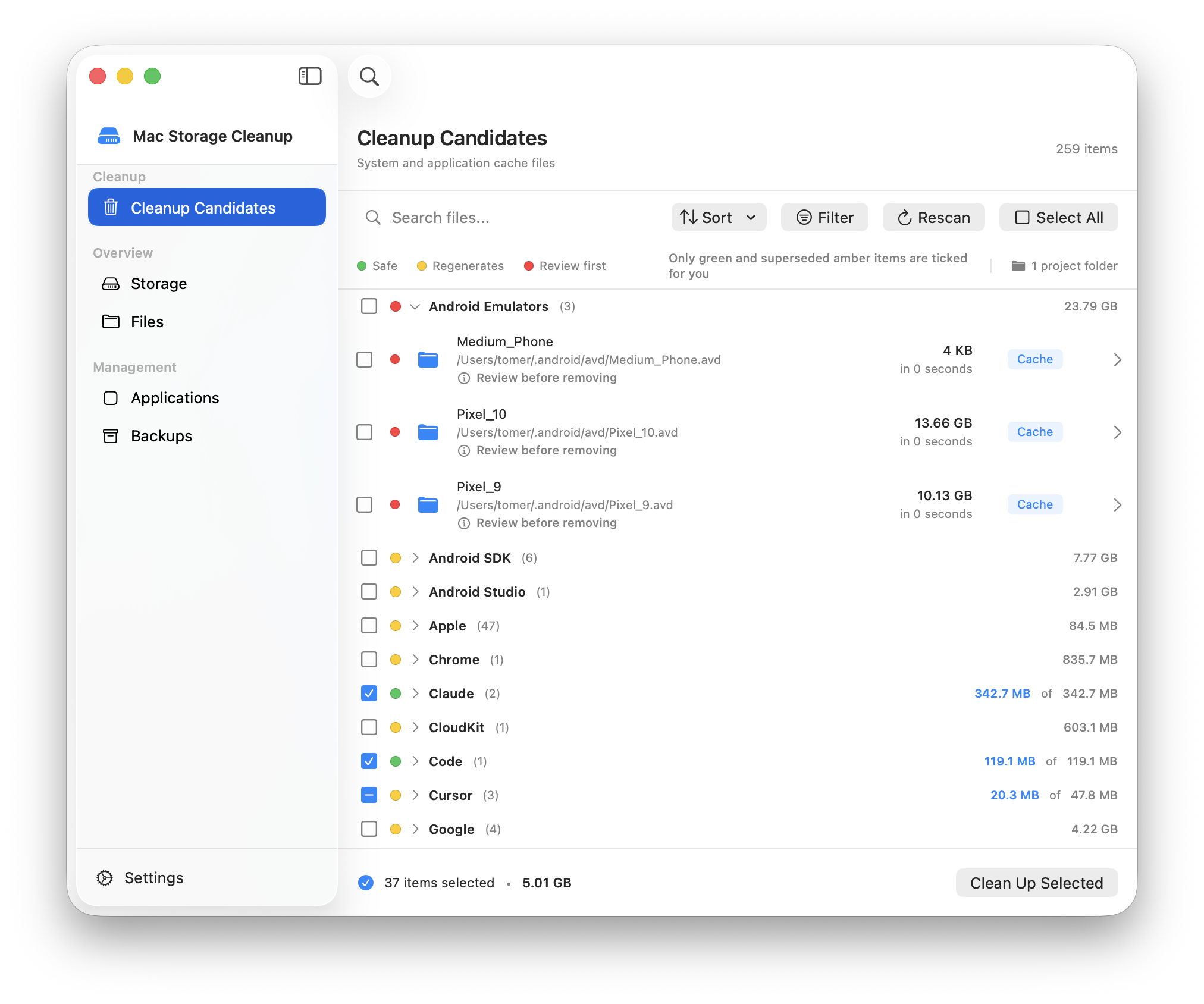
- Risk Indicators - Every row and group heading carries a traffic-light dot, explained
by a legend above the list:- 🟢 Safe - scratch data; nothing is lost and nothing is downloaded again
- 🟡 Regenerates - your tools rebuild or re-download it; costs time, not work
- 🔴 Review first - could remove a device, a scheme or an install, or needs admin
A group shows the riskiest item under it, never an average
- Nothing Risky Pre-Selected - Only green items and superseded versions that no project
references start out ticked. Everything else is a deliberate choice - Reference Detection - Before offering an old NDK, Gradle or build-tools version, your
projects are searched forndkVersion,buildToolsVersion,ndk.dir,gradle-wrapper.propertiesand CI variables. Pinned versions are kept and the files that
pin them are shown - Group Select - One checkbox per heading takes or clears a whole group, with a mixed
state when only part of it is selected - Tool-Owned Deletion -
simctl,avdmanager,sdkmanager,brewanduvare used
in preference torm, so each tool's own index stays consistent - Honest Sizes - Allocated size is reported rather than logical size, so APFS clones and
sparse simulator images do not overstate what you will actually reclaim - Permission Visibility - A protected folder reports "permission needed" instead of
silently reporting 0 bytes - Safe List Protection - Critical system files are automatically protected
- Backup Support - Optional backup before deletion
- Move to Trash - Files moved to Trash by default (recoverable)
- Debug Mode - Test cleanup operations without actually deleting files
- Preview Before Cleanup - Review exactly what will be deleted
- Drill-Down Navigation - Explore folder contents and select individual files
- Show in Finder - Right-click any item to reveal it in Finder
- Vendor Grouping - Cache candidates are collapsed into named groups (Google, Apple, JetBrains, Microsoft, Adobe, Mozilla, Dropbox, Slack, Zoom, Spotify) with item counts and group totals
- "Other Caches" Bucket - Small, unrecognized cache folders are collected into a single group instead of flooding the list
- Overlap Detection - Nested paths are suppressed so a tool's cache is not listed twice under two different groups
📊 Storage Analysis
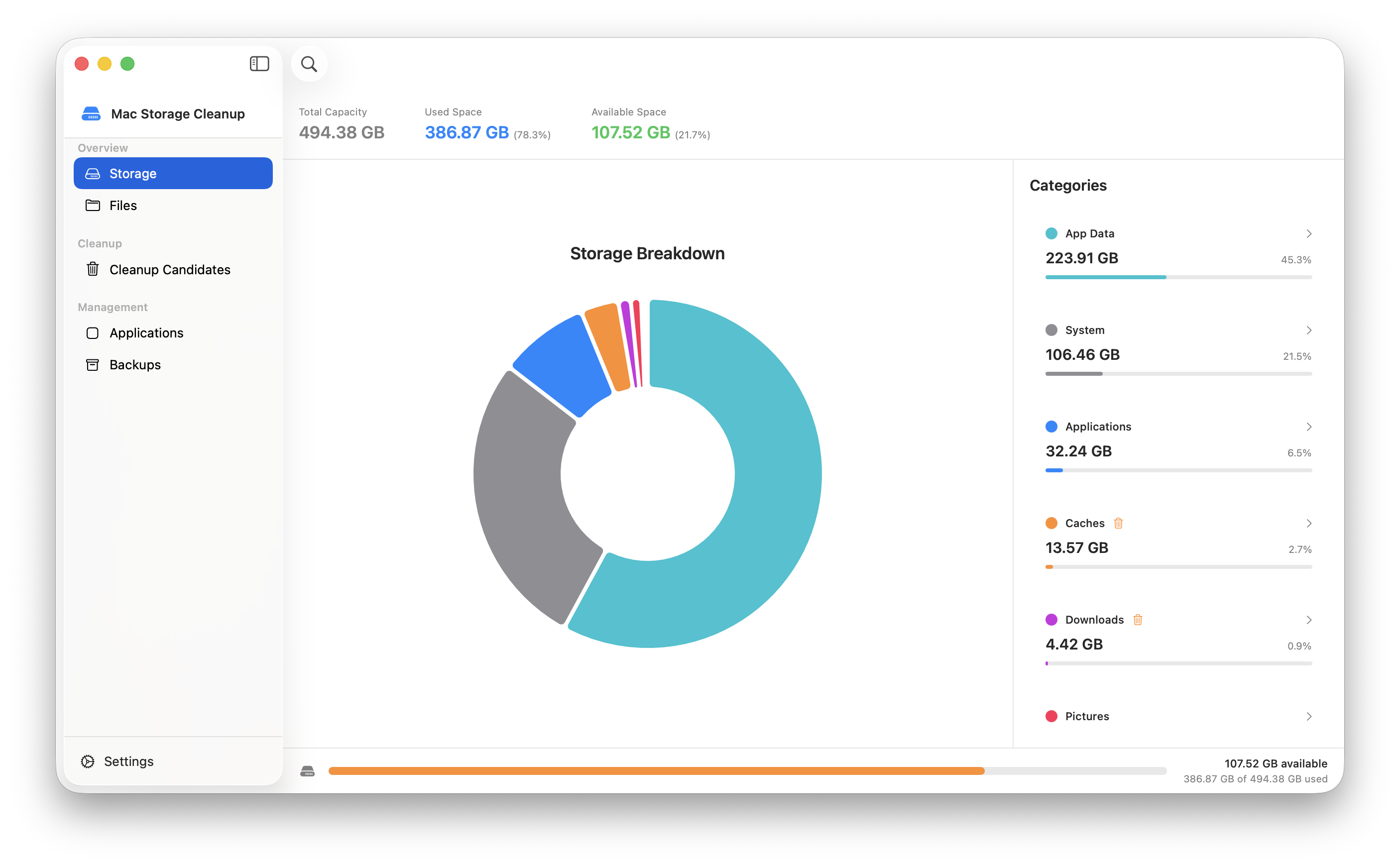
- Visual Storage Breakdown - See what's taking up space with interactive pie chart
- Category Analysis - Detailed breakdown by file type
- Real-time Scanning - Live progress during storage analysis
- Disk Space Indicator - Bottom bar showing available space, updates after cleanup
- File Browser - Explore your filesystem with size information
📊 Menu Bar System Monitor
- Always Accessible - Status bar icon stays visible even when app is closed
- Real-time System Stats - Monitor your Mac's health at a glance
- Storage: Available disk space with quick cleanup access
- Memory: RAM usage and pressure percentage
- CPU: Temperature and load percentage
- Battery: Level, charging status, and health percentage
- Uptime: System runtime since last restart
- Network: Real-time upload/download speeds
- Quick Actions - Launch cleanup directly from menu bar, including Free RAM
- Auto-refresh - Stats update every 2 seconds
⚙️ Advanced Features
- Automatic Updates - Checks for a new release, downloads it in the background and installs it once you approve. Every update is signed with a key separate from the app's certificate, and this is the app's only network request
- Scheduled Cleanup - Automatic cleanup on daily, weekly, or monthly basis
- Customizable Thresholds - Set your own definitions for "large" and "old" files; thresholds are read from preferences by both the scanner and the analyzer
- Selective Cleanup - Choose exactly what to clean
- Application Management - Uninstall apps with associated files
- Backup Management - Restore from previous cleanup backups
📸 Screenshots
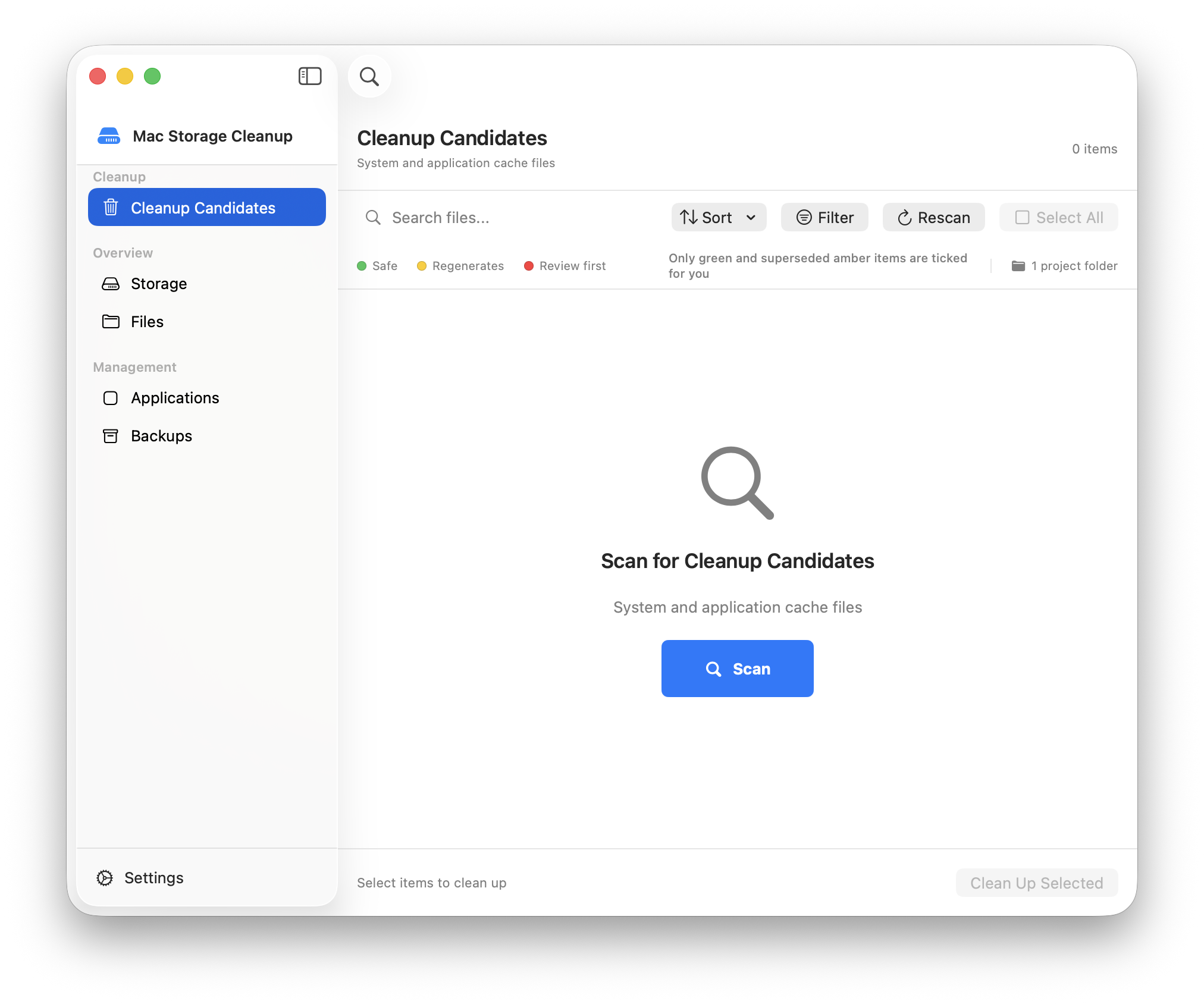
Main Window
Opens on Cleanup — reclaiming space is what the app is for.
Cleanup Candidates
Grouped by tool, with a risk indicator on every row and heading, per-group selection,
and a shortcut to the project folders that decide which versions are protected.
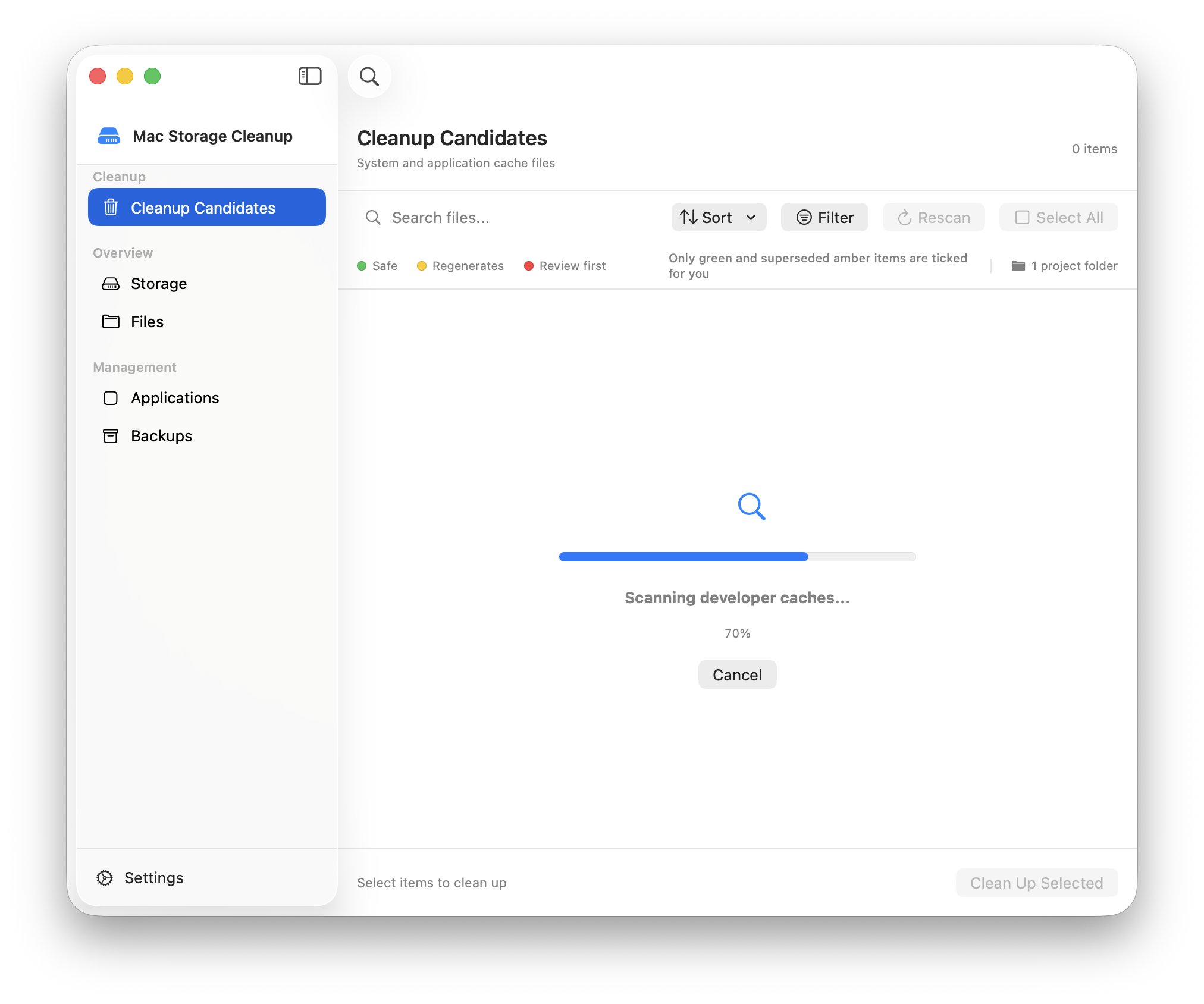
Scanning
Menu Bar System Monitor
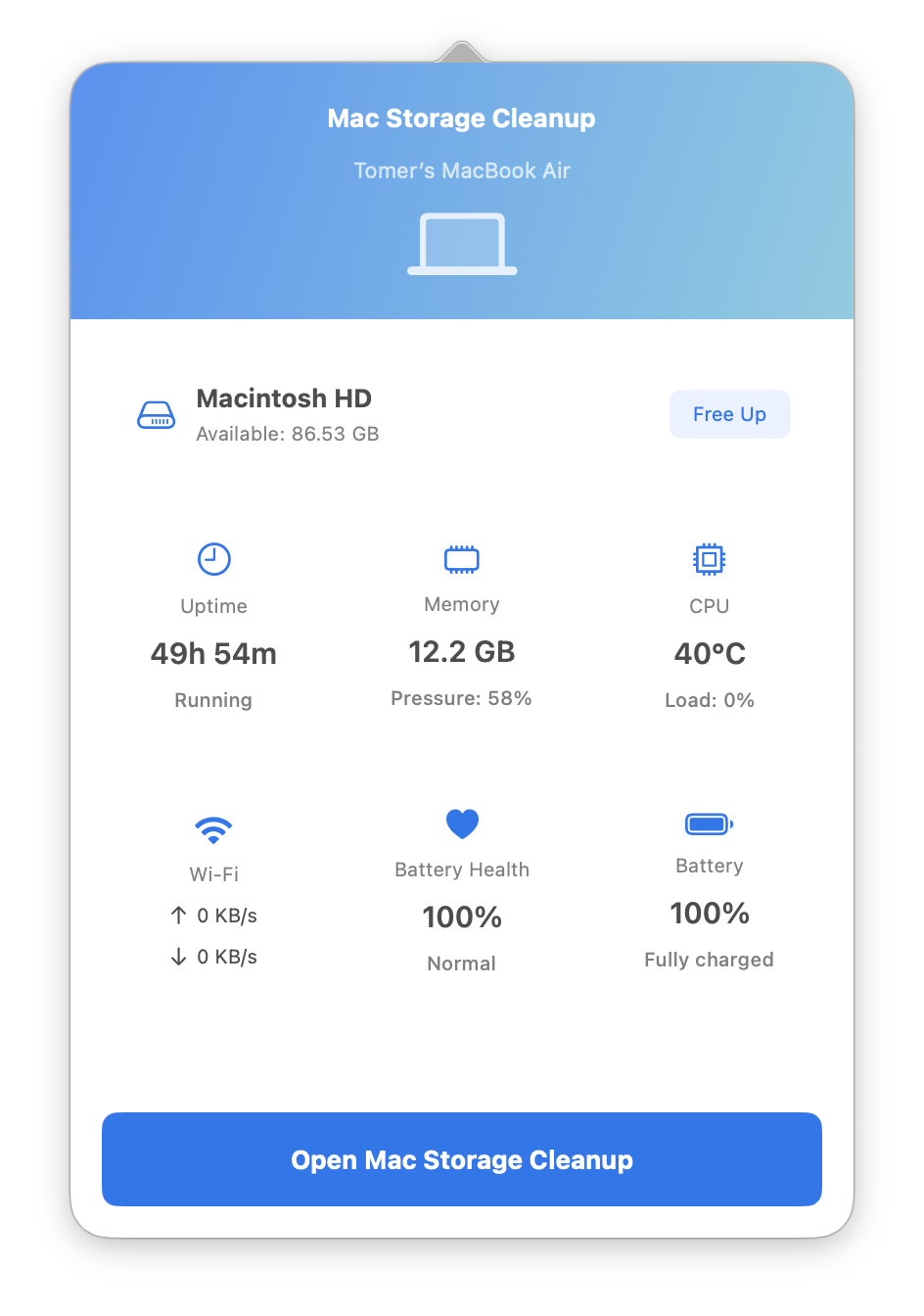
Real-time system monitoring accessible from your menu bar
Storage Analysis
🚀 Installation
Requirements
- macOS 13.0 (Ventura) or later
- Xcode 15.0 or later (for building from source)
Building from Source
- Clone the repository:
git clone https://github.com/yourusername/MacCleaner.git
cd MacCleaner
- Open the project in Xcode:
open MacStorageCleanupApp.xcodeproj
- Build and run:
- Select the
MacStorageCleanupAppscheme - Press
Cmd + Rto build and run
- Select the
Download Pre-built Binary
Check the Releases page
🔒 Permissions
The app requires the following permissions to function properly:
- Full Disk Access - Required to scan and clean cache directories
- Go to System Settings > Privacy & Security > Full Disk Access
- Add Mac Storage Cleanup to the list
- The app will prompt you on first launch if this permission is not granted
Permission detection runs through a single shared probe (FullDiskAccessDetector) used by both app
startup and the permission re-check screen. It probes ~/Library/Safari, ~/Library/Mail, and~/Library/Messages: a successful read means granted, an explicit permission error means denied, and
an inconclusive result (none of those directories present) lets the app start rather than blocking it
— individual operations then surface permission failures as they occur.
⚠️ Important Safety Information
Please read carefully before using this application:
Risky Deletions
Some files that can be cleaned are critical for certain workflows:
- Xcode Simulator Runtimes - Deleting these will remove iOS/iPadOS simulators. You'll need to re-download them (several GB each) if you need them for development.
- Xcode DerivedData - Safe to delete but will cause longer build times on next Xcode build.
- Developer Tool Caches - May require re-downloading dependencies (npm, CocoaPods, etc.)
- Browser Caches - Will log you out of websites and require re-downloading cached content.
Best Practices
- Use Debug Mode First - Test what will be deleted without actually deleting
- Review Before Deleting - Always check the preview before confirming
- Start Small - Clean obvious caches first (browser, system caches)
- Backup Important Data - Enable backup option for critical cleanups
- Know What You're Deleting - Hover over items to see full paths and descriptions
What's Protected
The app automatically protects:
- System files required for macOS to function
- User data (Photos, Mail, Messages, Contacts, etc.)
- Active applications
- Keychains and security files
Disclaimer
This software is provided "as is" without warranty. The developers are not responsible for:
- Data loss from deleted files
- System instability
- Broken development environments
- Lost work or productivity
Always maintain regular backups of your important data.
💡 Usage
Menu Bar Monitor
The app includes a convenient menu bar monitor that stays accessible even when the main window is closed:
- Access System Stats - Click the menu bar icon to view real-time system information
- Quick Cleanup - Click "Free Up" next to storage to launch cleanup
- Open Main App - Click "Open Mac Storage Cleanup" to show the main window
- Always Running - The app continues monitoring in the background
To enable/disable the menu bar icon:
- Open Preferences (gear icon)
- Go to the "General" tab
- Toggle "Show menu bar icon"
Quick Start
- Launch the app and grant Full Disk Access permission when prompted
- Scan Your Mac - Press Start Scan (the scan can be cancelled while it runs)
- Review Results - Browse cleanup candidates by category; cache results arrive grouped by vendor,
with the first group expanded and each header showing item count and total size - Select Items - Choose what you want to clean (or drill down into folders)
- Clean Up - Click "Clean Up Selected" and confirm
Debug Mode
For testing without actually deleting files:
- Open Preferences (gear icon)
- Go to the "Cleanup" tab
- Enable "Debug Mode (simulate deletions)"
- All cleanup operations will be simulated
Drill-Down Navigation
- Click the arrow (›) next to any folder to see its contents
- Select individual files or subdirectories
- Use "Show in Finder" (right-click) to locate files
- Delete selected items directly from the detail view
Scheduled Cleanup
- Open Preferences
- Go to the "Scheduled" tab
- Enable scheduled cleanup
- Choose frequency and categories
- The app will automatically clean safe categories
🏗️ Architecture
The project is organized into two main components:
MacStorageCleanup (Core Library)
- FileScanner - Scans filesystem for cleanup candidates
- CacheManager - Manages cache discovery and cleanup
- CleanupEngine - Handles safe file deletion with rollback
- CleanupCategorizer - Single shared source of categorization rules, used by both the scanner and
the storage analyzer so the two can never disagree about what a file is - SafeListManager - Protects critical system files
- BackupManager - Creates and manages backups
- ApplicationManager - Discovers and uninstalls applications
- PreferencesStore - One persistence path for all settings, including migration of legacy
standaloneUserDefaultskeys
MacStorageCleanupApp (UI)
- SwiftUI Views - Modern, native macOS interface
- ViewModels - MVVM architecture for clean separation
- StorageAnalysisService - Owns storage analysis passes, with cancellation kept separate from
cleanup scans so stopping one does not abort the other - StorageInspectionService - Directory sizing and detail loading, with session-scoped caching to
avoid repeated walks over the same tree - Services - Structured logging, notifications, preferences, menu bar, and coordination
🧪 Testing
The project includes comprehensive unit tests:
# Run the core library test suite
cd MacStorageCleanup && swift test

# Build the core library
cd MacStorageCleanup && swift build

# Run app tests through Xcode
xcodebuild test -scheme MacStorageCleanupApp
xcodebuild test runs the MacStorageCleanupAppTests target, which covers the view-model and
presentation layer: the risk mapping, the group checkbox tri-state, and the cleanup progress model.
Notable core coverage:
CleanupCategorizerTests— case-insensitive browser cache detection, Application Support
temporary paths, deterministic age thresholds, and protected/app-bundle exclusions from
old-file sweepsDirectorySizerTests— hidden entries are counted, symlinks are not followed, mount points
answer fromstatfs, and an unreadable directory reports "permission needed" rather than
zero bytesProjectReferenceIndexTests— parsing ofgradle-wrapper.properties,ndkVersion,buildToolsVersion,ndk.dirand CI environment variablesProjectArtifactScannerTests— abuild/folder with no project file beside it is never
offered, and symlinks cannot walk the scan out of the chosen rootDeveloperCacheSafetyTests— what is pre-selected, and the path-to-tool-command mapping
🤝 Contributing
Contributions are welcome! Please feel free to submit a Pull Request.
- Fork the repository
- Create your feature branch (
git checkout -b feature/AmazingFeature) - Commit your changes (
git commit -m 'Add some AmazingFeature') - Push to the branch (
git push origin feature/AmazingFeature) - Open a Pull Request
Development Guidelines
- Follow Swift style guidelines
- Add unit tests for new features
- Update documentation as needed
- Test on multiple macOS versions if possible
📝 License
Copyright (C) 2026 Tomer Glick
This program is free software: you can redistribute it and/or modify it under the
terms of the GNU General Public License as published by the Free Software Foundation,
either version 3 of the License, or (at your option) any later version.
This program is distributed in the hope that it will be useful, but WITHOUT ANY
WARRANTY; without even the implied warranty of MERCHANTABILITY or FITNESS FOR A
PARTICULAR PURPOSE. See the GNU General Public License for more details.
If you distribute this program, or a modified version of it, you must pass on the
same freedoms: ship the source, keep it under GPL-3.0, and state your changes.
🔐 Security
Found a vulnerability? Please do not open a public issue — see SECURITY.md
for how to report it privately.
🙏 Acknowledgments
- Built with SwiftUI and modern macOS APIs
- Inspired by the need for a safe, transparent Mac cleanup tool
- Thanks to the Swift community for excellent tools and libraries
📧 Contact
- GitHub Issues: Report a bug or request a feature
🗺️ Roadmap
- Menu bar system monitor with real-time stats
- Duplicate file finder
- Download folder cleanup
- Shared categorization rules between scanner and analyzer
- Unified preference persistence with legacy key migration
- Structured logging in place of
printdebugging - Smart recommendations based on usage patterns
- Export cleanup reports
- Localization support
- Launch at login option (control is present but disabled until wired up)
Made with ❤️ for the macOS community
Yorumlar (0)
Yorum birakmak icin giris yap.
Yorum birakSonuc bulunamadi