managents
Health Warn
- License — License: MIT
- Description — Repository has a description
- Active repo — Last push 0 days ago
- Low visibility — Only 6 GitHub stars
Code Fail
- rm -rf — Recursive force deletion command in install.sh
Permissions Pass
- Permissions — No dangerous permissions requested
No AI report is available for this listing yet.
USB desk display showing what your AI coding agents (Claude Code, OpenCode) are doing — ESP32 firmware, Go helper, 3D-printable 45° enclosure
managents
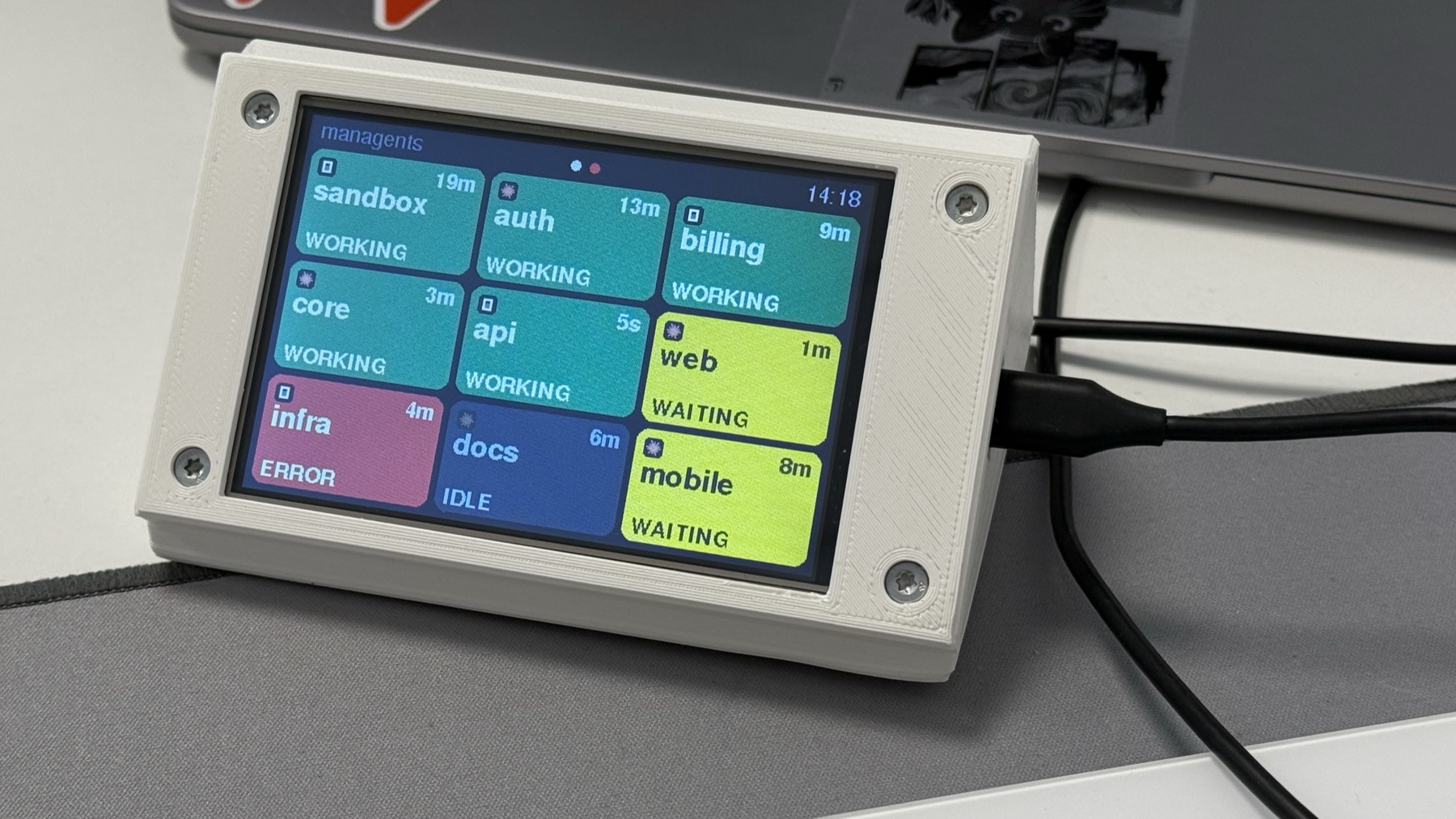
A USB desk display that shows, at a glance, what your AI coding agents are doing.


One card per open Claude Code, OpenCode or
Codex session: green while it works, yellow when it waits for you, red
when it failed, dark when it has been idle for hours. Plug it in and stop alt-tabbing to check whether an agent needs
you.
managents is a small 4-inch screen, a helper program on your computer and a 3D-printed stand. This repository has
everything you need to build one yourself.
What you need
- The display: an LCDWiki 4.0" ESP32-32E, model E32R40T. The firmware and the stand are made for this exact
board. - A USB-C data cable.
- The stand: two 3D-printed parts (the files are in this repository), 4 self-tapping screws ST2.9 x 9.5 and 4
self-adhesive rubber feet. - A Mac or Linux computer that runs Claude Code, OpenCode or Codex.
Where to buy each part and what to type in the search box: Build guide.
Get started
Get the parts and print the stand. Follow the build guide.
Install the helper on your computer (once):
curl -fsSL https://github.com/tonylook/managents/releases/latest/download/install.sh | shPlug in the display and flash it (once per board, about 13 seconds):
managents flash
Within a couple of seconds every open Claude Code, OpenCode and Codex session is a card on the display. The helper starts
at login, so from now on you only plug the display in. The details, Windows and the uninstall are in
Install and flash.
Or let your AI do it
Open your AI coding agent and tell it:
Go to https://github.com/tonylook/managents and install managents on my computer, then flash my display.
AGENTS.md explains every step to the agent: how to install the helper, how to flash a new board, and how
to check that it works. It shows you each command before it runs it.
More
| Build guide | What to buy, how to search for it, how to print and assemble the stand |
| Install and flash | The helper, the firmware, upgrade, uninstall, supported computers |
| Using the display | What every card, colour and screen means |
| Troubleshooting | Symptom, check, fix |
| Privacy | What the helper reads and what leaves your computer: only status, over USB |
| How it works | Architecture, the serial protocol, the hardware |
| Enclosure | The OpenSCAD model, print settings, assembly |
| Contributing | Tests, lint, adding an agent; the roadmap and the changelog |
Credits and license
managents grew out of agent-lights, a phone-based proof of concept. Built with
LovyanGFX, ArduinoJson,
go.bug.st/serial, gopsutil and
modernc.org/sqlite; see THIRD_PARTY_NOTICES.md. Released
under the MIT license.
Claude and Claude Code are trademarks of Anthropic; Codex is a trademark of OpenAI; OpenCode belongs to its authors.
This project is not affiliated with any of them.
Reviews (0)
Sign in to leave a review.
Leave a reviewNo results found