OJO-Design-Skills
Health Uyari
- License — License: MIT
- Description — Repository has a description
- Active repo — Last push 0 days ago
- Low visibility — Only 5 GitHub stars
Code Basarisiz
- rm -rf — Recursive force deletion command in scripts/install.sh
Permissions Gecti
- Permissions — No dangerous permissions requested
Bu listing icin henuz AI raporu yok.
Reusable UI/UX design skills for AI coding agents — Codex, Claude Code, ZCode, and more.
OJO Design Skills
Reusable UI/UX design skills for AI coding agents — Codex, Claude Code, ZCode, and more.





OJO Design Skills is a drop-in skill bundle that teaches your AI coding agent how to make real design decisions — not generic "AI-looking" layouts. Install once, and your agent gains a complete UI/UX methodology: brand-driven visual direction, design tokens, component recipes, motion specs, and a strict anti-pattern guardrail that keeps output from looking like slop.
It is agent-agnostic and ships with a single installer that targets every major client.
Features
- Two-track methodology. Convention Track adopts a proven design language for SaaS and utility products; Innovation Track builds brand-driven identity via Material Metaphor, archetype, narrative, or cultural-semiotic approaches.
- Anti-AI-slop guardrails. Hard-banned combinations (purple-blue gradients, gray-box placeholders, single-hue palettes) are enforced as rules, not suggestions.
- Real-imagery requirement. Any screen that shows imagery must use real, subject-specific assets — no decorative placeholders, fake stock smiles, or gradient blobs.
- Code-grade output. Components resolve to atomic Tailwind class strings with an 8-state interaction model; motion uses spring physics, not fixed curves.
Showcase
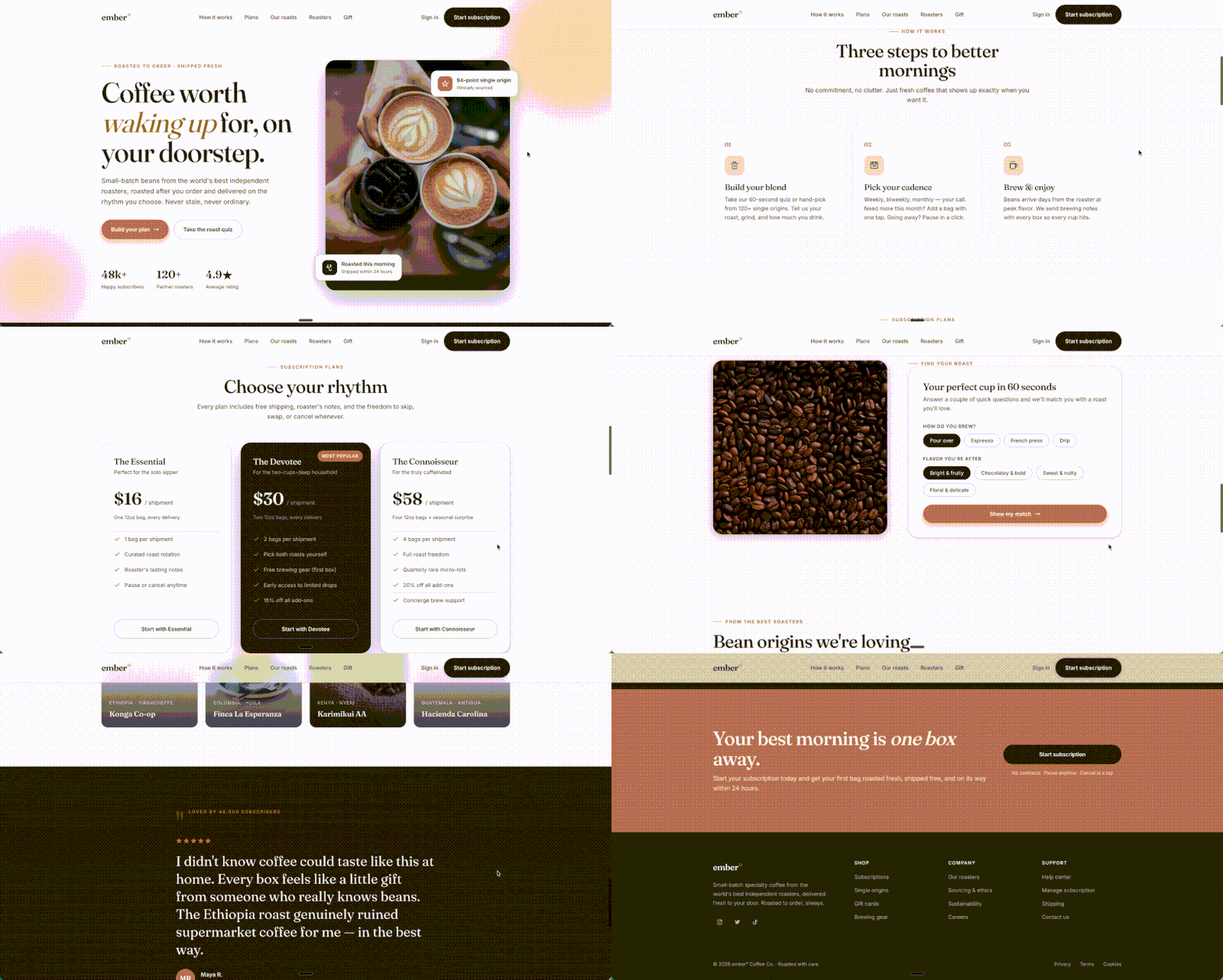
The same brief, with and without these skills installed.
| With OJO Skills | Without OJO Skills |
|---|---|
 |
 |
 |
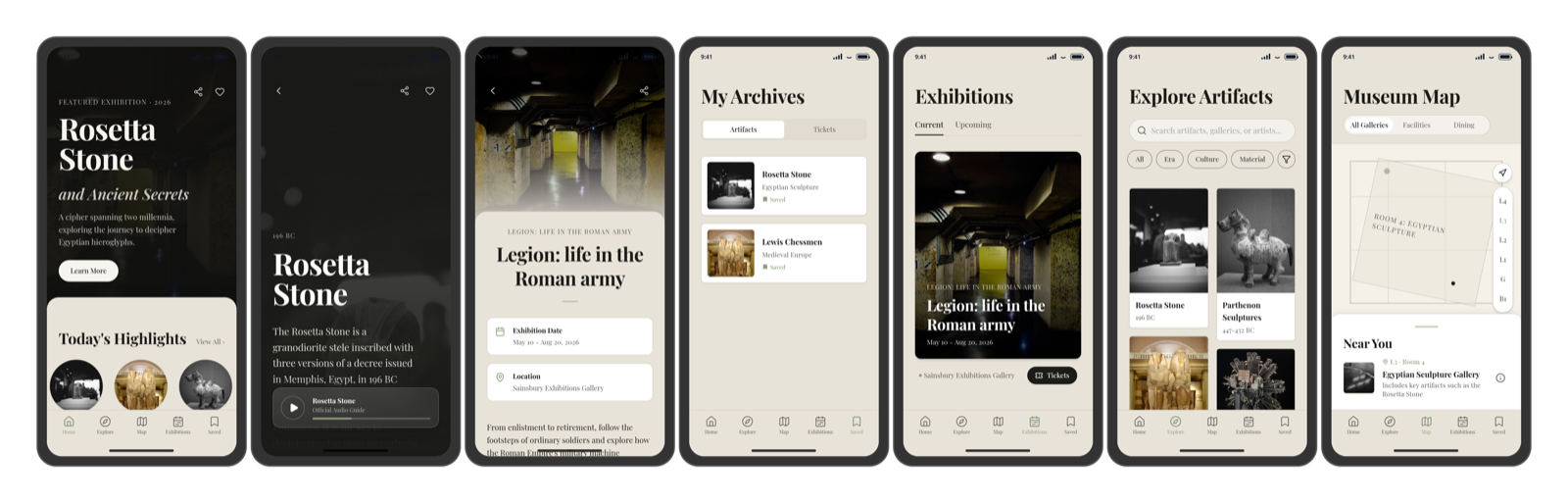
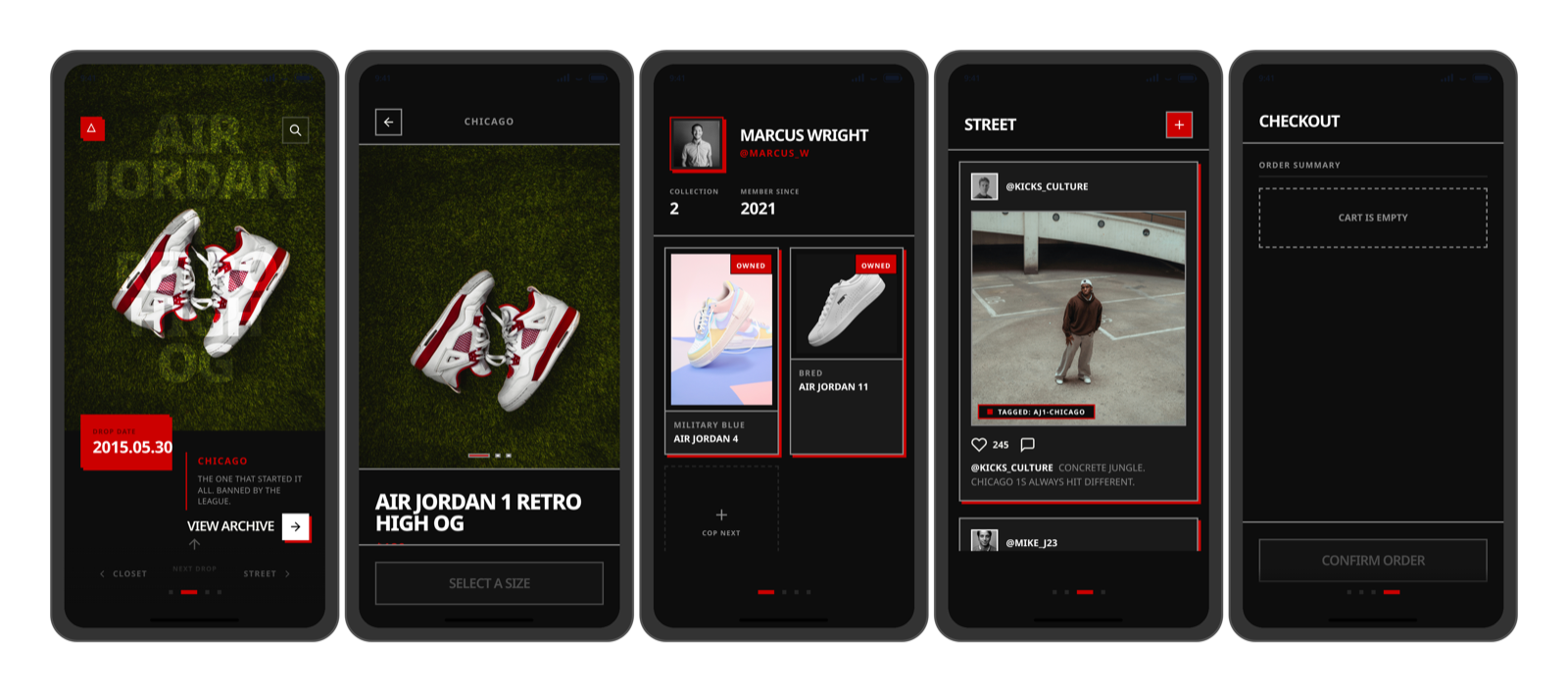
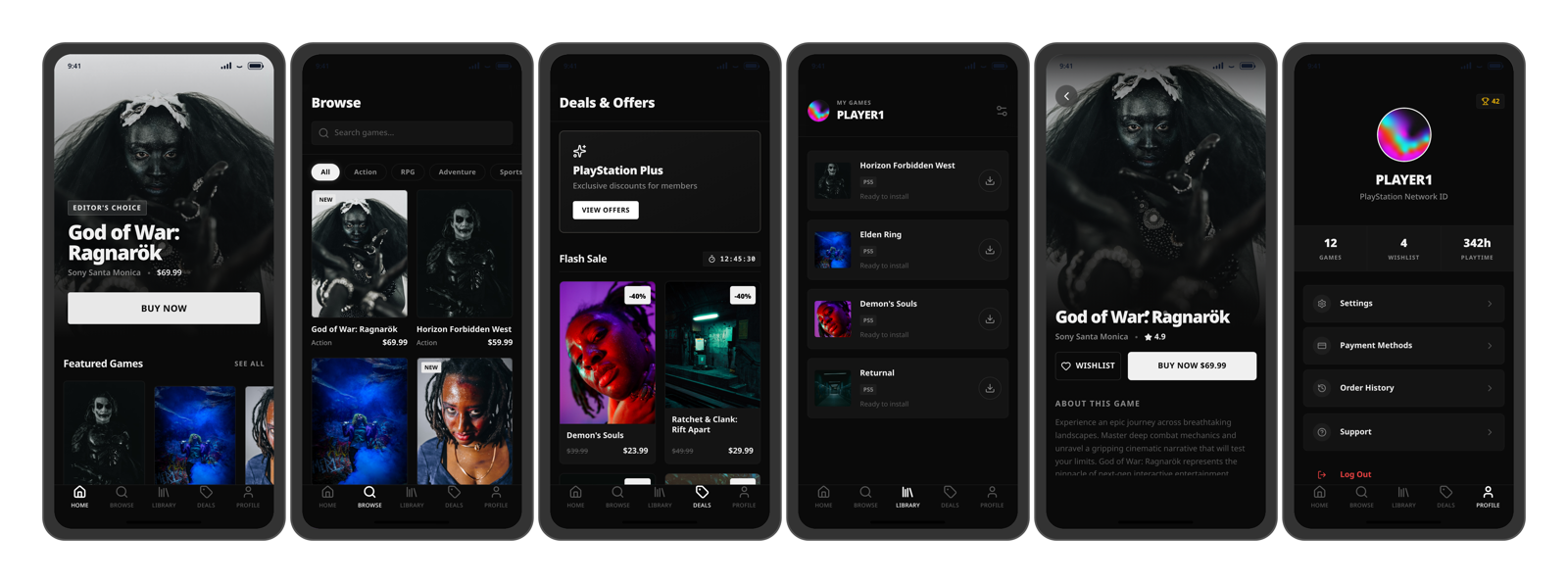
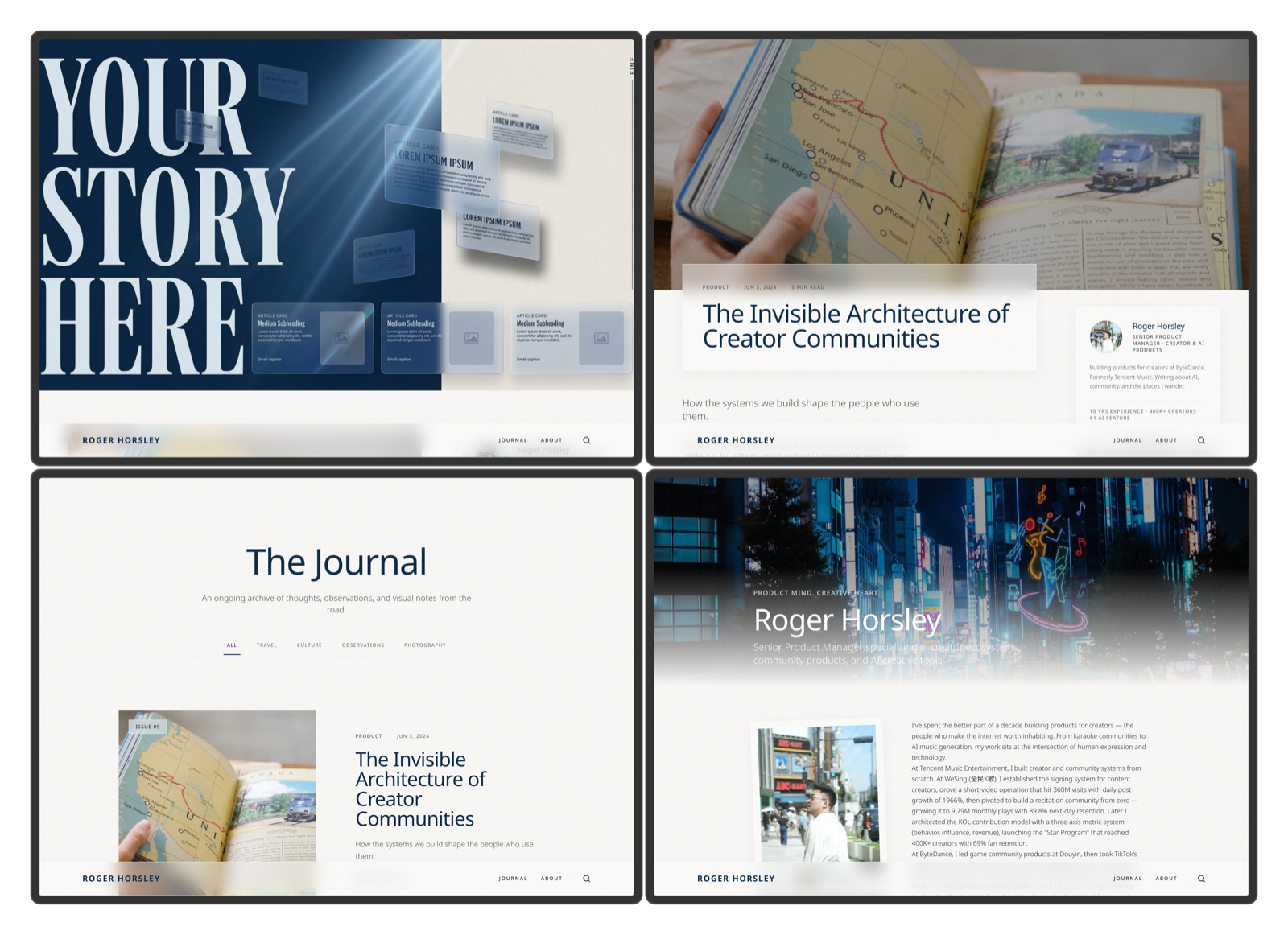
Design samples
Additional output produced with these skills installed — one product, multiple surfaces.
Quick start
Install all skills with one command — replace <client> with your agent:
curl -fsSL https://raw.githubusercontent.com/touchine-ojo/OJO-Design-Skills/main/scripts/install.sh | bash -s -- --target <client>
The remote installer requires Bash, curl, and tar.
| Client | --target |
Default install directory |
|---|---|---|
| Codex | codex |
${CODEX_HOME:-~/.codex}/skills |
| Claude Code | claude-code |
${CLAUDE_HOME:-~/.claude}/skills |
| ZCode | zcode |
${AGENTS_HOME:-~/.agents}/skills |
| DeepCode | deepcode |
${AGENTS_HOME:-~/.agents}/skills |
| WorkBuddy | workbuddy |
${WORKBUDDY_HOME:-~/.workbuddy}/skills |
| OpenCode | opencode |
${OPENCODE_CONFIG_DIR:-~/.config/opencode}/skills |
| Generic agent | generic |
${AGENTS_HOME:-~/.agents}/skills |
Restart or reload the client if it does not pick up the new skills.
Advanced install optionsReplace existing copies without backups:
curl -fsSL https://raw.githubusercontent.com/touchine-ojo/OJO-Design-Skills/main/scripts/install.sh | bash -s -- --target codex --force
Install to a custom client home:
curl -fsSL https://raw.githubusercontent.com/touchine-ojo/OJO-Design-Skills/main/scripts/install.sh | CLAUDE_HOME=/path/to/.claude bash -s -- --target claude-code
Install to an explicit directory:
curl -fsSL https://raw.githubusercontent.com/touchine-ojo/OJO-Design-Skills/main/scripts/install.sh | bash -s -- --target opencode --dest /path/to/skills
Install from a local checkout (useful for development):
./scripts/install.sh
Install from a different local checkout:
./scripts/install.sh --source /path/to/OJO-Design-Skills --target codex
Install a pinned tag or commit for a reproducible remote install:
curl -fsSL https://raw.githubusercontent.com/touchine-ojo/OJO-Design-Skills/main/scripts/install.sh | bash -s -- --target codex --ref <tag-or-commit>
Preview what would be written without changing files:
./scripts/install.sh --target opencode --dry-run
Install a single skill (--skill can be repeated):
./scripts/install.sh --target zcode --skill app-ui-ux-best-practices
Skills
app-ui-ux-best-practices
The core methodology. Picks a track based on the product's value proposition, then produces complete design specifications.
- Convention Track — adopt one proven design language (Notion, Linear, Stripe, Things 3, …) for SaaS and utility products.
- Innovation Track — build a brand-driven identity via Material Metaphor, archetype, narrative, or cultural-semiotic methods.
- Ships with 9 reference files: anti-patterns, visual tokens, component recipes, motion system, material metaphor, design audit, and more.
How it works
Product brief
   │
   ├─ Convention Track ──► pick proven system ──► tokens ──► components ──► specs
   │   (SaaS / utility)        (Notion, Linear…)
   │
   └─ Innovation Track ──► insight + feeling ──► methodology ──► tokens ──► specs
       (brand-driven)         (Material Metaphor / archetype / narrative)
Both tracks require a mandatory style-direction confirmation gate before producing tokens — the agent presents 2–3 genuinely distinct directions and waits for selection. Once installed, skills are activated automatically when the agent detects design-related intent (e.g. "design system", "视觉设计", "design tokens").
Contributing
Skills are plain Markdown files under skills/<name>/SKILL.md plus optional references/ files. To add or refine a skill, read the contributing guide, edit the relevant files, and run the installer locally to verify:
./scripts/install.sh --dry-run
Use GitHub Discussions for questions and early ideas, and Issues for reproducible bugs or focused feature requests. Security concerns should follow the private process in SECURITY.md.
License
Yorumlar (0)
Yorum birakmak icin giris yap.
Yorum birakSonuc bulunamadi