HydraOps
Health Uyari
- License — License: Apache-2.0
- Description — Repository has a description
- Active repo — Last push 0 days ago
- Low visibility — Only 5 GitHub stars
Code Basarisiz
- exec() — Shell command execution in apps/api/src/latest-release.ts
- process.env — Environment variable access in apps/api/src/nats-debug.ts
- fs.rmSync — Destructive file system operation in apps/desktop/src/backup.cjs
- os.homedir — User home directory access in apps/desktop/src/backup.cjs
- process.env — Environment variable access in apps/desktop/src/backup.cjs
- fs module — File system access in apps/desktop/src/backup.cjs
- network request — Outbound network request in apps/desktop/src/browser-bridge.js
- fs module — File system access in apps/desktop/src/browser-panel.js
- process.env — Environment variable access in apps/desktop/src/data-dir.js
- fs module — File system access in apps/desktop/src/data-dir.js
Permissions Gecti
- Permissions — No dangerous permissions requested
Bu listing icin henuz AI raporu yok.
Self-hosted multi-agent AI: a desktop app and headless server where agents with their own personality, tools and memory research, code and create, with API or local LLMs (Ollama, llama.cpp), MCP servers and approval before anything risky.




English | Español
🌐 hydraops.org · Download the latest release · X @HydraOpsApp
HydraOps: self-hosted multi-agent AI for your own computer
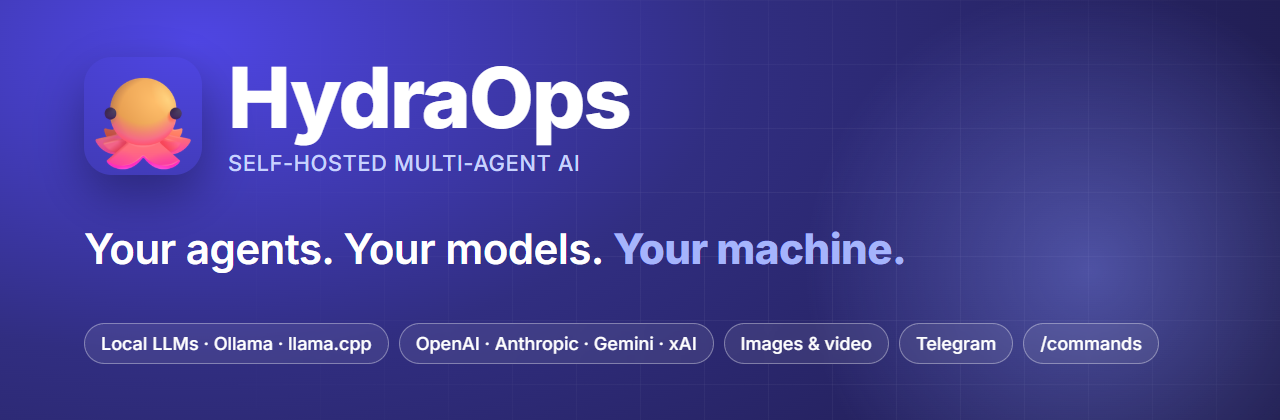
HydraOps is an open-source app where several AI agents work for you in one chat. Each
agent has its own personality, model, tools and memory, and they take tasks in parallel:
research, code, images, video and 3D. It runs as a Windows desktop app or as a headless
server on Linux, with your API keys or with local LLMs, and you talk to the agents from
the app, from Telegram or with /commands.
It works with API models (OpenAI, Anthropic, Gemini, Groq, xAI, Mistral, DeepSeek, Qwen,
Kimi, GLM, MiniMax, OpenRouter, Perplexity, Leonardo) and with local models through any
OpenAI-compatible server: Ollama, llama.cpp, LM Studio, vLLM. Images and video come from
Leonardo, Google Imagen and Veo, xAI Grok Imagine, or from your own ComfyUI.
Status: in daily use on Windows (desktop installer) and in server mode on Linux,
reachable from another computer on your network with a token, or running 24/7 under
systemd (see Server mode). There is no container image yet.
What you get
Agents
- A personality you can edit. Each agent is six Markdown files, edited from the
interface: soul, skills, tools, memory, heartbeat and profile. - Memory. A permanent memory per agent (
remember) and full-text search over its
past conversations (recall). Files and SQLite, no vector database. - Delegation. An agent hands a task to another one (
delegate_task), and says so
when it lacks a tool instead of pretending. - Four worker types: code, general, image and video, each with its own engine,
set per agent. - Cheaper rounds. Tools load on demand (a description first, the full tool once it
is named), and you choose per agent how much earlier chat it carries. - Your ChatGPT plan instead of a key, if you have one: sign in once and the agents
use it.
Code with agents: Projects and Git
- Projects. Point a project at a folder with your code and give it an agent. The
agent works on its own copy (a Git worktree on its own branch); you read the diff and
accept it as one commit on your branch, or discard it. Your files change only when you
accept. See Projects. - Commands, one approval each. The agent runs the project's commands (tests, builds,
installs) on your computer. Each one waits for you, with the exact command and the
files it would run that you have not accepted yet. - Development servers. The agent starts a server and leaves it running, so you open
the page while you both keep working. The tab shows its address, its output and a Stop
button; the.envfiles a server needs are the ones you tick, copied in while it runs. - A code editor in the tab, per-project instructions (
HydraOps.md) and notes the
agent keeps about the project. - Git tools. Outside projects, agents read history, commit, branch and push to GitHub
in the folders you allow. A push always asks first.
Tools, connections and skills
- Tools. Native add-ons (web search, Brave, Perplexity,
fetch_urlwith RSS
fallback, YouTube transcripts, GitHub, Telegram), your own add-ons inmy_addons/
(hot-loaded) and MCP servers, local or remote. Each agent gets only the tools you
grant it. - Connections. A catalog of MCP servers to install from the app: Blender, Unity (its
official CLI), ComfyUI, a real browser, a document converter. The program's version is
pinned and every tool is classified by what it does, so the ones that only read run
freely and the rest ask when it matters. - Skills. Tested procedures in the open Agent Skills format, which an agent opens
when a task calls for one. Install them from the
catalog or from any GitHub repository
(with a preview, the license and a safety scan), copy your own, or let an agent propose
one for your approval.
Images, video and 3D
- Image and video engines per agent: Leonardo (Flux, Phoenix), Google's Gemini image
models and Veo, xAI Grok Imagine, Leonardo Motion. - ComfyUI from the chat. The workflows you saved in your ComfyUI run from a message
(comfy_workflows): the agent prepares a copy with your attachments, sets the values,
runs it, collects the result and looks at it before reporting. It can also build a new
workflow from a request and save it in your ComfyUI. Missing models are found on
Hugging Face or Civitai and downloaded, with your approval, into the right folder. - 3D. Describe an object and a model writes the scene; it renders in an isolated
viewer and exports as.glbor PNG. Models made with ComfyUI open in the chat's 3D
viewer, or in your Blender. - Hugging Face and Civitai. Search models and datasets, read a repository, study a
Civitai model (versions, trigger words, example settings). Uploads and comments wait
for your approval; adult content is blocked unless you allow it. - Image edits without a GPU.
image_editcrops, flips, rotates, resizes and composes
the task's images, and shows the agent the result. - One Shot. Draw a task as a diagram of nodes and connections and have your model
compile it into one complete prompt.
Your accounts and your day
- X. Agents post threads with images or video on the accounts you connect, each post
shown to you first. They also read mentions, timelines and searches within a budget
you set, and answer direct messages. - Gmail. Agents search and read the mailboxes you connect, write drafts, and send
only with your approval. New mail can go to an agent as a task. - A shared calendar. Notes the agents read as context, and actions that become tasks
when their time comes, with Telegram reminders. - Telegram bot. Pair a chat with a code and talk to any agent from your phone;
approvals arrive there with their buttons, and scheduled tasks can send their results. - A browser beside the chat (desktop app). Real Chromium tabs next to the chat, with
your sessions kept. Each tab has an eye that says whether an agent may read it.browser_readgives an agent what you see (passwords never);browser_openandbrowser_actnavigate, click and type, each with your approval. - Scheduled tasks, with a schedule picker, for anything an agent should do on its own.
Control and safety
- Plan before doing.
/planputs an agent in a mode where it can only read: it
proposes the steps, you approve, edit or ask for a revision, and only then does
anything run. - Outside content is data, not orders. What an agent reads from the web is marked as
third-party content. Once a task has read any, the actions that change something wait
for your approval in the chat or on Telegram, and the agent picks up where it left off
once you decide. - Credential firewall. API keys are never in the repository, the database or the
.env. They live outside the project and a local proxy injects them at the network
boundary; workers only ever see theproxyplaceholder. - Tool guard. Every tool goes through a filter that blocks credential paths,
catastrophic commands and requests to internal networks, and redacts secrets from
results. - Long results kept whole. A long tool result goes to a task vault, and the agent
reads it back by section or by search instead of working from a cut first screen.
The interface
- Chat with attachments, inline images and video, Mermaid diagrams, and the model and
token cost of every message. Editing a message sends it again. - Commands. Type
/for a palette of verbs that cost no tokens:/agents,/use luna,/status,/delegate karen …,/remember,/recall. The same commands
work in Telegram. See Commands. - Updates in one click from the sidebar, statistics, and an interface in five
languages (es, en, it, fr, pt-BR).
Architecture
A pnpm monorepo in TypeScript ESM. The flow of a task:
UI (Angular) → API (Express) → SQLite outbox → outbox-worker → NATS JetStream
                                                                     ↓
                      result ← worker-{coder,general,graphic,video} ← orchestrator
No application publishes directly to NATS: everything writes to the outbox table and a
single process drains it, so a network failure never loses events. Consumers useprocessed_events to stay idempotent.
| Path | What it is |
|---|---|
apps/api/ |
REST API and file server |
apps/orchestrator/ |
assigns each task to an agent |
apps/outbox-worker/ |
publishes the outbox to NATS |
apps/worker-*/ |
the four executors |
apps/key-proxy/ |
credential firewall |
apps/telegram-bot/ |
the Telegram transport |
apps/desktop/ |
Electron shell and packaging |
packages/ |
config, db, llm, addons, commands, events, nats |
ui/ |
Angular interface |
agents/ |
the example agent; the ones you create appear here too |
Documentation
The user manual lives in docs/ (Spanish and English) and is also available inside the application, in the Docs view.
Installation
Option A — Windows installer
Download the .exe from the Releases page. It needs no Node, no pnpm, and not this
repository: the services run on the Node bundled with Electron.
Your data goes to %APPDATA%\HydraOps\data and your keys, encrypted, to%APPDATA%\hydraops\, outside the installation directory, so updating the
application never touches anything of yours.
Option B — from source
Requirements: Node 20+, pnpm 9 and the nats-server binary.
nats-server is required: it is the message bus between the API and the agents; without
it the workers won't start. Download it from its
releases for your system:
- Debian/Ubuntu: the
.debfor your architecture (…-amd64.debfor a 64-bit PC,…-arm64.debfor ARM) → double-click to install, orsudo dpkg -i nats-server-*-amd64.deb
(or with apt, note the./:sudo apt install ./nats-server-*-amd64.deb; a bareapt install natswon't work).- Fedora/RHEL: the matching
.rpm→ double-click, orsudo rpm -i nats-server-*-amd64.rpm.- macOS:
brew install nats-server. Windows:choco install nats-server(the.exe
installer already bundles it).Having the binary on your
PATH, in anats/folder inside the repo, or pointed to byNATS_SERVER_BINin the.envalso works. Check withnats-server --version.
pnpm install
cp .env.example .env
Then start it with one of the modes below. Both pnpm serve and pnpm desktop build the
packages and the interface for you, so a fresh clone (or a git pull) is ready right away —
no separate build step to remember.
Server mode (headless)
For keeping it on 24/7 on a machine with no screen — a mini PC at home, for example. A
single command brings up NATS and every service, without Electron:
pnpm serve
It applies migrations and seeds the database by itself (a first boot from a fresh clone
works with no prior steps), waits for each phase to be healthy, restarts anything that
crashes, and Ctrl+C (or systemd's SIGTERM) stops the whole stack. Logs go to the
console prefixed per service and are also kept in storage/logs/.
To open it to your local network, set HYDRA_HOST=0.0.0.0 and a HYDRA_AUTH_TOKEN in
the .env (see Security); the output of pnpm serve itself will print the
URLs. Without a token, the API stays on loopback.
To have it start on boot there is a systemd unit ready indeploy/hydraops.service, with the installation instructions
inside; the logs of every service end up in the journal (journalctl -u hydraops -f).
Desktop mode
The Electron window, with splash screen and supervisor built in:
pnpm desktop        # builds packages + interface and opens the application
pnpm desktop:quick  # skip the build (faster relaunch)
Development mode
With hot reload:
pnpm dev                    # the services in watch mode
pnpm --filter ui start      # the interface, separately, on 4200
Building the installer
pnpm build           # packages first: everything else consumes their dist/, not the source
pnpm desktop:dist    # interface + self-contained backend + NSIS installer
The result lands in apps/desktop/release/. Close the application first: the installer
cannot overwrite files in use.
Publishing a release
Pushing a v* tag triggers .github/workflows/release.yml:
a Windows runner builds the installer and uploads it — with the latest.yml metadata
that auto-update relies on — to a GitHub Release. To cut one:
# bump the version in apps/desktop/package.json (e.g. 0.1.1), then:
git commit -am "Release 0.1.1"
git tag v0.1.1
git push origin main --tags
The tag must match the version in apps/desktop/package.json. Installed desktop apps
check that Release on startup, download a newer version in the background and offer to
restart. The installer isn't signed yet, so the first install shows a SmartScreen
warning (auto-updates verify by hash, not signature). Server (headless) deployments don't
use this — they update with git pull (see Server mode).
Configuration
API keys are set from the application's Settings view, not in files. The .env only
holds infrastructure and the local model; see .env.example, which explains every
variable.
The three local-model settings (LOCAL_LLM_URL, LOCAL_LLM_KEY, LOCAL_LLM_MODEL)
live only in the .env on purpose, and the workers re-read it on every task: you can
switch local servers without restarting anything.
Per agent, from the Agents view: the model, the worker type, the steps a task may take,
how much earlier chat it carries. The calendar's time zone is in Settings; integrations
(GitHub, Hugging Face, Civitai, X, Telegram) have their cards in Tools.
Security
Four things already taken care of:
- API keys never leave the firewall. They live outside the project and the key-proxy
injects them at the network boundary: neither the workers, nor the database, nor the.envever see a real key. - Every tool goes through a guard that blocks credential paths and destructive
commands, redacts secrets from results, and keepsfetch_urlaway from internal
addresses. - The API listens only on
127.0.0.1. Out of the box it is not reachable from
another machine. - Opening it to the network requires a token. With
HYDRA_HOST=0.0.0.0the API
demands aHYDRA_AUTH_TOKEN: the browser asks for it once (login screen), and with no
token defined the API simply refuses to open up. Connections from the machine itself
don't need it.
One limit worth knowing: the token travels in the clear over HTTP, so it is meant for
your local network, not for exposing the port to the internet. If you ever want access
from outside your home, put it behind HTTPS (a reverse proxy with a certificate, or a VPN
like WireGuard or Tailscale) — and with a reverse proxy in front, enableHYDRA_AUTH_STRICT=1 so the token is required on those connections too.
To report a vulnerability, see SECURITY.md or write to
[email protected].
Privacy
HydraOps runs entirely on your machine and collects no data of its own — see the
Privacy Policy.
Contact
Questions, ideas, anything: [email protected] — or open an issue.
Follow the project on X: @HydraOpsApp.
HydraOps integrates with GitHub through its API (the github add-on: repositories, issues and pull requests) and is a member of the GitHub Developer Program. Support for the integration: [email protected].
License
Yorumlar (0)
Yorum birakmak icin giris yap.
Yorum birakSonuc bulunamadi