JanusX
Health Uyari
- License — License: MIT
- Description — Repository has a description
- Active repo — Last push 0 days ago
- Low visibility — Only 5 GitHub stars
Code Gecti
- Code scan — Scanned 12 files during light audit, no dangerous patterns found
Permissions Gecti
- Permissions — No dangerous permissions requested
Bu listing icin henuz AI raporu yok.
AI 编程桌面工作区:多项目、多终端分屏,连接 Claude Code、Codex 等助手,让会话、项目上下文与开发工具集中在一处。 | A desktop workspace for AI coding: manage projects, split terminals, and bring Claude Code, Codex, sessions, and project context together.

中文 · English
JanusX
A desktop workspace for projects, terminals, and AI coding agents
Switch projects, split terminals, and keep Blueprint, sessions, and everyday tools in one place.


Download · Releases · Docs · Issues
Second test · not v1.0 stable
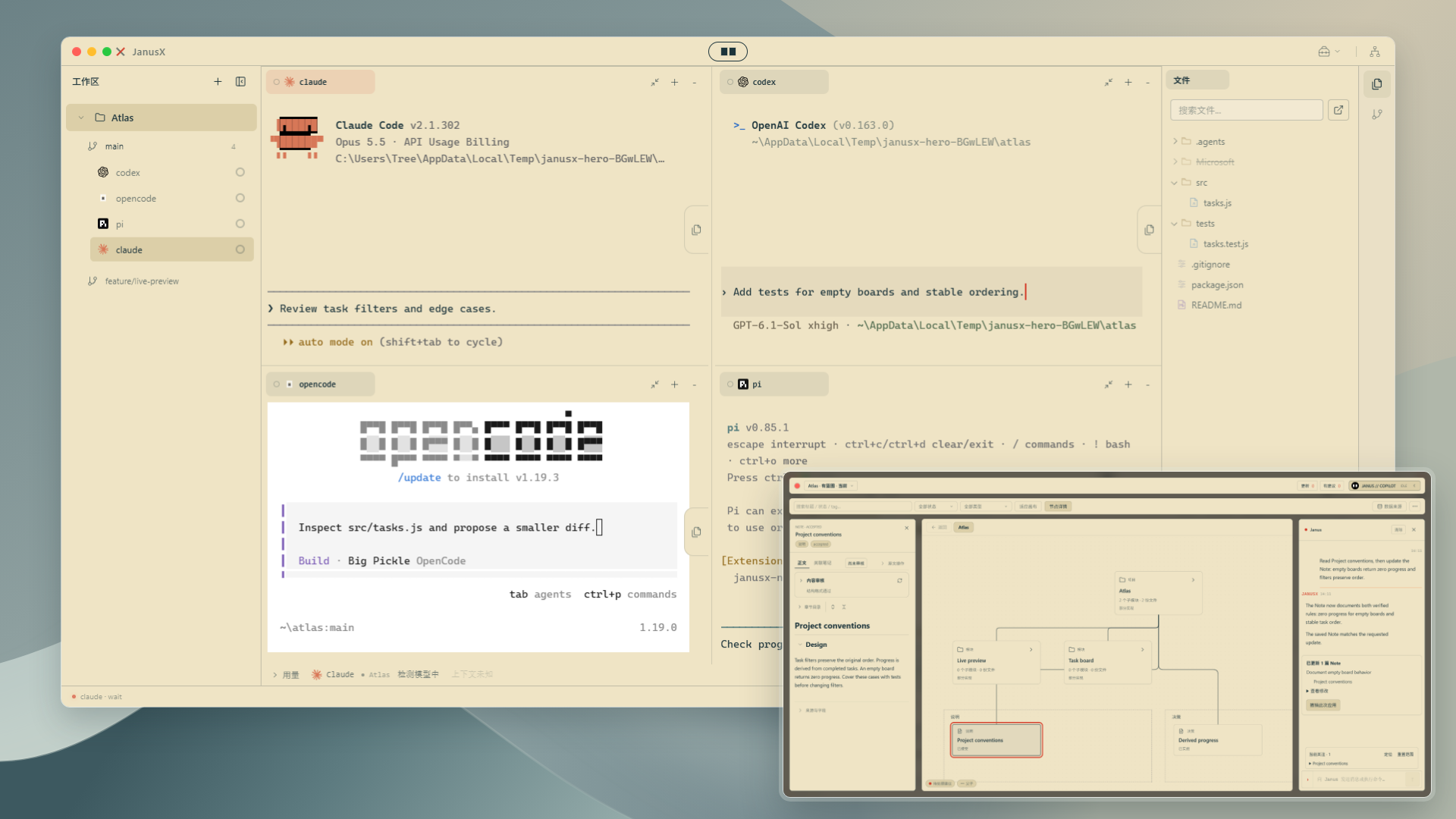
Split terminals · Island chat · Run configs · Blueprint · Usage · Sessions · Tools
Split terminals
Compose terminals freelyDrag tabs into horizontal or vertical splits, resize panes, and merge them back into place. |
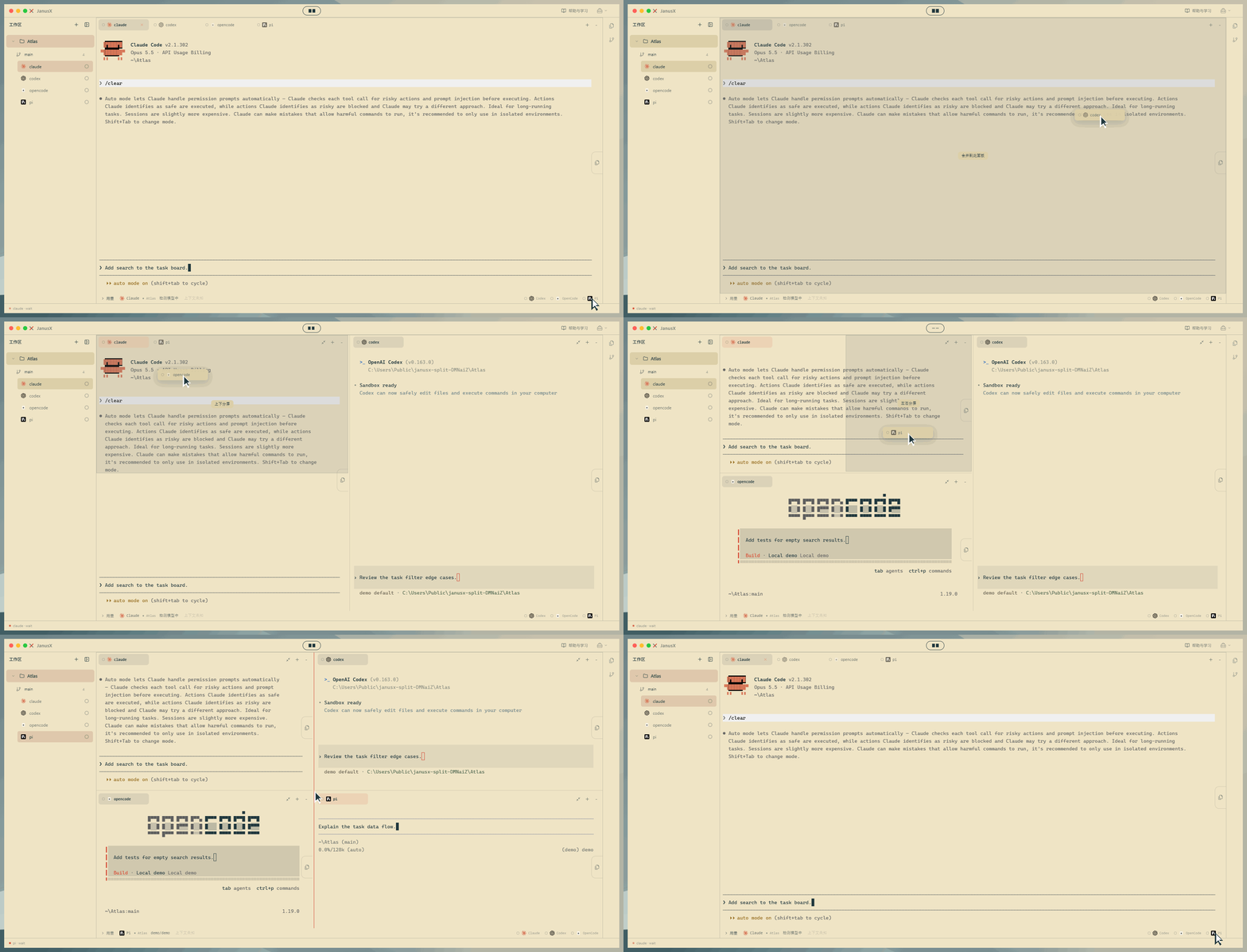 |
Terminals and the global tools area split independently. Switching projects keeps the tools layout. Pull down the Island capsule for notifications; click, press Esc, or click empty space to dismiss.
Island chat
Project context that travels with youOpen chat from the capsule, ask about entry points and implementations, then follow up on change direction and how to verify. |
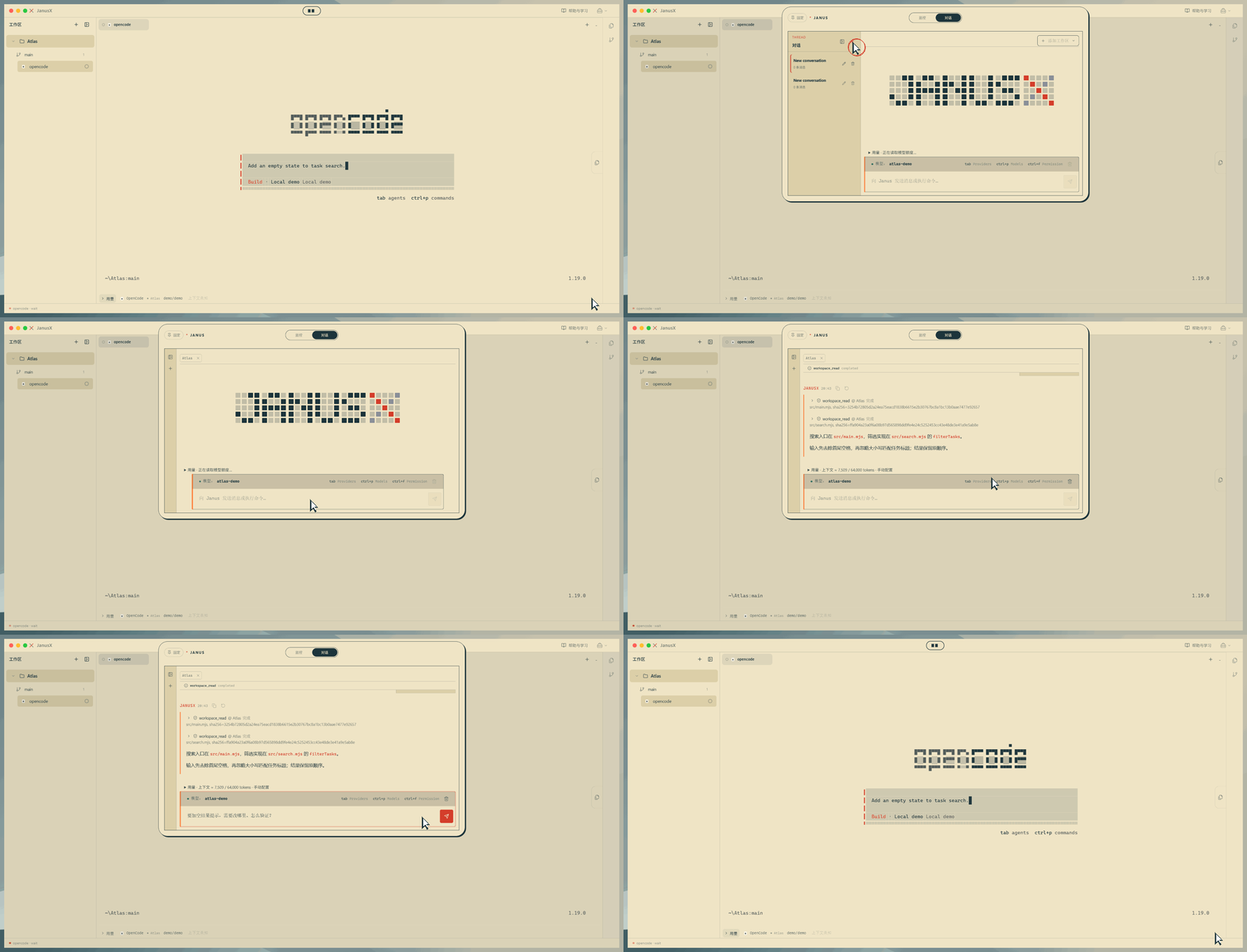 |
Local scripted model and sample project; shows real file reads and a two-turn chat.
Generate run configs from chat
From description to launchDescribe how to start the app, generate development and test configs, review the diff, confirm save, then test and start — you stay in control. |
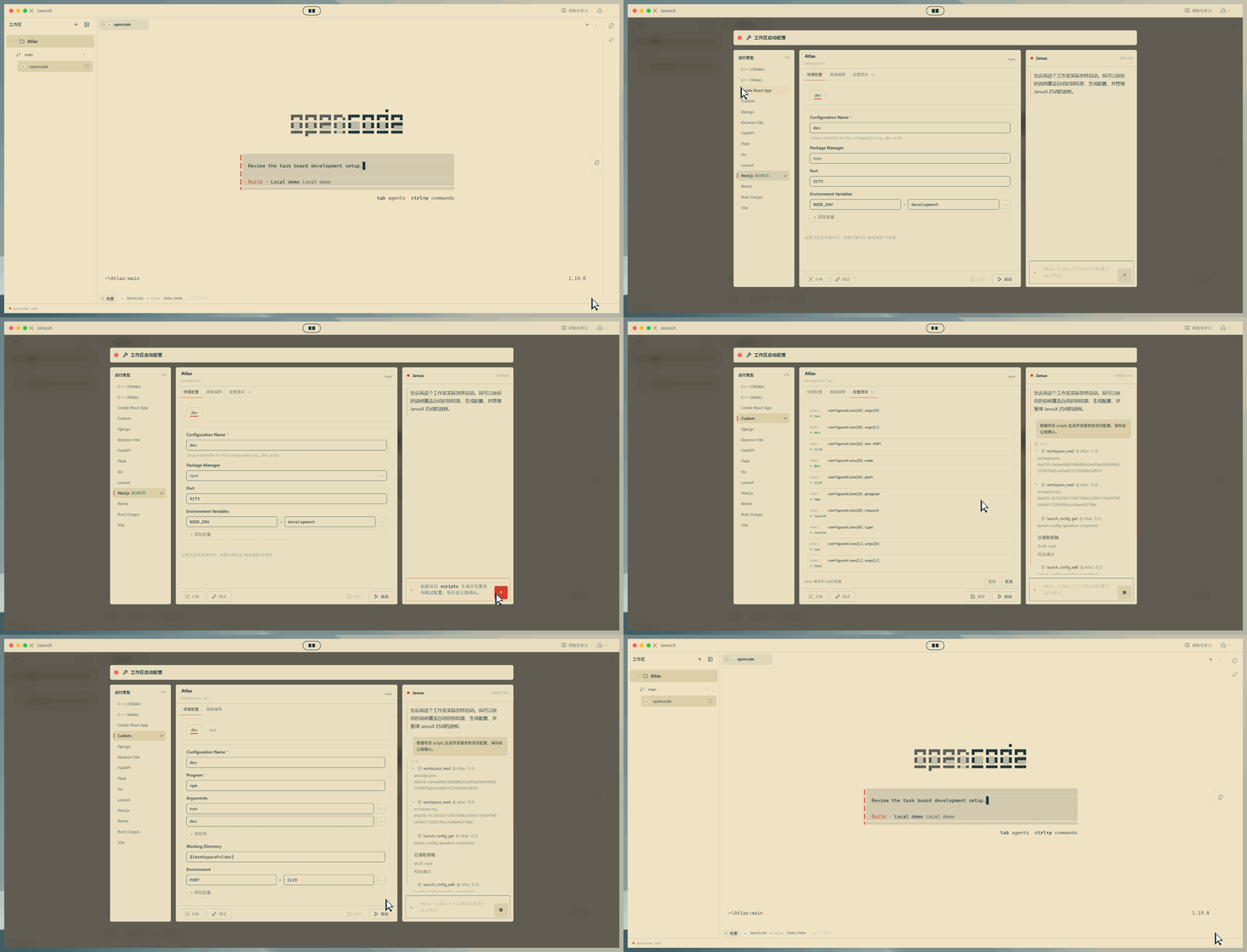 |
Local scripted model and sample project; config writes, tests, and service start are recorded for real.
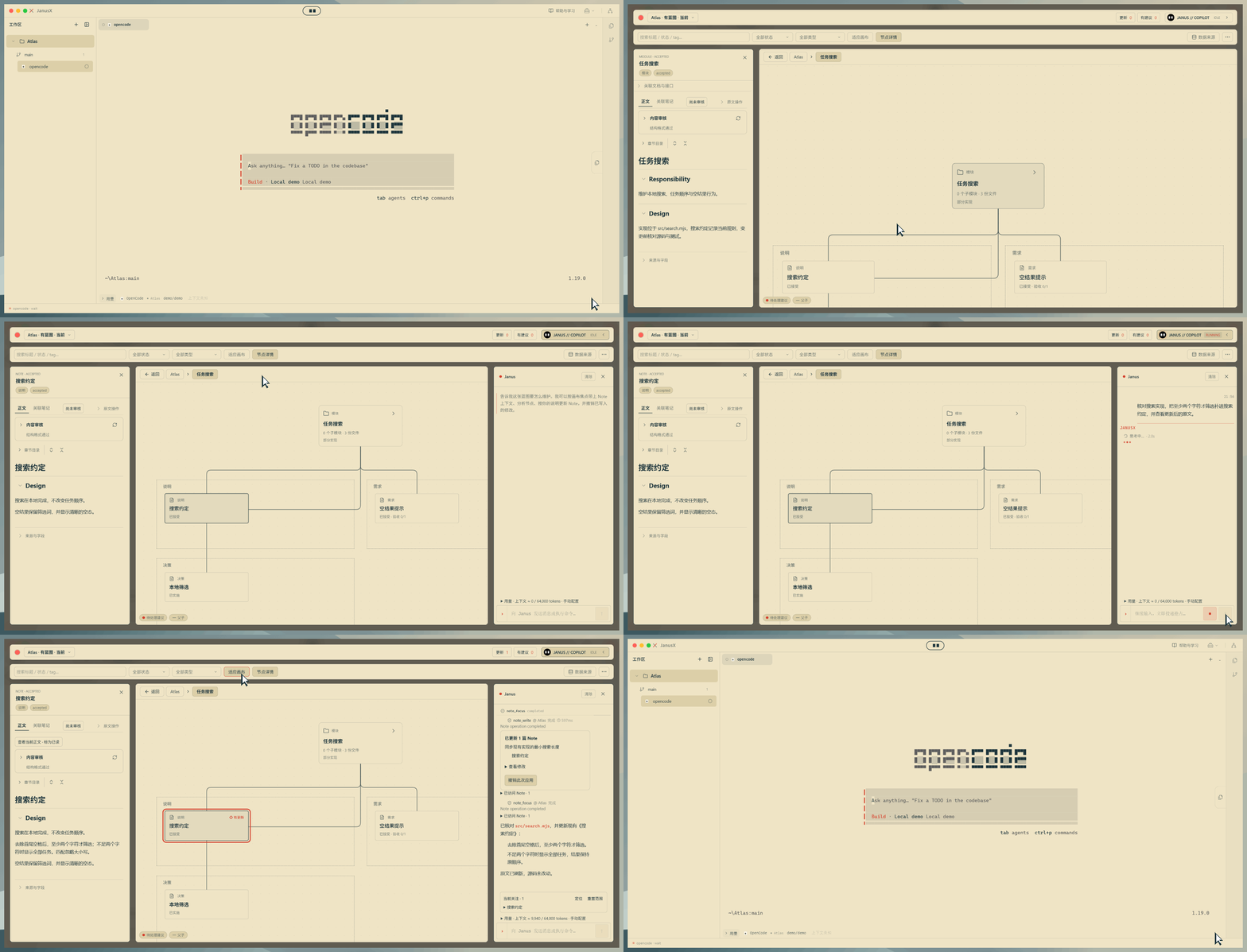
Blueprint: keep project conventions current
Maintain Notes in chatBrowse modules and conventions, update docs in the side chat, and compare the new body with the diff. |
 |
Git commits, automatic reviewCheck Notes and project materials against Git commit rules, locate suggestions with evidence, fix in chat, then re-review. |
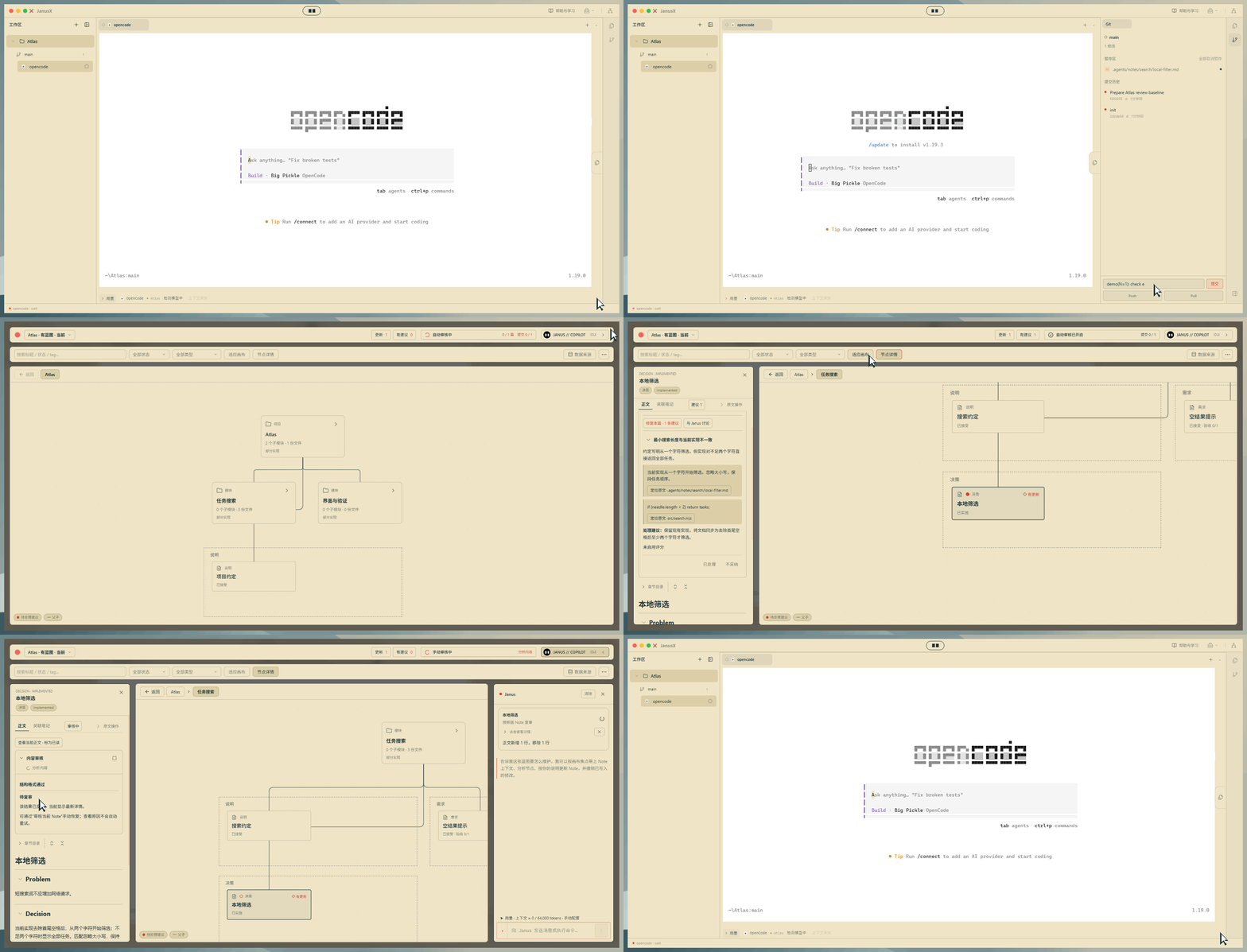 |
Local scripted model and sample project with real reads, writes, and re-review; review set to check on every commit.
How to enable and docsEnable Blueprint under experimental features in settings. Model-backed maintenance and review need a working model config. Automatic review is off by default and defaults to every 5 commits; saving a doc does not trigger review by itself.
Blueprint reads module and topic docs under .agents/notes/. Document identity, lifecycle, module status, and task results are expressed separately. Static screenshot · Wiki.
From live terminal usage to history
Details and trendsExpand the terminal bottom bar for model, context, and I/O details; open history stats for trends, heatmaps, and cost by time and engine. |
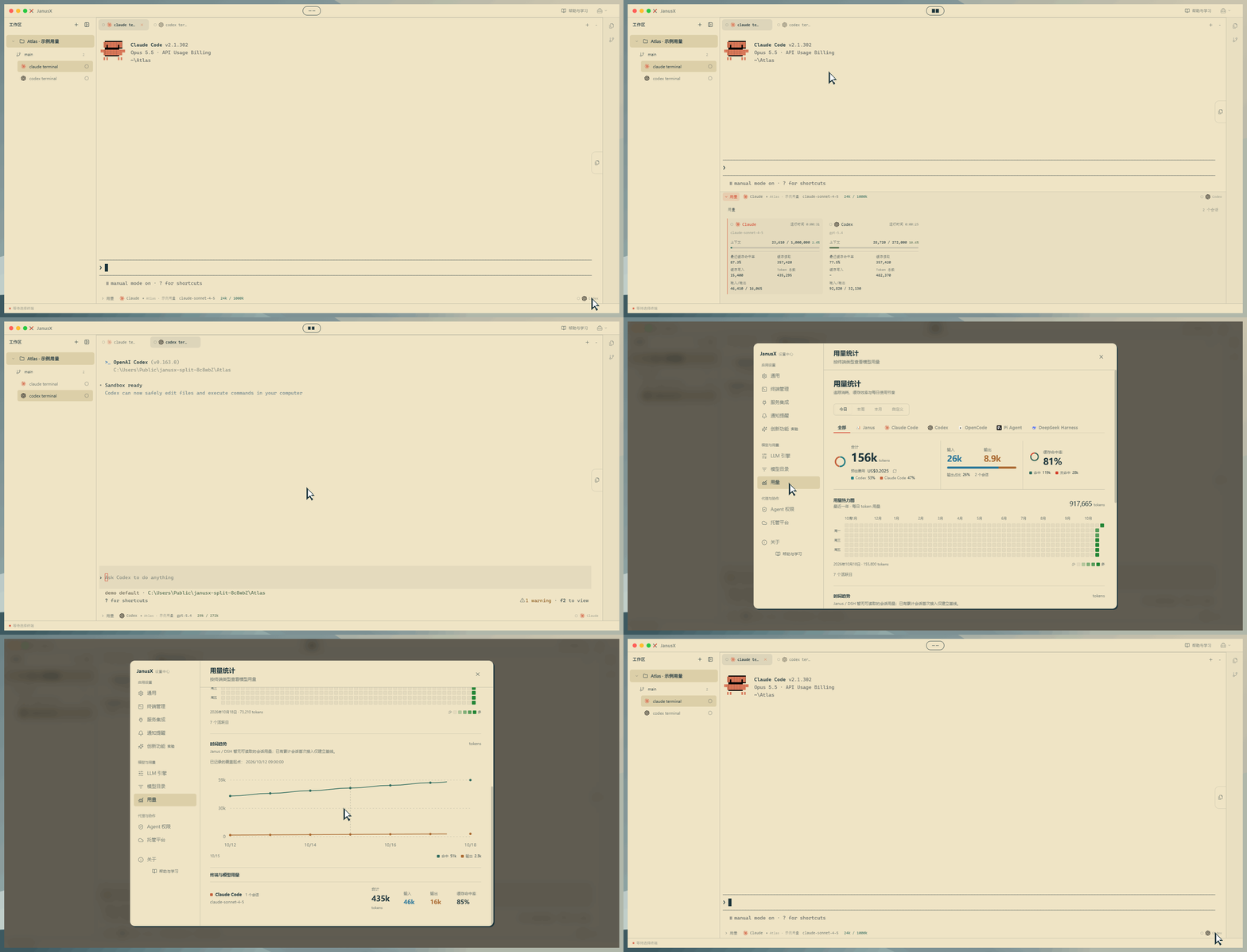 |
Sample usage from real log parsing and ledger stats; missing data stays unknown; costs are estimates.
Static usage screenshotsTwo images from the terminal drawer and the history stats page — click to enlarge.
Terminal usage drawer · History, heatmap, and cost
Resume sessions where you left off
Search, review, continueFind chats by scope and keyword, expand recent turns, open full detail, then continue from the entry point. |
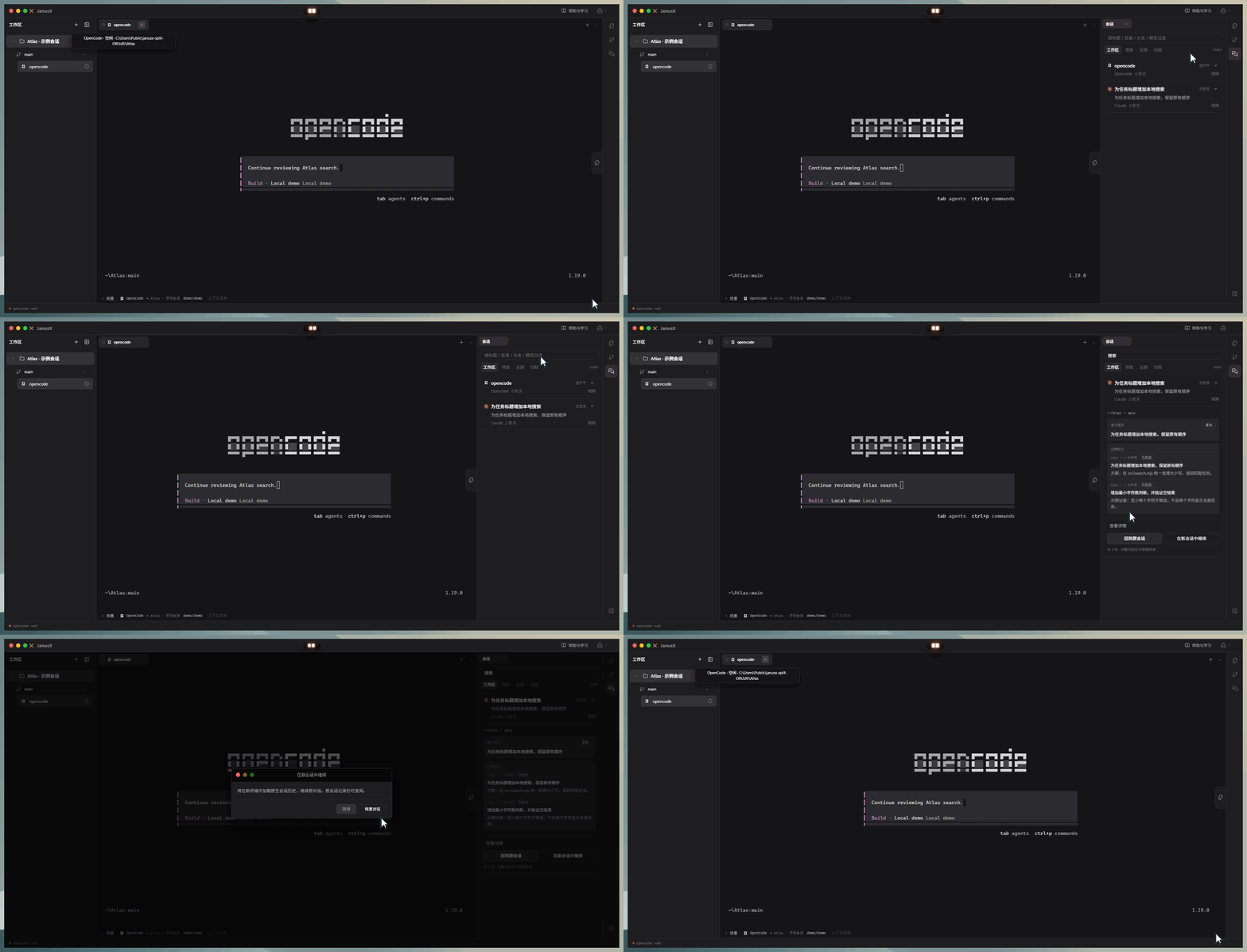 |
Sample chat records; continue confirmation is shown then cancelled — no model request was sent.
External CLI sessionsDiscover external sessions from native history files, read a transcript read-only, and use the provider continue entry. Requires readable history files and a working matching CLI.
Source and recent turns · Full detail and continue entry
Sample Claude native history from a real scan/read; continue was not executed in the screenshot.
Parallel branches, results beside you
Worktree · multiple lines of workKeep a service on the main branch while you develop in an isolated worktree. Preview the merge, then return to the main line with the service still running. 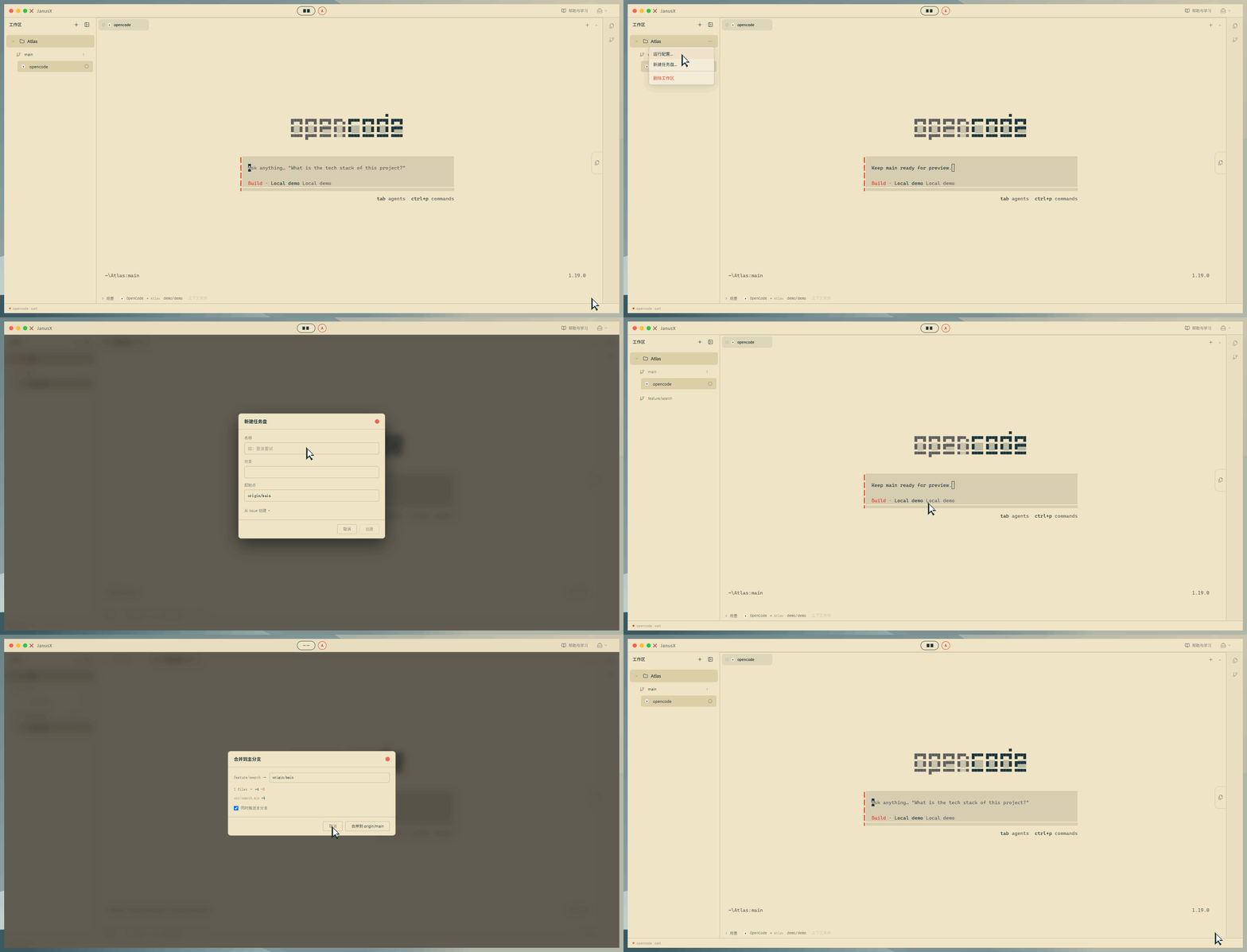
|
Artifacts · results stay nearbyOpen artifacts from Island notifications, interact with HTML, switch file tabs, and reload when content changes. 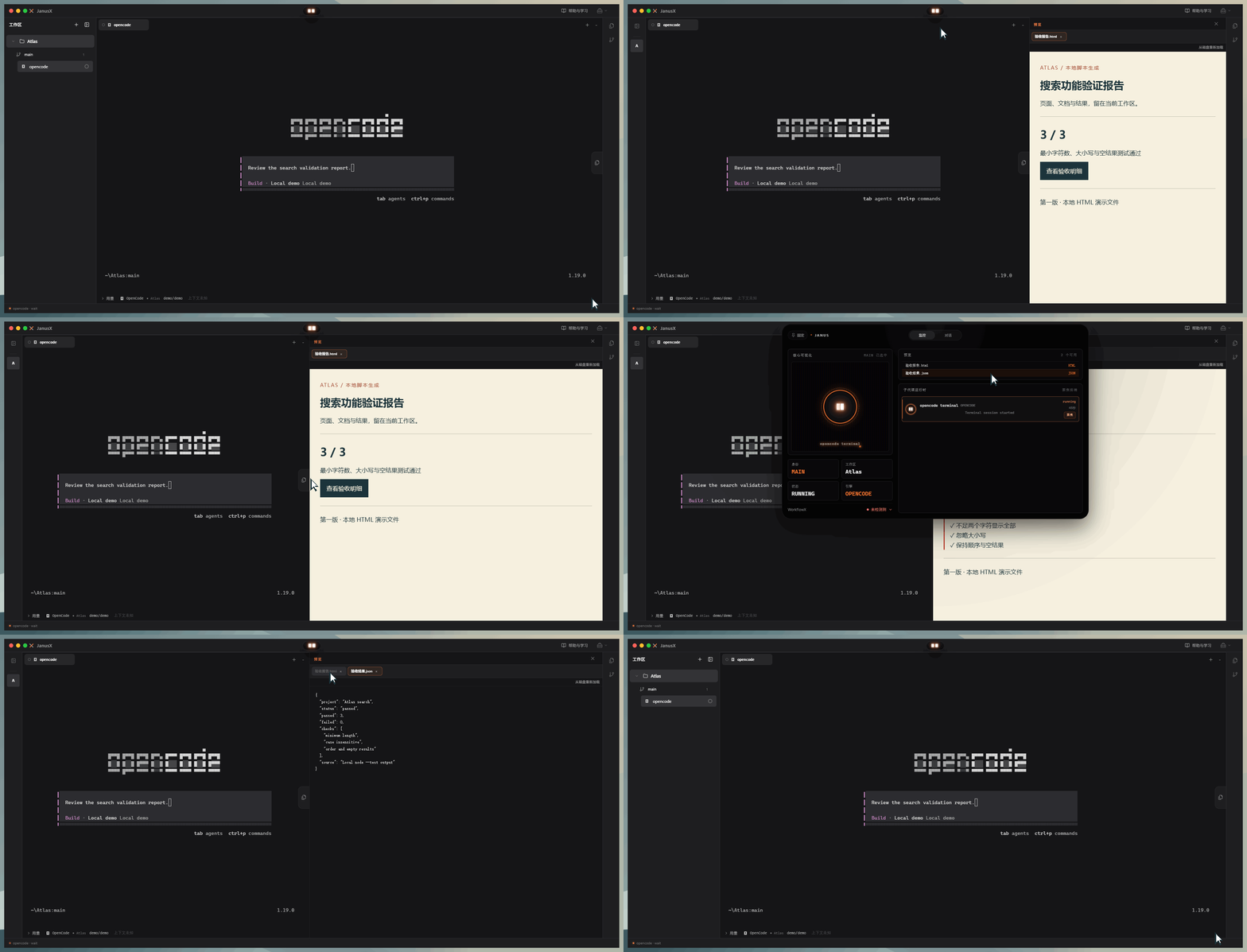
|
Tools & integrations
Files and codeThe file tree follows the worktree. Search files, inspect changes, and open code beside the terminal. 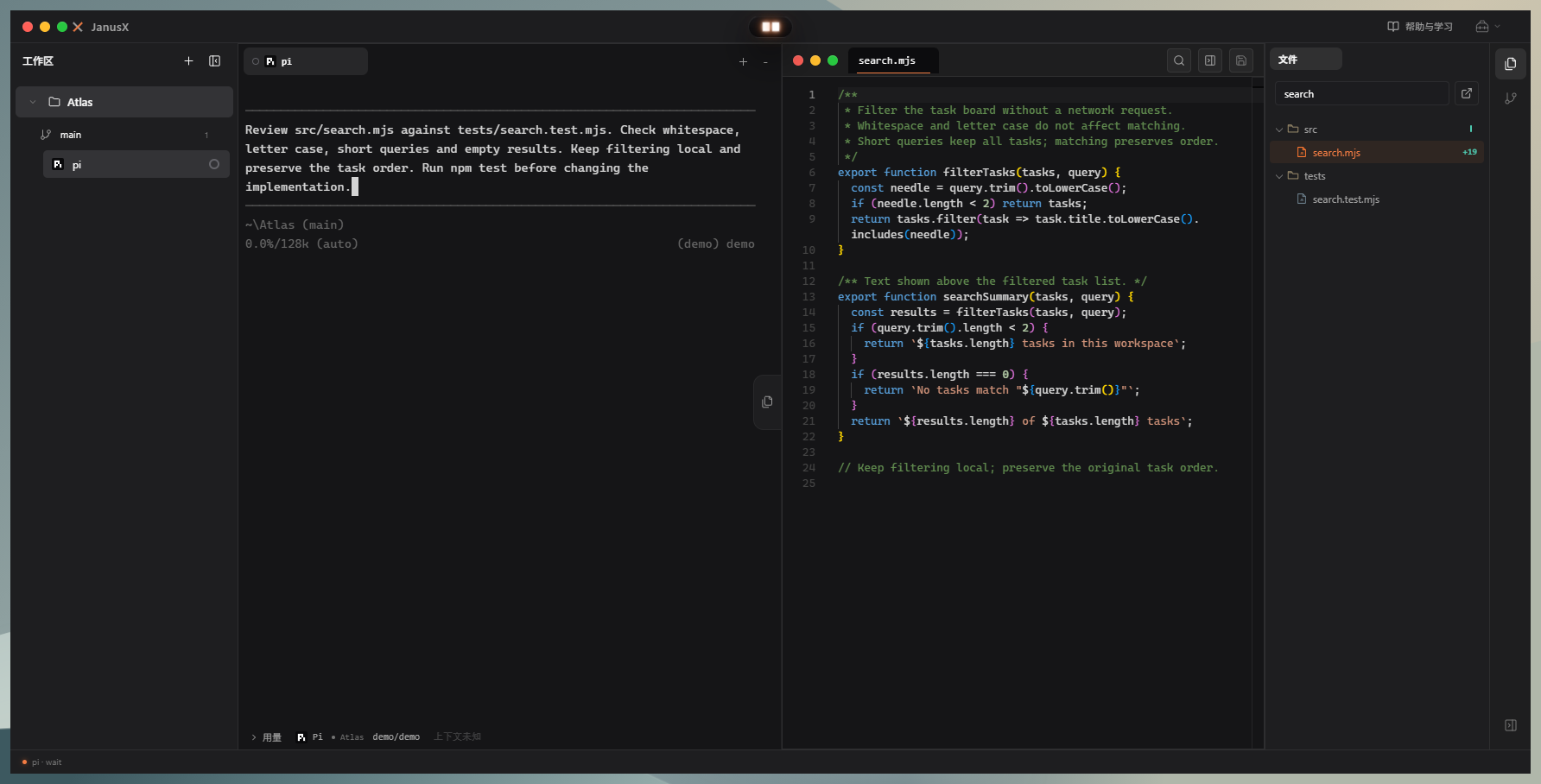
|
Built-in browserKeep local previews, docs, and web tabs in the tools area, side by side with project work. 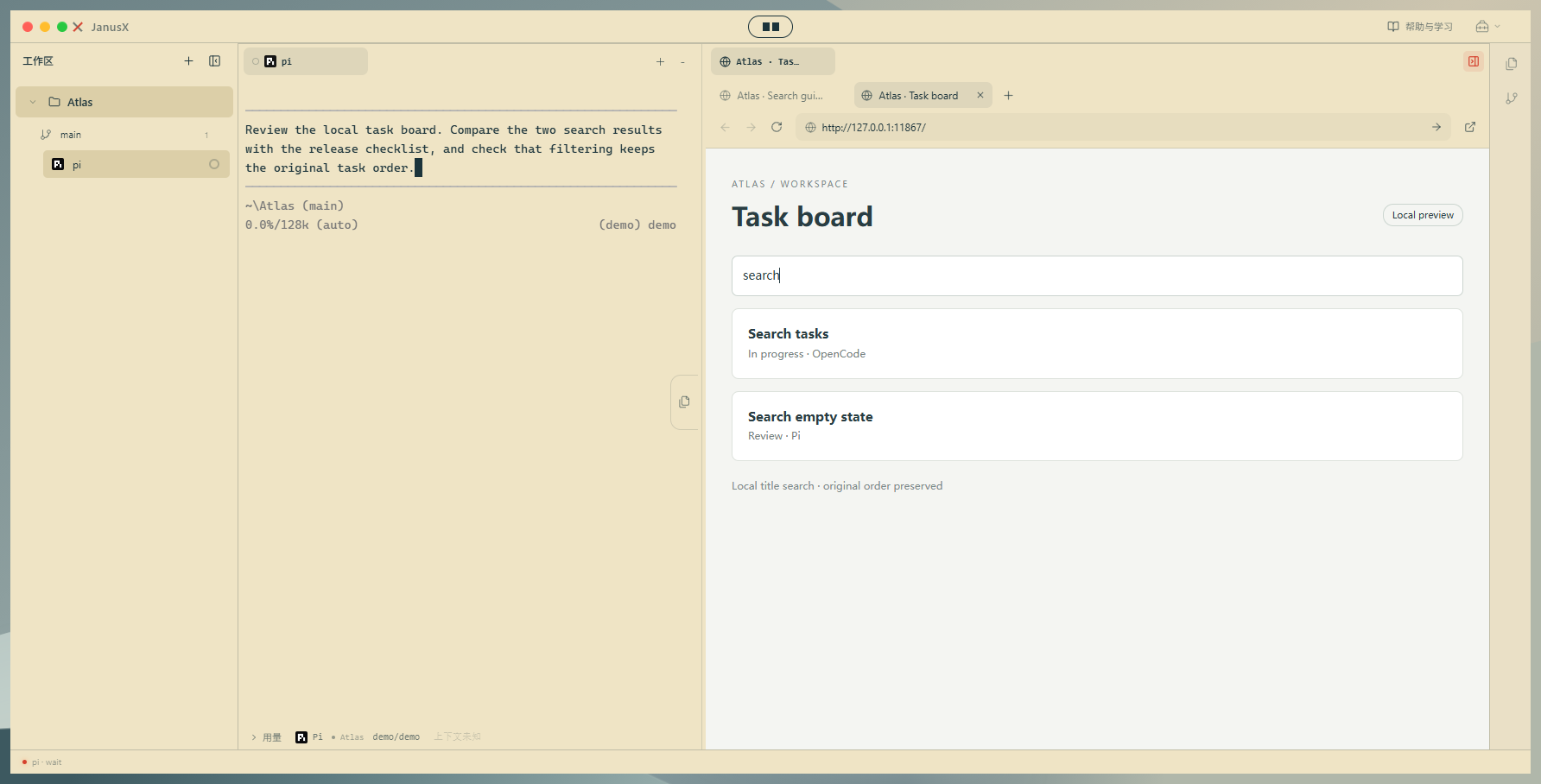
|
MarkdownEdit, split, and preview notes in place. You choose document ownership; switching projects keeps the tools layout. 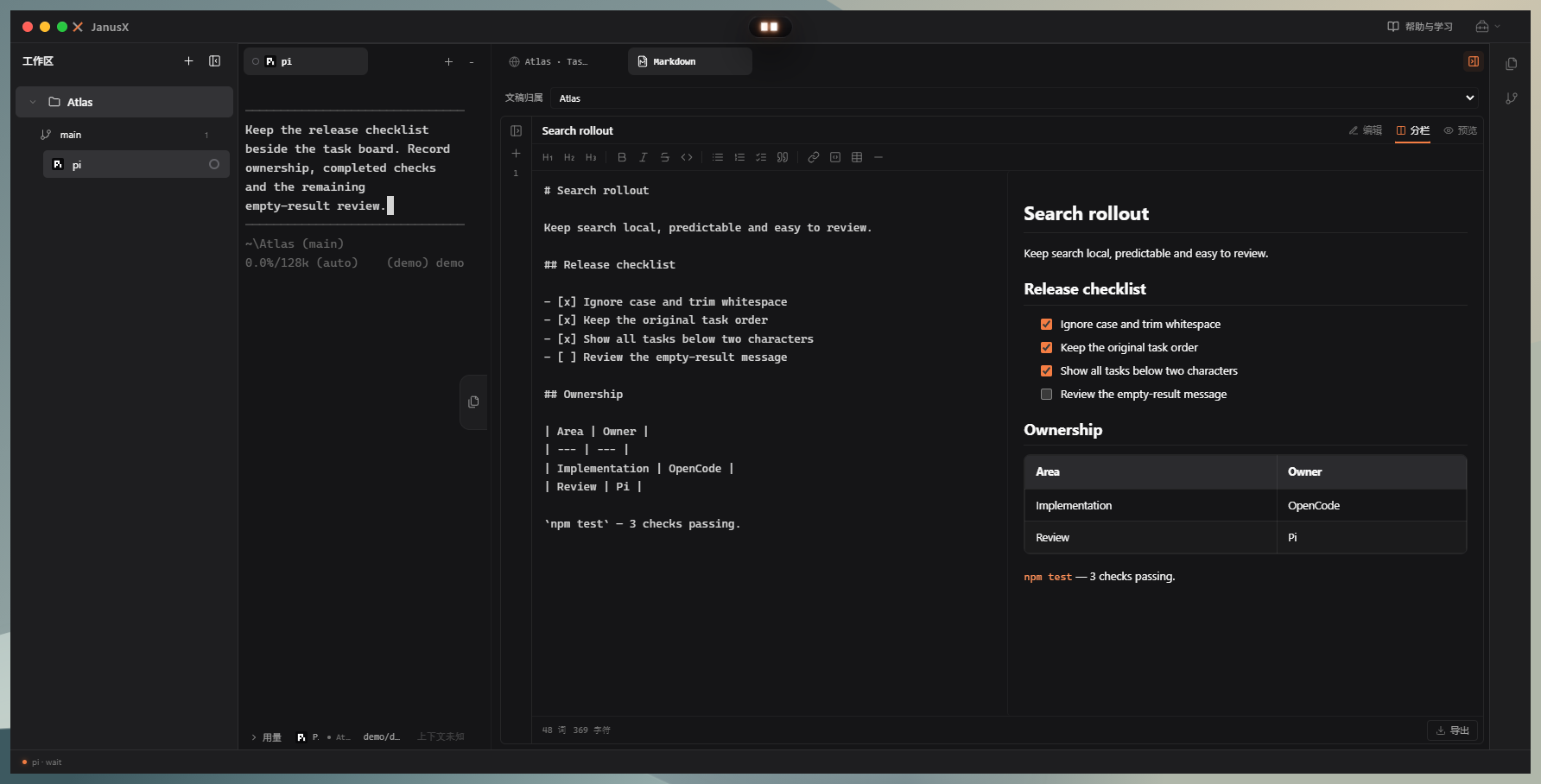
|
CPA service integrationOpen the CLIProxyAPI admin page to host a local instance or connect an existing one; only accounts and calls wired to that instance are covered. 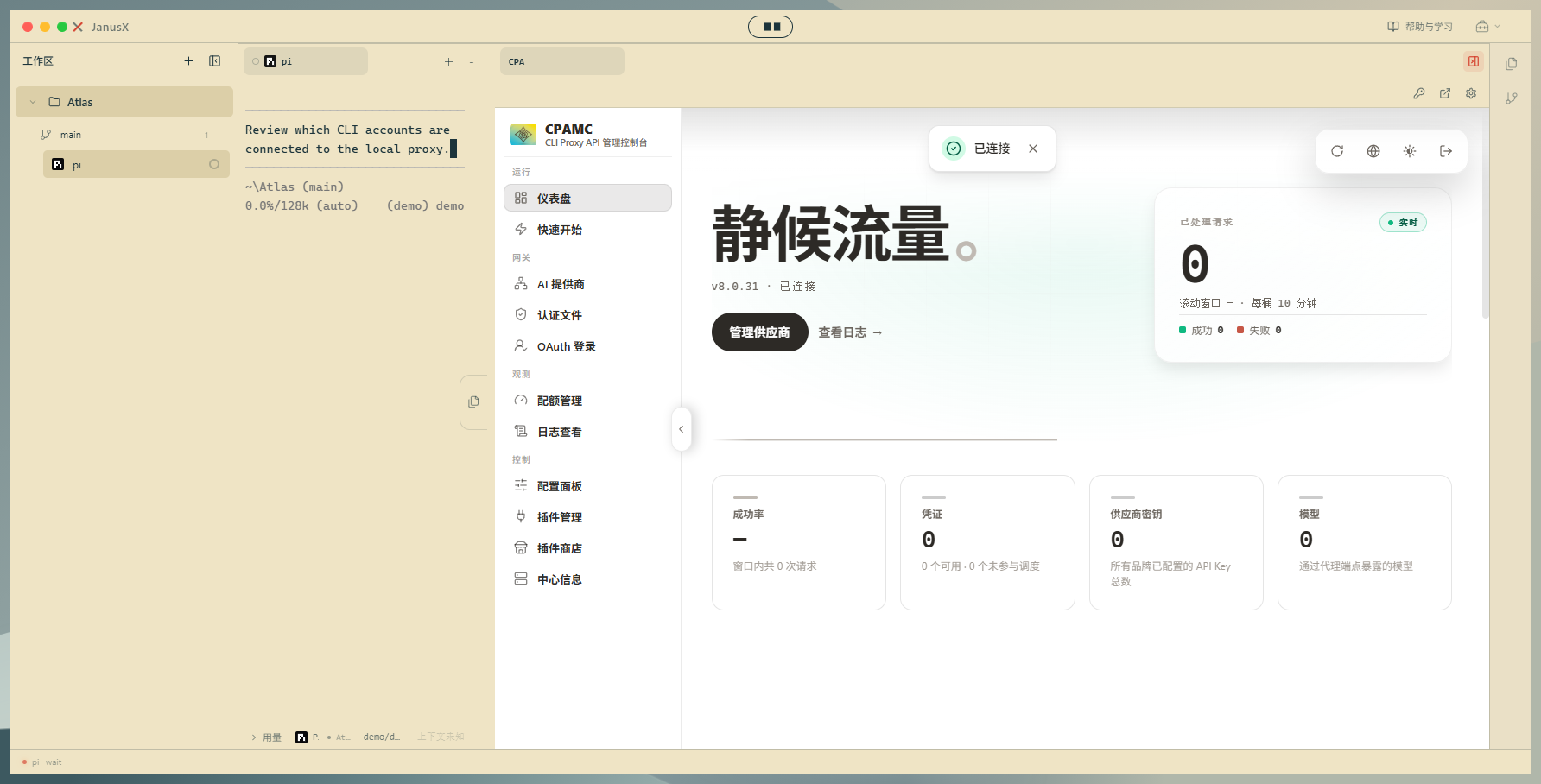
|
Tool screenshots use a local sample project; CPA is a real local instance with no accounts or calls wired. CPA connection settings.
Terminals can run Shell, Janus-agentX, Claude Code, Codex, OpenCode, Pi, and similar tools. Install, sign-in, and model setup for each CLI are separate. Model features in Blueprint, Island, and run configs also need a working model config.
About the demo mediaClick a feature image to enlarge. Ten feature GIFs were re-recorded on the new UI — mostly the default theme with classic black mixed in, framed with a narrow background. Terminal drafts were not sent; chats used a local scripted model; sessions, usage, and reports used sample data while real tools and actions still ran. Stills are for screens you need to pause and read; images marked as placeholders still need updates.
Recording entry points and usage: showcase scripts.
Install and get started
Go to the download page and pick a Windows 10 / 11 x64 build.
| Build | Best for | How to use |
|---|---|---|
Installer *-x64-setup.exe |
Daily use on your machine | Run the wizard, choose an install folder, then launch JanusX |
Portable *-x64-portable.exe |
Run without installing | Download and run the .exe |
Portable builds keep data under %APPDATA%\JanusX-Portable for the current user, isolated from installer and dev builds. There is no carry-on mode and no data folder next to the exe. Copying the exe to another PC does not bring personal data along.
Public downloads currently target Windows. macOS and Linux packaging commands are below; published installers follow whatever is attached on Releases. Everyday users do not need Node.js or a source clone.
Three steps to start
- Add a local project as a workspace.
- Open Shell or a configured AI CLI and get to work.
- Split panes as needed and open files, the browser, or Blueprint for context.
Develop from source
For a first setup, follow the local development guide: Node version from .node-version; keep JanusX, janus-agentX, and the WorkFlowX used for verification as sibling directories; build with the CI-pinned revisions and dependency order. Cloning JanusX alone is not enough to prepare dependencies.
Contributors branch from upstream dev and open PRs into dev. Full steps: CONTRIBUTING.md.
Verify
npm run verify
The unified check covers themes, workspace typecheck and tests, unused-symbol checks, production build, package boundary and packaging exclusion checks, i18n and Note checks, lint, and a real Electron desktop smoke on Windows. Environment prep and single-check notes: local development guide.
You can also run end-to-end checks on their own:
npm run test:e2e:desktop
npm run test:e2e:island
Package
npm run package:win
npm run package:mac
npm run package:linux
Artifacts land in release/<version>/. Packaging needs the matching OS and toolchain.
For faster Windows iteration, npm run package:win:portable builds only the portable package with compression level 1 in that subprocess, while still running package boundary, dependency exclusion, size budget, and runtime checks. For a separate output dir, append -- --release-dir artifacts/portable-check. Version PRs, tags, releases, and recovery: maintainer guide.
Build dist in the sibling janus-agentX repo before packaging. prepackage checks the six local packages against npm publish file lists, refreshes changed files and dependency declarations, and blocks missing siblings or build entry points — it does not replace compiling sibling source.
Architecture and module map: Wiki. Optimization status and roadmap: architecture plan. Contribution rules: CONTRIBUTING.md.
Experimental features (in progress)
These directions are still in development; behavior and UX will keep changing:
- Janus-agentX CLI: agent chat, tool use, and script integration inside the terminal.
- Roundtable: multi-role discussion for comparing options, clarifying requirements, and design review.
- Remote: view terminals, send input, and manage run state across devices over the web.
- Team: share and co-maintain projects around Blueprint.
- Multi-agent monitoring: observe multi-agent runs, track progress, and summarize results.
- Multi-agent orchestration: schedule and coordinate multi-agent tasks.
About
JanusX is an open-source desktop workspace for AI-assisted coding that people already use in the wild: projects, terminals, AI CLIs, and everyday tools in one place. Stable basics first; bolder collaboration experiments second.
Discussion, ideas, and contributions welcome. Fork and open a Pull Request, or share scenarios and bugs in Issues — see CONTRIBUTING.md.
If this helps you, a Star helps others find it.
Friends: Linux.Do — a community for technical discussion and resources.
Contact
- Email: [email protected]
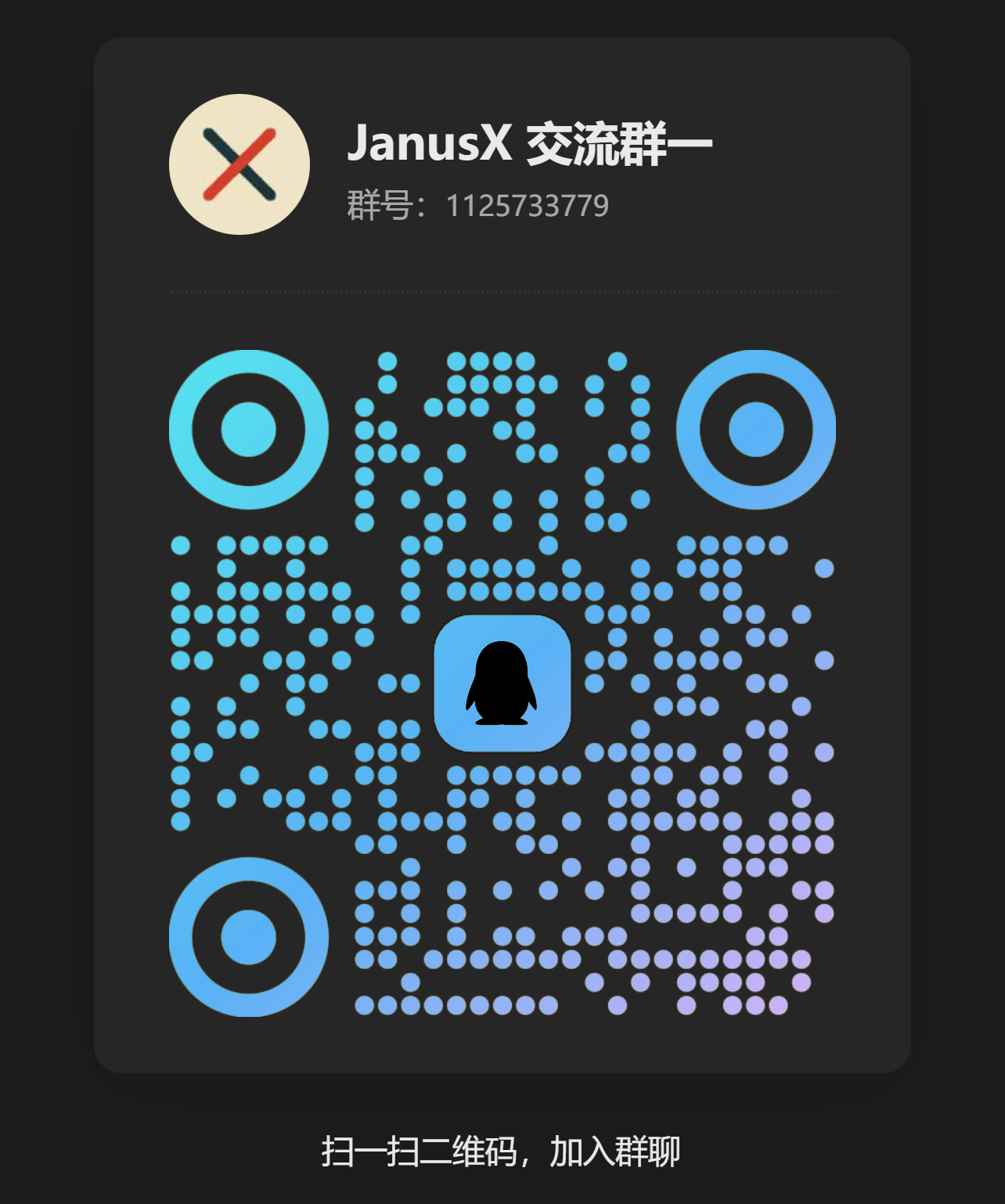
- QQ group: 1125733779 (JanusX group 1). Scan the QR code below to join — feedback, agent development, feature discussion, and early updates.
Support
JanusX is free and open source (MIT), maintained long-term by an independent developer.
MIT License · Use / modify / redistribute freely · Made by @TreeX-X
Star history
Yorumlar (0)
Yorum birakmak icin giris yap.
Yorum birakSonuc bulunamadi