trina-ax
Health Gecti
- License — License: AGPL-3.0
- Description — Repository has a description
- Active repo — Last push 0 days ago
- Community trust — 70 GitHub stars
Code Uyari
- network request — Outbound network request in .github/workflows/desktop.yml
Permissions Gecti
- Permissions — No dangerous permissions requested
Bu listing icin henuz AI raporu yok.
Set up Claude Code once. Your whole company gets it. Self-hosted Claude Code and Codex with your company files, team skills, MCP and per-person folder permissions.

Trina AX
The AI your whole team shares.
Trina AX puts your team's files, skills and tools on one server. Everyone's AI starts from them,
and every file it opens is checked as the person who asked.




https://github.com/user-attachments/assets/4d795cf7-202c-4299-9d74-d0d569a1869f
Same Claude, same request, different result. The 97-second story.
Open source (AGPL-3.0) · Self-host free, no seat limit
Then press ☆ Star at the top of the page. A star helps more teams find Trina AX.
Set up once. Your whole team gets it.
One AI account for the whole team. Connect one Claude or OpenAI API key, or a plan whose terms allow it, and everyone asks with it, with token limits per person, group or team.
One person sets things up on the team server. Everyone's AI has it from their first question, in the browser or the apps. Nobody else installs Claude Code or copies skills; at most they sign in to their own accounts.
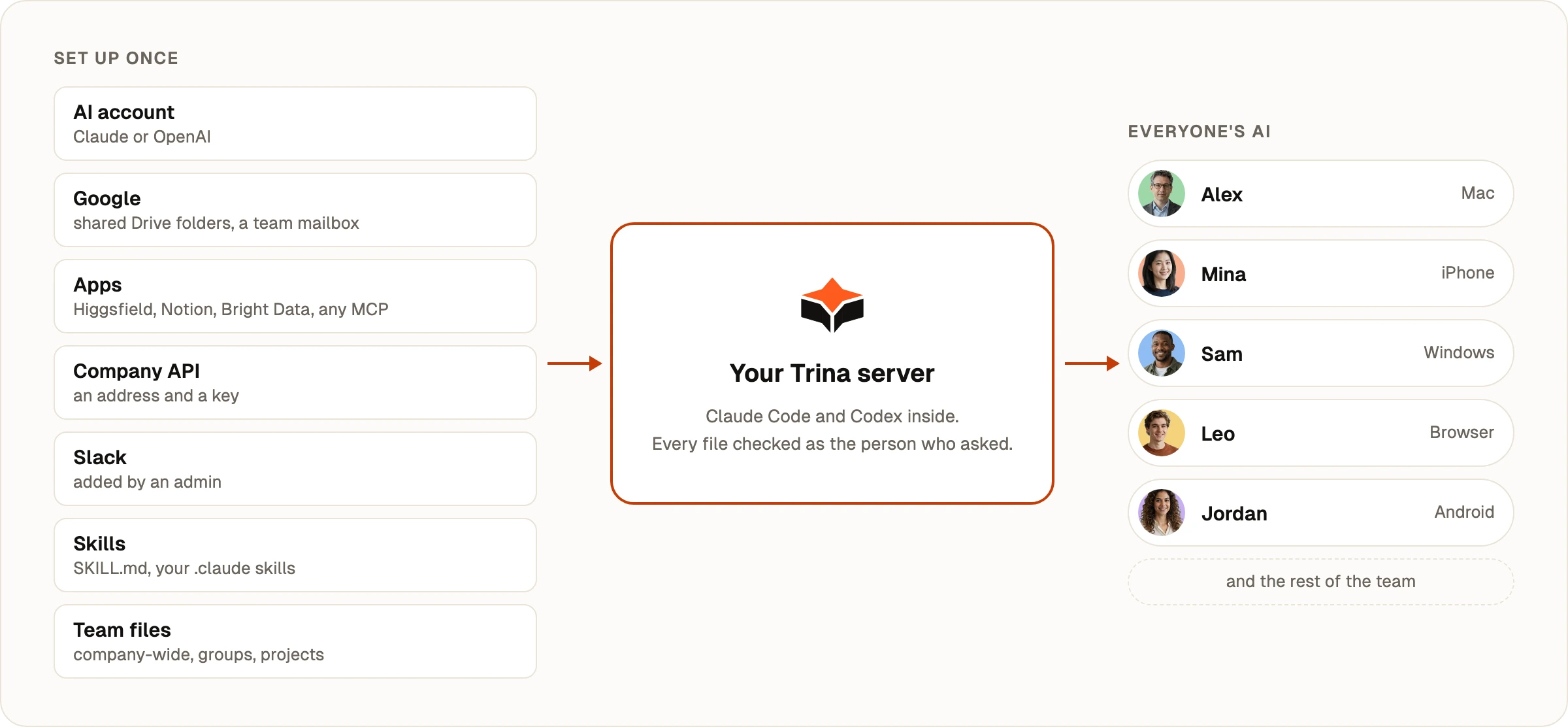
| Set up once | Everyone gets |
|---|---|
| AI account. The owner or an admin connects a Claude or OpenAI API key, or a plan whose terms allow it. | Answers for the whole team, with token limits per person, group or team. |
| Google. Share Drive folders with the team, or connect one team account (a shared mailbox or calendar) for Gmail, Calendar, Docs and Sheets. | The people you choose use them in their chats. Anyone can still connect their own Google account. |
| Apps. Higgsfield, Notion, Linear, Figma and more from the app list, or any MCP server by its address, such as Bright Data. | The app's tools in everyone's chats: one team sign-in, or each person signs in as themselves. |
| Your company API. An address, a key and a few notes. | The AI calls your own system, only under that address. |
| Slack. The owner or an admin adds it once. | Ask Trina in a DM or any channel it's invited to, with your own access. |
Skills. Write a SKILL.md, or bring the skills in your .claude or .codex folder. |
Everyone's AI follows the same steps. Type / to use one. |
| Team files. One drive: company-wide, groups, projects, team skills and personal folders. | Everyone's AI starts from the team's files, and opens only what that person may open. |
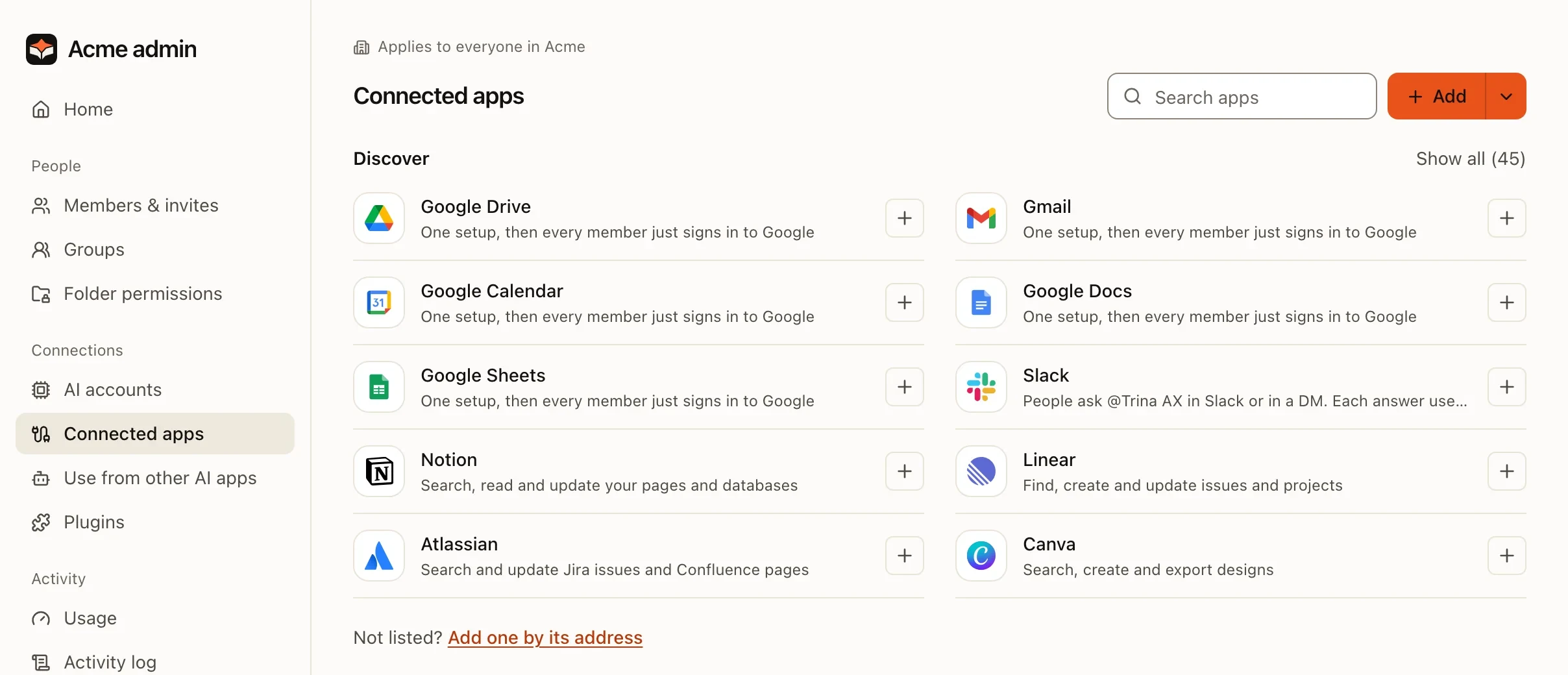 Admin › Connected apps: set up once for everyone in the team |
|
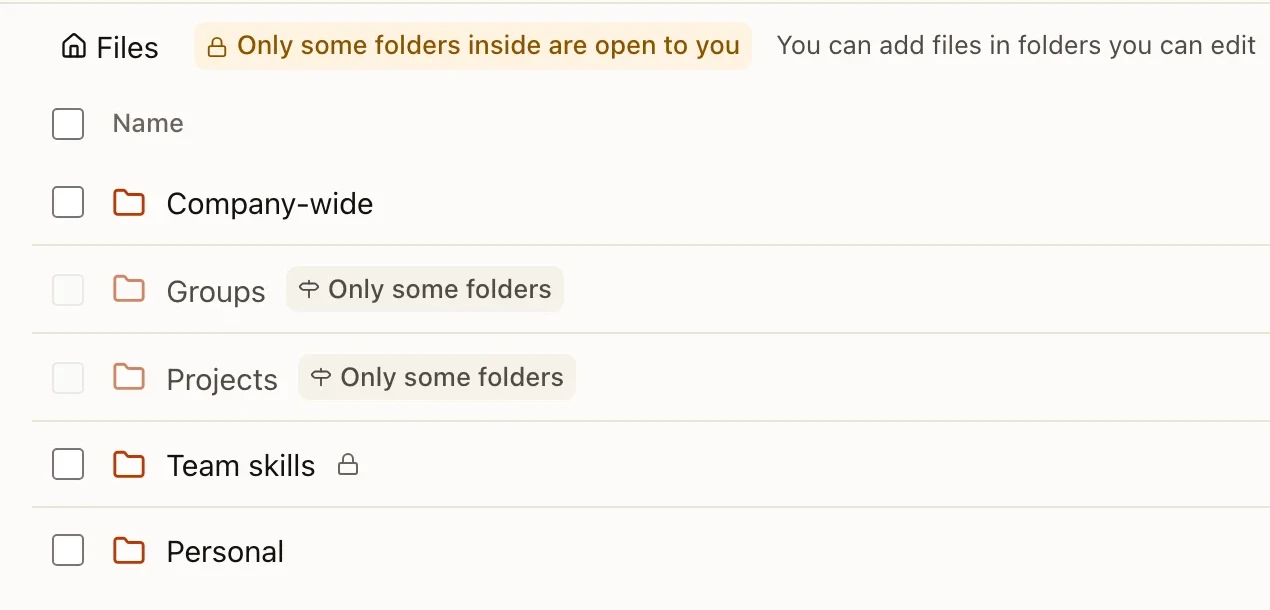 One team drive |
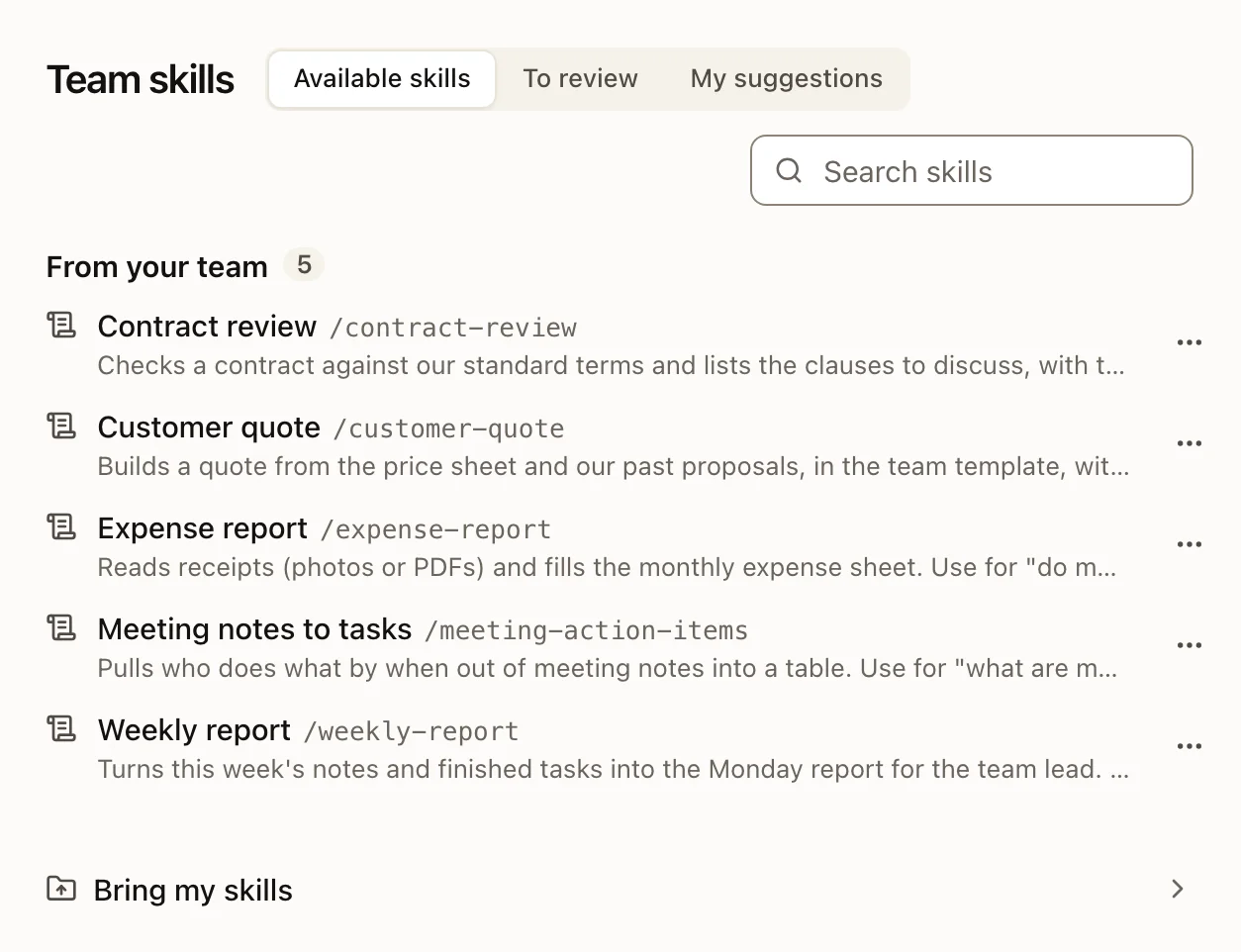 Team skills, or bring your own |
What everyone does with it
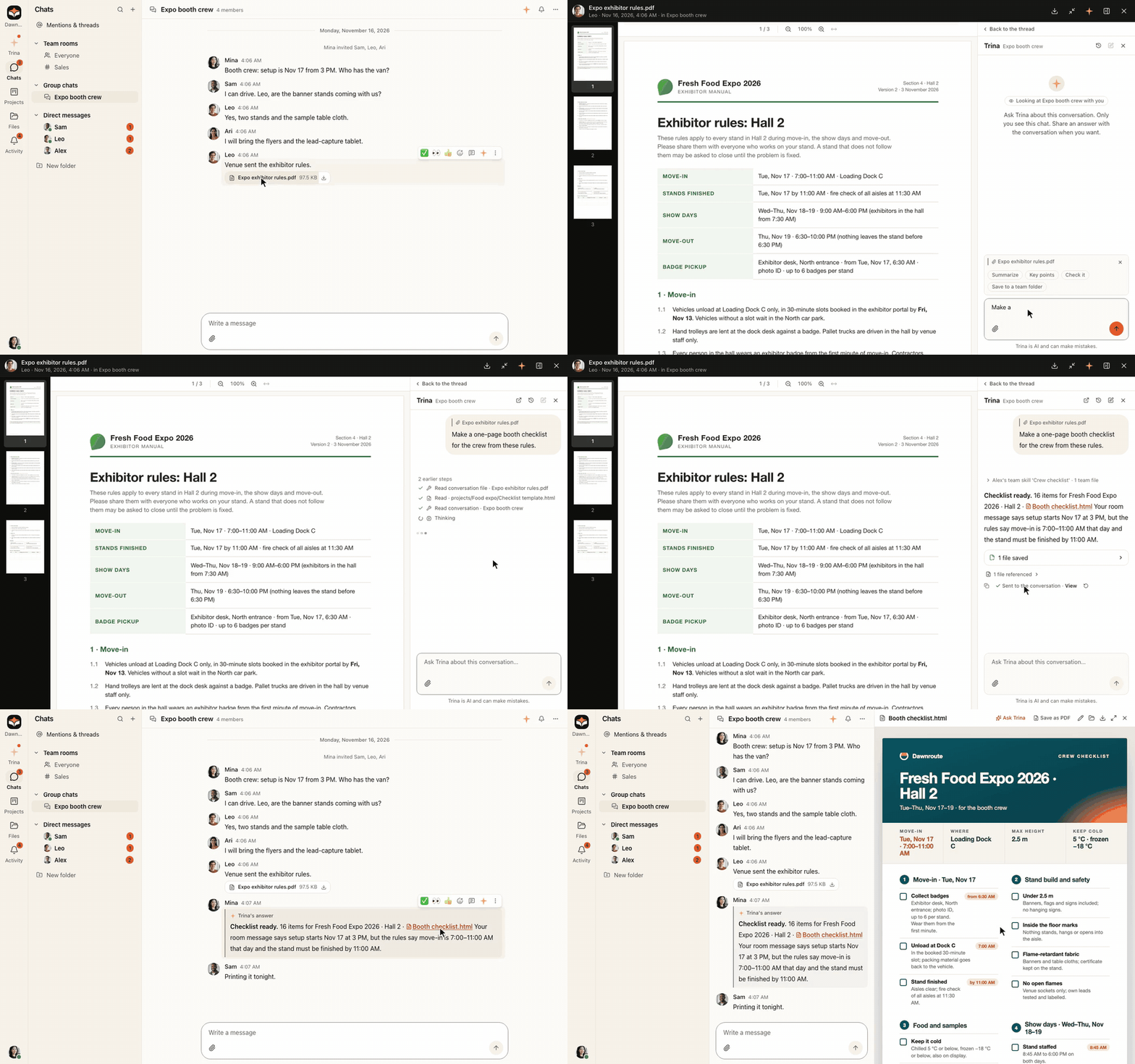
Ask beside any room, send in one click. A side chat only you see; one click sends Trina's answer into the room.
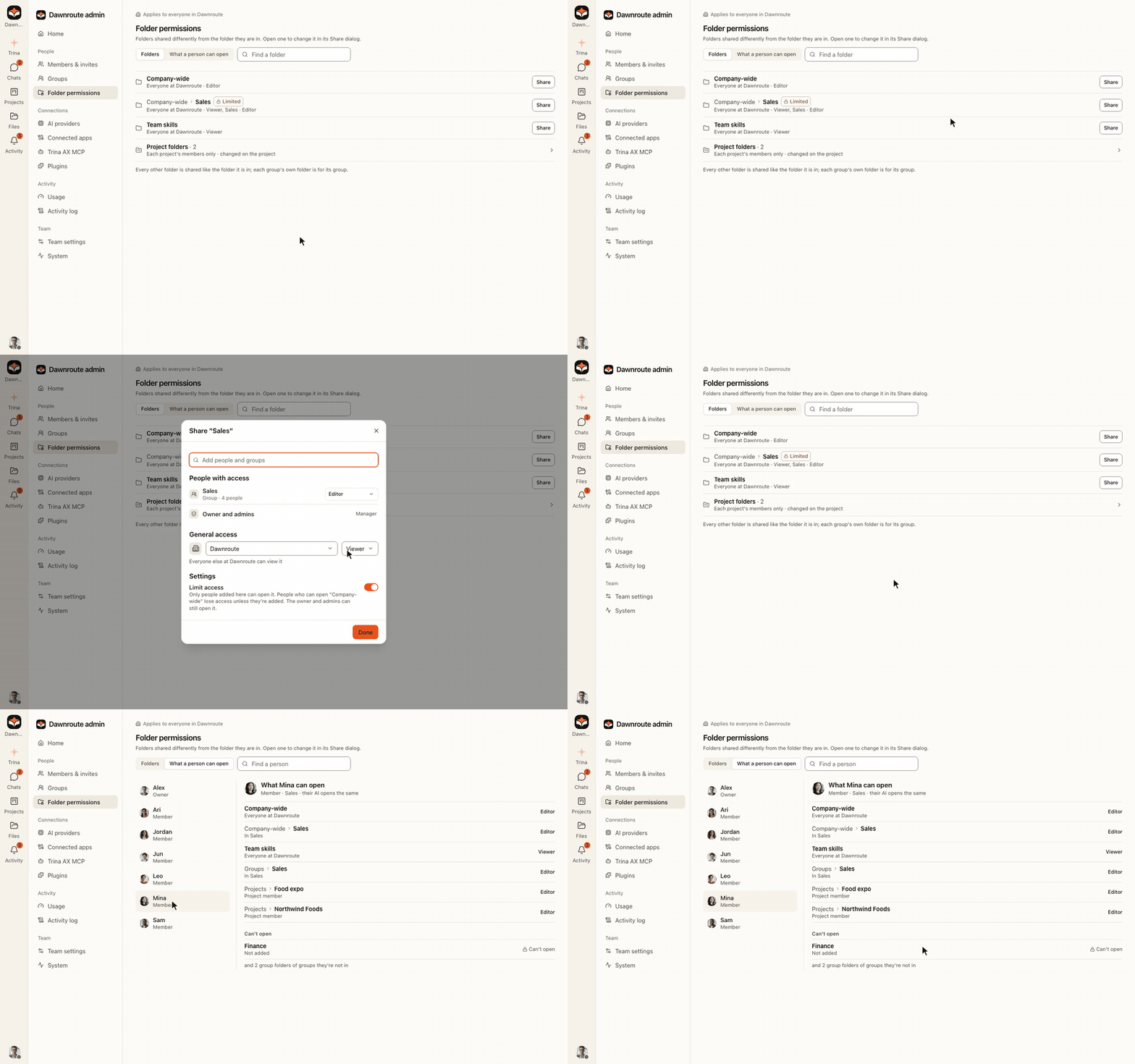
Each person's AI sees only what they may open. Mina can't open Finance, so neither can her AI. How permissions work
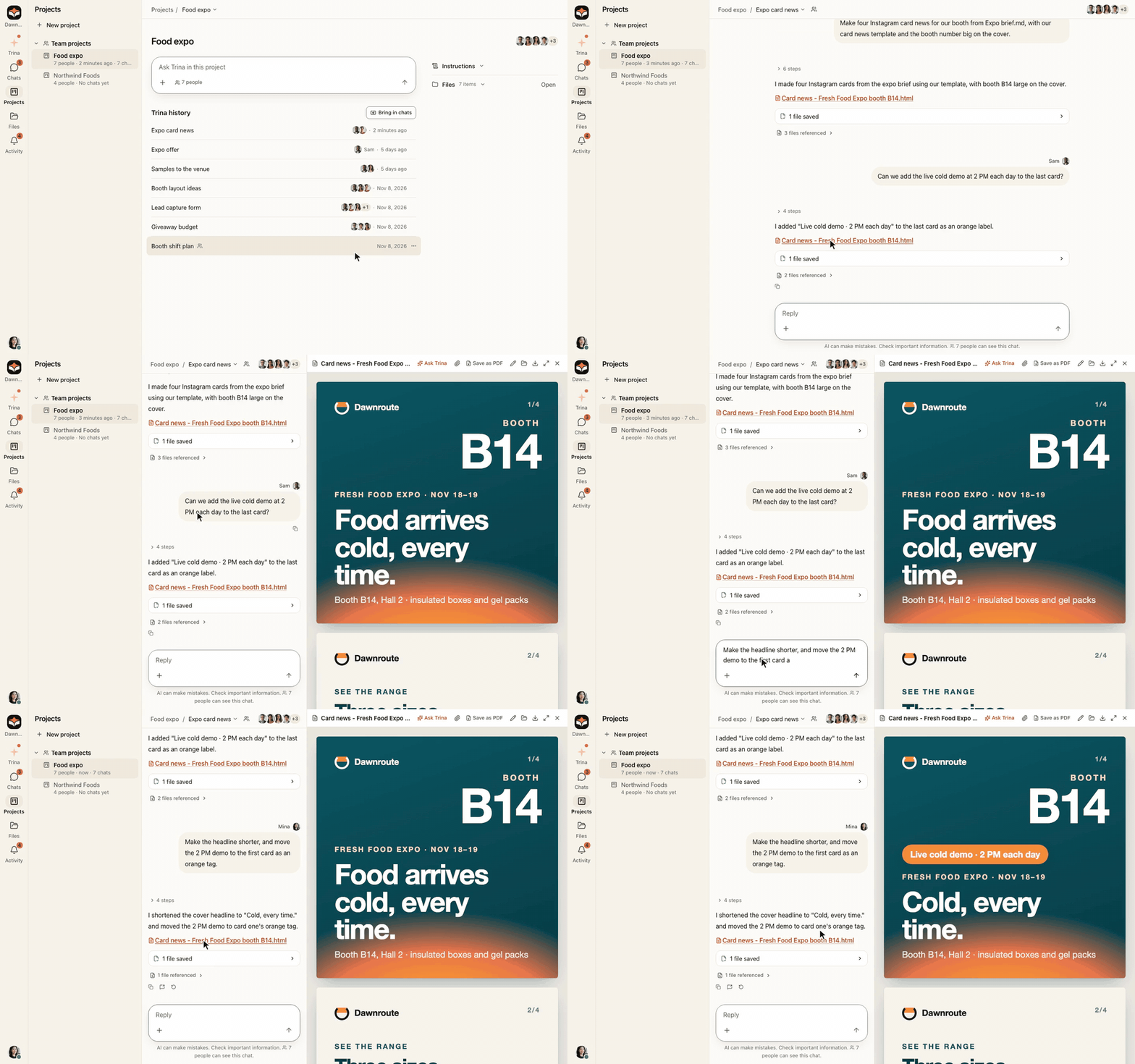
Pick up a teammate's session in a team project. Sessions in a team project are shared with its members: open a teammate's and keep going, with your own access. Any other session you can share with people or groups, like a file in Google Drive.
Files found by what they are. Every night the team's AI reads new and changed files in shared, group and project folders and keeps one line per file saying what it is, so a scan named temp.pdf or a photo named IMG_2031.jpg is found by its content. It uses the team's AI account and never reads personal folders. In a test with 2,238 made-up files, Claude Code found the right file for 181 of 184 questions with these lines, and for 172 without them.
Scheduled tasks. Ask once; Trina repeats it on your schedule, in your team's time zone.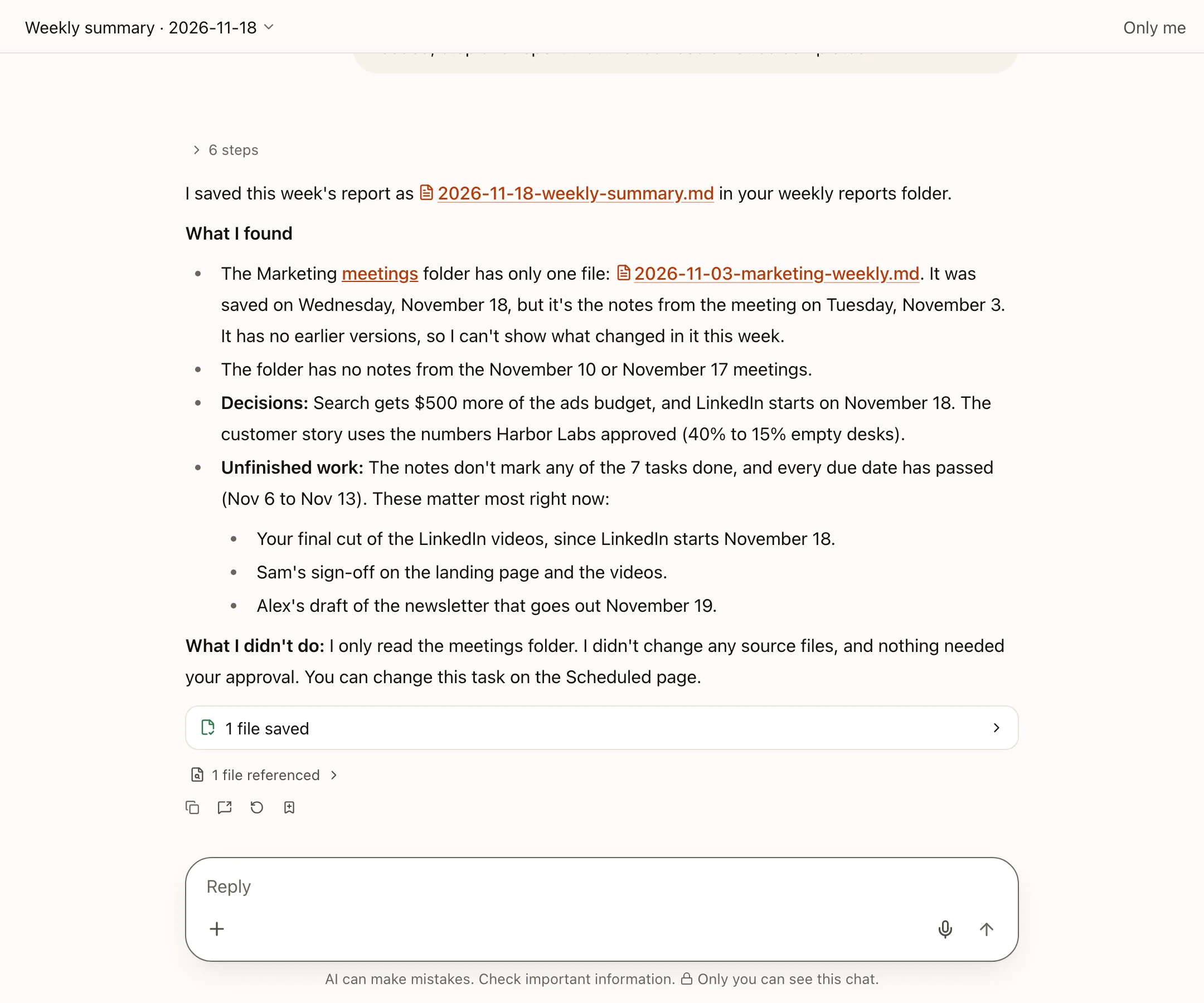 |
Guests. Invite people outside the company into a group chat or project, and choose whether they can use the AI.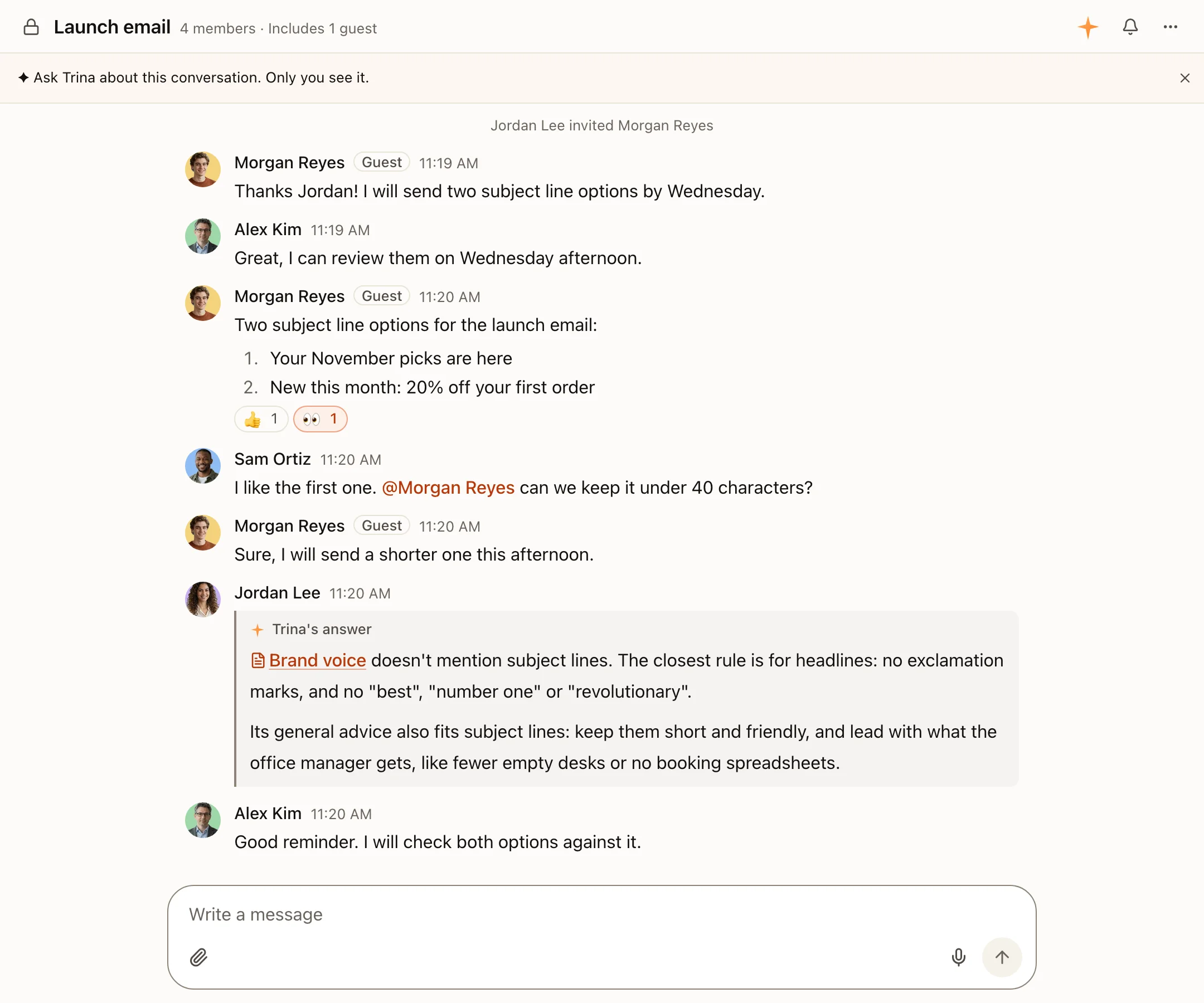 |
Usage and limits. Answers, tokens and estimated cost per person; token limits per person, group or team.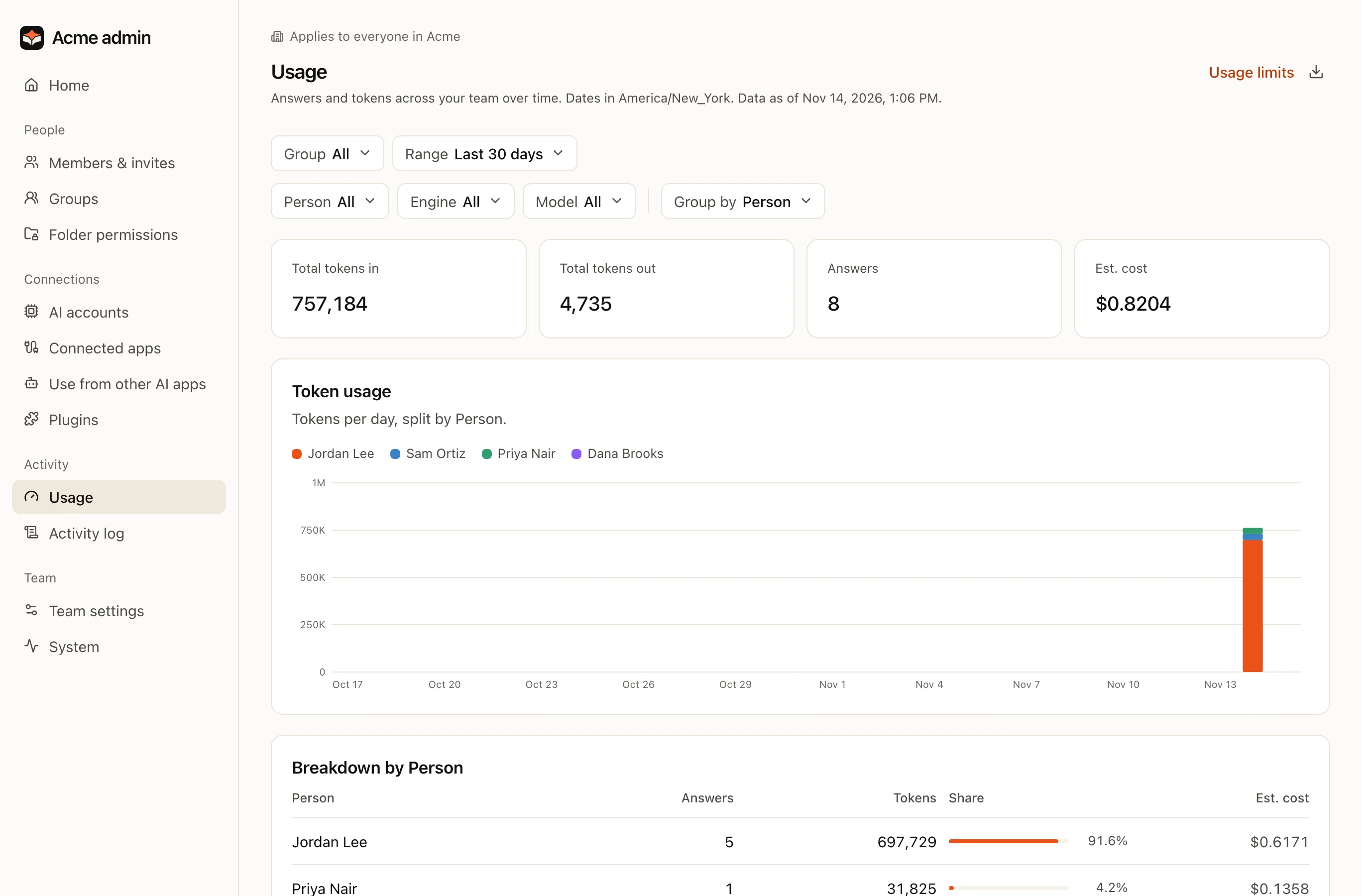 |
Search everything. ⌘K across chats, history, projects, files, skills and scheduled tasks.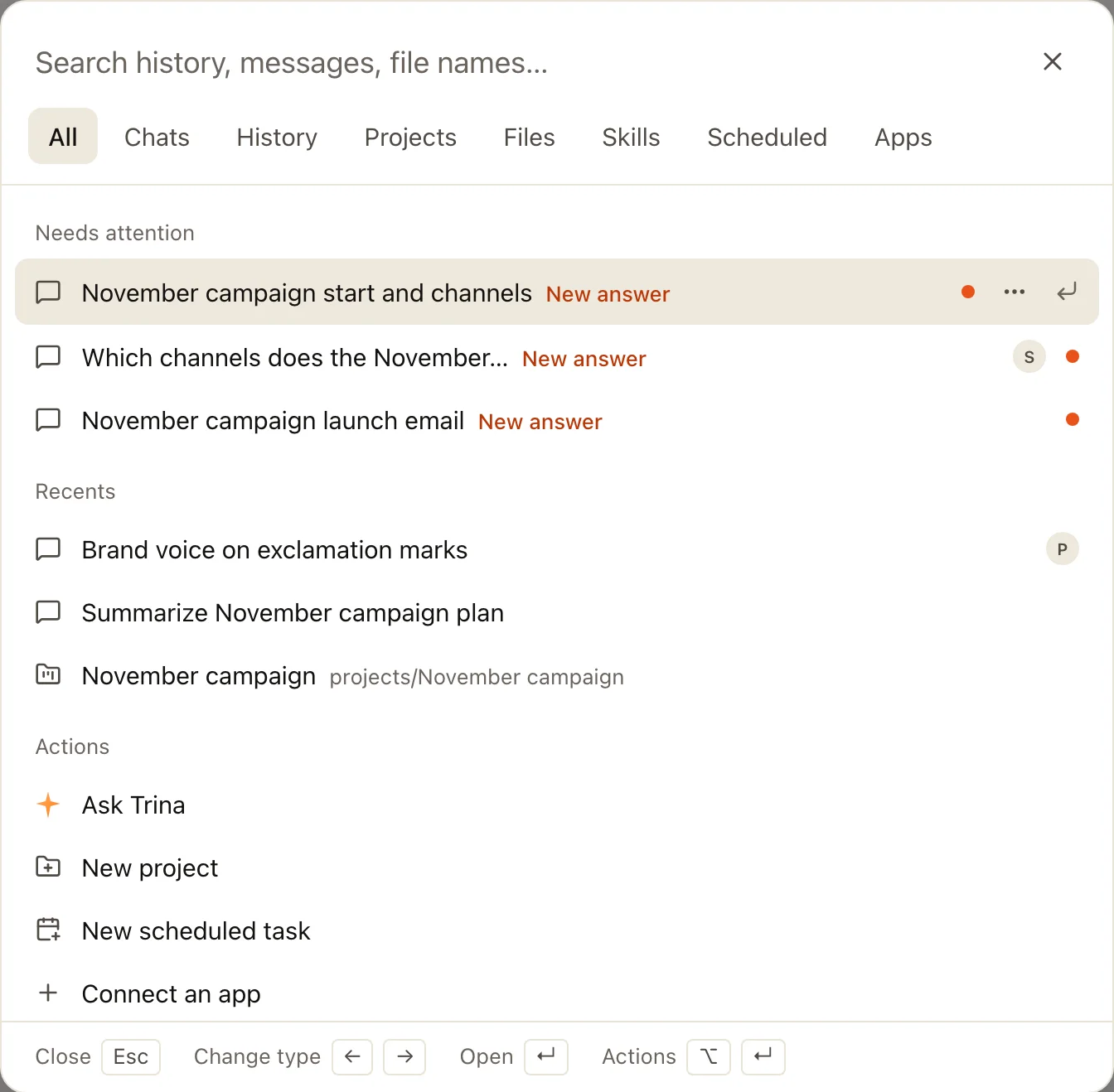 |
Team chat, like Slack. Channels for everyone and each group, private channels, direct messages, group chats, threads and @mentions, on the web, desktop and phone. Trina is in every conversation.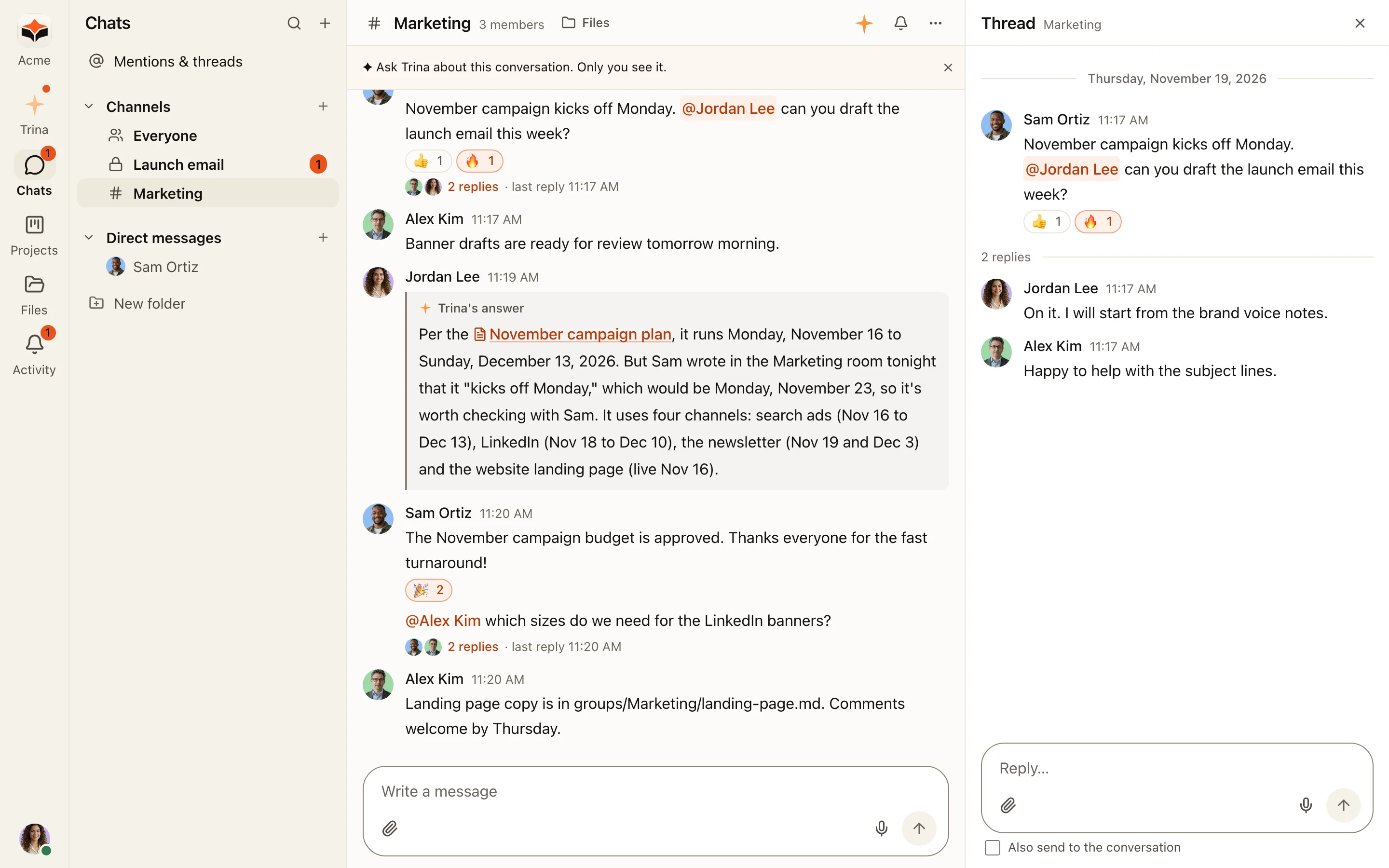 |
- Every change is kept. By a person or their AI; bring back any version.
- In-app browser. In the desktop app, Trina opens websites in a pane beside your chat, reads them, clicks and fills in forms while you watch; Stop ends it. It asks before a new site unless you allow all websites.
- Apps post into rooms. Sentry, GitHub, Stripe, Jira and HubSpot updates arrive as cards.
- Meeting notes. The Mac app (macOS 14.4+) takes notes from Zoom, Meet and Teams calls.
- Find work files. The desktop app finds recent work files on your computer and adds the ones you pick.
- Documents. Reads Hangul (HWP/HWPX) text; previews PDF and PowerPoint.
- Every device. Mac, Windows, iPhone, Android and any browser, in six languages.
Get started
- Trina hosting: no server to run. 14-day free trial, then a monthly plan. Pricing
- Apps: Mac, iPhone, Android and Windows, or any browser.
- Self-host: your own Linux server, Docker or an office Mac. Free. Linux · Docker · Office Mac · Install with your AI agent
Self-host with Docker (Linux, or a Mac with OrbStack)
git clone https://github.com/trina-app/trina-ax.git && cd trina-ax/docker
cp env.example .env && docker compose up -d --build
docker compose exec trina-ax trina-ax-setup-link   # open the link and create the owner
Newer and less tested than the Linux install; an Ubuntu 24.04 server needs one host setting first. Docker guide
Try it on your computer in 10 minutes (fictional team, AI off)
git clone https://github.com/trina-app/trina-ax.git && cd trina-ax
bun install --frozen-lockfile && bun run demo   # → http://127.0.0.1:19760 · alice / teamax-demo-1
Needs Bun 1.3.12 and Go 1.27+. Not a production install. Walkthrough
How it works
One server runs Claude Code and Codex as the engine. Every file request, from a person or their AI, goes through one permission check on the server. On a Linux server the engine runs as its own account inside a bubblewrap, Landlock and seccomp sandbox, with its shell and built-in file tools turned off: it reaches files only through Trina's tools. Security and permissions
Trina provides the workspace, not the AI: connect Claude or OpenAI accounts and plans authorized for your use. AI usage is billed by the account you connect.
Data, limits and what we don't promiseWhat we don't promise
- Self-hosting is not offline: the context a request needs goes to the AI provider you connect, and configured integrations receive their requests. Each Codex web search sends the conversation so far to OpenAI's search service. With OpenRouter for speech, allowed by an admin, the sound of video and audio files goes to OpenRouter. The server asks
updates.trina.appfor its own public address every 30 minutes (MYCEL_EXIT_ADDRESS_CHECK=offturns that off). Details - Server operators can read stored files and chats, including Trina operators for hosting. App admins don't get a browser for everyone's private conversations.
- Removing folder access does not erase earlier answers. The wider-sharing check is not universal data-loss prevention.
- No security certification, perfect answers, guaranteed savings or automatic legal, financial or HR decisions. Review outputs and deployment boundaries.
- Linux servers run no OCR: the AI sees photos and scanned pages as images, but they are not text-searchable. Office Macs cannot read video yet.
- HWP/HWPX text works for every team; previews and making Hangul documents need the optional HWP Preview plugin (macOS, or Linux with glibc 2.39+; not Debian 12).
- Connections: a person's own eligible connection comes first, then one assigned to the person, a group, then the whole team. On fresh Trina teams, one company connection can serve the whole team by default; existing saved choices persist. This software setting does not grant permission under Anthropic's or OpenAI's terms. Connection details
- Linux self-hosting needs Debian 12/13 or Ubuntu 24.04, systemd with cgroup v2, amd64 or arm64, 4 GB RAM and 20 GB disk. Your IT team installs, updates and restores backups.
Community
If Trina AX helps your team, a ⭐ on GitHub helps other teams find it.
Discord · X · Releases · Changes · Support · Contributing · Security · Development · Configuration · llms.txt
The app speaks English, Korean, Indonesian, Japanese, Spanish and Simplified Chinese. Fictional company and people in every picture.
License
Free to use, including commercially, under AGPL-3.0-only. If you offer a modified version over a network, offer its source to those users. The cloud protocol is MIT (license). Notices · Third-party notices
Claude Code and Codex have their own terms; this project is not endorsed by Anthropic or OpenAI. Claude is a trademark of Anthropic.
Yorumlar (0)
Yorum birakmak icin giris yap.
Yorum birakSonuc bulunamadi