cua
Health Gecti
- License — License: MIT
- Description — Repository has a description
- Active repo — Last push 0 days ago
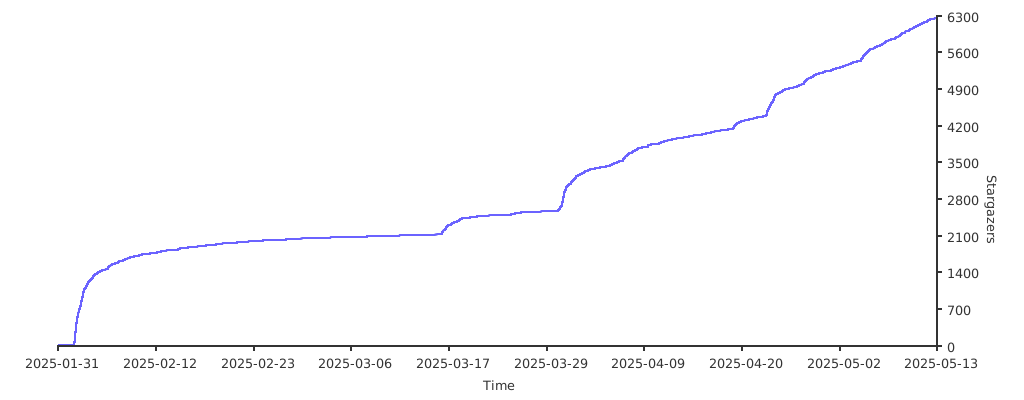
- Community trust — 13330 GitHub stars
Code Gecti
- Code scan — Scanned 12 files during light audit, no dangerous patterns found
Permissions Gecti
- Permissions — No dangerous permissions requested
Bu listing icin henuz AI raporu yok.
Open-source infrastructure for Computer-Use Agents. Sandboxes, SDKs, and benchmarks to train and evaluate AI agents that can control full desktops (macOS, Linux, Windows).

Build, benchmark, and deploy agents that use computers




Choose Your Path
|
|
|
|
Cua - Agent-Ready Sandboxes for Any OS
Build agents that see screens, click buttons, and complete tasks autonomously. One API for any VM or container image — cloud or local.
pip install cua
# Requires Python 3.11 or later
from cua import Sandbox, Image

# Same API regardless of OS or runtime
async with Sandbox.ephemeral(Image.linux()) as sb:   # or .macos() .windows() .android()
    result = await sb.shell.run("echo hello")
    screenshot = await sb.screenshot()
    await sb.mouse.click(100, 200)
    await sb.keyboard.type("Hello from Cua!")
    await sb.mobile.gesture((100, 500), (100, 200))  # multi-touch gestures
| Linux container | Linux VM | macOS | Windows | Android | BYOI (.qcow2, .iso) | |
|---|---|---|---|---|---|---|
| Cloud (cua.ai) | ✅ | ✅ | ✅ | ✅ | ✅ | 🔜 soon |
| Local (QEMU) | ✅ | ✅ | ✅ | ✅ | ✅ | ✅ |
Get Started | Examples | API Reference
CuaBot - Co-op computer-use for any agent
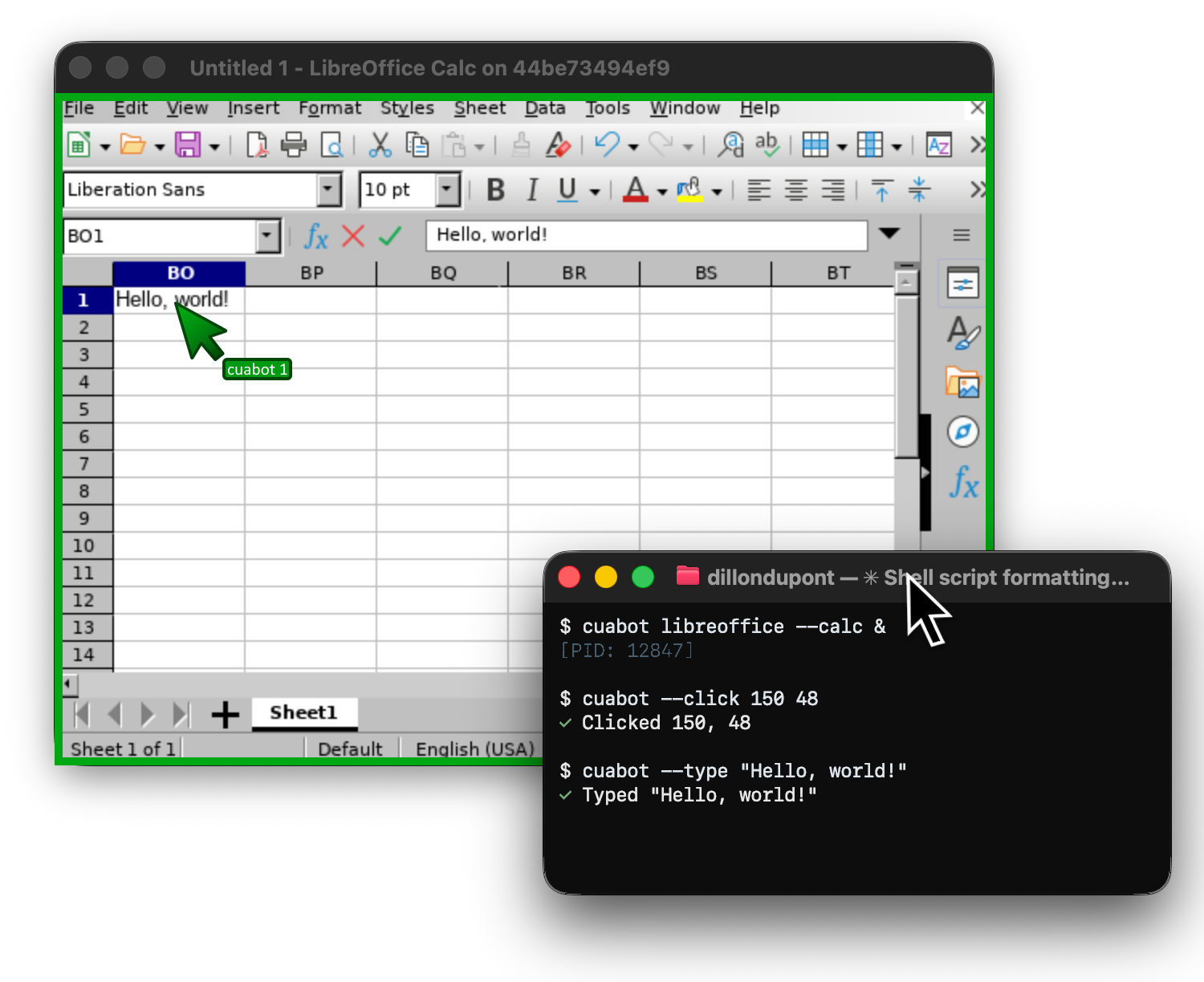
cuabot gives any coding agent a seamless sandbox for computer-use. Individual windows appear natively on your desktop with H.265, shared clipboard, and audio.
npx cuabot # Setup onboarding
# Run any agent in a sandbox
cuabot claude              # Claude Code
cuabot openclaw            # OpenClaw in the sandbox

# Run any GUI workflow in a sandbox
cuabot chromium
cuabot --screenshot
cuabot --type "hello"
cuabot --click <x> <y> [button]
Built-in support for agent-browser and agent-device (iOS, Android) out of the box.
Get Started | Installation | First spotted at ClawCon
Cua-Bench - Benchmarks & RL Environments
Evaluate computer-use agents on OSWorld, ScreenSpot, Windows Arena, and custom tasks. Export trajectories for training.
# Install and create base image
cd cua-bench
uv tool install -e . && cb image create linux-docker

# Run benchmark with agent
cb run dataset datasets/cua-bench-basic --agent cua-agent --max-parallel 4
Get Started | Partner With Us | Registry | CLI Reference
Lume - macOS Virtualization
Create and manage macOS/Linux VMs with near-native performance on Apple Silicon using Apple's Virtualization.Framework.
# Install Lume
/bin/bash -c "$(curl -fsSL https://raw.githubusercontent.com/trycua/cua/main/libs/lume/scripts/install.sh)"

# Pull & start a macOS VM
lume run macos-sequoia-vanilla:latest
Get Started | FAQ | CLI Reference
Packages
| Package | Description |
|---|---|
| cuabot | Multi-agent computer-use sandbox CLI |
| cua-agent | AI agent framework for computer-use tasks |
| cua-sandbox | SDK for creating and controlling sandboxes |
| cua-computer-server | Driver for UI interactions and code execution in sandboxes |
| cua-bench | Benchmarks and RL environments for computer-use |
| lume | macOS/Linux VM management on Apple Silicon |
| lumier | Docker-compatible interface for Lume VMs |
Resources
- Documentation — Guides, examples, and API reference
- Blog — Tutorials, updates, and research
- Discord — Community support and discussions
- GitHub Issues — Bug reports and feature requests
Contributing
We welcome contributions! See our Contributing Guidelines for details.
License
MIT License — see LICENSE for details.
Third-party components have their own licenses:
- Kasm (MIT)
- OmniParser (CC-BY-4.0)
- Optional
cua-agent[omni]includes ultralytics (AGPL-3.0)
Trademarks
Apple, macOS, Ubuntu, Canonical, and Microsoft are trademarks of their respective owners. This project is not affiliated with or endorsed by these companies.
Yorumlar (0)
Yorum birakmak icin giris yap.
Yorum birakSonuc bulunamadi