Lucarne
Health Warn
- License — License: MIT
- Description — Repository has a description
- Active repo — Last push 0 days ago
- Low visibility — Only 8 GitHub stars
Code Fail
- rm -rf — Recursive force deletion command in .github/workflows/release.yml
Permissions Pass
- Permissions — No dangerous permissions requested
No AI report is available for this listing yet.
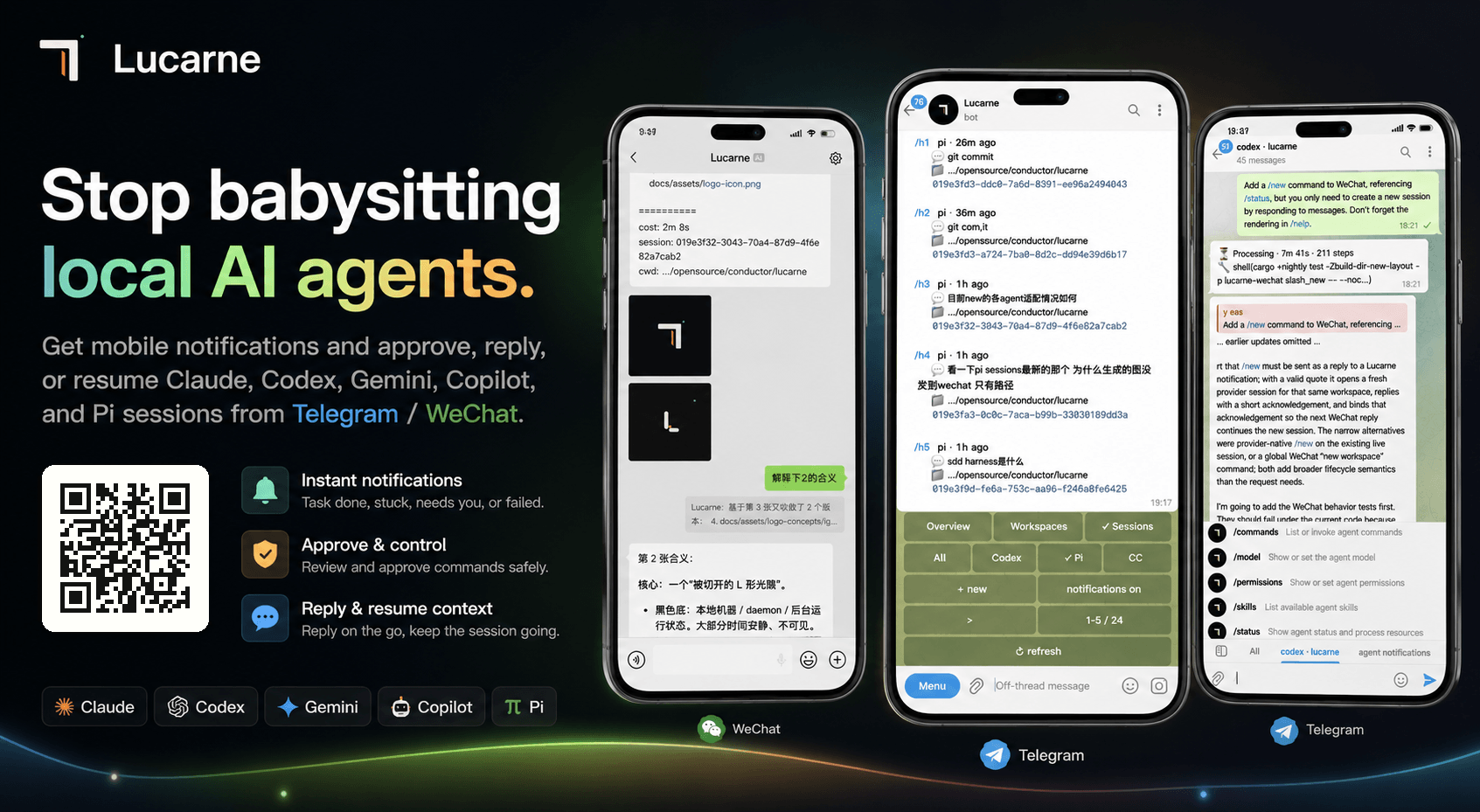
Stop babysitting local AI agents. 0-Intrusion mobile control via Telegram/WeChat. No hooks, no skills, no MCP. Just sync, approve, and resume your Codex,Pi, or Claude sessions anywhere.





English | 中文
Stop babysitting your local AI agents.
- No new mobile app required; receive timely, secure notifications through existing channels
- Zero-intrusion setup: no hooks, no skills, no MCP, no project changes; scan a QR code and start using it in one step
- Agents run on your local computer, so you can step away while WeChat / Telegram keep you synced on key progress
- Permission approvals, clarifying questions, and failure notifications become actionable mobile events
- Scan a WeChat QR code to receive agent messages; quote a message to continue the matching context automatically
- Use the Telegram console to view all agents, workspaces, and historical sessions
- View local agent session history and agents currently running on this machine
- Lightweight resident process with high performance and low memory use; idle agents are released automatically
Quick Start (Homebrew)
1. Install
brew tap tuchg/Lucarne https://github.com/tuchg/Lucarne
brew install lucarned
2. Initialize
lucarned init
Initialization guides you through:
- Selecting enabled agents:
claude,codex,copilot,gemini,pi - Configuring a Telegram Bot Token and entry chat (optional)
- Logging in to WeChat by QR code (optional)
- Generating the config file:
~/.lucarned/lucarned.yaml
3. Start the background service
brew services start lucarned
4. Open the Telegram panel (optional)
/panel
After the Lucarne panel appears, you can create workspaces, bind agents, resume historical sessions, and approve commands.
Common commands
brew services restart lucarned
brew services stop lucarned
Config: ~/.lucarned/lucarned.yaml
State:  ~/.lucarned/state.sqlite3
Logs:   ~/.lucarned/logs/lucarned.YYYY-MM-DD.log
Configuration Example
See the full example at examples/lucarned.yaml.
After initialization, the active config lives at: ~/.lucarned/lucarned.yaml.
You can also override settings with environment variables:
export TELEGRAM_BOT_TOKEN="123456:..."
export TELEGRAM_CHAT_ID="123456789"
export LUCARNE_AUTHORIZED_USER_IDS="111111,222222"
Usage
See the full command reference at docs/commands.md. This README keeps only the core paths.
WeChat: quote-to-route
- Lucarne pushes agent progress to WeChat.
- Quote a notification and reply; Lucarne automatically restores the matching agent session.
- Continue the conversation with the original context attached.
WeChat quote routing uses two strategies: it prefers message_id, then falls back to a quoted-text hash.
Telegram: mobile multi-agent console
- Send
/panelin the entry chat. - Tap
Newor send/aNto create an agent workspace. - Enter the workspace topic and assign tasks to agents like a normal chat.
- When an agent asks for permission, tap
[Approve]/[Deny]. - Send
/statusto inspect state,/interruptto stop work, or/forkto branch a session.
Telegram workspaces map to Forum Topics. One project gets one topic; one topic can bind one live agent session.
- Telegram supports every WeChat feature.
Architecture Overview
┌─────────────┐  ┌─────────────┐
│  Telegram   │  │   WeChat    │  ← User-facing channels
└──────┬──────┘  └──────┬──────┘
       │                │
   lucarne-         lucarne-
   telegram         wechat          ← Channel adapter (commands, notifications, queues, retries)
       │                │
       └───────┬────────┘
          lucarne-adapter           ← Plugin registry
               │
           lucarne                  ← Core: runtime bus, control plane, history, daemon
               │
         agent-sessions             ← Provider parse / discovery / watch
               │
    ┌──────┬──────┬──────┬──────┐
  Claude  Codex Gemini Copilot  Pi  ← Agent CLI processes
Agent Capability Matrix
| Capability | Claude | Codex | Gemini | Copilot | Pi |
|---|---|---|---|---|---|
| Reasoning / Thinking | ✅ | ✅ | ✅ | ✅ | ✅ |
| Tool calls | ✅ | ✅ | ✅ | ✅ | ✅ |
| Structured approval | ✅ | ✅ | ✅ | — | ✅ |
| AskUserQuestion | ✅ | ✅ | ✅ | — | — |
| Usage tracking | ✅ | ✅ | ✅ | ✅ | ✅ |
| Interrupt | ✅ | ✅ | ✅ | — | ✅ |
| Resume | ✅ | ✅ | ✅ | — | ✅ |
| Sub-agents | ✅ | ✅ | — | — | — |
| Native commands | ✅ | ✅ | ✅ | — | ✅ |
| Fork (create branched session) | ✅ | ✅ | — | — | ✅ |
Development
git clone https://github.com/tuchg/Lucarne.git
cd agents
cargo +nightly check -Zbuild-dir-new-layout
cargo +nightly test -Zbuild-dir-new-layout
Roadmap
- Linux support: installation docs, service management, release packages, and smoke tests
- Windows support: installation docs, background execution, path / process compatibility, and release packages
- Message modes: steer / queue
- Split
agent-sessionsinto an independent crate - Support remote agent environments
- More channels: Discord, Slack, Feishu, DingTalk, Matrix, QQ, and more
- ....
License
MIT
Friend link: linux.do
Reviews (0)
Sign in to leave a review.
Leave a reviewNo results found