Kompl
Health Warn
- License — License: Apache-2.0
- Description — Repository has a description
- Active repo — Last push 0 days ago
- Low visibility — Only 6 GitHub stars
Code Fail
- rm -rf — Recursive force deletion command in .github/workflows/integration-test.yml
- process.env — Environment variable access in app/instrumentation.ts
- network request — Outbound network request in app/instrumentation.ts
Permissions Pass
- Permissions — No dangerous permissions requested
This tool is a knowledge compiler that transforms scattered links, files, and bookmarks into an interlinked, automatically updated local wiki. It compiles information using local Docker containers, Python NLP, and external AI APIs.
Security Assessment
The overall security risk is Medium. The application makes outbound network requests and accesses environment variables specifically to manage your API keys for external services like Gemini and Firecrawl. A notable concern is a recursive force deletion command (`rm -rf`) found in its GitHub Actions continuous integration workflow. While this is an automated script rather than core application code, it is a sloppy practice. You must also provide your own API keys, which the tool processes via local environment variables. No hardcoded secrets or dangerous runtime permissions were detected.
Quality Assessment
The project is licensed under Apache-2.0 and had a repository update as recently as today, indicating active development. However, community trust and visibility are exceptionally low. With only 6 GitHub stars, the tool has not yet undergone broader public testing or code review. Additionally, its compatibility with standard command-line interfaces remains unverified, making it a highly experimental option.
Verdict
Use with caution due to low community adoption and careless `rm -rf` scripting in its CI pipeline.
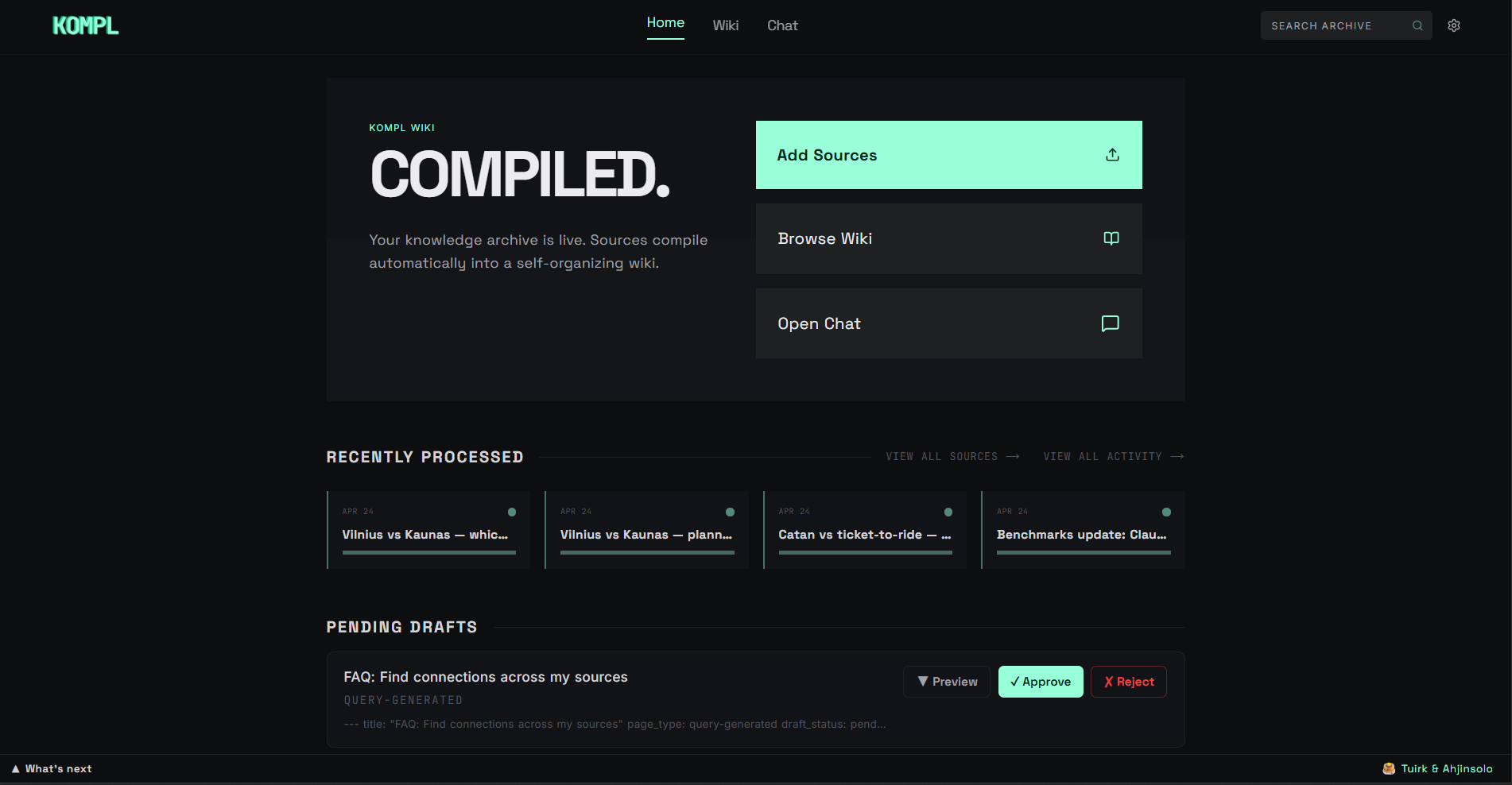
Knowledge compiler — turns scattered links, files, and bookmarks into a living wiki that compounds with every new source.
Kompl
Knowledge compiler — turns scattered links, files, and bookmarks into a living wiki that compounds with every new source.




Why Kompl?
Most tools save your stuff and forget about it. Kompl reads it, extracts the knowledge, and compiles it into an interlinked wiki, automatically.
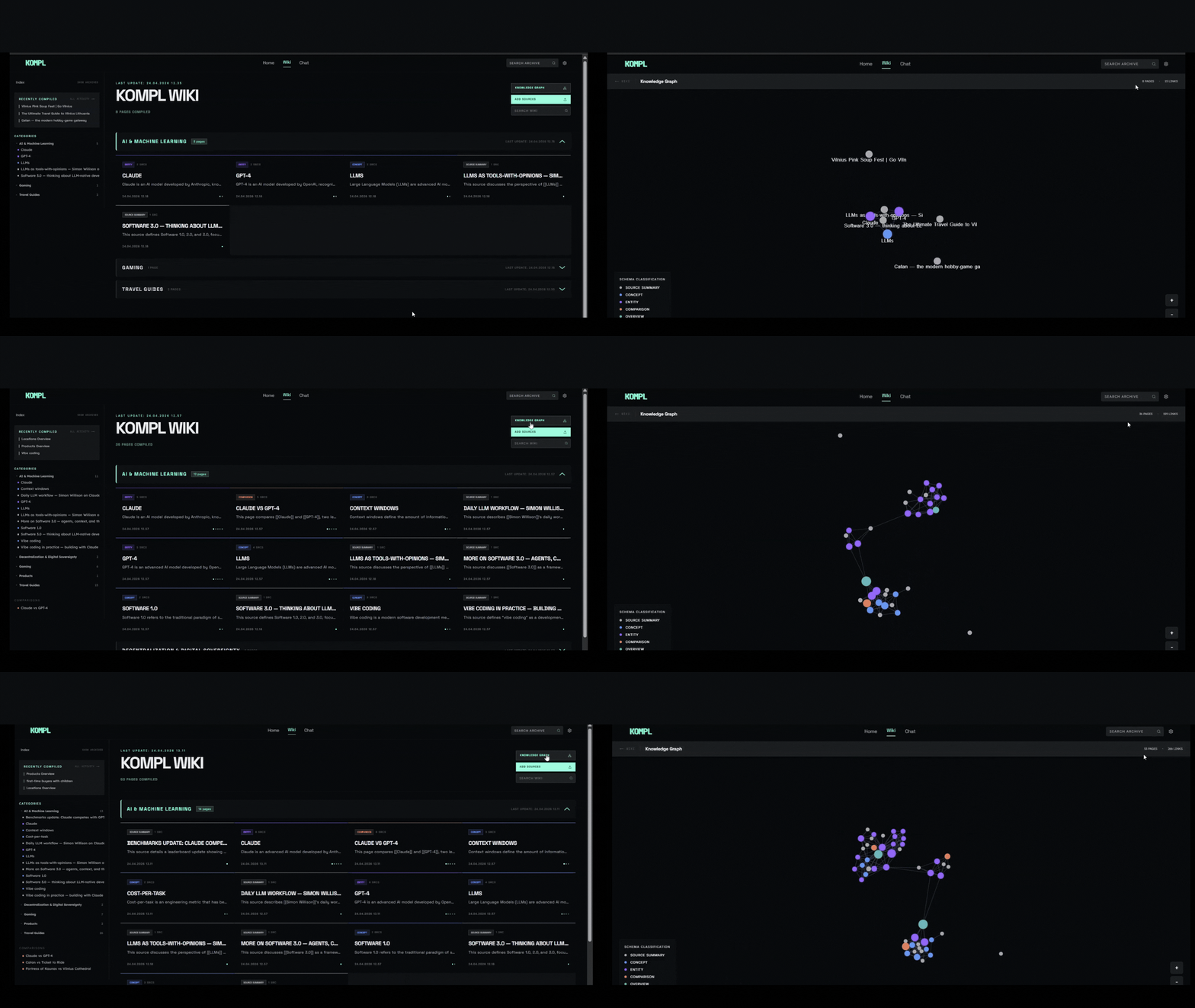
- One new source can update 10+ wiki pages. Cross-references, contradictions, and synthesis are built at ingest time, not re-discovered on every query.
- Entity pages, concept pages, comparisons, and source summaries are wikilinked together. The wiki gets richer with every source you add.
- Runs locally via Docker. Outbound calls are limited to your own API keys (Gemini, Firecrawl) and the URLs you choose to ingest.
Built with Next.js, Python NLP, n8n orchestration, and SQLite.
Before you start
You'll need three things on your machine:
- Docker — Docker Desktop (Windows/Mac) or Docker Engine + Compose plugin (Linux). Compose v2 is required (
docker compose, notdocker-compose). Make sure Docker is running before setup. - Node.js ≥ 24 — to install and run the
komplCLI. - ~5 GB free disk and 4 GB free RAM — Kompl runs three containers (app, NLP service, n8n) plus pulls a ~90 MB embedding model on first compile.
You'll also need two API keys, both free to get:
| Get key | Free tier | Notes | |
|---|---|---|---|
| Gemini (wiki compilation) | aistudio.google.com/apikey | 1500 req/day | Free works for the demo and your first few sources. Paid Tier 1 is strongly recommended for real use — Gemini's free per-minute throttle (~10 RPM) will rate-limit a normal ingest, even though daily quota is plenty. Default rate-limiter assumes Tier 1. |
| Firecrawl (URL scraping) | firecrawl.dev | 500 scrapes/month | Free tier covers normal personal use. |
Setup
Quick install (recommended)
macOS / Linux / WSL / Git Bash:
curl -fsSL https://raw.githubusercontent.com/tuirk/Kompl/main/install.sh | bash
Windows (PowerShell):
irm https://raw.githubusercontent.com/tuirk/Kompl/main/install.ps1 | iex
The installer pre-flights Docker, Node 24, disk, and RAM, clones the repo, and hands off to setup.js for the API-key prompts. If anything's missing it fails fast with a copy-paste fix.
Prefer to inspect the script before running it? Download with curl -fsSLO (or iwr -OutFile on PowerShell), open it in your editor, then run with bash install.sh (or .\install.ps1).
Manual install
git clone https://github.com/tuirk/Kompl.git kompl
cd kompl
node setup.js
Either path: the script handles everything — creates your config, asks for the two API keys, installs the kompl CLI, and starts the stack. No other steps needed. Your system timezone is detected and written to .env as KOMPL_TIMEZONE automatically.
Your API keys land in
.envat the repo root. That file is gitignored — never commit it.
During setup you'll be asked how this instance is running: personal device (laptop/desktop that may be off) or always-on server (VPS, Railway, Raspberry Pi). This controls how scheduled jobs — lint, digest, and local backup — are triggered. Personal-device mode fires them on kompl start so nothing is skipped if your machine was off at the scheduled time; always-on mode relies on n8n's built-in cron schedule.
⚠️ This mode toggle ships as a demo — expect rough edges, especially in the always-on server path.
First start takes 5–10 minutes — Docker is building images (~2 GB on first start) and downloading the local AI model from HuggingFace. Make a coffee. Subsequent starts take ~15 seconds.
After setup
Check when it's ready:
kompl status
Then open in your browser:
kompl open
Or visit http://localhost:3000 directly.
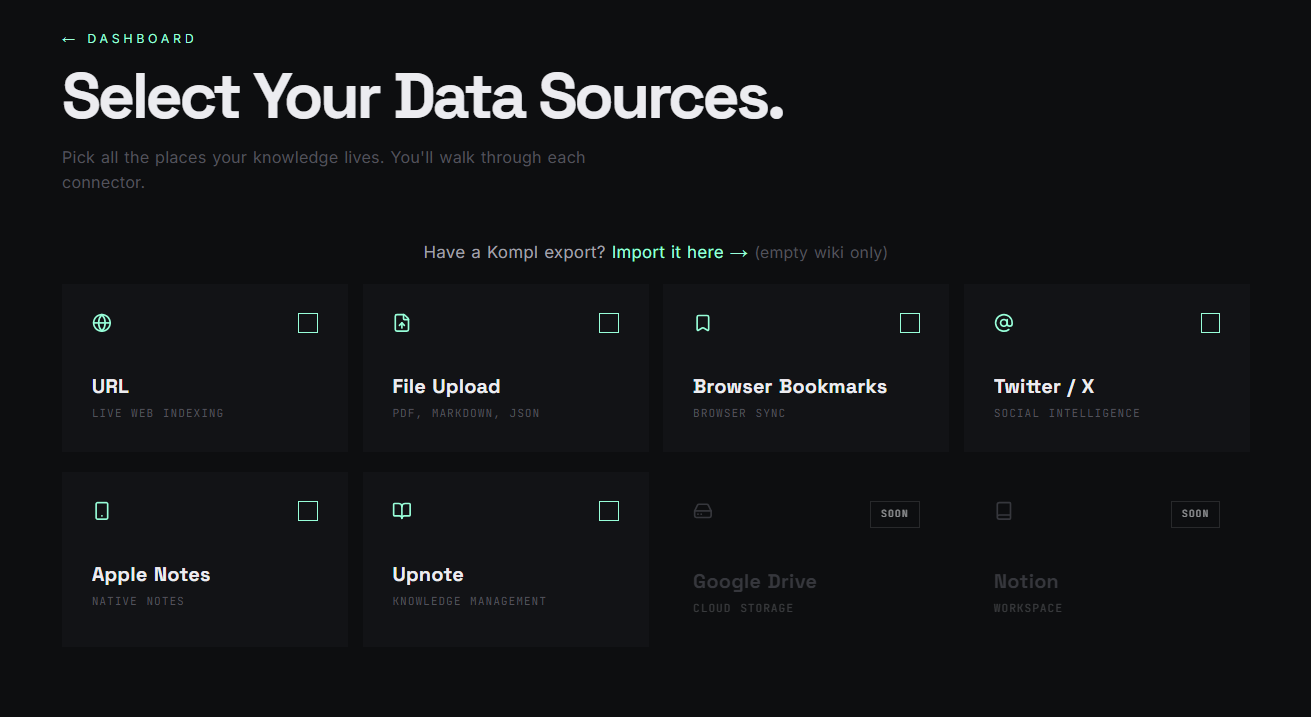
The onboarding wizard will walk you through your first sources — paste a URL, drop a PDF, or import a Twitter bookmark export.
If something looks stuck:
kompl logs       # stream service logs
kompl status     # health check
Common first-run issues: Docker isn't running, port 3000 is occupied, or the first-time image build is still pulling (~2 GB).
Day-to-day
kompl start      # start Kompl
kompl stop       # stop it
kompl restart    # stop + start in one command
kompl open       # open in browser
kompl status     # health check: page count, NLP service, vector backlog
kompl logs       # stream logs if something looks wrong
kompl update     # pull latest version and restart
kompl backup     # download a full backup to ~/.kompl/backups/kompl-backup.kompl.zip
kompl init       # re-run the first-time setup wizard (rarely needed)
Use with AI agents (MCP)
Kompl ships an MCP server so any MCP-capable agent — Claude Code, Claude Desktop, Cursor, or a custom client built on @modelcontextprotocol/sdk — can query your compiled wiki. Ask "what does my wiki say about X?" and the agent gets pre-synthesized pages with provenance back to the originals, not raw chunks.
⚠ Single-tenant. Kompl assumes you own the host. There's no multi-user auth — don't expose your instance to the public internet without putting your own auth in front.
Build the MCP server
cd mcp-server && npm install && npm run build
Kompl must be running (kompl start) for the MCP tools to respond.
Claude Code
Create .mcp.json in the repo root with:
{
  "mcpServers": {
    "kompl-wiki": {
      "type": "stdio",
      "command": "node",
      "args": ["mcp-server/dist/index.js"],
      "env": { "KOMPL_URL": "http://localhost:3000" }
    }
  }
}
Claude Code picks it up automatically next session. Try: "search my wiki for [topic]" or "read the relevant page from my wiki for [topic]."
Claude Desktop
| OS | Config file |
|---|---|
| Windows | %APPDATA%\Claude\claude_desktop_config.json |
| macOS | ~/Library/Application Support/Claude/claude_desktop_config.json |
| Linux | ~/.config/Claude/claude_desktop_config.json (no official Linux release; convention if a build is available) |
Add the same mcpServers block as above, but with the absolute path to mcp-server/dist/index.js instead of relative.
Tools
The server exposes four: search_wiki, read_page, list_pages, wiki_stats.
Non-MCP / direct HTTP
If you're not using an MCP client, hit the Next.js routes directly: /api/pages/search, /api/wiki/{page_id}/data, /api/wiki/index.
Your data
Your wiki content lives in Docker volumes on your machine. Outbound network calls fall into three buckets:
You drive these — your content goes to a third party:
- Gemini (
generativelanguage.googleapis.com) — wiki compilation. Your source text is sent to Google. - Firecrawl (
api.firecrawl.dev) — URL scraping fallback. The URL you pasted is sent to Firecrawl. - GitHub public API (
api.github.com) — when you paste a GitHub repo URL, Kompl fetches the README + metadata. - YouTube (
youtube.com) — when you paste a YouTube URL, transcripts are fetched via the public captions endpoint. - OG-tag preview — pasted URLs are fetched once with
User-Agent: KomplBot/1.0to grab title + description. - Telegram (
api.telegram.org) — wired for the weekly digest, but the Settings UI is currently locked until two known issues are resolved. No outbound Telegram calls happen on a default install.
One-time, on first use:
- HuggingFace Hub (
huggingface.co) — ~90 MB download of theall-MiniLM-L6-v2embedding model on the first compile. After that, no further HF traffic.
Build-time only: Docker image builds pull from PyPI, npm, Docker Hub, and apt mirrors. No runtime impact.
Kompl itself sends no analytics, no error reports, and no version pings. The bundled n8n container's upstream telemetry, version checks, templates, and personalization are disabled by default in docker-compose.yml.
Backup and restore
Settings → Kompl Backup downloads a .kompl.zip containing your entire wiki: sources, compiled pages, provenance, extractions, and settings. API keys and third-party secrets are excluded. No LLM calls needed to restore.
To restore on a fresh instance: run setup, skip onboarding, go to Settings → Import Wiki, upload the .kompl.zip. All pages are immediately browsable and searchable. The search index rebuilds in the background after restore.
Automatic backup
If you chose personal-device mode during setup, kompl start automatically saves a local backup to ~/.kompl/backups/kompl-backup.kompl.zip (at most once every 36 hours). Settings shows when the last backup ran.
⚠️ Auto-backup-on-start is an early feature, wired end-to-end but lacking regression tests on the start-time path. Flag any silent skips.
CLI backup
kompl backup                                          # save to ~/.kompl/backups/kompl-backup.kompl.zip (overwrites)
kompl backup --output ~/Desktop/my-wiki.kompl.zip     # save to a custom path
kompl backup --schedule                               # register a weekly backup schedule (Monday 11:30)
--schedule is idempotent. Platform-specific behavior:
- Windows — registers a Task Scheduler entry (requires Admin).
StartWhenAvailablemeans it runs on next login if the laptop was off at 11:30. - Linux — appends a crontab entry (
30 11 * * 1 kompl backup) for the current user. Standard cron does not catch up if the machine was off. - macOS — uses crontab, same as Linux. Same caveat applies (cron does not catch up if the machine was off). Tested on Windows and Linux only — please open an issue if you hit anything weird on Mac.
Heads up
⚠️ Integration tests wipe the database. bash scripts/integration-test.sh is destructive — it resets everything. Never run it on a wiki you want to keep. Use kompl backup first.
Known limitations:
- Single-tenant only — no user accounts or access control. Don't expose to the public internet without your own auth layer.
- Gemini is the only LLM provider. Anthropic and OpenAI-compatible providers are planned.
- Current connectors: URLs (YouTube transcripts and GitHub READMEs included), file uploads (PDF, DOCX, PPTX, XLSX, TXT, MD, HTML), browser bookmarks, Twitter JSON export, Upnote, Apple Notes.
- Personal-device vs always-on-server mode is a demo feature — the always-on server path hasn't been hardened yet.
- No mobile app. The web UI works on mobile browsers but isn't optimized for small screens.
Security
Kompl is built for personal-device deployment behind a loopback or LAN. The security posture is calibrated for that model.
Hardening shipped (4-commit security pass, April 2026):
- SSRF protection on
/metadata/peek— DNS-resolved IP pinning via httpxsni_hostnameextension, scheme allowlist, cloud-metadata blocklist, manual redirect revalidation. - Path-traversal hardening across nlp-service and Next.js — regex-validated IDs (
^[a-z0-9](?:[a-z0-9_-]{0,79})$) +Path.resolve().relative_to()containment. - Centralized YAML frontmatter escaping with C0/C1/U+2028/U+2029/BOM stripping.
- Log-forging protection on compile pipeline log lines.
- nlp-service port bound to
127.0.0.1so the LAN cannot bypass the Next.js front door.
Open before public-internet (always-on / Railway) deployment:
- Markdown HTML output is not yet sanitized — Firecrawl-scraped content can carry XSS payloads. Personal-device users are exposed only to bookmarks they choose to ingest; multi-user/public deploys need DOMPurify in the render pipeline.
/convert/urldoes not yet share the SSRF gate that protects/metadata/peek.- No authentication layer — front the deployment with Cloudflare Access, Tailscale Funnel, or your own auth proxy.
- CSP / X-Frame-Options / HSTS / Referrer-Policy headers not yet set.
CodeQL alerts. Some py/path-injection and js/path-injection alerts re-fire on every push because CodeQL's taint tracker doesn't follow cross-function sanitizers. We dismiss these individually (rather than silencing in CodeQL config) so any genuinely new sink in those files surfaces for review. The audit trail and per-alert reasoning live at docs/security/codeql-false-positives.md.
Reporting an issue. If you find something, please open a GitHub Security Advisory rather than a public issue.
License
Kompl's source is Apache-2.0 — see LICENSE. You can use, modify, fork, and redistribute it freely under those terms.
One caveat about the bundled n8n container. Kompl runs n8nio/n8n as an unmodified runtime dependency for workflow orchestration. n8n itself is licensed under the Sustainable Use License, which is not OSI-approved. In practice:
- Self-hosting Kompl for personal or internal use → fully fine.
- Forking and redistributing Kompl source → fine (Apache-2.0 covers Kompl; n8n is a runtime dep users pull themselves).
- Offering Kompl-as-a-hosted-service to third parties → this is the line. n8n's SUL restricts hosting n8n as a service for others; if your offering bundles n8n, contact n8n first.
See NOTICE for full attribution.
Reviews (0)
Sign in to leave a review.
Leave a reviewNo results found