seeflow
Health Uyari
- License — License: MIT
- Description — Repository has a description
- Active repo — Last push 0 days ago
- Low visibility — Only 6 GitHub stars
Code Uyari
- process.env — Environment variable access in apps/cloud/bin/app.ts
- process.env — Environment variable access in apps/cloud/lambda/api/index.ts
Permissions Gecti
- Permissions — No dangerous permissions requested
Bu listing icin henuz AI raporu yok.
Architecture diagrams that actually run, generated by AI agents
SeeFlow
Architecture diagrams that actually run, generated by AI agents.
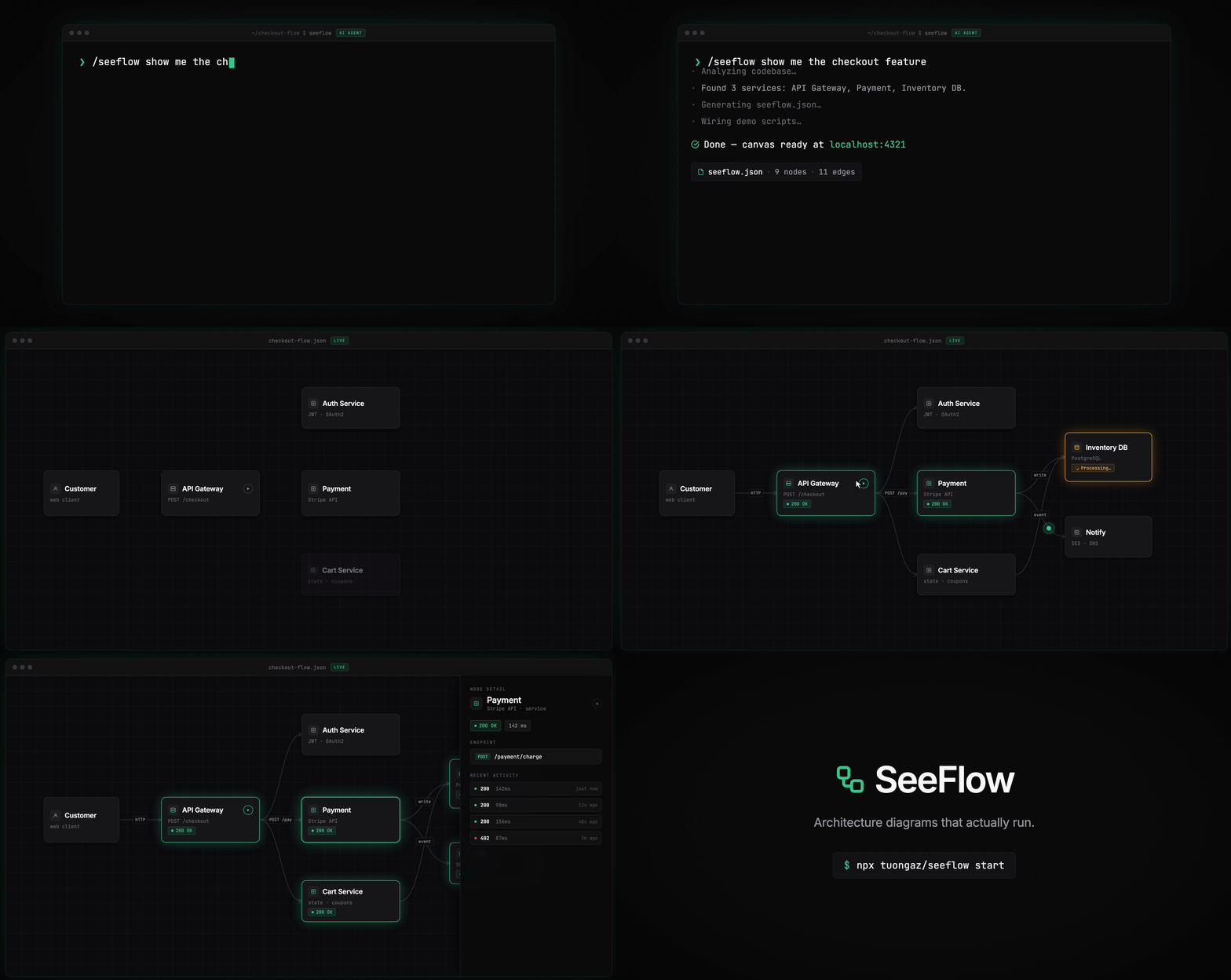
Turn your static system architecture into a live control panel wired directly to your running application. Click a node, fire a real request, watch downstream services light up as your app emits events back.
Why
- Diagram drift — Confluence pages go stale. SeeFlow breaks loudly when your actual system changes.
- Onboarding friction — New engineers click through a live flow instead of reading six-month-old docs.
- Demo tedium — Script it once, replay it flawlessly. No more manually clicking through microservices for stakeholders.
Quick Start
The SeeFlow plugin reads your codebase, understands your architecture, and generates the full diagram and request scripts automatically. Works with Claude Code, Codex, Cursor, and Windsurf.
1. Start the studio
npx tuongaz/seeflow start
2. Install the plugin
Skill installer (recommended):
npx skills add tuongaz/seeflow
/plugin marketplace add tuongaz/seeflow
/plugin install seeflow@seeflow
curl -fsSL https://raw.githubusercontent.com/tuongaz/seeflow/main/install.sh | bash
Cursor: Auto-discovers the plugin via .cursor-plugin/plugin.json when this repo is cloned. No manual installation needed — just clone and open in Cursor.
Then just ask:
/seeflow show me the shopping cart feature
The plugin scans your routes and database connections, generates seeflow.json, wires up demo scripts, and opens the canvas at localhost:4321.
MCP server
SeeFlow ships an MCP server so any MCP-aware editor can list, register, and edit demos directly. The studio must be running first.
Claude Code:
claude mcp add seeflow -- npx -y -p @tuongaz/seeflow seeflow-mcp
Via .mcp.json (Cursor, Windsurf, etc.):
{
  "mcpServers": {
    "seeflow": {
      "command": "npx",
      "args": ["-y", "-p", "@tuongaz/seeflow", "seeflow-mcp"]
    }
  }
}
The MCP server talks to http://127.0.0.1:4321/mcp by default. Override with SEEFLOW_STUDIO_URL if needed.
Develop
git clone https://github.com/tuongaz/seeflow.git
cd seeflow && bun install
make dev   # Vite (5173) + Hono studio (4321), both hot-reloading
make help lists every target. Toolchain: Bun ≥ 1.3, Hono, React Flow, Zod, Biome.
Status
Early-stage. The schema is stable enough to author against, but expect changes. Issues, ideas, and PRs welcome.
License
MIT — see LICENSE.
Yorumlar (0)
Yorum birakmak icin giris yap.
Yorum birakSonuc bulunamadi