masume
Health Pass
- License — License: Apache-2.0
- Description — Repository has a description
- Active repo — Last push 0 days ago
- Community trust — 92 GitHub stars
Code Fail
- rm -rf — Recursive force deletion command in install.sh
Permissions Pass
- Permissions — No dangerous permissions requested
No AI report is available for this listing yet.
Terminal database client with AI chat and an MCP server
升目 masume
A keyboard-first terminal database client with AI chat and an MCP server



mise use -g github:masumedb/masume@latest

Browse
The object tree lists the database objects of the engine. Table views show data, columns, indexes, constraints, DDL, and query plans.
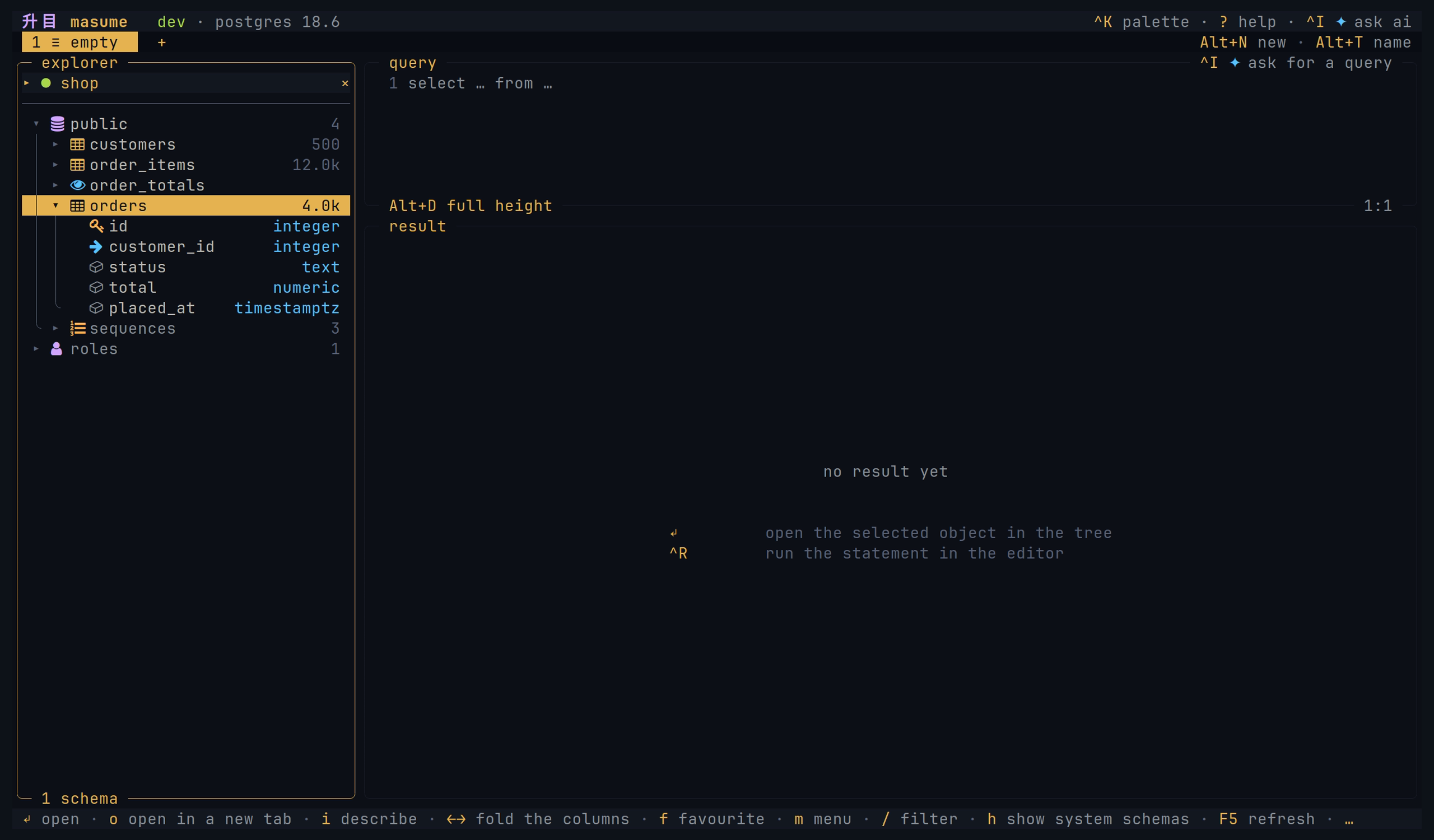
Diagram
An ER diagram shows a table and the tables that its foreign keys link to it.
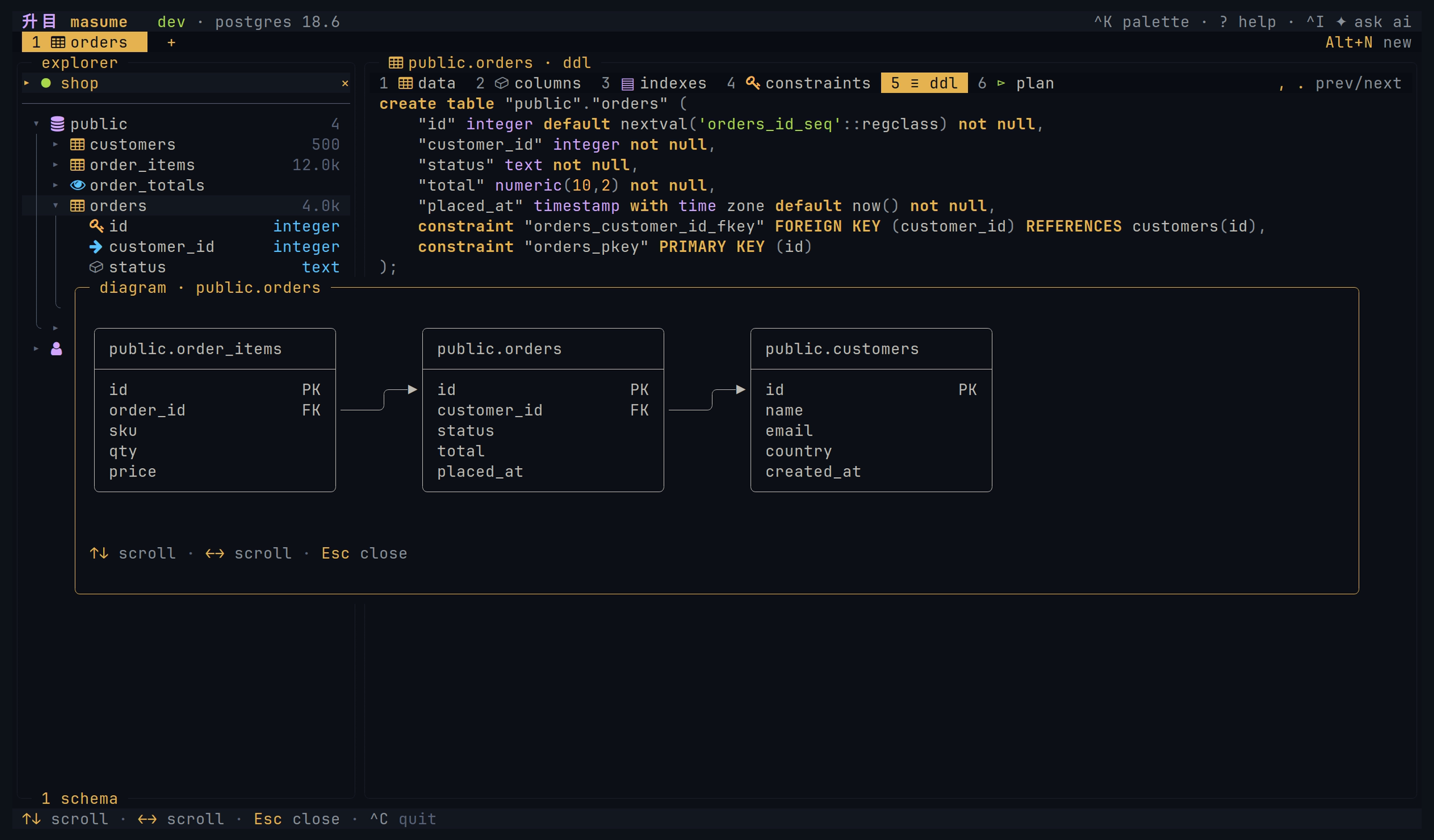
Query
The editor gives syntax highlighting and completion from the database catalog. Local checks and supported server checks mark detected errors before execution. A statement without a diagnostic can still fail.
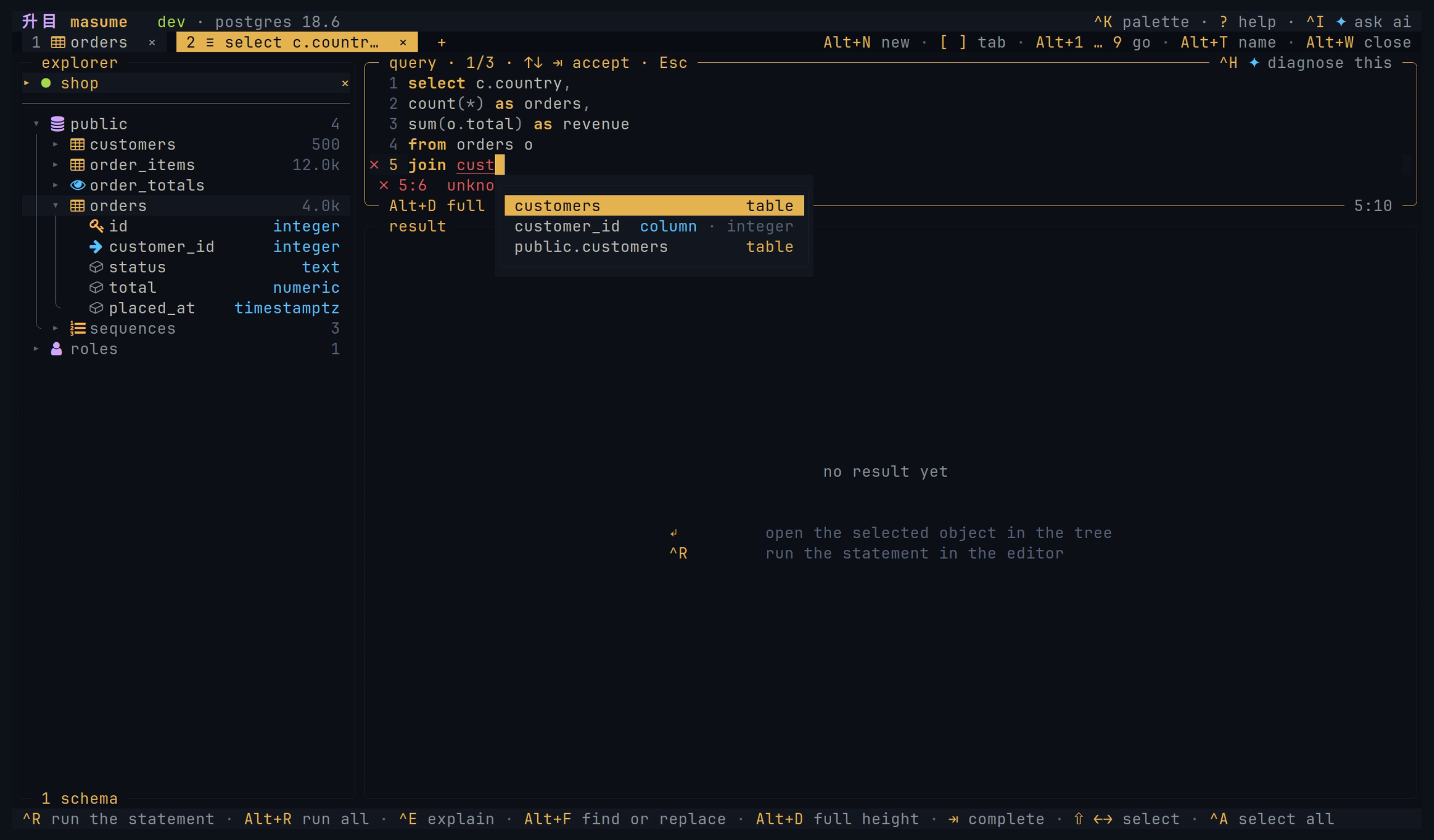
Results
You can sort, filter, follow a foreign key, or freeze a column. Grid edits stay staged until SQL review and execution. Masking hides the columns that have sensitive names in the grid display only; copies, exports, and value viewers show the original values.
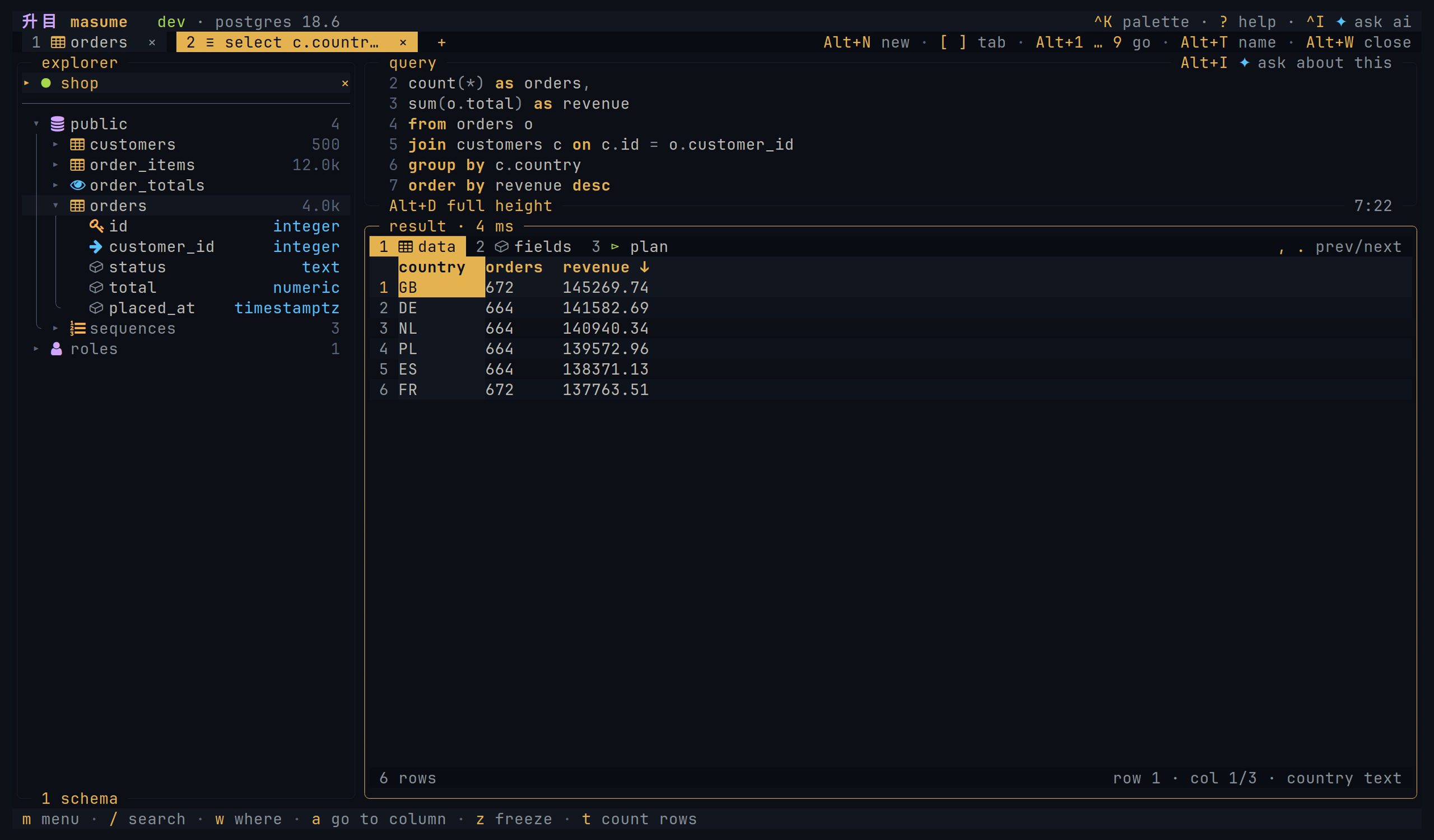
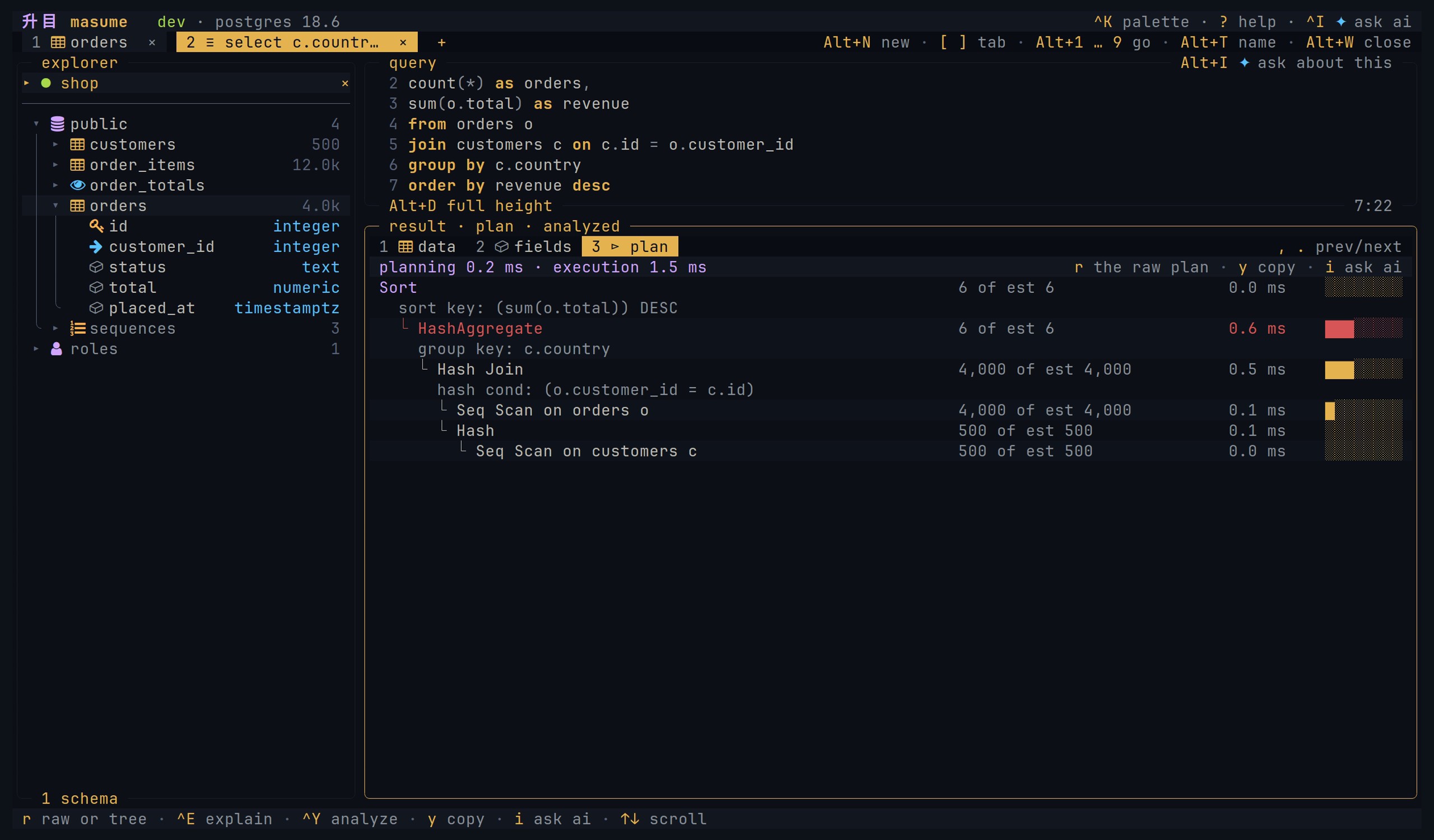
Explain
Query plans appear as a tree. The tree shows estimated or measured costs.
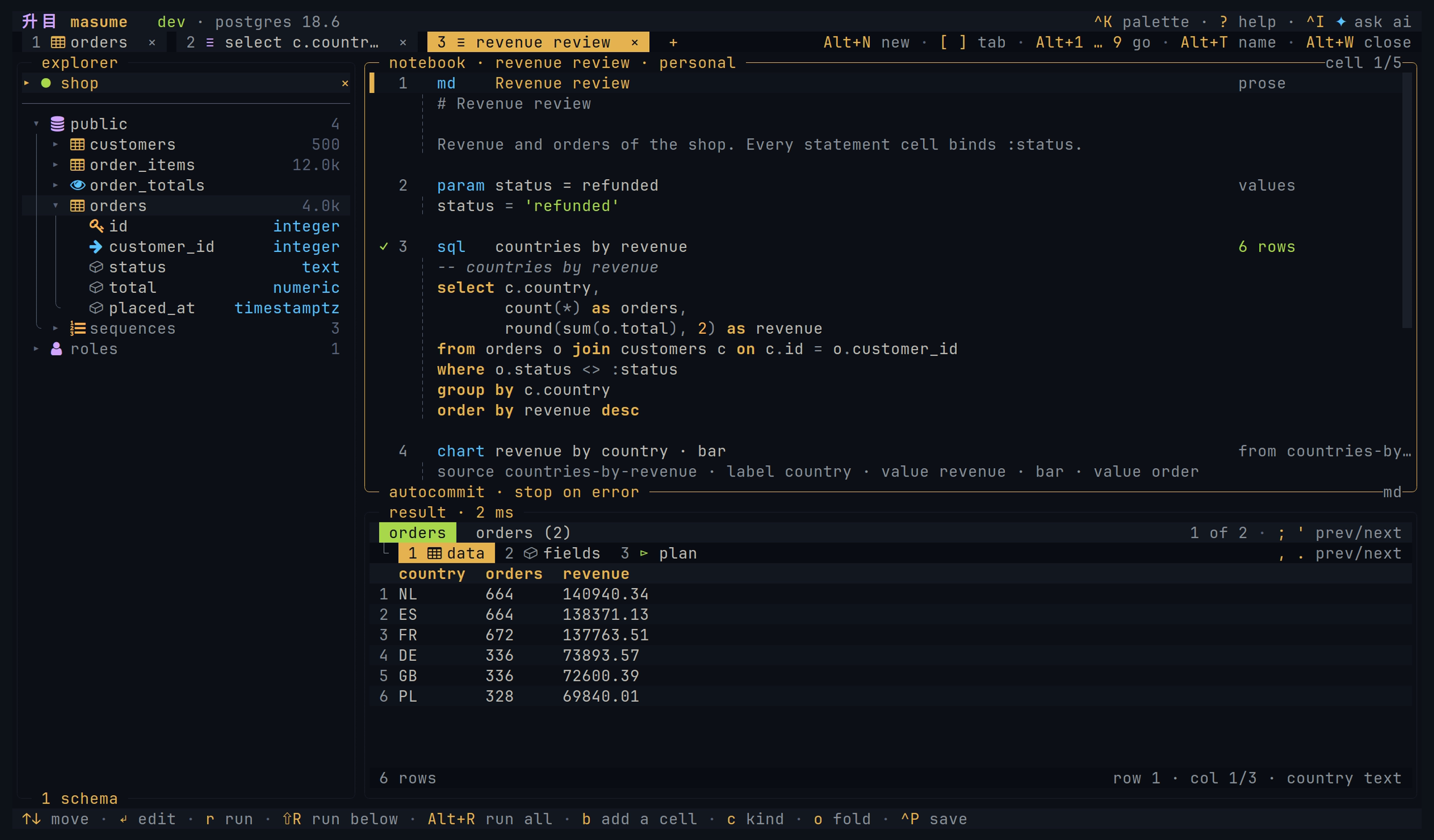
Notebooks
A notebook holds cells of prose, values, statements, and charts over one connection. Each cell keeps its result and its view. A notebook is a Markdown file, and masume nb run runs the file.
Agents
masume has a built-in AI chat and an MCP server over stdio. The AI chat uses the current connection and asks before each query, including reads. MCP opens separate connections to the profiles you allow; its access levels and profile settings apply to its queries and write confirmations.
Both interfaces share database tools, but their policies differ. See AI data sharing, MCP access, and security limits.
Features
Multiple engines: PostgreSQL, MySQL, SQL Server, ClickHouse, SQLite, Cassandra, Redis, and MongoDB. Hosted services based on them also work.
Staged edits: Insert, edit, duplicate, and delete supported table rows. Then review the SQL. See editing rows.
Filters: Server predicates and filters on loaded rows. See sorting and filters.
Named parameters: A statement with :name placeholders opens a form for the values.
Export and copy: CSV and JSON files. Clipboard formats also include Markdown, INSERT statements, row JSON, and column IN clauses. See copy and export.
Dump and restore: Schema and data as a SQL file. See dump and restore.
Import: CSV or JSON into an existing or new SQL table. See importing files.
Query history and saved queries: History of statements and named queries. Restored tabs keep query text and settings, not result rows.
Write plans: Counts and reverse SQL for supported writes. See write plans.
Transactions: Begin, commit, and rollback. Automatic begin with autocommit disabled also works.
Server dashboard: Sessions and metrics the engine supports. See server activity.
Password sources: Prompt, keyring, environment variables, commands, and named secret stores. Profile files do not store database passwords. See credentials.
Read-only profiles: Client checks, with extra protection on engines that support it. See read-only access.
MCP server: masume --mcp serves selected profiles over stdio. It gives an access level per profile and one for the whole server as well.
AI chat: Questions about a statement, its error, or its query plan. It supports Anthropic and OpenAI. [ai] enabled = false hides the chat.
MongoDB: A subset of shell syntax.
Redis: Commands in a query tab, one per line.
Cassandra: CQL with the keyspace as the schema.
Themes: Built-in themes, custom themes, or terminal colours.
Project profiles: The nearest .masume.toml shares connections and saved queries. See project file.
Install
Each command below installs the latest tagged release. The packages and archives are on the releases page.
Script
curl -fsSL https://raw.githubusercontent.com/masumedb/masume/master/install.sh | sh
The script puts masume in ~/.local/bin.
mise
mise use -g github:masumedb/masume@latest
npm
npm install -g masume
npx masume runs it without an install.
Debian and Ubuntu
sudo dpkg -i masume_0.0.4_linux_amd64.deb # adapt the version and the architecture
Fedora and RHEL
sudo rpm -i masume_0.0.4_linux_amd64.rpm # adapt the version and the architecture
Alpine
The packages are unsigned. apk needs --allow-untrusted.
sudo apk add --allow-untrusted masume_0.0.4_linux_amd64.apk # adapt the version and the architecture
Archive
Unpack the tar.gz for the platform, or the zip on Windows. Put masume on the PATH.
Go
go install github.com/masumedb/masume@latest
Go 1.27 or later builds it from the module proxy.
From source
git clone https://github.com/masumedb/masume.git
cd masume
mise install
mise run install
Usage
masume                                  open the client
masume TARGET                           open a connection, postgres://you@host/shop
masume --profile NAME                   open a user or project profile
masume --detect                         open detected container databases
masume run [TARGET | -p NAME] STATEMENT run statements
masume nb run [TARGET | -p NAME] FILE   run a notebook
masume dump [TARGET | -p NAME] FILE     dump schema and data
masume restore [TARGET | -p NAME] FILE  restore a dump
masume --mcp                            serve allowed MCP profiles
masume --mcp --profile=NAME             serve one allowed MCP profile
masume --mcp --check                    check enabled MCP profiles
masume --version                        print the version
With no target or profile, masume opens $DATABASE_URL.
Supported URLs are not complete native driver connection strings. Most native URL options are ignored. See connection targets.
Headless mode
masume run -p shop-prod -f json 'select count(*) from orders'
masume run -p shop -e ./reports/daily.sql --param day=2026-09-02
masume run ./notes.db -f csv 'select * from notes limit 100000' > notes.csv
See headless mode for formats, exit codes, dump, restore, and notebooks.
For teams
A repository can contain .masume.toml with shared profiles and queries:
[profile.dev]
engine   = "postgres"
host     = "127.0.0.1"
database = "shop"
user     = "shop"
env      = "dev"

[query.recent-orders]
sql         = "select * from orders order by created_at desc limit 50"
description = "the newest 50 orders"
masume reads the nearest project file in or above the working directory. See project file and project security.
First connection
The quickest first connection is a URL on the command line:
masume postgres://[email protected]:5432/shop
The first interactive run creates a starter configuration file if none exists. In the picker, n adds a profile, and Ctrl+N returns to the picker from a connection. Profiles can also be written directly:
[profile.shop]
engine   = "postgres"
host     = "127.0.0.1"
port     = 5432
database = "shop"
user     = "ada"
auth     = "prompt"
env      = "dev"
mode     = "write"
auth = "prompt" asks for the password at connection time. The password stays in memory unless saved to the keyring.
Docs
| Page | About |
|---|---|
| User guide | Workflows, navigation, editing, data transfer, and troubleshooting |
| Notebooks | Cells, charts, run policy, the file format, and masume nb run |
| Configuration | Settings, defaults, profiles, and password sources |
| Engines | Protocols and capabilities |
| Keys | Default bindings, scopes, and overrides |
| Themes | Built-in themes and how to write a custom one |
| AI chat | Providers, tools, what is sent to the provider |
| MCP server | Tools, limits, confirming a write |
| Headless mode | masume run for scripts and CI |
| Security | Storage, data sharing, and protection limits |
Contributing
See CONTRIBUTING.md.
License
Apache License 2.0. See LICENSE.
Reviews (0)
Sign in to leave a review.
Leave a reviewNo results found