twozero-td-mcp
mcp
Basarisiz
Health Uyari
- No license — Repository has no license file
- Description — Repository has a description
- Active repo — Last push 0 days ago
- Community trust — 28 GitHub stars
Code Basarisiz
- os.homedir — User home directory access in extension/out/extension.js
- fs module — File system access in extension/out/extension.js
- os.homedir — User home directory access in extension/src/extension.ts
Permissions Gecti
- Permissions — No dangerous permissions requested
Bu listing icin henuz AI raporu yok.
TWOZERO MCP for TouchDesigner. Connect Claude Code, Cursor or Codex to your live TD session. Setup guide, issues and the Cursor extension.
README.md
# twozero TD MCP
MCP server for TouchDesigner, running inside the twozero plugin.
Requirements
- TouchDesigner
2025.32280+ - twozero plugin installed in TD
- For best TD results: use
Claude 4.6+orGPT-5.5+
Quickstart
- Drop
twozero.toxinto TouchDesigner: https://www.404zero.com/pisang/twozero.tox -> Install - Turn on MCP:
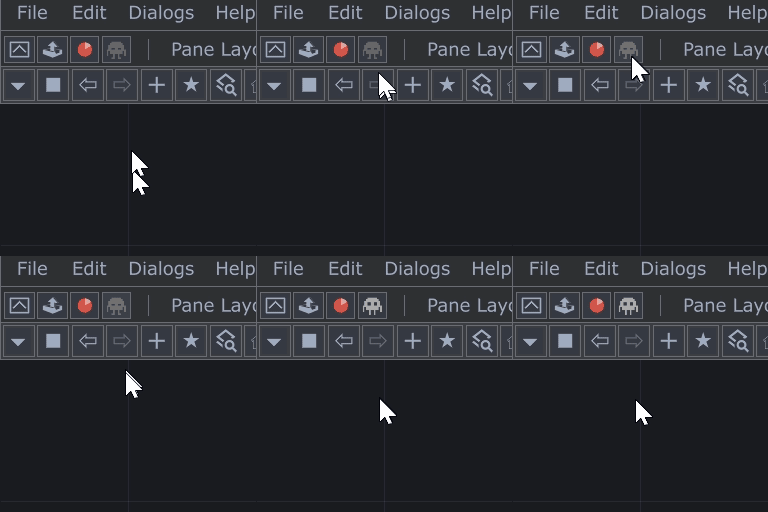
- Prompt your agent (Cursor/Codex/Claude):
Add twozero TD MCP for me with server key "twozero_td" and URL "http://localhost:40404/mcp". Configure it globally (user scope) so it is available from any project/workspace.
- Or manually:
Cursor
Add to ~/.cursor/mcp.json:
{
  "mcpServers": {
    "twozero_td": {
      "url": "http://localhost:40404/mcp"
    }
  }
}
Reload Cursor window.
Codex
Add to ~/.codex/config.toml:
[mcp_servers.twozero_td]
url = "http://127.0.0.1:40404/mcp"
Restart Codex app/session.
Claude Code
claude mcp add --transport http --scope user twozero_td http://localhost:40404/mcp
Check:
claude mcp list
Notes
- Base port is controlled by twozero setting
MCP default port. - Multi-instance TD behavior is automatic: configure only one MCP URL in your client (
http://localhost:<MCP default port>/mcp). Do not add separate client entries for each TD instance; twozero handles additional instance ports internally. - When several TD instances are open at once, the agent lists them and asks which one to act on — no manual config.
Usage Principles
- Start each new chat with a prompt like:
Show me what you can see in my TD project.check in TD: [your prompt]*here in TD: [your prompt]Check *this op in TD: [your prompt]
This makes the agent use MCP immediately and confirm it can see your current TD context (project, network, selected operator).
- After that, give tasks directly in normal language.
- When you say
*here in TD, it means the place/network you are currently looking at in TD. - When you say
*this op in TD(or*these opsfor multiple), it means the operator(s) you currently have selected.
Task Prompts (after MCP is confirmed)
Use these prompts only after the agent already confirmed it sees your TouchDesigner context.
- Errors:
Check errors across the whole project and show what is critical first. - Performance:
Analyze what is causing lag and show the top slow operators. - Compare patches/containers:
Compare container A and B: structure, parameters, and connections; list the differences. - Work on selected operator:
Inspect this selected operator and nearby chain; do not change anything until I confirm. - Safe mode first:
Diagnostics and plan first, changes only after approval. - Verify after fixes:
After applying fixes, run error and performance checks again to verify.
Built-in Triggers
Phrases the agent recognizes as built-in flows:
*here/*тут(current network) and*this/*эти/*этот/*эту(selected operator(s)) — spatial markers. The asterisk is the magic: it never appears in normal code or text, so the agent treats them as unambiguous pointers and the response is rock-solid. Plain "here" / "this op" works too, but the asterisk version is bulletproof — use it when precision matters.study this project/изучи проект— cold-start patch analysis. Best for unfamiliar/large projects where you want a tour, not a single-op poke.twozero bug report/twozero баг репорт— built-in bug report flow. The wordtwozerois required (so generic "report a bug" doesn't trigger it accidentally).
Localization Equivalents
Mix freely with English — the agent recognizes these equivalents per language. TD technical terms (op, par, comp) work without translation.
Russian
TouchDesigner=TD=тачproject=patch=проект=патч=.toe fileoperator=op=оператор=опparameter=par=параметр=пар*here in TD=в таче *тут*this op in TD=в таче *этот оп*these ops in TD=в таче *эти опыShow me what you can see in my TD project.=Посмотри, что у меня в таче.
Yorumlar (0)
Yorum birakmak icin giris yap.
Yorum birakSonuc bulunamadi