Complete-Guide-to-MCP-in-Python
Health Uyari
- License — License: MIT
- Description — Repository has a description
- Active repo — Last push 0 days ago
- Low visibility — Only 7 GitHub stars
Code Gecti
- Code scan — Scanned 12 files during light audit, no dangerous patterns found
Permissions Gecti
- Permissions — No dangerous permissions requested
Bu listing icin henuz AI raporu yok.
This course has one goal - to taking you from knowing nothing about MCPs to becoming an MCP master. Ultimately, this means going through MCPs vast set of features and learning how to apply them into your own applications. We will build MCP Servers and Clients from scratch and deploy / distribute them both locally and remotely.
🚀 Complete Guide to MCP in Python




The Ultimate Beginner-to-Advanced Guide for Building MCP Servers & Clients with Python
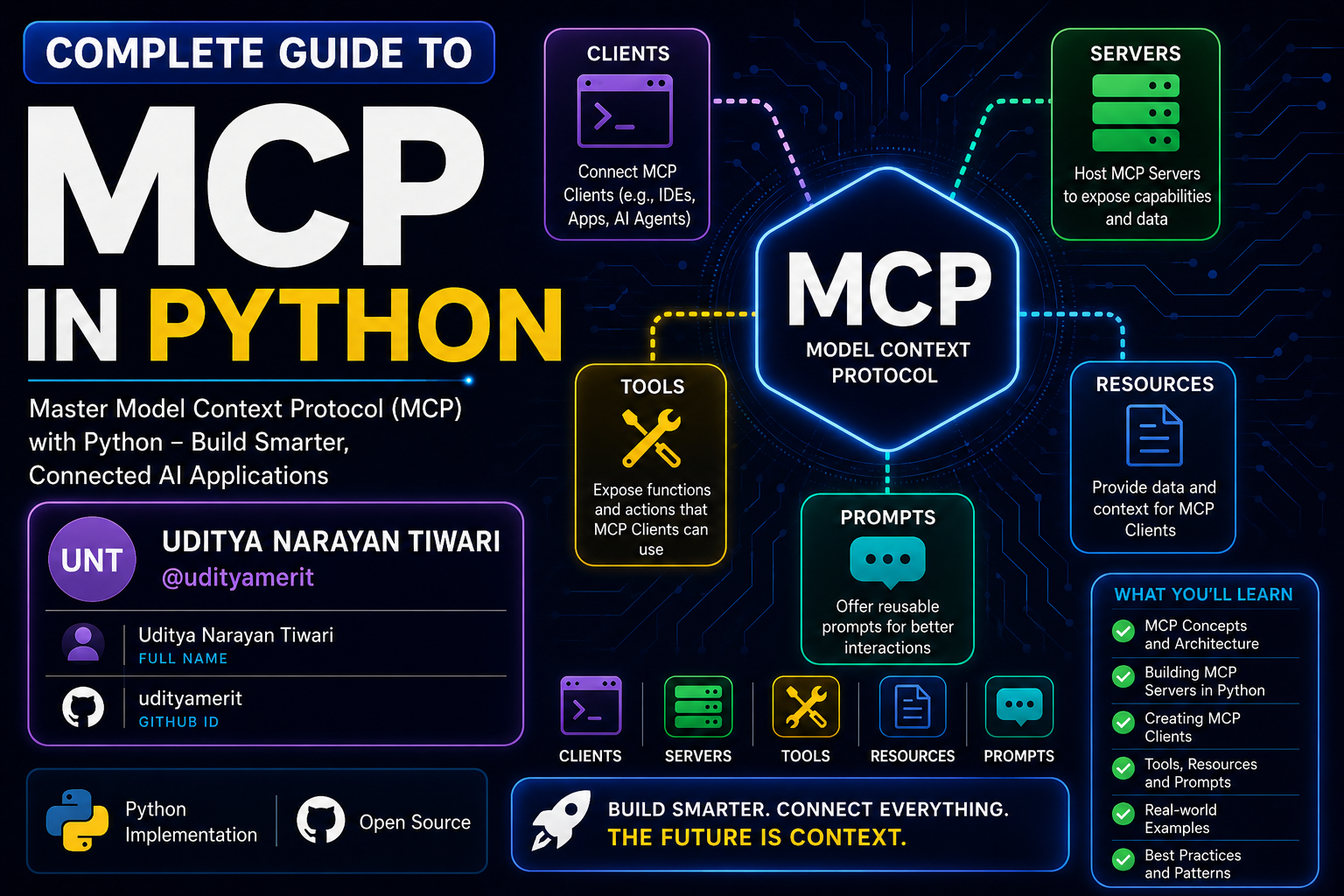
Learn the complete architecture, protocol, deployment, and real-world implementation of MCP (Model Context Protocol) using Python.
📌 Table of Contents
- What is MCP?
- Why MCP Matters
- About This Repository
- Features
- Course Overview
- Architecture Flow
- Advanced MCP Architecture
- Client-Server Communication Flow
- STDIO vs Streamable HTTP
- Multi-Server MCP Architecture
- Deployment Architecture
- Tech Stack
- Installation
- Project Structure
- Learning Outcomes
- Prerequisites
- Who Is This For?
- Contributing
- Connect With Me
- License
📖 What is MCP?
MCP (Model Context Protocol) is a standardized protocol that allows AI systems like:
- LLMs
- AI Agents
- AI Applications
- Automation Systems
to communicate with:
- APIs
- Databases
- Local Tools
- External Services
- Resources
- Prompts
- File Systems
Think of MCP as the:
🔌 USB-C Connector for AI Systems
Build once → Connect everywhere.
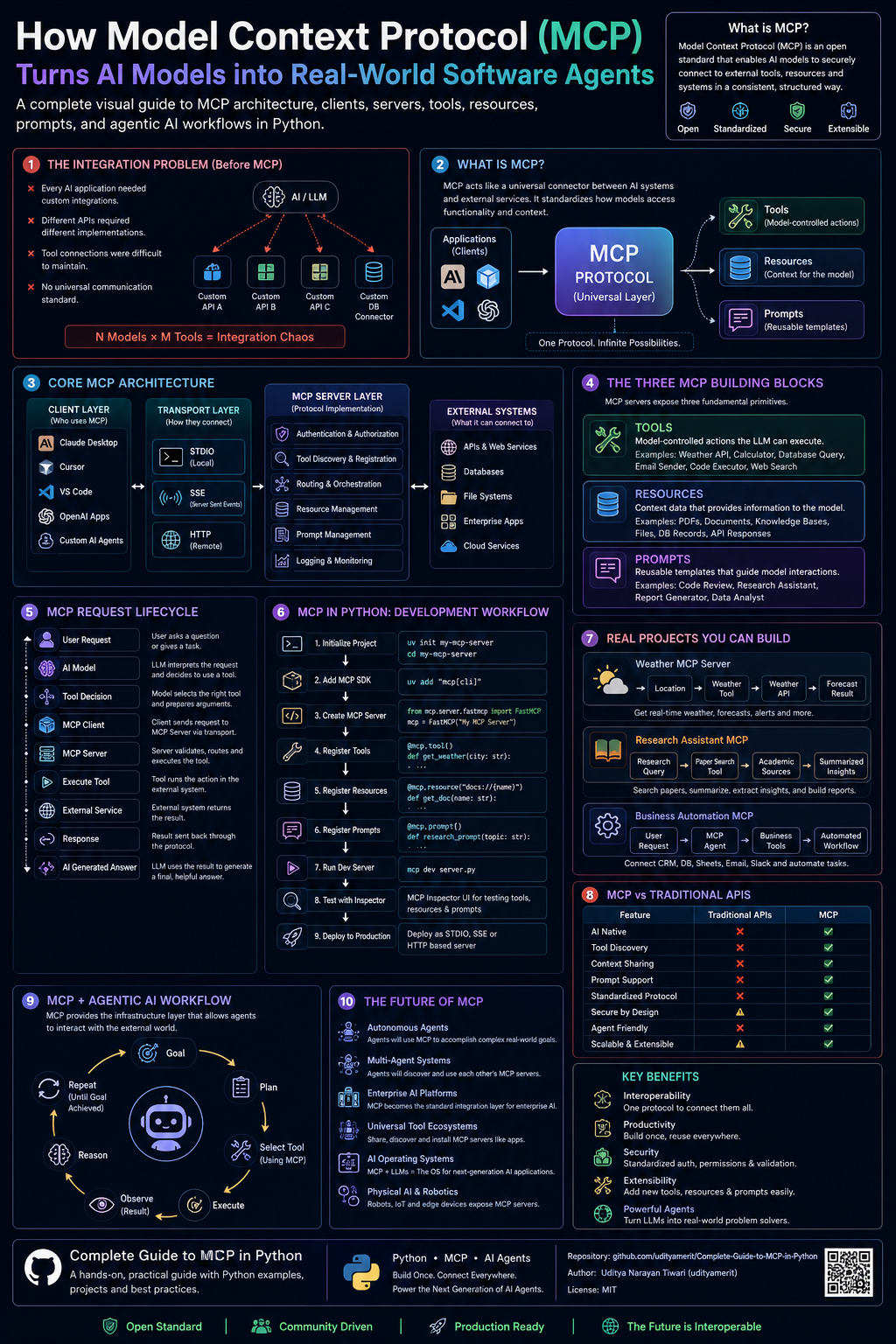
🌍 Why MCP Matters
Before MCP:
❌ Every framework implemented tools differently
❌ Developers repeatedly rebuilt integrations
❌ No universal AI-tool communication standard
MCP solves this using:
✅ Standardization
✅ Reusability
✅ Scalability
✅ Universal Connectivity
✅ Plug-and-Play AI Systems
Today, MCP is widely adopted across the AI ecosystem.
🎯 About This Repository
This repository is a complete beginner-to-advanced guide focused on:
- MCP Architecture
- MCP Servers
- MCP Clients
- MCP Deployment
- MCP Publishing
- Streamable HTTP
- STDIO Communication
- Resources
- Prompts
- Tools
- Real-World Projects
This repository uses:
🐍 Python SDK exclusively
making it perfect for Python developers entering the AI infrastructure ecosystem.
✨ Features
✅ Complete Guide
This is NOT a crash course.
You go from:
Beginner
   ↓
Understanding MCP
   ↓
Building MCP Servers
   ↓
Building MCP Clients
   ↓
Deploying MCP Applications
   ↓
MCP Expert
🐍 Python Focused
Unlike most tutorials using JS/TS, this repository focuses completely on Python.
⚡ Fully Updated
Includes modern MCP technologies:
- Streamable HTTP
- STDIO
- MCP Inspector
- Remote MCP Servers
- Multi-server orchestration
🛠️ Hands-On Learning
Build multiple:
- MCP Servers
- MCP Clients
- AI integrations
- Real-world projects
📚 Repository Overview
Explore the step-by-step curriculum of the complete MCP course:
01. Introduction
- What Model Context Protocol (MCP) is and why it exists
- Interactive guide to the MCP ecosystem
- Hands-on Jupyter notebook for beginners
02. MCP Architecture Overview
- Learn key terminology: Clients, Hosts, Servers, Transports, and Sessions
- Core building blocks: Tools, Resources, and Prompts
- Deep architectural diagrams and communication flows
03. Creating and Connecting MCP Server
- Setting up a Python development environment with the UV package manager
- Building your very first custom weather MCP server
- Connecting the server to Claude Desktop and using it locally
04. Connect MCP Client to an MCP Server
- Implementing an asynchronous Python MCP client
- Connecting the client to a local weather server using
stdiotransport - Connecting to remote servers using NPX (e.g., openbnb/mcp-server-airbnb)
05. MCP Server Deep Dive - Tools
- Creating advanced MCP tools using FastMCP
- Cryptocurrency price tracking tools (CoinGecko API)
- Operating system utilities (Screenshot Capturing with PyAutoGUI)
- External AI search integrations (Perplexity AI API)
- Complex validation using Pydantic models for structured input
06. MCP Server Resources and Prompts
- Resources: Exposing local data, inventory lists, and dynamically resolved prices using custom URIs (
inventory://) - Prompts: Developing structured, reusable prompt templates for LLMs to generate reports or analyses
07. MCP Server Deployment and Publishing
- Standard packaging structure for Python MCP servers (
src/architecture) - Configuring
pyproject.tomlwith console scripts entry points - Publishing MCP servers to GitHub and running them globally via
uvx
08. MCP Server stdio and Streamable HTTP
- Creating servers using
streamable-httptransport (FastMCP SSE) - Testing and debugging servers using MCP Inspector (
npx @modelcontextprotocol/inspector) - Public deployment on AWS EC2 Virtual Machines (Nginx reverse proxy, PM2/Screen process managers)
09. MCP Client Deep Dive
- Developing an advanced Python client integrated with OpenAI API
- Auto-discovery of MCP tools and schema translation to OpenAI Function Calling format
- Letting the model decide on tool invocations and feeding tool outputs back to GPT
10. End-To-End Projects
- Real-world, production-ready project implementations:
- Chess Stats: A custom MCP server connecting to the Chess.com public API for player stats and comparisons
- Memory Tracker: A persistent long-term semantic memory storage server for AI agents using OpenAI Vector Stores
11. Build MCP Client with Multi MCP Server
- Orchestrating multiple independent MCP servers (Airbnb and Memory Tracker) in a single Python client
- Connecting client session dynamically to manage multi-server capabilities and auto-route tool calls
- Creating user-friendly graphical interfaces using Streamlit for complex multi-tool chats
🏗️ Architecture Flow
MCP Architecture Flow
flowchart TD

    A[User / Developer] --> B[AI Application / Agent]

    B --> C[MCP Client]

    C --> D{Transport Layer}

    D -->|STDIO| E[MCP Server Local]
    D -->|Streamable HTTP| F[MCP Server Remote]

    E --> G[Tools]
    E --> H[Resources]
    E --> I[Prompts]

    F --> G
    F --> H
    F --> I

    G --> J[Local Functions]
    G --> K[External APIs]
    G --> L[Databases]
    G --> M[Automation Scripts]

    H --> N[Static Resources]
    H --> O[Dynamic Resources]
    H --> P[Knowledge Base]

    I --> Q[Reusable Prompt Templates]
    I --> R[Structured Prompt Systems]

    J --> S[Execution Results]
    K --> S
    L --> S
    M --> S

    N --> T[Context Data]
    O --> T
    P --> T

    Q --> U[Prompt Responses]
    R --> U

    S --> V[MCP Client Response Handler]
    T --> V
    U --> V

    V --> W[LLM Processing]

    W --> X[Final AI Response]

    X --> Y[User]
🌐 Advanced MCP Architecture
flowchart LR

    subgraph USERS
        U1[Developer]
        U2[End User]
    end

    subgraph AI_SYSTEMS
        A1[LLM]
        A2[AI Agent]
        A3[Claude / VS Code]
    end

    subgraph MCP_CLIENT
        C1[Session Manager]
        C2[Tool Caller]
        C3[Prompt Manager]
        C4[Resource Handler]
        C5[Transport Manager]
    end

    subgraph TRANSPORTS
        T1[STDIO]
        T2[Streamable HTTP]
        T3[WebSocket]
    end

    subgraph MCP_SERVER
        S1[Tool Registry]
        S2[Prompt Registry]
        S3[Resource Registry]
        S4[Authentication]
        S5[Execution Engine]
    end

    subgraph EXTERNAL_SYSTEMS
        E1[REST APIs]
        E2[Databases]
        E3[File Systems]
        E4[Cloud Services]
        E5[Local Processes]
    end

    U1 --> A2
    U2 --> A2

    A1 --> C1
    A2 --> C1
    A3 --> C1

    C1 --> C2
    C1 --> C3
    C1 --> C4
    C1 --> C5

    C5 --> T1
    C5 --> T2
    C5 --> T3

    T1 --> S1
    T2 --> S1
    T3 --> S1

    S1 --> S5
    S2 --> S5
    S3 --> S5

    S5 --> E1
    S5 --> E2
    S5 --> E3
    S5 --> E4
    S5 --> E5

    E1 --> S5
    E2 --> S5
    E3 --> S5
    E4 --> S5
    E5 --> S5

    S5 --> C1

    C1 --> A1
    A1 --> U2
🔄 Client-Server Communication Flow
sequenceDiagram

    participant User
    participant LLM
    participant MCP_Client
    participant MCP_Server
    participant External_API

    User->>LLM: Request Task

    LLM->>MCP_Client: Need External Tool

    MCP_Client->>MCP_Server: Request Available Tools

    MCP_Server-->>MCP_Client: Return Tool List

    MCP_Client->>MCP_Server: Execute Tool

    MCP_Server->>External_API: API Request

    External_API-->>MCP_Server: API Response

    MCP_Server-->>MCP_Client: Tool Result

    MCP_Client-->>LLM: Structured Response

    LLM-->>User: Final Answer
⚡ STDIO vs Streamable HTTP
Streamable HTTP Architecture
flowchart TB

    A["LLM or AI Agent"]
    B["MCP Client"]
    C["HTTP Transport Layer"]
    D["Remote MCP Server"]

    A --> B
    B --> C
    C --> D

    D --> E["Authentication"]
    D --> F["Tool Execution"]
    D --> G["Prompt Engine"]
    D --> H["Resource Access"]

    F --> I["External APIs"]
    F --> J["Cloud Functions"]
    F --> K["Databases"]

    I --> L["Execution Result"]
    J --> L
    K --> L

    L --> B
    B --> A
Local STDIO Architecture
flowchart LR

    A["AI Application"]
    B["MCP Client"]
    C["Local MCP Server"]

    A --> B
    B --> C
    C --> B

    C --> D["Python Functions"]
    C --> E["Local Files"]
    C --> F["Terminal Commands"]
    C --> G["Local APIs"]

    D --> H["Response"]
    E --> H
    F --> H
    G --> H

    H --> B
🧠 Multi-Server MCP Architecture
flowchart TD

    A[AI Agent]

    A --> B[MCP Client]

    B --> C[MCP Server 1]
    B --> D[MCP Server 2]
    B --> E[MCP Server 3]

    C --> F[Weather APIs]
    D --> G[Database Tools]
    E --> H[Memory System]

    F --> I[Combined Context]
    G --> I
    H --> I

    I --> B

    B --> J[LLM Final Processing]

    J --> K[User Response]
🚀 Deployment Architecture
flowchart TD

    A[Developer Machine]

    A --> B[GitHub Repository]

    B --> C[CI/CD Pipeline]

    C --> D[Docker Container]

    D --> E[Cloud VM / VPS]

    E --> F[MCP Server Deployment]

    F --> G[Public Streamable HTTP Endpoint]

    G --> H[MCP Clients Worldwide]

    H --> I[LLMs / AI Agents]
🛠️ Tech Stack
| Technology | Purpose |
|---|---|
| Python | Core Development |
| MCP SDK | MCP Development |
| VS Code | Development |
| Git & GitHub | Version Control |
| Claude | MCP Host |
| APIs | External Integrations |
⚙️ Installation
Clone Repository
git clone https://github.com/udityamerit/Complete-Guide-to-MCP-in-Python.git
Move into Directory
cd Complete-Guide-to-MCP-in-Python
Create Virtual Environment
python -m venv venv
Activate Environment
Windows
venv\Scripts\activate
Mac/Linux
source venv/bin/activate
Install Dependencies
pip install -r requirements.txt
▶️ Running MCP Projects
This repository is organized into standalone chapter directories. Each folder contains its own self-contained code files, configuration, and dependencies.
To run a specific project:
- Navigate to the desired folder:
cd "05 MCP Server Deep Dive - Tools" - Follow the detailed setup and execution instructions inside the directory's
README.md. - Most servers can be run directly using
uv run <filename>.pyor standardpython <filename>.pyafter installing dependencies.
📂 Project Structure
📦 Complete-Guide-to-MCP-in-Python
 ┣ 📂 01 Introduction
 ┃ ┣ 📜 introduction.ipynb
 ┃ ┗ 🌐 introduction.html
 ┣ 📂 02 MCP Architecture Overview
 ┃ ┣ 📜 MCP Architecture.ipynb
 ┃ ┗ 🌐 MCP Architecture.html
 ┣ 📂 03 Creating and Connecting MCP Server
 ┃ ┣ 📜 weather.py
 ┃ ┗ 📜 README.md
 ┣ 📂 04 Connect MCP Client to an MCP Server
 ┃ ┣ 📜 client.py
 ┃ ┣ 📜 client_npx.py
 ┃ ┗ 📜 README.md
 ┣ 📂 05 MCP Server Deep Dive - Tools
 ┃ ┣ 📜 crypto.py
 ┃ ┣ 📜 local.py
 ┃ ┣ 📜 screenshot.py
 ┃ ┣ 📜 websearch_perpexity_model.py
 ┃ ┣ 📜 complex_input_mcp.py
 ┃ ┗ 📜 README.md
 ┣ 📂 06 MCP Server Resourese and Prompts
 ┃ ┣ 📜 prompt.py
 ┃ ┣ 📜 resources.py
 ┃ ┗ 📜 README.md
 ┣ 📂 07 MCP Server Deployment and Publishing
 ┃ ┣ 📂 src/mcpserver/
 ┃ ┣ 📜 pyproject.toml
 ┃ ┗ 📜 README.md
 ┣ 📂 08 MCP Server stdio and Streamable https
 ┃ ┣ 📂 Images/
 ┃ ┣ 📜 server.py
 ┃ ┣ 📜 main.py
 ┃ ┗ 📜 README.md
 ┣ 📂 09 MCP Client Deep Dive
 ┃ ┣ 📂 Images/
 ┃ ┣ 📜 client_query.py
 ┃ ┗ 📜 README.md
 ┣ 📂 10 End-To-End Project
 ┃ ┣ 📂 Chess Stats
 ┃ ┃ ┣ 📂 Images/
 ┃ ┃ ┣ 📂 src/chess_stats/
 ┃ ┃ ┗ 📜 README.md
 ┃ ┗ 📂 Memory Tracker
 ┃   ┣ 📂 Images/
 ┃   ┣ 📜 server.py
 ┃   ┗ 📜 README.md
 ┗ 📂 11 Build MCP Client with Multi MCP Server
   ┣ 📂 Images/
   ┣ 📜 client.py
   ┣ 📜 chat_ui.py
   ┣ 📜 main.py
   ┣ 📜 pyproject.toml
   ┗ 📜 README.md
📸 Project Demos & Screenshots
Here are some visual demonstrations of the projects in action, taken from the local debug consoles, Claude Desktop, and the MCP Inspector.
♟️ Chess.com Stats MCP Server (Chapter 10)
🔍 Chess Tool Discovery
Discovering available Chess tools in the client: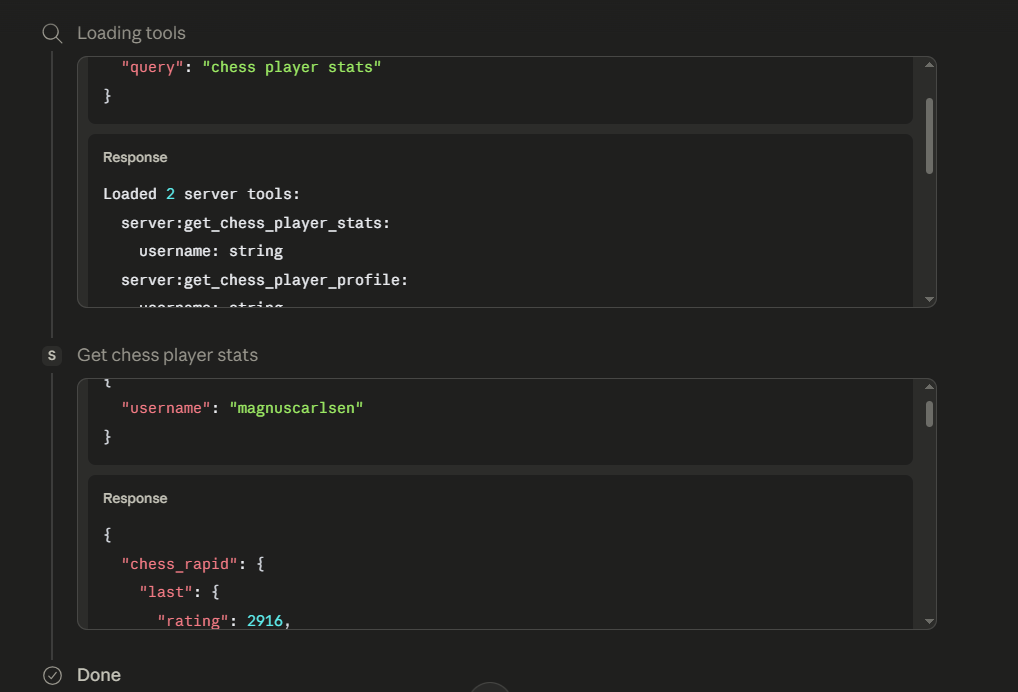
📈 Chess Player Stats
Fetching real-time player ratings and stats from Chess.com API: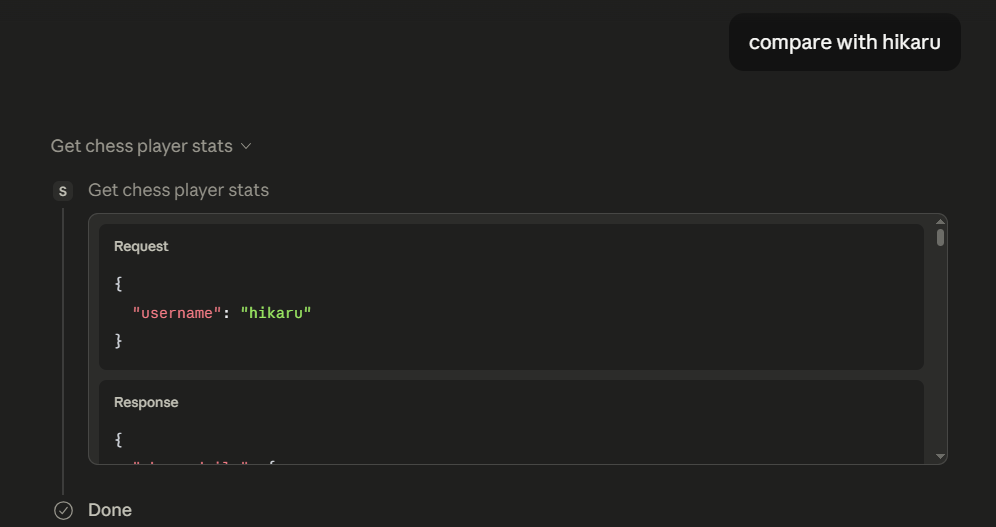
⚔️ Player Comparison
Comparing two chess masters' stats side-by-side using the AI: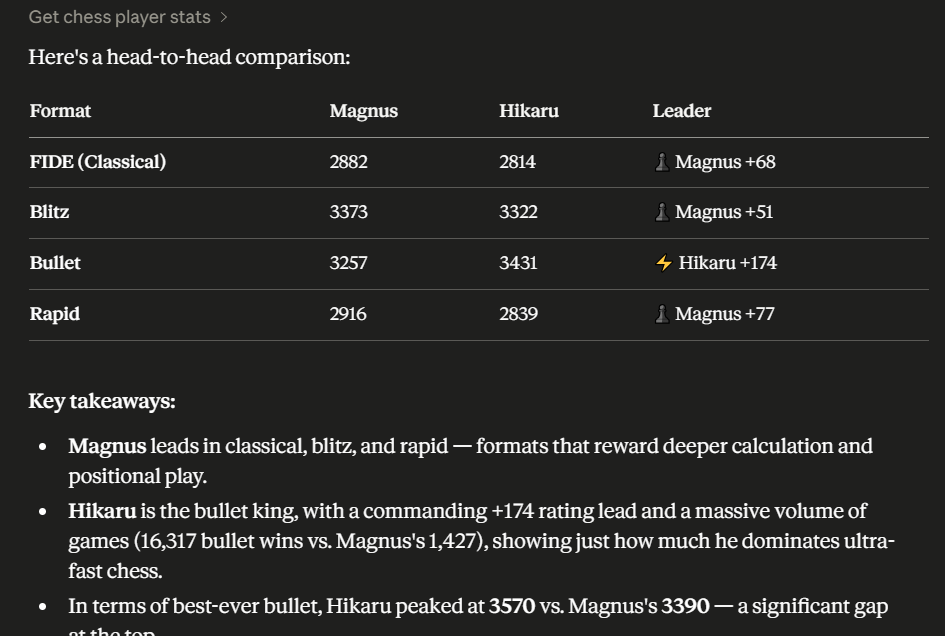
🧠 OpenAI Vector Store Memory Tracker (Chapter 10)
💾 Saving Dynamic Memory
AI agent saving a memory dynamically into the OpenAI Vector Store: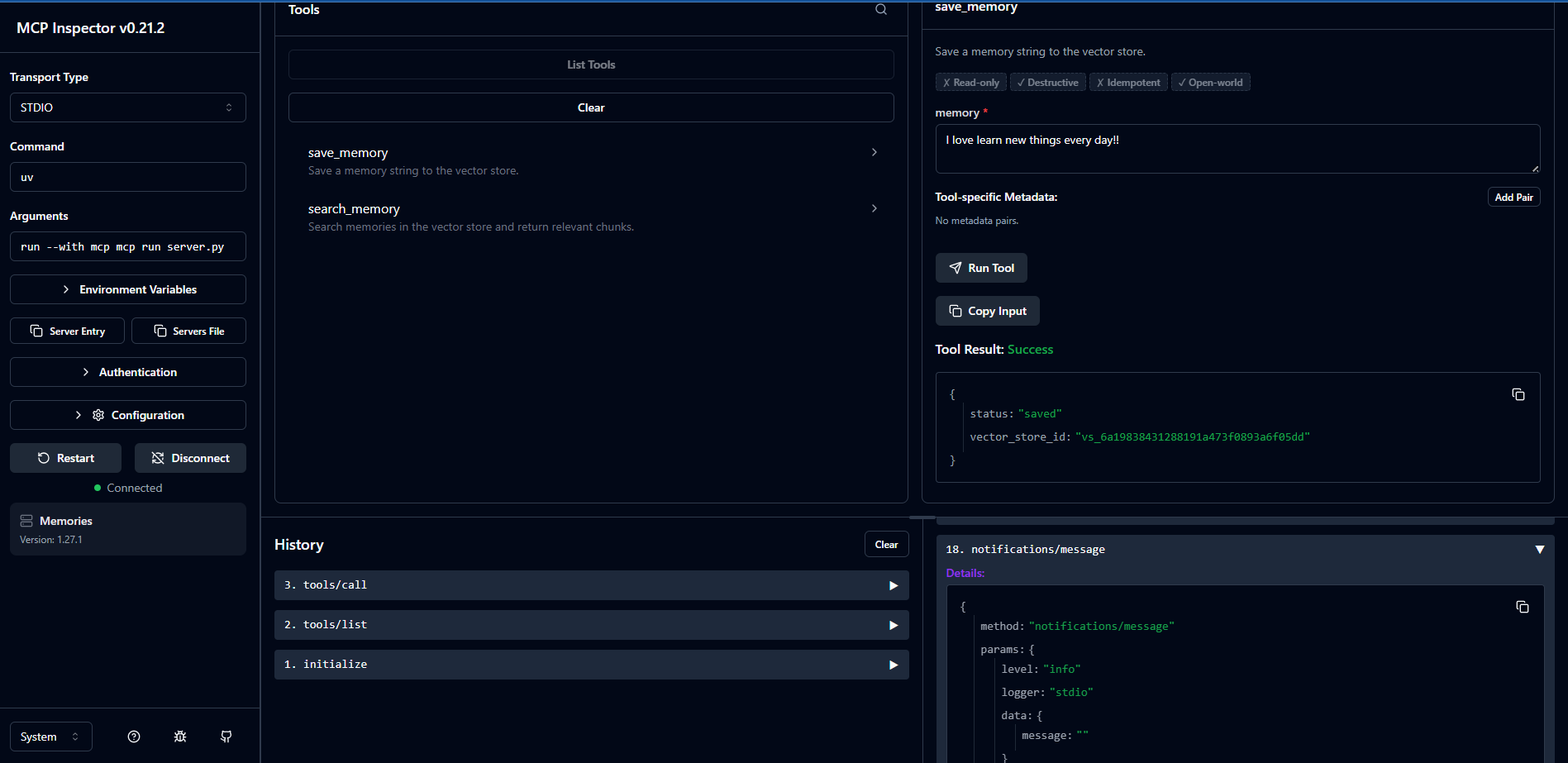
🔍 Semantic Memory Retrieval
Retrieving semantic memories based on natural language queries: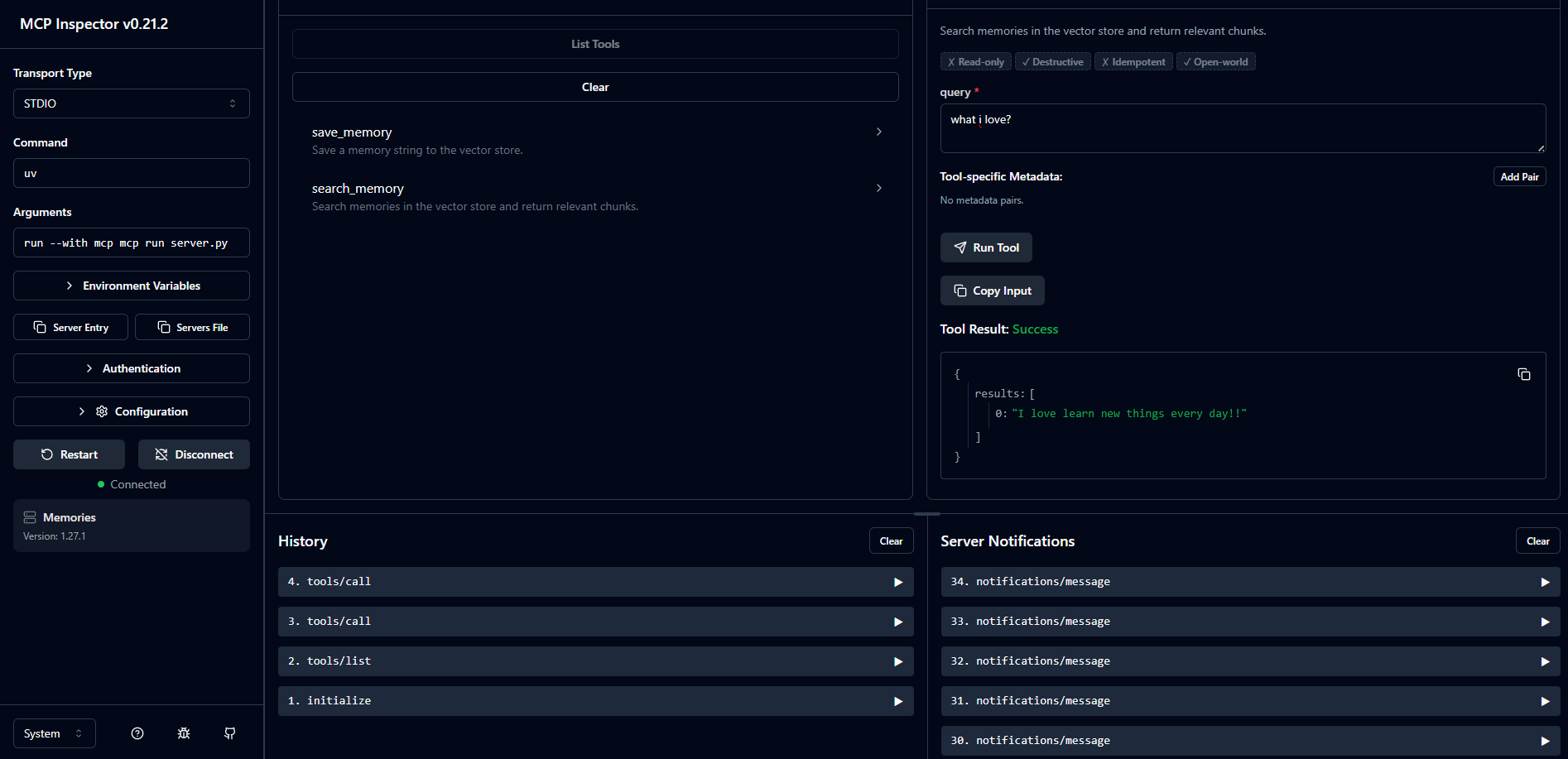
🖥️ Inspector Connection
The Memory Tracker MCP Server connected to the local MCP Inspector: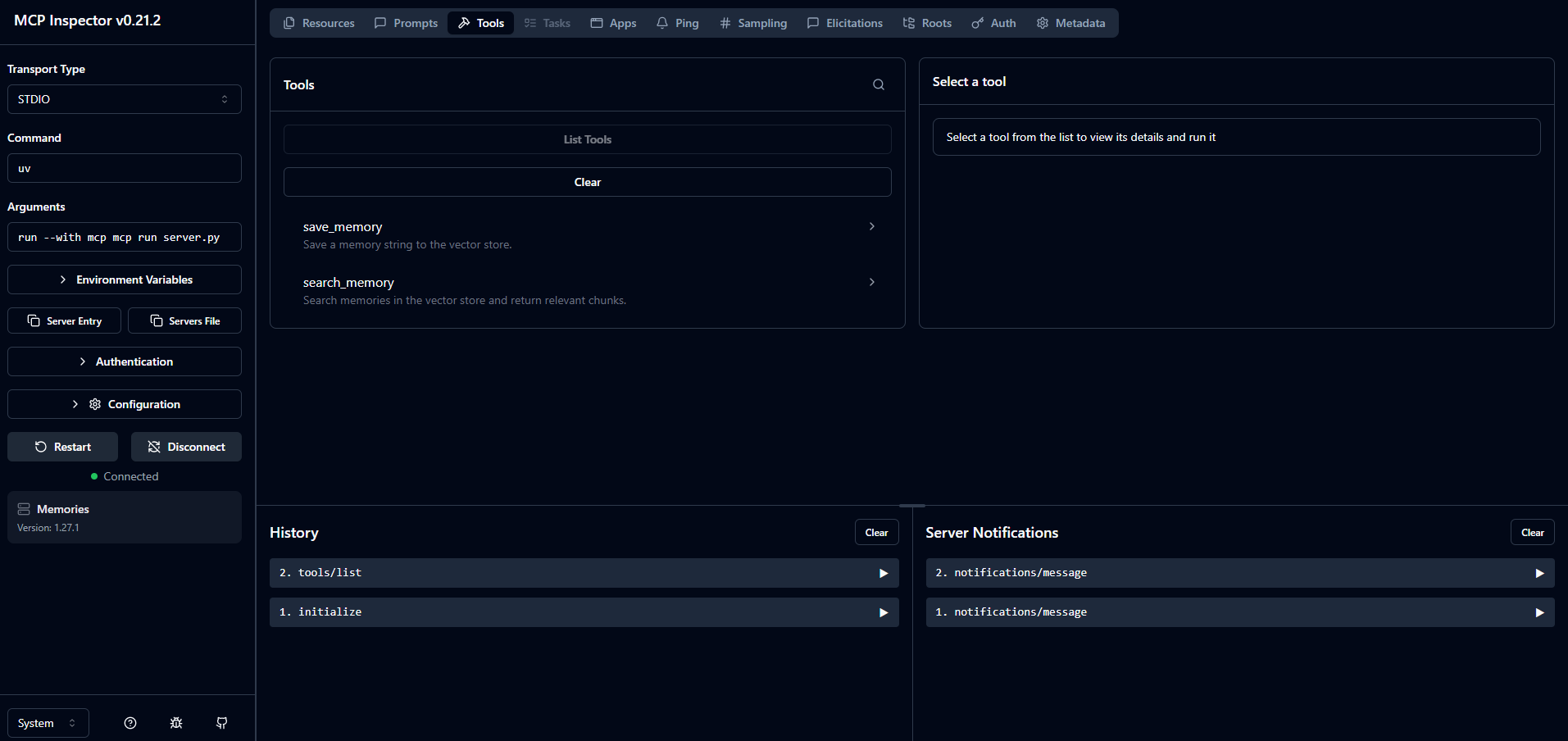
🛠️ MCP Client Deep Dive & OpenAI Tool Calling (Chapter 09)
📡 MCP Tool Discovery
Discovering tools from the local Python MCP server session: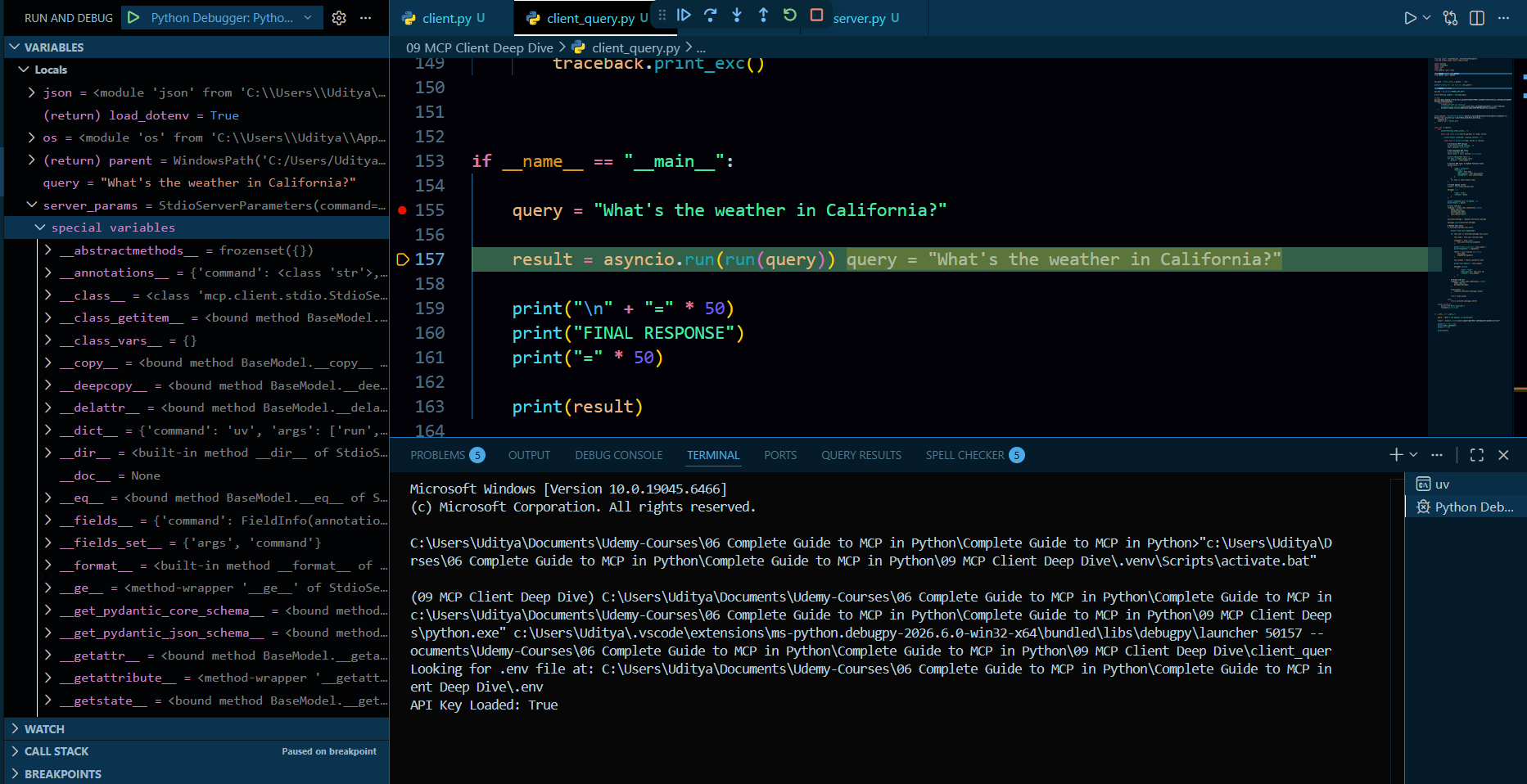
🤖 OpenAI Tool Conversion & Execution
Converting MCP tools schema to OpenAI Function Calling format and handling execution: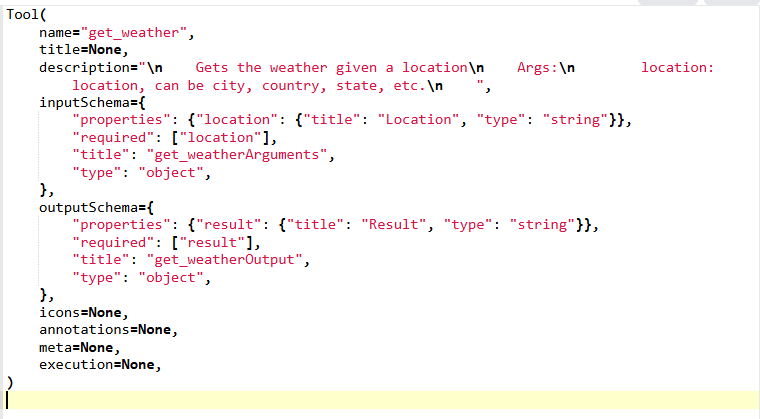
⚡ MCP Inspector & Streamable HTTP (Chapter 08)
🔌 Connecting to Streamable HTTP Server
Testing local or remote Streamable HTTP MCP servers using the official MCP Inspector interface: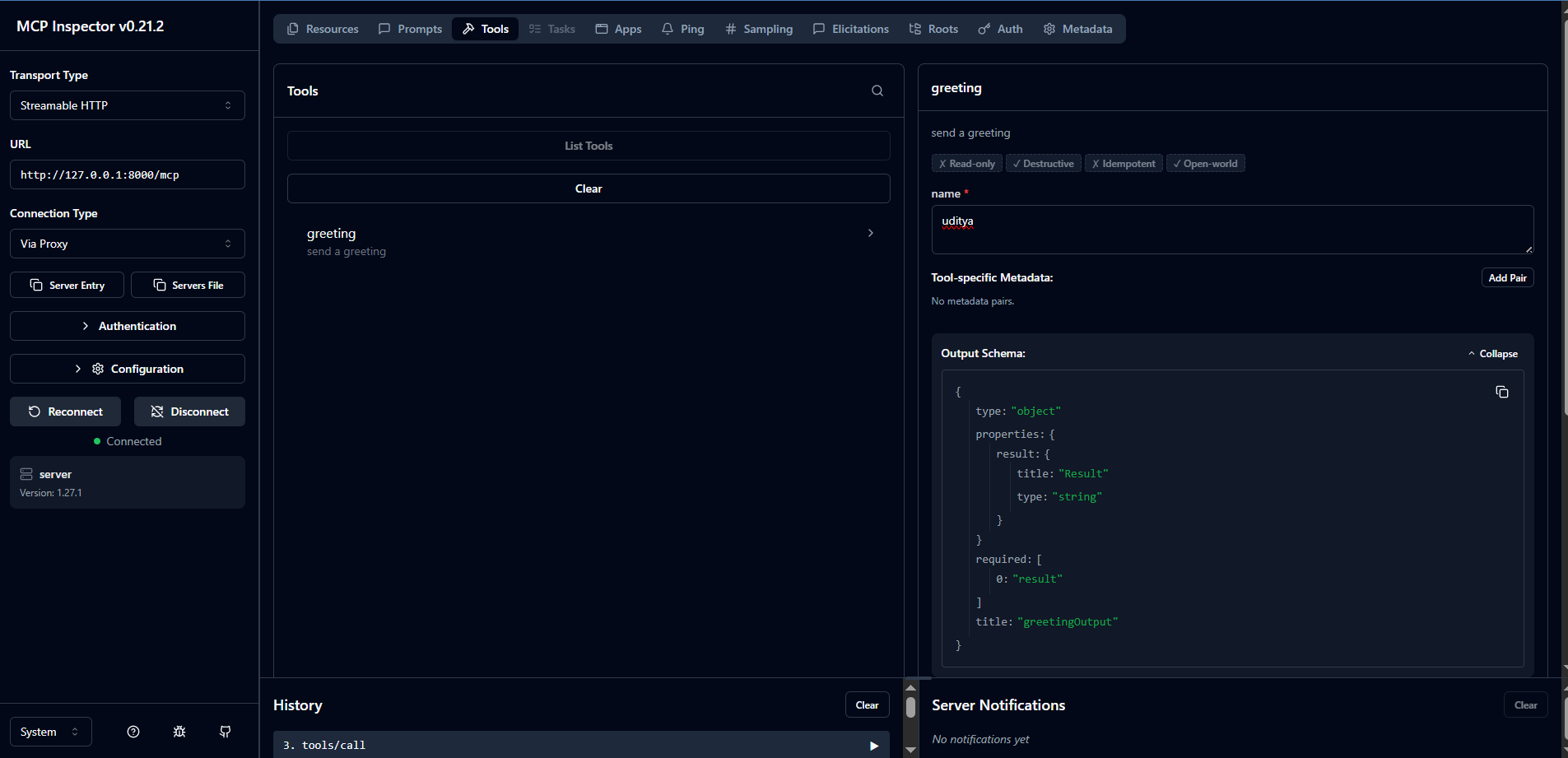
🧪 Greeting Tool Test Execution
Executing a greeting tool call and receiving structured output inside MCP Inspector: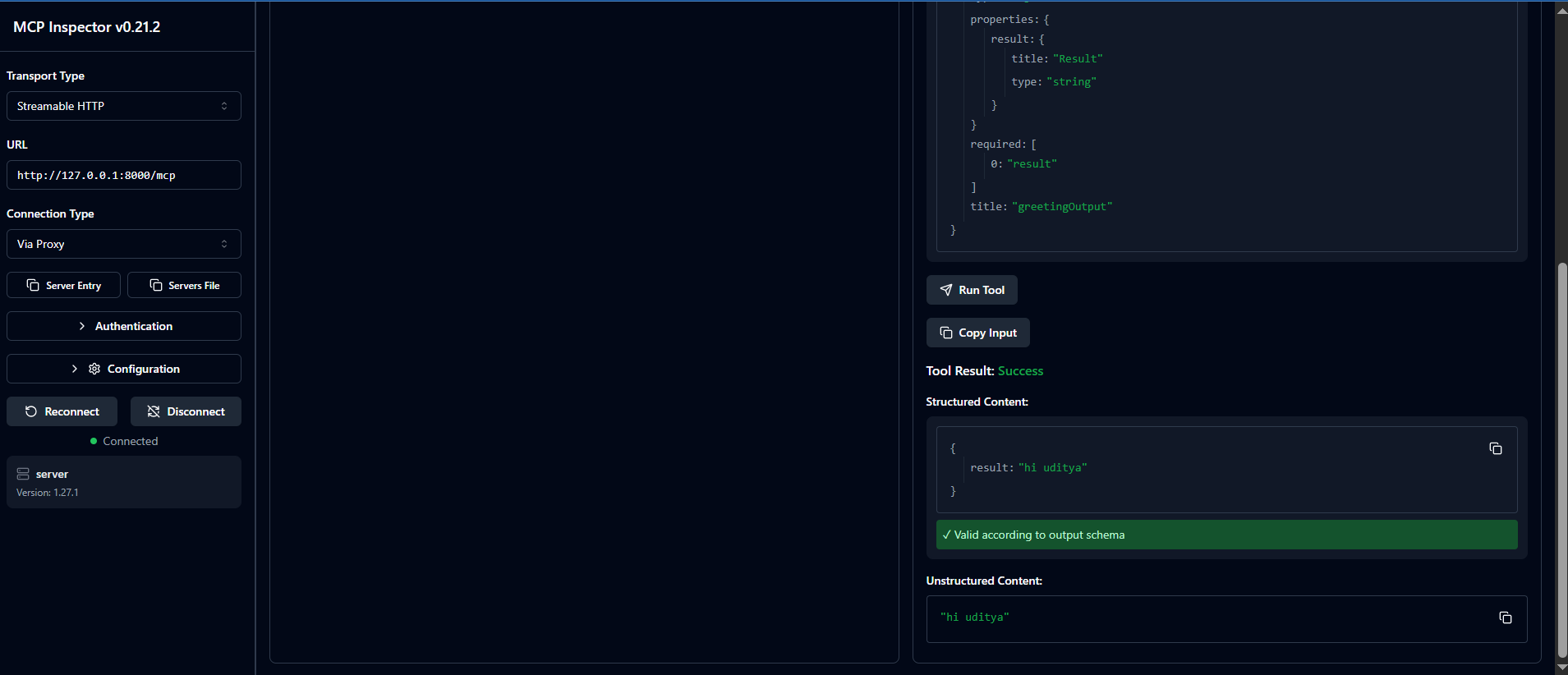
🌐 Multi-Server MCP Agent: Airbnb & Memory (Chapter 11)
🔌 Multi-Server Tool Discovery
Discovering and combining tools from both Airbnb and Memory servers dynamically: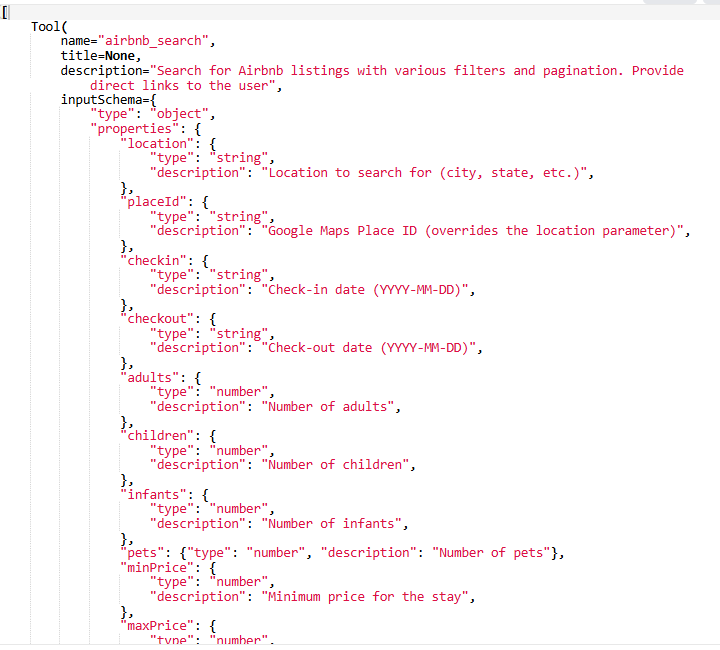
🧠 Context-Aware Searches with Local Memory
Filtering Airbnb properties using retrieved semantic memories during the search query: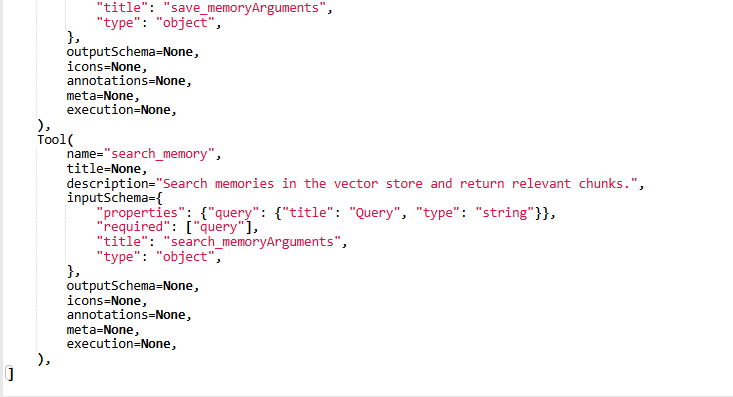
🎯 Learning Outcomes
By the end of this repository, you will:
✅ Understand MCP deeply
✅ Build MCP Servers
✅ Build MCP Clients
✅ Deploy MCP remotely
✅ Use Streamable HTTP
✅ Use STDIO communication
✅ Integrate AI tools
✅ Build production-ready AI systems
🧪 Prerequisites
- Basic Python knowledge
- Basic API understanding
- Familiarity with Git/GitHub
- Windows or Mac
👨💻 Who Is This For?
Perfect for:
- AI Engineers
- Python Developers
- AI Enthusiasts
- LLM Builders
- Automation Engineers
- AI Infrastructure Developers
- Agentic AI Developers
🤝 Contributing
Contributions are welcome.
Steps
- Fork repository
- Create feature branch
- Commit changes
- Push changes
- Open Pull Request
⭐ Support
If this repository helped you:
⭐ Star the repository
🍴 Fork the repository
📢 Share with others
📬 Connect With Me
👨💻 Uditya Narayan Tiwari
🌐 Portfolio: https://udityanarayantiwari.netlify.app/
📚 Knowledge Base: https://udityaknowledgebase.netlify.app/
💻 GitHub: https://github.com/udityamerit
🔗 LinkedIn: https://www.linkedin.com/in/uditya-narayan-tiwari-562332289/
📜 License
This project is licensed under the MIT License.
🚀 Build Once. Connect Everywhere.
Power the Future of AI with MCP.
Yorumlar (0)
Yorum birakmak icin giris yap.
Yorum birakSonuc bulunamadi