heymate
Health Uyari
- License — License: MIT
- Description — Repository has a description
- Active repo — Last push 0 days ago
- Low visibility — Only 7 GitHub stars
Code Basarisiz
- exec() — Shell command execution in art/characters/blender/build_nova.py
Permissions Gecti
- Permissions — No dangerous permissions requested
Bu listing icin henuz AI raporu yok.
The AI buddy that lives in your Mac's notch. Push-to-talk, sees your screen, answers out loud, and runs Claude Code / Codex / OpenCode agents on the subscription you already have. Free, open source, native SwiftUI.

HeyMate
Learn your software. One step at a time.
Ask how to do something in a desktop app or website. HeyMate points to the next step, explains it out loud, and waits while you try it. Currently available for macOS.
The open-source alternative to HeyClicky. Bring your own AI: your existing Claude, ChatGPT (Codex), or OpenCode subscription does the work. HeyMate is free and MIT licensed; we do not meter your model use. Provider limits and optional paid connectors still apply.





Download for Mac · Website · Watch the demo · Changelog
Inspired by heyClicky

Hold ⌃ ⌥, ask about anything on screen, let go. Illustrated example: ask "why is my Mac so slow?" and get a spoken answer with a pointer.
Try a task you want to learn
Open a desktop app or website, hold ⌃ ⌥, and ask “Walk me through this, one step at a time.” For example: “Show me how to remove this logo's background in Photopea.” Use a sample image you can share with your AI provider.
For a multi-step walkthrough, HeyMate shows a plan and points to the first action. Click the target or say “next”; it checks the screen again before explaining the next step. You do the task and learn the controls. Results depend on the selected model and what it can see; stop and correct it if a step is wrong.
Screen guidance needs a vision-capable provider. The optional Apple Intelligence brain answers text questions only.
Why HeyMate
- Help with desktop apps and websites. Spoken explanations and a cursor that points at the control being discussed. Screen context is captured during active interactions that need it, including each step of a walkthrough.
- Bring your own AI. Sign in through the official Claude Code, Codex, or OpenCode CLI with the subscription or models you already pay for. HeyMate adds no subscription fee and does not meter your model use. Provider limits and optional paid connectors still apply.
- Keep control of coding work. Agents show a read-only plan before execution. Approved jobs get workspace snapshots for undo; external actions are subject to their tool's approval policy. Undo cannot reverse a sent message or an external service change.
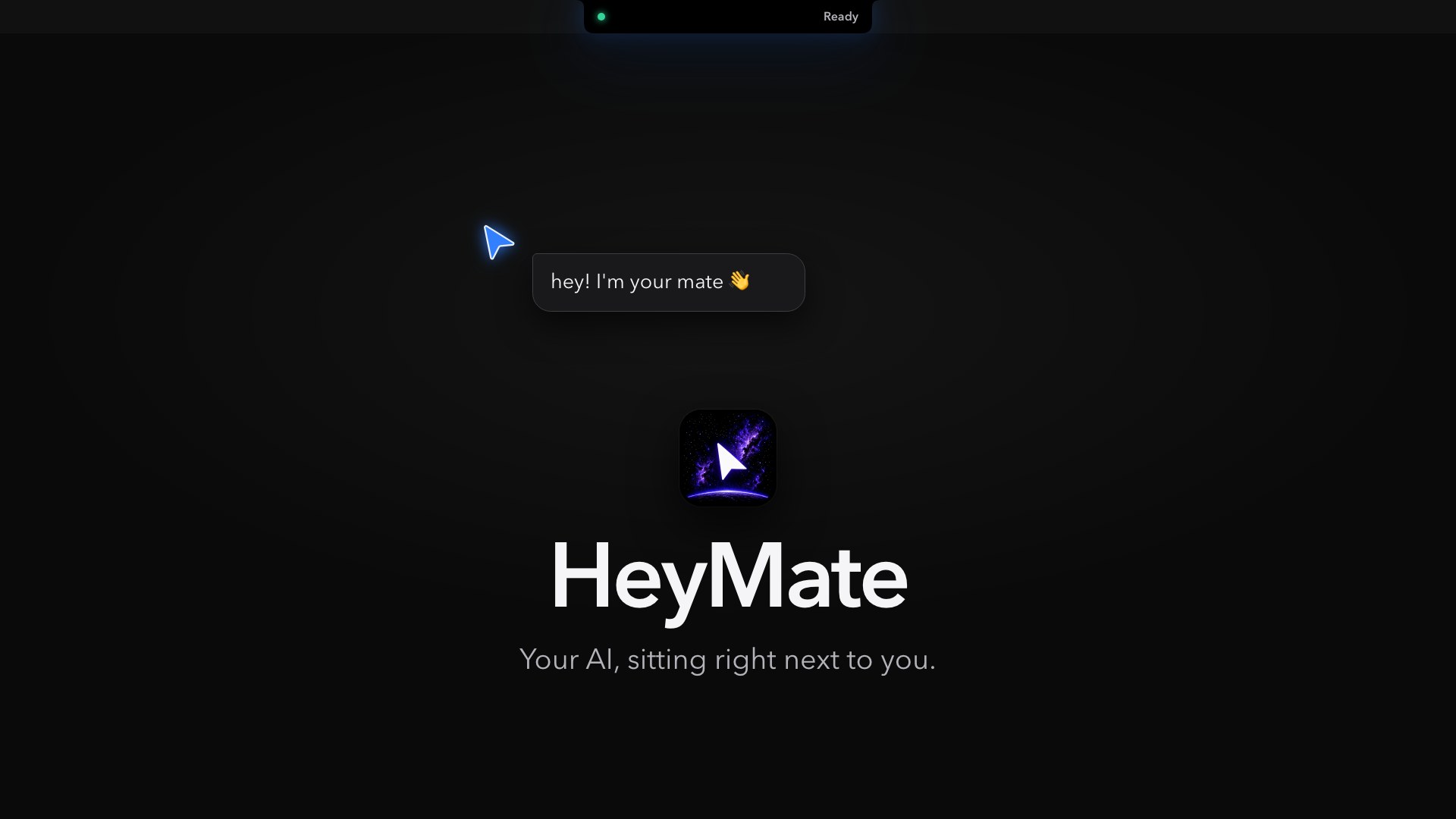
▶ Watch the 41-second illustrated tour (recreated UI) · Music: Show Me by Peyruis, CC BY 3.0
Features
Lives in the notchFolds into the camera housing and opens on hover into Usage and Home. Macs without a notch get a top-center pill. There is no dock icon and no menu-bar clutter. Coding usage rings for Codex, Claude Code, Cursor, Antigravity, Gemini, OpenCode Go, GitHub Copilot, Kimi Code, Grok, and GLM, plus loaded-model displays for Ollama and LM Studio. Quotas, derived token/request counts, and supported local session states stay clearly distinguished. Settings control persistent idle rings, provider selection/order, used versus remaining, weekly rings, and reduced motion. Connect each provider using its existing sign-in; unavailable or stale readings stay clearly marked. Drag a file onto the notch and your mate opens its mouth to keep it on the File Shelf. Drag files back out or AirDrop them; originals stay where they are. The shelf only opens through a file drag. |
Motion geometry, provider rings, usage parsers, and supported activity readers reuse pinned [CodeNotch](https://github.com/vinzdg/codenotch) source, with MIT attribution included in the app. [Supported capabilities and limits](heymate/docs/notch-usage.md). |

|
Coding agents, on a leash"HeyMate agent, add dark mode to this project." HeyMate opens a sandbox in Undo snapshots, Terminal takeover, completion receipts, and Standing Orders: HeyMate proposes work, but never starts it unasked. |
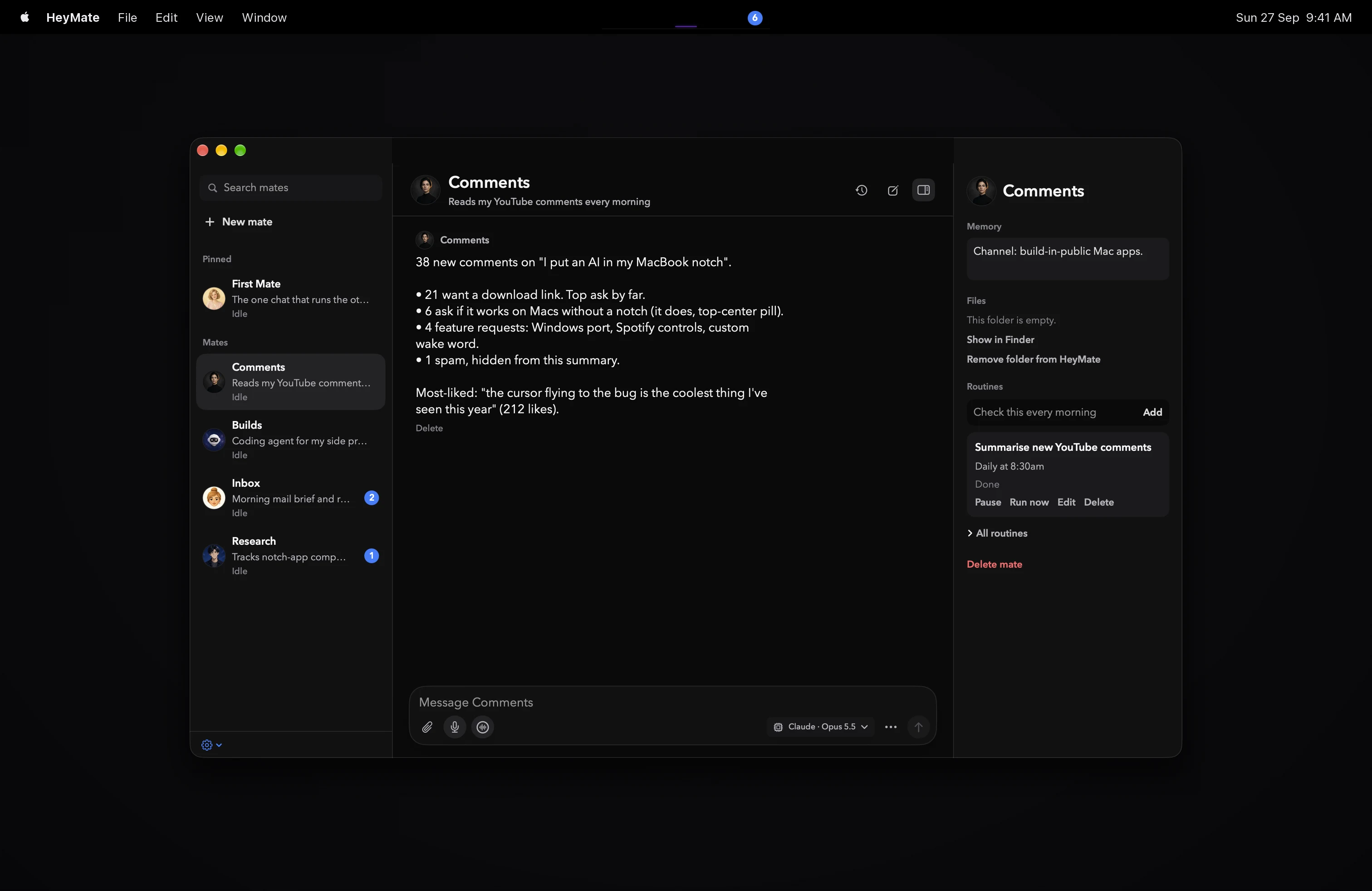
Mates: helpers with a job of their ownCreate a patient design tutor from the Mates view. Give it a name, a job, a personality prompt, a face, saved notes, and a workspace folder. Start with one clear job and tell it how you want it to help. Routines run daily at a time you choose or every N hours, and results land in that mate's chat. |
|
|
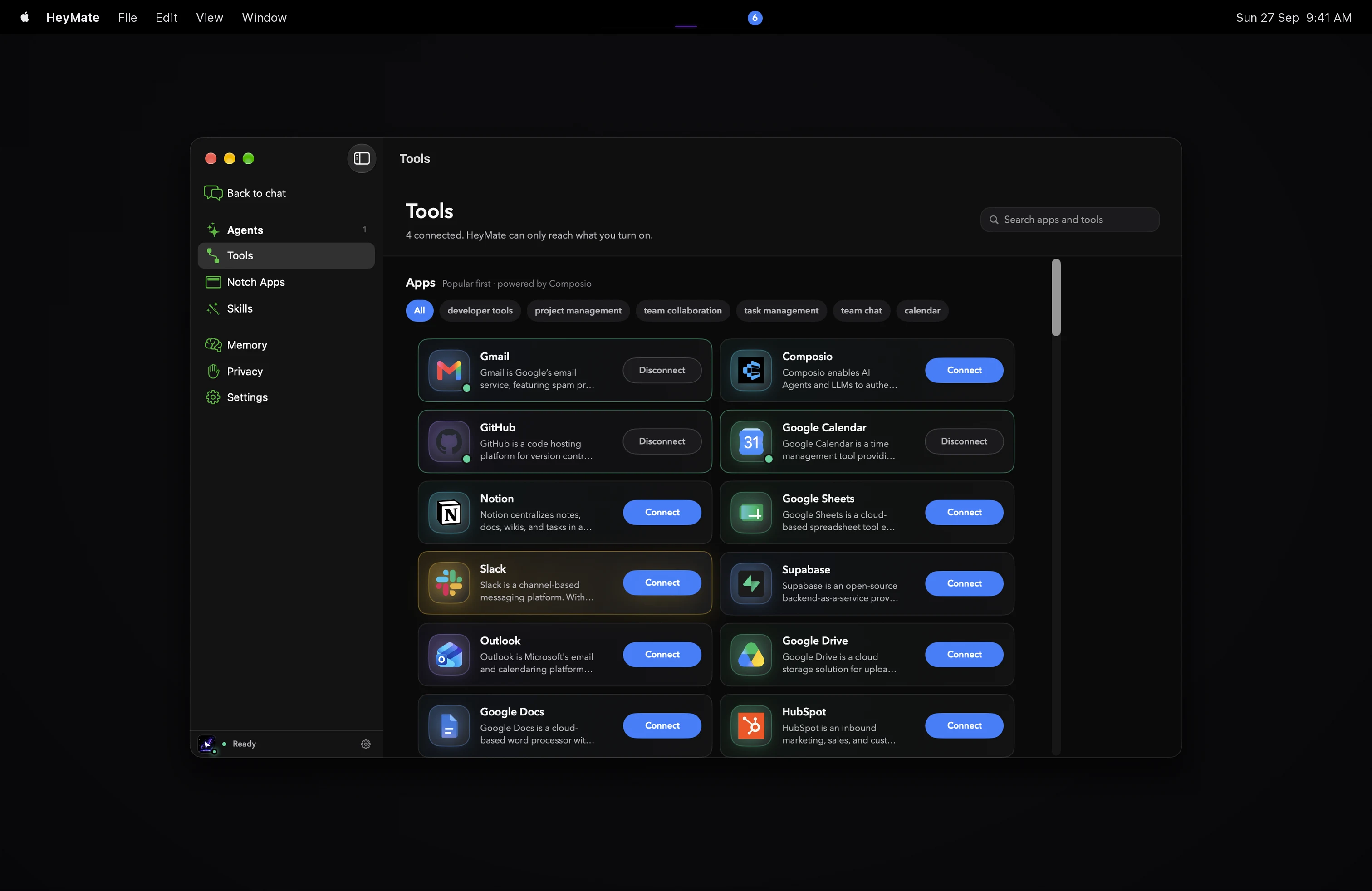
Plugs into what you already useApple Calendar, Reminders, Notes, Mail, Messages, and Shortcuts out of the box. Local Read-only calls run quietly. Anything that sends, deletes, or pays always asks first. |
Useful between questions
HeyMate also includes Now Playing, a file shelf with AirDrop, calendar and battery status, volume and brightness controls, a camera mirror, focus timers, clipboard history, and downloads. Enable the tools you use and leave the rest out of the way.
Install
HeyMate is an early open-source release for macOS 14.2 or later. Current builds use a stable self-signed certificate; they are not signed with Apple Developer ID or notarized by Apple.
- Download HeyMate.dmg and drag HeyMate into Applications. If macOS blocks the first launch, review the app and use System Settings → Privacy & Security → Open Anyway if you choose to proceed.
- Grant Microphone, Accessibility, and Screen Recording when setup asks. Why each permission?
- Pick Claude or ChatGPT and finish the official CLI sign-in in your browser. Provider access and usage limits apply. The Neither option uses Apple Intelligence on supported Macs, for text-only questions.
- Open a desktop app or website, hold ⌃ ⌥, and ask for a walkthrough.
Alternative install methods:
brew install umarsiddiqui/tap/heymate
Or inspect the installer source before running:
curl -fsSL https://getheymate.vercel.app/install.sh | bash
The script replaces /Applications/HeyMate.app, removes its quarantine attribute, and opens it. This does not provide Apple notarization. A SHA-256 file is included with each GitHub release.
App changes pushed to main trigger a GitHub Actions build and release. Documentation and website-only changes do not publish an app build.
Suggestions, bugs, or trouble installing? Open an issue or email me at [email protected].
Requirements
- macOS 14.2 or later, Apple silicon or Intel
- For screen guidance: a vision-capable Claude or ChatGPT plan, or another configured vision provider. Onboarding can install and sign in the CLI for you. Apple Intelligence is an optional text-only brain on supported Macs running macOS 26 or later; it cannot see the screen. To sign in yourself, or to use OpenCode:
| Brain | Command | Sign in | Notes |
|---|---|---|---|
| Claude | claude |
claude auth login --claudeai |
Default. Uses your Claude subscription, not Console billing. |
| Codex | codex |
codex login |
Signing in to the ChatGPT Mac app does not sign in the CLI. |
| OpenCode | opencode |
opencode auth login |
Free models need no provider credential. Headless jobs can edit files but cannot run shell commands. |
HeyMate finds CLIs through your login-shell PATH (Homebrew, npm, Bun, and ~/.local/bin included). When Claude or Codex runs a job, HeyMate strips provider API-key and base-URL variables from the child process, so a stray ANTHROPIC_API_KEY or OPENAI_API_KEY can never switch you to metered billing.
Privacy
Screen context is used for active interactions that need it. Walkthroughs can capture again between steps. Enabled routines, standing orders, and approved coding jobs can run in the background.
- On your disk. HeyMate chat history stores text, not screenshot or audio bytes. Chats, memory, mates, and routines live in
~/Library/Application Support/heymate/. Memory can be turned off or cleared in Settings. - Temporary images. Some CLI integrations write screenshots to temporary files and clean them up when the request or process ends. The optional local-control interface retains screenshots temporarily for callers. CLI histories and AI-provider retention are separate from HeyMate's chat history.
- Your providers. Questions and relevant screen context go to your selected AI provider. Connector credentials are stored in a local file restricted to your Mac account and used to authenticate with services you connect. HeyMate has no account service storing your chats.
- Voice. Apple Speech uses on-device recognition when available for your language; otherwise it can use Apple's service. Downloaded Parakeet and Kokoro models run locally. ElevenLabs is optional and receives the audio or text it processes.
- Excluded apps. Password managers and System Settings are never captured by Talk, dictation, or screen-reading standing orders.
- Invisible on calls. One switch hides the notch and cursor from screen shares.
- Opt-in usage analytics, off by default. Configured builds let you share counts and return visits in onboarding or Settings → Privacy & Data. No chat text, screenshots, or files. Setup and metrics.
Coding CLIs still run as your macOS user. Plan mode limits writes, not reads.
Every macOS permission HeyMate can ask for, and exactly what it does with each, is on the permissions page.
How the coding-agent workflow worksA voice or typed request creates a sandbox folder with a TASK.md:
- The selected CLI inspects the task and workspace with writes disabled.
- HeyMate shows the plan and waits.
- Approval creates an undo snapshot, resumes the same CLI session, and enables workspace writes.
Sandboxes live at ~/Projects/heymate/<task-slug>-<short-id>. Choosing an existing folder uses the same plan gate, plus per-tool approval where the CLI supports it.
Approved execution moves into the separately signed HeyMateAgentRunner helper embedded at HeyMate.app/Contents/Helpers, so work survives Cmd-Q and reattaches on the next launch. Planning is limited to five awake minutes and each execution leg to fifteen; Mac sleep doesn't count. A crash-interrupted run keeps its pre-write undo snapshot.
OpenCode jobs cannot run shell commands or spawn subagents, because its CLI lacks an OS-enforced workspace sandbox. Use Claude Code or Codex when work must build or test itself.
Build from source
Requires Xcode 26 and an internet connection on the first build to fetch Swift packages.
git clone https://github.com/UmarSiddiqui/heymate.git
cd heymate/heymate
open HeyMate.xcodeproj
Select the HeyMate scheme and My Mac and configure Signing & Capabilities once. For everyday local installs, use the script below: it selects the installed app's exact signing certificate, checks that both builds satisfy each other's designated requirements, backs up the old app, and launches /Applications/HeyMate.app. It refuses missing or incompatible identities instead of falling back to ad-hoc signing. Direct Xcode Run and opening DerivedData bundles bypass this install workflow.
./script/build_and_run.sh --check    # check installed signer/keychain; leave running app alone
./script/build_and_run.sh --verify   # build, back up, install, and verify one /Applications copy
./scripts/typecheck.sh               # compile in scratch space; do not install or launch
./scripts/typecheck.sh --tests       # also compile the test targets
--debug, --logs, and --telemetry use the same installed copy. First installs need one unambiguous Apple Development identity, or an explicit HEYMATE_SIGNING_IDENTITY certificate SHA-1. Switching between local development and release signers can still require new macOS approvals. Existing preferences and sign-ins are separate from those permissions; this script never resets or grants them. See local development and permission continuity.
Voices. Listen and Speak each have three options in Settings › Advanced › Listen & speak:
- Mac (default): Apple Speech for listening, and the best installed Mac voice for speaking (download a free Premium voice in System Settings › Accessibility › Spoken Content for a better one). Works out of the box.
- On-device: Parakeet listens and Kokoro 82M speaks, both through FluidAudio on the Neural Engine. One optional download (about 600 MB) from onboarding or Settings. Private, free, and works offline. Needs Apple Silicon.
- ElevenLabs: Scribe v2 Realtime for listening and ElevenLabs TTS for speaking, using your own ElevenLabs API key (stored privately on your Mac; the free plan works).
If ElevenLabs or on-device can't run, HeyMate falls back to the Mac voice for that turn.
Cloudflare Worker (developers). heymate/worker can hold an ElevenLabs key server-side instead: it proxies TTS and mints Scribe single-use tokens. Every route requires a shared HEYMATE_CLIENT_TOKEN and fails closed without one. Put provider keys in the git-ignored heymate/worker/.dev.vars locally, or in Cloudflare secrets (npx wrangler secret put HEYMATE_CLIENT_TOKEN) when deployed. Give the app the same token through its environment or ~/.config/heymate/secrets.env (chmod 600 both files). Never put keys in Info.plist.
Custom API. Accepts any Anthropic Messages-compatible endpoint, model, and optional key (stored privately on your Mac). It answers Talk requests but doesn't run coding-agent jobs.
OpenCode Talk. Run opencode serve first. HeyMate defaults to http://127.0.0.1:4096. Plain HTTP is allowed only on loopback addresses.
Repository layout
| Path | What's there |
|---|---|
heymate/HeyMate |
The SwiftUI app |
heymate/HeyMateTests · UITests |
Unit and UI tests |
heymate/worker |
Optional Cloudflare Worker that holds an ElevenLabs key for developers |
website |
The landing page |
marketing/demo-video |
The Remotion project that renders the demo video |
.github/workflows |
The build-and-release pipeline |
Known limitations
- Builds use a stable self-signed certificate, not Apple Developer ID, and are not notarized. A downloaded DMG can require System Settings → Privacy & Security → Open Anyway on first launch.
- Screen Recording permission can lag until the next launch after you grant it.
- OpenCode Talk needs
opencode serverunning.
Help build HeyMate
Read CONTRIBUTING.md for setup, verification, and three bounded starter tasks. Useful contributions include a reproducible walkthrough failure, a clearer first-run instruction, or a small accessibility fix. No Swift experience is needed to test a task or improve the website.
Check open pull requests before starting so work does not overlap. Include what you tried, the app version and provider, and what happened; remove private screen content before sharing.
License
MIT. See LICENSE. Notices for third-party code are in heymate/THIRD_PARTY_NOTICES.md.
Not affiliated with Apple, Anthropic, or OpenAI. Claude, ChatGPT, and macOS are trademarks of their respective owners.
Yorumlar (0)
Yorum birakmak icin giris yap.
Yorum birakSonuc bulunamadi