usagenow
Health Uyari
- License — License: MIT
- Description — Repository has a description
- Active repo — Last push 0 days ago
- Low visibility — Only 6 GitHub stars
Code Gecti
- Code scan — Scanned 12 files during light audit, no dangerous patterns found
Permissions Gecti
- Permissions — No dangerous permissions requested
Bu listing icin henuz AI raporu yok.
AI coding usage tracker for macOS: limits, reset times, and token activity across Codex, Claude Code, Gemini CLI, and more
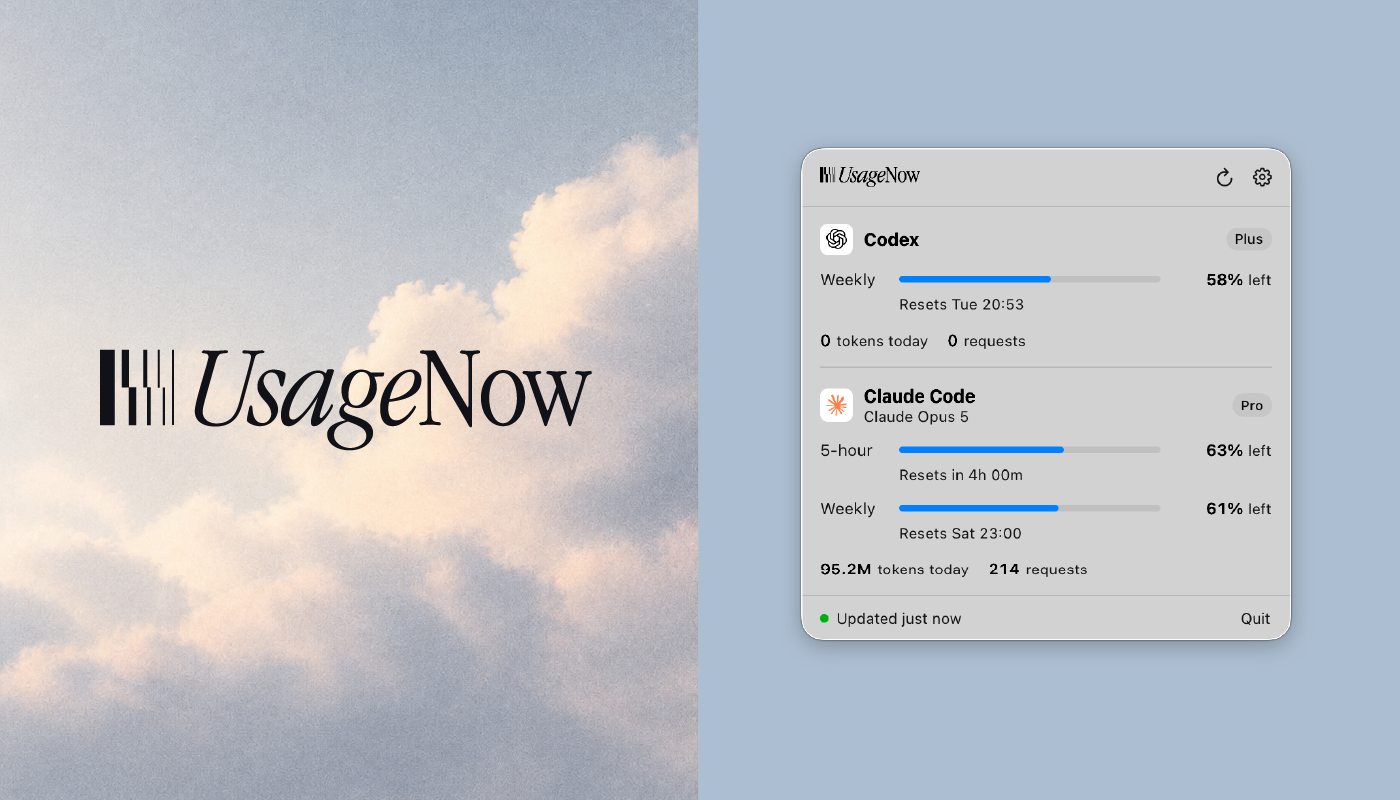
UsageNow
AI coding usage tracker for macOS. Monitor usage, limits, reset times, and activity across Codex, Claude Code, Gemini CLI, Antigravity, Kiro, Warp, OpenCode, Qoder, Qwen Code, Cline, Grok Build, and Windsurf — plus explicit connections for DeepSeek, Kimi, OpenRouter, Ollama Cloud, Cursor, GitHub Copilot, Perplexity, ElevenLabs, and Z.ai — from the menu bar.
See what's left. Keep building.
usagenow.com · Documentation · Download
Install
Download the disk image from usagenow.com or the releases page, then drag UsageNow to Applications. From 0.4.0 onwards UsageNow updates itself; see Updates.
A Homebrew cask is written and tested (docs/homebrew-cask.rb), but not submitted yet: Homebrew accepts a new cask only once the upstream repository is 30 days old and has 30 forks, 30 watchers, or 75 stars.
Requires macOS 15 or later. The app is signed with a Developer ID and notarized by Apple.
What it reads
UsageNow reads what each tool already keeps on your Mac and the usage services you explicitly connect. Undocumented endpoints are labeled Experimental. Which data is available depends on the tool:
| Provider | Usage limits and resets | Activity | Where it comes from |
|---|---|---|---|
| Codex | ✓ from the official codex app-server |
tokens, requests, models, cost, 30 days | the app-server; ~/.codex/sessions |
| Claude Code | ✓ experimental, opt-in (see below), plus limits Claude Code reports hitting | tokens, requests, models, cost, 30 days | ~/.claude/projects, ~/.claude.json |
| Gemini CLI | — not exposed locally | tokens, requests, models, cost, 30 days | ~/.gemini/tmp |
| Antigravity | ✓ while the Antigravity app runs | — | the app's own server on 127.0.0.1 |
| Kiro | ✓ monthly credits | credits and prompts, 30 days | Kiro's own log; ~/.kiro/sessions |
| Warp | — | requests, credits, models; requests over 30 days | Warp's database, read-only |
| OpenCode | — | tokens, requests, models, cost, 30 days | OpenCode's database, read-only |
| Qoder | — | credits and requests, 30 days | ~/.qoder/projects |
| Qwen Code | — | tokens, requests, models, cost, 30 days | ~/.qwen/projects |
| Cline | — | tokens, requests, models, the cost Cline records, 30 days | the editor extension's tasks; ~/.cline/data |
| Grok Build | — | tokens, model calls, models, the cost xAI reports, 30 days | ~/.grok/sessions |
| Windsurf | daily and weekly limits, or billing-cycle credits on older plans | — | Windsurf's cached plan in its local database, read-only |
| DeepSeek, Kimi, OpenRouter | balance and spending; OpenRouter's key limit | — | the official API, with your key |
| Ollama Cloud | ✓ session and weekly, experimental | — | ollama.com, with your key |
| Cursor | reported personal plan allowance; no team-wide analytics | — | experimental cursor.com/api/usage-summary, with your web session |
| GitHub Copilot | reported allowances and absolute credits; no percentage for unlimited/zero-cap placeholders | — | experimental GitHub Copilot endpoint, with your own GitHub token |
| Perplexity | web credit counters; percentage only for a reconciled reported allowance | — | experimental web billing endpoint, with your web session; not a Perplexity API key |
| ElevenLabs | monthly characters and explicit reset date | — | official subscription API, with a restricted user_read key |
| Z.ai | Coding Plan quota windows and MCP allowance | — | experimental global api.z.ai endpoint, with your key |
The five connections above are new in 0.8.0 and off by default.
Enable one under Settings › Providers › Connect. For Cursor and Perplexity,
Sign In opens the official website in an isolated, temporary window. After
Connect, press Check and Save (or Check and Add Account). Only the selected session cookie
is saved in this Mac's Keychain. Existing browser profiles are never imported.
Some SSO providers refuse embedded browsers; a manually supplied named session
cookie (name=value) is the fallback. Expired sessions require signing in again.
Copilot uses your token, not VS Code's OAuth client or identity. GitHub may refuse
some token types; a successful billing-API request alone does not validate this
experimental integration. Availability depends on the account, plan, and endpoint;
not every paid plan or token type has been verified. See connection details.
Plans appear when the tool states them — for Codex including Team, Business, and Enterprise, and for Claude a Team seat. Limit windows are whatever the provider reports. An account may have only a weekly limit, for example, and UsageNow never invents a missing window or shows a fake 0%.
Account limits aren’t model limits. A 5-hour or weekly window belongs to your account. The Models today list shows how today’s activity split across models — tokens and requests — and never a percentage, because no provider reports limits per model.
Counts labeled today are local activity observed in files on this Mac. They
include cached input and don’t necessarily match billing or quota consumption.
Account credit/character counters are shown separately and are never labeled
as today's activity unless the source explicitly reports that period.
Highlights
- macOS native. SwiftUI and
MenuBarExtra. Lives in the menu bar, not the Dock. - Codex, Claude Code, Gemini CLI, Antigravity, Kiro, Warp, OpenCode, Qoder, Qwen Code, Cline, and Grok Build side by side: usage limits and reset times where the tool reports them, and daily token, credit, and request activity.
- The last 30 days. A bar per day under each provider, with the month's tokens, estimated cost, and top model — hover a bar for that day.
- More than one account. A second Codex or Claude Code folder, or another explicitly connected account, shows as its own section — "Codex · Work" — under a name you choose.
- Six new providers in 0.8.0. Windsurf's locally cached limits, plus Cursor, GitHub Copilot, Perplexity, ElevenLabs, and Z.ai connections. Credentials are checked with a read-only usage request before saving, and rate-limit cooldowns apply to manual refresh too.
- DeepSeek, Kimi, and OpenRouter balances and spending, and Ollama Cloud limits (experimental), with your own API key — kept only in your Keychain and sent only to that provider.
- Activity by model. See which models today’s tokens and requests went to — any model, including ones released after this version.
- What it would have cost. An estimate of today’s activity at published API prices, with cached tokens priced as cached. A sense of scale, never a bill.
- Pick your providers, in your order. Turn each one on or off in Settings › Providers, and drag them into the order the popover and widget should use. A provider that’s off is never refreshed and never read from disk.
- Left or used. Every percentage — popover, menu bar, and widget — reads as what's left or what's used, your choice.
- Notifications about limits. Optional: a notice when a limit is down to 20% and at 5%, and when a limit you were warned about resets.
- A keyboard shortcut of your own to open UsageNow from any app, with no extra permissions.
- Desktop widget. Small and medium widgets showing what’s left at a glance, with credits for tools that meter in credits and the last two weeks for tools without limits.
- Honest widget freshness. A clock marks old readings per provider. Countdown timers keep ticking between reloads, and a limit's old percentage expires at its reset time until new data arrives. The main app must be running to fetch new usage; the widget reads only its safe snapshot.
- In your language. English, German, Spanish, French, Portuguese, Russian, Hebrew, Japanese, and Korean — your Mac's, or the one you choose in Settings › General. What's New follows it too.
- What's New in Settings › About: every version's changes, shipped inside the app.
- Any account in the menu bar. Settings › Menu Bar can show an added account, such as "Codex · Work", instead of the first one.
- Report a Problem. Shows you the whole diagnostic report first — versions, screens, settings, what each provider shows, never names, paths, keys, or prompts — and opens a prefilled GitHub issue or email.
- Local-first. Your usage data stays on your Mac.
- Updates itself, and only from a signed release.
- Open source under the MIT License.
- No accounts required.
Building
Requires macOS 15 or later and Xcode 26 or later.
Clone the repository, open UsageNow.xcodeproj, and run the UsageNow scheme. The UsageNow symbol appears in the menu bar; click it to open the popover.
From the command line:
xcodebuild -project UsageNow.xcodeproj -scheme UsageNow build
xcodebuild -project UsageNow.xcodeproj -scheme UsageNow test
Data sources
- Codex: limits and plan come from the official Codex CLI’s app-server (
codex app-server,account/rateLimits/read), which UsageNow runs locally. The app-server authenticates itself, so UsageNow never reads Codex credentials. The CLI is found inside the Codex or ChatGPT app (includingResources/codex-cli/bin, where ChatGPT 26.9 moved it), in Homebrew,/usr/local/bin,~/.local/bin, Bun, or nvm, and last inside the Codex extension for VS Code and the editors built on it. If it’s unavailable, UsageNow falls back to the latest limits recorded in~/.codex/sessionsand marks them as stale. - Claude Code: activity comes from
~/.claude/projects, and the plan from~/.claude.json. Only timestamps, identifiers, model names, and token counts are extracted. Prompts, responses, and code are never stored, logged, or sent anywhere. - Claude usage limits: experimental and off by default — see below.
- Gemini CLI: activity comes from the session recordings Gemini CLI writes to
~/.gemini/tmp/<project>/chats/. Only message identifiers, timestamps, model names, and token counts are extracted; prompts, responses, thoughts, and tool calls are never decoded. See below. - Kiro: the plan, credit amounts, and reset date from the usage answer Kiro writes to its own log, and each prompt's credits from
~/.kiro/sessions. UsageNow sends no request to Kiro and never reads the account identifiers on the same log lines. - Warp: request times and outcomes, per-conversation credits, and tokens per model from Warp's SQLite database, opened read-only. Prompt and reply text is never selected.
- OpenCode: each answer's time, model, and token counts from
~/.local/share/opencode/opencode.db, opened read-only. SQLite extracts only those numbers withjson_extract, so reply text stored in the same JSON never leaves the database. - Qoder: each answer's time, request identifier, and credits from the transcripts in
~/.qoder/projects. Prompts, replies, and tool results are never decoded, and Qoder's sign-in is never opened. Qoder zeroes token counts, so it shows credits only. - Qwen Code: each answer's identifier, time, model, and token counts from the session recordings in
~/.qwen/projects/<project>/chats. Messages are never decoded, and~/.qwen/oauth_creds.jsonis never opened. Not yet verified against a live install. - Cline: each API request's time, model, token counts, and the cost Cline recorded, from the tasks the extension saves in VS Code, Cursor, Windsurf, Kiro, VSCodium, or Trae (
…/globalStorage/saoudrizwan.claude-dev/tasks) and the sessions the CLI saves in~/.cline/data. In an editor task, only API request messages are read; the request Cline stored beside the numbers passes through memory and is never kept or logged. Cline'ssecrets.jsonand the editor's secret storage are never opened. - Grok Build: each finished turn's time, models, token counts, model calls, and the cost xAI reported, from the
turn_completedlines of~/.grok/sessions/<project>/<session>/updates.jsonl. The turn's result text and every other line are never decoded. Not yet verified against a live install. - Windsurf: only
windsurf.settings.cachedPlanInfoin~/Library/Application Support/Windsurf/User/globalStorage/state.vscdb. Daily and weekly limits, reset dates and plan, or billing-cycle credits on older plans. The database is opened read-only; its sign-in entries are never selected. Windsurf needs to run to refresh its cache. This integration provides no token activity; available fields depend on the plan and Windsurf version. - Connections you add (API keys, your GitHub token, or Cursor/Perplexity sessions): stored only in this Mac's Keychain, sent over HTTPS only to the provider's catalog host, for read-only usage requests. Redirects are refused; credentials are deleted when you turn the provider off. The new browser sign-in window is temporary and never imports an existing browser profile. See connection details for endpoint and permission requirements.
The last 30 days are computed from the same files each time. UsageNow stores no history of its own.
UsageNow honors CODEX_HOME and CLAUDE_CONFIG_DIR when they’re set.
Added accounts. In Settings › Providers, Codex and Claude Code accept more folders — each read exactly like the first, as the tool would with CODEX_HOME or CLAUDE_CONFIG_DIR pointing at it — and the API key providers accept more keys, kept and sent like the first. An account's name is the label you type; UsageNow never reads an account's own name or email, and the diagnostic report numbers accounts rather than naming them. The experimental Claude usage limits source reads only the default sign-in, so an added Claude Code account shows the limits Claude Code records reaching.
Team plans
UsageNow shows the plan of the account signed in on this Mac, and only that account’s own usage. For Claude Team and Enterprise it adds the seat — for example Team · Premium — from Claude Code’s cached profile; for Codex it reads the plan the app-server reports, even when rate limits aren’t available. Limits appear exactly when the provider returns them for your session; when it doesn’t, UsageNow says so and keeps showing activity, without estimating anything. It never asks for organization or admin credentials and never shows other members’ usage.
Team support is built from the fields these tools document and cache, and hasn’t yet been checked against a live Team account. If your plan shows incorrectly, please open an issue with the plan label you expected.
Claude Code usage limits
Claude Code does not currently expose subscription limits through a supported local API. UsageNow can optionally read the existing Claude Code access token from macOS Keychain and query Anthropic’s usage endpoint. This integration is experimental and may require launching Claude Code in Terminal periodically to refresh your session — the Claude app keeps its own sign-in and doesn’t renew the one in your keychain.
UsageNow never modifies or stores your Claude Code credentials, and never uses your refresh token.
No macOS prompt appears — turning on the setting is your consent. Claude Code saves its sign-in with macOS’s security tool, and every save resets which apps may read the item, so reading it through the Keychain API would ask for your login password after each renewal, even after Always Allow. UsageNow reads it the way Claude Code itself does, with /usr/bin/security find-generic-password, which the item already trusts. The output goes through a pipe into memory; only the access token and its expiry are kept, nothing is written to disk or logged, and the token is sent only to api.anthropic.com.
Claude Code’s saved sign-in lasts a few hours and is renewed only when Claude Code itself runs. UsageNow picks up a renewed sign-in on its own: while the saved one is unusable, it checks only when the keychain item last changed — which reads no secret and never shows a prompt — and reads the token again once Claude Code has saved a new one. After you use claude in Terminal, limits come back on the next refresh, with no Try Again. UsageNow doesn’t run Claude Code itself.
Turn it on in Settings › General › Fetch Claude usage limits. When limits can’t be fetched, UsageNow says why in one line — the session needs refreshing, keychain access was denied, or Anthropic’s endpoint didn’t answer — and keeps showing local token, request, model, and plan data. The last limits it did read stay on screen for a day, marked stale and with the fix beside them, even across quitting or updating the app, so a sign-in that expires overnight doesn’t leave an empty panel in the morning. A window that reset since then keeps its row without a percentage (“Reset Mon 22:59 · not updated since”), because nothing says how much of the new window is used.
Independently of that setting, when Claude Code stops a request because a limit was reached, it records the window and its reset time in the session transcript. UsageNow shows that window as used up until it resets. This needs no sign-in and also works when you use Claude Code inside the Claude app, whose sign-in UsageNow can’t read.
Gemini CLI
UsageNow detects Gemini CLI from its data folder, ~/.gemini, or an installed gemini executable. It reads one setting — which sign-in method is configured — and checks only whether a saved Google sign-in exists. It never opens credential files and never talks to Google.
Gemini CLI doesn’t record usage limits locally, and its quota service needs the Google sign-in, so UsageNow shows no limits for Gemini CLI — the card says limits are unavailable and shows today’s tokens, requests, and models. The “Gemini CLI usage” menu bar mode shows the icon until a limit exists.
Google no longer lets personal Google accounts sign in to Gemini CLI; it still works with a Gemini API key, Vertex AI, or Gemini Code Assist Standard and Enterprise.
Antigravity
The Antigravity app keeps its limits in memory and shows them in its /usage panel. While the app runs, it serves a language server on a loopback port and prints that port and a CSRF token in its own command line. UsageNow reads just those two arguments (via ps), finds the socket with lsof, and asks the server for the same quota summary (RetrieveUserQuotaSummary on 127.0.0.1). Antigravity’s limits are shared by groups of models, so each appears as its own window, such as 5-hour · Gemini or Weekly · Claude and GPT.
No credentials are involved. UsageNow never reads the Google sign-in Antigravity saved, never reads any other process’s arguments or memory, and sends nothing beyond 127.0.0.1. The loopback server uses a self-signed certificate, which UsageNow accepts for loopback addresses only.
When the Antigravity app isn’t running there’s nothing to ask: the last limits stay for a day, marked stale, with a reminder to open it. The Antigravity CLI (agy) runs a server too, but keeps its CSRF token in memory only, so UsageNow can’t read it — the app must be running. There’s no token or model activity for Antigravity, because it stores conversations in an undocumented binary format and UsageNow doesn’t guess at numbers. Google’s Cloud Code quota service itself answers only Antigravity’s own clients, and UsageNow won’t impersonate one, so it doesn’t call Google directly.
New connections in 0.8.0
Cursor and GitHub Copilot are now experimental connections, alongside Perplexity and Z.ai; ElevenLabs uses an official API. All five require an explicit connection. Experimental APIs can change, and plan or token compatibility is not universal. No future provider is represented as working before it has an implementation.
Updates
UsageNow updates itself with Sparkle. Settings › General holds the switch and a Check Now button.
An update is installed only if it is signed with the private half of the EdDSA key whose public half is in the app’s Info.plist. That private key lives in the maintainer’s keychain and is in no build, no script, and no part of this repository, so nothing published here can produce an update UsageNow will accept. A build without the public key — anything not made by the release process, including a build you make yourself — doesn’t start the updater at all.
A check asks usagenow.com for the feed and nothing more: Sparkle’s system profiling is off, so no identifier, version history, or hardware information is sent.
Releases are signed into the feed with scripts/appcast.sh, which refuses to publish a feed where two releases share a build number — Sparkle compares those, and the update would silently never appear.
Desktop widget
UsageNow ships a WidgetKit extension with small and medium sizes.
- Small is a glance: each enabled provider’s tightest window — the one with the least left — plus the next reset. With a single provider it expands to show the window name and reset time.
- Medium gives each provider a column with its windows, percentage, and reset times. With three or more providers it switches to one row per provider, so each stays readable.
- With more providers than fit, the ones closest to a limit are shown. Model details stay in the app.
- Percentages follow Settings › General › Show limits as: left by default, or used. A provider without limits shows today's tokens, or credits for Kiro, Warp, and Qoder, and in the medium widget's rows a chart of its last two weeks — the shape of the activity as shares of the busiest day, never amounts.
- An added account has its own row, such as "Codex · Work".
- Disabled providers never appear, quota that isn’t available reads “Usage limits unavailable”, and old data stays visible with an “Updated … ago” note. No placeholder or fabricated values.
- The snapshot reader tolerates unknown providers and fields from newer app versions. An unreadable or missing snapshot asks you to open UsageNow instead of guessing values.
The widget never touches providers. It can’t read any tool's files or databases, reach Antigravity, open the keychain, run codex app-server, or call any service. The main app publishes a sanitized snapshot to a shared App Group container, and the widget only renders that. The provider and credential code isn’t compiled into the widget target at all.
Signing and the widget
The widget reads from an App Group, which needs a signing team. Signing settings live in a git-ignored Config/Local.xcconfig:
cp Config/Local.xcconfig.example Config/Local.xcconfig
# then set DEVELOPMENT_TEAM to your team ID
Without it, UsageNow builds ad-hoc and works normally; the widget just shows “Open UsageNow to load usage data.”
Trying different states
Real providers run by default. For development, mock providers accept a scenario at launch: normal, high, critical, unavailable, notInstalled, notAuthenticated, failing, or loading.
open UsageNow.app --args -UsageNowMockCodex critical -UsageNowMockClaude failing -UsageNowMockGemini normal -UsageNowMockAntigravity high
The shared scheme includes these as disabled launch arguments, which you can enable under Product › Scheme › Edit Scheme › Run › Arguments. SwiftUI previews cover the same states without running the app.
Architecture
Shared/         Code in both the app and the widget: provider catalog,
                usage models, formatters, widget snapshot, widget views
UsageNowWidget/ The extension itself: entry point and timeline provider
UsageNow/
  App/          Entry point and composition root (AppState)
  Domain/       Normalized models: ProviderSnapshot, UsageWindow, UsagePercentage, UsageLevel…
  Providers/    UsageProvider protocol; one folder per tool (Codex, Claude Code, Gemini,
                Antigravity, Kiro, Warp, OpenCode, Qoder, Qwen Code, Cline, Grok Build, Windsurf),
                API-key providers, mocks,
                and shared readers (incremental JSONL, read-only SQLite)
  Services/     UsageStore, auto-refresh, launch at login, keychain storage,
                updates, widget snapshot, diagnostic report
  Preferences/  User preferences, provider selection, and option types
  Features/     MenuBar popover and Settings UI
  Components/   Shared views
  Utilities/    Formatters and app info
ProviderCatalogis the single source of provider metadata — identifier, display name, artwork, and whether it’s available or on the roadmap.- Providers turn tool-specific data into a normalized
ProviderSnapshotwith any number of usage windows and optional plan, model, balance, and activity — today's totals and a 30-dayActivityHistory. Views depend only on this normalized state and hide data a provider doesn’t have. UsageStorerefreshes all providers concurrently. It keeps the last good data when a refresh fails and exposes loading, empty, and per-provider error states.WidgetSnapshotWriteris the only path from provider data to the widget. It drops disabled and not-installed providers, copies each display field explicitly, writes atomically, and reloads timelines only when the content changed.
Contributing
See CONTRIBUTING.md. To report a security issue, see SECURITY.md.
License
UsageNow source code is licensed under the MIT License. The UsageNow name, logo, icon, and other brand assets are not covered by the MIT License.
See LICENSE.
Yorumlar (0)
Yorum birakmak icin giris yap.
Yorum birakSonuc bulunamadi