sast-skills
Health Uyari
- No license — Repository has no license file
- Description — Repository has a description
- Active repo — Last push 0 days ago
- Community trust — 136 GitHub stars
Code Uyari
- Code scan incomplete — No supported source files were scanned during light audit
Permissions Gecti
- Permissions — No dangerous permissions requested
Bu listing icin henuz AI raporu yok.
Collection of agent skills that turn your AI coder into a SAST scanner
LLM SAST Skills
A collection of agent skills that turn your LLM coding assistant into a fully functional SAST scanner to find vulnerabilities in your codebase. Works natively with Claude Code, Codex, Opencode, Cursor and any other assistant that supports agent skills. No third-party tools required.
Claude Code with Opus model is recommended. But if the cost is a concern, use any IDE and model you trust.
How It Works
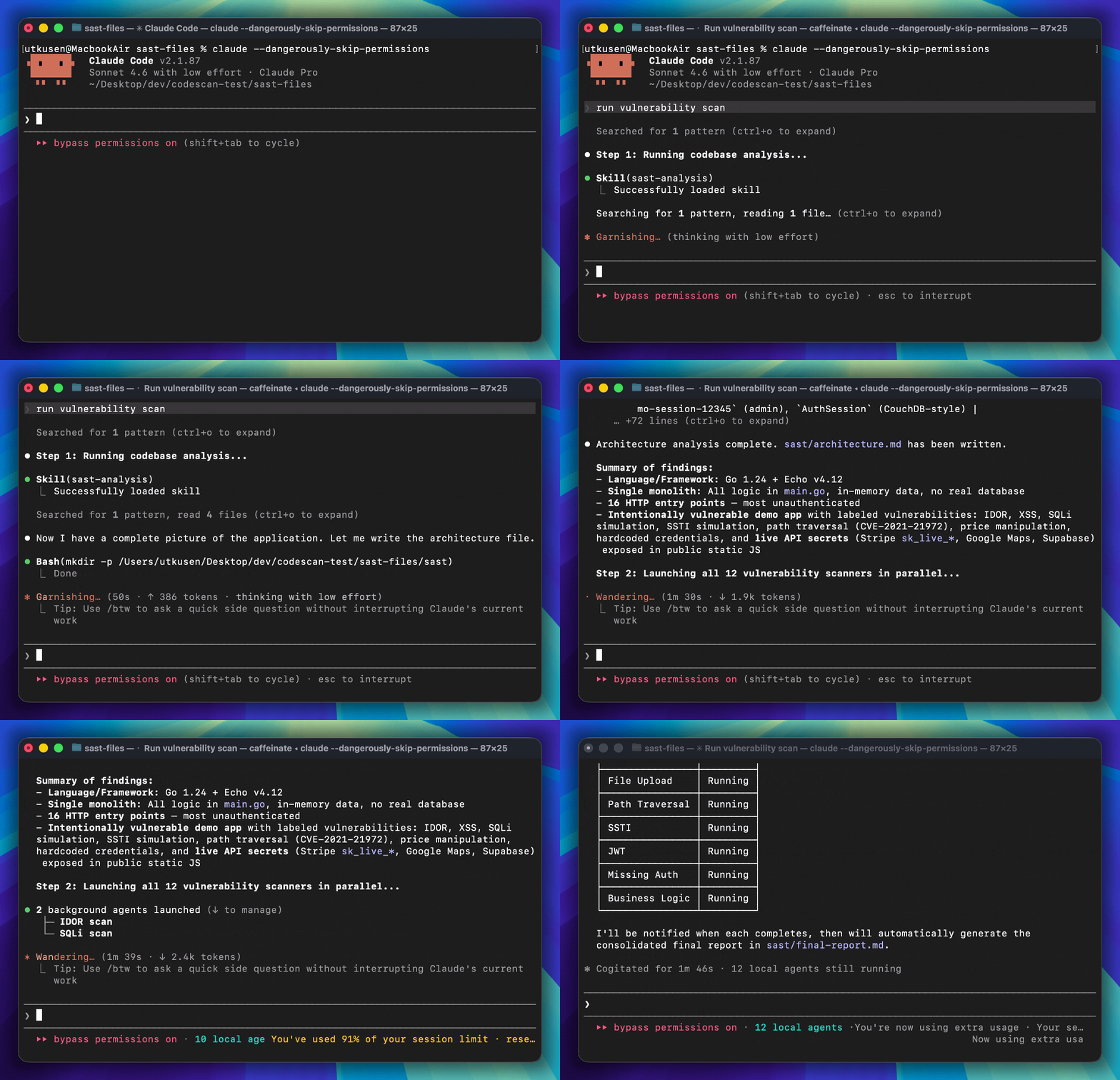
CLAUDE.md (for Claude Code) or AGENTS.md (for Opencode and other IDEs) orchestrates the entire assessment workflow automatically. The assessment runs in three steps:
Codebase Analysis -- The
sast-analysisskill maps the technology stack, architecture, entry points, data flows, and trust boundaries. It writes its findings tosast/architecture.md.Vulnerability Detection (parallel) -- All 13 vulnerability detection skills run in parallel as subagents. Each skill follows a two-phase approach: first a recon/discovery phase to find candidate sections, then a verification phase to confirm exploitability. Results are written to
sast/*-results.md.Report Generation -- The
sast-reportskill consolidates all findings into a singlesast/final-report.md, ranked by severity with full remediation guidance and dynamic test instructions.
What It Detects
| Skill | Vulnerability Class |
|---|---|
| sast-analysis | Codebase reconnaissance, architecture mapping, threat modeling |
| sast-sqli | SQL Injection |
| sast-graphql | GraphQL injection |
| sast-xss | Cross-Site Scripting (XSS) |
| sast-rce | Remote Code Execution (command injection, eval, unsafe deserialization) |
| sast-ssrf | Server-Side Request Forgery |
| sast-idor | Insecure Direct Object Reference |
| sast-xxe | XML External Entity |
| sast-ssti | Server-Side Template Injection |
| sast-jwt | Insecure JWT implementations |
| sast-missingauth | Missing authentication and broken function-level authorization |
| sast-pathtraversal | Path / directory traversal |
| sast-fileupload | Insecure file upload |
| sast-businesslogic | Business logic flaws (price manipulation, workflow bypass, race conditions, etc.) |
| sast-report | Consolidated final report ranked by severity |
Installation
Copy your project into the sast-files folder, then open sast-files as your workspace in your AI coding assistant.
cp -r /path/to/your/project sast-files/
Note: If your project already contains a
CLAUDE.mdorAGENTS.mdfile, remove it before running the assessment — otherwise it will conflict with the orchestration file provided by this toolkit.
Usage
After copying the files, open your project in your AI coding assistant and ask:
Run vulnerability scan
or
Find vulnerabilities in this codebase
The entry point file (CLAUDE.md or AGENTS.md) orchestrates the full workflow automatically. It will skip any steps whose output files already exist, so you can safely re-run it after fixing issues.
Output
All output is written to a sast/ folder in your project root:
| File | Description |
|---|---|
sast/architecture.md |
Technology stack, architecture, entry points, data flows |
sast/*-results.md |
Per-vulnerability-class findings with proof and remediation |
sast/final-report.md |
Consolidated report ranked by severity |
Yorumlar (0)
Yorum birakmak icin giris yap.
Yorum birakSonuc bulunamadi