AndOnMac
Health Uyari
- License — License: MIT
- Description — Repository has a description
- Active repo — Last push 0 days ago
- Low visibility — Only 5 GitHub stars
Code Basarisiz
- rm -rf — Recursive force deletion command in scripts/build_app.sh
- rm -rf — Recursive force deletion command in scripts/create_dmg.sh
- rm -rf — Recursive force deletion command in scripts/generate_demo_gif.sh
- rm -rf — Recursive force deletion command in scripts/generate_icon.py
Permissions Gecti
- Permissions — No dangerous permissions requested
Bu listing icin henuz AI raporu yok.
Native macOS SwiftUI, Metal & VideoToolbox app for up to 120 FPS Android mirroring — HEVC/H.264 streaming, QR/Hotspot/BT bypass, Continuity, Vision OCR, SQLite FTS5 Recall & built-in MCP server.
AndOnMac
A native SwiftUI, VideoToolbox & Metal macOS application for mirroring, controlling, and transferring media with your Android smartphone at up to 120 FPS (ProMotion) — with zero Electron bloat.




English | Русская версия (Russian) · Full Feature Guide & Architecture
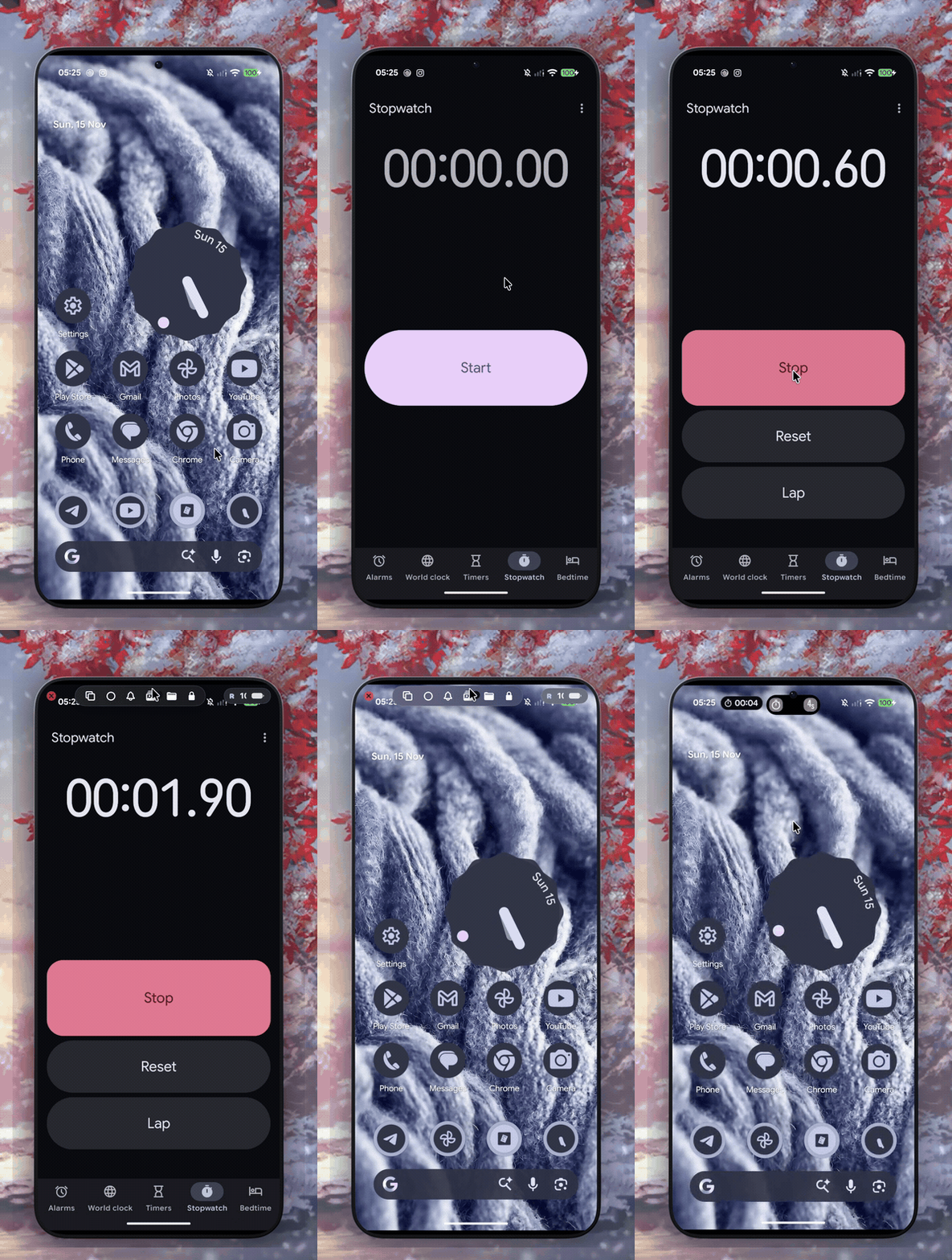
Feature Demos
| Persistent A* Symbolic UI Router (DroidPath) |
|---|
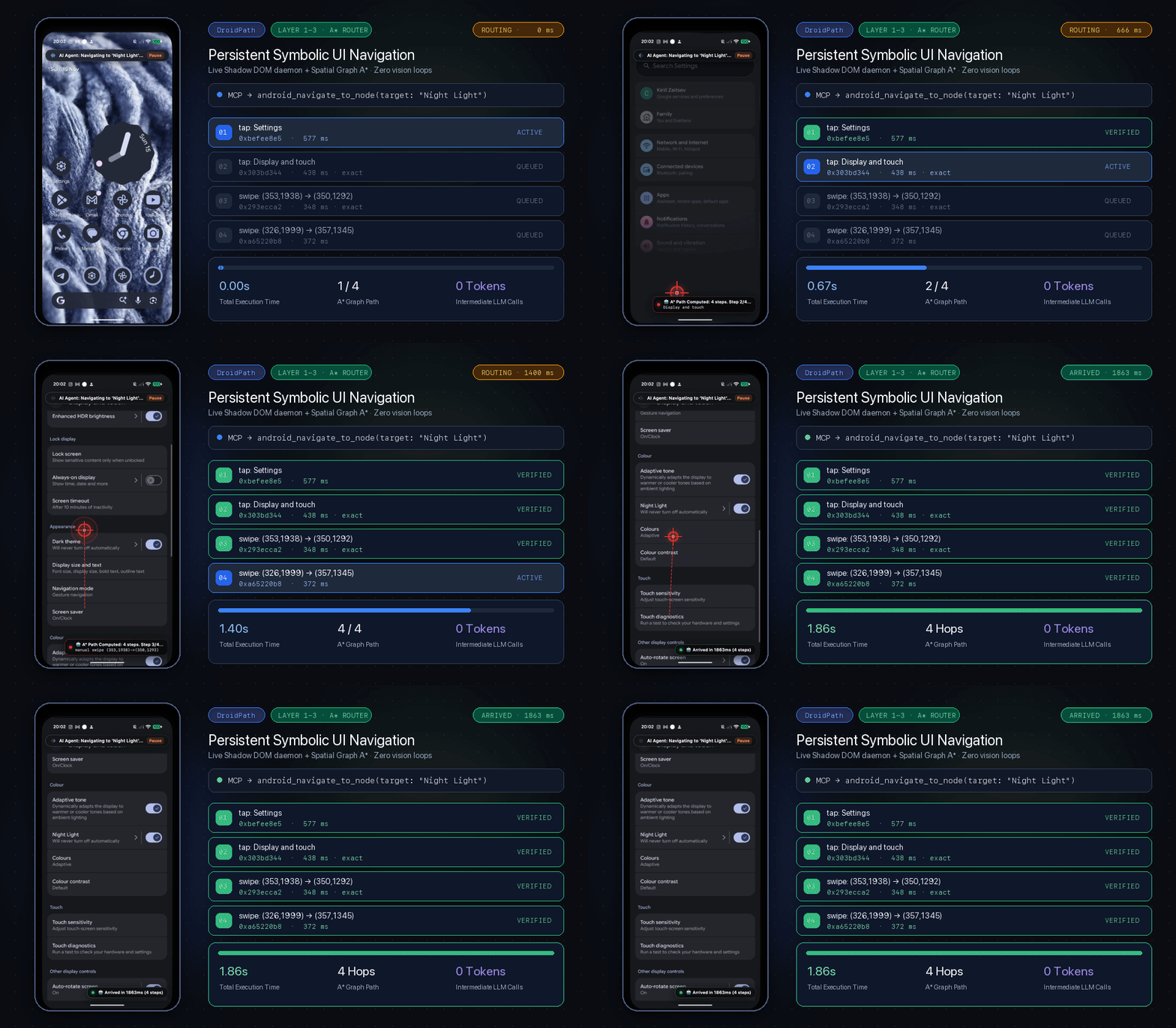 |
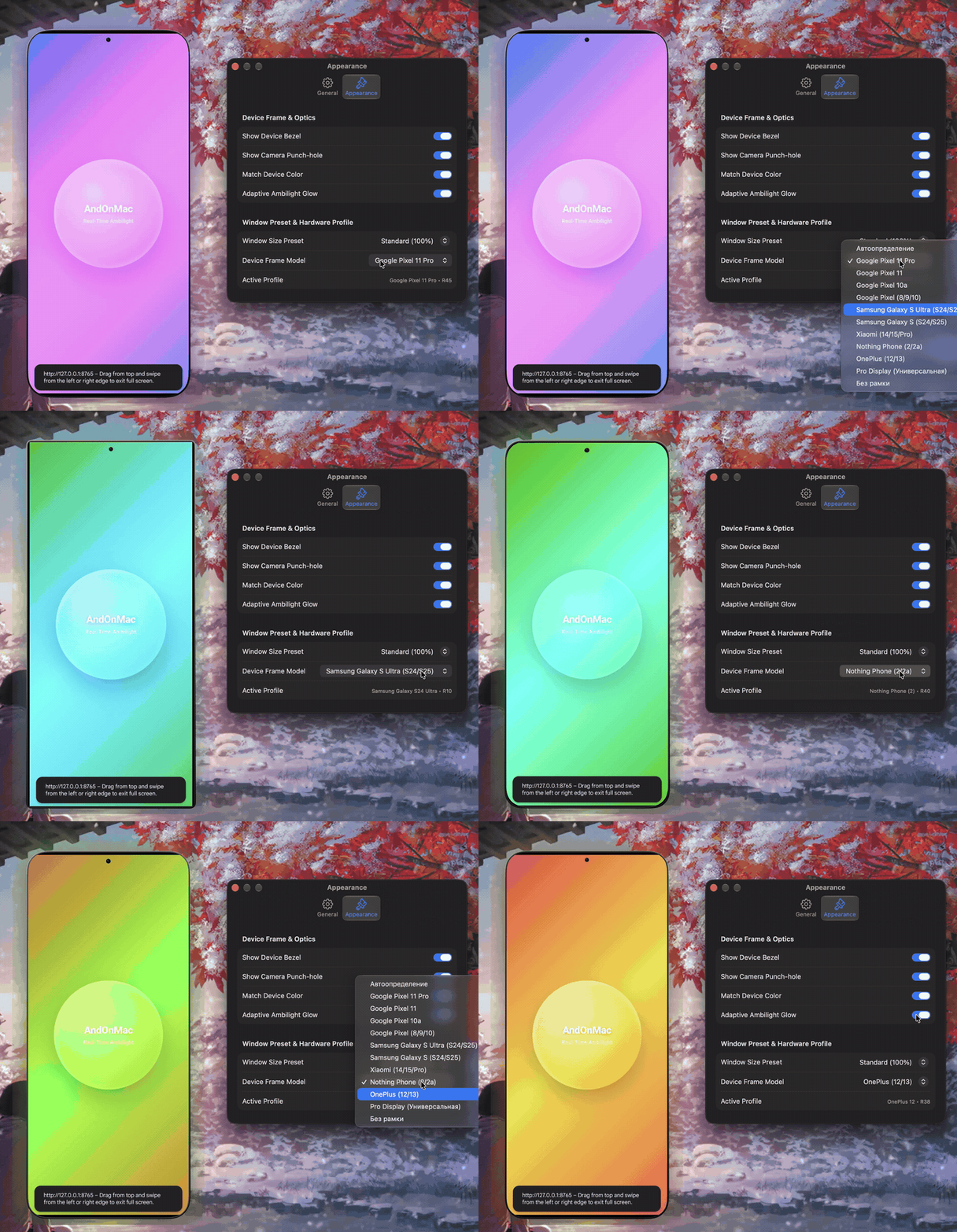
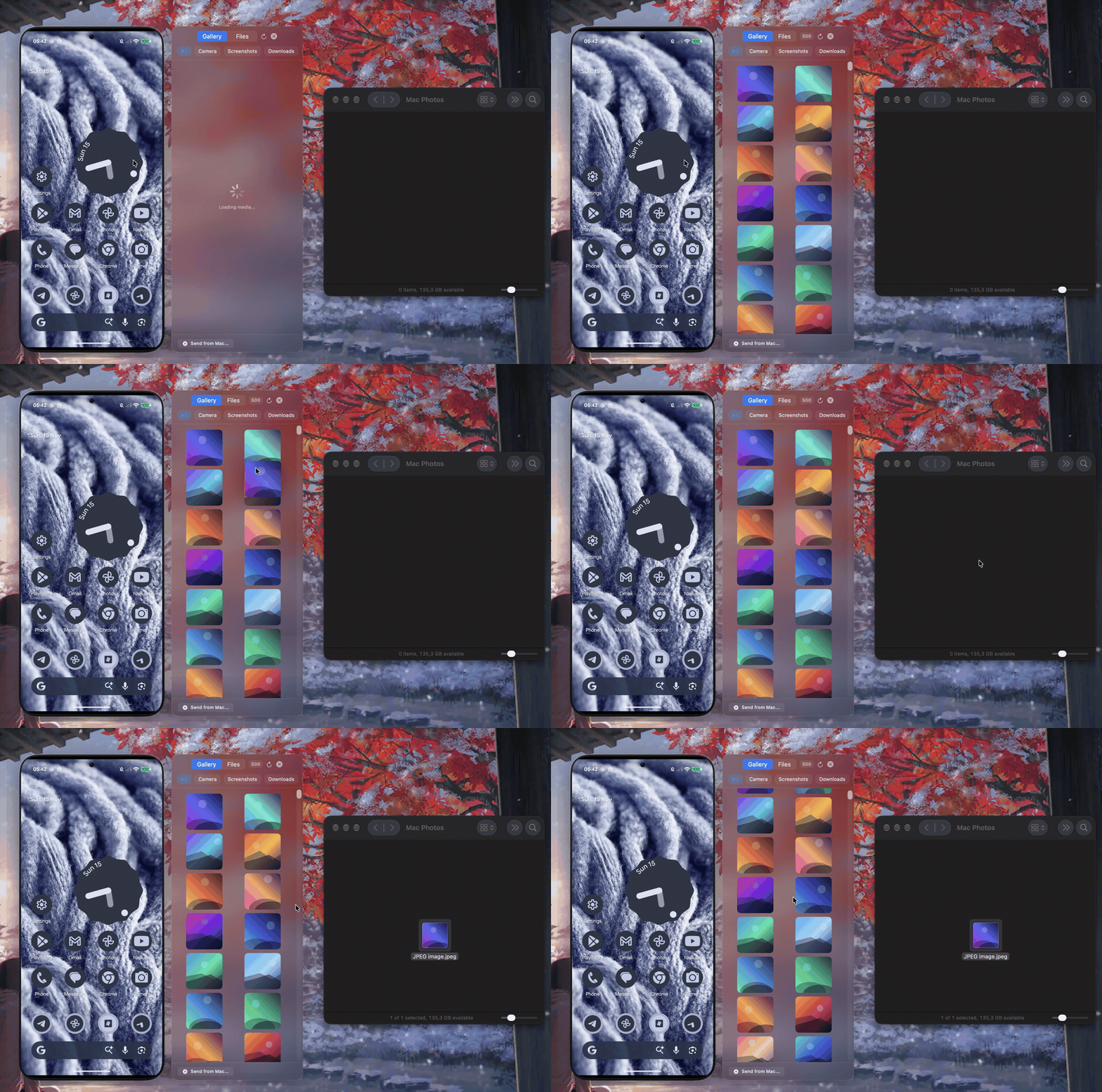
| Up to 120 FPS Mirroring & Gestures | Vector Device Frames & Ambilight | Drag & Drop Photos (Cmd+4) |
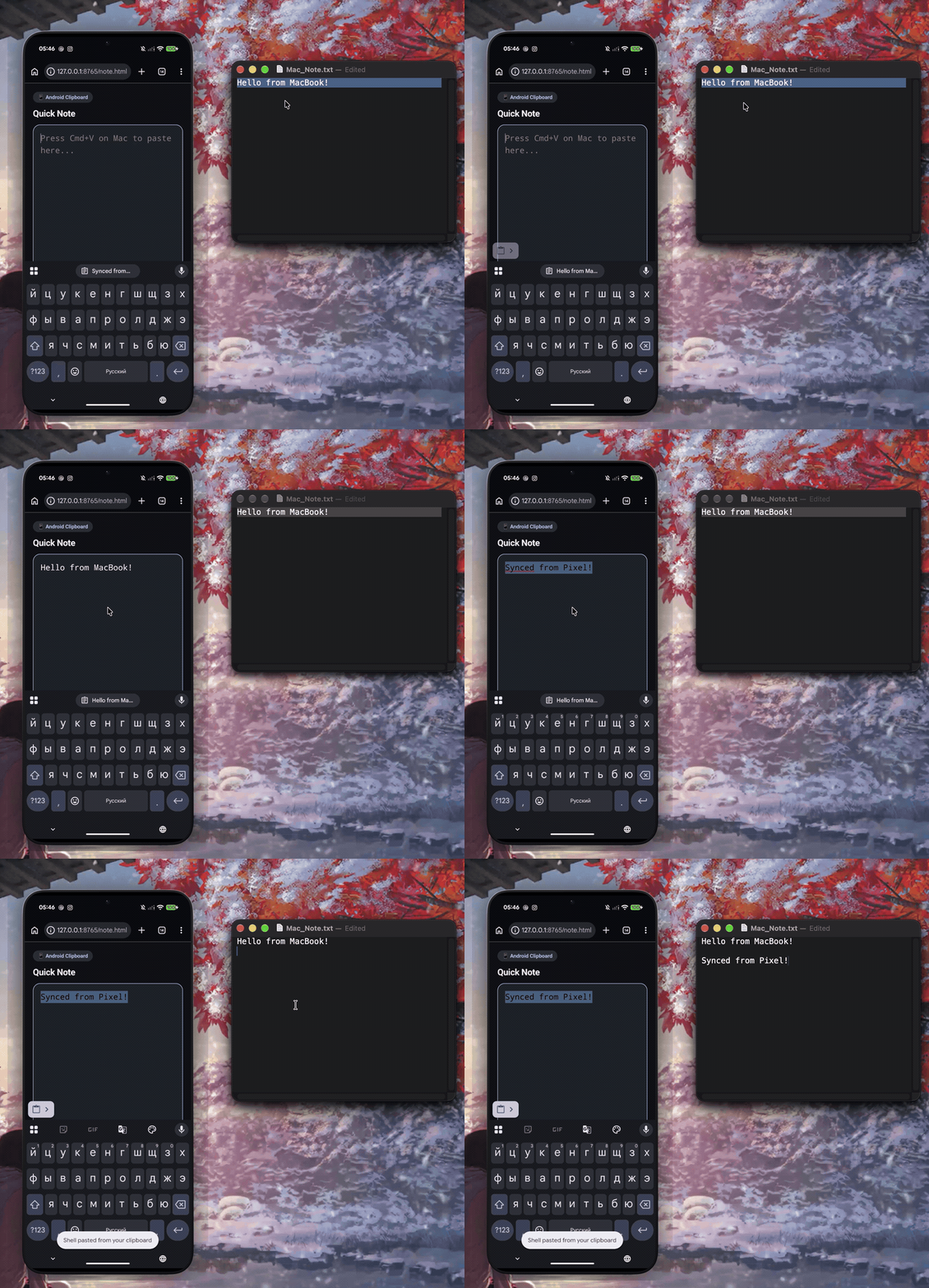
Clipboard Sync (macOS ↔ Android) |
|---|---|---|---|
|
 |
 |
 |
Highlights
- 120Hz ProMotion Engine: Hardware-accelerated
HEVC(withH.264fallback), zero-copyCAMetalLayer+120Hz CADisplayLinkrendering, adaptive bitrate, and a live Performance HUD. - Instant Connectivity & Isolation Bypass: USB-C, Android 11+ QR-Code / Bonjour Wi-Fi pairing, silent USB-to-Wi-Fi handoff, and 1-click Direct Hotspot / Bluetooth PAN bypass on isolated public Wi-Fi.
- Standalone App Windows & Menu Bar Control: Search and launch any Android app (including system apps like YouTube & Chrome) into its own virtual macOS window (
Launch Android App), plus 1-click toggles from the Menu Bar. - Photos (
Cmd+4), File Manager (Cmd+5) & Continuity: Drag-and-drop photos, APKs, and files bidirectionally, and sync Mac clipboard text & screenshots straight to Android. - On-Device AI, Vision OCR & Screen Memory: Grab unselectable text via Apple Silicon Vision OCR (
Cmd+Shift+X), search your opt-in screen history with Recall (Cmd+Shift+F, local SQLite FTS5), and connect Claude/Cursor via the built-in MCP Server.
Deep dive into MCP configuration, security model, all shortcuts, and system architecture: docs/FEATURES.md.
Why AndOnMac?
| Capability | AndOnMac | Android File Transfer | OpenMTP | MacDroid | KDE Connect |
|---|---|---|---|---|---|
| Native macOS UI (SwiftUI / AppKit) | Yes (Swift 6) | Legacy | Electron | Native (Paid) | Qt |
| Up to 120 FPS Mirroring (VideoToolbox + Metal) | Yes | No | No | No | No |
| Trackpad Gestures, Audio & Clipboard Sync | Yes | No | No | No | Partial |
Bidirectional Photo (Cmd+4) & File Manager (Cmd+5) |
Yes | Broken / Legacy | File browser only | Paid | File send |
| Built-in MCP Server, Vision OCR & Screen Recall | Yes | No | No | No | No |
| USB, QR Wi-Fi Pairing & Hotspot/BT Bypass | Yes | USB only | USB only | USB / Wi-Fi | Wi-Fi only |
| Open-Source & Free (MIT) | Yes | Proprietary | MIT | Proprietary | GPL |
- Vector Device Frames, Ambilight & macOS Vibrancy: Hardware-fingerprinted bezels and calibrated camera cutouts (Pixel 11 Pro / 11 / 10a / 8–10, Galaxy S24/S25 & Ultra, Nothing Phone (2), OnePlus 12, generic Pro Display fallback), subtle CoreImage
CIAreaAverageedge lighting, trackpad edge/pill gestures,.ultraThinMaterialoverlays, and a dedicated Settings → Appearance pane. - Persistent A Symbolic UI Router & 120Hz Agentic HUD (DroidPath):* Headless Kotlin single-DEX
android-daemonstreams live Shadow DOM frames over ADB TCP (:27189) into a persisted Spatial Graph (shadow_graph.json) with clock-canonical layout hashing, passive manual-tap/swipe learning, self-healing daemon recovery, andandroid_navigate_to_nodeA* execution visualized by a 120Hz crosshair reticle, trajectory path, and step toast (0intermediate LLM roundtrips). - Visual-to-MCP Bridge & Self-Healing Macros (
Cmd+Shift+M): Capture UI elements or record multi-step{{parameter}}macros with 3-tier Vision OCR self-healing, configurable waits, and MCP Tool Hub LiveReload.
Installation & Quick Start
Option 1: Homebrew Tap (Recommended — Zero Gatekeeper Hassle)
brew install --cask V0val0x/andonmac/andonmac
To update later: brew upgrade --cask andonmac.
Option 2: GitHub Releases (.dmg)
- Download the latest
AndOnMac.dmgfrom GitHub Releases. - Drag AndOnMac.app into
/Applicationsand clear Gatekeeper once (since the app is free and not notarized with a paid Apple Developer ID):
(Or via System Settings → Privacy & Security → Open Anyway.)xattr -cr /Applications/AndOnMac.app - Connect via USB-C (USB Debugging enabled) or pair wirelessly via Settings → Developer Options → Wireless Debugging.
Option 3: Build from Source (macOS 14+, Swift 5.9+ / 6.x)
brew install scrcpy android-platform-tools
swift test
chmod +x scripts/*.sh && ./scripts/create_dmg.sh
Essential Shortcuts
| Shortcut | Action |
|---|---|
Cmd + 1 / Cmd + 2 / Cmd + 3 |
Home / App Switcher / Notification Shade |
Cmd + 4 / Cmd + 5 |
Photo Drawer / Android File Manager |
Cmd + Shift + X / Cmd + Shift + F |
Apple Vision Screen OCR / Recall Screen Memory |
Cmd + Shift + R / Cmd + W |
Reset ADB & USB / Stop Mirroring |
See the full shortcuts and gestures table in docs/FEATURES.md.
Modular Open-Source Ecosystem (Standalone Swift Packages)
Core engines extracted from AndOnMac into standalone MIT-licensed Swift 5.9+ packages (macOS 14+) so any developer can drop them straight into their own apps or workflows:
| Repository | Purpose | Install (SPM / CLI) |
|---|---|---|
| DroidPath | Headless Kotlin Shadow DOM daemon (android-daemon.jar), persistent Spatial Graph + A Symbolic UI Router*, self-healing ADB recovery, and standalone droidpath-mcp server |
.package(url: "https://github.com/V0val0x/DroidPath.git", from: "1.0.0") |
| MetalScrcpyKit | Zero-copy 120Hz ProMotion VideoToolbox H.264/HEVC decoder, CAMetalLayer + CVMetalTextureCache renderer, ABR PerformanceEngine, and ProcessLifecycleManager |
.package(url: "https://github.com/V0val0x/MetalScrcpyKit.git", from: "1.0.0") |
| ADBConnectKit | Zero-dependency Swift ADB SDK with USB, Wi-Fi QR Pairing, Bonjour auto-discovery, and 1-click Direct Hotspot / Bluetooth PAN router-isolation bypass | .package(url: "https://github.com/V0val0x/ADBConnectKit.git", from: "1.0.0") |
| AndroidMCPKit | Zero-dependency MCP Server (stdio & HTTP/SSE), Visual-to-MCP {{parameter}} macros, 3-tier Vision OCR Self-Healing, and standalone android-mcp CLI |
.package(url: "https://github.com/V0val0x/AndroidMCPKit.git", from: "1.0.0") |
| VisionScreenRecallKit | On-device Apple Silicon Vision OCR, FNV-1a delta gating, SQLite FTS5 Semantic Screen Memory ("Recall"), and drop-in SwiftUI overlays | .package(url: "https://github.com/V0val0x/VisionScreenRecallKit.git", from: "1.0.0") |
Support & License

MIT License © 2026 Kirill Zaitsev. See LICENSE.
Bundles components from Genymobile/scrcpy and Android Platform Tools (adb) under the Apache License 2.0 (THIRD_PARTY_NOTICES.md).
Yorumlar (0)
Yorum birakmak icin giris yap.
Yorum birakSonuc bulunamadi