Veda
Health Gecti
- License — License: GPL-3.0
- Description — Repository has a description
- Active repo — Last push 0 days ago
- Community trust — 80 GitHub stars
Code Gecti
- Code scan — Scanned 12 files during light audit, no dangerous patterns found
Permissions Gecti
- Permissions — No dangerous permissions requested
Bu listing icin henuz AI raporu yok.
The Agentic-Native Operating System
Veda: The Agentic-Native Operating System
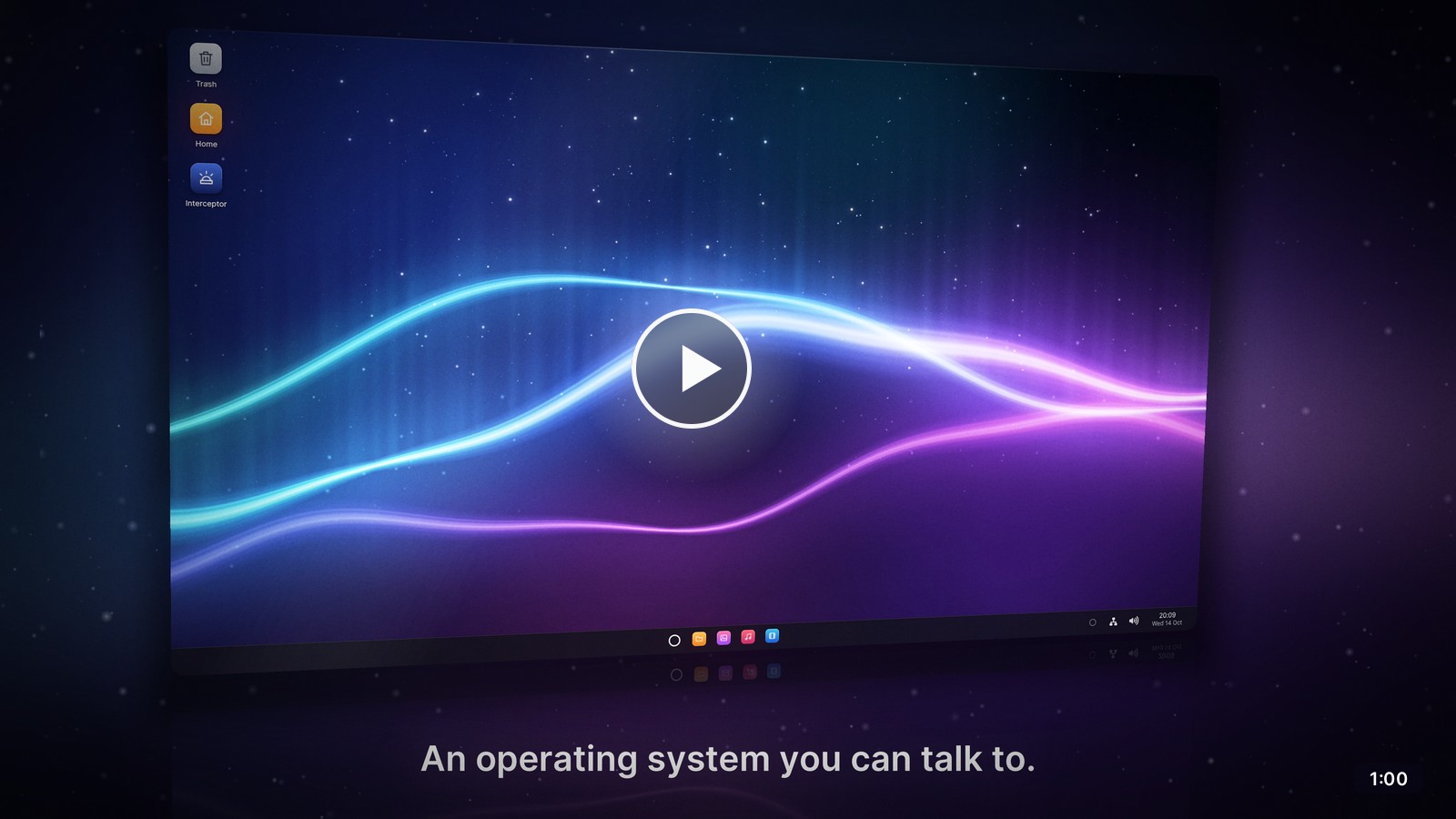
Veda is an operating system with a voice agent built in. Say "Hey Veda,
switch my wallpaper to the dunes" and it does the work in any application,
through the same code as your keyboard and mouse. It asks you first before
anything that is hard to undo.
The system is written in Rust and lives in this repository: the UEFI
bootloader, a capability-based microkernel, the system services, the
window system, the toolkit and the applications. Where a proven, widely
used library exists, Veda uses it rather than its own: TCP/IP, TLS and
cryptography (smoltcp, rustls, RustCrypto), image codecs (zune, qoi,
fast_image_resize) and math (libm, glam, rand). Veda runs on x86-64 PCs
and in QEMU.
Why agentic-native
Operating systems were designed for a person at a keyboard. An assistant
added later has to read the screen, imitate clicks or use the few
applications that have an API, and the system cannot hold it to anything.
In Veda, the agent is a first-class user of the system:
- Part of the system. The agent is a system service, started at boot
and restarted if it fails. It sleeps until you say its name, click the
ring on the taskbar or press Super+Space. - Native in every application. Applications declare their actions
(typed parameters and a risk level) and report what they show as JSON.
The agent calls those actions, which run the same code as the keyboard
and mouse: no screen scraping, no simulated clicks. The built-in
applications offer more than 100 actions. - Consent enforced by the system. Every action is routine,
sensitive or destructive. The agent service, not the language model,
holds the last two until you allow them. Only the desktop shell can
answer (inittells every service which program is calling), so
nothing the agent reads in a document can approve anything. - Real context. Each conversation starts with the time, the open
windows, every application's actions, what the agent knows about you
and how your last conversation ended. Before acting, it reads the
applications' current state. - Memory you control. It remembers only what you tell it plainly (your
name, the people in your life, how you like things done), never its own
guesses. The memory stays on your computer, and Settings shows and
forgets any part of it. - Voice first. You can interrupt it at any time. Echo cancellation and
an echo gate keep it from hearing itself, and other sound drops 20 dB
during a conversation. Asleep, it listens with a voice detector that
runs locally, so no audio leaves the computer while nobody speaks. - The intelligence is a setting. Speech recognition, the language
model and the voice come from Deepgram's Voice Agent API, with the audio
opted out of Deepgram's model improvement. The model (OpenAI's
gpt-4.1-mini by default), the voice and even the agent's name are
chosen in Settings.
How the agent works
- Listening. Asleep, the agent runs a voice detector on the computer.
Speech it hears goes to Deepgram's recogniser, with the agent's name as
a key term. A sentence that starts or ends with the name ("Hey Veda, …",
"…, Veda?") wakes the agent, and the rest of the sentence is its first
request. - Conversation. Waking opens a Deepgram Voice Agent session with the
agent's instructions, context and functions. Deepgram handles
turn-taking, the language model and the voice; Veda's audio service
carries the sound both ways. - Action. The model calls the agent's 17 functions (windows, files,
volume, Wi-Fi, wallpaper, notifications, timers and reminders, memory,
the system and its programs) and, throughuse_appandread_app,
every application's actions and state. Each call returns a structured
result. - Consent. A call that needs your OK waits in the agent's window, or
in a notification, saying exactly what will happen and to what. It runs
only if you allow it within three minutes. Sensitive actions can be
allowed for good; destructive ones are asked about every time.
The agent covers the design in full: the
protocols, the voice pipeline, consent, memory and testing.
The operating system
- Microkernel.
vkernelhandles only isolation, scheduling, memory
and IPC: capability handles with rights, channels that carry messages
and handles, VMOs, events, futexes and interrupt objects. It supports
SMP with x2APIC, tickless timers and XSAVE. - Supervised services. Drivers, the file system, the window system,
audio, networking and the agent are user-space processes.init
restarts the window system, the shell, audio, networking and the agent
if they crash, so the desktop comes back on its own. - Linux's drivers in a VM. Veda drives only its disks (virtio-blk,
AHCI, NVMe). Linux drives everything else in the driver VM, on Veda's
own hypervisor (VMX with EPT, no emulated hardware). Devices go to it
whole, their DMA confined and their interrupts remapped by Veda's IOMMU
driver. A crashed driver takes down only the VM, which Veda resets and
restarts. See the driver VM. - Desktop. A compositing window manager with server-side decorations,
shadows, animations, snapping and an Alt+Tab switcher with live
thumbnails. It composes on the GPU with Intel graphics and on the
processor elsewhere; once Linux drives the display, every frame is
flipped whole at the vertical blank. The shell has a taskbar, a
searchable start menu, desktop icons, a calendar and notifications. - Toolkit.
vuiis an immediate-mode toolkit: widgets, menus,
dialogs, vector icons and anti-aliased text in Inter and JetBrains Mono.
Everyvuiapplication is agent-compatible. - 3D graphics. OpenGL ES 3.0 with GLSL ES 1.00 and 3.00, in Rust
(vgl,vglsl), every call checked as the specification requires. It
renders on the GPU through Mesa in the driver VM (Intel's iris; virgl on
the host's GPU under QEMU), or on a multi-threaded software renderer.
Interceptor shows it off, full screen: a bay city with its traffic,
physically based lighting, shadows, bloom and 4x multisampling. - Networking. A network service with IPv4 and IPv6, DHCP, DNS, TCP,
UDP and ICMP, and a Wi-Fi service that joins WPA2, WPA3 and open
networks with management frame protection, remembers them, reconnects
and roams. Linux's drivers only move frames and never see a password.
Applications get TLS 1.3 and 1.2 fromvtls, with certificates checked
against Mozilla's roots. See Networking. - Audio. A mixing service with echo-cancelled recording and ducking,
built for the agent's conversations as much as for music. - Video. FFmpeg and dav1d, ported to Veda, decode the common formats
(AV1, VP9, H.264, HEVC and more) in a sandboxed process that reaches
nothing but the file it is given: a damaged file that crashes or hangs
it costs a moment, not the video. Pictures come through shared memory
and are shown in time with the sound, timed to the screen's refresh.
See Architecture. - Storage. The home directory has its own disk. It is saved half a
second after changes stop, alternating between two checksummed slots,
so an interrupted save never damages the previous one. The agent's
memory and key live in a private directory that only the agent can
open. - C and GCC. The image includes GCC 16, binutils and musl: write a C
program in the Terminal, compile it and run it, in QEMU or on a PC. C
programs are static executables whose system calls go tovposix, a
POSIX layer in Rust. A cross compiler also builds C and C++ programs
for Veda on the development machine. See C on Veda. - Rust's standard library. The toolchain builds Rust from its release,
with Veda among the compiler's targets, and Veda's applications are
written on it: threads, channels, files, processes, TCP and UDP
sockets, panics with backtraces, and the crates that need it, beside
Veda's own libraries.
It stands on the C library; what it stands on (the kernel,init, the
file system, drivers, the window system) isno_std. See
Rust on Veda.
Screenshots
 |
|
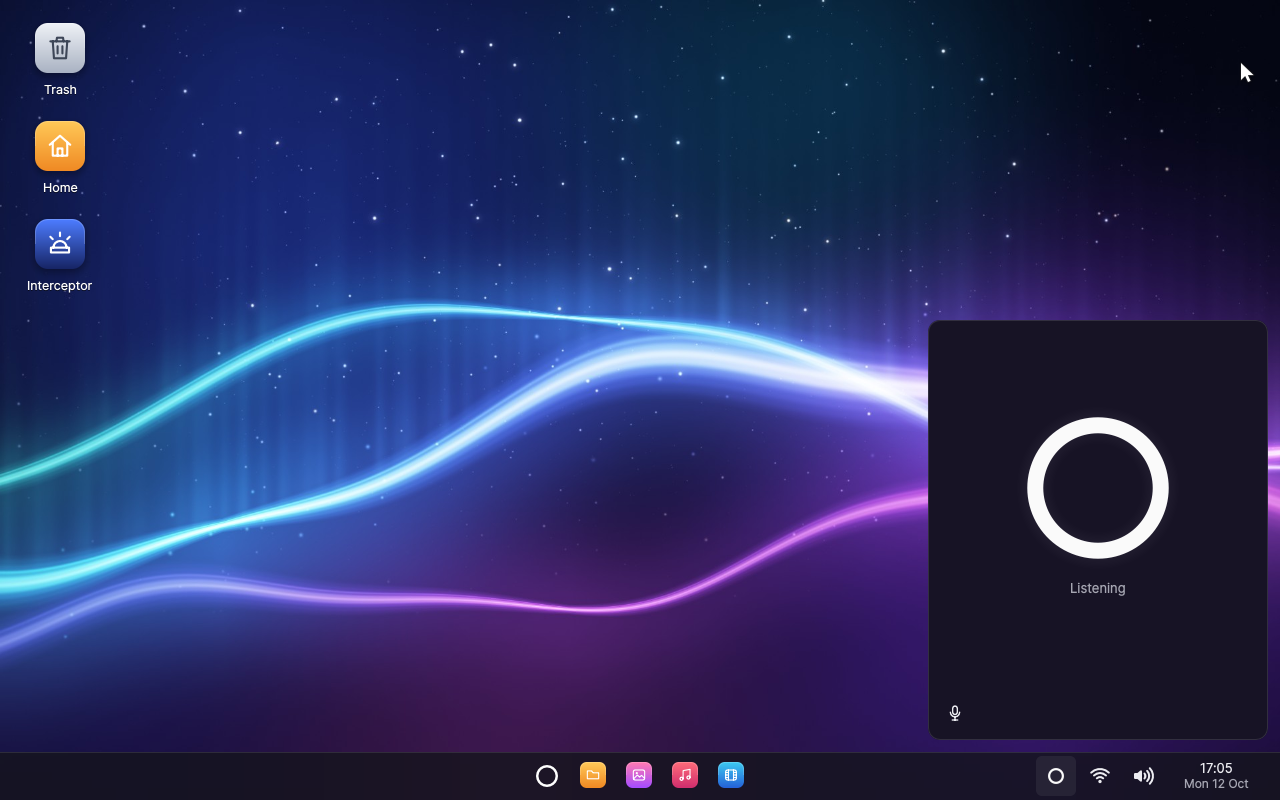
| The desktop, the agent's window open and listening | |
 |
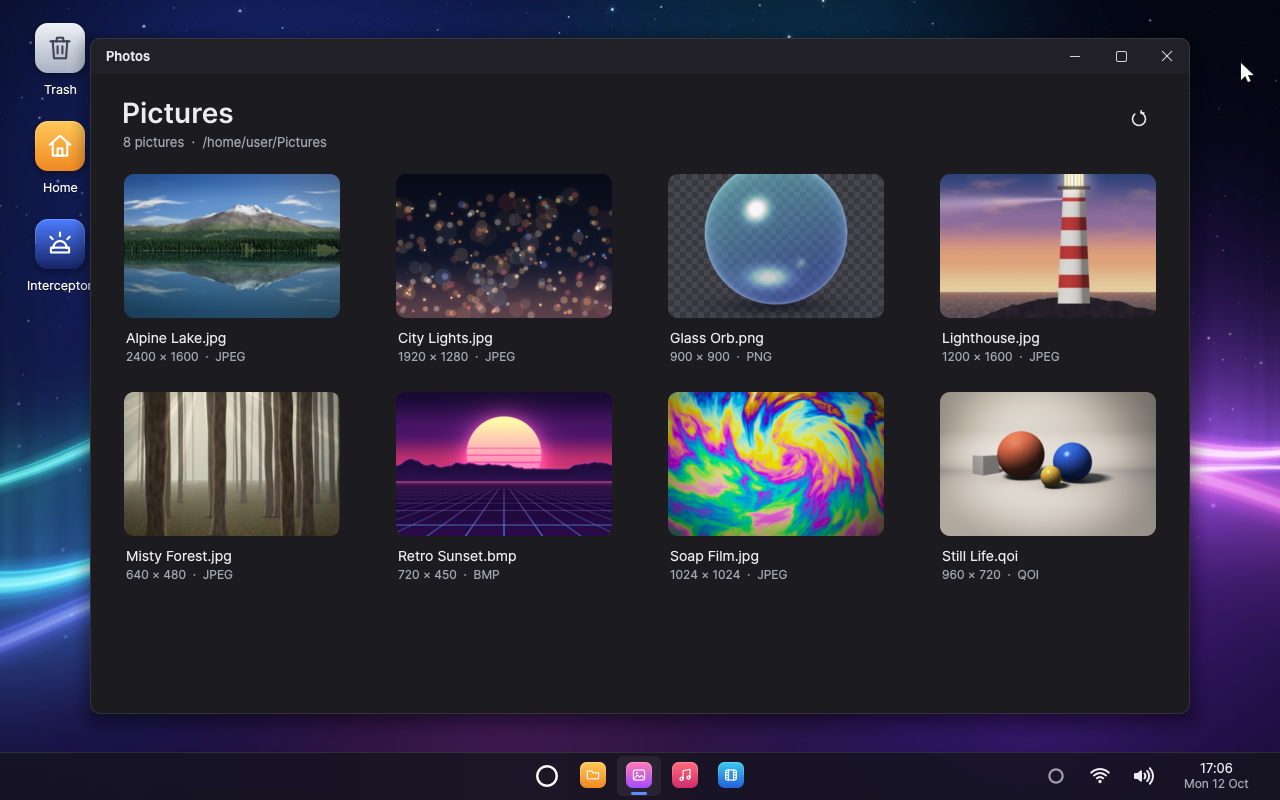 |
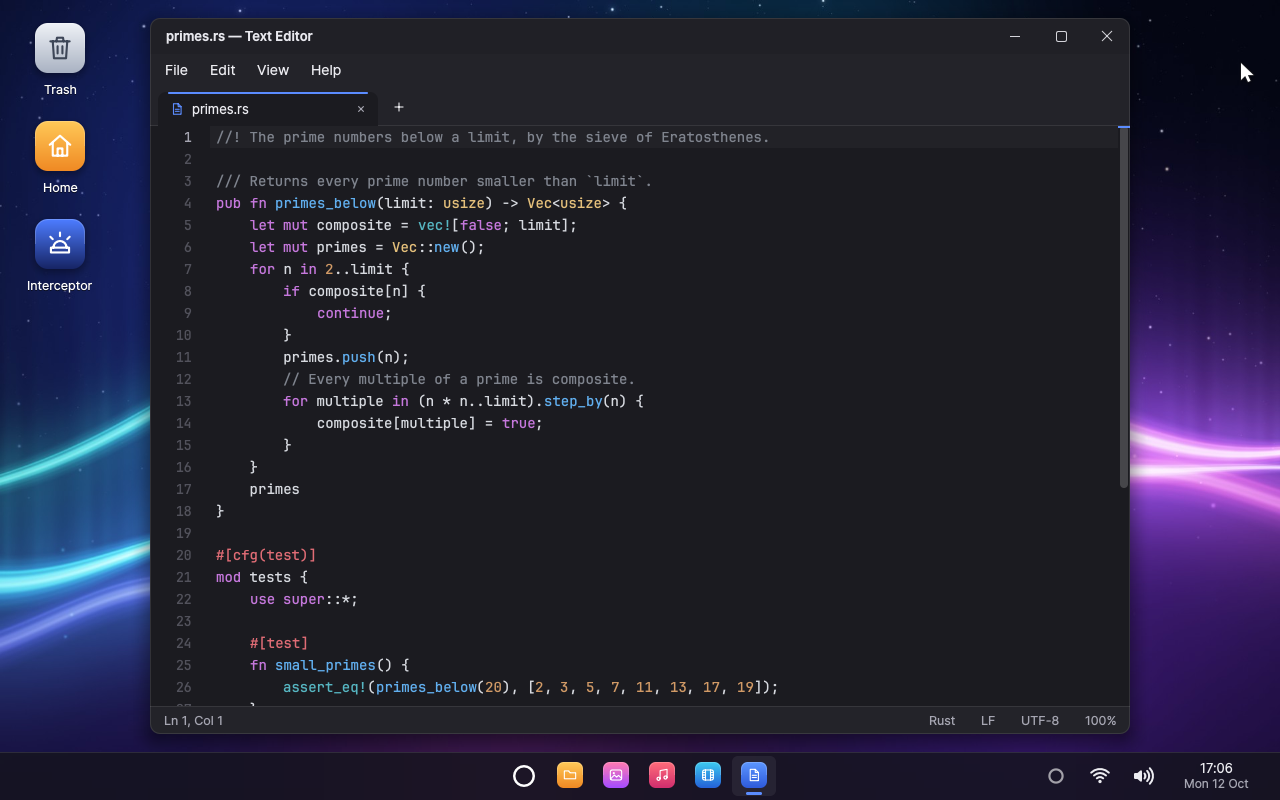
| Text Editor, highlighting Rust | Photos, the picture library |
 |
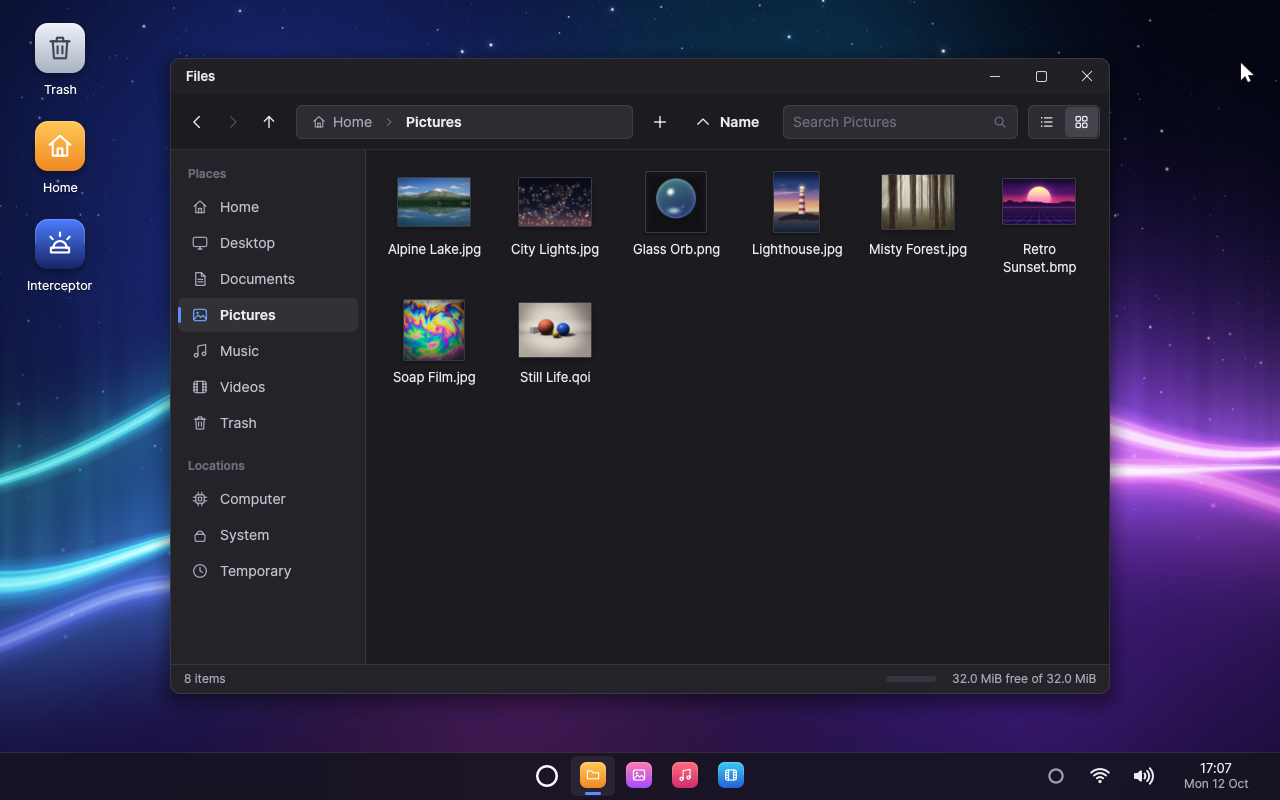 |
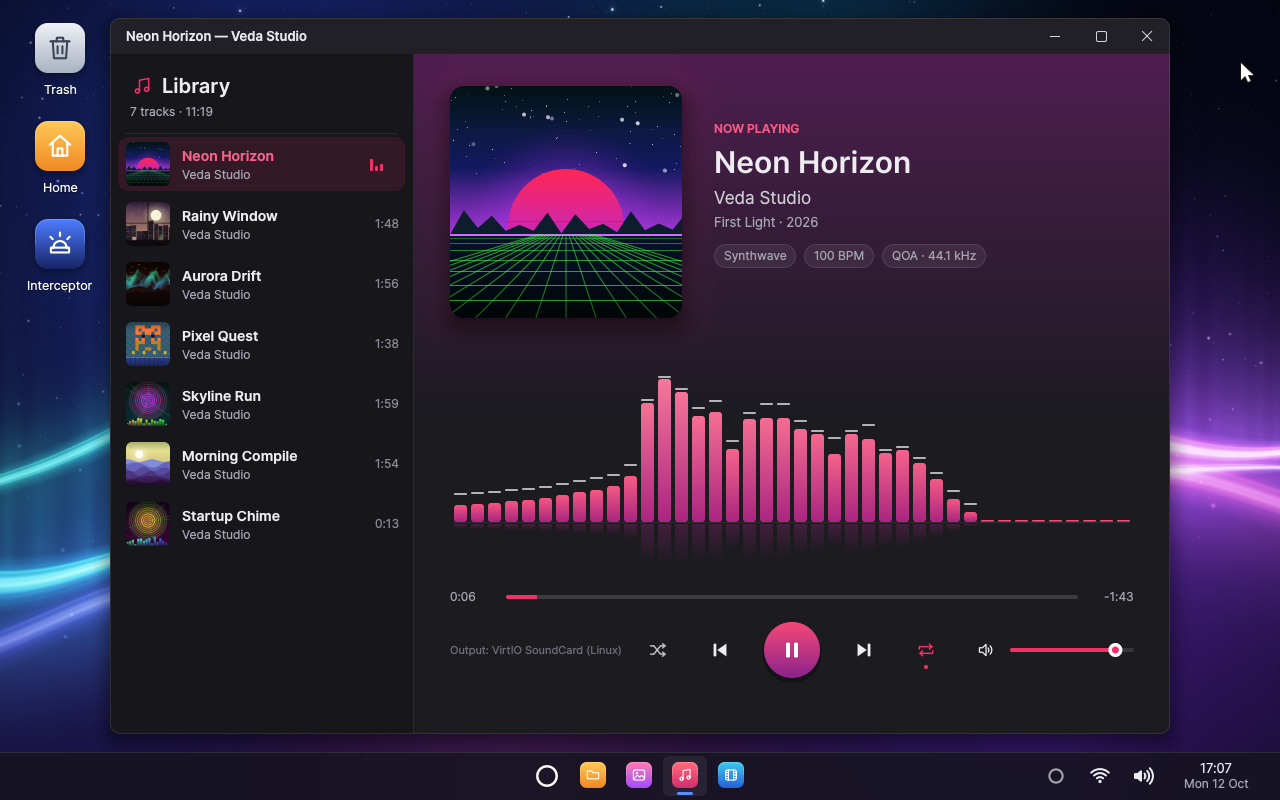
| Music, with its visualiser | Files, with thumbnails |
 |
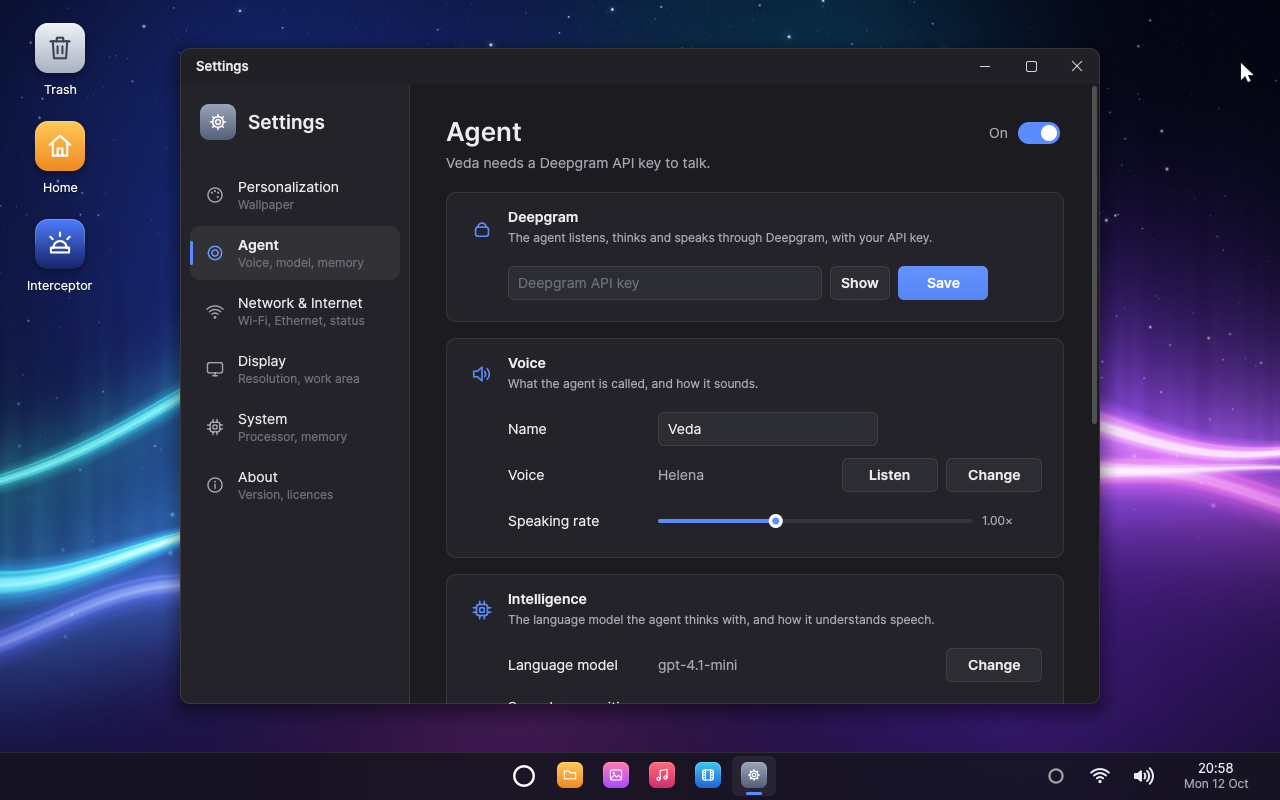 |
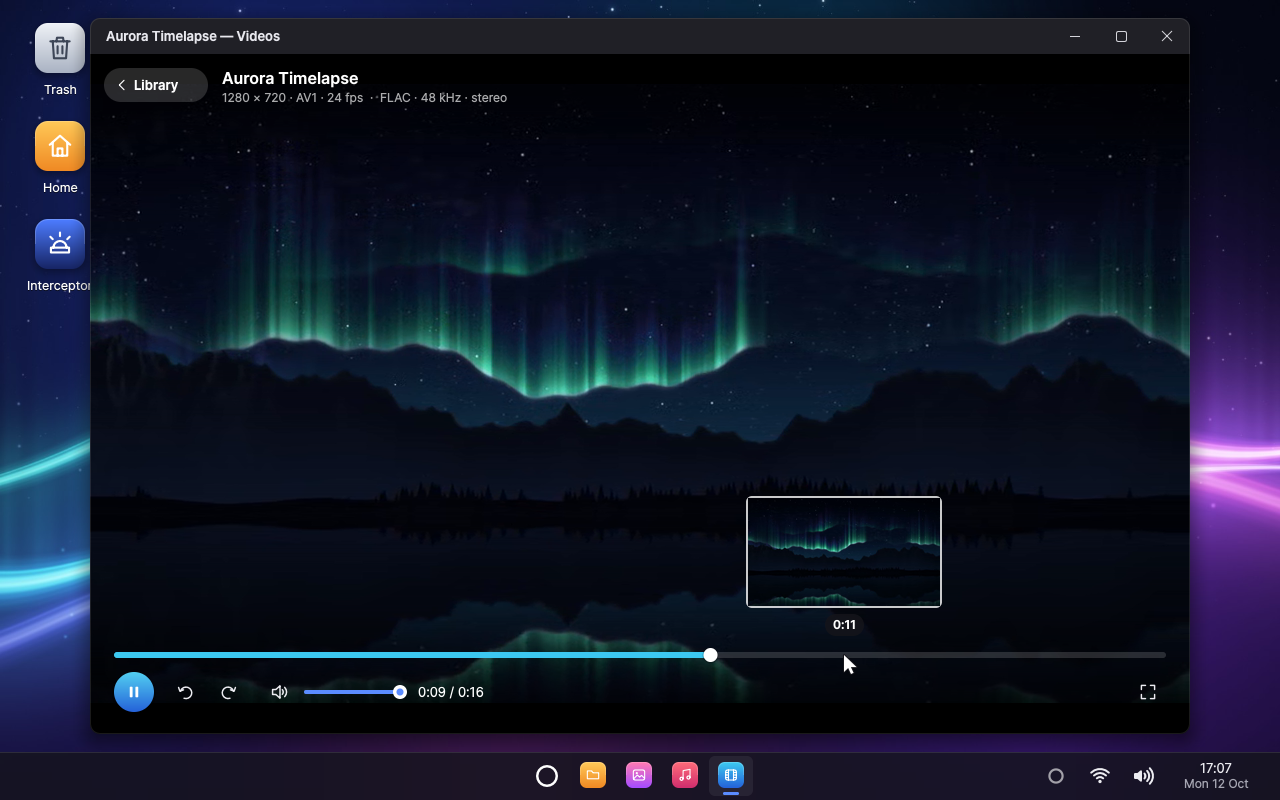
| Videos, AV1 decoded by dav1d | Agent Settings |
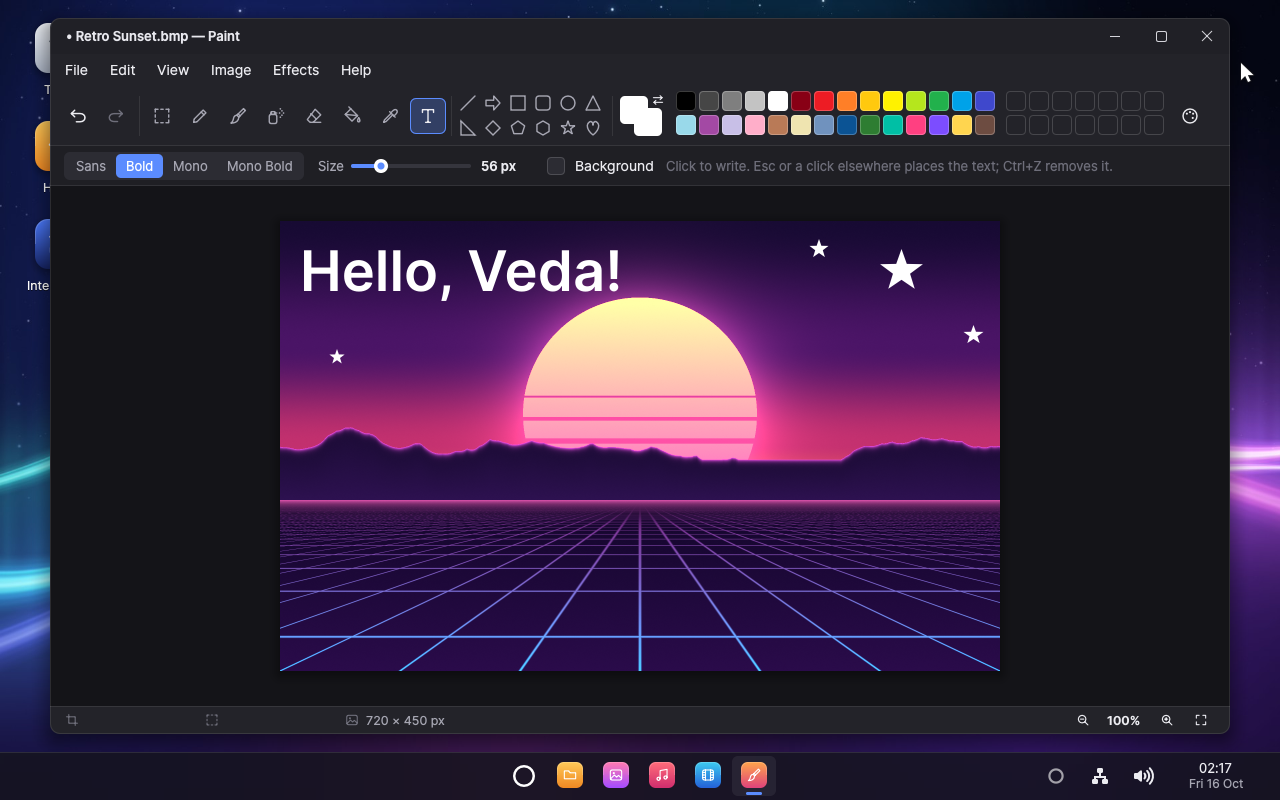 |
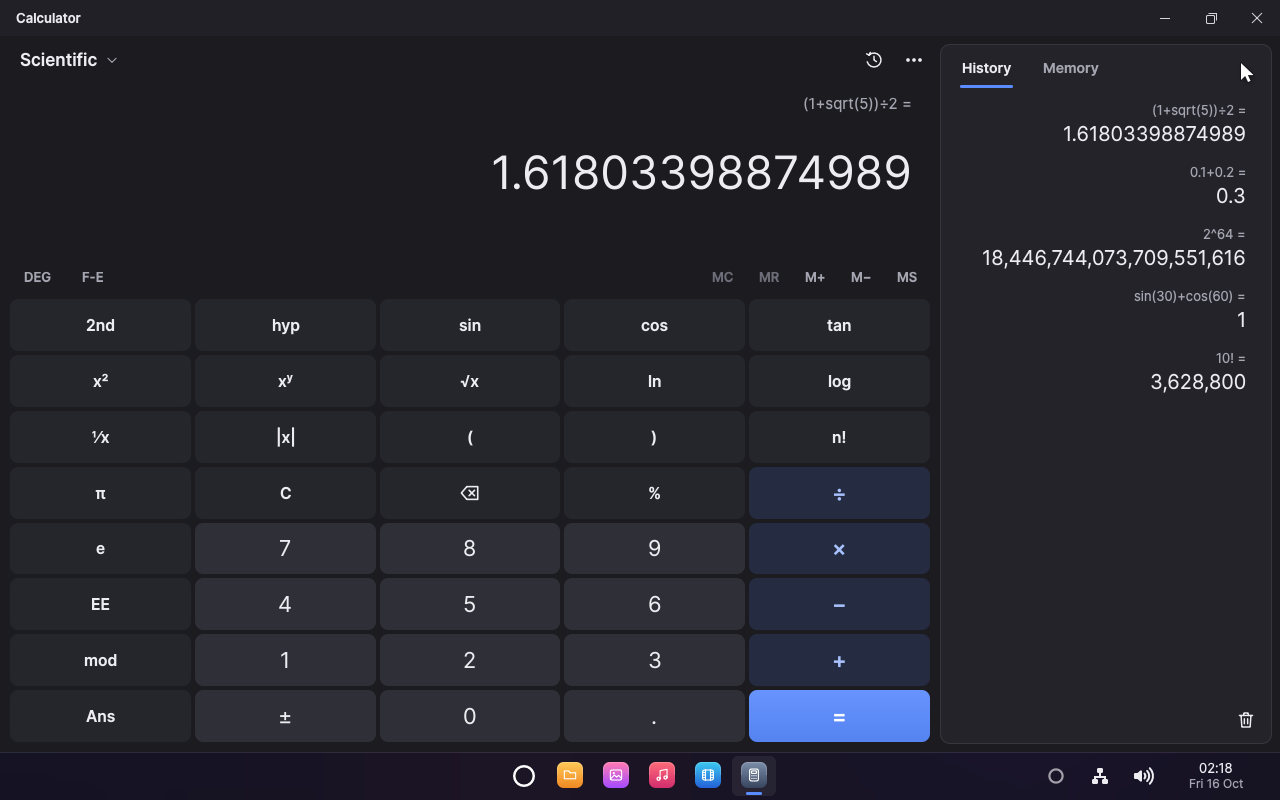 |
| Paint, drawing on a picture | Calculator, exact and scientific |
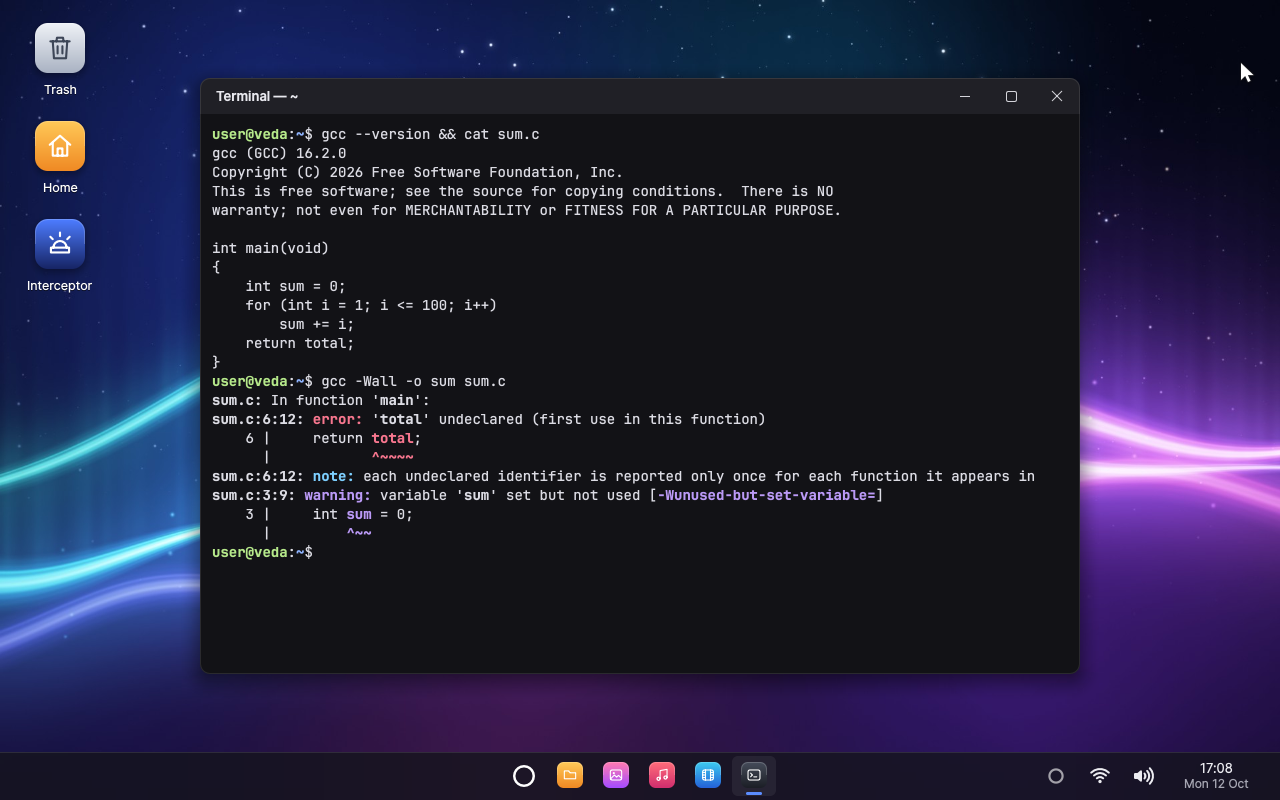 |
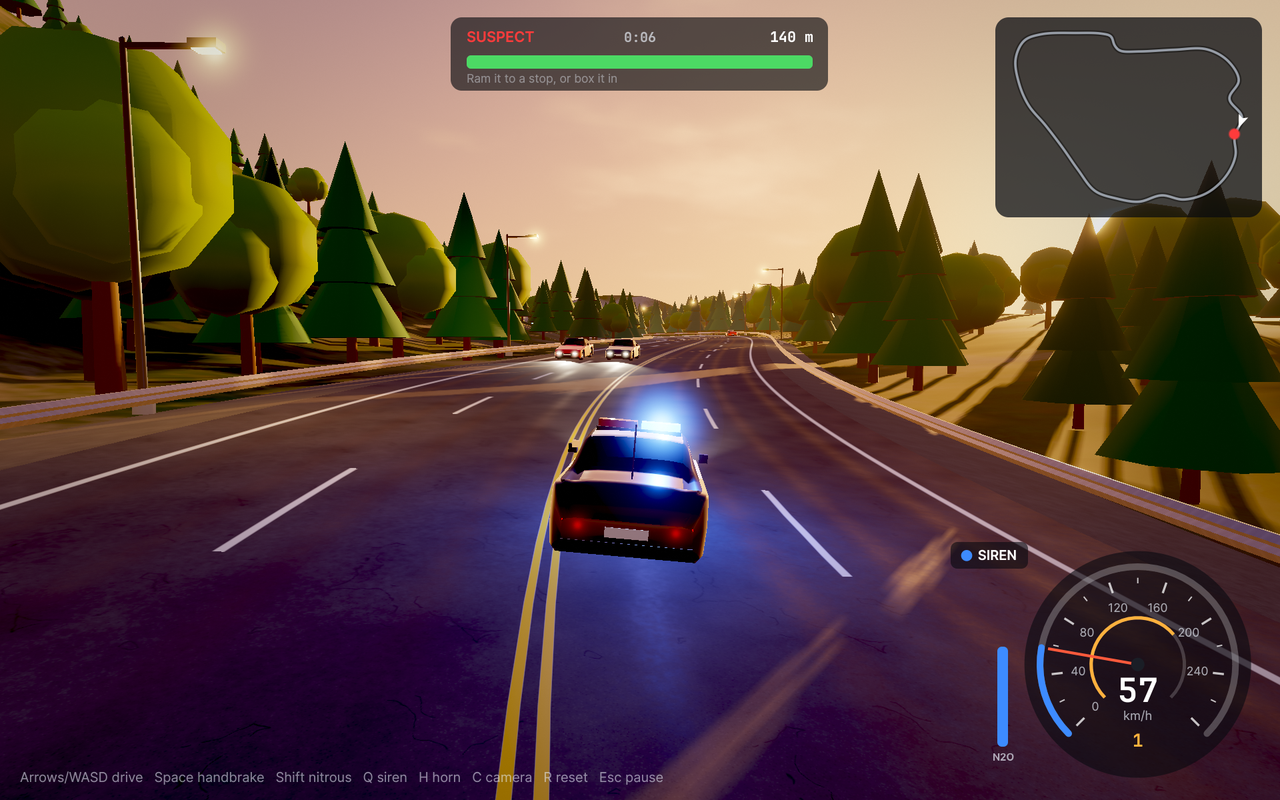 |
| GCC 16 in the Terminal | Interceptor, in OpenGL ES 3.0 |
Every screenshot is 1280x800. They are taken in QEMU bycargo orchestration script documentation/screenshots.vts, with the agent
talking to a stand-in for Deepgram. Interceptor's is taken at 1920x1200 bycargo orchestration script documentation/interceptor.vts --resolution 1920x1200
and scaled down.
Quick start
Requirements
Veda is built on an x86-64 PC with Linux.
- Rust, stable.
rust-toolchain.tomlmakes rustup
install the extra targets on first use, and Rust's own linker
(rust-lld) links everything. - QEMU and the OVMF UEFI firmware (on
Debian and Ubuntu:qemu-system-x86,qemu-system-gui,qemu-system-modules-openglandovmf), with access to/dev/kvm. - For the driver VM: the build tools for Linux, a cross compiler and Mesa
(on Debian and Ubuntu:build-essential,bc,curl,rsync,m4,flex,bison,meson,ninja-build,libgmp-dev,libmpfr-dev,libmpc-dev,python3-makoandpython3-packaging), and KVM's nested
virtualization (kvm_intel nested=1). See
the driver VM. - Your distribution's build tools for the toolchain, which
cargo orchestration toolchainbuilds once: C (see
C on Veda), withnasmfor the video
decoders it builds too, and Rust for Veda's target, with CMake (see
Rust on Veda); on Debian and
Ubuntu:build-essential,m4,bison,flex,curl,libgmp-dev,libmpfr-dev,libmpc-dev,nasm,meson,ninja-build,cmakeandpython3. Veda's applications are written on Rust's standard library,
and built with it. - Optional: a Deepgram API key for the agent.
Check the environment:
cargo orchestration doctor
Build and run
First, build the toolchain (GCC, binutils and musl for Veda, Rust for
Veda's target, and the video decoders), once, in about half an hour:
cargo orchestration toolchain
Then the driver VM's Linux (its kernel, a cross compiler and Mesa), which
takes a while too. Without it, Veda boots with no keyboard, mouse, sound
or network.
cargo orchestration linux
Then build and run Veda:
cargo orchestration run
This builds every component, writes target/veda/veda.img and boots it
in a QEMU window at 1920x1080. The first build also renders the sample
pictures, music and videos. Later builds are incremental.
cargo orchestration run --resolution 1280x800 --smp 4 --memory 2048
cargo orchestration run --cmdline "run=editor"
run=NAME starts /system/bin/NAME after boot. The machine reaches
the Internet through a wired card on QEMU's NAT (--net none leaves it
out). cargo orchestration help lists every command and option.
A real PC, from a USB stick
cargo orchestration iso
This writes target/veda/veda.iso, a live system. To start it:
- Write it to a USB stick with Rufus (partition
scheme GPT, target system UEFI, ISO mode) or with any image writer. - In the PC's firmware settings, turn on VT-x and VT-d and turn off
Secure Boot (Veda's loader is not signed). - Start the PC from the stick in UEFI mode, usually from the boot menu
(F12, F11 or Esc at power-on).
Veda runs from memory and starts no disk driver, so it never reads or
writes the PC's disks. Its home directory lasts until the PC is turned
off. To try the stick in QEMU first, run cargo orchestration run --live.
The stick keeps a log of every start in VEDA/LOGS, one numbered folder
per start (the newest has the highest number): VEDA.TXT from Veda andLINUX.TXT from the driver VM. They are synced every second, so even a
start that shows nothing can be diagnosed on another computer.
Linux's drivers in the driver VM support:
| Devices | Support |
|---|---|
| Display | The firmware's screen mode near 1920x1080, in the panel's own shape where the firmware reports it; every frame flipped whole at the vertical blank |
| GPU | Intel's integrated graphics (i915, with Mesa's iris) |
| Input | USB keyboards, mice and hubs on USB 3 (xHCI) controllers; PS/2 keyboards, mice and touchpads |
| Network | Intel's and Realtek's Ethernet, Intel's Wi-Fi, USB network adapters |
| Sound | HD Audio (speakers, headphones, line outputs, the codec's microphone), laptop amplifiers (Cirrus Logic CS35L41), HDMI and DisplayPort audio |
| Built-in microphones on an audio DSP | Intel's Tiger Lake to Raptor Lake (11th to 13th generation Core), through Sound Open Firmware; later ones are silent for now |
Without VT-x and VT-d, Veda drives only the disks (with VT-x alone, PS/2
keyboards and mice too). USB disks, the stick included, are left alone.
Status shows how far each device class
has come. To try USB input or HD Audio in QEMU:
cargo orchestration run --input usb
cargo orchestration run --sound hda
Talking to Veda
- Open Settings → Agent and add your Deepgram API key. The agent's
name, voice, language model, listening and memory are on the same page. - Say "Hey Veda", click the ring at the right of the taskbar or press
Super+Space. - Talk naturally and interrupt whenever you like. Say goodbye when you
are done, and it goes back to sleep.
Veda uses the PC's microphone and speakers, under QEMU too. It speaks
English only for now. Deepgram bills every minute of conversation; asleep,
only the short recognitions that check for its name are billed, at most
ten minutes an hour.
Things to ask:
- "Switch my wallpaper to the dunes."
- "Play Neon Horizon."
- "Write a shopping list with eggs, milk and coffee."
- "Show me the lighthouse photo, full screen."
- "Remind me to stretch in twenty minutes."
- "What's using the most memory?"
- "Start a quick chase at sunset in Interceptor."
- "Delete the City Lights photo." (It asks you first.)
- "What do you know about me?"
Building agent-compatible applications
Agent support is part of the vui application platform. An application
describes its actions, reports its state and performs actions; vui::run
registers it with the agent service and answers the agent between frames:
use vui::agent::{self, Action, AppAgentInfo, Risk, Value, arg_path, arg_str, json, show_path};

impl vui::App for Notes {
    fn update(&mut self, ui: &mut vui::Ui) { /* ... */ }

    fn agent_info(&self) -> Option<AppAgentInfo> {
        Some(agent::info(
            "A notes app: one note per file in ~/Notes.",
            vec![
                Action::new("add_line", "Adds a line at the end of the note shown")
                    .param("text", "string", "The line", true)
                    .build(),
                Action::new("delete_note", "Deletes a note for good")
                    .param("path", "string", "The note's file, such as ~/Notes/Ideas.txt", true)
                    .risk(Risk::Destructive)
                    .build(),
            ],
        ))
    }

    fn agent_state(&self) -> Value {
        json!({ "note": self.title.as_str(), "lines": self.lines.len() })
    }

    fn agent_invoke(&mut self, action: &str, args: &Value) -> Result<Value, String> {
        match action {
            "add_line" => { self.append(arg_str(args, "text")?); Ok(json!({ "lines": self.lines.len() })) }
            "delete_note" => {
                let path = arg_path(args, "path")?;
                self.delete(&path).map_err(|e| format!("{} could not be deleted: {e}", show_path(&path)))?;
                Ok(json!({ "deleted": show_path(&path) }))
            }
            other => Err(format!("Notes has no action called {other}")),
        }
    }
}
Write action descriptions for a language model: short, imperative, with
units and defaults spelled out. Declare each action's risk, name its
target explicitly (an approved action may run minutes later), and run it
through the same code as the keyboard and mouse. Consent, memory and the
conversation are the system's job, not the application's. See
Making an application agent-compatible.
Testing
cargo orchestration test
This runs the libraries' unit tests on the host, then boots Veda headless
with the systest integration tests (IPC, memory, threads, the file
system, crash recovery of the window system, C and C++ programs). Any
panic fails the run.
cargo orchestration test --ui
This adds the GUI scripts in verification/ui/ (withverification/ui/arch/amd64/, those that hold only on QEMU's PC) and the
agent's scripts in verification/agent/. They click through the desktop
and the applications, check logs and screenshots, and break things on
purpose (Linux in the driver VM crashes, a cable is pulled, services and
drivers are killed) to check that Veda recovers by itself. Scripts that
need GCC or the video decoder are skipped without the C toolchain.
Videos is also tested without it, with a stand-in decoder
(verification/fakedec) that draws its pictures and crashes, hangs or
falls behind when asked.
The agent's scripts run against a stand-in for Deepgram on the host, so
they are deterministic, offline and free. They cover conversations,
function calls, interruptions, echo, consent, waking by name over music
and every application's actions. verification/real/ talks to the real
Deepgram (with the key in DEEPGRAM_API_KEY), using a synthetic voice in a
virtual microphone.
Networking has host tests of its own: 802.11 and its cryptography against
published test vectors, TCP/IP over a simulated cable, and TLS against a
rustls server and real certificate chains. Inside Veda, nettest checks
DNS, TCP, HTTP, HTTPS and ping.
To run one script, or to boot headless and save target/veda/screen.png:
cargo orchestration script verification/agent/wake-name.vts
cargo orchestration shot --wait 20
Every run saves the serial console (the kernel log and every program's
output) to target/veda/serial.log.
Documentation
- The agent: the voice agent, its functions,
consent and memory, and how applications become agent-compatible. - Architecture: how the system fits
together. - Networking: the network and Wi-Fi
services, security and tests. - C on Veda: writing, compiling and running C
programs, the POSIX layer, and how the toolchain is built. - Rust on Veda: programs on Rust's standard
library, how it works on Veda, and how Rust is built. - The driver VM: the hypervisor, the platform,
the bridge, the IOMMU and the devices. - Developing: build commands, the system
image, writing applications, performance notes. - Libraries: the libraries Veda is built
on, and what it keeps of its own and why. - Coding conventions.
License
Copyright © 2026 Vahid Mohammadi.
Veda is free software: you can redistribute it and/or modify it under the
terms of the GNU General Public License, version 3, as published by the
Free Software Foundation (see LICENSE). It is distributed in
the hope that it will be useful, but WITHOUT ANY WARRANTY; without even
the implied warranty of MERCHANTABILITY or FITNESS FOR A PARTICULAR
PURPOSE.
Every file of Veda's own names its copyright holders and its licence in
its first lines, as SPDX tags (see
Licence headers).
Other parts keep their own licences:
- The driver VM's renderer: its C code
(implementation/guest/renderer/decoder,implementation/guest/renderer/drm), which Mesa's build compiles with
Mesa, is under the MIT licence, as Mesa is. - Fonts (Inter, Lato, JetBrains Mono): the SIL Open Font License 1.1;
seeimplementation/ports/fonts/. - Device firmware that the driver VM's Linux loads into devices
(implementation/ports/linux/firmware.txt) runs on the devices, not in
Veda. It comes unmodified from the Linux firmware collection, under the
terms itsWHENCEgives each file's maker (who allow its redistribution),
and from Sound Open Firmware's releases (sof-bin: Intel's signed builds of
the audio DSP's firmware, under the BSD licence and Intel's patent
licence in itsLICENCE.Intel). - The crates Veda changes: smoltcp under the 0BSD licence, and
zune-jpeg under the MIT, Apache 2.0 or zlib licence, at the choice of
whoever uses it. Their source is the releases thatimplementation/ports/smoltcpandimplementation/ports/zune-jpegname,
with the patches beside them. - Rust's standard library, in the programs an image may contain that
use it (its tests): the MIT or Apache 2.0 licence, at the choice of
whoever uses it. Its source is the release thatimplementation/ports/rustnames, with the patches beside it. - The C toolchain an image may contain: GCC and binutils under the GPL
version 3 or later (the GCC runtime library with its Runtime Library
Exception, so programs GCC builds keep their own licences), GMP, MPFR
and MPC under the LGPL version 3 or later, and musl under the MIT
licence. Their source is the upstream releases thatimplementation/ports/*/port.tomlnames, with the patches beside them. - The video decoder an image may contain: FFmpeg under the LGPL
version 2.1 or later (built without its GPL and non-free parts, which
the build checks) and dav1d under the BSD 2-clause licence, from the
releasesimplementation/ports/ffmpegandimplementation/ports/dav1d
name. Some formats it decodes (H.264, HEVC, AAC) are covered by patents in
some countries; whoever distributes Veda there is responsible for any
licences they need.
Yorumlar (0)
Yorum birakmak icin giris yap.
Yorum birakSonuc bulunamadi