RepoMagpie
Health Warn
- License — License: MIT
- Description — Repository has a description
- Active repo — Last push 0 days ago
- Low visibility — Only 7 GitHub stars
Code Fail
- spawnSync — Synchronous process spawning in .claude/hooks/git-guard.test.mjs
- fs module — File system access in .github/workflows/release.yml
- spawnSync — Synchronous process spawning in scripts/bench-catalog.ts
- spawnSync — Synchronous process spawning in scripts/bench-journal.ts
- process.env — Environment variable access in scripts/bench-journal.ts
Permissions Pass
- Permissions — No dangerous permissions requested
No AI report is available for this listing yet.
Your dependency notes, checked before your coding agent installs anything.

RepoMagpie
RepoMagpie remembers what you and your team learned about every dependency, and tells your coding agent before it installs one.
$ npm install pdfkit

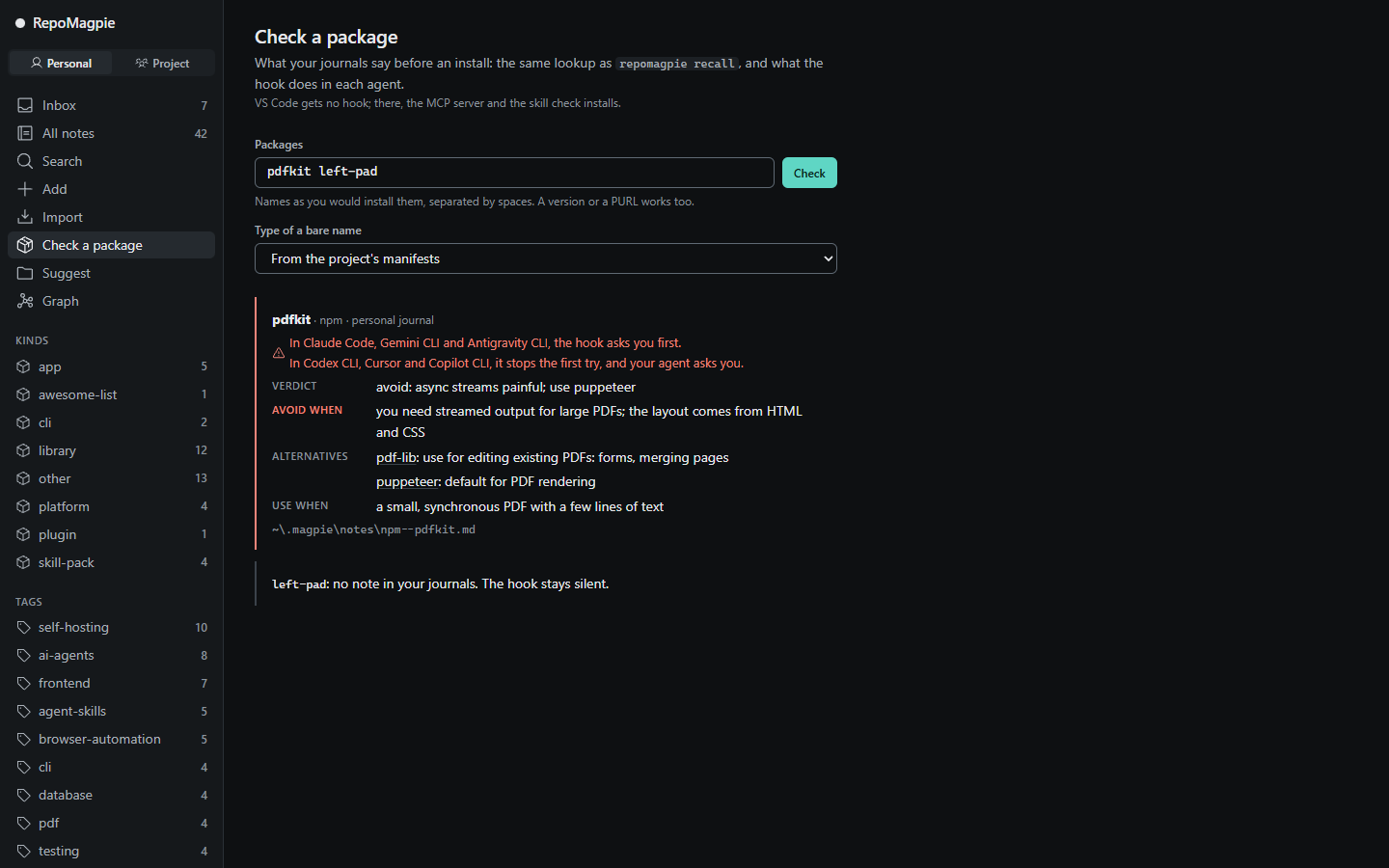
RepoMagpie: you noted to avoid pdfkit (personal journal)
Verdict: "avoid: async streams painful; use puppeteer"
Alternatives in your personal journal: "puppeteer" (Verdict: "default for PDF rendering")
~/.magpie/notes/npm--pdfkit.md

Do you want to proceed?
Claude Code was about to run npm install pdfkit; RepoMagpie's hook found an avoid note in the personal journal and asked first.
- Remember: write a verdict in one line,
repomagpie note pdfkit "avoid: async streams painful; use puppeteer". Notes are Markdown files you own. - Recall before install: when your agent runs
npm install pdfkit, it sees your note first. A note that says to avoid the package makes your agent ask you before the install. - Suggest:
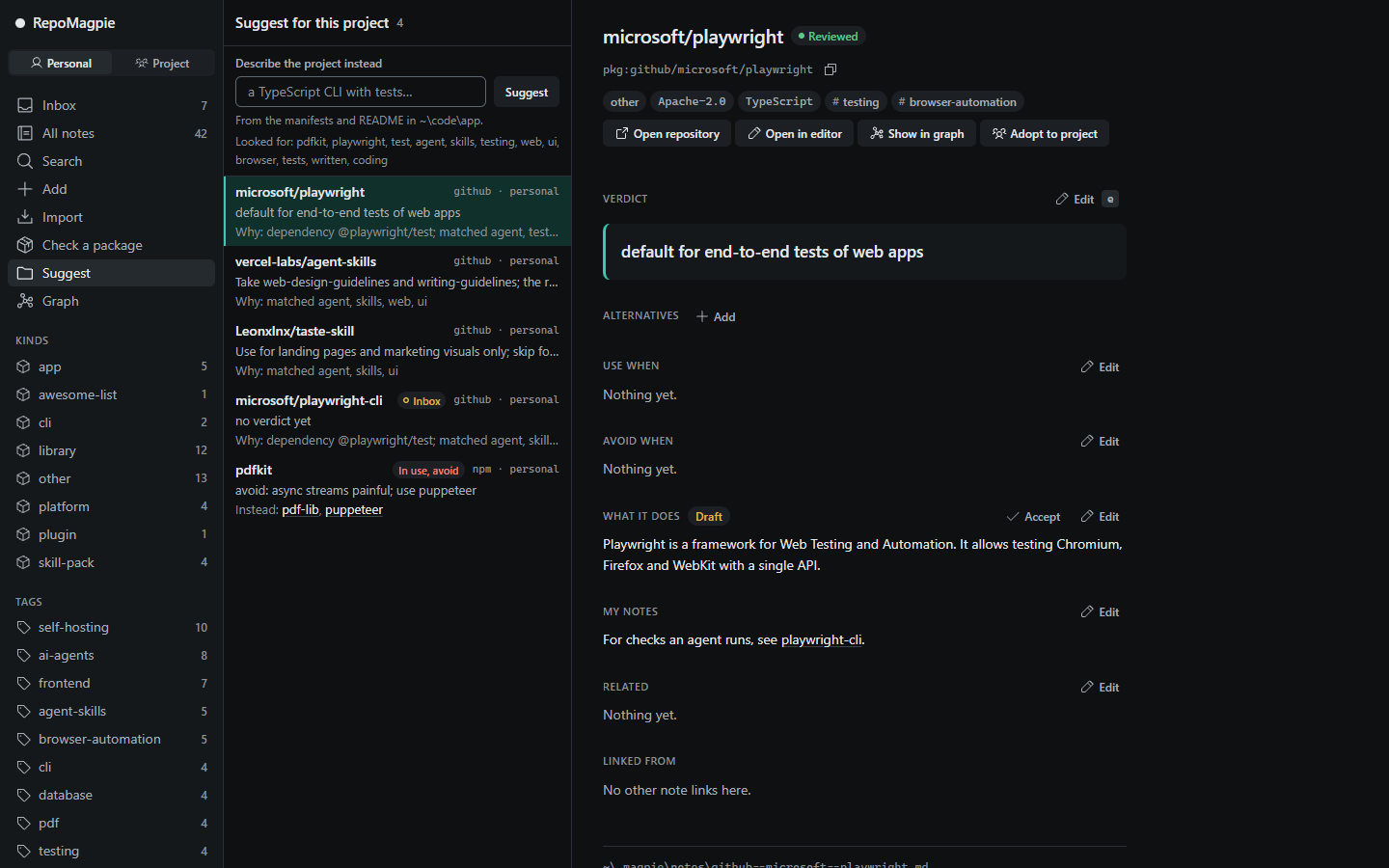
repomagpie suggestreads a project's manifests and README, and lists the notes that fit it.
Status: pre-release 0.2.0-beta.6, for early testers. See the changelog and the roadmap.
Quick start
Install the
repomagpiecommand; you need Node.js 22.12 or later.magpieworks as a short alias when no othermagpiecommand is on yourPATH.npm install -g repomagpie@betaSet it up in your coding agents, then check it:
repomagpie setup # --dry-run only shows the plan; --remove takes it all out repomagpie doctorsetupfinds your agents, shows what it will change in which file, asks first, and backs up every file it edits.doctorshows what is wired in each agent. Each backup is a whole copy of its file, and copies of~/.claude.jsoncan hold sign-in tokens and MCP servers' secrets:doctorlists the backups, so you can delete the ones you no longer need. See agents, or setting up by hand.Write your first note. Give a package name, or a GitHub URL to also fetch the repository's licence, topics and agent skills:
repomagpie note pdfkit "avoid: async streams painful; use puppeteer"
repomagpie note https://github.com/microsoft/playwright-cli "use for agent browser tests"
Notes go to your personal journal in
~/.magpie;--to projectwrites to the repository's.magpie/, which your team shares through git. The next time your agent runsnpm install pdfkit, it sees your note first.
What each agent gets
The MCP server lets your agent check your notes before an install and answer "what do I have for browser testing?"; the skill tells it when to. The hook checks each install command against your notes before it runs. Without a hook, the check works as well as the agent follows the skill. Other agents with MCP can use the MCP server, and agents with Agent Skills the skill (agents).
| Agent | MCP | Skill | Hook | When a note says to avoid a package |
|---|---|---|---|---|
| Claude Code | yes | yes | yes | the hook asks you |
| Codex CLI | yes | yes | yes | the hook stops the first try; your agent asks you |
| Cursor | yes | yes | yes | the hook stops the first try; your agent asks you |
| Gemini CLI | yes | yes | yes | the hook asks you |
| VS Code (GitHub Copilot) | yes | yes | no | no hook; the MCP server and the skill check it |
| Antigravity CLI | yes | yes | yes | the hook asks you |
| Copilot CLI | yes | yes | yes | the hook stops the first try; your agent asks you |
- Where the hook stops the first try, the same install then goes through for 10 minutes.
- Codex CLI runs a new hook only after you trust it in
/hooks. - The hook never blocks an install for good, and never approves one.
The local app
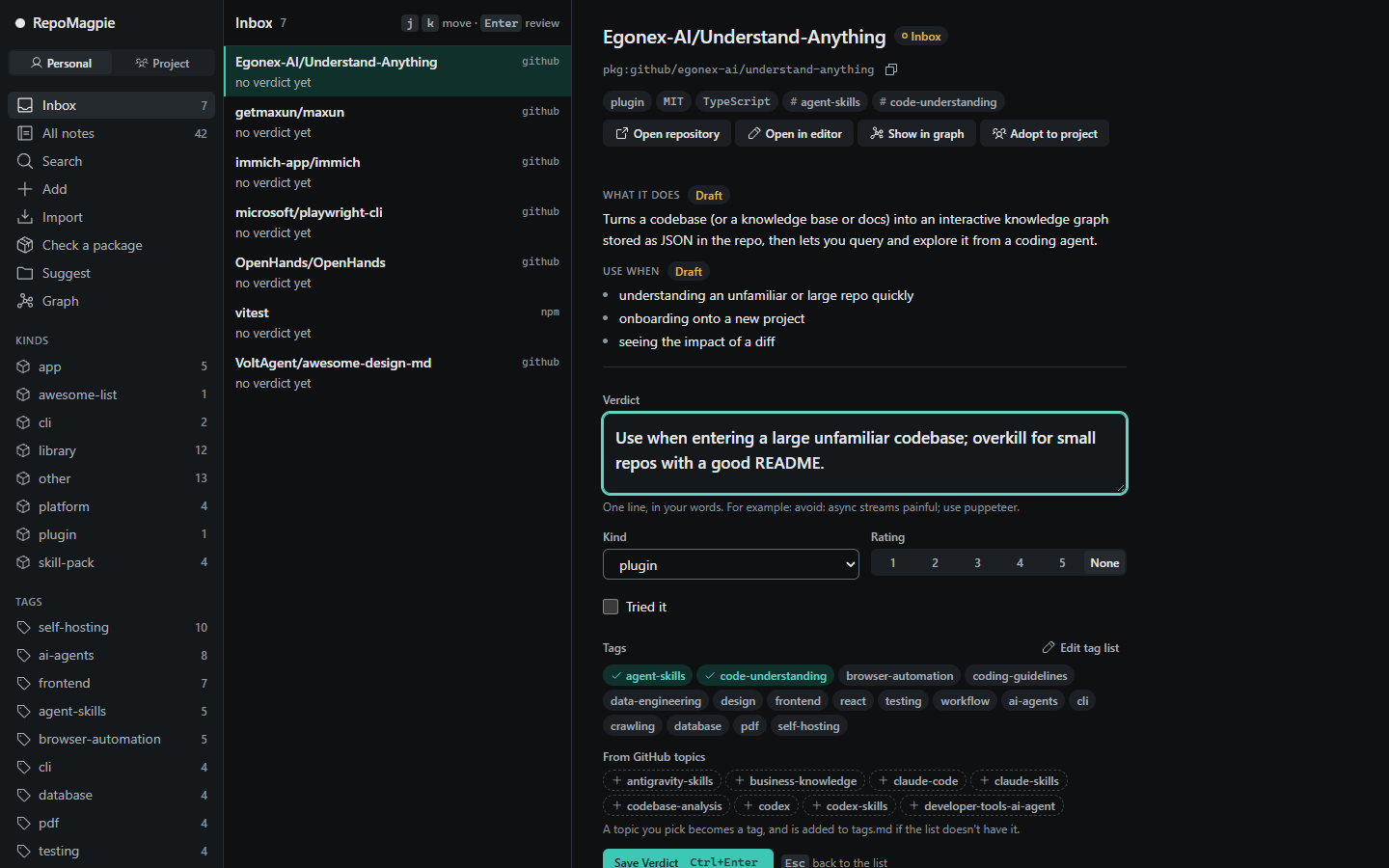
repomagpie ui opens your journals in the browser. Review an inbox note: write the Verdict, set kind, tags and rating, and press Ctrl+Enter.
Check a package: what your journals say before an install, and what the hook does in each agent.
Suggest for this project: the notes that fit, and why each one is a candidate.
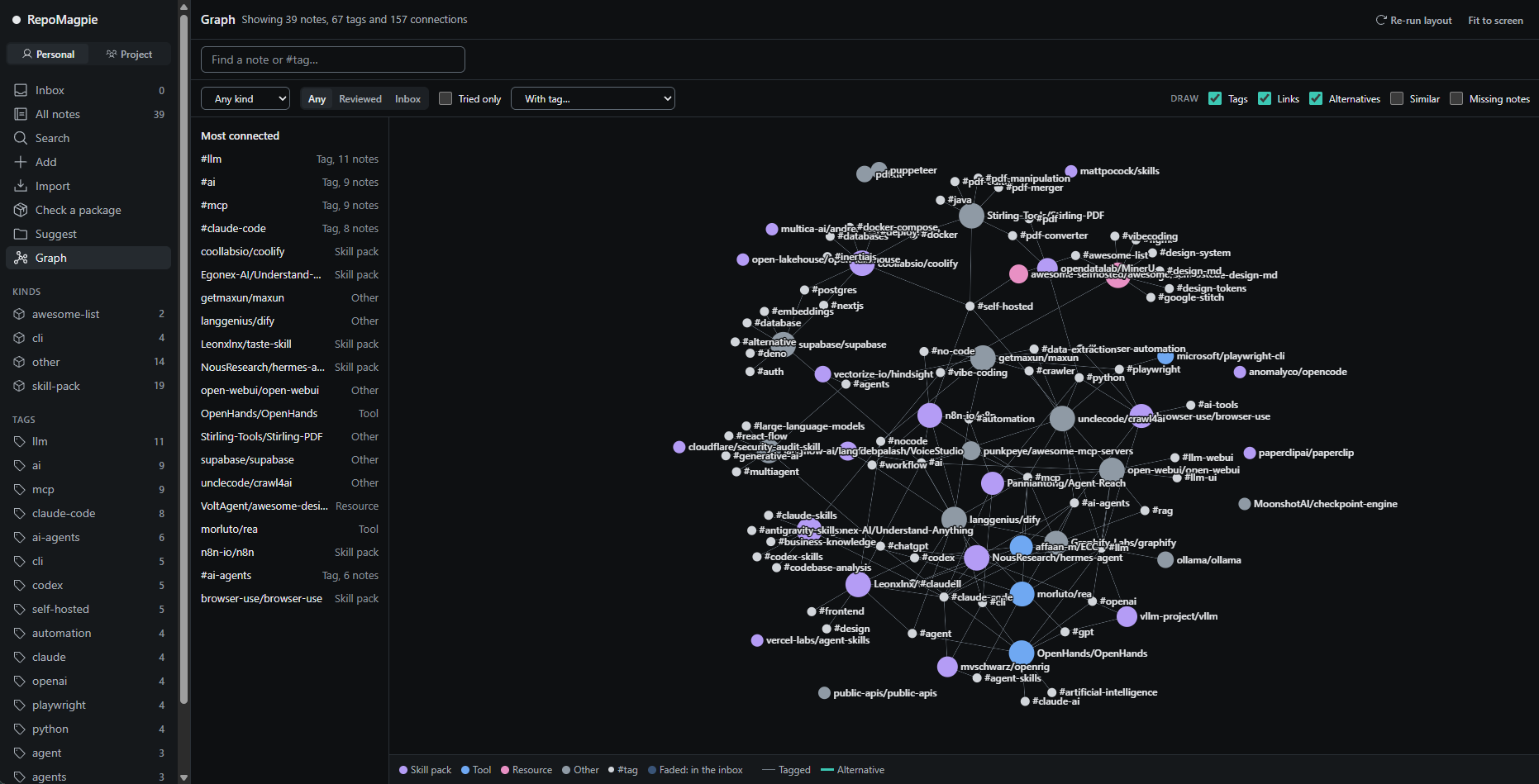
See a journal as a graph: notes, their tags, [[links]] and alternatives. Click a note to read and edit it beside the graph.
How it compares
| Tool | What it knows | When you see it |
|---|---|---|
| Star managers, such as Starcat and GithubStarsManager | The repositories you starred, with tags and notes | When you search them later |
| Supply-chain scanners, such as Socket Firewall Free | Malware, vulnerabilities and popularity, from global data | Before an install |
| RepoMagpie | Your verdicts and your team's | Before an install, when you search, and when you start a project |
RepoMagpie doesn't replace a scanner: it never claims to detect malware, and it never installs anything. Run a scanner such as Socket Firewall Free next to it. A line like "avoid pdfkit" in CLAUDE.md covers one project. A RepoMagpie note works across projects, shows up in search, and the hook checks it on every install.
Privacy
RepoMagpie never sends your notes anywhere. The personal journal is a folder of Markdown files on your machine, and a project journal is as visible as its repository. repomagpie ui listens on 127.0.0.1 only. repomagpie mcp never opens a network connection or a port: it talks to the agent over stdio.
The only network requests are to GitHub's API, when you give repomagpie note, repomagpie import or the app's Add page a GitHub repository: they read its metadata, file list and root manifests. They send GITHUB_TOKEN if you set it, and nothing from your journals. There is no telemetry. Without a token, GitHub allows 60 requests an hour. If you use the GitHub CLI, give RepoMagpie its token for the current shell to raise the limit: export GITHUB_TOKEN=$(gh auth token), or in PowerShell $env:GITHUB_TOKEN = gh auth token.
Platforms
- Node.js 22.12 or later; the package has no runtime dependencies (the MCP server's libraries are bundled in it). CI runs on Linux, Windows and macOS, with Node 22, 24 and 26.
- On Windows, Codex CLI, Copilot CLI, Gemini CLI and Cursor start the hook through Windows PowerShell, which adds about 350 ms each time; Antigravity CLI's
cmdadds about 90 ms. Copilot CLI runs the hook before every tool call, the others before each shell command. - Paths with letters outside ASCII, such as a home folder named
C:\Users\Şuat, are supported.
Documentation
- Spec: every command (
search,recall,catalog,adopt,importand the rest;repomagpie --helplists them), flag and--jsondocument - Agents: what each coding agent supports, and setting up by hand
- Note schema: the format of a note
- The local app: screens, API and security rules
- Roadmap and changelog
- Vision, competitors and decisions
Open an issue for bugs and ideas. The project doesn't take pull requests yet (CONTRIBUTING.md). To report a vulnerability, see SECURITY.md.
Official channels: this repository, the npm package repomagpie and its skills.sh listing. There are no installers or .exe downloads; anything else is not ours (SECURITY.md).
Licence
MIT © 2026 Yusuf Suat Babacan
Reviews (0)
Sign in to leave a review.
Leave a reviewNo results found