PI-Desktop
Health Uyari
- No license — Repository has no license file
- Description — Repository has a description
- Active repo — Last push 0 days ago
- Low visibility — Only 5 GitHub stars
Code Uyari
- process.env — Environment variable access in apps/desktop/electron/main/agent-sidecar.ts
- process.env — Environment variable access in apps/desktop/electron/main/fs-index.ts
- process.env — Environment variable access in apps/desktop/electron/main/git-diff.ts
- process.env — Environment variable access in apps/desktop/electron/main/host-process.ts
Permissions Gecti
- Permissions — No dangerous permissions requested
Bu listing icin henuz AI raporu yok.
Local-first AI coding agent desktop: Electron + Rust host core + pi Agent Harness + user-installable plugins

PI-Desktop
A local-first desktop app for AI coding agents.
Bring your own models. Keep your code, your keys, and your conversations on your machine.



Download · Getting started · Highlights · How it works · Development · 简体中文
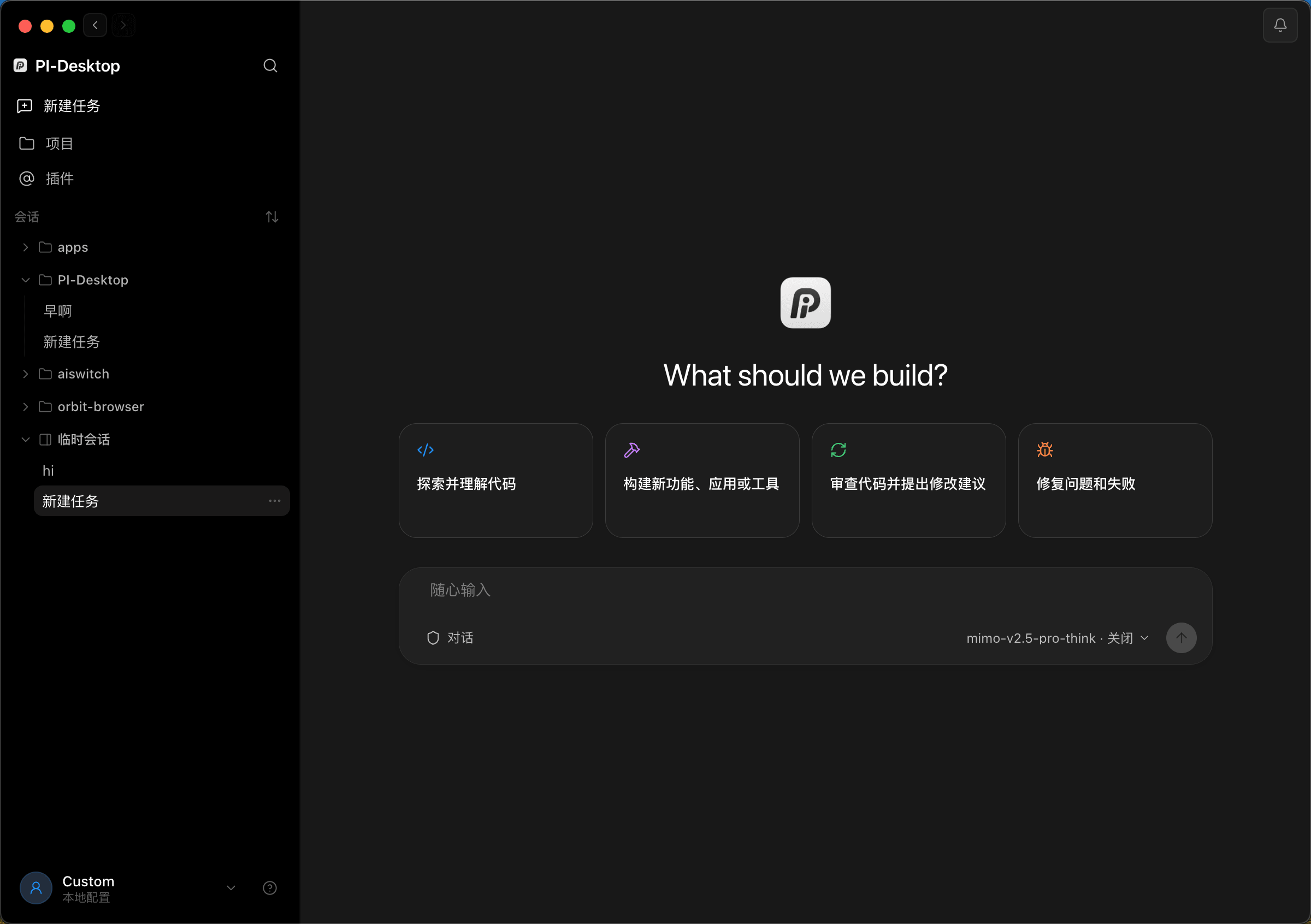
What is PI-Desktop?
PI-Desktop puts an AI coding agent in a native desktop app. Point it at a project, describe what you want — explore and understand code, build a feature, review changes, fix a failing test — and watch it work, with every file edit and shell command surfaced for your approval.
There is no account, no subscription, and no cloud in the middle: you connect the model provider you already use, and everything else — sessions, settings, API keys — stays local.
Highlights
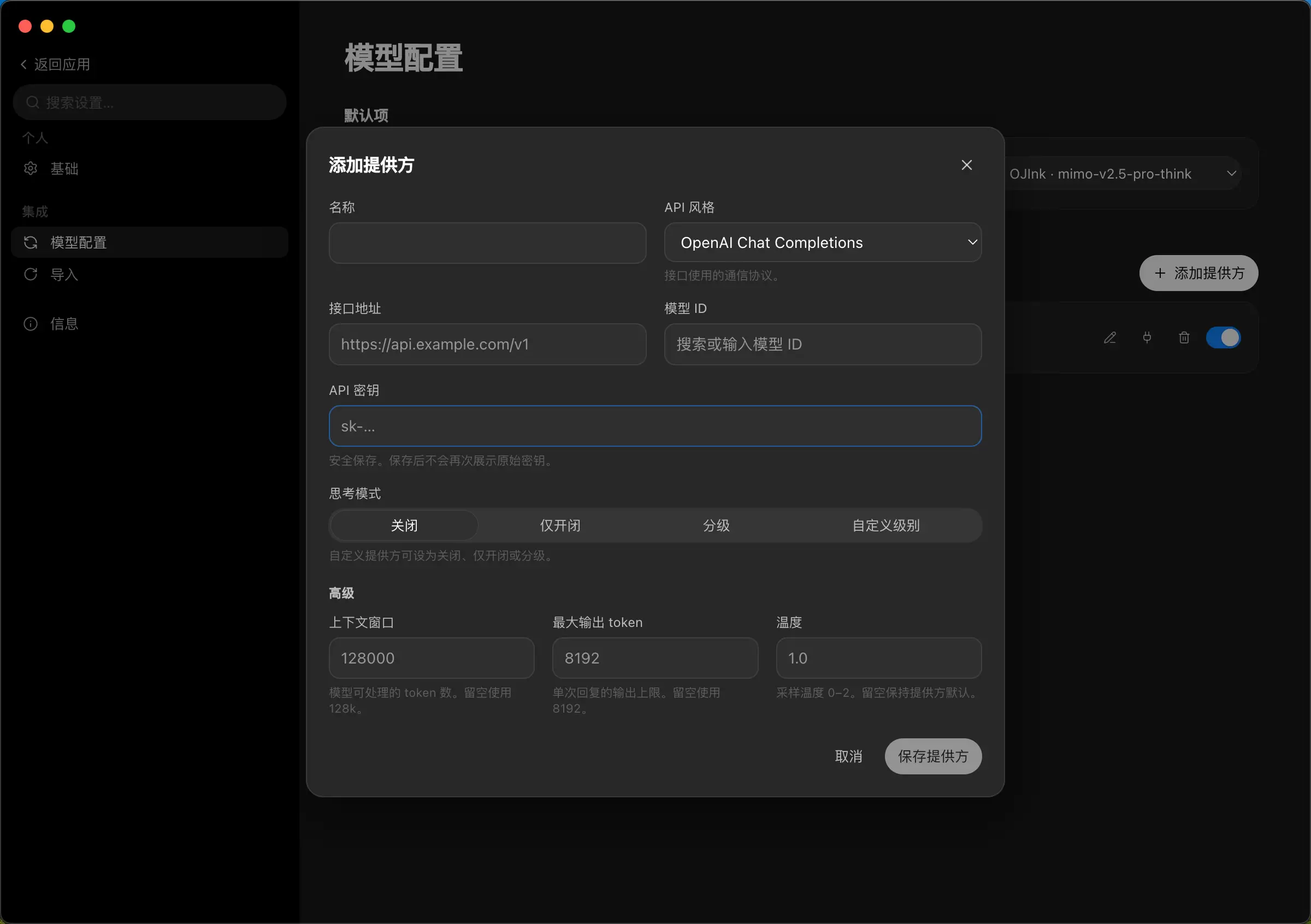
- Any model, your keys. Anthropic, OpenAI, or anything that speaks an OpenAI-compatible API — hosted relays as well as local gateways like Ollama or LM Studio. Model IDs are free-form (no hardcoded allowlist), with per-model context window, output limit, temperature, and thinking-mode controls.
- Agent and Chat modes. Agent mode reads, edits, and runs commands to get things done. Chat mode is strictly read-only — safe for asking questions about an unfamiliar codebase.
- You approve every change. File writes and shell commands ask first, with session-scoped grants and a configurable default policy. Unanswered prompts deny by default.
- A real workbench. Review the agent's edits as diffs, open a terminal, preview in a browser, and browse project files — all in a side panel, without leaving the conversation.
- Projects and sessions. Sessions are grouped by project in a multi-project sidebar, with pinning, archiving, sorting, and throwaway scratch sessions.
- Local-first and private. Transcripts live on disk as plain JSONL with a SQLite index — easy to back up, grep, or delete. API keys go into the OS keychain. Logs stay local; there is no telemetry.
- Extensible with plugins. Install
.piplugpackages (or load a folder in dev mode) to add commands, panels, agent tools, and skills. Plugins run out-of-process and are default-deny. - Comfortable to live in. English and 简体中文, light/dark/system themes, command palette, onboarding checklist, and update notifications for packaged builds.
 |
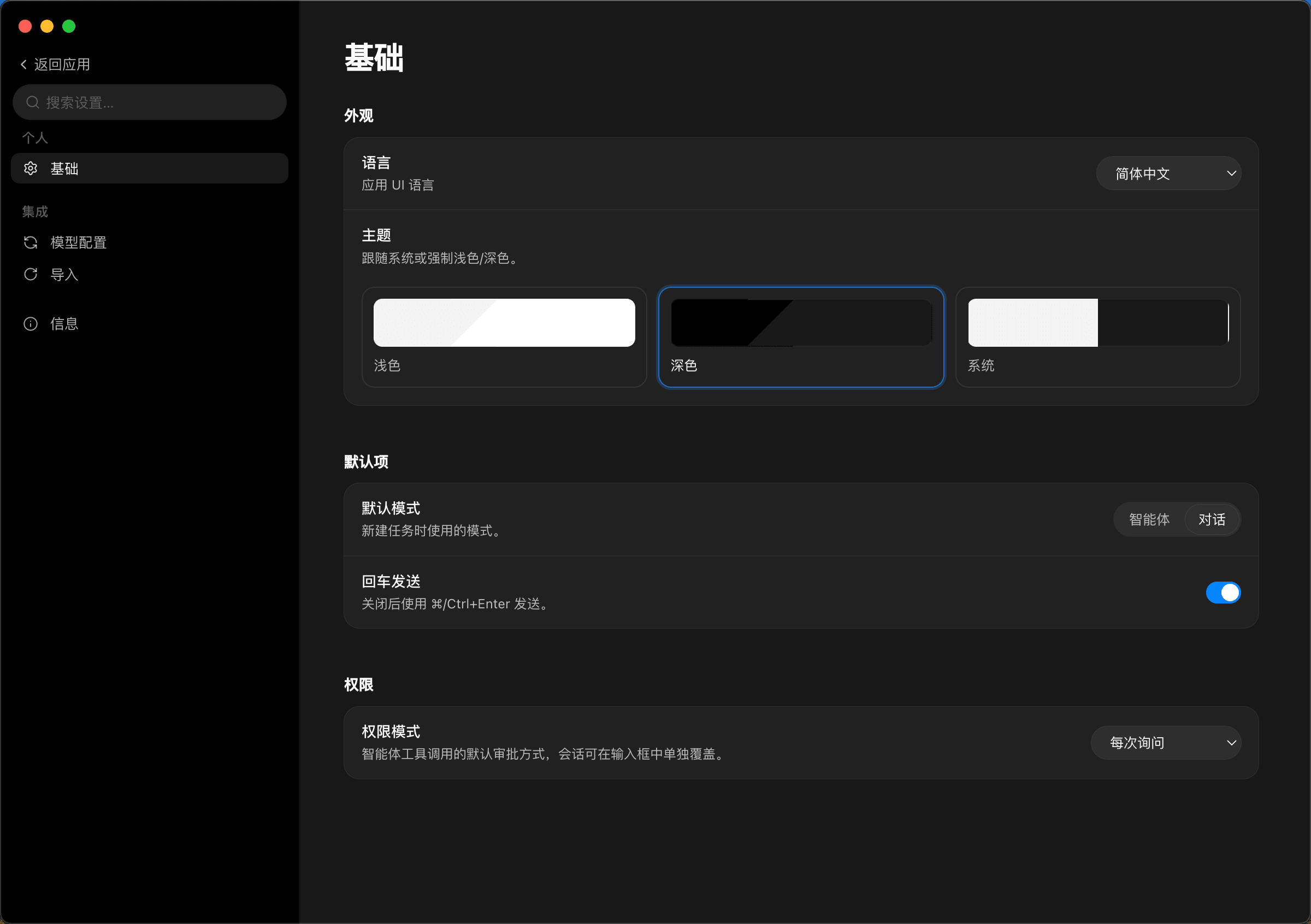 |
| Bring your own provider — any OpenAI-compatible endpoint, keys stored in the OS keychain | Language, theme, default mode, and the permission policy the agent must follow |
Download
Grab the latest build from the Releases page.
| Platform | Package | Status |
|---|---|---|
| macOS (Apple Silicon) | .dmg / .zip |
✅ Published with each release |
| Windows (x64) | NSIS installer | ✅ Published with each release; in-app auto-update |
| Linux (x64) | .AppImage / .deb |
✅ Published with each release; AppImage auto-updates in-app |
macOS note: builds are not yet code-signed or notarized. If macOS refuses to open the app, right-click it and choose Open, or clear the quarantine flag:
xattr -cr /Applications/PI-Desktop.app
Packaged builds check GitHub Releases for new versions and show an in-app update banner.
Getting started
- Add a model provider. Open Settings → Models → Add provider: pick the API style, paste the base URL and your API key, then choose or type a model ID. The key is stored in your OS keychain and never shown again.
- Open a project. Add a project folder from the sidebar — sessions, tools, and permissions are scoped to it.
- Describe the task. Start in Agent mode to make changes or Chat mode to explore read-only. Approve edits and commands as they come up, and check the result in the Review diff panel before you commit anything.
How it works
PI-Desktop keeps privileged work out of the UI process:
- Electron shell — a sandboxed React renderer plus a thin main process that only orchestrates.
- Rust host core — owns SQLite, secrets, permissions, and workspace access, over stdio JSON-RPC.
- pi agent sidecar — a Node process running the pi agent engine (
pi-ai+pi-agent-core) for the actual agent loop.
The full picture lives in the architecture spec.
Status & roadmap
PI-Desktop is an early preview under active development. Shipped so far: the app shell, streaming chat runtime, workspace agent tools with the permission system, the plugin foundation, and macOS packaging with update checks.
Up next: signed and notarized macOS builds, and the plugin marketplace protocol. See the milestones and the project board.
Development
Prerequisites: Node.js (LTS) with pnpm, and a stable Rust toolchain.
# build the Rust host core
cargo build -p host-core

# install JS dependencies and build packages + app
pnpm install
pnpm -r --if-present build

# run in dev mode
pnpm dev

# protocol e2e smoke test
PI_DESKTOP_TEST_API_KEY=... pnpm test:e2e
CI runs JS build / typecheck / lint / unit tests plus cargo test on every PR. Releases are cut by tag:
node scripts/release.mjs 0.2.0 --tag   # bump versions + commit + tag v0.2.0
git push origin main v0.2.0            # Release workflow builds & publishes
Documentation
- Spec index — start here
- Baseline decisions
- Architecture
- Plugin system
- ADRs · Milestones · Agent guide
License
TBD — a license will be finalized before the first stable release.
Yorumlar (0)
Yorum birakmak icin giris yap.
Yorum birakSonuc bulunamadi