hermes
Health Uyari
- License — License: MIT
- Description — Repository has a description
- Active repo — Last push 0 days ago
- Low visibility — Only 5 GitHub stars
Code Basarisiz
- rm -rf — Recursive force deletion command in .buildkite/steps/release.sh
Permissions Gecti
- Permissions — No dangerous permissions requested
Bu listing icin henuz AI raporu yok.
A native iPhone, iPad and Mac app for the Hermes Agent you run (beta). hermesapp.dev

Hermes
Your own agent. Right at home.
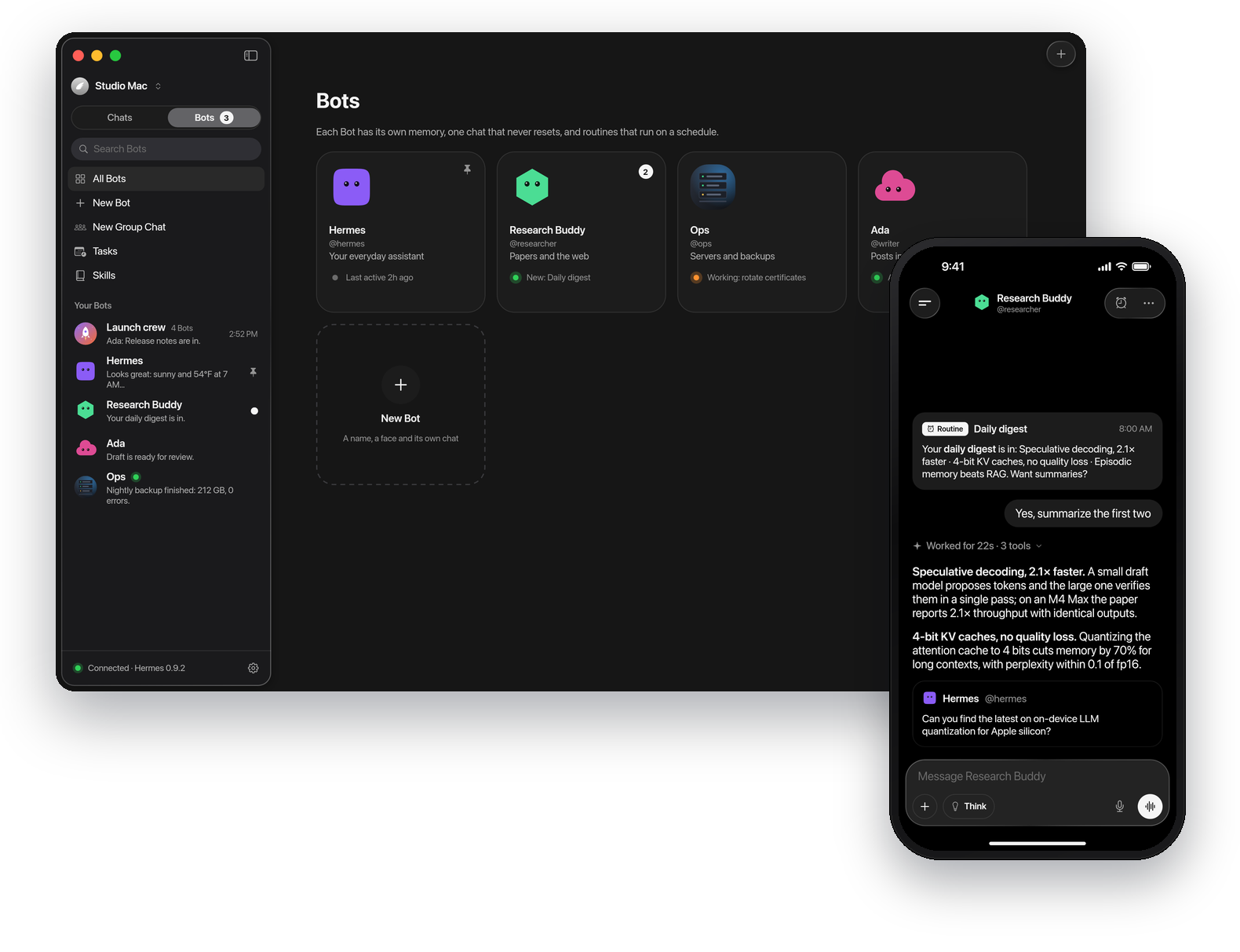
A native iPhone, iPad and Mac app for the Hermes Agent you run.
Watch every step it takes, hand it real work, and give each profile a face, a memory and one chat that never resets.








[!NOTE]
Hermes is in public beta. It's used every day, but expect rough edges and changes between
builds. Found a bug? Open an issue.
Ideas and questions go in Discussions.
What is Hermes
Hermes Agent is the open-source agent by Nous Research that
lives on your own computer: it runs commands, writes code, browses, remembers what it learns and works
on a schedule. Hermes puts it in your hand. It talks only to your own Hermes, with no account and
nothing in between.
Contents: Features · Get started · Install · Privacy and security · Build from source · Architecture · Roadmap · Contributing · Community · Security · License
Features
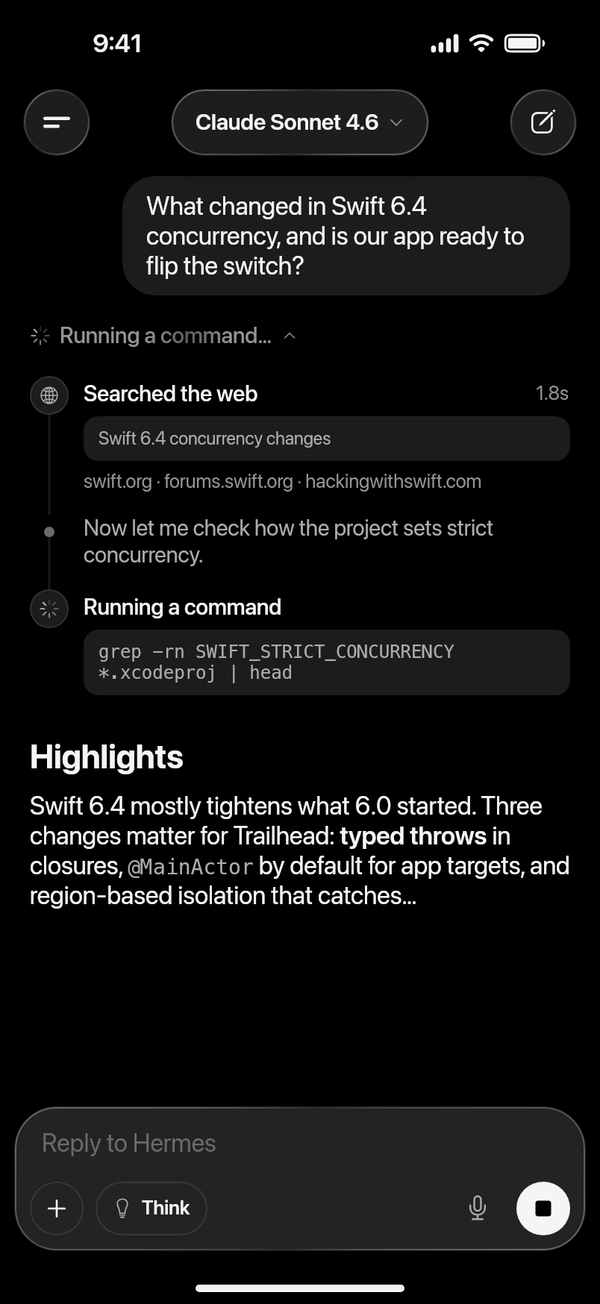
Watch it work. |
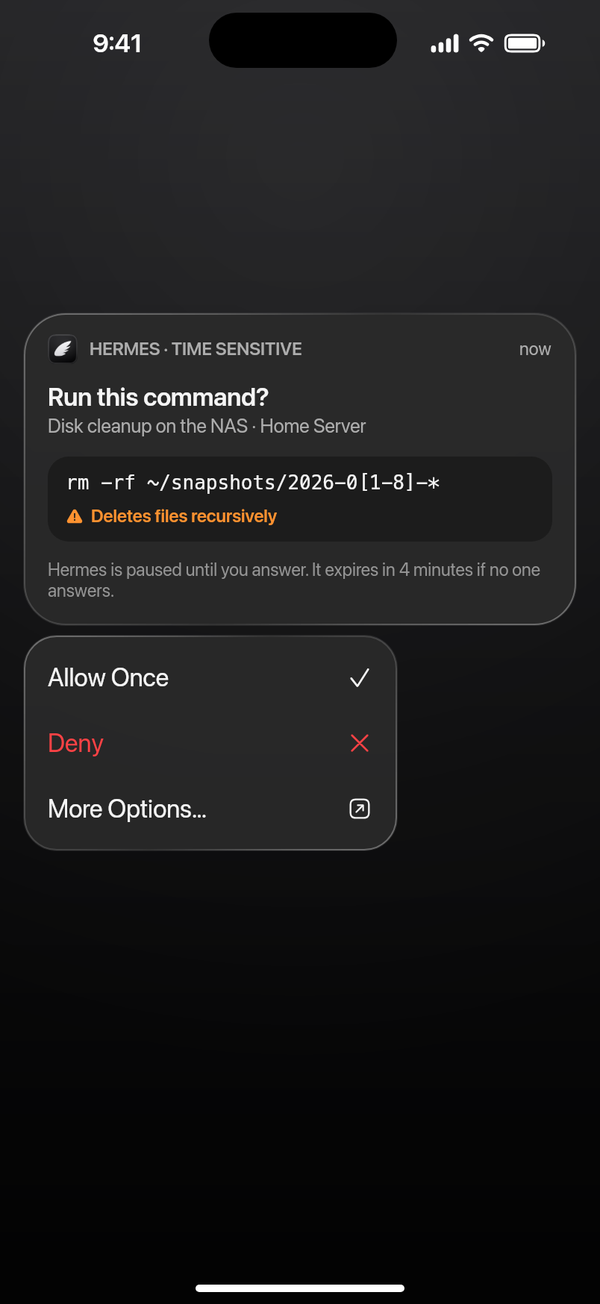
Answer from anywhere. |
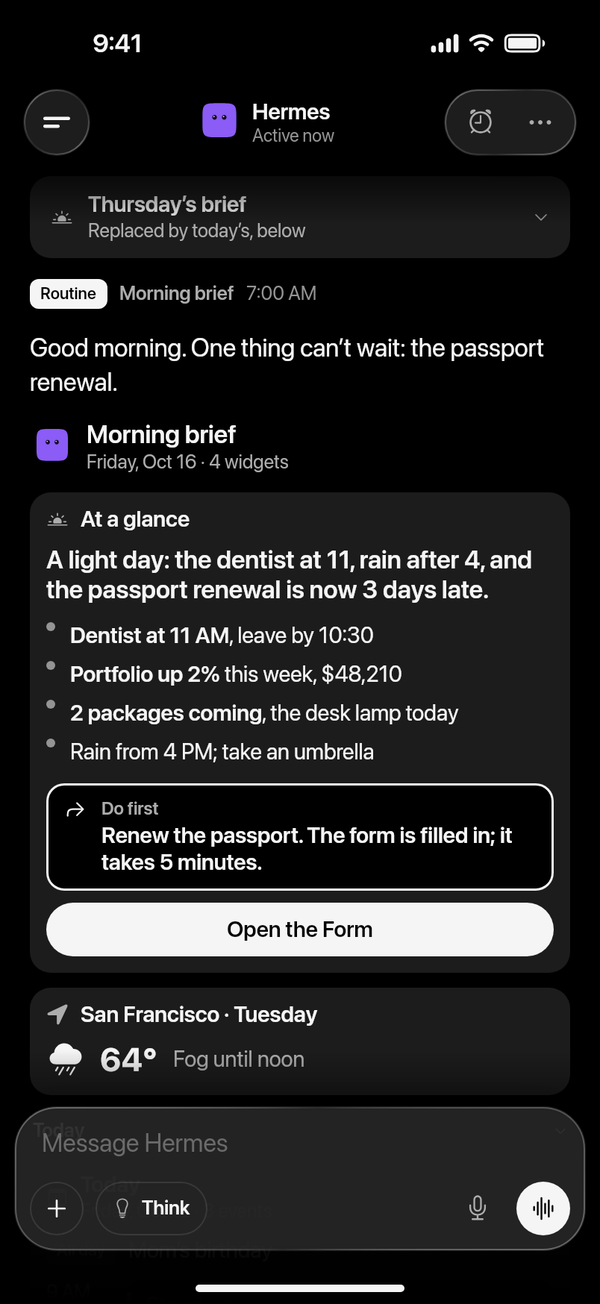
Replies you can tap. |
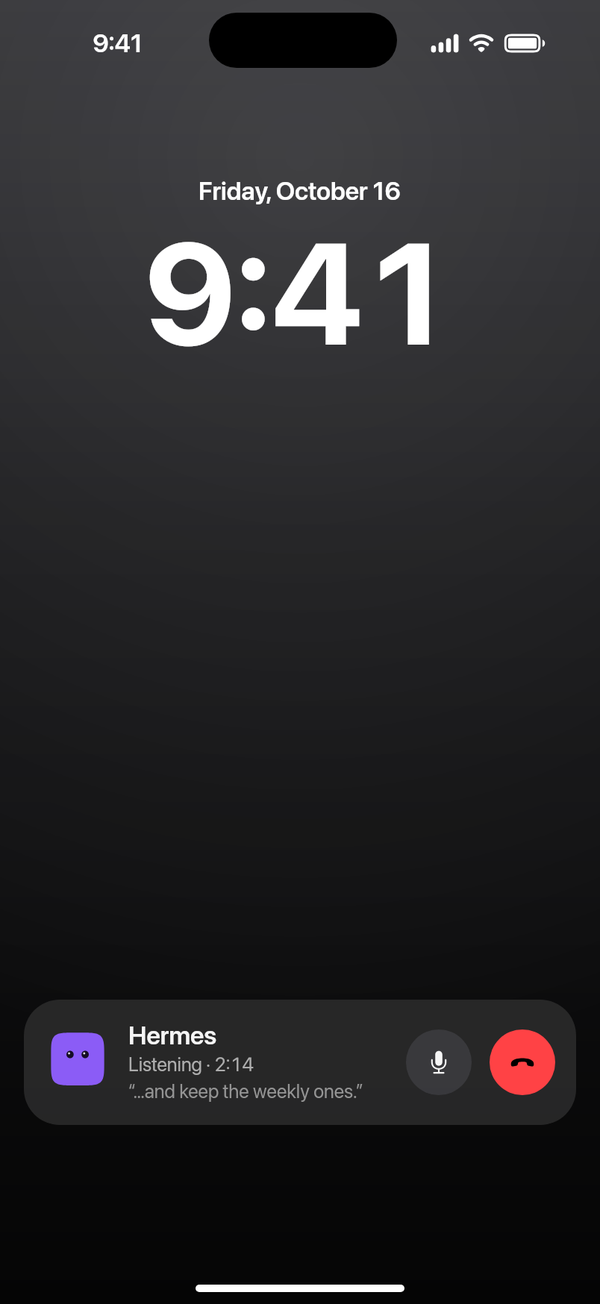
Just talk. |
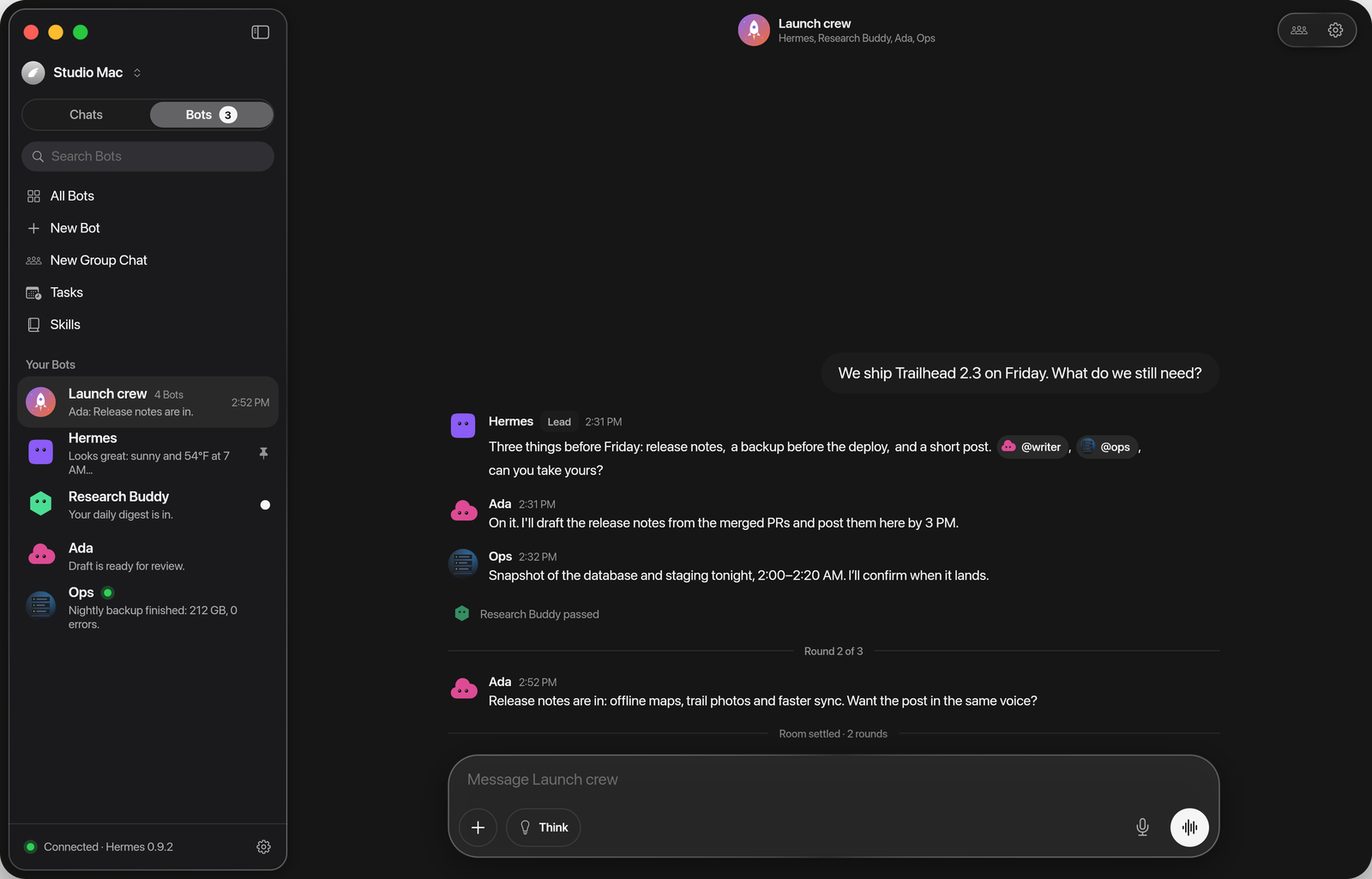
Every profile is a Bot. |
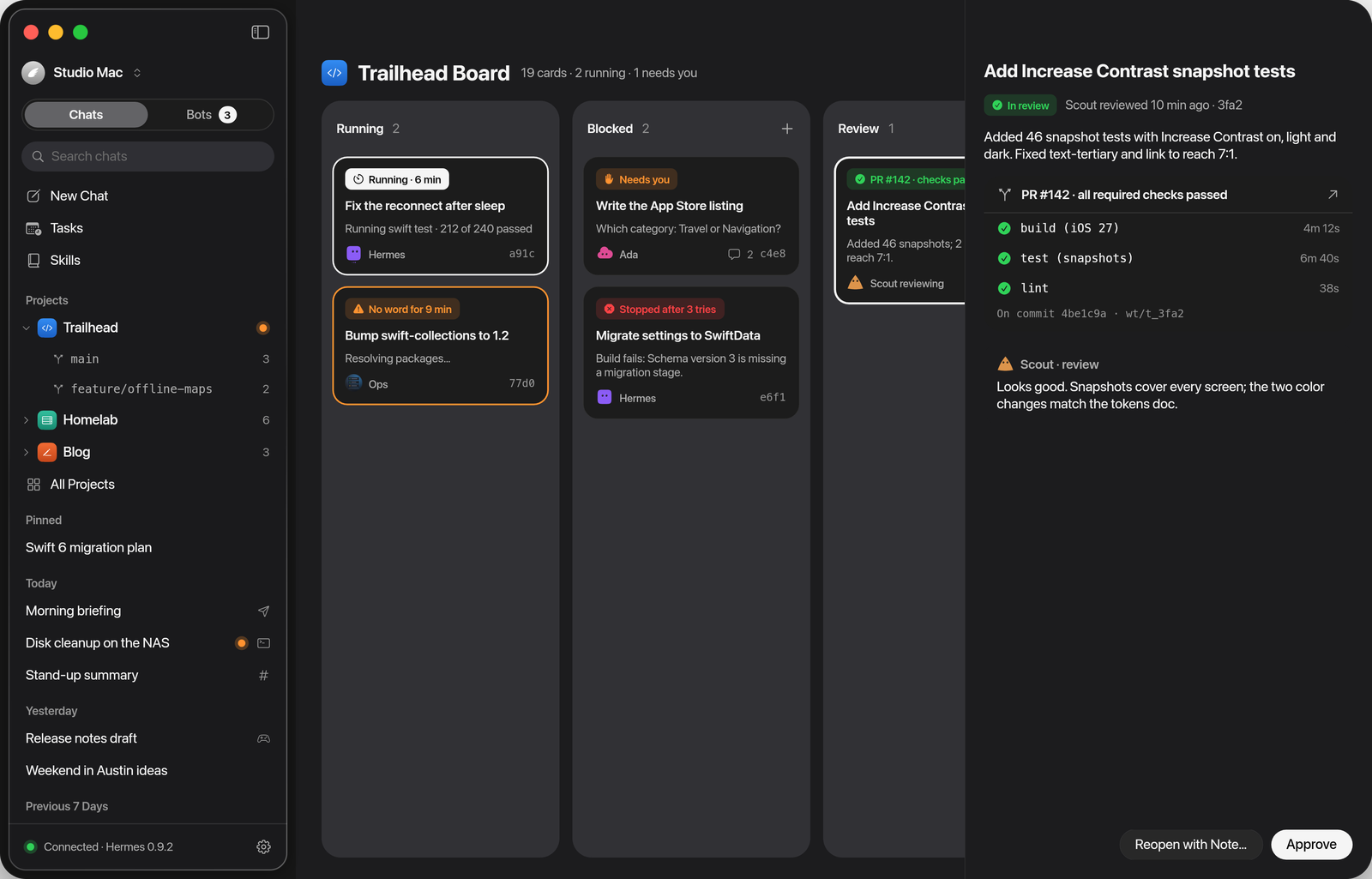
Hand it the work. |
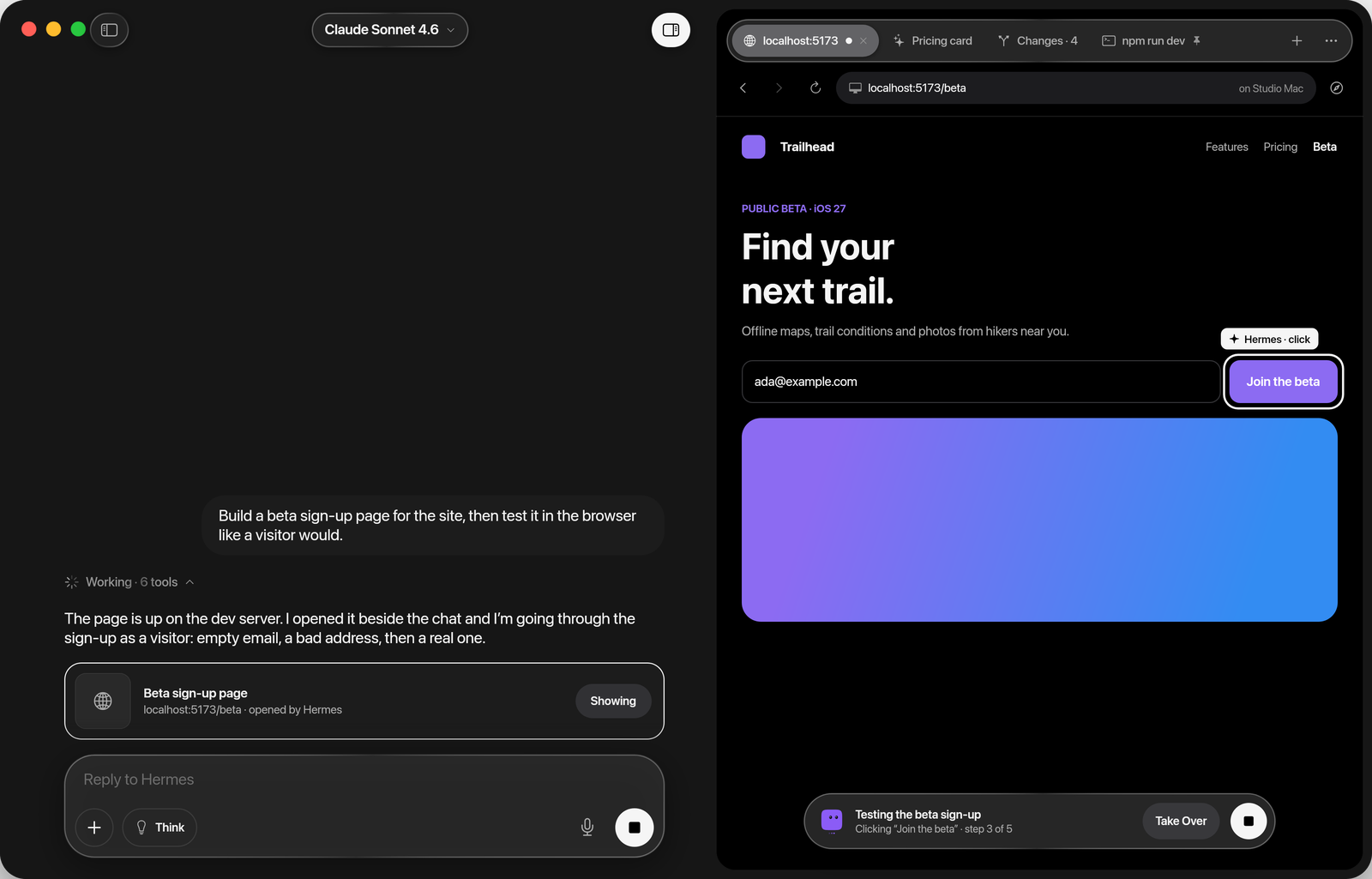
Watch it happen. |
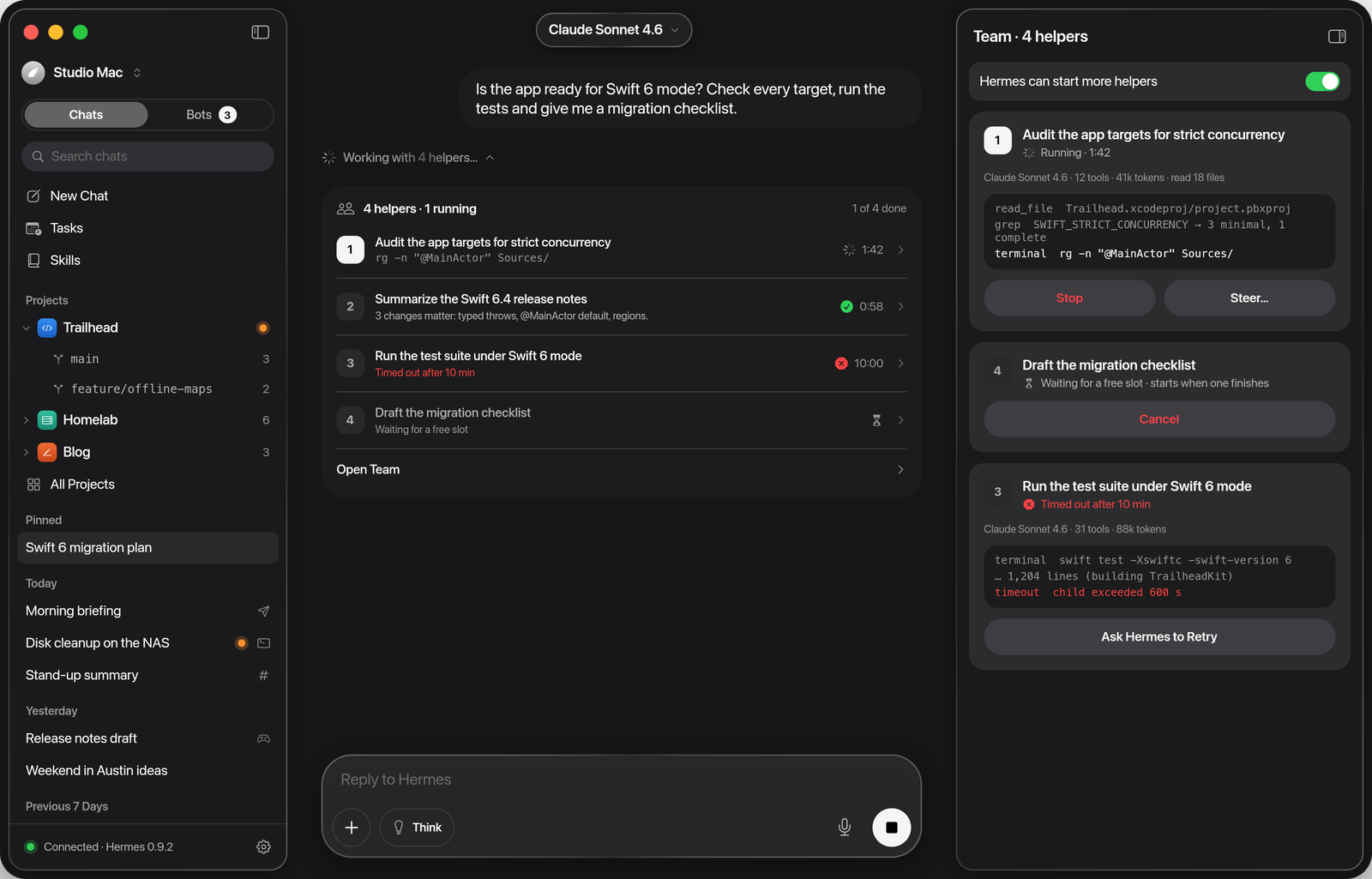
Follow the helpers. |
And the rest: steer or queue a follow-up while Hermes works, and undo any turn that changed files.
Projects group chats by folder and branch. Read and edit what Hermes remembers about you, and see the
skills it wrote for itself. Search everything that was said. A drawer on iPhone, a split view on iPad,
menus and shortcuts on the Mac, with Dynamic Type, VoiceOver and Reduce Motion throughout.
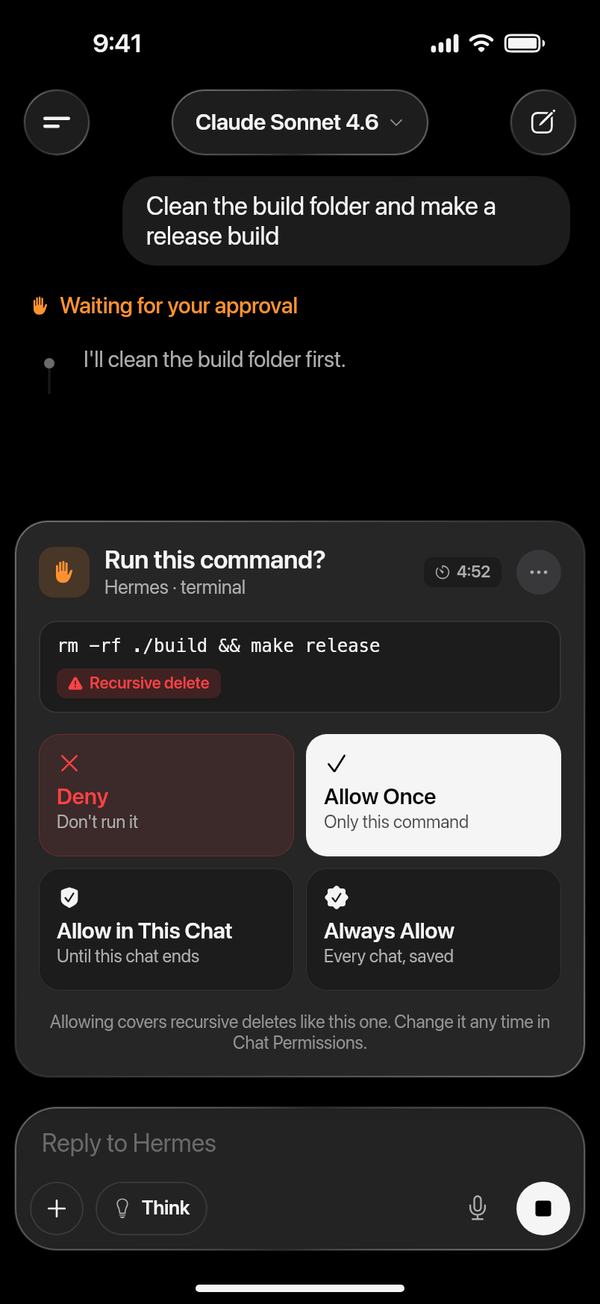 |
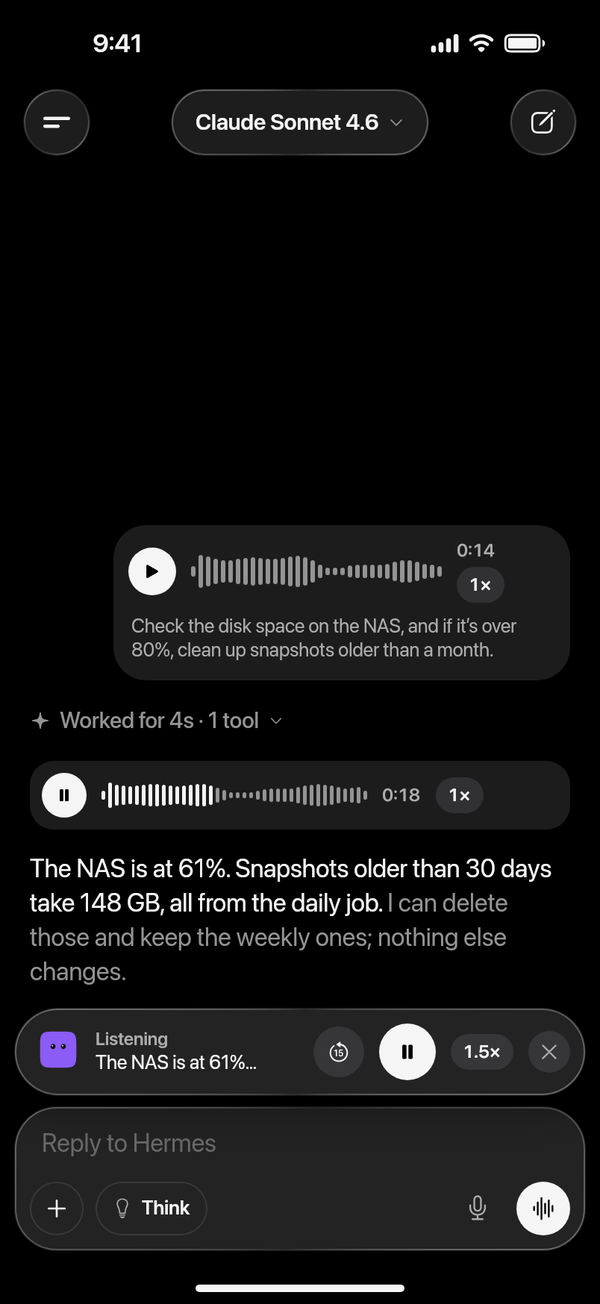 |
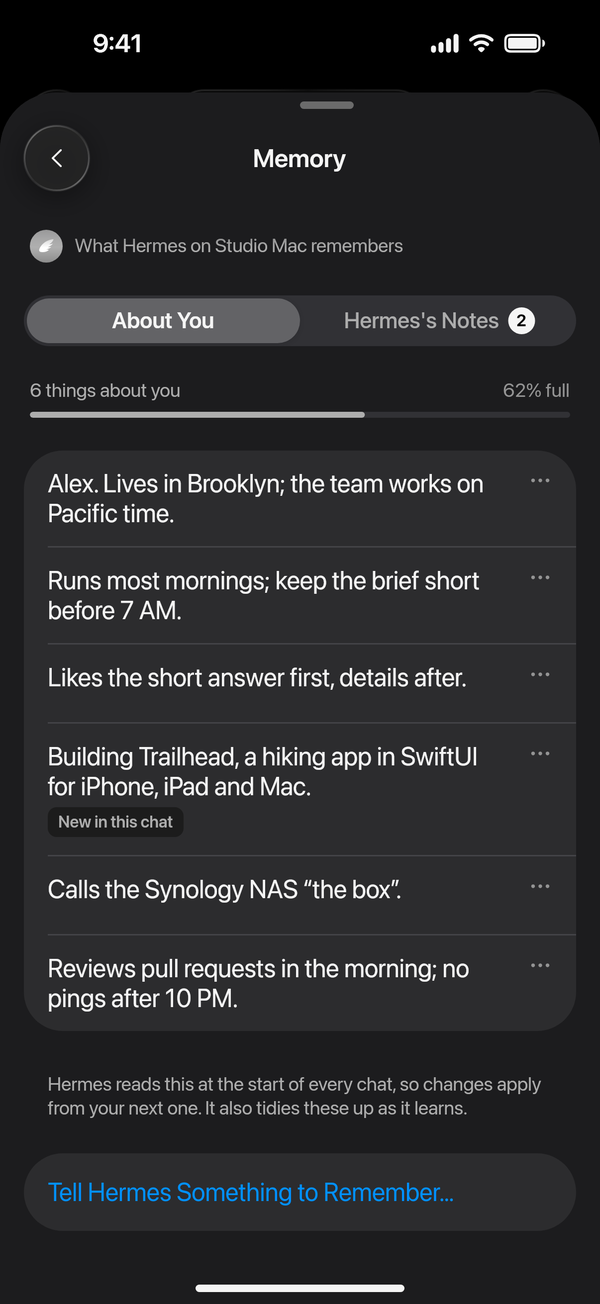 |
| Approvals in the chat | Voice messages and Listen | Memory you can read |
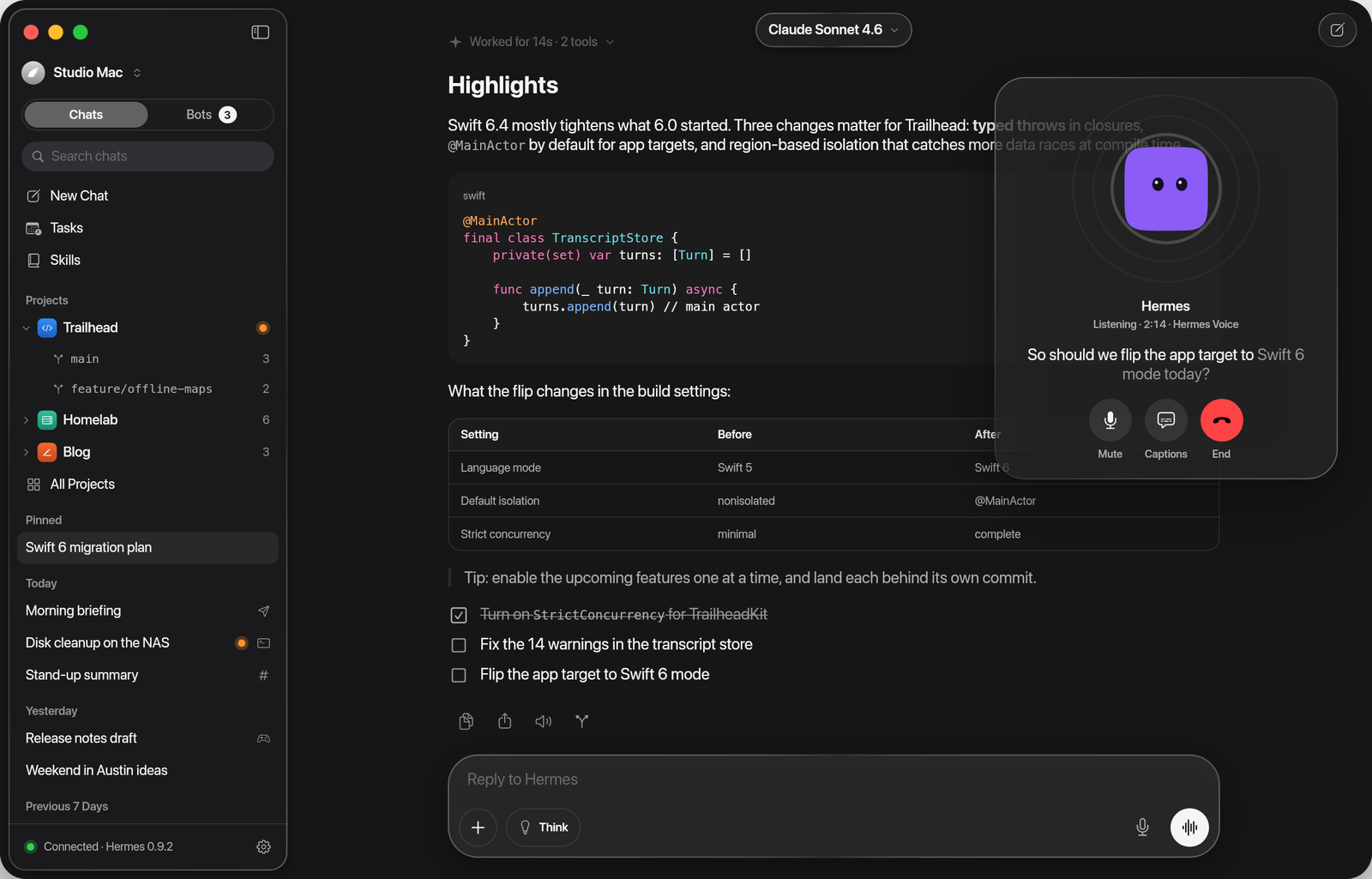 |
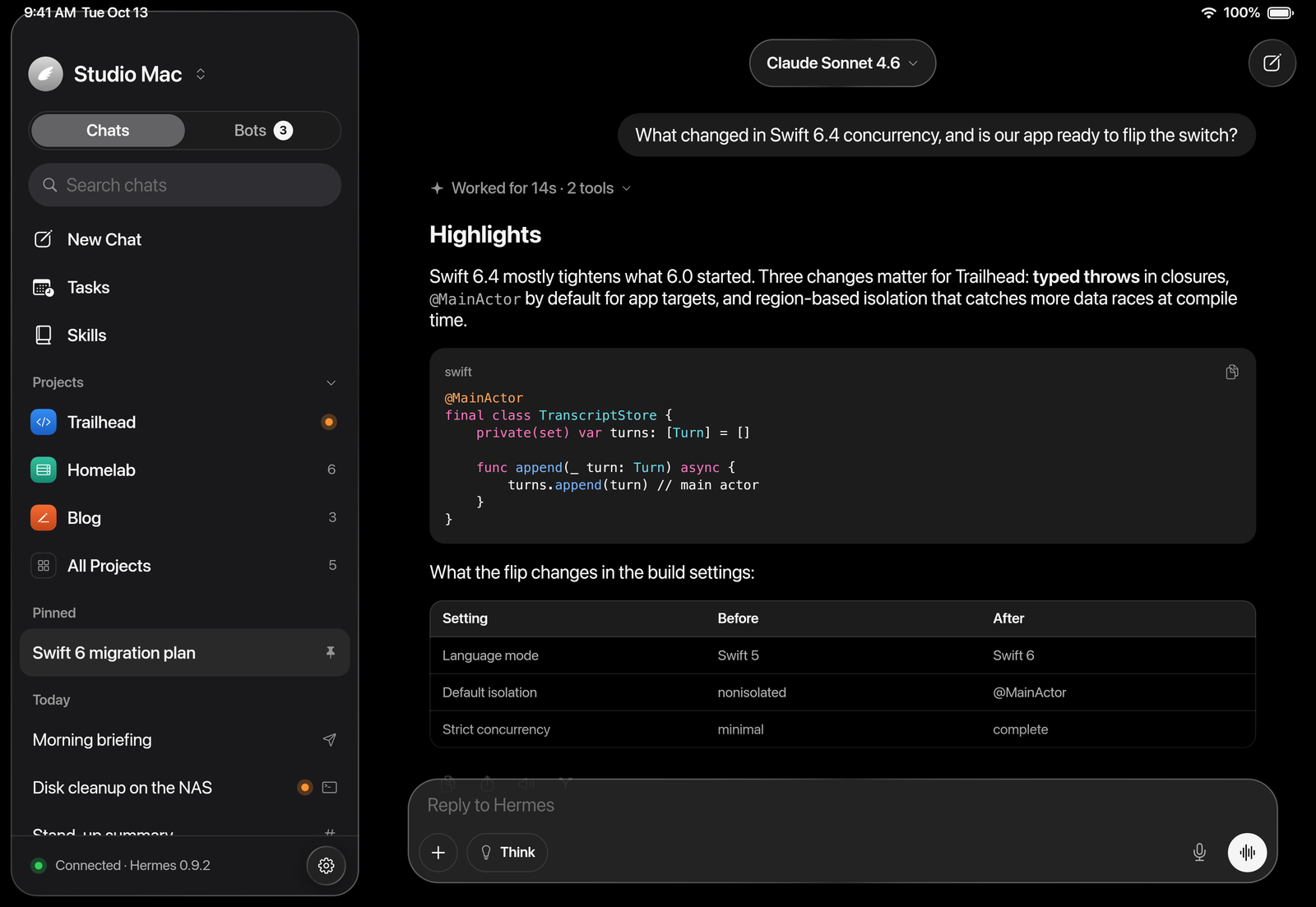 |
| Talk on the Mac | iPad |
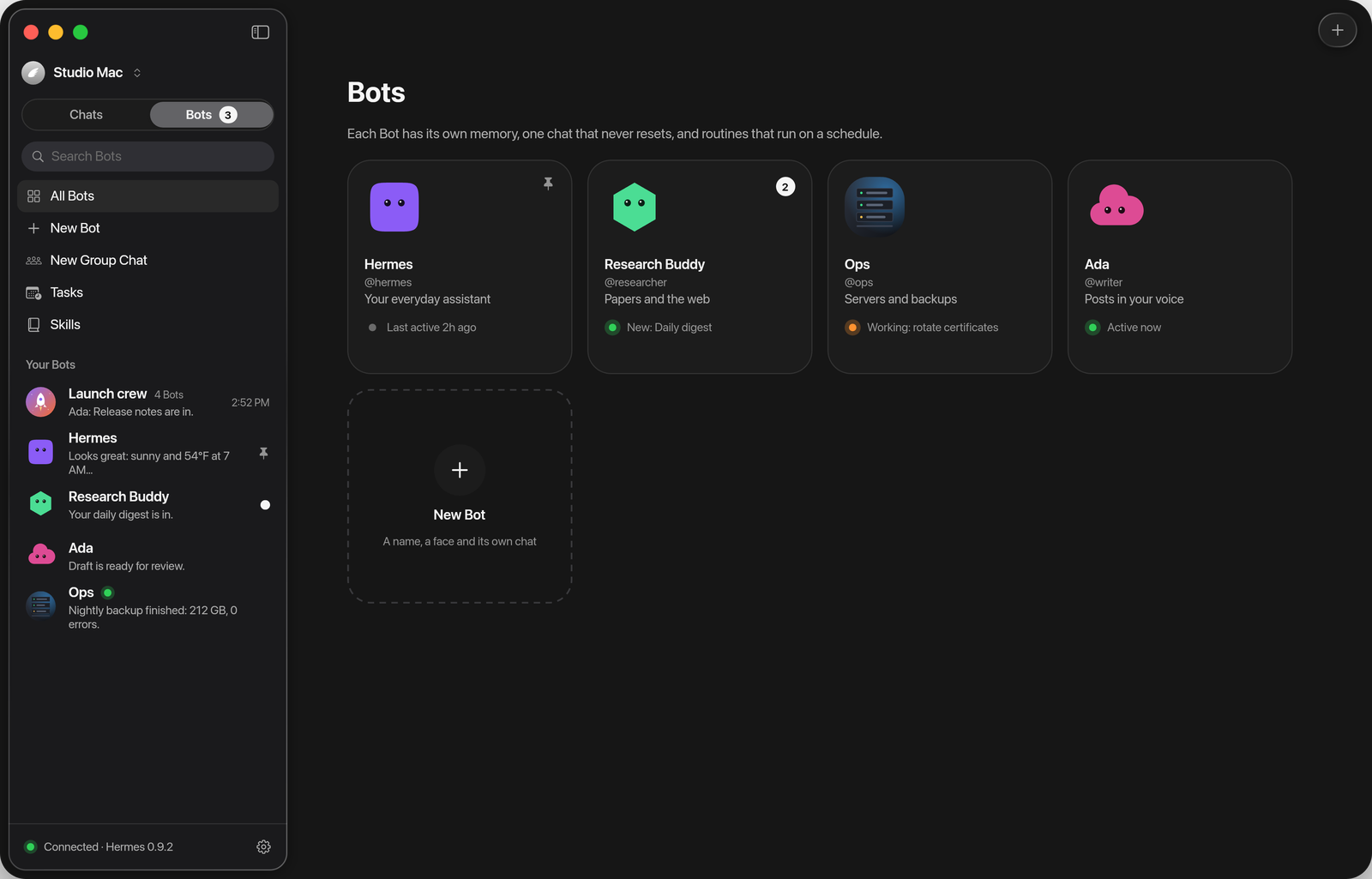 |
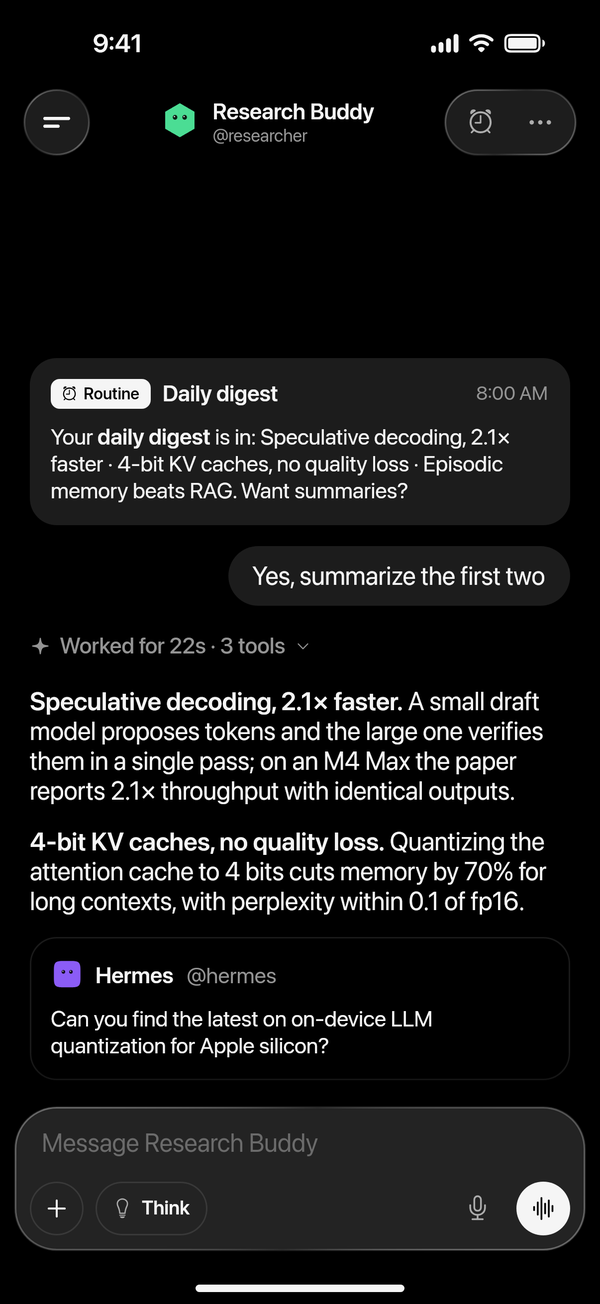 |
| Your Bots | A routine that reports back |
Get started
You need:
- Hermes Agent on a computer you control, with its API server on: a Mac, a home server or any
machine you run. Follow the install guide if you
don't have it yet. Chats, tasks, skills and models need nothing more. hermes serve, Hermes's backend (Hermes Desktop starts it too), for Bot Mode: Bots and group
chats, projects, the Board, the Inspector, memory, undo, "/" commands, sending files, search and voices.- The app's Hermes plugins, for notifications on iPhone and iPad and for widgets. The app offers
them once Bot Mode is linked, and installs them for you (details). - A way to reach it from your other devices: the same network, or Tailscale
when you're out.
Not sure what's missing? Settings → Setup lists every feature as ready, partly set up or not set
up, with a fix or the exact steps.
Install
| Device | Get it |
|---|---|
| iPhone and iPad | Join the public beta on TestFlight. iOS and iPadOS 26 or later. |
| Mac | Download the Mac beta: signed, notarized, and it updates itself. macOS 26 or later. |
| App Store | After the beta. |
Then connect it to your Hermes:
Turn on Hermes's API server. On the computer running Hermes, add these lines to
~/.hermes/.env,
then runhermes gateway restart:API_SERVER_ENABLED=true API_SERVER_KEY=<a long random key, 16+ characters> API_SERVER_HOST=0.0.0.0 # so your phone can reach it; keep it to a network you trustConnect. On the Mac running Hermes, open the app: it finds Hermes and connects in one click.
On iPhone and iPad, scan the pairing code from the Mac app (Pair a Device…), or enteryour-mac.local:8642and your key. Away from home, use its Tailscale
address.Turn on the extras. For Bots, projects, the Board, the Inspector, memory and undo, also run
hermes serveand link it in the gateway's settings. The app then offers its plugins, like
notifications, and installs them for you.
Each build's changes are in Releases and the
CHANGELOG.
The app's Hermes plugins
Hermes Agent can't reach Apple's push service by itself, so the app brings its own plugins. They run
inside your Hermes; their source is in Tools/.
| Plugin | What it adds |
|---|---|
| hermes-app-push | Notifications on iPhone and iPad, end-to-end encrypted; answers from the Lock Screen; Live Activities; scheduled tasks delivered to the app |
| hermes-app-widgets | Widgets in replies: approvals, forms, checklists, results. Other chat platforms get plain text. |
Everything else works without them. The app installs them only after you say yes, pinned to the
version it was tested with, in Hermes and every Bot, and keeps them up to date.
Each Bot is a Hermes profile with its own plugins, so install them in the root and in every profile,
then restart the gateway:
for plugin in hermes-app-push hermes-app-widgets; do
  hermes plugins install "vburojevic/$plugin" --enable
  for p in $(ls ~/.hermes/profiles 2>/dev/null); do hermes -p "$p" plugins install "vburojevic/$plugin" --enable; done
done
hermes gateway restart
To update a copy you installed by hand, run hermes plugins update <plugin> the same way. An update
doesn't reload a running Hermes: restart the gateway, and hermes serve or Hermes Desktop for Bot
Mode. docs/plugins.md has the details.
Privacy and security
Hermes can run commands on your computer, so the app treats that seriously.
- It talks only to your Hermes. No account, no analytics, no tracking, no third-party SDKs on
iPhone and iPad. The Mac app checks GitHub for updates. - Keys stay on your device, in the Keychain: never restored onto another device, never sent
anywhere but your gateway, never logged. - Notifications are end-to-end encrypted. Your gateway seals each one for your device; the
relay that hands them to Apple sees only an envelope. - Approvals show what will really run. Hidden and text-reversing characters show as their codes,
and commands Hermes's safety check flagged are never approved from a notification. - Content stays content. Pages, emails and files Hermes reads can't approve a command, open
anything but a web page, reach your network from a preview, or send your key elsewhere. - Pairing codes are links only Hermes opens. The gateway's address and key ride in the part of
the link a browser never sends to a server.
docs/architecture.md lists the rules the code keeps.
Build from source
You need Xcode 27 and XcodeGen:
brew install xcodegen
xcodegen generate
open Hermes.xcodeproj
Pick the Hermes scheme and an iPhone or iPad simulator, or My Mac. Simulator builds need no signing;
for your own devices, set your team in project.yml (docs/development.md).
No Hermes Agent or paid model needed. The bundled mocks play the gateway and its backend:
python3 -I Tools/mock-hermes/backend.py --port 19119 --gateway-port 18642
Launch the Debug build ("Hermes Dev") with these arguments and it connects to them:
-HERMES_BOOTSTRAP_URL http://127.0.0.1:18642 -HERMES_BOOTSTRAP_KEY dev-key-0123456789abcdef
-HERMES_BOOTSTRAP_BACKEND http://127.0.0.1:19119
Words in a message drive the scenarios ("approve", "slow", "fail",
"helpers"…), and -HERMES_* launch flags open any screen in any state.
(cd Packages/HermesKit && swift test)    # unit tests, no simulator needed
(cd Relay && npm ci && npm test)         # the push relay
xcodebuild -project Hermes.xcodeproj -scheme HermesUITests \
  -destination 'platform=iOS Simulator,name=iPhone 17 Pro' test   # UI tests, with the mock running
The plugins' tests run against a Hermes Agent checkout; see docs/plugins.md.
docs/development.md lists every mock scenario and launch flag.
Architecture
One multiplatform SwiftUI app in Swift 6 with strict concurrency, three iOS extensions, a Swift
package for everything that isn't UI, a push relay, the app's Hermes plugins, and stdlib-only Python
mocks of Hermes.
| Path | What lives there |
|---|---|
App/ |
The app: models, views (one folder per area), design (theme, Bot faces, shaders) |
Packages/HermesKit/ |
API and socket clients, transcript folding, the live-turn reducer, push crypto, Markdown, and the tests |
Push/ |
Notification Service and Content extensions, the widget and the Live Activity |
Relay/ |
The push relay (Convex and Vercel). It hands sealed notices to Apple and never sees content. |
Tools/ |
The mock gateway and backend, the app's Hermes plugins, the icon renderer |
The app speaks to both of Hermes's servers: the gateway's API server for chats, and hermes serve
for Bot Mode. docs/architecture.md shows how the pieces fit, and
docs/ has a document for every area of the app (chat, approvals, Bots, the Board,
the Inspector, voice, widgets, notifications…): what it does, the Hermes calls behind each control,
and how to check it.
Roadmap
What's being built now, next and later is on the public
Hermes roadmap. Ideas start in
Discussions; accepted ones become
issues and land on the roadmap.
Contributing
Pull requests are welcome. CONTRIBUTING.md explains how to propose a change, and
AGENTS.md holds the rules the code keeps (worth reading even if you're not an AI).
Looking for a place to start? Try a
good first issue.
Bugs go in issues. Problems with Hermes Agent itself
belong with Nous Research.
Community
Discussions is where Hermes users meet:
Announcements,
Ideas,
Q&A and
Show and tell. Everyone
follows the Code of Conduct.
Reporting a security issue
Please don't open a public issue. Use
private vulnerability reporting or
email [email protected] with "Security" in the subject. SECURITY.md says
what's in scope.
License
MIT. Hermes stands on Hermes Agent by Nous
Research, and uses swift-markdown and
Sparkle. Bot faces follow the shapes and colors of Hermes Agent's Bot
Mode, so a Bot looks the same in every app.
Hermes is an independent app made by Caffeinated Code; it is not
affiliated with Nous Research. Apple, iPhone, iPad, Mac and macOS are trademarks of Apple Inc.
Yorumlar (0)
Yorum birakmak icin giris yap.
Yorum birakSonuc bulunamadi