ai-localbase
Health Gecti
- License — License: MIT
- Description — Repository has a description
- Active repo — Last push 0 days ago
- Community trust — 193 GitHub stars
Code Uyari
- network request — Outbound network request in frontend/src/App.tsx
Permissions Gecti
- Permissions — No dangerous permissions requested
This tool is a local-first AI knowledge base and RAG (Retrieval-Augmented Generation) system. It allows users to upload local documents (such as PDFs, Markdown, and text files) to a vector database and interact with them via a chat interface powered by Ollama or OpenAI-compatible models. It also exposes an MCP server for external agents to connect to.
Security Assessment
Overall Risk: Medium
The system processes local documents and acts as a bridge to external LLM APIs, meaning it handles whatever sensitive data you choose to upload. The automated scan did not find any hardcoded secrets or dangerous permission requests. However, there is a flagged outbound network request in the frontend (`App.tsx`). While this is expected behavior for a web application that needs to communicate with its Go backend and external AI model APIs, users should be aware that their data will leave the local environment to reach the configured LLM provider. The built-in MCP server includes solid security features like Bearer Token authentication, rate limiting, and tool permission tiers, but administrators must ensure these are properly configured.
Quality Assessment
This is a healthy, active project. It uses a standard tech stack (Go, React, TypeScript) and is licensed under the permissive and widely trusted MIT license. The codebase appears to be actively maintained, with the most recent code push occurring today. It has accumulated 193 GitHub stars, indicating a fair level of community trust, adoption, and interest from developers.
Verdict
Safe to use, assuming you trust the external LLM API provider you configure it with and review the frontend network requests.
一个本地优先的AI知识库系统(RAG),用于把本地文档接入辅导搜索与大模型对话流程。目前支持md、txt、pdf(文本)、xlsx、cvs类型。支持mcp服务
AI LocalBase
一个本地优先的 AI 知识库系统(RAG),用于将本地文档接入向量检索与大模型对话流程。项目提供 Web UI,支持知识库管理、文档上传、检索增强问答、聊天记录持久化,以及基于 Ollama 或 OpenAI 兼容接口的模型接入。
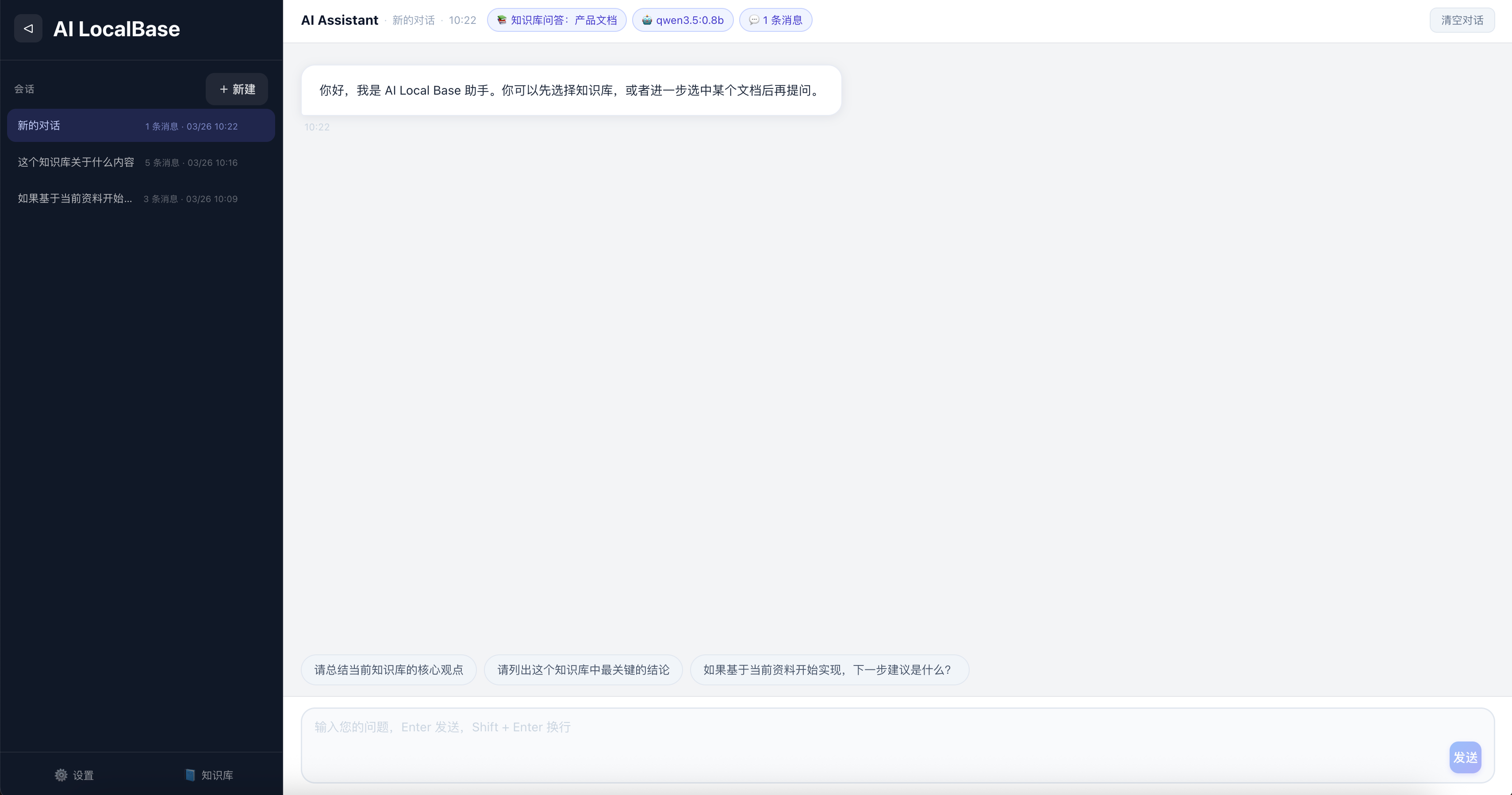
项目简介
AI LocalBase 适合个人或小团队在本地环境、自托管环境中快速搭建可用的知识库问答系统。
- 后端:Go + Gin
- 前端:React + Vite + TypeScript
- 向量数据库:Qdrant
- 模型接入:Ollama / OpenAI Compatible API
- 部署方式:本地启动 / Docker Compose
- 扩展能力:内置 MCP Server,可供外部 Agent / 工具系统接入
核心能力
- 知识库管理:创建、删除知识库,查看文档列表
- 文档上传与索引:支持 TXT、Markdown、PDF、xlsx、csv 文件上传与解析
- 检索增强问答:基于 Qdrant 做向量检索并把命中内容注入对话上下文
- 聊天记录持久化:会话消息保存到本地 SQLite 数据库
- 配置持久化:模型配置与知识库状态保存到本地 JSON 文件
- Docker Compose 部署:支持一键拉起前端、后端、Qdrant
检索增强能力
- 文本自动切分与批量嵌入
- 候选结果动态召回
- 关键词覆盖增强重排
- MMR 去冗余选择
- 低置信度场景二次扩召回
- 嵌入缓存与可选语义缓存
- 可选 Hybrid Search、Semantic Reranker、Query Rewrite、Context Compression
适用场景
- 本地个人知识库
- 团队内部文档问答
- 自托管 RAG 原型验证
- Ollama / OpenAI 兼容模型接入测试
- 检索策略实验与评估
- 作为 MCP 能力后端供 Agent 调用
快速开始
最短体验路径:
- 启动 Qdrant:
docker compose -f docker-compose.qdrant.yml up -d
- 启动后端:
cd backend
go run .
- 启动前端:
cd frontend
npm install
npm run dev
- 打开
http://localhost:5173,进入设置页配置 Chat 与 Embedding 模型。
如需更完整的命令、环境变量与接口说明,请查看 docs/getting-started.md。
部署方式
本地开发启动
适合日常开发、调试接口、修改前端页面。
- 启动 Qdrant:
docker compose -f docker-compose.qdrant.yml up -d
- 启动后端:
cd backend
go run .
- 启动前端:
cd frontend
npm install
npm run dev
默认地址:
- 前端:
http://localhost:5173 - 后端:
http://localhost:8080 - Qdrant:
http://localhost:6333
Docker Compose 一键启动
适合快速体验或自托管部署验证。
docker compose up --build
默认服务地址:
- 前端:
http://localhost:4173 - 后端:
http://localhost:8080 - Qdrant HTTP API:
http://localhost:6333 - Qdrant gRPC:
localhost:6334
使用预构建镜像部署
如果不想本地编译,可直接使用预构建镜像:
docker compose -f docker-compose.prod.yml up -d
更多镜像、版本与部署细节见 DOCKER_DEPLOY.md。
仅启动应用编排
如果希望单独使用应用编排文件,也可以执行:
docker compose -f docker-compose.app.yml up --build
设置页面配置
设置页面
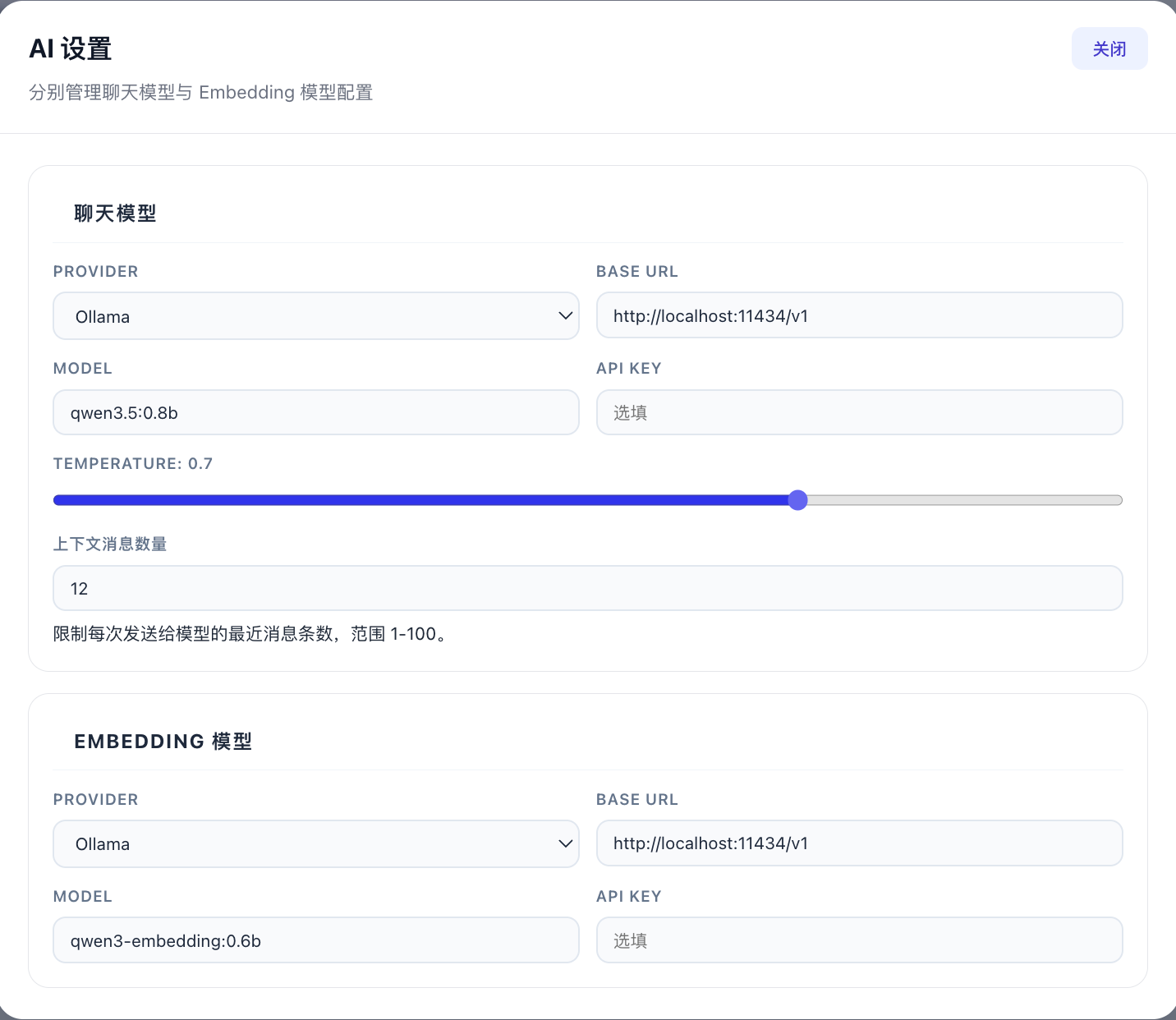
打开前端后,进入 Settings 页面,分别配置 Chat 与 Embedding。
Ollama 示例
Chat 配置
- Provider:
ollama - Base URL:
http://localhost:11434 - Model:
qwen2.5:7b或llama3.2 - API Key: 留空
Embedding 配置
- Provider:
ollama - Base URL:
http://localhost:11434 - Model:
bge-m3或nomic-embed-text - API Key: 留空
OpenAI Compatible 示例
Chat 配置
- Provider:
openai - Base URL: 你的兼容接口地址,例如
https://your-api.example.com/v1 - Model: 对应聊天模型名
- API Key: 对应访问密钥
Embedding 配置
- Provider:
openai - Base URL: 你的兼容接口地址
- Model: 对应嵌入模型名
- API Key: 对应访问密钥
MCP 支持
项目内置基础 MCP Server 能力,作为后端内嵌工具服务运行,可供外部 Agent、脚本或工具系统通过 HTTP / JSON-RPC 接入。
当前支持:
- HTTP 形式 MCP 入口
- 工具列表发现能力
- 只读 / 写入 / 危险工具权限分级
- Bearer Token 鉴权
- 限流、超时与审计日志
- 危险工具二次确认机制
- 复用现有知识库、会话、配置与检索服务
默认入口:
GET /mcpGET /mcp/toolsPOST /mcp
常用环境变量:
ENABLE_MCP:是否启用 MCP,默认trueMCP_BASE_PATH:MCP 挂载路径,默认/mcpMCP_REQUEST_TIMEOUT_SECONDS:请求超时,默认15MCP_REQUESTS_PER_MINUTE:每分钟限流,默认120
Cherry Studio 接入示例
如果你希望在 Cherry Studio 中通过 MCP 接入 AI LocalBase,可以按以下方式配置:
- 类型:可流式传输的 HTTP(
streamableHttp) - URL:
http://127.0.0.1:8080/mcp - 请求头:
Content-Type: application/jsonAuthorization: Bearer <你的 MCP Token>
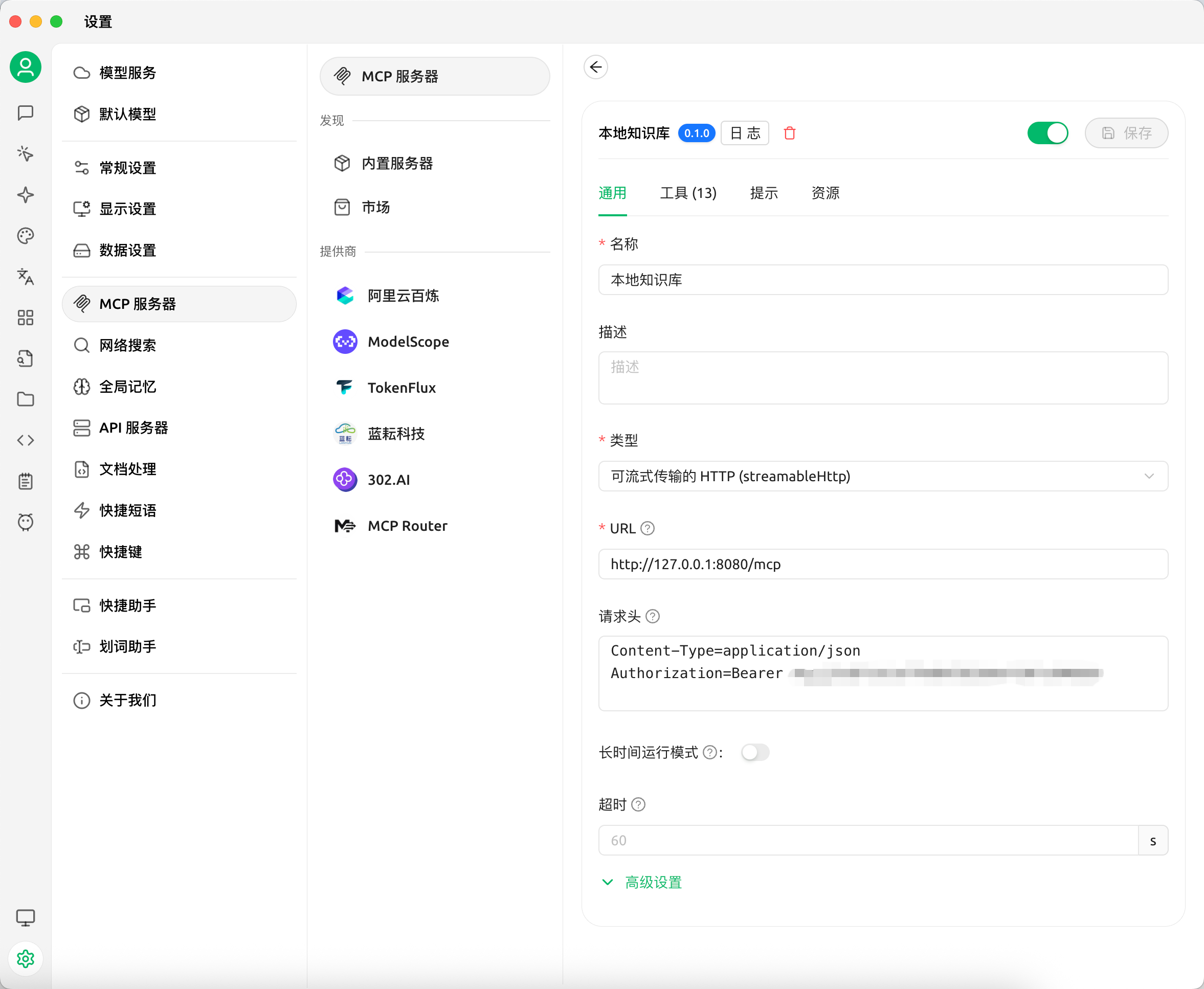
更完整的方法、工具列表、鉴权与调用示例见 docs/mcp.md。
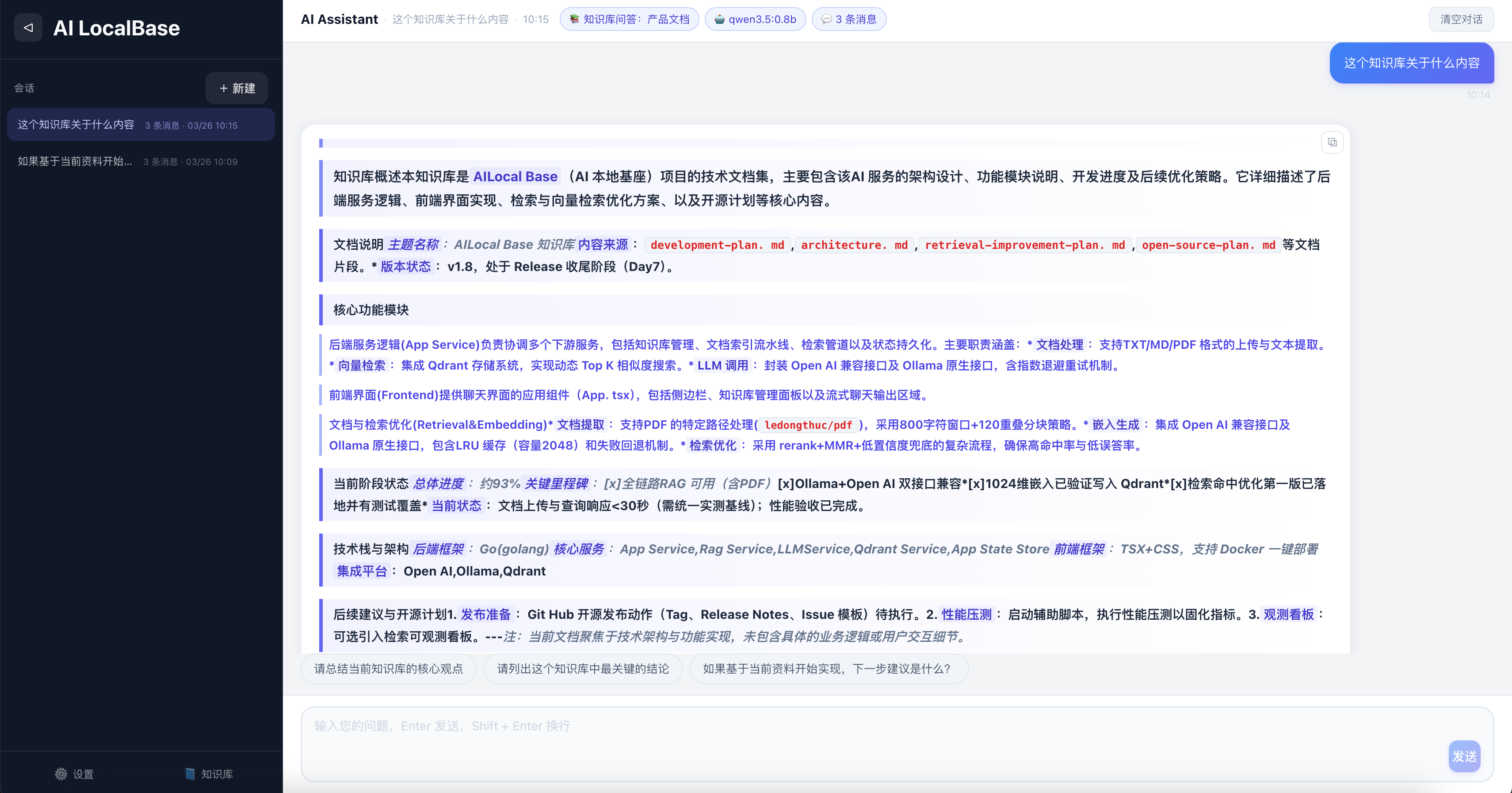
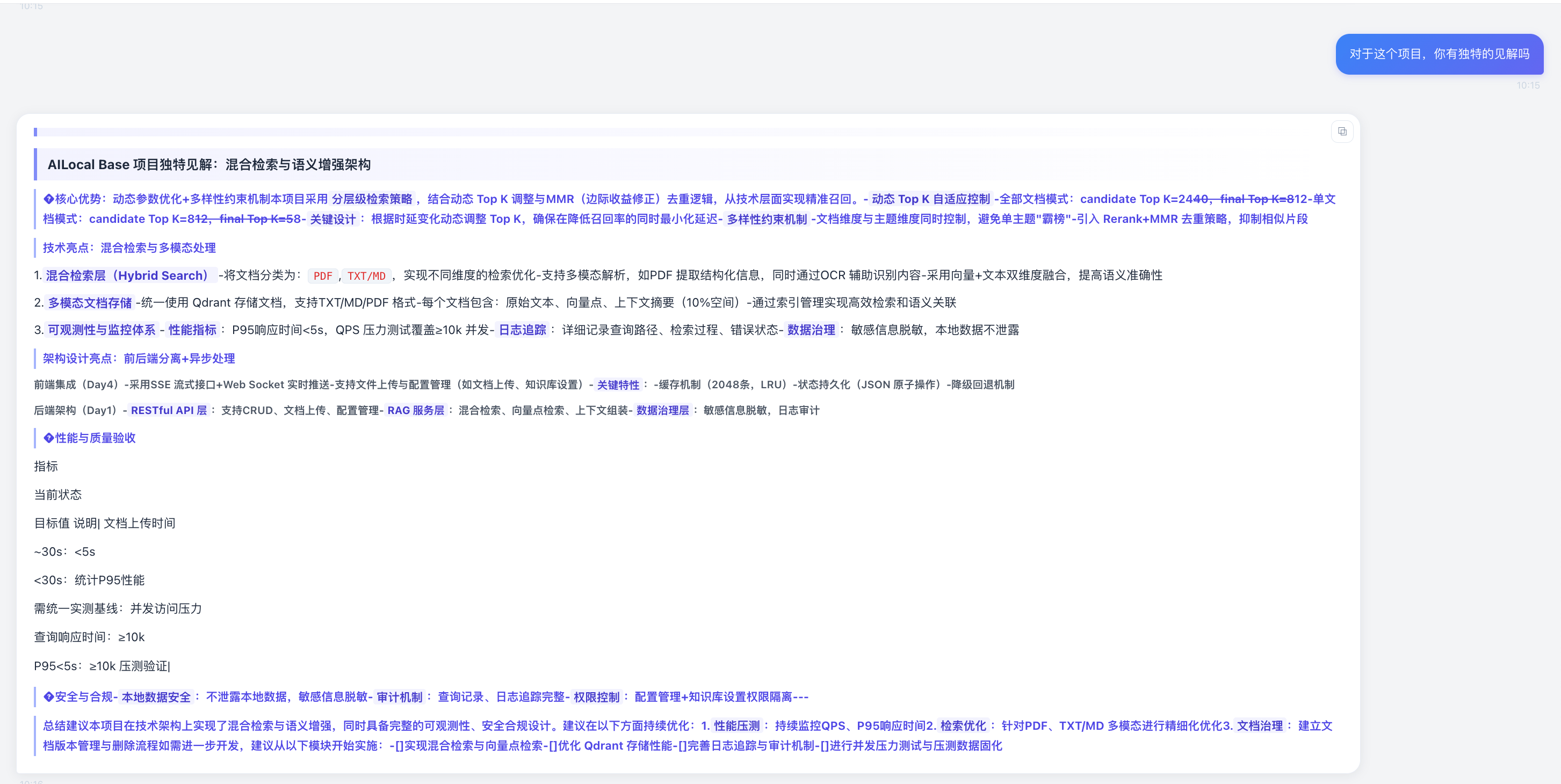
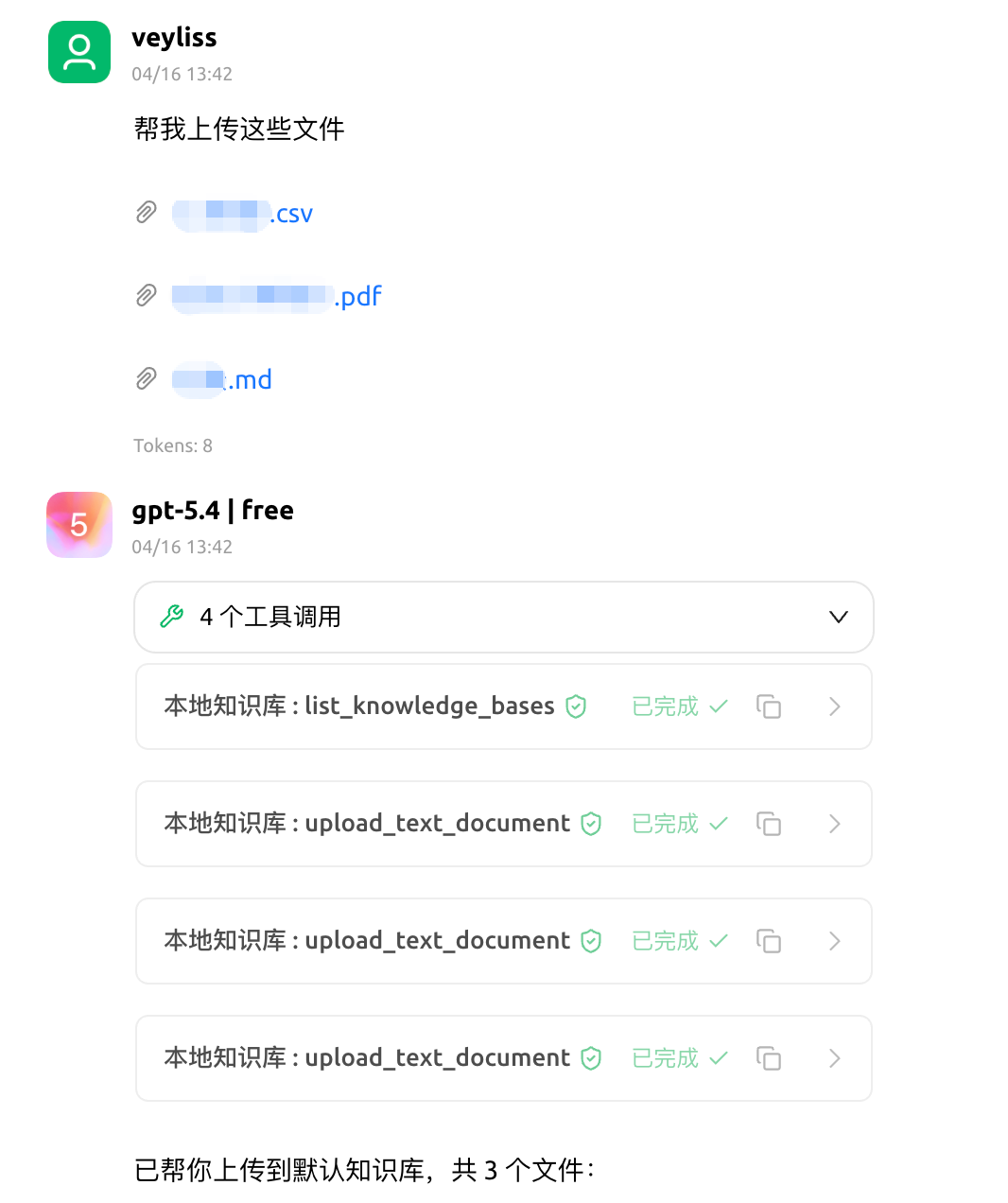
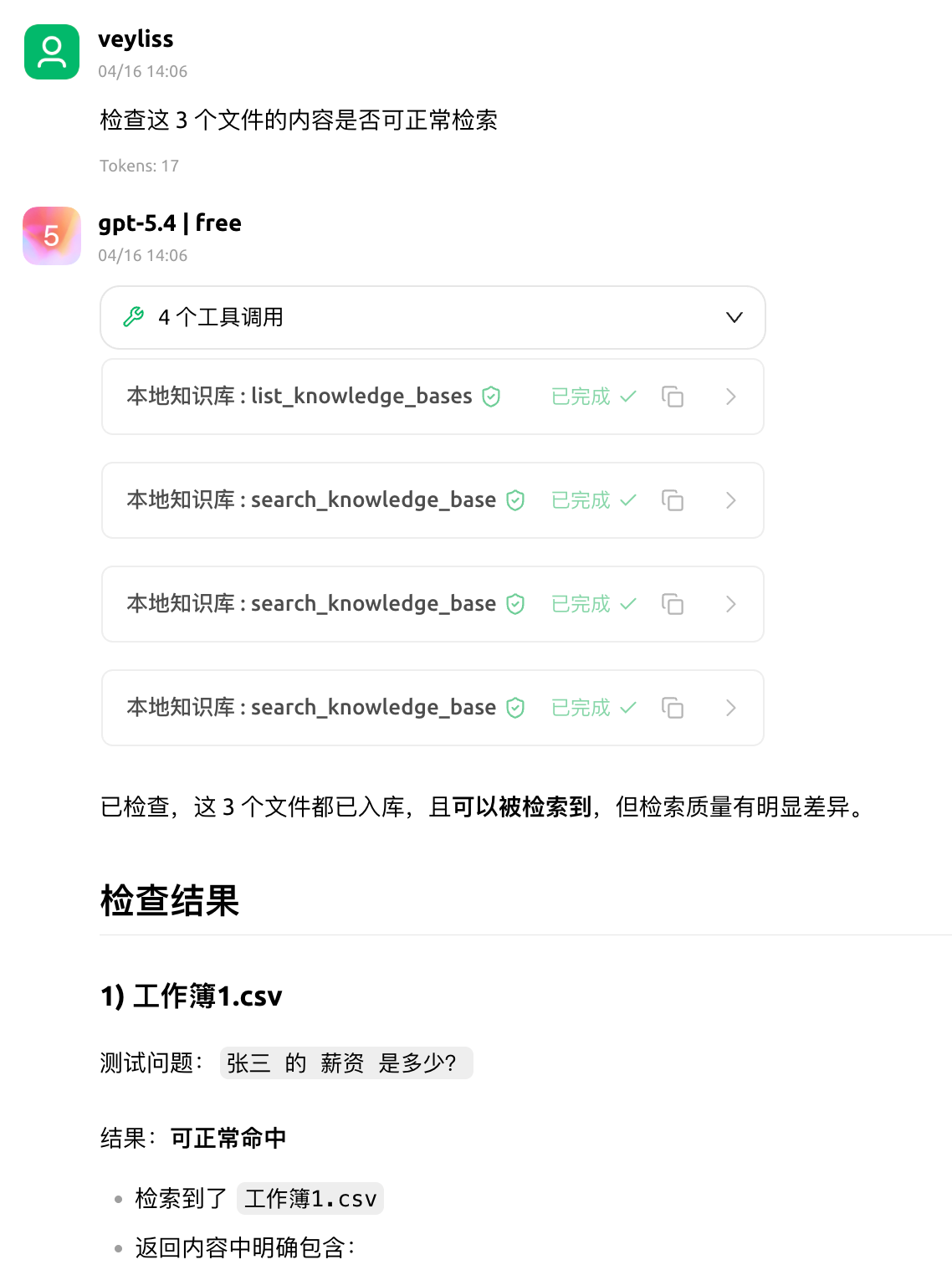
界面预览
Demo 演示
文档导航
- 快速开始与使用指南:
docs/getting-started.md - 系统架构:
docs/architecture.md - MCP 说明:
docs/mcp.md - 检索优化计划:
docs/retrieval-improvement-plan.md - Docker 镜像与部署指南:
DOCKER_DEPLOY.md - 故障排查:
TROUBLESHOOTING.md
项目结构
ai-localbase/
├── backend/
├── frontend/
├── docs/
├── docker/
├── assets/
├── docker-compose.yml
├── docker-compose.qdrant.yml
├── docker-compose.app.yml
└── docker-compose.prod.yml
更完整的系统结构、模块职责与接口设计见 docs/architecture.md。
开源协作
- License:
LICENSE - 贡献指南:
CONTRIBUTING.md - 安全策略:
SECURITY.md - 更新记录:
CHANGELOG.md
如果这个项目对你有帮助,请给个 ⭐ Star。
Star History
Yorumlar (0)
Yorum birakmak icin giris yap.
Yorum birakSonuc bulunamadi