jarvis
Health Uyari
- License — License: MIT
- Description — Repository has a description
- Active repo — Last push 0 days ago
- Low visibility — Only 6 GitHub stars
Code Basarisiz
- rm -rf — Recursive force deletion command in .github/workflows/tests.yml
- network request — Outbound network request in browser-sync/background.js
- network request — Outbound network request in browser-sync/options.js
- network request — Outbound network request in browser-sync/popup.js
- network request — Outbound network request in installer/mac/build.py
Permissions Gecti
- Permissions — No dangerous permissions requested
Bu listing icin henuz AI raporu yok.
An AI assistant that lives on your computer: talk or type, and it opens apps, writes files and builds software. Free, open source, Windows and Mac.
JARVIS
An AI assistant that lives on your computer. Type or say what you need: it opens apps, finds and writes files,
answers questions, and has coding agents build software for you. It asks before anything is sent, deleted or paid
for. Free and open source, for Windows and Mac.
Download for Windows · Download for Mac · Website · All downloads
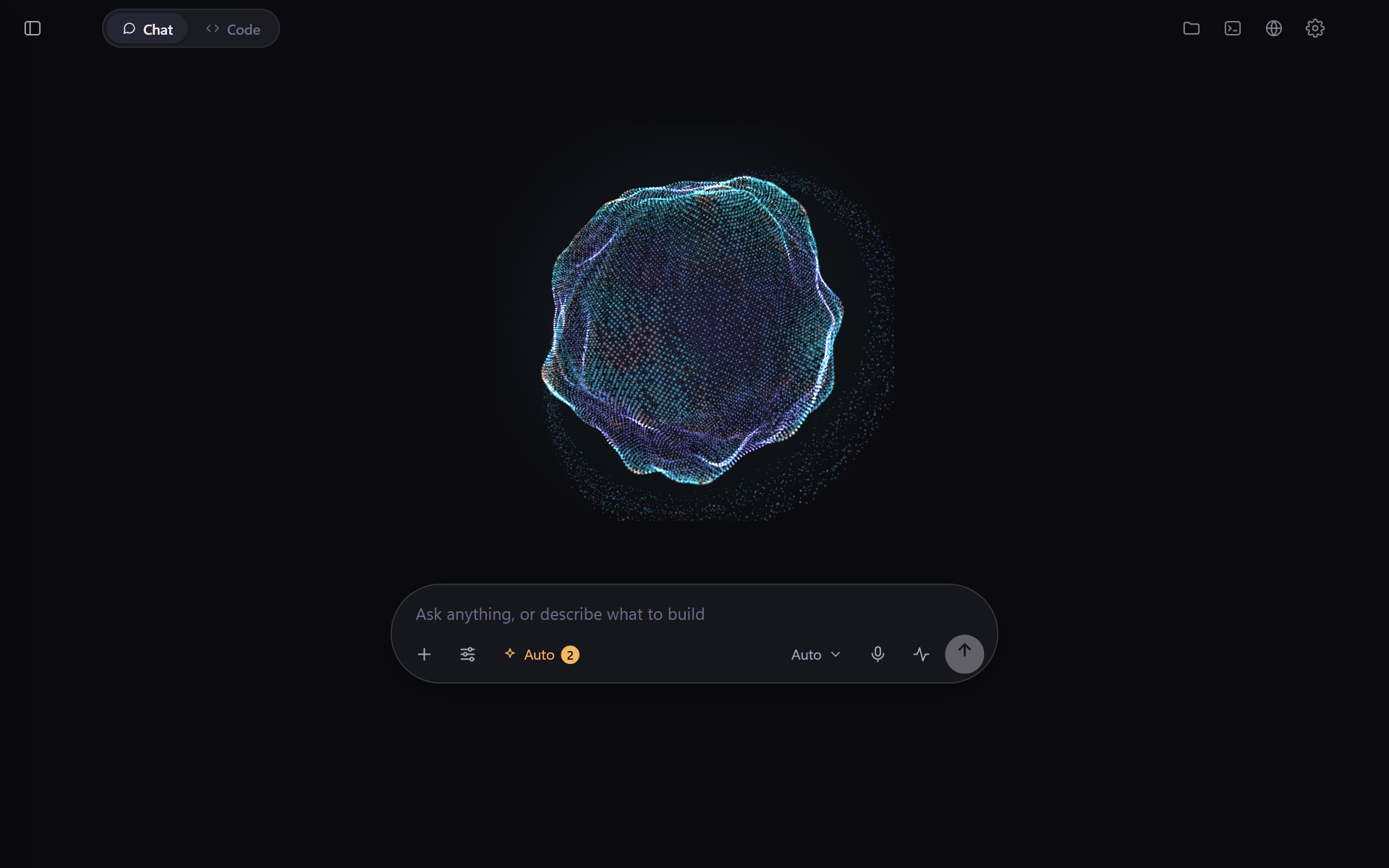
Quickstart: from download to your first command
No terminal, no Python and no account needed.
- Download the installer for your computer: Windows or Mac.
- Install it.
- Windows: open
JARVIS-Setup.exe. If Windows says "Windows protected your PC", click More info, then
Run anyway (JARVIS is not signed with a paid certificate yet). It installs in about a minute, asks nothing,
and opens JARVIS. - Mac: open
JARVIS.dmg, double-click Install JARVIS, then click Install. If macOS says it cannot be
opened, click Done, open System Settings › Privacy & Security, click Open Anyway beside
"Install JARVIS", and open it again. JARVIS opens by itself when it is installed.
- Windows: open
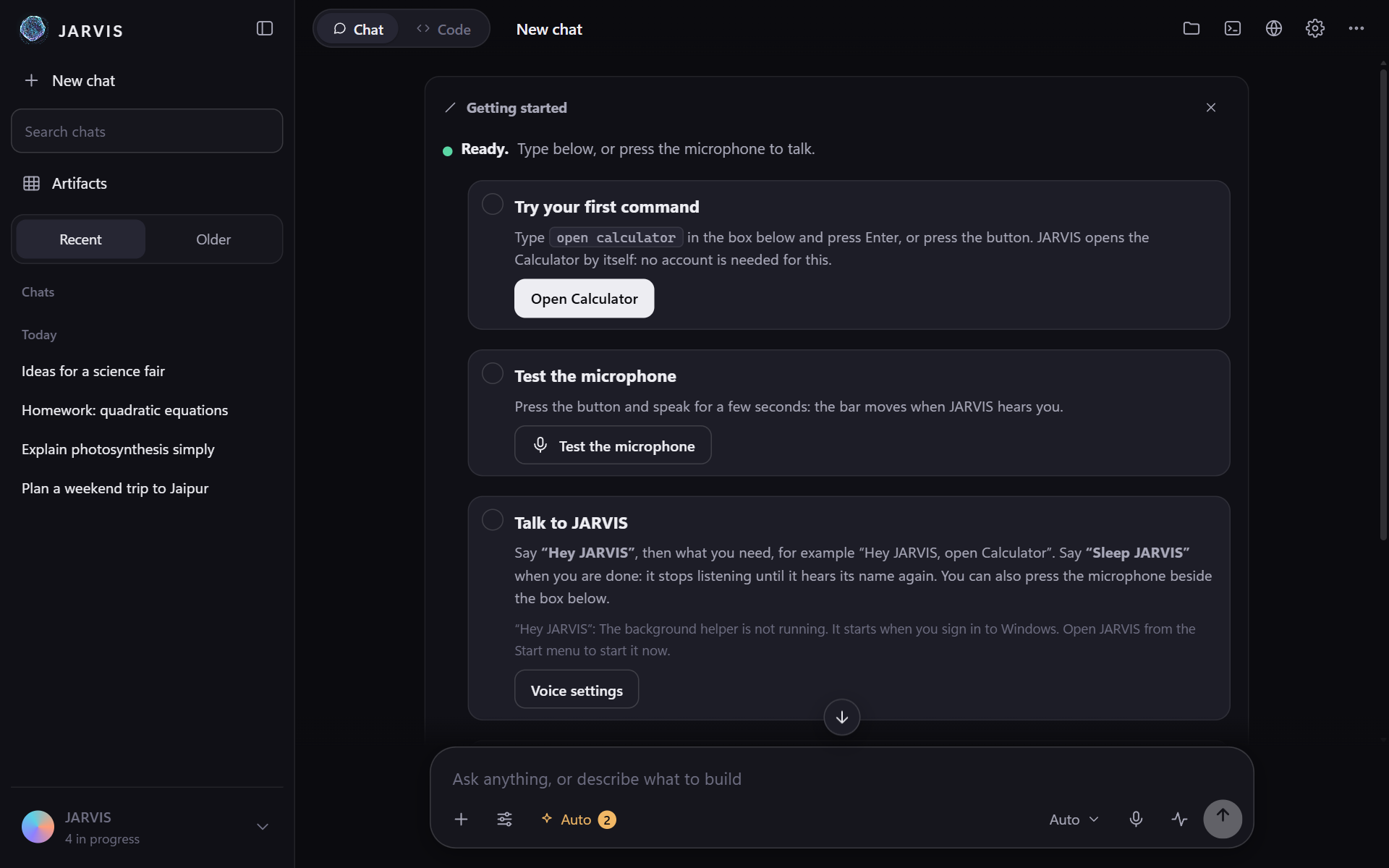
- Give it your first command: type
open calculatorand press Enter. The Calculator opens.
The first time, JARVIS shows a short Getting started card in the chat: that first command, a microphone test,
how to talk to it (say "Hey JARVIS", then what you need; "Sleep JARVIS" when you are done) and, on a Mac, what macOS
has to allow, each with a Check again button. Type /setup to see it again.
Next: to ask questions, write and build things, connect an AI in Settings › AI models & accounts: sign in
with your Claude or ChatGPT account, or add an API key. Opening apps, timers and sums work without one.
Uninstall: in JARVIS, Settings › Advanced › Uninstall JARVIS (on Windows also Settings › Apps › JARVIS).
Your notes are kept unless you choose to delete them.
What it does
- Talk to it. "Hey JARVIS", then say what you want. It can be interrupted, and it tells its own voice from yours.
- It does things on your PC. Opens apps and pages, finds and writes files, runs commands, fills in forms.
How much it asks is a mode, as in Claude Code: Auto (the usual: it asks only before sending, deleting or
paying), Manual, Accept edits, Plan and Bypass permissions (it asks nothing; what it never does,
such as typing passwords or card numbers, stays off).
When it does ask, the question is a card at the end of the chat with its answers on it, and the work carries on. - Give it a prompt and it does the rest. The chat you ask in becomes the project's Master chat, with one
checklist of everything it set going (each line opens to its progress). Each piece of work gets a chat of its own,
named after what it does, under the Master in the sidebar. Jobs run for Claude Code or Codex in their own copy of
your project (a git worktree), four at a time; when the project's checks pass, the change goes in by itself, with
Undo, and there is no time limit. In Manual mode a change waits for you to keep it. - Sign in with your own account, as in T3 Code: Settings, AI models & accounts signs in to Claude (Claude Code)
and ChatGPT (Codex) with your subscriptions. API keys for other services are still there. - Everything else is a /command, answered in the chat. Type
/for two lists: Features (/work,/mode,/status,/projects,/undo,/folder,/dryrun,/checklist,/context,/compare,/court,/pair,/security,/routines,/agents,/setup,/advisor...) and Skills, plugins & mods./advisorworks as in
Claude Code: a stronger model (Opus, Fable or Sonnet) that coding jobs consult at hard moments. Each answers in the chat, the Court and the
security check included; only Files, Terminal and Browser sit beside it. Projects can be opened in Explorer or Finder, and deleted
(their folder goes to the Recycle Bin only if you tick the box). - Security check. Finds the usual holes in a project, has the ones you tick fixed in a copy, shows you the
change, applies it, and can undo it. - Routines. Things done again and again at the times you choose, each run sent as if you had typed it.
- Artifacts. Pages, pictures, diagrams, documents, slides, sheets, charts and whiteboards open beside the chat,
with every version kept. - The Court of JARVIS. One idea, five stages (grand jury, prosecution, analysts with web research, tribunal,
executioner), a verdict worked out in code. - Your notes are its memory. It keeps what it learns in a folder of Markdown notes (an Obsidian vault): your
second brain, readable and editable by you.
Every feature is described in the guide. How JARVIS compares with T3 Code and Cursor, feature by
feature, is in docs/PARITY.md. From version 0.1.4 on, JARVIS updates itself: it installs only
releases signed by its maker, and goes back to the version you had if a new one does not start (see
docs/INSTALL.md).
Other ways to install
| Windows | JARVIS-Setup.exe (above), or JARVIS-windows.zip from Releases and run install.ps1. |
| macOS | JARVIS.dmg (above), or JARVIS-mac.zip: unzip it and double-click Install JARVIS. |
| From source | git clone https://github.com/Vihan-2008/jarvis, then python -m jcc.firstrun and python -m jcc.desktop (Python 3.11 or newer). |
The installers put the app in your user folder (no administrator rights) with a Python of its own, set up the notes
vault, start JARVIS when you sign in (you can turn that off) and keep your settings, chats and notes on every update.
Details: docs/INSTALL.md.
What you need
- Windows 10 or 11, or macOS 12 or newer. Nothing else for the app itself.
- A Chromium-family browser for the app's window (Edge, which every Windows PC has, Chrome, Brave). Any browser works
as a fallback. - For questions and coding: your own Claude or ChatGPT subscription (JARVIS signs in for you in Settings), or API
keys. For coding jobs, the Claude Code and/or Codex command-line tools. - Optional keys of your own, kept in your system's key store, never in a file: Groq (speech-to-text), ElevenLabs
(the voice), Gemini and others (see Settings, Connections).
Windows, macOS, Linux
Everything works on Windows, where the app was built and is used every day. On a Mac the app runs with the wake
word, an icon in the menu bar, shortcuts that work from any app, dictation into other apps, working in other apps'
windows, step-by-step control and telling the Mac's own sound from your voice; the built-in browser panel and the
small listening window are Windows-only for now. The Mac side is run by the automated tests and by a check on a real Mac at GitHub
(scripts/mac_live_check.py); it has been installed and opened on a real Mac, not yet used day to day. Linux has the core app (chat, coding agents,
artifacts, routines, security check). The table is in docs/PLATFORMS.md.
How it keeps you safe
- It listens only on
127.0.0.1, takes its port for itself alone, and answers only its own window (a per-launch
token; other websites and other host names are refused). - Keys live in the system key store (Windows Credential Manager, the macOS Keychain) or in environment variables.
They are stripped from the environment of every coding job and are never written to notes, logs or chats. - One set of rules decides every action the assistant takes (
jcc/policy.py). An approval covers exactly the
action and the details you were shown, once. - Coding agents work in a copy of your project, never in your real folder, and nothing is merged before its checks
pass. They are told never to deploy, push, touch servers or handle secrets themselves; a request that mentions
those waits for your Go ahead, and spending money or changing a trading bot's risk limits is never done. - What it reads from the web, e-mail and notes is treated as information, never as instructions. After reading
outside content it asks more. - Notes in a
Privatefolder, or markedprivate: true, are never sent to a model.
Found a hole? See SECURITY.md.
Working on it
python -m unittest discover -s tests -t .     # about 1130 tests, standard library only
node --test tests/*.test.js                   # the window's own tests
Comments and test names are plain sentences; see CONTRIBUTING.md.
License
MIT. Bundled third-party files keep their own licenses (jcc/static/vendor/).
JARVIS is an independent open-source project. It is not affiliated with, or endorsed by, any company; the name is
only the app's name.
Yorumlar (0)
Yorum birakmak icin giris yap.
Yorum birakSonuc bulunamadi