gingerpaw
Health Uyari
- No license — Repository has no license file
- Description — Repository has a description
- Active repo — Last push 0 days ago
- Low visibility — Only 6 GitHub stars
Code Gecti
- Code scan — Scanned 10 files during light audit, no dangerous patterns found
Permissions Gecti
- Permissions — No dangerous permissions requested
Bu listing icin henuz AI raporu yok.
Local macOS multi-agent coding workspace — run Claude Code, Codex, Gemini & Cursor in parallel git worktrees, dispatch verified autonomous runs, and fix UIs by talking through a live preview. On-device voice, fully local.
GingerPaw
A multi-agent coding workspace for macOS — with on-device voice. Fully local.
Run a whole team of coding agents in parallel — Claude Code, Codex, Gemini CLI, Cursor —
each in its own git worktree. Agents can even spawn their own workspaces and launch other
agents. Plus push-to-talk dictation and a talking ginger cat that speaks (in a neural voice)
when an agent finishes. Nothing ever leaves your Mac.
What it does
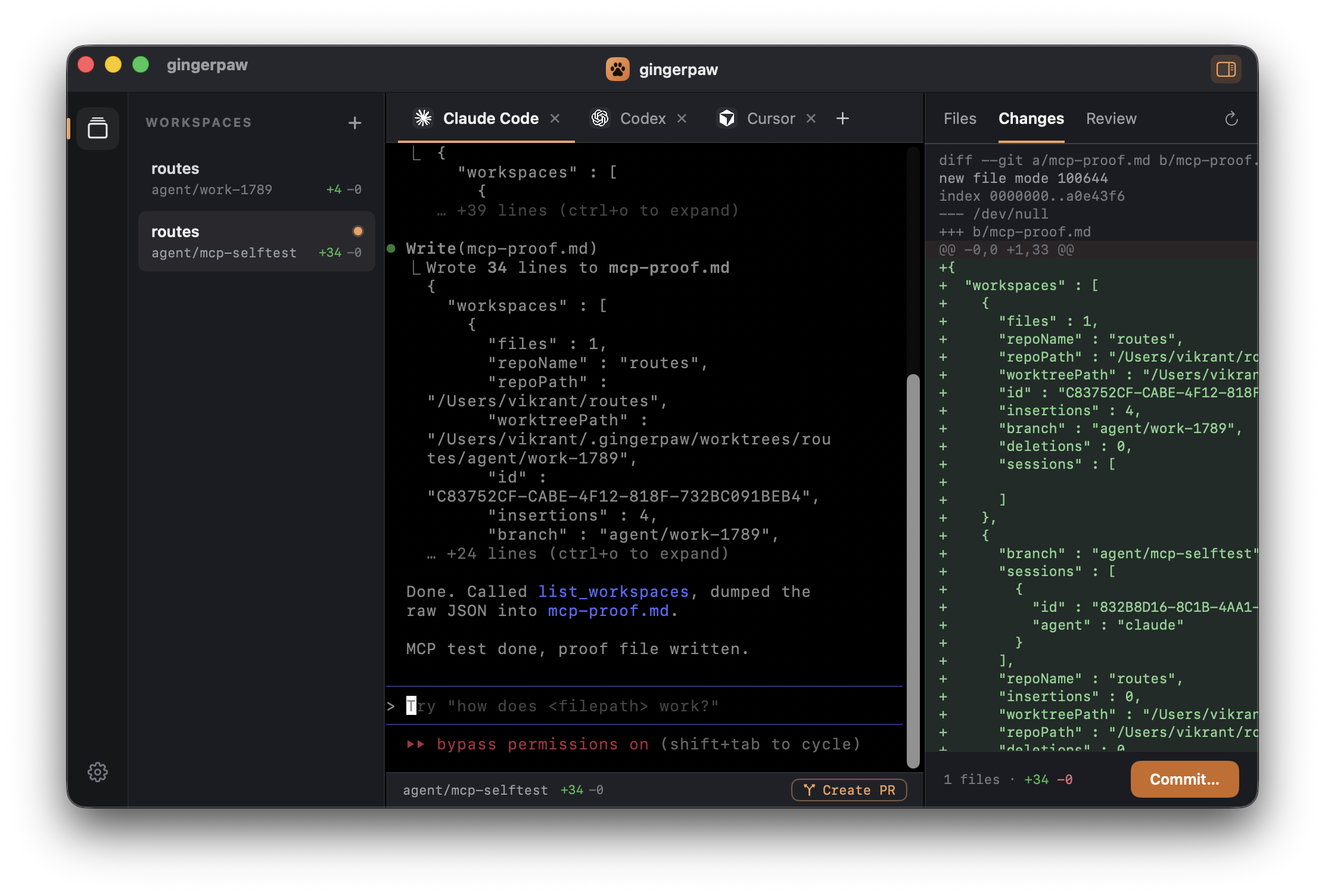
🖥️ Agent Workspace
Run multiple coding-agent CLIs side by side, each isolated:
- A tab per agent — Claude Code, Codex, Gemini CLI, Cursor — real interactive terminals (SwiftTerm PTYs) running in-app.
- Git worktrees — every workspace is a worktree on its own branch under
~/.gingerpaw/worktrees, so agents work in parallel with zero collisions. - Live diff panel — Files / Changes / Review with
+/−counts, one-click Commit, and Create PR (viagh). - Ports + branch status — detected dev-server ports and ahead/behind, right in the status bar.
- Agents launch with auto-approve flags — safe, because each is sandboxed to its own worktree.
🤖 Agents that orchestrate agents (MCP)
GingerPaw runs an MCP server, so an agent running inside a workspace can drive the cockpit:
create new workspaces, launch other agents with a task, and read their diffs back. Ask one
agent for something and a whole team shows up in your sidebar, working in parallel — all visible
and steerable. A .mcp.json is auto-wired into every worktree (Claude Code) and ~/.codex/config.toml (Codex).
🐈 Voice + dictation
- Push-to-talk dictation — hold Fn or Right Option, speak, release; transcribed on-device with WhisperKit and pasted into any app.
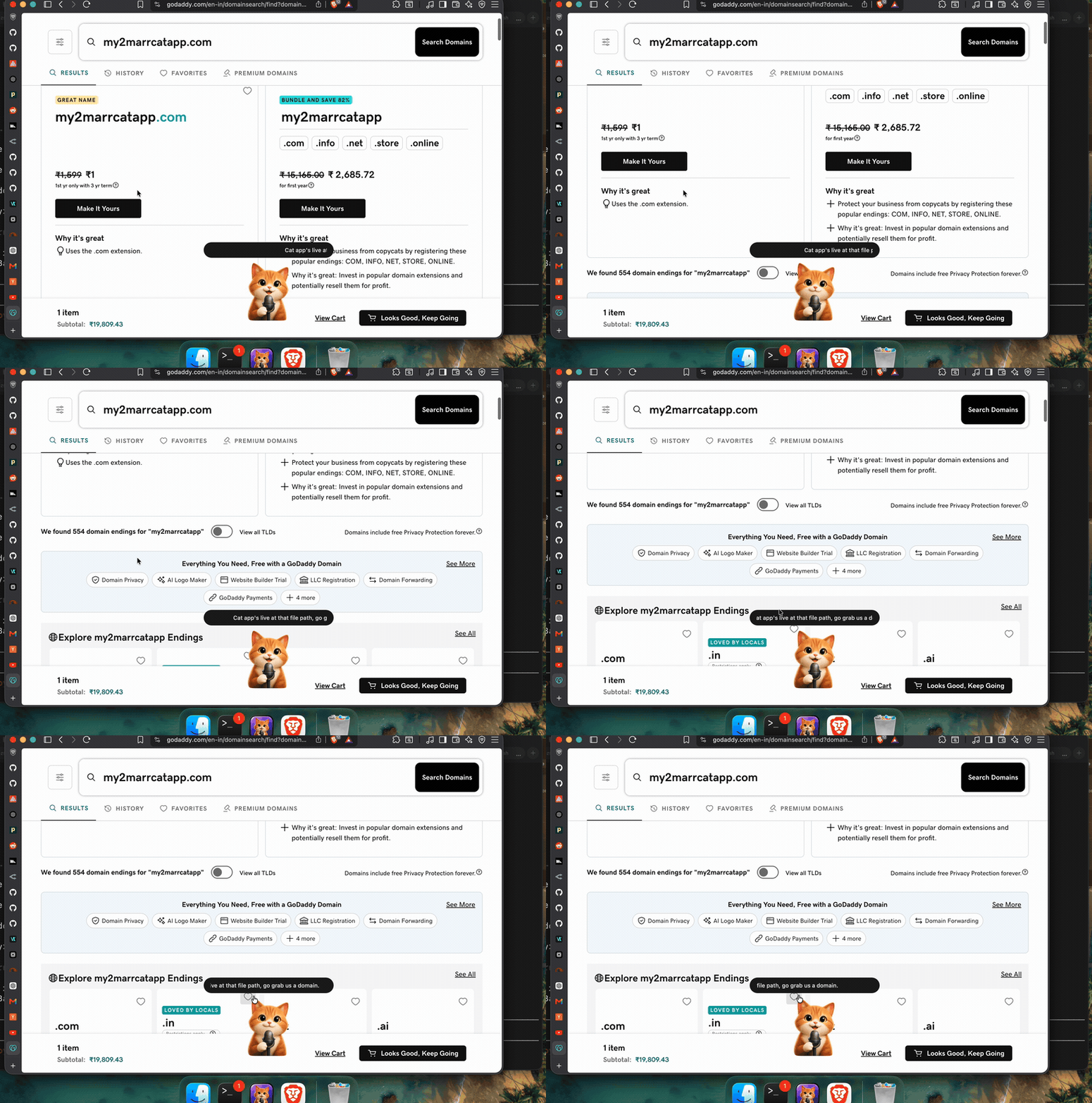
- Talking-cat notifications — when a coding agent finishes, a ginger cat pops up and speaks a summary in a natural Kokoro (82M) neural TTS voice (or macOS
say). Walk away and still know when it's done.
All on-device. No cloud, no account.
The talking cat works out of the box with the macOS say voice. For the Kokoro
neural voice, open the Voice tab and click Install Kokoro voice — it sets up
an isolated Python venv and downloads the 82M model (~200MB, needs python3). Until then
it falls back to say.
Requirements
- macOS 14+ (Apple Silicon)
- Xcode 16+ with the Metal Toolchain (
xcodebuild -downloadComponent MetalToolchain) — required to compile MLX's GPU shaders. - XcodeGen (
brew install xcodegen) - The agent CLIs you want to use (
claude,codex,gemini,cursor-agent) on yourPATH. gh(optional) for Create PR. Kokoro TTS (optional) for the neural voice.
Build
xcodegen generate                                    # project.yml -> GingerPaw.xcodeproj
xcodebuild -project GingerPaw.xcodeproj -scheme GingerPaw \
  -configuration Debug -derivedDataPath ./dd build
MLX requires Xcode's build system to compile the Metal kernels — a plain
swift buildwill not produce the metallib. Usexcodebuild(or open the project in Xcode).
The build is self-contained: a build phase also compiles and bundles gingerpaw-cli
(the voice + MCP helper) into the .app, so a fresh clone builds a complete, runnable app —
no extra steps. First launch downloads the WhisperKit model once; grant the three permissions
below. Install the agent CLIs you want (claude, codex, gemini, cursor-agent) to use the
Agent Workspace.
Run swift test inside Packages/FlowKit for the unit tests.
Permissions
GingerPaw needs three macOS grants (surfaced in the in-app Permissions tab):
| Grant | Why |
|---|---|
| Microphone | Record your voice for transcription |
| Input Monitoring | Detect the push-to-talk hotkey globally |
| Accessibility | Paste text into the focused app |
Architecture
A thin SwiftUI app shell (App/) over FlowKit (Packages/FlowKit), a SwiftPM package of focused libraries:
AgentWorkspace— the multi-agent window: SwiftTerm terminals, git worktrees, the diff panel, ports/PR, and the MCP bridge (MCPBridgeServer) that lets agents drive the app over a loopback socket.AgentMCP— shared Codable types for the MCP bridge (kept dependency-light so thegingerpaw-cliMCP binary stays small).AgentNotifications— the<say>transcript parser + speech service shared by the app and thegingerpaw-clihook binary.Dictation— theDictationCoordinatorstate machine ·Audio·Transcription(WhisperKit) ·TextInsertion.TextProcessing— MLX/Qwen formatter (experimental) ·Hotkeys(globalCGEventTap) ·Permissions(TCC) ·Overlay·Settings.AppCore— composition + UI: the Agent Workspace, Dictate / Voice / Permissions / Settings, and the talking cat.
gingerpaw-cli is the bundled helper binary: notify (the Claude Code voice hook) and mcp (the MCP server agents connect to).
License
MIT
Yorumlar (0)
Yorum birakmak icin giris yap.
Yorum birakSonuc bulunamadi